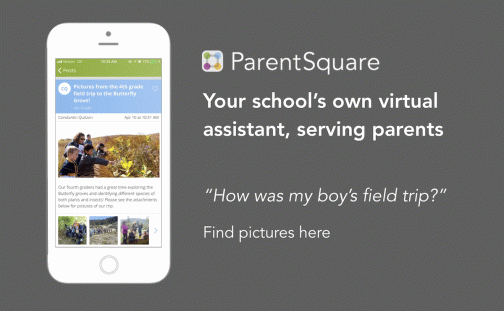
ParentSquare for Teachers

Communication is Key

One of the things that I enjoy the most about the summer is having more time to reflect on the different tools and resources that I am using in my classroom and to explore new ones. Summer is also the perfect time to participate in professional learning, whether by attending conferences, taking classes, or meeting with other educators. This summer, I have been involved in several presentations and conversations that are focused on finding a way to enhance better communication between home and school. It is critical for classrooms today that we find a way to increase family engagement in the learning experiences of their children and make sure that everyone has access to the school information and resources, especially those that are time-sensitive.

Finding the right tools

There is no shortage of tools that we can use to form a connection between home and school, whether we want simply to send messages and class updates to students, or we want to focus more on including parents. Because teachers have so many different responsibilities, finding the time to explore tools can be a little challenging at times. This is why it’s beneficial to share what we are doing in our classrooms to help other teachers get started and to make those connections that we know are so important for student success today.

Several years ago I noticed a disconnect and I resolved that by finding a digital tool (Celly, then Remind) to connect with my students so I could share resources and class updates with them. But I soon realized that I needed to go beyond simply connecting my students with the class, I needed to include parents. That’s when I moved to using an LMS, Edmodo, which enabled students to get the materials that they needed, and also keep parents informed about our class.

The benefits of one platform

Although these tools worked just fine, the concern was that teachers were using multiple tools. This meant that parents had to keep up with multiple apps, some of which may not have been accessible on their devices. When I was using the messaging app and the LMS, I had to keep a good routine of posting on both platforms and keep reminding myself that I needed to do so for each class that I was teaching. After a short period of time, I realized that there were too many being used. Being able to effectively communicate and collaborate is easier when everyone uses the same platform. There is consistency and parents won’t have to worry about which teacher uses which app, or whether or not their device is compatible with the apps being used.

Making the shift

Thinking about the different communication tools available to teachers, moving to something that offers more than two-way communication and the sharing of photos, videos, and files, makes sense. We have many responsibilities that could require multiple apps or forms of communication. However, notifying parents about student attendance, scheduling conferences, asking for volunteer sign-ups, or coordinating class fundraisers, are a few added benefits when teachers use a platform that provides all of these options housed within one.
Enter ParentSquare

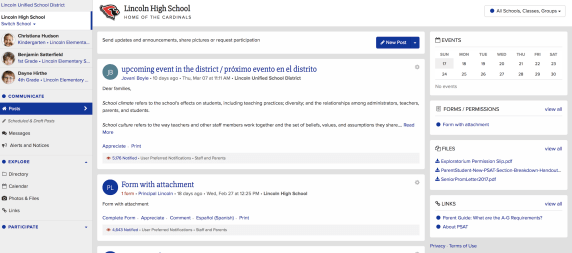
As teachers adopt free communication tools, districts are looking at alternatives. One such tool is ParentSquare. What does it have to offer for teachers and how does it compare to Remind and other teacher-adopted tools?

Teachers use ParentSquare for:

  • Communicating with families and students
  • sharing pictures
  • scheduling conferences
  • sharing class calendar
  • asking for class and project supplies/class party items and food
  • requesting chaperones and volunteers
  • collecting payments for field trips
  • Providing/Collecting forms and permission slips

In addition to the teacher uses, there are many other benefits for school- and district-based usage such as attendance and lunch balance notifications, bus delays, sharing grades and assignments, delivering progress reports securely, and emergency notifications. Having these capabilities makes ParentSquare a single hub for all school-home related communication for parents.

I have had the opportunity to explore ParentSquare over the last six months, to get feedback from other educators and to compare the ways that I used other messaging tools and apps in my own classroom. Besides the time factor, sometimes educators get pushback because there is just too much technology. Too many things to worry about, too big of a learning curve, and too much to figure out to get started, so it’s easier to stay with the tools that have been used for years and that are more comfortable.

Easy to join

When using a platform like ParentSquare, teachers have a lot less to worry about when it comes to sending messages and inviting parents to become part of the group. ParentSquare automatically integrates with the SIS, making it easy for parents to join because it’s done automatically for them, without the need for a join code like with Remind. Parents who don’t register will still receive messages because their information is pulled from within the school rostering system.

Comprehensive and consolidated

Parents will feel more connected to the school by having one consolidated platform, which resolves the problem of knowing where to find information or keeping up with multiple apps for different classes and yet more apps and tools used by the school and the PTA. ParentSquare combines all into one. With tools like Remind, the options are limited as to the types of information that can be shared.

Privacy

It is important to first guarantee that any tool or platform used is in compliance with COPPA and FERPA. Compliant with both, ParentSquare takes all precautions when it comes to the safety and security of students and their families. ParentSquare is a signatory of the Student Privacy Pledge and the company signs a contract with the district to ensure student privacy. While Remind is also compliant with COPPA and FERPA, it has not signed contracts with the district or school in most cases.

Delivery of messages

At times I also heard that some parents were not receiving my messages. When I used Remind, I could see that messages were delivered, however, the students or parents were not necessarily reading them, which presented another problem. Perhaps because of the use of multiple tools, which is why it makes more sense to have one comprehensive platform. ParentSquare automatically delivers messages using the right modality – email, text or app notification and the right language as is in the school records. Reports show reach and deliverability of messages, making it easy to identify who has or has not been contacted.

Consistency is important

Personally, I have used anywhere between four and six different apps and websites to complete these tasks. However, with ParentSquare, you can facilitate faster and better communication and collaboration between home and school. ParentSquare enables schools and families to engage more in conversations by providing multiple options for communicating in less time through direct messages, polls, and the option to post comments all in one platform. It offers a consistent and reliable way to communicate within the school and school district, fostering and building the relationships that promote better communication, student success, and family engagement.

In many schools, administrators are potentially asking teachers to use platforms that are a paid platform rather than selecting the tools that they feel most comfortable with or prefer to use based on their role or content area. Making the transition from a tool like Remind to that of ParentSquare does not require any extra time, in fact, it is very user-friendly and easy to navigate. And if there are any questions there are many resources available including online self-paced training modules, extensive knowledge base, 24*7 support for teachers and parents.

Sign up for a demo today

**********

Key features: Also check out the video here.

Key Features  
Privacy Available, updated 2018
District Level Oversight
Messaging to and between parents
Messaging between teachers and staff
Individual/Group Messaging
Notifications as text, email, app
Send/Schedule reminders
Language Translation 100+ with Real-time translation
Class/School Calendar 2-way Sync with Google and iCal
File and Photo Sharing
Conference & Volunteer Signups
Single Sign-on
Unlimited Message Length
Coordinate Events/RSVP
Permission Slips
Devices: iOs, Android, Web
Attendance Notifications
Grades and Assignments
Report Card Delivery
Attendance Delivery and Excuse Notes
Truancy Letters
Cafeteria Balance
Payments and Invoices Recurring & one time
Polls and Surveys

Buncee: More than just a presentation tool

Buncee: More than just a presentation tool!

There are a lot of great digital tools out there for educators to bring into their classrooms. When it comes to deciding on a specific tool to use, we must always think about our purpose and perhaps ask ourselves a few questions, such as: why are we looking for a digital tool, what are we hoping to accomplish by using it and how will it benefit students and learning? I’m often asked by colleagues either to recommend a new tool or direct them to something specific based on their requirements, such as video, audio, text and more. Because Buncee is such a versatile tool and offers so many options all-in-one, I find myself recommending it a lot. It is easy to get started with and full of choices for teachers and students.

Educators want to use tools that promote student choice and student voice and offer more than just one purpose. The reason I recommend Buncee is because it offers much more than simply being a way to create presentations. In addition to all of the wonderful things that can be created using Buncee, there are additional benefits for educators and students that might be overlooked or simply not thought of when getting started. For example, educators can meet the ISTE Standards for Students and Educators. By having students create with Buncee, students become empowered learners, creative communicators, innovative designers, knowledge constructors and engage in learning that meets each of the ISTE standards. With technology, we want to make sure that it is being used in a way that amplifies student voice and choice in learning.

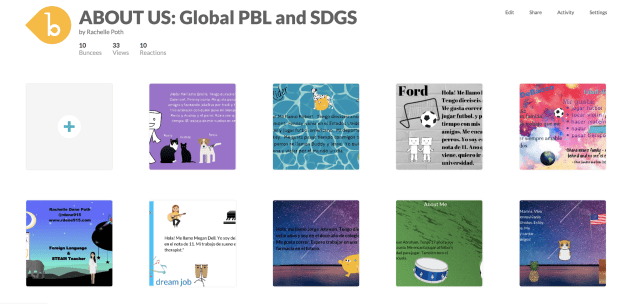
However, Buncee does more than that. Beyond addressing the ISTE standards and providing students with more authentic and personalized learning experiences when creating with Buncee, there are other skills that are being addressed. In my own classroom, we have used Buncee for many different projects and even for project-based learning (PBL). My students created Buncees to share with their global peers in Argentina and Spain. Creating an “About Me” Buncee enabled all students to develop a more global understanding and become aware of cultural differences, as well as to develop empathy in the process.

Students enjoy creating with Buncee and even more than seeing their own creations, they really enjoy seeing what their classmates create. I have noticed that students become more comfortable with one another in class and start to build closer connections while working on their Buncees. Even the quietest students begin to ask questions, interact more and have been more engaged in creating when using Buncee than they had with other tools before. Students tell me that they enjoy teaching one another, learning about their classmates in unique ways, and feel like they are part of a classroom community.

Knowing that students are picking up on this has been a great way to foster the social-emotional skills (SEL) students need now and in the future. Buncee is so invested in providing a lot of options and opportunities for students and educators to enjoy learning, creating and growing together. Now Buncee has templates available to address SEL.

What is Social-emotional learning?

CASEL (The Collaborative for Academic, Social, and Emotional Learning), formed in 1994, is an organization which actively works toward promoting the importance of developing SEL skills in education. SEL is focused on five competencies: self-awareness, self-management, social awareness, relationship skills, and responsible decision making. The development of these skills can benefit the level of student engagement as well, leading to higher academic achievement and reduce discipline issues in the classroom.

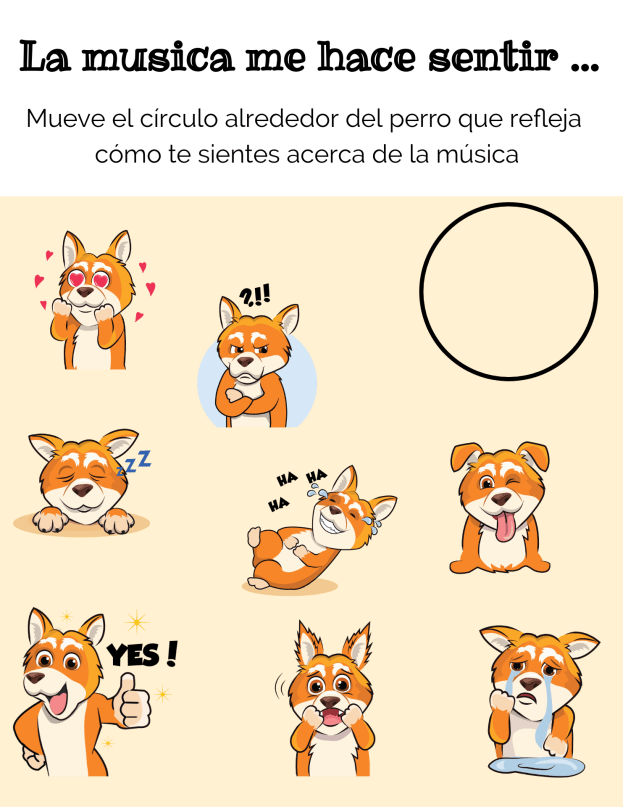
Providing opportunities for students to interact through the use of digital tools and activities in the classroom promotes the development of social-emotional learning skills. Using some of the Buncee templates and emojis, students can comfortably express how they are feeling, provide a quick check-in based on their level of understanding, share personality characteristics or likes and dislikes, or respond to questions in class, for a few options. Buncee is “giving a voice to the voiceless.”

In my own experience, I have seen students who have preferred to not speak out in class or who voiced that they were not creative or would not be able to do a presentation, design amazing Buncees and be excited to share with their classmates. Students build confidence while creating and the benefit is that they become more engaged in and excited to share their learning and interact with classmates. It helps to foster the development of skills such as problem-solving, working with different layouts, visualizing and displaying student learning.

It is always a good idea to ask students for feedback. I want to know what their thoughts are, if the tool or strategy is making a difference for them and if so, how. Here are some student thoughts about Buncee.

“It helps me to express my ideas more easily and make presentations which are much more interactive for myself and for my classmates.”

It is made in a way that allows students to make it really personal and specific to what they need. If students are enjoying their work and are able to make it their own, then they will be more willing to learn and will improve because of using Buncee.”

Hearing from students is important and making sure that all students feel comfortable expressing themselves is even more important. With Buncee, students have many choices to find what interests them and to express themselves in a way that is authentic, meaningful and personalized.

Summer: Family, Friends, Learning


This slideshow requires JavaScript.

When people find out that I am a teacher, one of the first things they say is “it must be nice to have your summers off.”  Yes, it is, but in all honesty, I would be fine if my school switched to year-round schooling. I enjoy being in the classroom and look forward to each day and what it brings, even the challenges that might pop up. More than anything, I love working with students and learning from them. My reason for loving the summer is not because I don’t have to go to work; it’s because it is an opportunity to have more time with family and friends and to take part in professional development and reflection.

Time for Reconnecting

Life gets so busy sometimes that before you know it, weeks and months pass by and you might find that you haven’t had a lot of time to spend with family and friends.  Of course, technology helps us to stay connected more than we could before. Whether we use text messaging, different apps, FaceTime or even a hangout to see our family and friends, it’s not the same as time together in person. More days at home means more time for family and friends.

I’m also excited for conference season to be here and to have time to spend with some of my closest friends learning together and relaxing. It was an amazing week at ISTE 2019 in Philadelphia and it is hard to believe that it has already passed! Time to start prepping for ISTE 2020!

I presented several sessions while at ISTE, which is such a fantastic conference that brings so many educators from around the world together every year.  We had so much fun and some of these pictures totally capture that well. It is great to spend time with my 53s and the 4OCFPLN and meet some PLN for the first time in person.  I loved getting to finally meet (in person) Elisabeth Bostwick, Rich Czyz, Tamara Letter, Scott Nunes, David Lockett,  Annick Rauch, Stacey Roshan, the Gimkit team of Josh and Jeff, and a few members of the 4OCFPLN that I only knew through Voxer!

Now I am prepping for the next learning adventure which is coming up in 2 weeks. I’m fortunate to be part of the EdWriteNow Volume 3 group of authors who will meet in Boston to write the book together. An added bonus is that I will get to spend extra time with my good friend Jennifer Casa-Todd while there. After Boston, a few of us are going on a writing retreat to Nashville. While each of us will be working on our respective books, it will be nice to spend time together!

Knowing that I will spend time with my core groups, the 53s and the #4OCFPLN, plus meet other members of my PLN for the first time, in real life, is one of my favorite things about the summer.   


This slideshow requires JavaScript.

Time for Recharging

Summer is a time for a lot of things, one of the most important is self-care and recharging. So doing some normal summer things like sleeping in late, catching up with friends and family, going on vacations, ditching our devices and not worrying about setting the alarm are important for our self-care. Summer is also a valuable time for teachers to do even more on a personal and professional basis like think about their practice and take advantage of the opportunities that are out there for personal and professional development and growth. Attending conferences like ISTE give me a renewed excitement for the work that I do. My energy rarely dips when I am at these events, surrounded by friends and learning.

Time for Learning

A more flexible schedule for the summer means more time for attending conferences or webinars, joining in book studies or Voxer groups, or connecting within different learning communities. It might be easier to get involved in a Twitter chat, whatever it is during the school year that just doesn’t seem to fit as part of your routine, make it part of your summer routine.


There are lots of opportunities out there and my advice is to decide what is best for you. Do you want to be in one Voxer group or join one book study? Then make that your focus. Or maybe you want to start a blog or create a  new website. It’s up to you because it is your time to decide how to spend your summer break. I’m thrilled to be part of the summer BookcampPD book study with my book In Other Words. Looking forward to discussing the six books included in the study and of course, the two weeks in July (July 15-28), when we get to talk about my book and share ideas and takeaways from it.


Enjoy yourself

Each summer gets better and better, and it’s not because I traveled and spent hours on beaches, or to the contrary, kept idle. It is because I have used the time to learn more, to read, to connect, to reflect and to prepare for the next year.  My summer goal is to work so I can start stronger and be better than I was the year before. Whatever you do this summer, make time to recharge, connect and learn. And don’t set the alarm 🙂


This slideshow requires JavaScript.

Learn with Socrates: Get started before the year ends!

This post is sponsored by Socrates. All opinions are my own.

When I think about trying some new tech tool, I first consider my purpose when deciding which tool to try. As educators, our goal should be to leverage technology in a way that helps to empower students, promote personalized and student-driven learning, and amplify their learning potential.

As the school year winds down, I think we have a great opportunity to provide some new, authentic learning experiences for our students. We can use these last few weeks of school to do some really cool things. If you notice that students are kind of drained or their motivation or engagement seems to be lacking, then I think it’s the perfect opportunity to try something that you’ve had on your mind but never quite found the time, or to try something new that you recently learned about. Either way, in my own experience, I have seen improvements in these areas by providing access to different digital tools for students to choose from and that meet their needs and interests. Of course, finding something that enables students to have fun while learning is never a bad thing. I recently found something that will definitely help: Socrates

Why Socrates?

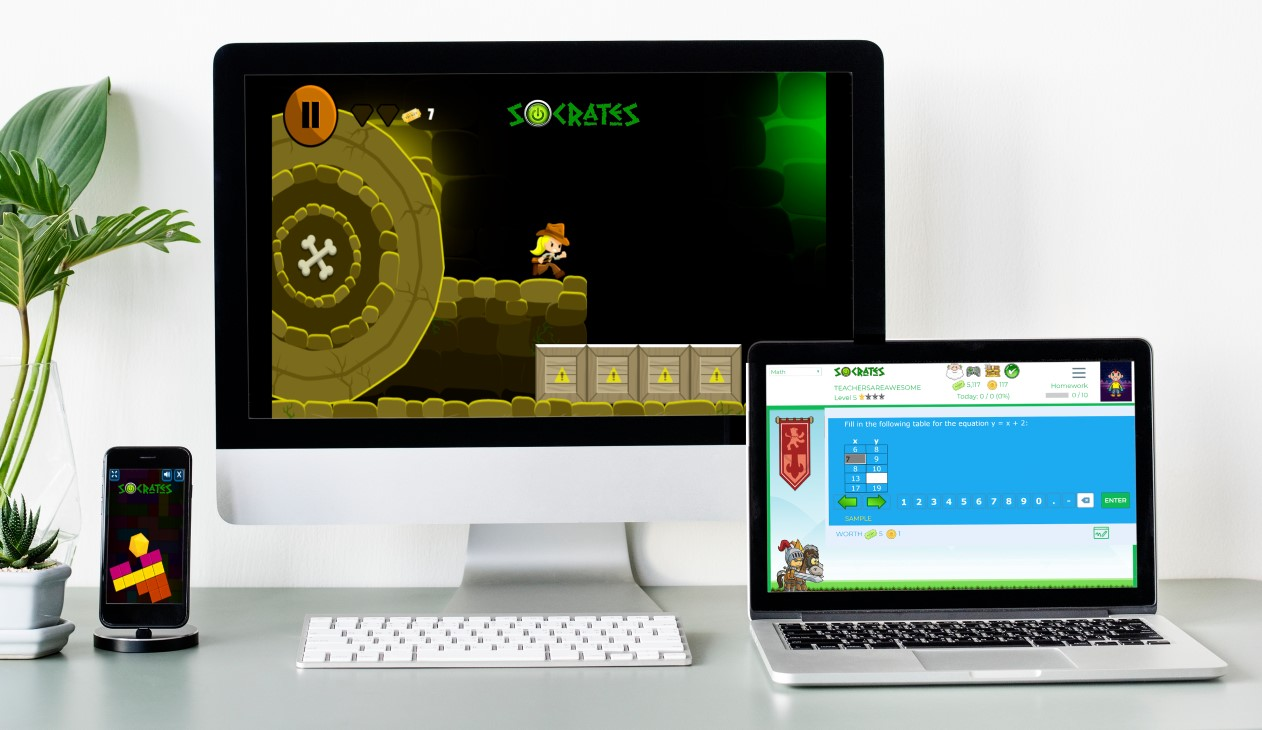
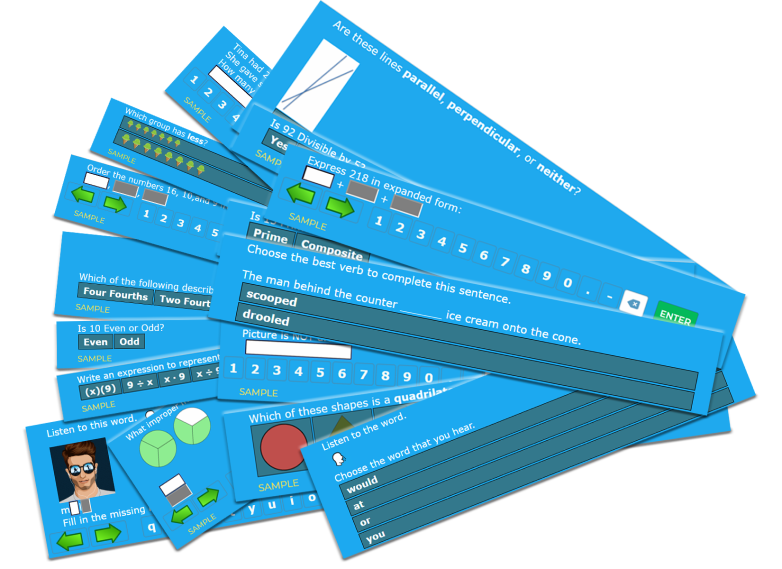
Socrates provides a unique game-based learning platform that is focused on differentiating instruction for students. By using Socrates, teachers have access to a wealth of resources and ways to better engage students in learning, helping them to build their skills in content areas such as math and English through the use of games. Because the platform uses artificial intelligence, it is able to adjust to student needs by creating an individualized learning path in real-time, which makes Socrates stand out from other learning platforms. It is easy for teachers to track student progress and quickly identify where students might need some extra help or instruction. It enables students to progress at a pace that meets their individual needs and provides them with the right supplemental resources they need when they need them.

Getting started with Socrates is easy!

Finding time is always a challenge with so much to do in our school days and prepping throughout the week. However, with Socrates, teachers can quickly set up an account, add students to classes and start assigning free practice, homework, and tests in no time at all. The Teacher and School Command Center Modules in Socrates provide a powerful teacher assistant that informs teachers when and where each student needs help. Being able to act on that information quickly is key for teachers, and this is where the AI makes an impact on student learning and growth. Get started today! (link)

Worried about having devices that are compatible? Socrates can be used on a PC, Mac, Chromebooks, Android, and iOS devices. Students can complete their work in class or on their own schedule wherever they have access to a device.

How to get students started

To add new students, simply follow these steps:

1. Go to your teacher Dashboard and select “Manage.”

2. Click the student icon to add a new student.

3. Enter student first and last name.

4. Add a student ID (at least 4 digits).

5. Select the grade level for the student.

6. Click “Create a student account and add to the roster.”

Making changes to student account information is easy using the Command Center. Teachers can specify a grade level, an active area of study, learning style, and gameplay (ranging from High gameplay to No games). Assessing student progress and making changes to their learning profile is easy to do within the Command Center.

Free practice, homework, and tests

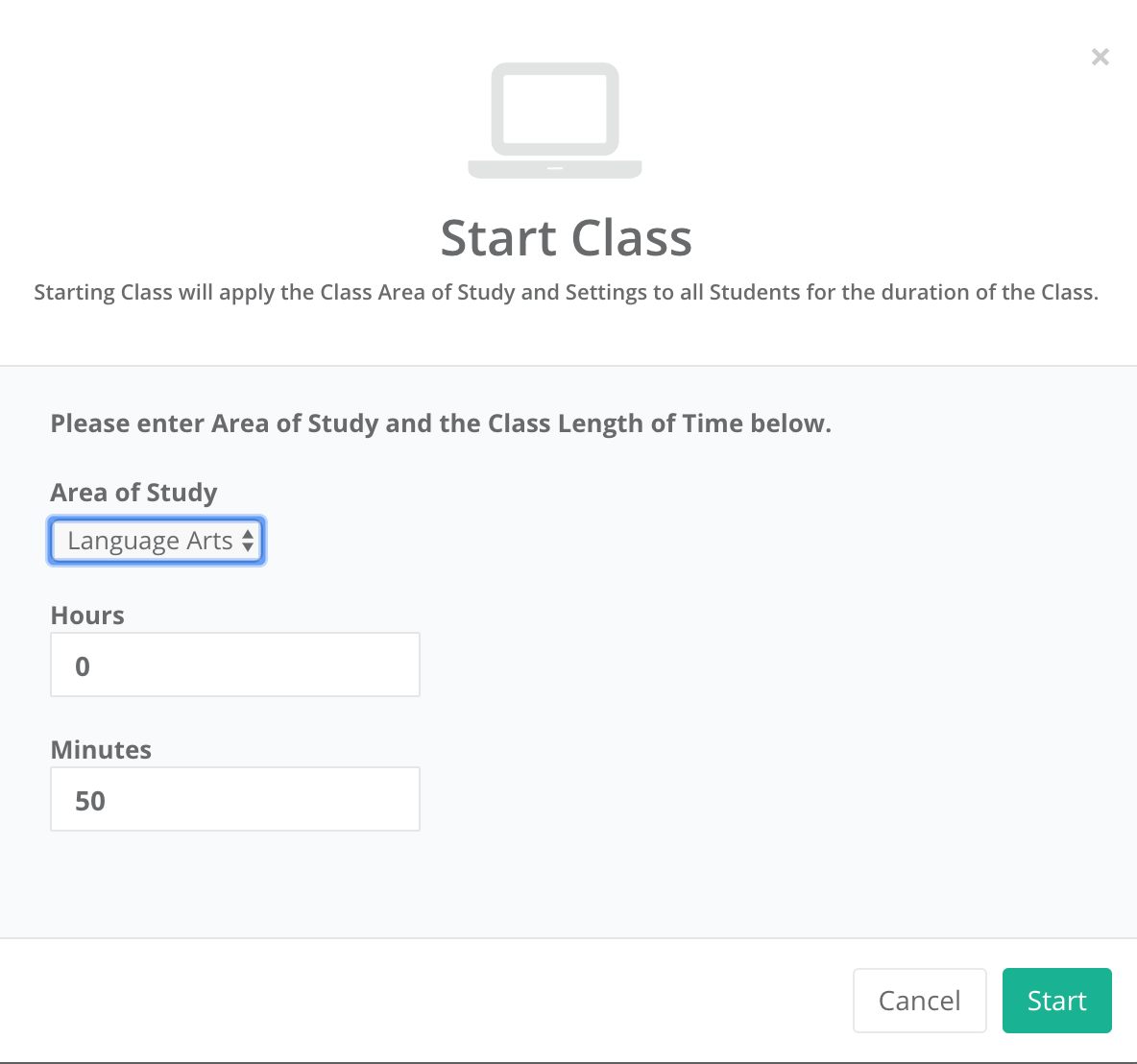
It is easy to find the right activities for students and to start a class or set up activities for students to work on at a later time.

To get started:

  1. On the dashboard, select “Assignments.”
  2. Once assignment opens, select the Area of Study (K through 5th) and the content area (Math or Language Arts)
  3. Select the topic, and continue making selections for the specific content material.
  4. On the Assignment details, change the name, the number of questions, add a start and end date if applicable.
  5. Choose to assign as Free Practice, Homework, or to Print.
  6. Once selected, the assignment is added to the student____________ and a box prompts you with “OK” to signify the assignment has been created.

First impressions

Before getting students logged in, we discussed artificial intelligence and how it was used in the Socrates platform. Students were excited to get started. I was impressed by how quickly I could create accounts for my students and get them logged in. They were able to navigate the platform without my assistance and enjoyed having so many choices in which games to try first. Being able to track their progress and make adjustments so quickly is definitely a benefit of the Socrates platform.

If you have not yet tried it, I recommend getting started here. Socrates offers a 30-day free trial. I encourage you to try it out for the rest of the school year and see what students think and reflect on how it benefits learning now and through the summer.

For more information, see the blog, be sure to share your feedback and also follow Socrates on Twitter: @learnwithsocra1

null

NoteAffect: A better way to engage

NoteAffect: A better way to engage

This post is sponsored by NoteAffect. All opinions are my own.

The Future of Educational Technology Conference (FETC) held at the end of January has become one of my favorite conferences because of the diverse opportunities available to explore emerging technologies and to network. One of my favorite things about FETC is exploring the edtech startups to find out what new tools and trends are out there and to learn some of the stories behind the creation of these tools. It is a great opportunity to see the different start-ups in the Pitch Fest competition and hear their passions for education.

One that caught my attention this year was NoteAffect, an interactive learning platform aimed at promoting and understanding student engagement. The platform empowers educators by providing many options for delivering a lecture and includes live polling, questions, analytics and more, to enhance the learner experience. With time so limited at the conference, I explored the platform on my own and then contacted Jay Tokosch,Founder and CEO of NoteAffect, to set up a demo.

The story behind NoteAffect

When I spoke with Jay, I learned that he got started in this business by founding Core-apps, one of the leading event management systems in 2009. Core-apps was the first company to create a mobile app used for event management. So if you’ve been to conferences or trade shows, and used a conference app to build your schedule, you may have using Core-apps. Having ten years of experience with a highly engaging event management app, Jay has designed an equally powerful learning tool for education. When I asked Jay about how he came up with the idea for NoteAffect, he told me that he got the idea after observing his son preparing for an exam. Jay noticed his son pulling out a spiral notebook, some printed Powerpoint presentations and other documents to study for his college engineering exam. As he studied, his son was going back and forth between all of those materials, trying to match everything up to study. Jay decided to “fix that problem” by designing something that could store all of the information in one place and make it easier for students to study.

The design of NoteAffect is quite simple and easy to navigate, which makes it a great choice for all teachers, whether they are beginners or advanced users when it comes to implementing technology in the classroom. By using a robust tool like NoteAffect, teachers have immediate access to real-time data that enables them to provide the right instructional supports and make adjustments on the fly as the lecture continues. The goal of NoteAffect is to empower teachers to provide the best learning experience and options for students and to close the gap that happens when students are absent from class. While students can easily get the notes or look over a presentation, without the additional resources added in and the interactive piece that NoteAffect provides, students will be missing out and cannot reach their fullest potential.

What does NoteAffect offer?

NoteAffect is more than simply a way to deliver a lecture. It offers digital interactive learning that is available to students whether live in class or for later viewing at a time that meets their schedule. It is a multi-purpose platform with capabilities to facilitate communication, collaboration and increase student engagement in learning. NoteAffect creates a virtual space for students to fully engage in the lesson, whether participating in class or viewing it at a later time.

When I first explored NoteAffect, what I immediately noticed was how easy it was to set up my courses, add students, locate my lectures, and navigate through the platform. Having time to explore NoteAffect closely, I thought about my own college experience years ago and how beneficial a tool like this would have been for some of the more challenging courses that I had. Although we had access to lecture notes made available after class, being able to interact with the content during class would have increased my understanding and helped with content retention.

Another benefit of Noteaffect is for increasing student engagement. For a long time, I struggled with student engagement and reached out to colleagues and tried different resources to see if I could engage students more. While the methods definitely improved student engagement, I needed more data to work from. Using NoteAffect enables you to focus more closely on student engagement by exploring the analytics available for each lecture and each student.

With NoteAffect, tracking student engagement is easier and it is also a great way to reflect on the teaching practices being used in the classroom.

I will continue exploring NoteAffect and gather some feedback from my students. Check into NoteAffect here and get started with a demo. My next post will highlight some of the features and offer some tips for getting started.

Socrates: Engaging Students and Empowering Teachers

Learning at the Speed of You

In the spring, I like to explore new tools and ideas for use in my own classroom and for colleagues who want to try something new before the school year ends. Spring is the perfect time to try out teaching methods or tools that you perhaps did not have time for yet, or to find something that will keep students engaged through the end of the school year and maybe even to use to avoid the “summer slide.”

A few weeks ago, I came across Socrates, a learning platform also referred to as a “learning engine.” Socrates offers many valuable features for students and teachers, that make it a standout and I am looking forward to sharing its features, ideas to get started and tips over the next few weeks.

The story behind Socrates

I’m always interested in the people behind the product and learning about their motivation for designing something for educators and students. To learn more, I contacted Brian Rosenberg, the Co-Founder, and Chief Executive Officer, to gather some background information on the platform, to find out how it uses Artificial Intelligence, which is a key area of interest for me, and the types of resources available for students, teachers, parents and for homeschooling. The platform, created by Education Revolution, LLC has already received recognition several times this year. Socrates offers such distinct features, which makes it clear why it was endorsed by and received a grant from the National Science Foundation. Less than 5% of the companies are chosen, and Socrates, selected for its unique innovation and having a clear benefit to society was the first winner in Nevada in six years. More recently at the Magnet Schools Conference in Baltimore, Brian had a chance to share the vision of Socrates. He shared that the platform “was created to help provide equal access to students regardless of their socio-economic background.”

Impressive features

I scheduled a demo with Brian and was able to “experience” the platform from the perspective of a teacher and student. As Brian showed me the different components in the Teacher Dashboard, the analytics, and a variety of information available for teachers to use to guide instruction was impressive. One of the first things I consider is ease of navigating through the platform and whether the layout is visually engaging and rich in terms of content.

One aspect of Socrates that makes it unique is that it functions through the use of Artificial Intelligence and cloud computing, there is no IT setup and it can be used on any device. Socrates is fully automated and using the AI, it can quickly assess individual student or whole class needs, and then make adjustments in the learning path. While it the artificial intelligence allows it to automatically adjust for each student, it provides extensive tool for teachers to take over the learning experience and is designed to be a teacher assistant, not a teacher replacement According to Brian, there are 1300 categories of information with millions of questions, and it can adjust to particular topics as students progress, and goes question by question to make changes and create a unique learning path for each student.

Currently available content is Math and ELA (K-5) with Science about to release. During our recent conversation, Brian highlighted a “roadmap” for some updates and new features coming up in the platform over the next few months and at the beginning of 2020. There are plans to roll out activities for K-8 Science, grades 6-8 Math and Language Arts throughout the summer and early fall. Later this year and into early 2020, plans are in the works for Social Studies, ESL, high school Math, and even Test Prep. The number of resources currently available within Socrates is impressive, but with the additional features being added, it will provide an even more robust learning platform.

Socrates recently launched in Mexico, and therefore the teacher and student application is available in English or Spanish.

I will have the opportunity to explore the Socrates platform on my own and will take a closer look at each of the features, comparing it to other tools that have the same end goal as Socrates: providing students with a unique, individualized, learning path.

Experiencing the Power of Socrates

A few of the features that I will be looking at:

  • Dynamic Assessment: How the platform assesses students to find out the specific student needs.
  • Teacher Dashboard: Explore how to move students between classes, look at options available for each student, sorting of data
  • Weekly Reports: Look at the information available, ease of obtaining a snapshot of student progress
  • Command Center: Closer look at features and tools available.
  • Navigation of platform: Evaluate the learning curve for teachers and students, watch tutorial videos
  • Categories of Games: Explore the different categories, rewards, and badges available for students
  • Shop: Look at “cards” available to students, some examples are Greek Mythology, Presidents and more.

If you have been using Socrates, I would love to hear from you. If you have not yet tried it, I recommend getting started here. Socrates offers a 30-day free trial, and Brian encouraged teachers to try it out for the rest of the school year and said that their students can use it over the summer at no charge if they sign up before the end of the school year.

The classroom version: http://withsocrates.com/classroom/

***Coupon code is THRIVEinEDU2019. It can be used for the classroom edition or for the summer edition ($39.99 for the summer for teachers with summer school classes)

Connect with them on Social Media to keep informed of the great new features coming. Twitter is learnwithsocra1Facebook is learnwithsocrates

In Other Words, my new book is now available! Click here for more information on how to get a signed copy.


Practical ways to promote SEL


Toward the end of the past school year, I noticed a decrease in student engagement, especially while I responded to the question of a student seated close to me, students around the room became distracted or stopped listening. Trying to get the students to refocus sometimes presented a challenge and the result was a loss of valuable instruction time. Another concern was how students had been treating one another. I  often overheard conversations in the hallways, or witnessed unkind interactions in the classroom, or had students who sought help in dealing with different situations.

There were two issues that I needed to resolve: regain the valuable instruction time that was being lost and help students to develop more positive, collaborative peer relationships. How could I connect students more to the content and to one another, so they could work together to foster a more positive classroom? After some brainstorming, and reaching out to my PLN,  I decided to first focus on ways to promote collaboration and to step out of my role of “leader” in the classroom by stepping aside.

The first changes:

My first realization was that I needed to shift roles in my classroom. I needed to get out of the way, and students needed to do more than simply sit for the entire class. To get started, look at your own classroom. Where are you and the students spending the class period? Think about how you can open up more space and create a collaborative setting for students. Think about how you can involve the students in more “active learning” that will lead to better student engagement.

One morning, I looked at the physical space of my classroom and decided to break apart the rows of desks. By doing this, it created more flexible spaces for students to interact, to create and lead, and do more than just sit and listen. Students need opportunities to work with their peers through lessons and engage in activities where they can master the content together, and that will provide opportunities to develop their interpersonal skills, self-awareness and social awareness of others.


Making these changes can feel uncomfortable because it means going against what likely has been the traditional classroom structure. However, many teachers have moved toward flexible learning spaces, creating a more student-centered and student-driven classroom. A classroom which moves away from simply lecturing, reviewing homework, passing out materials, assigning new homework, and repeating this same routine the very next day. While this process may promote the acquisition and application of knowledge, it does not effectively promote collaboration, invite student input, nor foster development of vital SEL (social-emotional learning) skills.

CASEL (The Collaborative for Academic, Social, and Emotional Learning), formed in 1994, is an organization which actively works toward promoting the importance of developing SEL skills in education. SEL is focused on five competencies: self-awareness, self-management, social awareness,  relationship skills, and responsible decision making. The development of these skills can benefit the level of student engagement as well, leading to higher academic achievement and reduce discipline issues in the classroom. To promote the development of SEL, here are some ideas and additional resources to get started.

Practical ways to promote SEL:

  • Icebreakers: I started this school year with fun icebreakers, to get to know one another and to find out what students had in common. Why? It all starts with relationships, building a connection with peers and the teacher, and using this to connect with the content area. Returning after an extended holiday break, doing even one icebreaker can be a good way to welcome students back to the classroom, to ease into the daily routine and to start the year fresh by working on relationships. Perhaps have students share what they did over break, show a picture, talk about favorite foods for holidays even, and let students make connections on their own.
  • Games and activities: Providing opportunities for students to interact through the use of games and activities in the classroom promotes the development of social-emotional learning skills. There are many online tools available to help you get started. For elementary and middle school, Centervention provides free online games, activities, and printables for teaching students about SEL. Gaming helps students to learn to problem solve, collaborate, think critically, and develop empathy through scenarios within the game itself, or as a result of being part of a team. It creates a sense of community and belonging, which foster the social-emotional skills students need. Even by using Minecraft, educators have seen a connection between the benefits of gaming for learning and the development of SEL skills.
  • Learning Stations: Something that has really made a difference in my classroom has been using learning stations. I started the year with rows and decided one morning, that the rows had to go. I quickly set up clusters of desks or “stations” to accommodate three students each, with four extra desks grouped together in the center. At each station, students spend 10-14 minutes doing a hands-on activity like a worksheet, creating flashcards, watching a video, playing a game or simply coming up with their own ways to practice. Deciding upon the activities takes some planning, especially when trying this for the first time, but it is well worth it. Start by explaining the “stations”, involving students in the discussion and asking for feedback. When we explain our goals and share any fears we may have, we are modeling “self-awareness” and “self-management”. By using stations, we also have more time to interact with each student and group, work on relationships and foster a deeper understanding of the content as well as connecting with one another and creating a more positive classroom culture.

Challenges and solutions:

  • Groups: The first few class periods there were complaints. Students wanted to work with their friends and others wanted to work alone. It can be awkward if you are the only one who doesn’t find somebody to work with, but it can also be a challenge to work with a group when you may end up being the only one doing the work. Assigning random groups can help alleviate some of these uncomfortable feelings, even though in life and for the future, students may face the same challenges and uncomfortable moments, not having a choice in collaborative work. However, for the time being, the importance is to help students to develop interpersonal skills that will enable them to be successful in the future, to develop the social and emotional learning skills, especially in terms of relationships, decision-making and developing a self- awareness.
  • Timing: It can be a challenge at first to know how much time to provide for each station. I started by spending ten minutes reviewing material, asking questions, or doing an activity with the whole class, before starting stations. I tried giving 15 minutes for each, so students would work through two each day. Some students finished early and wanted to move on. To work through this, I would use the time to speak with each group or individual students, and then make adjustments during the next station rotation. There is always room to improve, but the important thing is remembering to be flexible and open to changes that will positively impact student learning and relationships.

Benefits:

  • Student engagement: Students have been more engaged in learning, and have come in to tell me how much they look forward to coming to class. Because of the different activities within the stations, students participate more because they are active and moving, and know that each station offers a new way to learn.
  • Student leaders: Students are offering to help one another, to explain concepts, and to cheer each other on. They keep each other on task and by working in these small groups, there are fewer distractions than working as a whole group. Each small group can ask questions, receive individualized feedback because I can freely move around the classroom and clear up any misunderstandings.
  • Teacher-student relationships: Students are getting timely, authentic and personal feedback. By using learning stations, more time is student-focused and those individual conversations can happen as needed, to help students to be successful and be more confident.
  • Student learning: In terms of academic achievement, the participation and results of recent assessments are the highest they have been. Students enjoy coming to class because they know they’re going to be leading and making decisions about their learning, in a way that is comfortable, flexible and fun. The learning experience is more authentic and meaningful for students. Research has shown the positive benefits of incorporating SEL into the curriculum.
  • Student behaviors: As for the class distractions and the negative interactions that existed before, both have decreased tremendously. It is not something that is going to change overnight but what matters is that we make constant progress. We are learning and becoming better together.

Leveraging Technology to Enhance the Learning Experience

Updated from an original post on DefinedSTEM.

Technology creates many opportunities for teachers to provide innovative learning experiences for students. An even greater benefit is that these learning experiences can take place regardless of the time and place, and offer students more personalized opportunities for interacting with their peers and the content. With so many choices now available, sometimes deciding on a specific digital tool or a type of tool can present a challenge.

I am often asked about where a teacher should start when either implementing technology for the first time or creating a blended learning environment. What I suggest is to first think about some of the learning activities that are already being used in the classroom. What has seemed to work the best and what are some that possibly either take a lot of time to create or that don’t offer students a lot in the way of choices.

Another consideration is focusing on your goals and what you are hoping to accomplish by using technology. Is it to create an access point where students can ask questions, obtain class resources or interact with their peers? Or is it to provide students with different methods to practice the content and also to apply their learning in more authentic ways?

Here are four strategies for helping students to communicate, collaborate and create in the traditional learning space as well as beyond the classroom setting. By trying some of these ideas, you will see some positive changes that promote student voice, create more time for you to interact with and support students in learning, and it will help students to build digital citizenship skills as they learn to leverage the technology and navigate in the digital world.

Improve Communication Through Effective Technology Use

One way that I have used technology that has had a big impact in my classroom is by using a messaging tool. A few years ago I noticed a disconnect with students and the class, either they were absent and could not get materials or they had questions after the school day had ended. By using messaging apps, I can send reminders, answer student questions and provide feedback when students need it. You can also use some of these apps to connect with families as an alternative to email. There are a lot of options available and your choices will depend on the level and area you teach and whether your goal is to set up communication between students and you or with parents. I use Remind with students and parents, and BloomzApp is another option for creating a space to interact with parents. Either of these is good for providing students and parents with live feedback. It is easy to sign up for either of these using any device, and privacy and security are provided.

However,  I was recently looking at communication tools and thinking about promoting family engagement and came across ParentSquare before attending FETC in January. ParentSquare is more than simply a one-way communication tool. It is a multi-purpose platform with capabilities to facilitate communication, collaboration and increase family engagement in schools. ParentSquare is for use in grades PreK-12, geared toward streamlining parent notifications, increasing participation and family engagement in the school community and more. It can be used by students, teachers, staff members, administrators, and parents, and it creates a virtual space where so many vital communications and interactions can be completed. 


ParentSquare provides a consistent and reliable way to communicate within the school and school district, fostering and building the relationships that promote better communication, student success, and family engagement.

Enhance Collaboration Through Digital Learning Spaces

By establishing a specific location for students to access class resources, find out about assignments, and to ask questions, we can provide the support that students need to be successful. Some of the ways that I have used Edmodo and Google Classroom are to curate and provide resources, post daily assignments or reminders, announce upcoming class events, and to be accessible for student questions. Depending on the platform you use, it is easy to update the site and it is also a good way to help parents stay informed of what is going on in the classroom. It can be a collaborative learning space for students to interact with their peers or to connect globally using additional digital tools that are all housed within one learning space.  Tools like Edmodo, a blogging site, Google Classroom or creating a standalone website will help to create a connection between you, the students, and their learning.

Foster Active Discussions

Sometimes you may want to have students brainstorm an idea, participate in a scavenger hunt, share a learning experience, or just respond to a question. While we can always use the traditional tools for this in class, sometimes we may want the discussion to go beyond the class time and space. I would recommend trying either Padlet or Synth. There are so many ways to use Padlet, that if you want students to post images, record audio, upload video, or simply respond to a question, it offers all of these options in one tool. Students have come up with some great ideas for using Padlet, such as building a digital portfolio, creating a multimedia presentation, or presenting their Project Based Learning. It is a versatile tool that many educators may already be using, but may not be aware of other innovative ways to use Padlet.

Also by using Synth, a tool for podcasting, educators can provide daily class updates, add links or resources to supplement what was done in class, and even interact with other students in classrooms around the world. It enables discussions to happen at any time and is an easy tool to use for promoting discussions and helping students to share ideas. There are many ways that these tools can also add to the organization in the classroom by providing written or verbal directions and ways to reinforce instruction.


This slideshow requires JavaScript.

Enhance Visualizations and Presentations

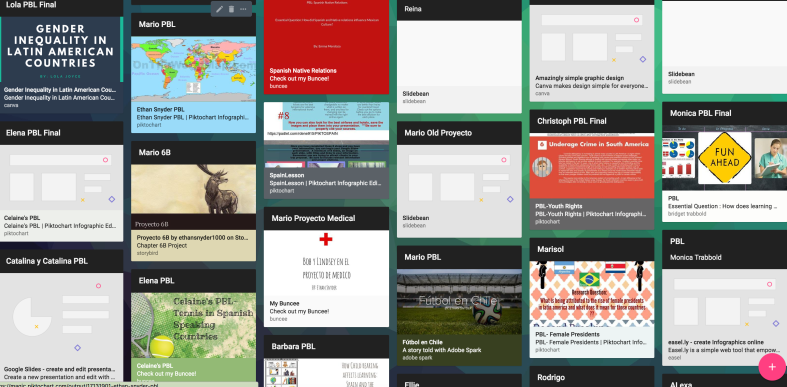
Some students are visual learners and having tools which enable them to display different types of information and content, they will be able to retain the content in a more authentic and meaningful way as they create. Infographics are useful for so many class assignments and projects that are student created, but they are beneficial for teachers to create a course syllabus, make visuals for the classroom, or to create a flipped lesson and display all of the learning materials in one graphic. Beyond creating representations of learning, they are useful for sharing information and offering ways for students or parents to contact you or access class materials. Some of the options available are BunceeCanva, Piktochart, Smore, and Visme. It is always good practice to learn with and from the students, so try creating some new materials for your classroom as well. Perhaps create a class newsletter, or make some signs that will be useful for your learning space.


There are many ideas for how to expand the learning space and to set up different learning opportunities for students. These are just a few of the ideas that we have used and that have worked well in our classroom. Sometimes we just need to brainstorm a little or, if you want to find new ways to use some digital tools in your classroom, try asking your students. Students come up with really creative ideas and by involving them in some of the classroom decisions, they will feel more valued and have a more meaningful learning experience.


Screen Shot 2017-10-28 at 9.04.12 PM

Promoting Family Engagement: 5 Ways to Foster Meaningful Connection

Originally published on Getting Smart


Involving families in the education of our students is crucial to their success. Beyond just involving families, schools need to strive for family engagement and the creation of partnerships between school, home, and community. These partnerships, or connections between “stakeholders”, are important for promoting student well-being and success. When there is a greater focus on fostering more meaningful and personal connections, the school, community, and families can work together to provide the support, structure and make decisions for the benefit of student achievement.

Importance of Connecting

To promote family engagement, we must be intentional in learning about the families in our schools. It is important to make an initial connection, invite families in to engage in conversations and start to develop an awareness of each family’s needs, preferences and prior experiences in terms of involvement with the educational community. We should also explore any perceived or real barriers to family engagement. Recognizing some of the biggest barriers to family engagement will help schools to develop the most effective strategies to help families feel more connected to and supported by the school.

A survey of over 18,000 parents indicated some of the biggest barriers to family engagement were: time, lack of information, availability of childcare, and inconsistent treatment of students. Using this data, schools can develop specific strategies aimed at reducing and eliminating these barriers. Understanding the diverse needs of the families and students in our school system is crucial, as we always want to create a welcoming and supportive environment, one which should also be reflective of the educational setting for our students. A strong and collaborative home to school partnership has been shown to positively impact student performance as well as empower parents.

Communication between school and home has traditionally involved sending information in letter form, an email or by making a phone call. While these methods are still useful, they are not the best choices in terms of timeliness, especially when it comes to time-sensitive matters. Being able to connect and share school news and update families on student progress, in a timely manner, is vital to classrooms and fostering this sense of “community”. The sense of “community” comes from focusing on the building of family relationships, which are critical for student success in the classroom.

In a survey done by SpeakUp in 2015 (cited in Learning Transformed), 55% of the half million K-12 parents surveyed stated that they wanted a weekly text message with updates. The same survey given five years prior yielded a result of only 5% of parents interested in this form of communication. With the digital age and many options for communicating, it is not that surprising to see such an increase. However, before starting to use a certain messaging tool, teachers should first consider what might be the best way to connect with parents and how to provide access to the classroom resources which will support student growth. Sharing an initial survey can help educators can determine how to best establish a classroom presence and open channels of communication.

Connecting with Families

There are many ways to connect with parents. With technology, tasks such as sending class updates, assignment reminders, creating a calendar, sharing photos and distributing information are much easier. Knowing that families have mobile devices, does not guarantee that WI-FI access is available, and this is something that can be determined through the use of a survey.

In a recent Trends in Community Engagement report, written in partnership with Project Tomorrow, 30,000 parents expressed expectations for frequency and forms of communication. Among the key findings of this report were that parents want timely and impactful communication. While parents want to be kept informed, they do not want to be overwhelmed with a flood of information. The CDC created strategies to help schools build frameworks to promote family engagement. The focus is to “Connect, Engage, Sustain” families’ in the educational community. Schools can refer to the many resources with tips for promoting engagement. To get started, here are five different ways to “connect, engage and sustain” family involvement.

1) Communication Tools: By using social media tools such as Twitter or Instagram, school leaders, and classrooms can transmit messages quickly and with a far reach. Tools such as Remind, or BloomzApp enable teachers and parents to communicate and also share information quickly. Both options offer translation capabilities which promote digital equity and accessibility. ParentSquare, is a multi-purpose platform with capabilities to facilitate communication, collaboration and increase family engagement in schools. ParentSquare is for use in grades PreK-12, geared toward streamlining parent notifications, increasing participation and family engagement in the school community and more. It can be used by students, teachers, staff members, administrators, and parents, and it creates a virtual space where so many vital communications and interactions can be completed. By using these tools, teachers and parents communicate instantly, privately, and as often as needed throughout the year.

2) Video Tools: Sharing news about student work, or creating a lesson for students to view outside of class, can be done with tools such as EducreationsFlipgrid, or Screencastify. Teachers can record videos of weekly announcements or special events, or even teach a lesson and share the links with parents, which will create a more supportive connection between home and school. Videos can also be a great way to have students share their learning, even creating a digital portfolio, or have families record video introductions to learn about one another.

3) Blogging/Class Webpage: Maintaining a classroom space in the form of a blog or a class website, can be done easily using tools like KidblogPadletEdmodo or other web-based learning platforms. When families know they can refer to one centralized location to obtain class updates, ask questions, or read about class events, it provides a more structured framework for engaging families in the daily activities of the school and fosters a greater connection between school and home. It also aids in resolving the barriers of time and lack of information, as families can refer to these spaces when convenient.

4) School and Community: There are a lot of possibilities for amplifying student learning by connecting with and sharing news of school events within the community itself. Social media can be one way of connecting, or simply by seeking out the local library and businesses to bring in real-world experiences for learning and to inform the community of the educational events going on at school. Invite the community into events such as Back to School nights, Open Houses or STEAM showcases, or hold a learning night for families. Any of these offer a good opportunity to meet and engage families in conversations and planning to impact student learning.

5) Family Activities: Finding ways to involve parents in the learning process can be a challenge. A good opportunity to co-learn is to take part in something called “Family Playlists”. A Family Playlist, devised by PowerMyLearning, basically has the student becoming the “teacher”. In their role as “teacher”, students share their knowledge with the family, who then provides feedback to the classroom teacher, as to how the student conveyed the information and their confidence in doing so. Trying this method is a good way to further involve families in the educational experience, leading to a greater understanding of the type of learning occurring in school as well as provide beneficial insight into a child’s progress. It also promotes ongoing and supportive collaboration between home and school.

There are many strategies that schools can use to keep families informed and involved. The key is to find a way to not only make an initial connection and build the “family to school” partnership but to engage families and continue to collaborate and grow together. These connections will lead to the creation of solid and supportive relationships between school and home, which will promote student achievement and enhance their sense of belonging.

This slideshow requires JavaScript.

This slideshow requires JavaScript.

ParentSquare: Building a Community from School to Home

This post is sponsored by ParentSquare. All opinions are my own


In my previous post, I shared the background of ParentSquare, where the inspiration came from and provided a basic overview of what the platform offers. To learn more, I scheduled a demo with Anupama Vaid, Founder and President of ParentSquare, and was able to “experience” the platform from the perspective of a parent, teacher, and administrator. I also had an opportunity to explore the platform on my own, delve more into each of the features, and compare it to the tools that I use in my own classroom as well as those used within my school.

ParentSquare offers unique features that make it stand out when compared with other similar home-to-school communication platforms currently used in schools. While other platforms offer similar benefits, one of the things I appreciate most about ParentSquare is understanding the vision that Anu has for the platform. She has a genuine passion for connecting families in the school community.

The Power of Technology

When I spoke with Anu, we first talked about technology and its benefits. When asked about the purpose of ParentSquare and what makes it different from similar tools, Anu said her goal is to provide teachers with “a system that takes care of everything, one that is automatic.” Because of the way ParentSquare is designed, teachers will find that there is not much of a learning curve at all and that it is very easy to navigate. She added, “The purpose is to simplify the technology enough so that everyone can use it because that’s the power in technology.”

Everything in ParentSquare has a similar look and feel, “if you know how to do one thing, you know how to do everything.” For students, parents, teachers, and administrators, this ease of use and accessibility are key.

When it comes to ParentSquare, Anu has a unique perspective. She can evaluate the benefits by using it as a parent, which gives her a more authentic experience with the platform. And she is in a position to make changes based on the feedback she receives and through her own experience in communicating with her children’s teachers.

What makes ParentSquare stand out?

The first thing that I noticed about ParentSquare is how easy it is to navigate in the platform. When looking at digital tools, especially those that offer as many features as ParentSquare, a common question is if there will there be a big learning curve. A key feature of ParentSquare is in its simplicity. Students, parents, teachers, and administrators, whether tech-savvy or new to technology, will be comfortable using ParentSquare.

With ParentSquare, you can streamline many of the tasks and communications that are a regular part of school, but that typically come in multiple formats. ParentSquare takes everything that schools and teachers are currently using and unifies them in one platform that is easy to use and widely accessible. Schools can establish consistency in communication which will increase family engagement and provide all of the necessary resources in a safe digital environment.

Features that make a difference

  1. Smart Alerts and Notices: Send alerts for school closings, urgent notices, or quick reminders to parents. Alerts can be sent to the entire district, individual schools, parents, or students. Sending a recorded message or using the text-to-speech feature provided by ParentSquare is easy to do. Through the reports, you can verify the number of messages that have been received, even getting a prompt that provides the percentage of contacts being reached and the number needed to reach 100%.
  2. Classroom Communication: Posting a message takes little time and messages can be sent to parents, privately exchanged with teachers, or as part of a group chat. Parents choose their preferred method of contact and you simply create one message that is delivered to parents in the format and language they choose.
  3. School Business and Workflows: ParentSquare offers many resources such as:
  • Parent Conference Signups
  • Class “wish lists”
  • Volunteer requests
  • RSVPs for events
  • Permission forms
  • Calendar of events (can be synced with personal Google calendar)
  • File and photo sharing
  • Quick polls
  • Absence excuses

Exploring the features of ParentSquare

While exploring the demo site, I decided to look at features related to two areas:

  • Clerical tasks: taking attendance, creating permission forms, and contacting parents.
  • Daily classroom procedures: sending class announcements, posting reminders, and sharing class materials.

Personally, I have been using between four and six different apps and websites to complete these tasks. However, with ParentSquare, you can facilitate faster and better communication and collaboration between home and school. And more importantly, it will help to foster the relationships that are the foundation of learning.

Here are just five of the many benefits of using ParentSquare in schools:

  1. Parent-Teacher Communication – With ParentSquare, it is easier to:
  • Provide updates on student progress
  • Be accessible for parent concerns
  • Arrange parent-teacher conferences
  • Verify when messages have been received and who you need to reach

2) Directory – Parental contact information is more accessible, taking less time to find and exchange emails or messages. You can search by student or parent name, email address or phone number.

3) Paper-free – Easier to keep track of permission forms, absence excuses, and volunteer sign-ups. Exchange information faster and access the “paperwork” when you need to without having to print extra copies or keep folders full of documents.

4) Grade reporting – ParentSquare integrates with your grade book and notifications can be sent to keep parents informed about student grades.

5) Attendance Tasks – Keeping attendance records and gathering excuses for absences is much simpler using ParentSquare. Parents receive notices of absences and can respond with an excuse instantly within the app or on the web.

These are the first five areas that I thought of which likely take up a good portion of time for most educators each day. Using ParentSquare to facilitate these five tasks alone would make a big difference. In addition to being beneficial for time management, it would foster the creation of a supportive and engaged community of students, parents, teachers, and administrators.

Sign up for your demo today!

d550ec98-2667-430e-af7b-f4c9c203d686.gif