Preparing for FETC, or any edtech conference

Updated from a prior post written after my first experience at FETC.


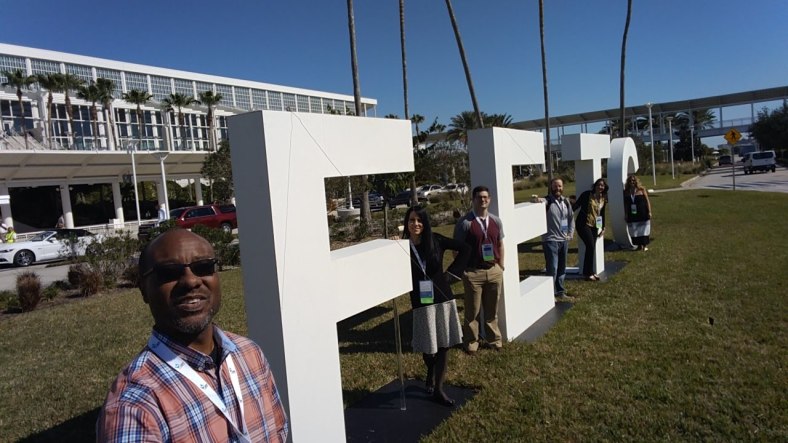
In  January of 2017 I attended the Future of Education Technology Conference (FETC) for the first time in Orlando, Florida. Having attended many edtech conferences over the past few years, including ISTE, iNACOL, ShiftinEDU Summer Spark, ACTFL and several at the state level, I had a decent idea of what to expect—and I wasn’t disappointed.

The ideas shared by the panelists and speakers were fascinating, and I found myself surprised by the amount of food for thought I received from the conference.

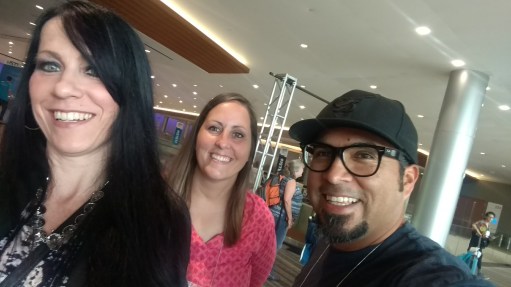
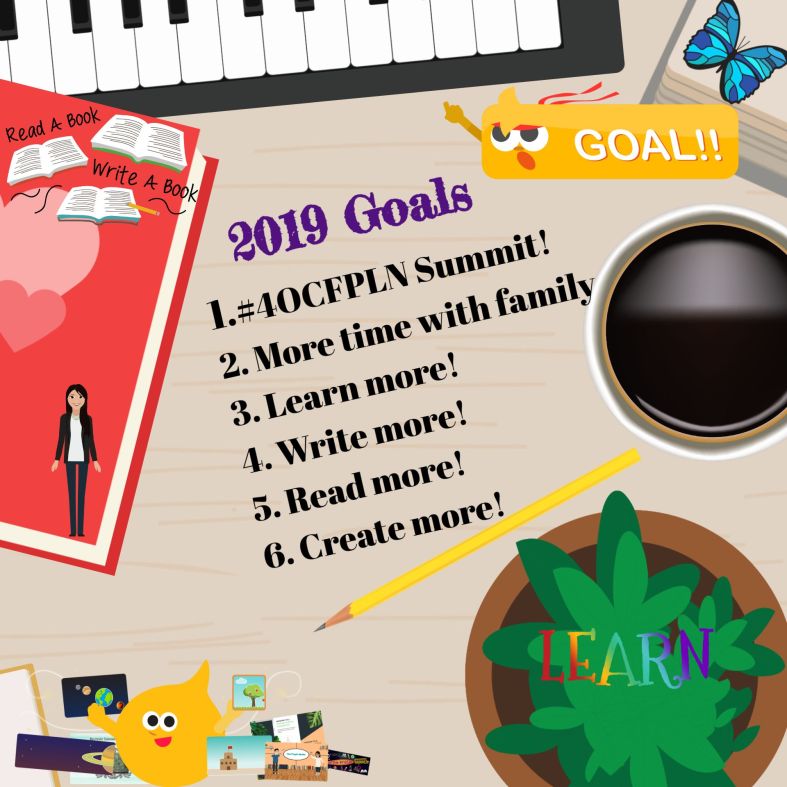
There are a lot of things to consider when planning your schedule, thinking about what to attend, where to go after the sessions end, and what to do when you get back home. I like to reflect after each conference and these are some of my takeaways each time. My  number one takeaway is the relationships!  And this year is going to be even better because  I will be meeting with members of the #4OCFPLN for the first time.

1. Relationships matter. One of the key takeaways for me after each conference is that it’s important to develop and maintain a robust group of teacher-friends who will inspire and learn with me. Having these relationships can help me stay creative, stay engaged in my teaching and keep me from the isolation that can happen at times when our lives as educators become so busy.

Plan your time around connecting with your “edufriends” or the members of your personal learning network (PLN), some of whom you may not have ever met face-to-face. Share ideas, have fun learning from each and having the time to be in the same space to learn. There is so much excitement at FETC and all conferences because it gives you the opportunity to reconnect with friends or meet PLN face-to-face for the first time.


2. Think big, try new things and keep at it. Educators need to be encouraged to do things that are different, and we should be “thinking big.” I hear these words often, and usually they are followed by encouragement to take some risks, and not to be afraid of failures. It seems to be one of the recurring themes in the conversations I hear during each conference.

Find an area to focus on. What are your interests? What are some things you have wanted to try but haven’t because of lack of time or just fear of trying? Conferences are a  great way to give it a go.

3. We haven’t seen the last of EdTech innovations, and seeing new developments in person can be a great way to stretch your thinking about your own classroom. Taking time to explore the expo hall and talk with edtech representatives, see and try some of the innovative tools and ask for insight on how these tools can help to engage and empower students.

  • Stop by the booth presentations, see educators sharing their experiences, take a short workshop and gather a lot of ideas in a short period of time. My favorite is always sharing at the Buncee booth and attending presentations by other educators who demonstrate how Buncee provides many possibilities for creating multimedia presentations and creates diverse learning opportunities, regardless of content area or level taught.
  • Nearpod is always a favorite of the crowd—always a line at their booth, with many people eager to learn more about virtual reality field trips and see VR headsets in action. Perhaps this was to be expected, as bringing learning experiences to life and immersing students in their learning environment is a goal of almost every educator.
  • Don’t miss out on the opportunity to visit the “Poster Session” areas to learn about topics such as Augmented and Virtual Reality, Coding, Artificial Intelligence, Project Based Learning and see some of the digital tools and apps in action (and how they could benefit students).
  • The makerspaces and 3D printing areas are always a hit, with each presenter offering samples of cool, student-created work, QR codes with resources available for attendees, and great opportunities to make new connections and bring the learning back to the classroom.
  • Stop by the author tables and “Meet the Authors” of some of the books you  may be reading. Great opportunity to connect!

4. Keep things student-focused. I really enjoy the variety of workshops offered during the conference, especially having the opportunity to attend workshops presented by friends and co-present a few on Augmented and Virtual Reality and  Creative Classrooms.  Engage in conversations with educators about some of the strategies and tools you use, share ideas, walk away with a lot of new things to try in your classroom and school.

5. Special events and meetups can be great ways to engage teachers in community-building. As educators, we know that students can’t (and shouldn’t) spend all of their time in the classroom. Similarly, teachers can’t spend all of their time in convention halls. In addition to the events held at the Convention Center, there were a number of other events I really enjoyed, such as the #coffeeedu meetups and dinner receptions hosted by different edtech companies, PLN groups and special interest groups.

These events really provided a nice environment in which attendees could continue to build their personal learning networks and keep the conversations going. So much learning goes on during the day, that the evening can be a great chance to share experiences with a group.

This slideshow requires JavaScript.

My Overall Impression of FETC

Conferences like FETC are fantastic experiences that provide diverse, personalized learning opportunities. Once a conference ends and you settle back into your regular routine, you will have an opportunity to really let the things you learned sink in.

Take a look at your conference materials, review the #FETC Twitter feed, find one thing to focus on and try something new. Rely on your PLN and connect with your friends—just because a conference ends, doesn’t mean the conversation and learning have to.

It’s all about connecting and working toward personal and professional growth, taking some risks and using new knowledge and experiences to empower our students, our educators, our community and ourselves.

I would highly recommend educators make a note on their calendar to attend FETC next year! That is if you won’t be there next week! Headed to TCEA? See you there!

Artificial Intelligence in Education

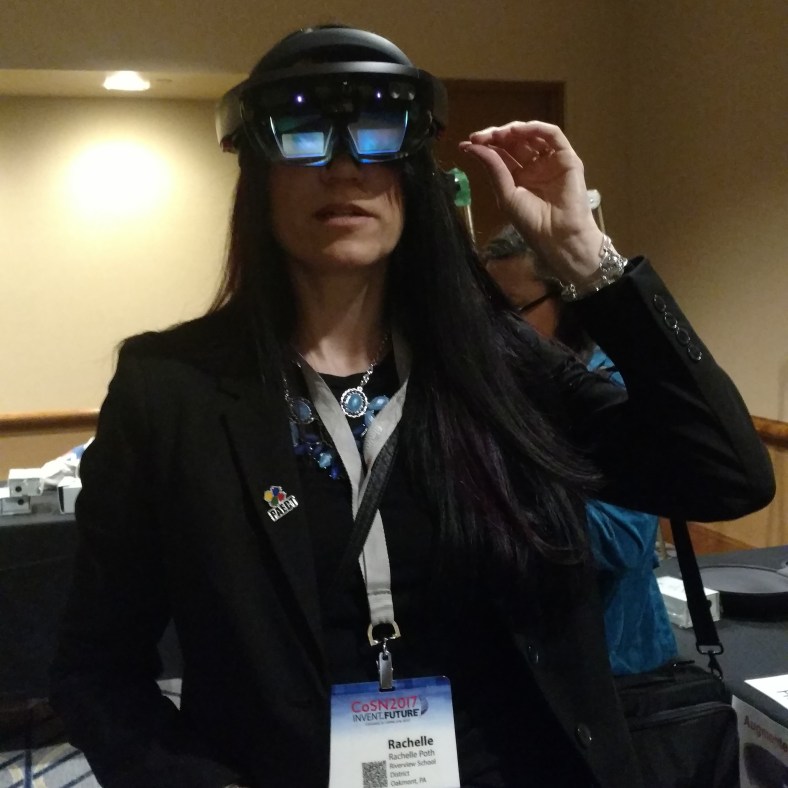
Part Two of my posts on AI, recently published in Getting Smart.  (image from CC)

Teaching Students About AI

One of my professional goals this year was to learn more about artificial intelligence (AI). Over the course of the past year, there have been a lot of stories coming out about how schools are adding the concept of artificial intelligence into their curriculum or trying to weave it into different courses offered. The purpose is to help students better understand its capabilities and how it might impact the future of learning and the future of work. When I did some research earlier this year, I was amazed at some of the different uses of artificial intelligence that we interact with each day, and may not realize.

A quick Google search of the term “artificial intelligence” turns up 518 million results in .17 seconds. Compare this with the methods for conducting research years ago, where we had to brainstorm topics as we searched the card catalog, and then had to understand the Dewey Decimal system, in order to find the books on the shelf.  Advancements in technology led to the creation of online databases which made it easier to find articles and journals electronically, however it still required us to think of what terms to use in the search and may still have required you to locate the resource from a shelf or borrow it from another library. Today, the capability of technology for finding answers to the questions we have is tremendous. Now through tools like artificial intelligence and virtual assistants we have access to millions of resources in our hands instantly.

What are some everyday uses of AI?

Some common uses of artificial intelligence that many people likely use every day and may not know it are:

  • Smartphones:  The use of artificial intelligence is used with the photo editor on smartphones. When you want to take a picture, artificial intelligence helps by selecting the appropriate settings and suggesting different modes to you.
  • Music and Media: Whether you use something like Spotify or enjoy watching Netflix or even YouTube, artificial intelligence is helping you find the music and media that you want. Over time, it learns based on your selections and then provides recommendations for you to add to your playlist.
  • Smart Home Devices: Artificial intelligence is used in smart home devices to adjust the temperature and even lighting based on our preferences.
  • Online services: From travel to banking, shopping, and entertainment, these industries rely heavily on artificial intelligence for using chatbots or through algorithms that enable it to track spending, suggest purchases, prevent fraud and complete other transactions much faster.

Because artificial intelligence is used so much in our everyday lives, we need to make sure that our students understand its impact and potential for the future of work and learning.

How can we teach students about artificial intelligence?

One of the best ways we could teach our students is by making sure we keep challenging ourselves. I recently enrolled in the course offered by ISTE U, Artificial Intelligence Explorations and Their Practical Use in the School Environment.  The course was made available through a collaboration with ISTE and General Motors Corporate Giving and focused on K-12 STEM education. My interest in the course is to learn more so I am able to share with my 8th grade STEAM course and in my foreign language classes. Having taught about artificial intelligence last year, it is a high area of interest that I want to grow in professionally.

Throughout the course, participants work through ten different modules focused on topics related to artificial intelligence and machine learning. Each module contains activities that enable you to interact with different forms of artificial intelligence, engage in discussions, view videos and to even create things such as chatbots and virtual facilitators. Part of the course includes an IBM Developer course on “Chatbots for Good,” in which you work through activities and learn about design thinking and empathy, and other activities related to the IBM Watson program. The culmination of the course has participants design a Capstone project, which will ideally be used with students through PBL or as a student-directed exploration of AI.

There are many uses of AI for education and one school in Pittsburgh is offering the nation’s first AI course to prepare students. Pittsburgh is where AI began and developed starting back in the 1950s which makes this an exciting event. Students enrolled in the Montour School District, a district known for its innovation and “student-centered, future-focused” mission, are learning about AI through a program that launched this fall. Students will have access to resources from Carnegie Mellon University, which became the first university to offer an undergraduate degree in AI. The goal of the program is to help students learn about AI by exploring the uses of virtual assistants, engage in inquiry-based learning and build their skills in STEM-related fields.

How can we provide the opportunity for all students to learn more about AI?

Simply explaining the concept of artificial intelligence and identifying some examples of what it might look like, does not really enable you to understand it at a deeper level. The best way that I have found to understand it better myself has been by first learning how it functions by trying some of the different tools and interacting with the AI. By trying some the AI experiments and creating chatbots, you and your students can think about how the tasks are being completed, which leads to a better understanding of artificial intelligence.

While schools may not be able to offer a full course to students, there are enough resources available online that teachers can implement in the classroom.

To learn more about AI and Virtual Assistants, have students explore these:

  1. Google AI Experiments: Through Google experiments, there are hundreds of different experiments available to explore based on AI, Augmented and Virtual Reality. Students can select experiments to try and decide what makes it “artificial intelligence.”  The favorites are Quick Draw and Semantris.
  2. Botsify: Teachers can teach students online by using artificial intelligence through Botsify. By creating chatbots, teachers provide an innovative learning experience for students, where they can interact with the chatbot, ask and answer questions and even submit quizzes through the chatbot.
  3. Avatars: It can be fun to have students create their own talking avatars, and use them even as evidence of learning or to create a lesson or instruct on a topic to share with peers or even younger students. Some tools to check out are VokiTellagami and My talking avatar.
  4. Akinator: A “web genius” that tries to guess the famous real or fictional character you are thinking about. It is fun to see the questions that it asks based on your responses and see how many tries it takes for it to guess.  It is also available on Google Play and iOS
  5. Learning tools: There are different apps available that through artificial intelligence, provide students with opportunities to have additional practice and amplify their learning potential. Elementary students can learn about geography through Oddizzi, or math through Splashmath. All students can practice vocabulary by trying Knowji, which uses characters to “bring vocabulary to life” in flashcards. If students have questions, they can try Brainly, which is a tool for students to ask and answer homework questions in a collaborative, community type platform.

Looking to the future with AI

The use of artificial intelligence in the world and specifically in education will continue to grow as more people explore the topic and develop new ways to incorporate it into daily life. The potential for learning through artificial intelligence means that students have access to virtual tutors, can enroll in an online course taught by AI, and have access to the resources they need at the exact moment they need them.

Going Global with Virtual Field Trips

Originally published on Getting Smart,

Augmented (AR) and Virtual Reality (VR) are becoming more commonly used in our classrooms, with many new tools being added that promote more authentic and immersive learning experiences for students. As educators, we should welcome these unique tools because they can help with designing more authentic and innovative learning spaces, and are a means to transform “how” students are learning. We can take students on virtual trips and really open a world of opportunities for them to explore.

Why use AR and VR? These tools enable educators to provide powerful opportunities for students to do more than learn through videos or photos. Students can closely explore objects or places, in ways that the traditional tools of textbooks and videos cannot provide. Students have more control in how they are learning and interacting with the content. Through these augmented and virtual reality tools, we can bring never before possible learning experiences, such as travel and the use of holograms, to our students. These tools make it possible for students to travel anywhere around the world or into outer space even and explore these places more closely. Students can explore what they want and learn in a more immersive way, which helps to engage students more.

4 Tools to Try for AR/VR Explorations

1. Nearpod enables students to experience Virtual Reality through the use of 3D shapes, or go on a Virtual Field Trip powered by 360 cities. Nearpod became beneficial in my Spanish courses, because its immersive capability promotes global knowledge, helps to expand student comprehension of different perspectives and enables students to become immersed in a variety of environments. It has an extensive library of VR lessons ready for free download as well as additional ones available in the pro account. Using tools like Nearpod can help provide opportunities to really engage students in learning, be active, explore and have multiple options for assessing student learning and receiving timely feedback. Some recent additions to the VR library include College Tours, which are a great way to have students take a look at different colleges they might be interested in, without having to travel the distance to do so. Using these options, students can immerse in the campus and look around more closely, although it is not a complete replacement for being able to physically visit, it gives students the chance to explore many colleges from wherever they are. There are currently 43 different colleges represented in the collection, which include universities such as Cambridge, Harvard, Oxford, Penn State, Tokyo and Vassar to name a few. A fun idea for these VR tours is to have students participate in a scavenger hunt, which will push them to really explore the sites and think through what they are seeing.

2. Google Expeditions is a free tool that teachers can use to take students on a field trip to virtually anywhere. It is an immersive app that can be downloaded using either Google Play or the App Store, that students view using their devices and a Google cardboard or other viewer. There are more than 800 virtual reality tours to choose from and 100 augmented reality tours. Some of the VR tours include famous locations, exploring career paths, and learning about global initiatives. With the recent addition of AR objects, students can now interact more with the objects by walking around and seeing it placed in their physical space. Teachers and students take on the roles of “Guide” and “Explorer” by being connected on the same network. Teachers can lead their explorers by following the script and guiding questions that are included within each tour, and can also opt to have the audio narration used with students as well.

With the augmented reality tours, teachers select the objects and tours to bring into the classroom, and students can then walk around and interact with the object as though it were in the classroom space. During the tours, pictures can point out specific locations or use some of the guiding questions to engage students more and conversation and promote curiosity and learning while they explore in this more immersive learning space.

3. Google Tour Builder is a great way for teachers and even students to be able to create their own tour for use in the classroom or connect with other classrooms globally. Through the creation of an interactive story or tour, students can better understand locations they are studying, explore a place of historical or cultural significance, or even narrate a trip that they have taken. It is easy to create and share a tour. Tours can include images and videos that you upload, as well as images selected from the Google Street View options. The tour can include descriptions and hyperlinks to extend the learning and add more resources for students. Originally Google Tour Builder was created for veterans to record the places where their military service took them and it has become a great tool to use to help people understand different locations and interact with multimedia formats. Students can even create a tour of their town to share with global penpals in order to broaden global connections and cultural awareness.

4. Skype can be a good way to connect classrooms globally and even involve students in problem-solving and critical thinking by using Mystery Skype. There are opportunities to set up a Mystery Skype as well as a Skype session with an expert, by connecting through Microsoft. Using this type of technology to bring in experts and to connect students with other classrooms can really add to the authenticity of the learning experience, and make it more meaningful for students. When students take part in a Mystery Skype, it promotes collaboration with their classmates, critical thinking as they try to uncover where the other classroom is located, problem-solving as they are working through the clues and the responses, and of course it is a fun activity to do that will likely promote social-emotional learning skills as well.

Activities to Engage Students Globally

Think about the tools you are currently using to amplify or facilitate student learning. What is making a difference in how, what and where students learn? Could one of these tools be used in place of something you are already using that only offers one-way interaction or a static image? The use of virtual field trips and augmented reality explorations can engage students more in learning and provide opportunities for them to move from consumers to creators.

Innovation: Creating and Learning in AR, VR

Originally published on Getting Smart

Every day brings a new opportunity to implement a new tool or method into the classroom, and what better way than to have students be able to immerse in a learning experience. Augmented and virtual reality are becoming more commonly used in K-12 classrooms and higher ed for this purpose. With the increased focus on and questions surrounding the use of AR and VR tools, educators and parents may be wondering about the benefits for student learning. In a recent report from Common Sense, 62% of the parents surveyed, stated they believe that VR will provide educational experiences, this same belief was shared by 84% of parents surveyed, who have children already using VR. In the recently published book Learning Transported, author Jaime Donally focuses a chapter on the reasons that these tools should be welcomed into our classrooms. Some reasons include more authentic learning, innovative learning spaces and a means to transform how students are learning.

The use of AR and VR is about providing powerful opportunities for students to explore objects or places, in ways that traditional tools such as textbooks and videos cannot provide. It enables students to have more control over how they are learning. It is through these augmented and virtual reality tools and apps that we bring never before possible learning experiences, such as travel and the use of holograms, to students. Students can travel anywhere around the world or outer space even and explore these places more closely, looking at what they want and learning in a more authentic way. It is a truly personalized way to learn and one which serves to engage students more by helping them to drive their learning and exploration.

Even more important than having students be able to immerse in learning by interacting with the content, it is of far greater benefit to move students from being simply consumers to being the creators. With the different educational AR and VR tools now available, we not only afford students the possibility of interacting with these objects as they have been, but we create a more engaging opportunity for them to develop the skills that will benefit them in the future. Learning how to create with these different tools and in some cases, being able to collaborate with their peers on projects, will help students to develop critical 21st-century skills. Students will build their ability to problem-solve, to think critically, and to enhance their creativity in the learning process.

Technology of the Future: Tools to get started with AR and VR in your classroom

With so many different apps available, it can be difficult to figure out where to start. As many wind down the school year, this can be a great opportunity to try one of these tools within your classroom. Students learn how to interact with these tools very quickly, it boosts student engagement, which is something that may be decreasing at this time of the year. Here are two tools and how we used them. They each offer many options for classroom use as well as ready-made examples that can be used to get started.

As a long-standing fan of technology and the endless possibilities, any time I learn about a new tool, I either immediately create an account and try to figure it out on my own or I learn just enough about it to get my students started working on something. In the last couple of years, I’ve come across CoSpacesEDU and Metaverse. I had no idea what to expect other than knowing I would be able to include unique learning experiences for my students, through the use of augmented and virtual reality tools.

So what’s the learning curve with some of these tools? Personally, I am the type of learner who would rather struggle and figure things out on my own first. Only after I have seemingly exhausted all of my efforts, will I then turn to YouTube or the tool’s website for video tutorials, or connect with other educators in a variety of educational communities found on social media.

CoSpaces: Bring a story to life

Two years ago, when I started creating with CoSpacesEDU, a virtual reality platform, I was immediately amazed at the possibilities for creating my own virtual reality space. Initially, there was a bit of a learning curve, but I was determined to work through it on my own. The benefit is that by allowing myself to push through the challenges I encountered, it helped me to better understand some areas that might require me to step in and help my students as they created their own space. I wanted to be prepared for their questions, and be able to help some, but not too much, as it is important for students to learn to problem solve and develop these skills on their own.

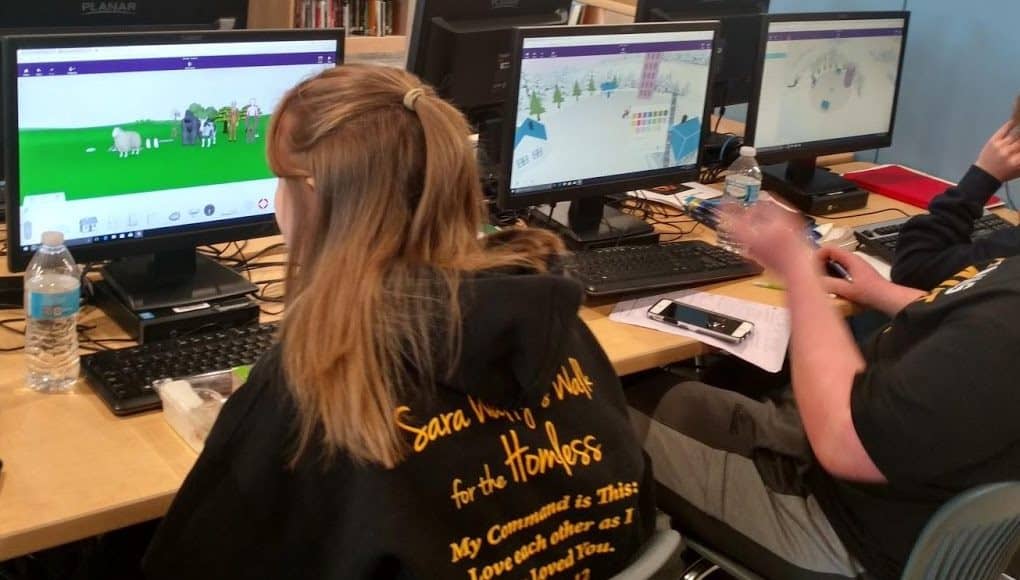
In prior years, students in Spanish II would narrate their childhood by creating a drawing and writing a story below their illustration. Authentic work such as this helps students to connect more to the content and it is a great way for teachers to learn more about students. However, this year, I wanted to take a different approach and decided to try CoSpacesEDU, with my Spanish II classes. I thought it would be a fun way to create a story and then be able to use headsets to walk through the spaces they created.

I started by grouping students randomly, having them select from chapter vocabulary cards, and then using the newer “Collaborate” feature of CoSpaces EDU, to have them create their story together. Students can now be placed in groups and collaborate on one project. Students began creating their spaces, adding in objects, animations and sound, using Blockly to code and more. They were amazed at the ability to collaborate in the same space and see objects moving on each of their screens. They worked as a team to create amazing, memorable stories that help them to meaningfully practice the content, narrate a story and have fun while learning.

We know that using technology just for the sake of using it does not make sense. However using technology that enables students to create, collaborate, problem-solve and be curious in learning, leads to more motivation and student engagement. It was a risk to do this, but one which had tremendous benefits for all of us “learners” in the classroom.

MetaverseApp

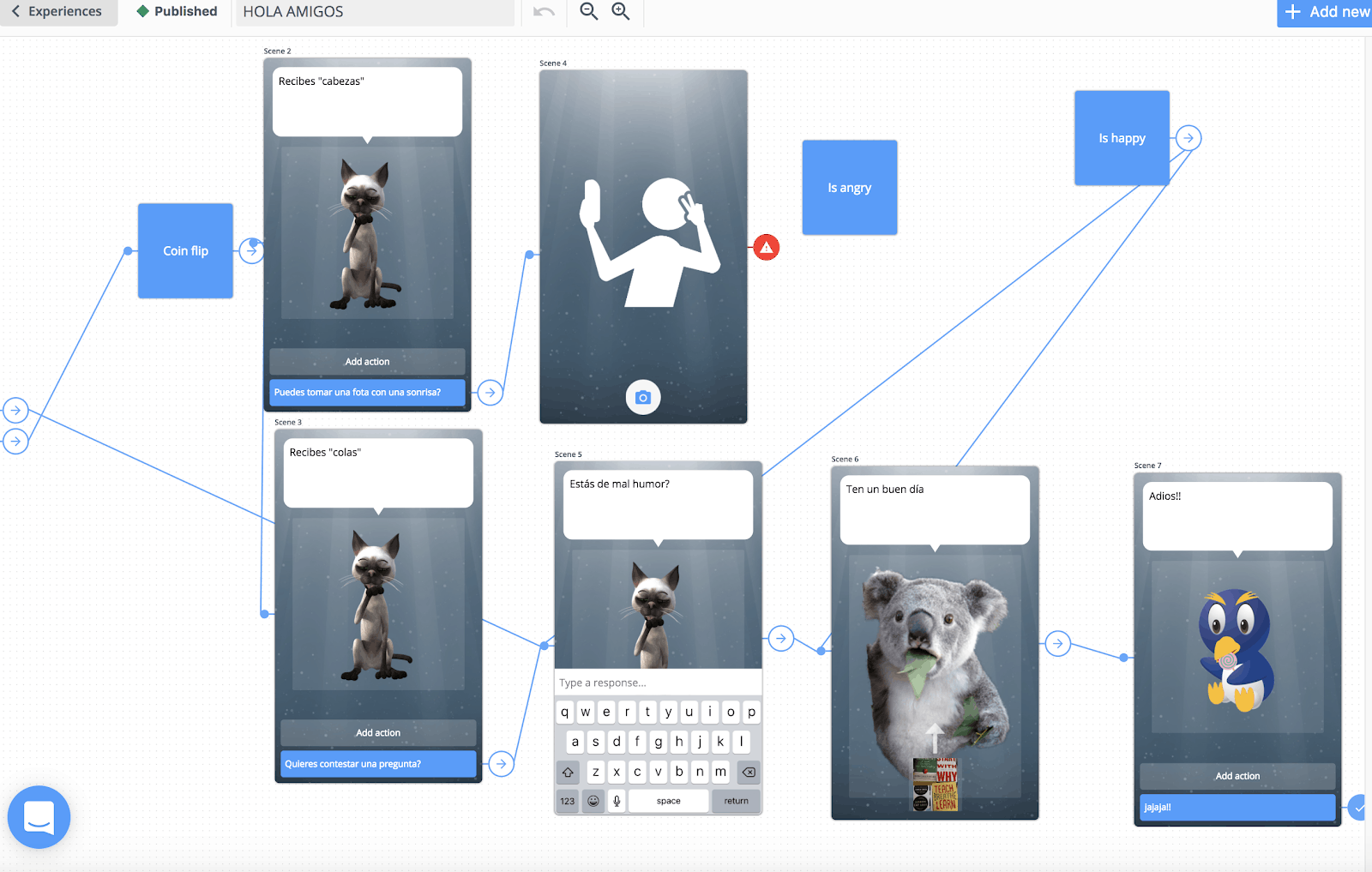
Metaverse enables the user to create an “experience” which includes activities and different features, for augmented and virtual reality. Creating with Metaverse offers students immersive ways to interact with the content. It can be rather simple to get started, as Metaverse has a library full of helpful tutorial videos and they are also available through the chat feature within the platform. Metaverse can be used to create an immersive, interactive learning “experience”, where students have so many choices in design, libraries full of different characters, GIFS, various objects, 360 images or videos, portals, Google Vision options and more.

When we began using Metaverse, I wasn’t sure if students would be able to navigate the platform (the layout is a storyboard). What I found was that students were able to quickly create their own experiences, which led me to ask them to also facilitate in the class and answer any questions that their classmates had.  What I noticed was an emergence of “student leaders,” a team of Metaverse creators, 8th-grade students who were sharing their knowledge and excited to do so.

How to use it? Have students create a quiz, a fun game, or simply tell a story.

Learning together

I don’t have all of the answers, but I enjoy being able to turn to students for help. I enjoy learning with and from them. Empowering students with the opportunity to share their skills brings about positive changes in the classroom, especially in terms of peer relationships and collaboration. Trying out new technologies shows we are interested in bringing new ideas and ways to learn into our classrooms, which is a good model for students.

Want to know more? There are a lot of resources available. I recommend joining in the weekly #ARVRinedu Twitter chat on Wednesday nights at 8 CT/9ET or taking a look at the many resources available on Jaime Donally’s website.

Bringing Augmented, Virtual and Mixed Reality to all Classrooms

Bringing Augmented, Virtual and Mixed Reality to all Classrooms

Jaime Donally’s book “Learning Transported” is the resource to go to to learn how immersive technology can be used in education. For anyone looking to get started with bringing augmented, mixed or virtual reality and different learning experiences into the classroom but not sure of where to begin, Jaime provides a well laid out format which provides the reader with the all of the information and resources they need to feel comfortable in using AR and VR in the classroom.
For some readers, knowing the differences between augmented and virtual reality or knowing the different apps available for each of these may not be clear. However, the structure of the Learning Transported book enables the reader to progress from understanding how it is used, and even more importantly “why” it should be used education, to reminders of some things to consider before getting started and then how to have a successful implementation into the classroom.

IMG_20170627_083505096.jpg

Beyond just having students as consumers of the content, Jaime offers ways for students to become the creators and design their own stories through augmented and virtual reality experiences.
Jamie is constantly looking for more tools and new ways to bring immersive learning experiences to educators and students, and has done nothing but share her wealth of knowledge and fully invest herself in making sure that educators feel comfortable with using the technology and knowing that she is available to help them in the process.
Learning Transported is a book that can be enjoyed by anyone, as the resources and experiences that she shares within this book definitely have application to other settings besides education.

Before Jaime even dives into the content of the book, she engages the reader with her message of “why” for using AR and VR. She shares the reasons why educators need to understand the possibilities of using immersive technology and the benefits that will happen as a result. She explains how to use the book, and guides the reader on how to navigate each of the chapters, explaining the process involved when starting to implement some of these augmented virtual and mixed reality tools, and encourages the reader to join in with other educators through social media using the #ARVRinEDU chat.

Learning Transported is geared toward anyone looking to try immersive technologies in the classroom and Donally provides all of the resources and many examples, especially through the lesson plans written by Jaime and how they were facilitated in different classrooms.

Another key features of Learning Transported is in Jaime’s message about why educators should use AR, VR and MR in education. The largest benefit is for students being able to engage and explore in the content in a different and more authentic way. It also facilitates building skills of communication and collaboration as well as social-emotional learning, when students connect with their peers and learn more about places and life outside of their own community. Jaime also explains exactly how the use of these tools can meet the ISTE Standards for Students, and encourages the reader to think about how these tools can benefit the students in their own classrooms.

Each chapter provides a wealth of examples and images for reference, explanations of each tool shared and ways that it can be used, and ends with a “Learning Transported” challenge for the reader. Jaime provides clears definitions and more detailed explanations throughout each chapter, and continues to encourage educators to challenge themselves to implement some of these different tools into their classroom and to share their experiences using the #ARVRinedu hashtag.

Some of the best features of the book are the way that Jaime conveys the information, reassuring educators that it is okay to take some chances with trying these in the classroom and involve students in the process. Chapters 5 through 8 include so many different examples of augmented and virtual reality tools, including ideas for creating with the tools, brief descriptions of how the tool works and for using it, as well as including some sample lesson plans that educators can try within their own classrooms.

The last chapter focuses on preparing for the future of mixed reality and Donally reminds us to keep moving forward as these tools are constantly evolving, and having an impact on the learning environment and educational market. In the conclusion, Jaime ends by stating “Teachers will facilitate a class of explorers, developers and designers as they experience, build and present their own immersive technology resources.”
Donally reminds us that “authentic learning experiences and opportunities that have never been accessible in the classroom are now possible with virtual field trips, interactive stories, and tools that can allow students to explore the world, the solar system and beyond.”

The book concludes with an appendix listing all of the apps shared within the book as well as the websites to find the apps and a brief description of what the after does. The standards for students are also included

She encourages the reader to share whatever they create after completing some of the learning transported challenges

Learning Transported makes a topic that can be overwhelming to anyone just starting with augmented and virtual reality, become something that is digestible and helps the reader to build confidence in learning more throughout the book. Donally provides answers to the questions that educators all have to consider when starting to implement these tools, and gathered everything into one well laid out guide for learning.

Creation just got even better with Buncee!

Rachelle Dene Poth

One of my favorite things about teaching, besides working with my students, is finding new and engaging ways to have students create and show their learning. I remember when I first came across Buncee about two years ago, I really enjoyed creating different presentations and exploring all of the choices that were available. Coming up with new ways to use it in the classroom and even creating a Buncee for Open House, that could later be sent to families who could not attend. I was amazed at the many options to include my own images and even to record messages explaining what students would be doing in our class throughout the year. An added benefit was that by sharing one of the tools that students would be using in class, I hoped that it might become something that other members of the family could use as well, because Buncee works for everything!

Buncee is the one tool that educators and students need for creating a multimedia presentation that includes animations, a drawing feature, emojis, stickers, 360 images and even audio and video embedded within and a lot more. As teachers, we should strive to offer different choices for our students to be able to show what they are learning and to apply their knowledge in a way that provides opportunities for them to be creative, to have fun while creating, and that will engage students more in learning. Buncee has consistently provided a presentation tool that offers all of this and much more for our students and for everyone.

Newest options

There are new features and items added all of the time, but some of the other features that were a game changer for me was being able to set up classes, thousands of new items to choose from in the gallery, and even new ways to share the Buncee creations. We were thrilled when students realized that they could share their work seamlessly by sharing to Google Classroom. In my own classroom, I think it is so important to give students more choices and to provide a tool that offers more than just one format for students to create with. Using Buncee, students can find what they need to be creative, communicate ideas, and think critically about the work they are doing, while having fun during the creation process. It promotes student engagement because they can truly create something that is authentic and meaningful to them. And it enables educators to learn more about the students in the process.

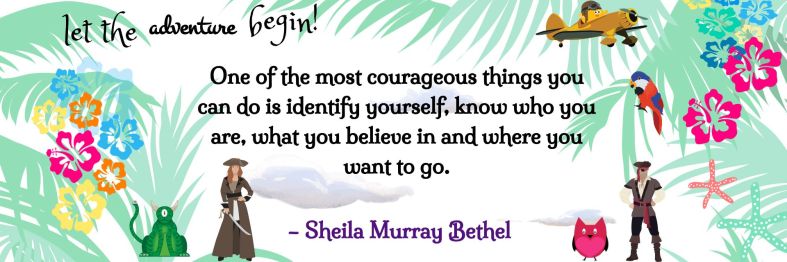
BunceeAdventure.png

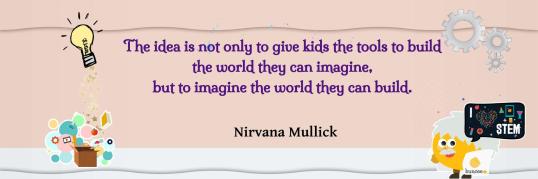
I love creating Buncees to share quotes!

Templates are here!

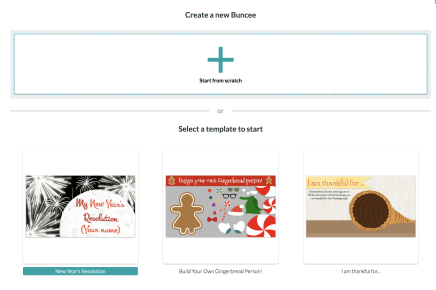
Finding enough time to get started with new tools is often a challenge, but with the new templates, creation just got even easier. Buncee enables the user to create something wonderful in a very short amount of time. Just this week, Buncee launched hundreds of new templates, divided into categories based on topic or type of media format. With these new templates, it now offers even more options to make creating more personal and fun.

With the new templates, it’s easy to get started creating right away. There are many different categories to choose from including: Awards, bookmarks, business cards, flyers and events, printable worksheets, scrapbook and photo albums, various social media formats and much more. The hard part is deciding which one to go with because there are so many awesome choices, and when you start looking at them, the ideas for how you can use them keep coming. Don’t be surprised if you start creating and then keep on going, there is so much to choose from that can truly enhance the learning and teaching process.

Select a Template and Go!

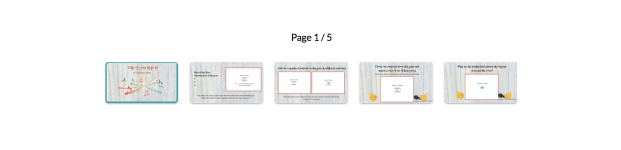
Once you select a template, it becomes yours to change and to really make it your own. Each template is different and when you select one, you can preview the different backgrounds that will be included within the template. You can easily change the font color and style, change the colors in the background and then add more items into your Buncee. Creating with a template is perfect for anyone who wants to get started quickly, but does not have a lot of time to search different backgrounds and add in text and other items. You can change anything within the template, it simply makes getting started easier and gives you more time to find fun animations, stickers, emojis and more to visually represent your learning. Using the templates is also perfect if you don’t have a lot of time in class, but want students to be able to create something unique and personal to them, giving a boost in confidence by having a great starting point that they can build upon.

Buncee has made it their mission to amplify student learning and provide a tool that enables each student, educator, anyone to visually communicate learning, thoughts, experiences and create something unique. It gives students a ton of options and a safe space to explore and find exactly what they need. Can’t wait to see what they create!

Bunceegoals

Make it your own, use the template then build!

BunceeCarnegis

Why students should blog


What Are The Benefits Of Student Blogging?

What are some ways to assess students and engage them more in conversation? How can we help students to become more confident in expressing their ideas and more comfortable in sharing their ideas in and out of class? Good question.

As I have reflected more on my practice over the past couple of years, I have realized that I needed to make some changes. One of the most important areas has been finding ways to better differentiate and personalize my instruction and to empower students to take responsibility for their learning and have an opportunity to express themselves more.

Teachers have so many options to choose from when it comes to technology, and it can be a challenge to decide where or how to start. The best advice I can share is to find one area that you feel like you can improve upon, or maybe there is something that takes a lot of your time or does not offer students enough opportunities to participate in class, just to name a few.  A couple of years ago, I started to have my students blog. I had read blogs for several years, had only recently started writing my own, and thought they offered a great opportunity to learn about a lot of different topics in short passages.

While tremendously beneficial for the reader,  it seemed like a great way for the “blogger” to share ideas and even helpful hints to anybody who wanted to learn just a little bit more about a topic. Blogs are great for those who do not have time to read a book and want to follow or learn about specific topics.  It is also a great way to express oneself. With this in mind, I started having my students write blogs in Spanish and I chose Kidblog for them.

Choosing A Blogging Platform

There are many blogging platforms available, depending on your grade level, the specific platform needs and also funding if needed.  On a personal level, I have used Blogger, Word Press and Edublogs. These are great options and there are many other ways to share a blog, and depending on what your personal needs are and how you would like to incorporate blogging into your classroom, you may decide to use any one of these. But for my students when I started, I began with Kidblog in my Spanish II, III and IV courses.

At first many of the students were quite apprehensive about writing and worried about who would be reading their work and there was the fear of writing correctly and making mistakes. These are all common concerns for anybody when confronting something that’s new and different than what has been the traditional way of doing things, especially when it comes to the classroom setting.

I had never written a blog myself until I was asked to write one for a few Edtech companies and share how I was using the tools in my classroom. I was apprehensive at first, having no experience writing a blog at that time.  I was not sure where to begin nor how I would write so many words. However, it’s true what they say, once you take that first step you can keep moving. It’s just that getting started is the most difficult part, finding the right words, learning about your writing style, it’s all part of the process.

What Are The Benefits Of Student Blogging?

The blogger has the benefit of improving writing skills whether in basic grammar structures in English or learning foreign language skills as is the case for my Spanish students, or for other courses, learning to write in a specific way whether it be persuasive text or narrative for example. And the theme can be relevant to any course or personal interest topic. An additional benefit is the ability to share ideas and experiences, enabling people to learn from each other.

Blogging enables you to write freely about your ideas and thoughts, and you can choose to share them or you can keep them private, but the end result is that you have a way to express yourself, be creative and can then use it as a means for personal growth and reflection.

All of my students in Spanish II, III and IV have accounts for blogging and sometimes I will give them a prompt and other times I leave it up to them to write about whatever they feel like writing about. I do set guidelines for the blog to be a certain length, a number of words, or specific verb tenses, but I really want it to be a way for them to express themselves, be creative and have it be more personalized.

Getting Started

Before we begin blogging and throughout the year, I continue to emphasize that it’s really important to remember a couple of things. The purpose of the blog is to work on writing skills and that means their own skills and not those enhanced by trying to use a translator. They need to put forth the effort and try to write in Spanish, in my case, while keeping in mind some of the grammar, vocabulary, and verbs that we have learned in class. And finally, they need to read the feedback from me, or if they are paired with a classmate, peer-review and not worry about any errors.  I reinforce that we’re all in this together to help each other learn and grow and that it’s okay to make a mistake.  While my experience is with students studying a foreign language, you can apply these same parameters to any course.

I use the blogs as a way to have them work with a new vocabulary unit on their own. I let them get into small groups and take turns writing and then commenting on blogs, but either way, I read them all. I can learn more about what their needs are in terms of language skills, but I also learn more about them as a person and it helps to build relationships with them as well.

Final Thoughts

Blogging can be used for many purposes and can be a regular activity or maybe it’s something that you would do occasionally, depending on your class. It could be a great way for students to write their interpretation of something they read in English or in a history course for example. I have written blogs for graduate coursework and at times, I am still apprehensive because I am putting my ideas out there for somebody else to read and I think it’s natural to feel a little bit afraid of expressing yourself openly, but that’s what the purpose is.  We need to feel free to share our thoughts, to communicate with others, and to build connections.  These are all important parts of the learning process.

So think about blogging.  Whether it means you find a blog to read, start to write your own blog once a week, once a month or try it out in one of your classes. I will tell you that it can amount to a lot of reading when you have your students do it, but it’s completely worth it for you and for them. And don’t be afraid to take a chance with it, we learn from our experiences and we reflect and continue to grow.

Among the benefits of students blogging?

  • Student autonomy and student engagement
  • Promotes student choice and builds confidence in writing and in communicating
  • The natural “cognitive load” of the writing process. Writing is hard and writing that will actually be read by someone outside the classroom is another thing altogether. Students need to share their work.
  • 21st-century skills, collaborating, thinking critically, and publishing ideas with authentic audiences.
  • Opportunities to practice digital literacy and citizenship, very important to include in our classroom.

If you have any questions or comments I’d love to hear from you, happy blogging!

A better way to track growth and promote reflection

Assessments used to track student progress are certainly not new to teachers. However, it is important to consider that if you consistently use the same tool for assessment, these materials should be curated and referred to throughout the year. This ensures a conversation can happen between teachers, students, and guardians, reviewing  progress and growth.

Kidblog offers extended options for promoting student choice, giving students ownership in learning, and facilitating communication between home and school (family engagement in learning is critical for student success).  Over the years, I have tried to encourage students to keep prior assessments or writing assignments as artifacts of their work to share with families. It wasn’t long before these papers were misplaced and the opportunities for review, reflection and growth disappeared. Using Kidblog’s built-in digital portfolios empower students to self-regulate learning and develop their metacognitive skills. It also allows a conversation between student, teacher, and families happen.

Tracking growth in a more accessible way

There are many benefits of using safe student publishing that go beyond simply blogging and improving communication skills. Through Kidblog, students gain the tools necessary to prepare for their future with the skills they need to be successful.

  • Promotes digital literacy and citizenship: Blogging engages students in building their writing skills whether it be basic English grammar, practicing foreign language skills, or learning to write in a specific format such as a persuasive text or narrative. Students can share their posts with classmates and provide feedback to one another. Peer assessment builds student collaboration skills and promotes digital citizenship and the responsible use of digital tools.
  • Track their growth: Students build their online presence and create their own space unique to their needs. They develop confidence as they become more creative in their expression and learn to self-assess with each blog post they write. Because Kidblog offers a safe learning space, students can get started by writing posts that are private, visible by the teacher, and then continue to grow their audience, sharing their work with classmates, connections, and beyond. Using Kidblog across multiple courses provides students with an even greater opportunity to track their progress across the course of a semester, school year, or even year-over-year.


  • Build relationships and become confident learners: Receiving feedback throughout the learning journey is critical to student growth. However, some students may be hesitant in sharing their thoughts with their peers in the classroom. Through blogging, when students create their own online space, they can comfortably begin to develop their voice, express their thoughts in a personal space, and become more confident learners. The relationships that form by sharing their work at first with their teacher and then by publishing it to a larger community have a tremendous impact on student growth. Publishing work to a wider audience benefits the student through the additional feedback that can be provided. Students know their work is having an impact on readers.
  • Goal setting: When students consistently create through blogging, they can use their history (in digital portfolios) as a guide to push forward with goals. Each student can use Kidblog as a space to set personal learning goals. By publishing their goals in the class, they are held accountable and, in turn, will be motivated to hit those goals. Preparing students for their future requires that we provide opportunities for them to learn responsibility, to work within a schedule with different tasks and timelines.


  • Personal expression and growth mindset: Kidblog provides a space for students to explore their passions, be creative, and reflective. Students have the opportunity to share these passions with the world, and hopefully, make a connection with another student based off of these passions.


Consider adopting Kidblog as your tool for promoting student growth and formative assessment. Teacher premium memberships are a great way for an individual teacher to pilot Kidblog in all their classes, with benefits like automatic digital portfolio curation for your students, a class page, moderation tools to customize your audience levels per post, and so much more.

Digital Citizenship Week

5 resources to help students — and teachers — understand copyright law

Originally posted on ISTE 

As educators, we provide opportunities for students to research and create using new media and technologies.

When students create a presentation, make a video or write a report, it is important that they understand not only how to evaluate the sources of information, but also how to properly cite where they obtained the information. Students also need to understand how to access information, repurpose various media and create their own works while respecting the laws of copyright.

It’s our job to model responsible use for students and guide them to find resources.

Keeping track of copyright law can seem daunting, but it doesn’t have to be. There are quite a few quality resources to help you ensure that your students are practicing good digital citizenship. Here are my five favorite resources for understanding and teaching copyright law:

Common Sense Education.

This is the education arm of Common Sense Media. It provides resources and activities that help students develop a better understanding of copyright as well as topics related to digital citizenship. Some of the activities include self-directed activities, where students respond to prompts that help them to navigate through online safety and copyright issues. The site also offers a series of videos that can help students — and educators — understand the ins and outs of copyright.

The Center for Copyright Information.

The site provides information and resources to help students, parents and teachers understand how to access information and how to properly and legally use it. The site offers videos with explanations of copyright infringement, how copyright alerts work and many links for how to search for digital media, including movies, TV and music.

21things4students.

This site, which earned the ISTE Seal of Alignment for Readiness, allows students to learn 21 themes related to using digital media, several of which cover copyright and other ethical issues. Students watch a video and then work through a series of tasks to achieve a goal and level of completion. For some tasks, students can earn badges and print a certificate.

Internet Education Foundation.

This site provides resources and lessons to help students learn their rights and responsibilities under copyright and fair-use laws. The emphasis is on helping students become good critical thinkers and active contributors and savvy consumers of digital media.

Brainpop.

This paid resource for educators has an entire section on copyright and fair use. Educators can post assignments on movie making, coding and more that help students learn about copyright. Students then complete various activities, like making a video, that demonstrates their understanding of copyright and fair use while allowing them to express their creativity.

As educators, it is our responsibility to provide opportunities for students to interact online, to be creative and to develop the digital literacy skills they need for the future. To do this, we need to provide resources and teach them how to better understand copyright law.

Building Relationships in our Classrooms: Why it matters

One of the most important ways that we can start a new school year is by setting aside time to get to know our students. Not only should we have time to interact with them, but we need to give them time to interact with one another. Relationships are the foundation for so many positives in the classroom. Before all content and getting to the rules and classroom procedures, we have to find a way to start on day one by making this a priority. I truly believe that it needs to be a priority every day after that, because even the slightest interactions matter.

relationships

When: Some educators may disagree about holding off on the content or putting off the discussion about classroom procedures until another day. We all need to do what works best for our students and for ourselves. So you may choose to start the first day with something different, by focusing on the content and including some of the expectations or responsibilities for the classroom. Even starting with this, I’m sure that most everyone includes time to work on getting to know one another. By being at the door to greet the students as they arrive or making an effort to learn student names, and start to associate who the students are and engage in minor interactions will go a long way.

Why: I am very passionate about this now but I wish I could say that I always thought this way. I didn’t.  I don’t know how much I valued the power of relationships over the first ten years of my teaching career. Of course I cared about my students and I wanted what was best for them, but I recognize that how I was then and the way I am now are completely different.  And I really didn’t start every year the way that I’m suggesting that the year should be started by educators today. I was that teacher who welcomed students into the classroom and then started every class period on the first day, by talking about my classroom expectations and even adding in a little bit about the content material. I would even have students who were entering their second or higher level of the foreign language, write a short paragraph about topics like the summer, a movie they saw, a vacation or really anything they wanted to, so I could use it as a way to assess their skills before starting into the new material.  It’s just the way that I had been taught and I thought I needed to start like this, with no learning time lost.

Something that bothers me now about myself when I think about this, is that I remember students trying to talk to their classmates about their summers and just being excited to come back to school. I remember trying to get them to just stop and focus on the writing that I wanted them to do. The writing was more important, at least that is the message that I was sending. Thankfully I am no longer that teacher. I just wish I would have changed sooner.

No wonder I never really worried about the first day of school, even though I might not sleep too well the night before. Lack of sleep was partially because I was excited and the thought of going back after being on a break, somehow prevented me from sleeping. Why didn’t I worry? Because for me, day one was for going through some of the normal routine activities, those clerical or housekeeping tasks, that I had done every year prior. I never worried about Day One, but I always said I worried more about Day Two because that’s when I really had to start teaching.

I’ve changed my mind over the years because I’ve had some challenges, due to questioning my own methods of instruction and why something was not working for a specific class. I also questioned the ways that I handled challenges in terms of classroom management over the years, and finding ways to connect with students.  I am continuing to learn and there are days where it can feel like I’m not making any progress in building those relationships. I have to remind myself that I’m trying. That sometimes things don’t happen as fast as we want, it might take days, weeks, months or even longer to notice the impact or to see some kind of a transformation, but we just have to keep moving forward. And we may never really know what it was that made the difference, we just might feel a change one day.

How: I wish I had an answer for the question of “how.” What works for one student will often not work for another and it might take you a while to find a way to connect with some students and for them to connect with you. Have you ever tried so hard to connect with that one student, and no matter what you did it just felt like you would never get there? I have.  Many times. One time last year I tried everything that I could, and no matter what I tried, it just seemed like I could not find a way to connect. But then I saw a book, one that I had read and enjoyed, and that amazingly just so happened to be a book being read by that student. Had I not seen that book, I might still be thinking about how to bridge some type of connection.

So that’s why those slight interactions matter, why we need to be present, visible, leaning in and listening more. We need to really see our students, who they are, and show that we really care.

I could offer a few suggestions but they might not be the ones that will work the best for you, your students or even that one student that you’ve been trying to connect with. Over the years I’ve taught, there have been some days where I felt like giving up. Truly, just felt exhausted because no matter what I did, it just did not work. I don’t think I’m alone in feeling this way but I hope that the more that we share our stories, we can help other educators who might be experiencing this same thing.

The greatest success I’ve had in making connections, after struggling to find ways to do so, have come about because I stopped trying to think so hard about how to connect. Instead, I just sat down, made time to lean in and listen, and to really talk with a student. That’s not something that I probably would have done 10 years ago. I can only keep moving forward with what I know now.

“When we know better, we do better,” as Maya Angelou said, and I definitely know better now.

TeacherCast Educational Network | Developing Standards-Based Instructional Technology Integration

Technology Integration - Instructional Coaching - Productivity Secrets for Educators

Leadership Liner Notes: Sean Gaillard’s

Built on Connection. Tuned for Impact.

Stories by Thomas Oppong on Medium

Dr. Rachelle Dené Poth @Rdene915 Educator, Consultant & Keynote Speaker, Author, Attorney #THRIVEinEDU

Nova Vita Sağlıklı Yaşam Merkezi

Bedeninizi Dinleyin, Dengeyi Yeniden Öğrenin.

Hooked On Innovation

When Innovation slaps you in the face, we slap back.

Teach Better

Dr. Rachelle Dené Poth @Rdene915 Educator, Consultant & Keynote Speaker, Author, Attorney #THRIVEinEDU

BrianKulak.com

Dr. Rachelle Dené Poth @Rdene915 Educator, Consultant & Keynote Speaker, Author, Attorney #THRIVEinEDU

The Principal of Change

Stories of learning and leading

Mandy Froehlich

Dr. Rachelle Dené Poth @Rdene915 Educator, Consultant & Keynote Speaker, Author, Attorney #THRIVEinEDU

Katie Martin

Informed by research, refined by practice

#RocknTheBoat

Rocking today's classrooms, one teacher, student, and class at a time.

User Generated Education

Education as it should be - passion-based.

Learning as I go: Reflections & lessons learned

Dr. Rachelle Dené Poth @Rdene915 Educator, Consultant & Keynote Speaker, Author, Attorney #THRIVEinEDU

Serendipity in Education

Join me, Allyson Apsey, as I stumble upon the fortunes of learning, laughing, and celebrating alongside incredible people.