#ISTE16 Part 2: Highlights & Takeaways

#ISTE16 Part 2: Highlights & Takeaways

By Rachelle Dene Poth

This post is part two of #ISTE16 reflections from Rachelle. Click here to read part 1: Let’s Talk About Relationships.

Where does one start to describe the highlights from a conference experience like ISTE? The tremendous number and types of events offered during this experience make it a real challenge to focus on only a few here. There are so many wonderful things that you could highlight about the conference. With numerous concurrent events, pulling you in so many directions and with all of the choices, how can you possibly decide on a schedule? It definitely is not an easy task, but it does not have to be difficult either. You just need a little focus.

So how do you focus? Talk to people about some of the “must” events, but also think about what your personal focus might be. What are you hoping to gain from attending ISTE? So many choices. I believe that no matter which option you choose, you can’t be wrong because of the endless opportunities available at a conference of this magnitude.

Planning with #ISTE15 in Mind

Even though I had attended ISTE last year, and had a pretty good idea of what to expect, I don’t know that I was any more prepared. It seems to me, that each day had one event people considered to be a “must attend.” Aside from having this one focal point, the rest of the days were filled quickly with a combination of time spent at the poster sessions, playgrounds, Keynotes, Ignites, and 1 in 3 sessions. Every day was also filled with networking and connecting everywhere: stopping in the Expo hall to grab some swag; hanging out in the Bloggers Cafe and the PLN Lounge; enjoying ice cream and shopping for ISTE wear and books at ISTE Central; and so much more.

With so much to do, I think sometimes it’s better off to not put too much thought into having the “master plan/schedule” because you don’t know who you might meet, what you might find or where you will end up once you enter the convention center. It is so easy to be pulled in so many different directions, so it is always a good idea to have a flexible “plan” of where to start but keep your options open because there’s a whole lot going on out there in the world of ISTE

My #ISTE Highlights

A lot of people come in for the pre-conference events starting on Saturday with Hack Education’s ISTE Unplugged and the Mobile Learning Network’s Mobile Megashare. Both of these offered opportunities for people to meet up with their Twitter friends or “tweeps”, make new connections and do a lot of learning and networking. The great thing about these two events on Saturday is that there are so many diverse topics for discussion and so many people to share and brainstorm ideas with. And nobody says you have to stay at either one for the whole time. Just like the EdCamp “law of two feet”, you can go back and forth whenever you want, because you are in charge of your learning. This is your personalized PD. Enjoy the time to CHOOSE what you what to learn about.

For the Mobile Megashare, there were 24 tables each with a presenter or presenters facilitating a discussion about a topic. Attendees were able to choose a table to join in and could come and go as they wanted, or just move about the room and listen in and participate in a bunch of different conversations, moving around from table to table and idea to idea. .

There were two unconference events attached to ISTE, #HackEd and Teachmeet. #HackEd was much like a traditional Edcamp, and with TeachMeet, you can submit an idea to present on a topic for either a 2, 7 or 20-minute time period. It’s another place to connect and make new friends, and really build up the excitement for the rest of the conference.

Sunday night kicked off officially with the Keynote speech by Dr. Michio Kaku, who questioned whether we are “equipping students for the 1950’s or cultivating future ready learners.” The Balco Theater was packed, and more people gathered in the Bloggers Cafe to spend some time collaborating and to listen in to the Keynote. In the first two days alone there were many opportunities for personalized professional development and learning.

More Highlights

New #ISTE Student Standard: One of the highlights this year was the launch of the newISTE Standards for Students. The updated version was released and includes 7 standards of student statements, with focus on empowering student learners and giving students a voice through technology. There was a lot of excitement and discussion of these new standards and the focus toward student-centered learning.

Keynotes:
The two other inspirational and motivating keynotes were given by Dr. Ruha Benjamin and Michelle Cordy. Both shared experiences and messages that called upon educators to take action to provide opportunities and digital equity for all learners.

#CoffeeEDU: If you’re not an early riser, then get up early and go to #CoffeeEdu. Join in the conversations, get a great start to the day, talk with Alice Keeler and make some new connections.

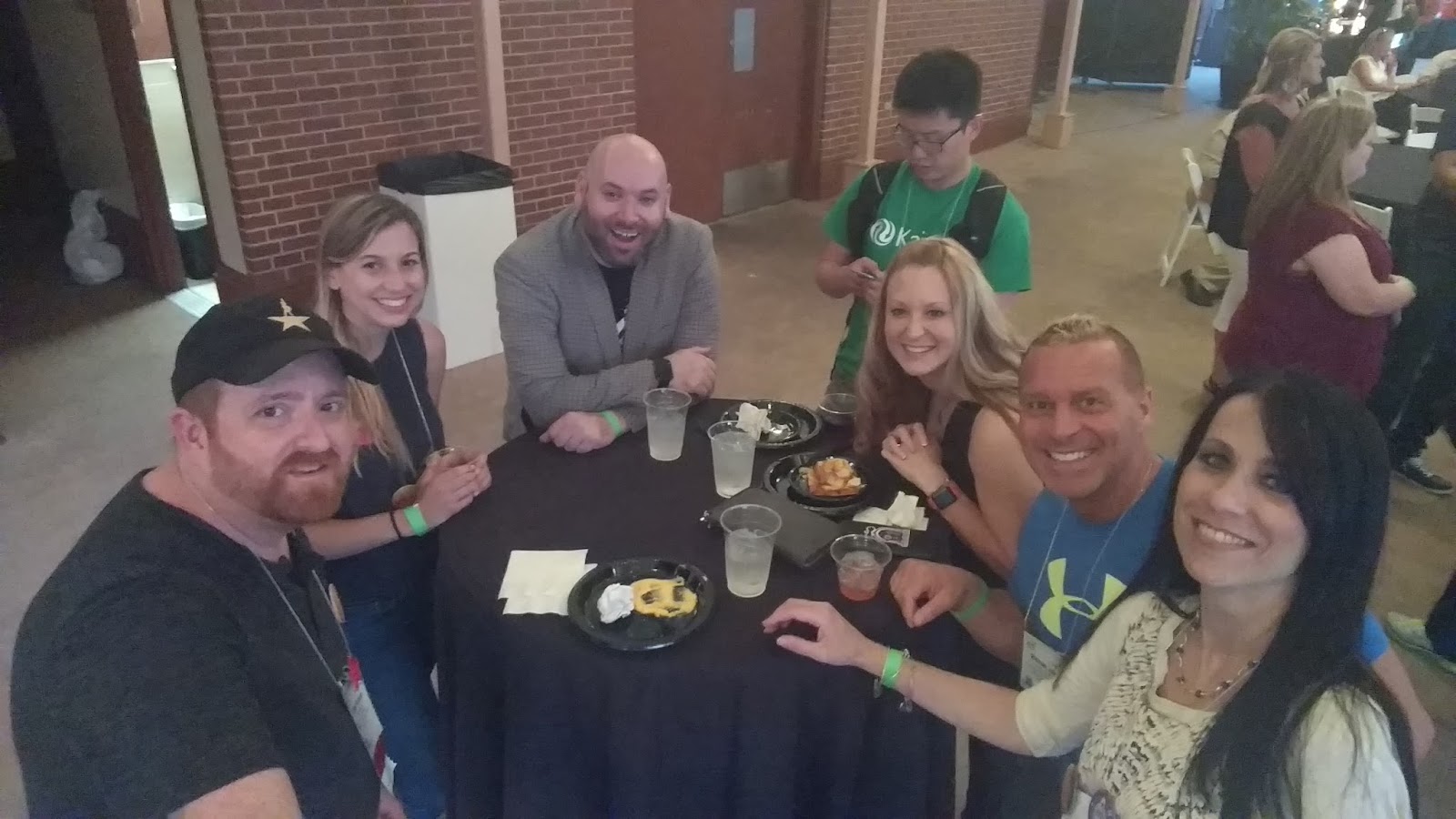
Parties!: If you don’t normally stay out late, then make sure you get to the Gaggle party or EdTech Karaoke. The Gaggle Party was held at the Denver Athletic Club, multiple levels of nothing but fun and ETK was at the City Hall Events Center. Both of these events are a lot of fun and well attended, so you need to at least make some time to stop in for a bit to find out what the buzz is all about and why so many people are so quick to get those badges and passes to attend.

Hanging at Gaggle: Sean Farnum, Melanie Broder, Bryan Miller, Edward Sun, Katrina Keene & Michael Jaber
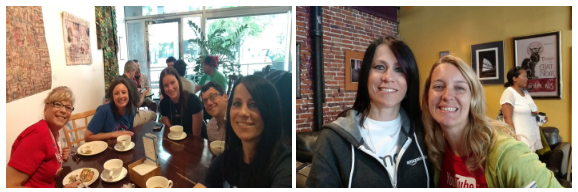
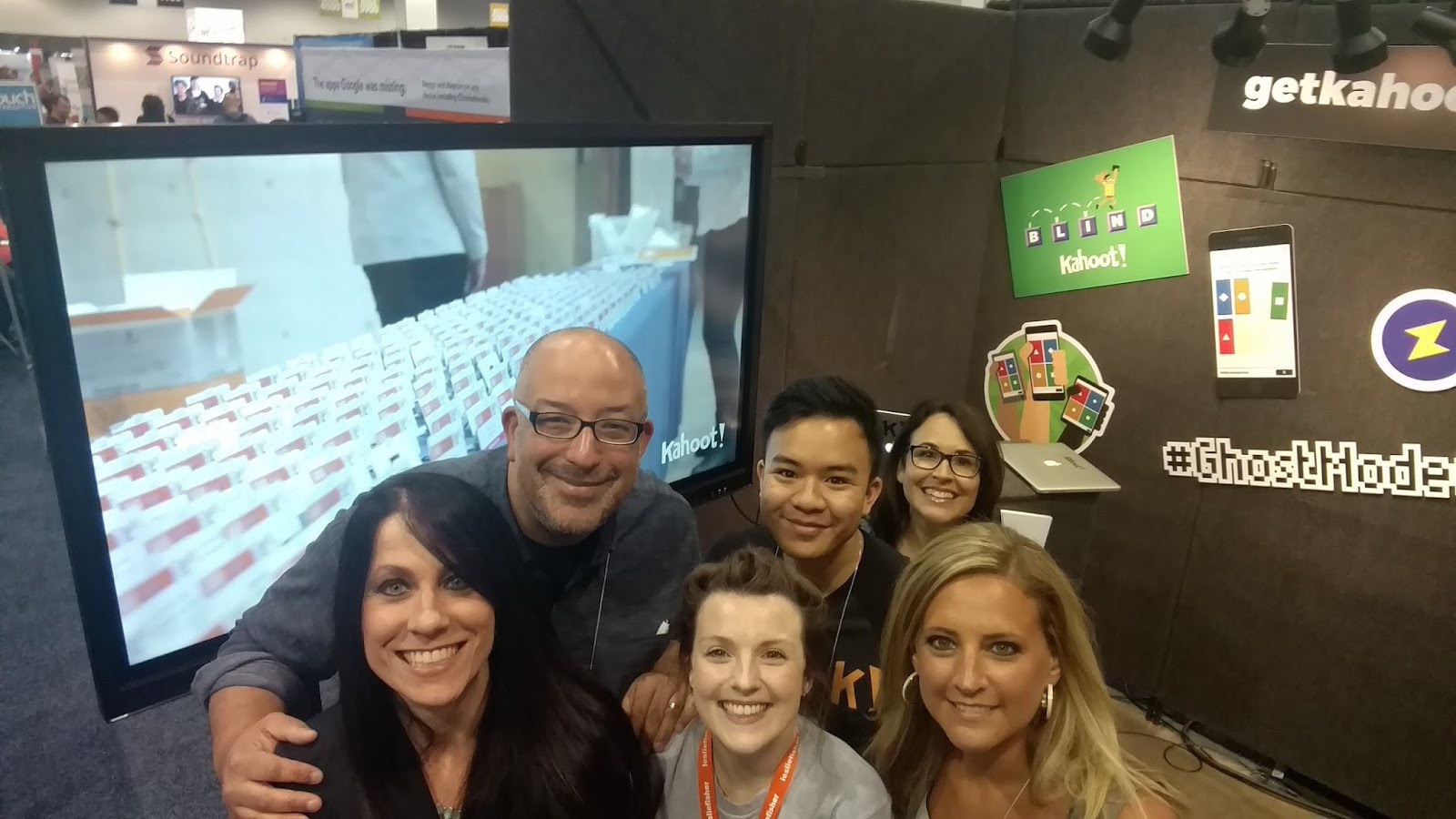
Sean Gaillard, Fran Siracusa, Mandy Froehlich and Kahoot!

At #ISTE16, the opportunities for learning came from all directions. Everything and everyone is always moving. Doors opening to sessions, lines crowding the hall, students excitedly sharing their work, drawing you into their poster sessions, and all of the different tables and topics that each of the playgrounds offered. It is hard to pass any one of these opportunities up. And it’s even harder to decide when to stop and when to keep going. It’s variety and connecting that made this learning special.

Planning Ahead: #ISTE17

Now is the time to plan your schedule for #ISTE2017. The location for next year is San Antonio, TX from June 25-28, and now is the time to start planning ahead. Not deciding on where or how you want to spend your time while there, but planning to be there to experience the awesomeness of ISTE and the Connected World. See you in San Antonio!

What are your takways and highlights from #ISTE16? Share in the comments or on Twitter with #TheEduCal!

How Can We Give All Students a Voice? Let’s Get Students Talking

There are a lot of ways that teachers can involve students in conversations both in and outside of class.  Students sometimes have fear of responding in class.  Sometimes it is the fear of being wrong, there is that fear of speaking in public, and it can also be simply that some students prefer not to speak in class.  But as teachers, we have to make sure that we provide diverse ways for all students to contribute and to do so in a way which is comfortable and can help to build student confidence.  Finding one’s voice and being comfortable in using it, are important in today’s classrooms.

The helpful aspect of technology in this scenario, is that communication, conversations and collaboration can happen and take various formats, because of technology. In my classroom, I can tell when I ask a question, whether it be the lack of students eager to respond, or just by observing the physical reactions to the question being posed, that many students have some aversion to responding in class.  Whether this happens as a result of the hesitancy of speaking out in front of others or the fear of not knowing the right answer or perhaps something else entirely, it’s sometimes difficult to encourage the students to speak and share what they are thinking, feeling and express true opinions. Even as a teacher, at times, answering in front of others, sharing my thoughts or perspective can feel uncomfortable and has made me nervous as well.  Even as a teacher, I sometimes become nervous when I am in a similar situation. There’s that fear having the wrong answer or of saying something that might not be well received, cause a bigger discussion or even create an argument.

But regardless, we need to involve students in class discussions and ask questions, and there are many ways that this can be done.  Using some of the tools out there can help to share ideas, expand learning, and maybe even more importantly, enable the students to feel more comfortable in the classroom.

How can technology help in this area?  Is there a purpose?

Teachers want to know what students are thinking, to understand their learning and needs, we have to ask questions, and it is critical to help them feel more secure in responding both in and outside of class.  One way to do this is by using a digital tool that can offer these securities and provide opportunities for students to really express their thoughts and feelings. In this regard, I believe the technology does truly have a purpose because it can serve to give students a voice and in a comfortable way, where otherwise students may be apprehensive about expressing themselves.

I am not saying that technology should be used as a substitute for having students speak in class or for courses in which public speaking is part of the requirement.  Developing the ability and confidence to stand up and speak out in front of others and to voice one’s opinion are important skills and characteristics that students need to develop in classrooms today, to be prepared for their future. And if use technology to replace this, then we also take away a part of the learning process and the risk taking that is involved in developing these public speaking and independent skills, which leads to us doing a disservice to our students and to ourselves.So maybe offering some alternatives for how students can express themselves would be a good way to start.

Some options

Depending on the type of question or the feedback we want from the students, there are many tools such as SurveyMonkey, Responster, TodaysMeet, Socrative or Riddle. A tool like GoSoapBox can be used for a variety of question.  Even using some game based tools like Quizizz or Kahoot! also provide options for having students respond to questions and reflections.

Teachers can review the answers and then use it as a way to start a new discussion in class. Answers can be shared anonymously, and of course some students will acknowledge that you are reading their answer, but this can also help to boost confidence and create more comfort in the classroom for all students.

Some other options are for using things like Wikis or blogs, or another tool for backchannel discussions, to have students respond and collaborate on different topics.

If students create their own blog, their responses can be kept private and this has been a very beneficial tool in my classroom which helped students to practice their content area skills, in a way that is more comfortable, through which I can give them personalized feedback and also learn more about them in the process. A Wiki can also be a good way to have students collaborate if they are working in small groups.

It all comes down to what type of conversation, the questions or discussion we are hoping to involve the students in. Do we want something that is more open-ended? Do we want students to think about something and then respond later, once class is over? These are some of the reasons why technology can help, and also can enable teachers to offer a more blended or flipped learning experience in the classroom. Just because the bell rings and class is over for the day, our conversations don’t have to end.  We can discuss, ask questions, provide feedback after the class is over. We need student feedback we want learning to be meaningful and students to feel comfortable.  The use of these tools are helpful for students to express their ideas, we can learn more about what they want to do, what they can do and what they need help with.

These are some of the reasons why I think technology has a real purpose. It helps to expedite the process by delivering real live results so that we can give feedback to the students when they need it. We can use these tools to encourage students to share thoughts and answer questions, and to feel more comfortable in doing so.

Visme: How to Use Narrated Presentations With Voice Overs in the Classroom

Thank you Visme for the opportunity to share this and involve my students in this blog post.

How to Use Narrated Presentations With Voice Overs in the Classroom

image: http://blog.visme.co/wp-content/uploads/2016/08/AudioHeader.png

Projects are one way that teachers can assess students throughout the year. Regardless of the theme, students have a lot of opportunities today to complete their projects using a variety of presentation formats. They have more options for showing what they have learned and how they can apply the material covered in class.

With each passing school year, the options available to students increases, enabling each student to find and work with a digital tool that is personalized to them because it meets their interests and needs, and also their comfort level with technology.

While using tools such as Microsoft Word or a standard PowerPoint to create reports and presentations provides students with a foundation for learning technology skills, taking their knowledge of these formats and applying them to new technology tools can maximize their learning in many critical areas.

Audio11

Depending on the type of project or assignment that a student must complete, tools such as Visme offer many options to users who want to create any type of project or presentation with a single multi-tool that integrates multimedia and many other visual elements. As a foreign language teacher, for example, I often want students to include an audio component to their project so that I can assess their speaking skills.

A recent example of this is a project I assigned to Spanish III students which entailed describing the life and work of an artist. The project required a certain amount of vocabulary to assess their Spanish language skills, but it also had to include images or video and an audio narration with their comments on the project.

Whereas in the past, they may have needed to use two separate digital tools to do this, depending on their choice, they can now rely on Visme to create their projects with all of these elements in one presentation.

There are many choices as to the type of format, whether it be an infographic, flyer or a presentation. Each of these have options to include multimedia and many other choices for audio, video, and other visual representations. With the new updates, these choices are even greater than they were for our prior student projects.

There are a lot of tools available which integrate various components, enabling students to record audio or upload audio files into their presentation, but these often require multiple steps, or specific formats, and in some cases may require advanced knowledge of technology.

However, with the recent addition of Visme’s new audio feature, students only need to look to this one tool to create their presentations. They can add their voice-over directly into their project with just a few clicks.

RELATED: How to Create a Narrated Presentation With Voice Over Using Visme


Ideas for Using Narrated Presentations

Rosa

There are tons of possibilities for using audio in presentations. As a teacher, I can create lessons for my students, with instructions on each slide, to guide them through the presentation. This is a great option for students who are absent from class or who would like to revisit a specific lesson.

I can also teach a lesson and explain grammar, vocabulary, culture, or any topic we are covering in class, and easily add the recording to the slide, making it easier for the students to follow along. The potential for this is huge, especially in flipped classrooms, or blended learning environments.

Anyone who creates a presentation, regardless of whether it is for use in an educational setting, can take advantage of the audio component of Visme, to really add that something extra to the presentation.

CostaRica8

It can be a recording of one’s own voice, or it can be other audio that has been added in from the library or uploaded from another source. There really are a lot of possibilities for enhancing anyone’s presentation.


What Can Students Do With This?

collage

Students were excited to use Visme’s audio feature for recording voice overs and creating narrated infographics and presentations for our class. Some of the students shared their opinions of Visme’s audio feature.

Ellie: “The audio feature makes it easier to explain your work more in depth when you don’t want to have too many words on the screen, or simply want to describe an image.”

Alexa: “With voice overs, it’s easier to include all of your information and faster than reading slides word for word. It would be a lot easier to present it to people because I could take my time and make sure that my pronunciations were right rather than having to speak in front of people from memory. It’s really easy to use, and it made my presentation more interesting.”

Camp

From a student’s point of view, presenting information to classmates can be a bit scary, and rather than speaking while displaying the presentation, the students can pre-record their information, and let the presentation run on its own.

This is a great way to help students gain confidence in the classroom and keep comfort levels in check. It is also a great way to have presentations available for sharing with peers and for use as a resource for future classes. Teachers can benefit by being able to record their own lessons, but students benefit by having everything they need to create highly visual and engaging multimedia presentations.

image: http://blog.visme.co/wp-content/themes/blog/img/pei1.png

image: http://blog.visme.co/wp-content/themes/blog/img/pei4.png

Visme simplifies presenting and storytelling for you and your team.

Start Creating!6.png

About the Author


Guest Post via @Rdene915: “Summers: The life of educators”

Thank you Sarah Thomas @sarahdateechur and @EduMatch #edumatch for the opportunity for this post on August 1, 2016. Logo from Edumatch.com

A couple of reasons why I love summer

Rachelle Dene Poth

I am a teacher and when people find this out, one of the first things they say is “it must be nice to have your summers off.”  Yes, thank you, it is nice to have a more relaxed schedule over the course of the summer break. But in all honesty, I would be fine if I taught year round. And there are a lot of teachers who don’t really have the whole summer “off” because their school operates on a different type of school calendar. And like I said, I love summer, not because it means that I don’t have to go to work. I enjoy being in the classroom and working with students.  I look forward to each day and what it brings. I love the routine, the new challenges each day, and more than anything, working with the students and learning from them. However, the main reason I look forward to the summer is because it is an opportunity to seek out new learning experiences that will enable me to return to my classroom refreshed, with new ideas and hopefully improved skills that will help me to provide the best learning experiences for my students.

Connections

Another great thing about summer is that it is a time to connect with other educators. And I have been fortunate to meet a lot of educators over the past few years, but even more so this summer because I had the opportunity to be involved in several tremendous conferences and learning experiences including Summer Spark, ISTE 2016, and EdCampUSA.  So yes, it is nice to be a teacher and to have those breaks throughout the year and especially during summer, but I bet if you ask some of your friends who are teachers or even if you meet someone new who is a teacher, if they really have their summers “off”, I bet almost all of them will tell you no, and maybe even follow up with a laugh. And here is why.

Summer for educators

Summer is a time for a lot of things. One of the nice things about being in education, in my role as a classroom teacher is that I do have the summers off. But we all know the reality of it is that we don’t really have the time off.  Teachers have time of course for some of the normal summer things like sleeping in late, catching up with friends and family, going on vacations and not worrying about setting the alarm.  But it is also valuable time for teachers to do even more, on a personal and professional basis. Time to think about their practice and take advantage of the opportunities that are out there for professional development and growth. 

Teachers devote most of their time during the school year, focusing on students’ skills and needs, their interests and providing a supportive, positive, meaningful,  engaging learning environment for their students. For some of our students, school is the safe place to be.  Each teacher’s classroom is unique and offers an opportunity for the teacher to create a whole new world, for lack of a better phrase, to immerse their students in learning, to draw them into new experiences and help each student develop their skills, to become reflective, to have choice and voice in their learning. In addition to striving to provide this for our students, we work to be a constant source of support and guidance for each student each day.

And contrary to the “school day schedule”, when the school day ends, these tasks, jobs, responsibilities do not end with the ringing of the bell. We may leave our work on our desk in our classroom, but these other parts of our work continue 24 hours a day every day. The impression that we make on our students and the atmosphere that we create for them, the guidance we provide have an impact that does not end when they leave our classroom nor when they leave the school for the day.  Each student takes something unique away from the classroom when they leave us. Whatever our connection is with each student, the relationships that we build and that continue to grow throughout the year, in some way help each student. There is something created unique to each teacher-student relationship, that forms the foundation for the learning to occur.  We are their teachers, but also their mentors, providing more than just a lesson in the classroom. We don’t just teach. We give ourselves and our support to our students.

And it is exhausting, in a good way. And if you leave your classroom at the end of the day, and you are not exhausted when you get home, then something is wrong.  There is more work to be done.

Our schedules

Teachers put a lot of time in outside of the classroom and that time is not evident to the rest of the world. The hours at night at home or on the weekend grading papers, making parent phone calls, preparing lessons, attending conferences, are not factored into how people view the time and place of the job of the teacher. And I do not see this as negative, it’s just the reality that because school is perceived as an 8 hour day experience, that is where the work ends. And maybe in the past it would be viewed in that way because technology did not exist to enable emails or other collaboration to occur beyond the school day.  But the work involved and the personal investment was and still is the same.

So back to why I love summer

Getting back to some of the reasons I love summer. Each summer gets better and better, and it’s not because I traveled and spent hours on beaches, or to the contrary, kept idle. It is because I have used the time to learn more, to read, to connect, to reflect and to prepare for the next year.  My summer goal is to work so I can start stronger and be better than I was the year before. This summer has been an unbelievable period of growth for me and I knew at the end of the school year that it would be exhausting but a well worth it kind of exhausting.

I have been fortunate to travel to different conferences throughout the country, to confront some fears such as flying and speaking in front of many people, to challenge myself more each day. And no worries, I am enjoying some time sleeping in and also sitting outside on the deck with my cup of coffee, but the computer, a book or a magazine are always there. The Voxer groups I join are part of each day, listening and learning. I use the time I have because I want to learn, to connect, to develop skills so I can be the best teacher and mentor that I can be for my students. I will do whatever it takes to make that happen. And this summer I have met a lot of inspirational role models, leaders in education, Eduheroes, people I have known through Twitter chats,Voxer groups or Google communities. These are things which two years ago I would not have even thought possible. But learning from these different groups and developing a new awareness and new perspectives and facing new challenges, has really given me pause.   To be among some of the great educators and benefit from truly amazing professional development experiences, has served to make me want to use every moment of this summer “break” to take in and learn as much as I can.  Does this sound like you?

My summer recommendations

Some things that I think are important to do in the summer. I think you have to give yourself some freedom and flexibility with your schedule. So that means if you want to go to bed early and get out of bed late, that’s fine. If it means that you then spend the majority of your day working and reading, or doing nothing at all, that’s okay too. You have to make time for friends and family, connect with people that are important and that matter and that maybe throughout the school year you don’t have as many opportunities to spend time with. Once the school year starts, schedules become very hectic. That is the nice thing about being a teacher in some sense, is that your availability is more open in the summer but then again people with year-round jobs aren’t as available as you. You should find conferences or webinars, join in book studies or Voxer groups, or try connecting with some different learning communities. Get involved in a Twitter chat, whatever it is during the school year that just doesn’t seem to fit as part of your routine, make it part of your summer routine.

There are lots of opportunities out there and while there is not time for everything, there can be time for a little bit of everything. So decide what is best for you.  Do you want to be in one Voxer group or join one book study ? Then make that your focus. Or maybe you want to participate in writing tips for a blog or website. It’s up to you, because it is your time to decide how to spend your summer break.

Personally I stay in good practice during the summer because I keep my schedule as chaotic as possible because it’s better prepares me for the school year. The first day or two of summer break I feel a bit out of it because of that absence of routine, the lack of students waiting to hear from me, but I soon develop my summer plan and get started right away.  On Monday.


Integrating Technology: Try Creating an Infographic

Posted in the Edutopia Community Discussion

If you are looking for new ways to share information, or create a new sign for your classroom, or have students work on a project, then perhaps infographics is what you need.

Infographics are one of many options for presenting information in a vibrant, engaging way. There are many digital tools out there that can be used to create an infographic, and you may know of a few of these tools. If you have not heard of an infographic or you have not yet created one, then I hope I can provide some new information or ideas. And if you have been looking for a way to integrate technology into your classroom, or a quick and easy way to make a slight change in your classroom, then perhaps using one of the great web tools for creating an infographic is just what you need.

An infographic is something that I learned about two summers ago while participating in a weeklong technology conference. I had seen infographics before, but did not know the term and had no knowledge of any of the tools available for creating one. I was anxious to create my own and decided to start the new school year, by creating infographics for each class in place of printing a course syllabus. I used three different tools to create an infographic for each course and then posted them on our class website.

Creating an infographic is quite easy and there are so many templates and options available to include in your work. Making the change from a paper syllabus to an infographic is easy. Simply take the file that you already have and copy and paste your content into one of the many templates that are available, and then have some fun with it. Depending on which web tool you use,  I have used Piktochart, Canva and Smore, you have a variety of choices for the additional icons, images, and more that you can add into your infographic. The possibilities are endless for creating a diverse, vibrant, multi-media, engaging presentation for any kind of use.

So changing from my paper formatted syllabus over into an infographic was the first step that I took. I then decided to take it a few steps further and have my Spanish I students create an infographic to describe themselves. This was something I had them do each year, to practice the beginning vocabulary and to learn about them,  but it was a project usually done on paper. I gave them the choice of a few different tools, and provided my infographics as a model. But I left it up to the students to decide and to explore the options within each of these choices. There were no limits on what they could add into the presentation, nor requirements about which tool they should use. Some students even added some audio and video into their projects, something that cannot be done using the traditional paper format. The best part was how their individuality, interests, and creativity were expressed using infographics.

On a personal level, I enjoy using infographics for creating presentations for graduate course work, book studies, moderating Twitter chats, and even birthday cards and more. It’s a lot of fun to work with these tools and to see what you can create, and even better, what the students create.

** I always give my students choices as to which tool to use, they all have benefits and unique features.  It depends on what works best for our needs.

Suggestions: Piktochart, Visme, Canva, Smore    @piktochart @canva @smorepages

Pikto1


Interactive Lessons: Let Students Create & Lead

After recent technology showcases, finishing up an independent study focused on Student engagement, motivation and social presence, I wanted to learn more about what students want and what they need to do well.  Taking the digital tools we had used, with me leading the lesson, I put it in their hands to create and lead.  It was an exciting opportunity, as the year was winding down, to keep motivated and try new things, but to give choices for all.  Here is the second part of a series of stories, with student reflections.


Interactive Video Lessons:  EDpuzzle

Rachelle Dene Poth: I am a Spanish and French Teacher and I look for ways to include student voice, choice, and leadership when finding the right materials for every student. With the help of some students, we worked with EDpuzzle as part of a new learning adventure, I wanted to empower students to become more than learners in the classroom. I wanted them to lead the class and develop these critical skills and have choices.

Choosing EDpuzzle

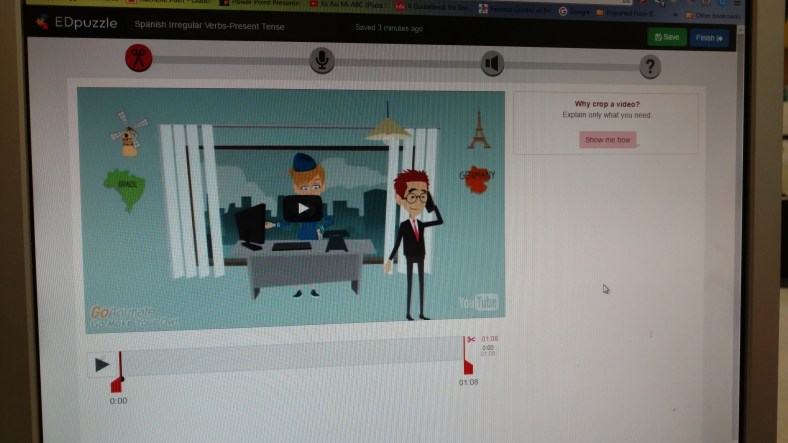
EDpuzzle is a tool that I have been increasingly interested in using with my students, to add to our video experiences and find new ways to engage them more in and out of class.  As the school year started to wind down, I found myself wanting to try some new methods of instruction with my students.  We have used a variety of digital tools to complete assessments, have discussions, create projects, collaborate on class wikis and more.  The benefits have been tremendous.  Students have improved their Spanish language skills by creating a more authentic and meaningful representation of what they know and can do with the material by having a choice in tools. This personalization  meets their interests and needs and helps to motivate them.  

Motivation for trying new things in the classroom

One of my main goals is to work to find creative and innovative ways to introduce content in my classroom and above all, to make sure that students have choices and feel valued and supported in the classroom.  Giving choices for how to show their learning, leads to a more beneficial and personalized experience for all students and even myself.  If each student chooses something different, this promotes more meaningful and unique learning experiences, and builds vital technology skills in the process. Opportunities like this lead to many benefits.   

So who benefits from these new, interactive and flipped experiences?

IMG_20160531_131429391

We all do. Teachers and students benefit because not only have we all reinforced our knowledge of the content material, (Spanish language and culture in our case), we are learning about new tools, and maybe even more importantly, about each other.  

Giving choices is a risk.  With so many options available, it is not possible to know everything about each tool and its benefits.  So as teachers, we have to learn as much as we can, and then relinquish some control to our students.  They need to have the chance to explore, create, and share.  Give them the opportunity to do more than simply produce the same product as the other students, because they are not the same.  Let them become the “creators” and the leaders in the classroom.  Let them take on a more active role and see how this promotes engagement, curiosity and motivation within them.

Putting the plan into action

With these new reflective thoughts, I began a new venture into having students select from diverse tools, which are typically used by teachers for delivering content, and had them create and teach a lesson.  I thought this could be a bit risky, but would also be beneficial for many reasons.  It seemed like an interesting twist to try, especially at the end of the year, and I wanted to see if and how it was of benefit.

Why make the change to student created lessons

Accountability.  In education, there is a lot of accountability.   Both teachers and students are accountable for learning and classroom involvement, as well as many other responsibilities.  In my classroom, I use a variety of learning activities and offer choices of tools to help the students to learn.  I often tell the students that it is like having a room full of toys, find one and try it, if you like it, keep it.  If you don’t then select something else, because the idea is for it to be something that is beneficial and meaningful to you. No matter what you do, use each as a learning opportunity and a chance to reflect and grow.

Videos for learning

One area I rely on for helping students is the use of videos. In the past, I would assign the videos to be viewed outside of class, flipping the learning environment, and hope the students watched the videos as instructed, but without any real way to know.  Sometimes we would discuss the video or I would have them complete an in class activity, ways to hold students accountable for watching the video.  But students could skip through the video, gathering only the highlights, and get by with just enough information to complete the activity, or without watching the video, could learn the information elsewhere.  So the problem remained student accountability.


That is before tools like EDpuzzle which enable the creation of interactive video lessons with analytics to show who watched, analyzing their responses to questions and much more. Without having tools like EDpuzzle, assigning students to watch a video alone does not promote accountability and is not quite as engaging, nor is it interactive.  Students are less likely to really focus on the material.  

How else can videos be used?

We use a variety of videos to enhance our learning in the classroom and I have spent time this year, creating more interactive lessons, to hold the students accountable.  I also started wondering how the students would like being the creators, more active and interactive, rather than passive in their learning, and using these traditionally considered “teacher” resources to produce an assessment or a project and let them lead in the classroom.  

I am thrilled with how this new approach has gone. While I may think that it went well and was very helpful, what matters more to me is what do the students think?  I make it clear that I do not want to waste their time and would not assign something that I did not truly believe was beneficial. This is my hope, but I rely on the honest feedback of students, to reflect and move forward.


So what do the students have to say?   

Three of my 10th grade, Spanish III students reflect on their experience with EDpuzzle.

Adam: I had been struggling to find a good web source to meet my needs for entertainment as well as my education in the classroom and EDpuzzle is a great way to meet both of these needs.  When I faced the challenge of preparing a lesson to teach to my Spanish 3 class, I honestly didn’t know where to start.  I first tried some other resources that we had used but they really weren’t getting the message across like I wanted. Then Mrs. Poth recommended a new tool by the name of EDpuzzle to me and my reaction was

“Edpuzzle? Mrs. Poth this is a Spanish project, not a puzzle!”
“Just try it out!” She said.
So I went home that night, and after thinking it through, I again began my Spanish project.  I started with another source and was still disappointed in my product.  Finally I decided to give EDPuzzle a chance. By the time the loading bar hit 100 percent and that page loaded up I knew I found the perfect tool for not only this project but many more to come!

EDpuzzle was a fantastic way for me to use my sports video and transform it into something completely unique with a few easy changes. And for future projects, I will never have the issue of handing out papers with the questions. I can simply tell my “class” to pull out their mobile devices and answer the questions that I have integrated into my video. There are so many options for a user to enjoy and learn from the features that EDpuzzle has to offer! Thank you for providing the tool to not only teach my Spanish 3 class but to have them enjoy  as well.

BEN: I used EDpuzzle for a class project. The first time I saw EDpuzzle was in class and I thought it had a pretty interesting concept. So, when we were assigned a project for the camping unit, I decided to try EDpuzzle.

I created a lesson for my classmates by adding comments and questions to a camping video I found online. I found that EDpuzzle was easy to use and that it was a new fun way to make a class project that could be used as an interactive lesson. I especially enjoyed the many features EDpuzzle offers such as the being able to crop the video, make an audio recording over the video, and being able to make different types of questions. I felt that EDpuzzle impacted me in that it gave me a new way to present a topic and a more fun way to create projects and relay information. EDpuzzle is a fun and different digital tool to use that can be a great tool for learning.

EDpuzzle


A student who participated in the lessons of Adam and Ben said: “ By having all of the different choices of tools to use for our project made it easier to find something that I was interested in and comfortable with.  The activities included in their video lessons were educational and fun,  and made learning more enjoyable for the students. It provides more than just watching a video and not really being held accountable for paying attention. You had to pay attention in order to answer the questions.   I would recommend EDpuzzle to anyone looking for a new way to present information, in any setting.”


In the end

It is all about giving the students choices and allowing them the opportunity to try new things, lead the class and develop their content area skills, as well as many other critical 21st century skills.  EDpuzzle and the other tools,  provided an opportunity for students to take on a new role, to build their comfort level, and to learn new ways of integrating technology and having fun in the process.  They were the teachers and we all were the learners. 

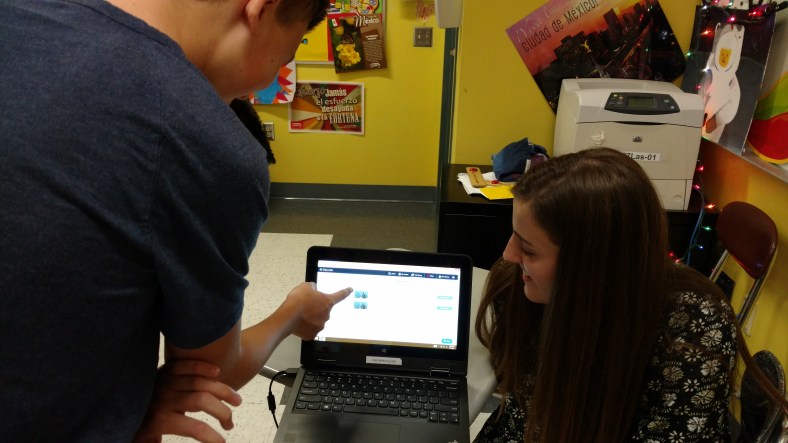
Showing how to use EDpuzzle in class.  IMG_20160601_105253829
Trying to Keep Students Involved: What Can We Do About Homework?

 Toward the end of this past school year, I noticed a quick decline in homework completion, student progress and motivation. I knew that it had been a very busy final few weeks full of testing, athletic events, and much more, and thought that I should work on ways to engage the students more, try some new things in class, and finish the year strong. So I used that time to test out some new tools, offer some new opportunities and different choices to the students. I found myself allowing for more spontaneity in our learning, taking a few more risks, and asking the students for more input into what they wanted to do and how they wanted to learn. It became part of my “staying strong till the finish” experiment, which included mixing up the seating arrangements, giving students opportunities to teach class, choosing how to show what they had learned and more. With positive responses, I then shifted to another area which concerned me and that was homework.
Do we need to assign homework?
As a student, I always had homework and it was always the same as everyone else. We did worksheets, or outlined chapters, or had some other task. When I first started teaching, I found myself teaching similar to how I had been taught. Homework was assigned to my students on most days, and on most days it was the same. For a very long time I did not see any problem with this, I was using the homework to assess the students and give them the practice they needed to master the content. But as part of my professional development and interest in trying new methods and focusing more on student needs, I realized that it does not have to be the same. So I shifted my focus to evaluating the types and the frequency of homework assignments that I was giving to my students.
Over the past few years, I have changed my thinking, looking for ways to move away from those “one size fits all” assignments and aim toward providing more personalized, authentic assignments for my students. Some other reasons are that students can possibly find answers online, or worse, copy the homework. And as a language teacher, I also wanted to find ways to discourage students from using online translators. These experiences, along with feeling a bit frustrated about the homework not being completed, led me to really try some new methods at the end of the year. And have led me to really think about what types of homework I will have for the upcoming year. It is an ongoing learning process. Some areas that I have been reflecting on are: the types of assessments used in my classroom, my different groups of students, the frequency of their homework completion, and even more closely, a look at the individual students within each of the classes. My goal is to continue to reflect on whether or not the type of instruction and the strategies I am using, are beneficial to them and if what I am assigning truly has value and is helping to build their skills, or is it simply busy work.
Questions I asked myself I have been thinking about a few areas of my teaching. What are the types of materials use in class? Have I been using the same resources each year with each class? Was I assigning the same homework to each class? There are times when I had used the same worksheet, or a test over the years. Not because I was lazy, but rather, because it was a quick assessment to use or I believed it was the best way to provide the students with practice. But I have been working to find something that would work best for and help the students. And I have realized that it is more than taking a look at each individual class, it means really developing an understanding of the needs of each individual student. What helps them to learn the best? What do our students want and need from us?
An experiment
I do believe in the value of homework and I know that students today have a lot of homework each day. Homework is one of the ways to help students to practice and evaluate what they know, what they don’t know and how they can improve. It is one of many ways teachers can assess students and learn about their needs, provide instruction and valuable feedback. To change things a bit, I decided to make things more personal and have the students decide what they could do for homework.
I assigned each student to be the teacher for the next class period. The students were working in pairs and their homework was to come to class the next day with a lesson to teach. It could be something tangible such as a worksheet or could be a website, a video, a game, or any other resource. I was fine with whatever they chose as long as they could use it in class and more importantly, that they could teach their partner. I thought this would be a great way for the students to have more meaningful learning and also build relationships and collaborative learning skills. And in the process, also see there was more than one teacher in the room.
The results
During the lessons, I interacted with each group to see the lessons they prepared. Students had created worksheets, written notes, brought flashcards, had games and videos and more. A few even created a game for their partner to play. But what was most important was that they sought out resources, they had an opportunity to teach someone else and their homework was personalized not only for them, but also for other students. It went well and they were enjoying it and learning. I was nervous about doing this, about not having clear expectations, and leaving it up to the students. It was a risk. But it went very well and I was impressed with how creative they were, their level of engagement, and the variety of “homework” that had been done.
The student responses
I value student input and regularly engage them in informal conversations because I want to know their thoughts. Did they learn? Was this an effective way to practice? It was a very positive experience and the end result was that the students became teachers, the learning was more personal, they felt valued, and it was meaningful and beneficial to their learning experiences. It is a risk and when you don’t necessarily have the whole plan set out, and you just kind of go with it, you might be surprised at the results. Giving up some control to the students is not always easy, but in doing this, it opened up more opportunities for facilitating their learning, providing more individualized instruction and continuing to build those relationships which are the foundation of education. I still have some time before the new school year and I am looking forward to trying more ideas like this, which give students more control and provide diverse learning opportunities.
There are a lot of great tools out there and students really like having choices in the classroom and learning new ways to use technology that helps them to develop their language skills.

The Summer Spark experience

Thanks Adam Schoenbart  and The EduCal for the opportunity to share what a great event this was for everyone.

summerspark2016

The Summer Spark Experience

By Rachelle Dene Poth

What is the Summer Spark? In the words of lead organizer, Chuck Taft, it’s a conference with the goal to “set the the stage for all participants to innovate, collaborate, and connectate (Chuck’s word) and set the stage for exciting summer PD, renewed enthusiasm in the profession of teaching, and get fired up for their best ever year of teaching.” I can tell you that the Summer Spark delivered all of this and much more.

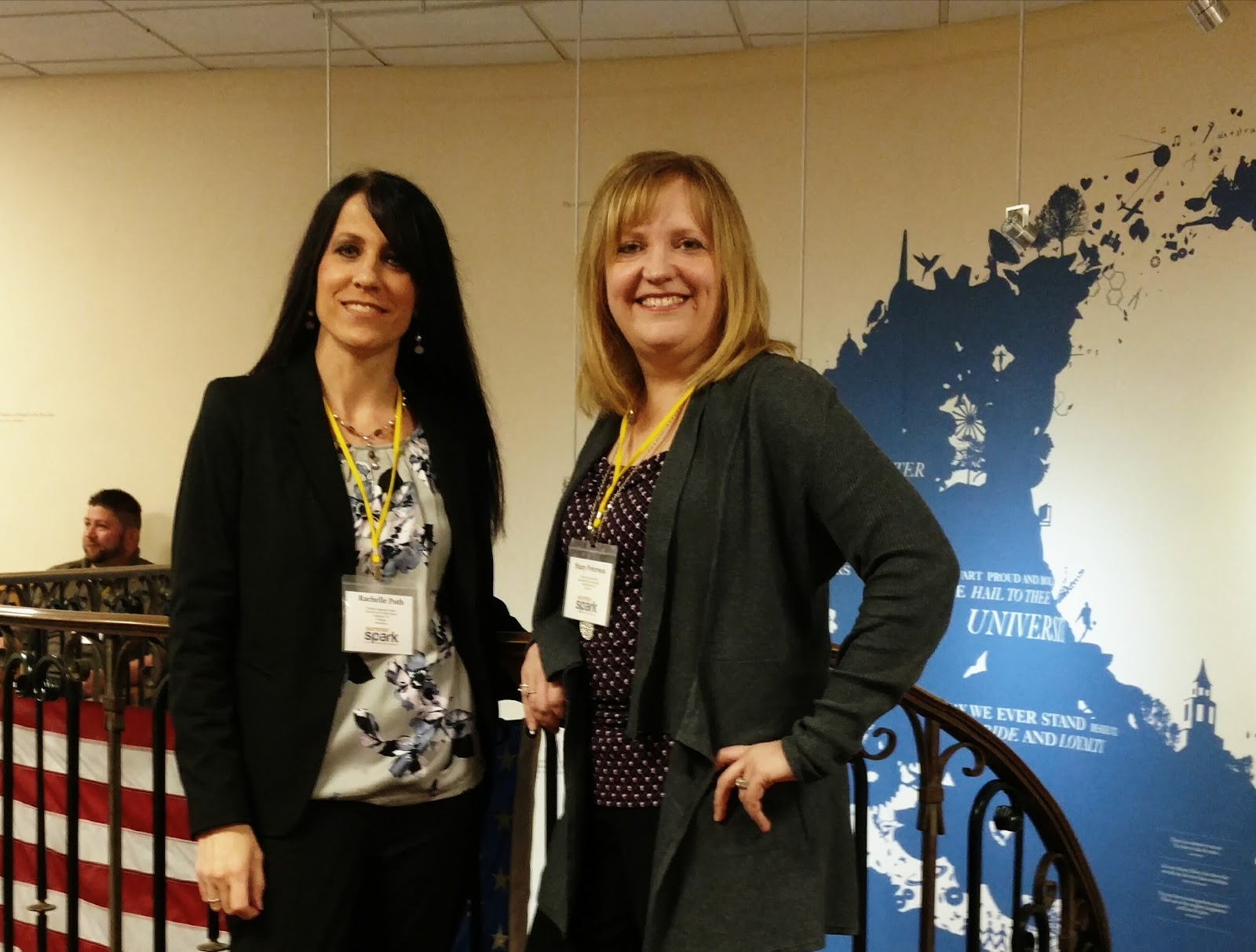
The Summer Spark was held at the University School of Milwaukee on June 13-14, 2016. I discovered the event through Twitter, and I am excited to share my Summer Spark experience from this year’s event.

A Great Start to Summer

If you are looking for a great way to kick off your summer learning, I highly recommend joining Summer Spark next year! Mark the dates on your calendar now: June 12th – 13th, 2017. Learn more about the event here and start planning your trip. No matter where you live, traveling to USM is well worth it!

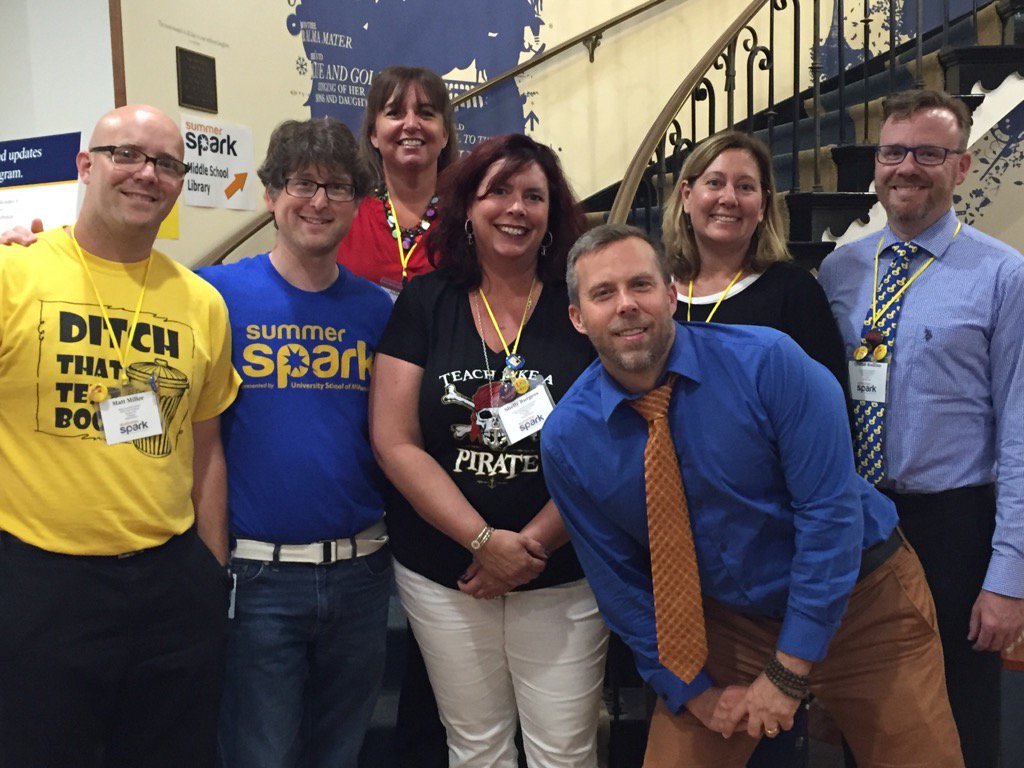
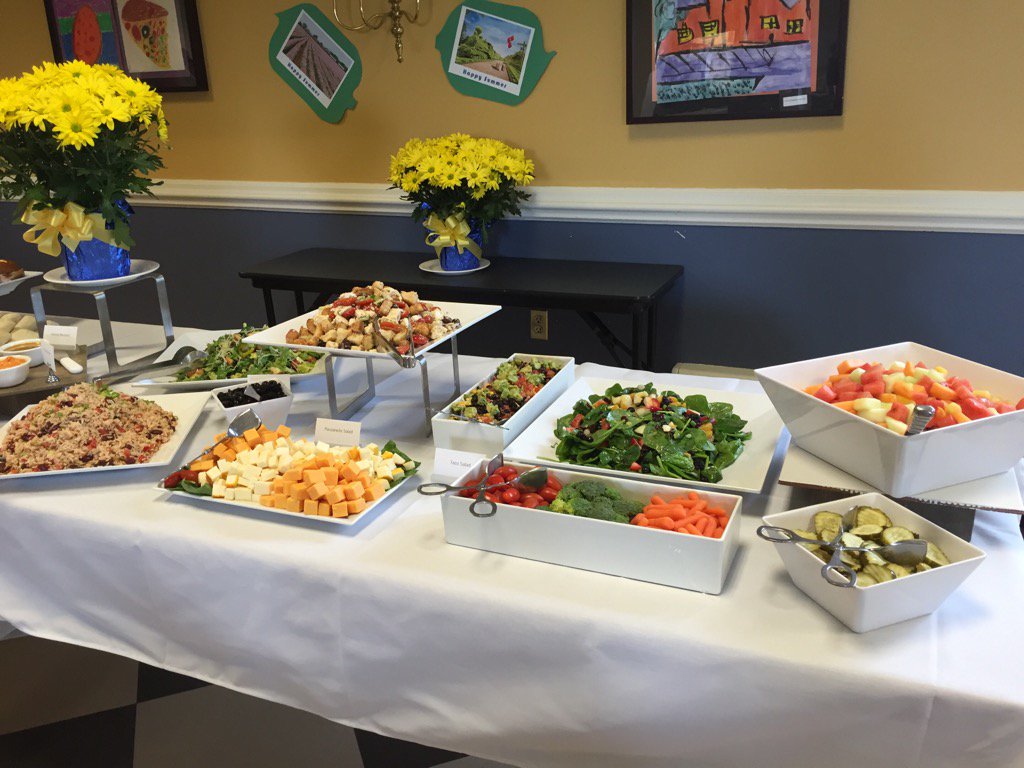
It was two days full of learning opportunities which included keynotes, networking time, tracked sessions, workshops, unconferences, fabulous food and a ton of fun. The days included presentations led by authors including George Couros, Jason Bretzmann, Kenny Bosch, Shelley Burgess, Don Wettrick, Julie Smith, Michael Matera, Matt Miller, and Quinn Rollins. Each day kicked off with a fabulous keynote speech, inspiring all of those present to seek more opportunities for themselves and for their students and calling on all education professionals to take action and expand their learning possibilities. #USMSpark was trending, and Twitter was full of inspiring posts and pics to share the experience with those in attendance and people everywhere. Check out the Twitter feed for quotes, pics, and inspiration.

Summer Spark 2016 Begins!

It started with a welcome breakfast, which was fantastic, and time to meet and greet. For me, it was the opportunity to finally meet a friend in person and learn together in the same place, rather than learning virtually, as we had for the past few years. For many, it was an opportunity to reconnect with friends from last year’s conference, to meet “tweeps” face to face, and to make new friends as well. For everyone, it was the start of what would be an inspiring and invigorating two days of learning and growth. No matter where you looked, people were engaged in conversations, smiling, laughing, taking photos, posting tweets and having a lot of fun together.

The Summer Spark conference had sessions organized into strands for learning which would help attendees to select a particular learning topic and find sessions most relevant in their area of interest. There were so many opportunities for networking and personalized learning with the great offering of presentations, so many in fact it made it hard to narrow down to just one choice for each time slot. However, with so many opportunities to sit down and talk with one another, plus the availability of presentations and collaborative notes through the conference site, there were alternate methods of gaining new knowledge and ideas, even if you couldn’t attend all the sessions you wanted at the same time.

And at the end of Day 1, there were 25 teams racing against the clock in a Spark Treasure hunt, frantically trying to solve various puzzles and tasks, engage in “tomfoolery” to unlock the box. Congratulations to Team Typewriter! A thrilling end to the first day, fueled by innovation, collaboration, and “connectating.”

Day 2 was no different, kicking it off with another motivating keynote by Don Wettrick, with the message to “accept the challenge: I don’t care if you teach 20 years, just don’t teach the same year 20 times.” The keynote was followed by “unconferences” in the traditional EdCamp style, and attendees were called on to come to the front and pitch a session (which also gave you some extra tickets for those great raffle prizes). There were a lot of great topics ranging from alternate assessments to Google Classroom, infographics and interactive lessons, gamification, elementary apps, creating an innovative genius hour, getting started with Twitter, and so much more.

There were additional presentations before and after another tremendous lunch buffet, some trivia games and the day was rounded out with 90 minute workshops allowing for a deeper dive into the morning’s topics. It was a fantastic two day learning experience that drew to a close on Tuesday afternoon with the raffle and announcement of the dates for next year’s Summer Spark.

My Takeaways

It was such a phenomenal event, led by the host Chuck Taft and his team who provided everything and more that you could possibly want. The welcome, the students helping the attendees, the tech support, the staff and everyone at the school made this a truly outstanding experience for everyone. There were lots of highlights throughout the two days, new connections made, friends meeting face to face finally, and lots of fun and excitement.

I am thankful to have had the opportunity to attend Summer Spark and be able to share some of my knowledge, but more importantly, to meet and learn from so many others. The trip from Pittsburgh was well worth it and I look forward to attending again next year. Conferences like this connect people, enable Twitter friends to meet face-to-face, or to make new friends and to walk away at the start of summer with some new ideas and new directions to go. I’m thankful to have left energized and excited for the future.

Thanks Chuck Taft and all of the Summer Spark conference planners for a truly amazing opportunity and I am honored to have been able to be a part of this experience.

Thoughts from Attendees

Here are some thoughts from other participants about their Summer Spark experience:

  • “The atmosphere was electric” (Nick Davis)
  • My brain won’t stop thinking about all of the amazing ideas I got from #USMSpark. I dreamt about it last night! (Neelie Barthenheier)
  • “Already going through withdrawals after a 7 hour drive home, missing the magic, excitement, and connectedness of the conference. I know the magic of being around so many teacher authors/ entrepreneurs was empowering“ (Dean Meyer)
  • “I was blown away by @USMSpark! Thank you so much for an amazing 2 days of learning and growing!” (Rebecca Gauthier)
  • “You knocked it out of the park! #USMSpark was a fabulous conference!” (Tisha Richmond)
  • “Truly humbling experience to be surrounded by so many passionate, visionary educators. I wouldn’t miss #USMSpark” (Brian Durst)
  • “Can’t say enough about the hard work, dedication, positive, encouraging, energizing nature of the the heart & soul of #USMSpark “ (Jason Bretzmann)
  • “A big thank you to a terrific host @Chucktaft at #USMSpark. So many new friends, ideas, and passion as a result” (Mike Jaber)
  • “So much learning and working together…this is what it’s about. Getting better so WE can make education better!” (Brit Francis)
  • “Wanted to make sure I told you how awesome #USMSpark was & loved meeting you in person! I’m excited about coming back next year :)” (Mandy Froehlich)
  • “Thank you for your passion, commitment, enthusiasm, & humor. Thanks for igniting the spark” (Yau-Jau Ku)
Learning Together Finally!
Thanks #usmspark!

Rachelle Dene Poth is a Spanish Teacher at Riverview Junior Senior High School in Oakmont, PA. She is also an attorney and earned her Juris Doctor Degree from Duquesne University School of Law and Master’s Degree in Instructional Technology from Duquesne. Rachelle enjoys presenting at conferences on technology and learning more ways to benefit student learning. She serves as the Communications Chair for the ISTE Mobile Learning Network, a Member at Large for Games & Sims, and is the PAECT Historian. Additionally, Rachelle is a Common Sense Media Educator, Amazon Educator, WeVideo Ambassador, Edmodo Certified Trainer and also participates in several other networks. She enjoys blogging and writing for Kidblog and is always looking for new learning opportunities to benefit my students. Connect with Rachelle on Twitter @rdene915.