Game based learning

Guest post post by Brigid Duncan, Educator, Creator, & Blogger

Shaking up learning by bringing retro games to class lessons!

A picture containing holding

Description automatically generated

If you have been teaching for a couple years now, you would be asked by many students to play Kahoot! Or just mention the word Kahoot! and kids await eagerly to hear the elevator music playing in the background as they enter the game code to join your game. So, our students love to play games. Who doesn’t? There is an old Finnish saying that goes like this:

“Those things you learn with JOY

You will not forget easily!”

So why use game-based learning? Many reasons come to mind, however the most significant one is that students work harder when they are given a choice, autonomy, and they are in an audience being observed by their peers. In other words, they like a challenge and want to win. So, knowing this and building games into your instruction accomplishes that and so much more. Many of our students are Gen Z’s, and research has proven that this generation loves challenges, they love independence and relish having a voice in their learning outcomes. Theory behind game- based learning is that we are taking the motivational aspects of a game and applying it our lessons for assessment, while kids are having fun. 

As we move into the start of this ever-pivoting school year, our instruction has to keep up with modifications as our classroom changes, whether we are online,  face to face instruction or hybrid. The problem teachers face with this type of instruction, lies in with our assessments and the integrity of them. Are my students truly understanding the essential questions as outlined at the start of the lesson? Are they using Professor Google (my favorite word for searching google for answers) to my assessments? Should I even have assessments and just go strictly to project based assessments. Well I am here to say you can have online assessments using game-based learning. 

Who wouldn’t want to play an old-fashioned Trivial Pursuit board game? A favorite for many and can be used to assess for key terms or conceptual thinking on a unit lesson. Have them play in teams, assign points and give them badges that they can proudly display. Have a “Battle Royale” with review or test bank questions. Want to take it a step back in our time capsule, do you remember Four Corners a game still played in and out the classroom. Well you can simulate the same idea but on a board game and in, an online classroom. Let’s say you are teaching themes in a novel read that the class just wrapped up. You can ask students to identify themes on opposite side of the four corners. Example, revenge in one corner and opposite side “compassion” You can give them a blank card with 4 squares and play Pictionary, another retro board game. You can pose the same questions but this time you say to your students use icons to represent the themes and place in opposing squares. Sites like The Noun Project or AutoDraw are all free. And of course, I couldn’t write a blog post on game-based learning and not mention Monopoly. I have seen many teachers get creative by incorporating unit lessons using a Monopoly style board, guiding students through asynchronous lessons from START to FINISH. 

I hope this post on game based learning will encourage you to Level Up, on your lesson plans and incorporate games in your classroom learning assessments. Many teachers will be starting a new year with students you have never met in person. I have read many of your comments on social media asking how to build classroom community when we have never met and will continue online. Then this is one of the best solutions available now, to ease your concerns. By having games included in your lesson plans, you will begin building online classroom student relationships. Have fun this school year and remember that Old Finnish saying when developing and designing your lesson plans: “Kids remember best when they are having fun!” 

Brigid Duncan, Educator, Creator, & Blogger

Brigid Duncan is an AP Econ/Business instructor teaching high school in Hollywood, Florida. Originally from the Caribbean, she pursued a career in advertising and Marketing before transitioning to teaching. She is Mom to three wonderful and energetic teenagers and enjoys being creative, especially in graphic design. Favorite quote: “You see things; and you say, ‘Why?’ But I dream things that never were; and I say, ‘Why not’?” – George Bernard Shaw.

Follow her educational journey at @MsBDuncan

**Interested in writing a guest blog for my site? Would love to share your ideas! Submit your post here.

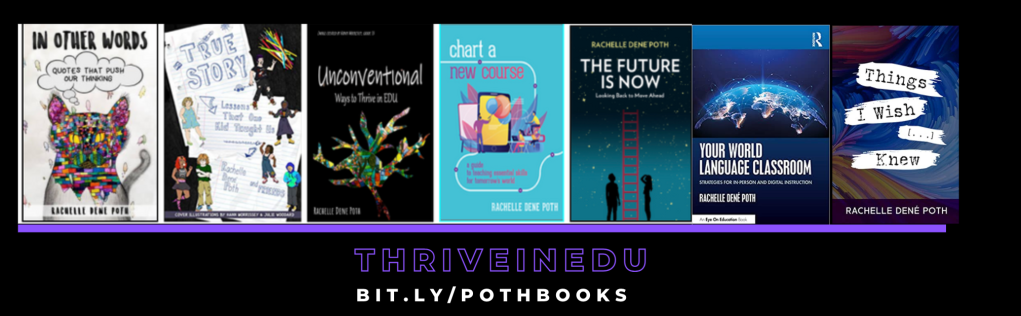
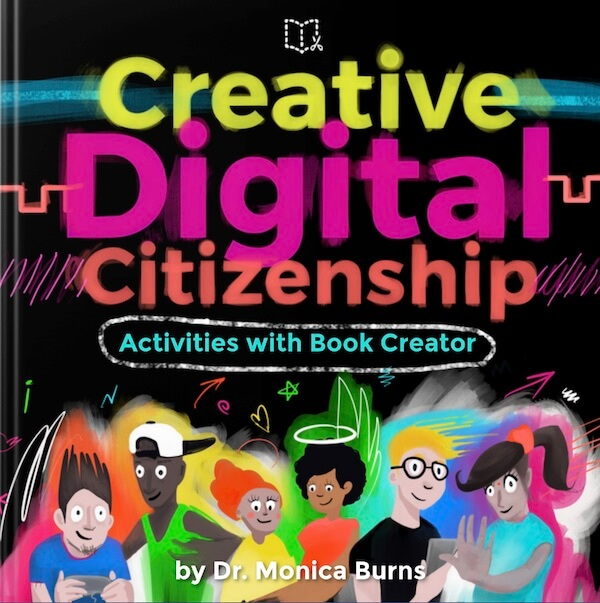
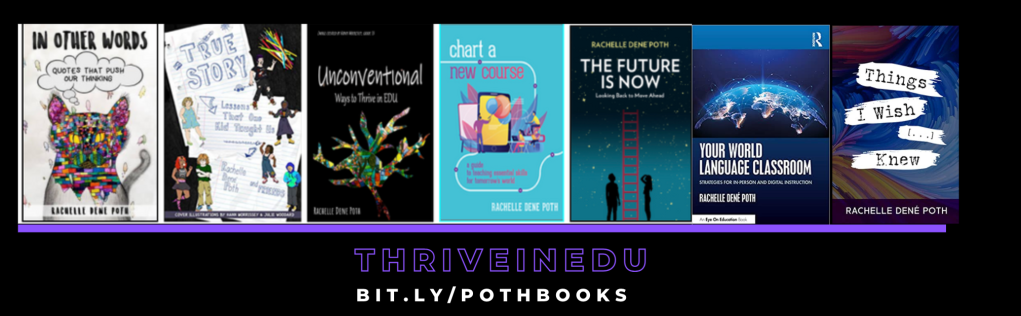
Looking for a new book to read? Many stories from educators, two student chapters, and a student-designed cover for In Other Words.

Find these available at bit.ly/Pothbooks  
************ Also check out my THRIVEinEDU Podcast Here!

Join my weekly show on Wednesdays at 4pm EST on Learningrevolution.com THRIVEinEDU  Join the group here

Versatile Tools for Blended Learning

Posted originally on DefinedSTEM: Ideas for some AR/VR for Blended Learning

Years ago when I started to use more technology in the classroom, I thought that by having students watch videos at home, rather than in class, I would be “flipping” the classroom. Fortunately, I learned quickly that I was not, and made some changes to implement blended learning instead. As part of my ongoing reflection, I continue to think about the many changes that I have made and the tools that have helped me to create a more authentic and engaging learning experience for my students. There are so many tools available, and we always want to first consider the “why” behind using them and also think about the purpose and how versatile the tools can be. Learning opportunities for students are everywhere and the best part of having so many choices is that it promotes student agency. Students can find something that meets their interests and needs, and that offer more meaningful ways to engage with the content. Choices will lead to purposeful learning experiences for students.

Sometimes it is fun and beneficial to try unconventional tools or methods, to immerse students more in learning and do things differently than what they have become accustomed to. Making a change to thttps://www.definedstem.com/blog/versatile-tools-for-blended-learning/he traditional style and structure of the classroom can feel uncomfortable at first, but giving students more control in designing their learning is worth it. The flexibility of these tools enables learning to happen anywhere and at any time, based on the student’s or school schedule, which help to foster a blended learning environment. Here are a few ideas to immerse students in learning.

Augmented/Virtual Reality

One of the biggest areas of growth in education has been the use of Augmented and Virtual Reality in the classroom. In  my own classroom we have used a variety of tools and students have enjoyed the time exploring new tools and definitely different ways to learn. The idea of teaching by using tools for AR or VR can  seem challenging, but it really can be quite simple to add it into the course and there are tons of resources available. I recommend exploring the resources shared by Jaime Donally on all things related to Augmented and Virtual Reality in education.

These tools can offer more powerful ways to immerse students in learning, to “travel” and “explore” places and things more closely. Students can create, problem solve, become more curious and experience something unique through the use of these tools, which enable learning to happen beyond the classroom walls and involve students in more collaborative experiences.

Tools to try:

  1. 3DBear: A newer platform that enables students to add objects into their space and then narrate a story in augmented reality. Teachers are able to create a class account and can choose from the lessons available for grades 1-6 and up, in content areas including ELA, Math, Social Studies, Science, and also STEAM-related topics. Each lesson includes links to reading materials, timelines, and also worksheets. Teachers can sign up for a free trial.
  2. CoSpaces:  A tool for creating “spaces” where students can tell a story, create a game to represent their learning in a more authentic and meaningful way. Students can work together on projects and design a more immersive story together. Working together helps students to develop their  digital citizenship skills as well as promote social emotional learning skills. An engaging way to reinforce content by having students design spaces they can then “walk” through in virtual reality.
  3. Metaverse: An augmented reality tool that teachers can use to create assessments with or have students design an interactive “experience” full of choices in characters, GIFS, 360 images, themed objects and more. There are “experiences” available and it is easy to get started by  watching the tutorial videos from Metaverse. Students can create their own experiences and share them with classmates and teachers can create more engaging review activities for students.
  4. Shapes 3D Geometry:  An app that gives students and teachers a more interactive way to explore core concepts of geometry and that can help students discover 2D and 3D shapes in an augmented reality experience. Using a Merge cube, students can examine 3D shapes by holding the solids in their hands, manipulating them and being able to more closely understand the core concepts of geometry.

Learning beyond  the classroom: Virtual Field Trips

It is important for students to experience learning and explore the world, beyond the limits of the classroom time and space. While we can’t easily take students to  faraway places,there are different tools that make these “trips” possible. The right tools bring in a world of learning for our students, enabling them to closely look at a location rather than by simply watching videos or looking at pictures in a book. We can even connect students with  other classrooms and experts around the world by using one of these options in our classes. Many of these tools are easy to get started with and some even have lessons available, which makes the lack of time factor, not an issue.

Tools to Try:

  1. Google Expeditions: By using Google Expeditions, teachers can “guide” students in faraway lands or have them closely view an object in Augmented reality. All that is required is the App, and then students need to be on the same wifi as teachers in order to “explore” in the classroom. Teachers can choose from more than 100 objects in augmented reality and 800 virtual tours to travel around the world. Each tour includes a script with guiding questions and enrichment activities, all easily accessible by downloading them to a device.
  2. Skype: Years ago, connecting with other classrooms took a lot of time to plan, working with different schedules and access to the right technology. Now through tools like Skype, students andteachers can connect with anyone in the world. By joining the Microsoft community, teachers can connect with other classrooms and create connections for students to communicate by using Skype or for more fun and pushing the critical thinking, collaboration and problem-solving skills, try using Mystery Skype.

Tools for anywhere learning

With blended learning, students have the online component as well as the traditional in-class instruction. One type of blended learning involves the use of stations. By using some of these tools, especially if access to devices is an issue, students can participate in station rotations and learn in multiple ways. The best part is that these tools are accessible when convenient for students as well.

  1. Nearpod: A favorite because it is such a versatile tool that offers a lot of options for how to have students interact with the content, and even go on virtual reality tours and explore 3D shapes. Some of the activities you can include are polls, open-ended responses, matching pairs, for a few and also including content such as BBC videos, PhET simulations and more recently, a Desmos graphing calculator. A tool to enhance instruction whether in or out of the classroom, and one which students can use to create their own lessons to share.
  2. Buncee: Students can create multimedia presentations that include a variety of items such as animations, emojis, 360 images, and web content including videos that can be embedded into the presentation. Teachers can create a lesson using Buncee by adding videos, audio, including hyperlinks and sharing one link with students, that leads to multiple other activities.
  3. Quizizz: A game based learning tool that can be used for instruction, both in and out of class, or for students to create their own games as more authentic practice. Quizizz has thousands of games available in the library and recently added a student log-in that enables students to track their progress and gives them access to prior games played so they can always go back and review. Having this available to students makes it more personalized because students can get extra practice whenever they need it.
  4. Kahoot!: Challenges with Kahoot have become quite popular. Teachers can “challenge” students to participate in a game as a way to practice the content or review for an assessment. Students can even challenge each other by sharing games and codes, which makes it good for peer collaboration and building the social emotional learning skills.
  5. Synth: A podcasting  tool that can be used to have students respond to questions, participate in a conversation by responding to a prompt or a “thread.” A thread is a string of responses in a conversation. Creating with Synth is easy and simply by recording a prompt that can also include a video, teachers can promote communication and student discussion beyond the school day. Teachers can then listen to all student responses as a podcast.

Finding new tools to explore is  always fun, especially when we have students create with them and share their work with classmates. We learn more about their interests and needs and they have a more personalized experience.

These tools have made  an impact on my students this year and I have seen a lot of benefits by offering students a variety of tools to choose from. Creating a more interactive classroom experience and expanding the where, when and how students learn, leads to more of a blended learning  approach. It is important to show students that learning can happen anywhere and give them the tools to make that possible.


**Interested in writing a guest blog for my site? Would love to share your ideas! Submit your post here.


Looking for a new book to read? Many stories from educators, two student chapters, and a student-designed cover for In Other Words.

Find these available at bit.ly/Pothbooks  

Creating the right space with Wakelet

Creating the right space with Wakelet!

You need to check out the Wakelet Launch Party!  Wow, talk about an awesome launch!  Great work from the Wakelet team and a very exciting launch.  Launch party!

For anyone that has been using Wakelet, you already know how many amazing possibilities there are for using Wakelet! For creating a space to connect with educators, students, families and more, Wakelet offers many choices for exchanging ideas and providing content and more. Earlier this summer, Wakelet announced the capability to collaborate in real-time, enabling educators and students to work together and provide feedback right away.

WakeletPBL

In my classroom, Wakelet has been a way for my students to share their project-based learning (PBL) products, to gather resources for our classes and to even use as a digital portfolio. For me, Wakelet has been a space to gather collections of resources for topics of interest, for curating ideas from book studies, for sharing archives of a Twitter Chat and much more. Now, the Wakelet team has added even more to help educators promote student engagement, by providing a collaborative space for students to work together and foster collaboration regardless of where learning is taking place. Check out the new Spaces!

What are Spaces?

Spaces is the newest feature from Wakelet that enables you to create a “space” for adding collections, organizing your current collections and inviting others to join and collaborate. Spaces can be a private or a public area. Spaces adds a whole new level of organization and collaboration to your Wakelet experience.”

Simply click the plus button on the new bar in the left of your home area to create a new Space. It is easy to start creating collections on any topic. My first “space” was to place all of my Twitter Chat collections which makes it great for organization and to be able to share with others. Create a space and invite your students, other educators, and anyone else to contribute and add collections of their own.

What I love about this new feature is that I can now organize my current collections into Spaces which makes it so much easier to find what I am looking for. It enables me to create powerful learning environments for my students and for all of us to be able to collaborate like never before!  I have needed this capability for a while because I have a lot of collections!

As an educator, you can create a Space for each class or subject you teach, a project, a PLN community, your own professional learning, or just to organize your collections however you want!

Getting Started with Spaces

Definitely easy to create a space!

Click the + button on the new bar in the left of your home area to create a new Space. Want to add an image and name for your space? Just click the + button, choose an image from the gallery or upload your own, add a name to your space and then click “create.” You now have a Space where you or your students can collaborate, share resources, build a library full of content, organize a research project, or for you to organize your collections.(this is amazing!)

Want to share Podcasts? Blogs? Books? You name it, Spaces is the place to do this!

There is no limit to the number of collections that you can create in your Spaces. Collections can also be moved between spaces. What? How awesome is that!

I always say, the 3 dots are your friend. Click on the dots while you hover over one of the collections and select “move” and then decide which Space you want to move that collection to. Talk about fast organization!

Ready for more awesomeness?

It’s not just a space for you, it can be a space to collaborate! Invite colleagues, PLN, global connections and students to share their own collections in that space! Simply click the “members” button and you can invite others to join by sharing a code, a link or through email. Once they receive the invite, they click the link and are now joined with you in that space. Now everyone can add their own items to the collections in that space, how cool is that? Or create new collections of their own!

Sharing and learning together!
Just like collections, spaces can be for your own work, or you can make them available to the public. Looking for ideas for global collaboration? Why not have your students work together on gathering resources, brainstorming ideas, or whatever they need! Decide on the visibility of the space, private or public, and remember that you can change your Space back to private at any time.

Ideas for Spaces

1. Curate resources for your classes

2.  Create spaces for students to use as a digital portfolio.

3. Invite colleagues to share their resources on a common topic!

4. Project-based learning: Great way for students to share resources

5. Station rotations?  It could work! Create a space and add collections for each of the activities. Try it and let me know how it goes!

There are so many more ways to use Spaces. What are your ideas?

Create your first Space now and share the ways that you plan to use this awesome new feature from Wakelet! I cannot wait to see what my students think!

**Interested in writing a guest blog for my site? Would love to share your ideas! Submit your post here.

Looking for a new book to read? Many stories from educators, two student chapters, and a student-designed cover for In Other Words.

Find these available at bit.ly/Pothbooks  

If it ain’t broke, then break it


Guest post by Cory Radisch, Follow Cory on Twitter @cradisch_wc

Wait, that’s not how the saying goes! However, even though data still demonstrates consistent opportunity and achievement gaps in schools, there are many who think things are not broken. It doesn’t matter that the data tells a different story. In many places, if adults are satisfied and comfortable, many believe the system “ain’t broke”! My longtime mentor, Marc Natanagara, used the title of this blogpost with former staff, not only to inspire them to challenge the status quo, but also to let them know it’s perfectly acceptable to break the system! It was appropriate long ago and it’s even more appropriate today. If we are going to truly transform education, then we just may need to break it. 

  • We need to break the system that marginalizes students!
  • We need to break the system that perpetuates learning and opportunity gaps!
  • We need to break the system that disproportionately disciplines students of color!
  • We need to break the system that disproportionately has fewer students of color in AP and advanced classes!
  • We need to break the system where your zip code usually determines what level of education you receive!
  • We need to break the system that fails to recruit and retain teachers of color!   
  • We need to break the system that teaches a unilateral perspective of history!


Breaking the system is not blowing up the system. Breaking the system is about addressing and interrupting implicit and explicit bias in our policies, curricula, and procedures. It will undoubtedly cause discomfort. Then again, when has breaking something not created discomfort? We can either be comfortable or we can grow, but we can’t do both!  I would love to know what you will break in order to ensure equity in your district, school, or classroom.

This post is dedicated to my longtime mentor and friend, educator Marc Natanagara, who recently retired after 33 years of breaking things that weren’t broken!


**Interested in writing a guest blog for my site? Would love to share your ideas! Submit your post here.


Looking for a new book to read? Many stories from educators, two student chapters, and a student-designed cover for In Other Words.

Find these available at bit.ly/Pothbooks  

Your Story Matters, Here’s Mine

LEAN ON ME, WHEN YOU’RE NOT STRONG

From the time I became very aware of what my parents did for a living, I firmly decided that I did not want to follow in their educational footsteps. They worked too hard for too little compensation for all the time and effort they spent on their work, students, and school. They were outstanding educators (my dad retired as an elementary principal, and my mom retired as a psychological examiner for an educational cooperative). In college, as I considered my major area of study and degree options, Dad pointed out that careers define where we live. At the time, I wanted to write for a magazine, so I was considering a Bachelor of Arts in English. However, Dad suggested that if I completed a Bachelor of Science in Education with an English major, then magazine companies would still view it as an English degree, but I would have the flexibility to become a teacher as well, allowing me to live anywhere.

AND I’LL BE YOUR FRIEND

I took over my first classroom a few years later in October, becoming the third Spanish teacher that year for McDonald County High School after working for Missouri State University for 3 years. I nearly hyperventilated the night before my first day as I pondered all of the responsibility I had just agreed to shoulder, but the next morning, as I stood in front of my first class of thirty high school students, I realized that I was finally home. Education was where I belonged.

I’LL HELP YOU CARRY ON

Thoughts of my greatest accomplishments in education over the years always have me looking outward, not inward for impact. Have I made a difference in anyone’s life? Many have made a difference in mine. Am I transmitting inspiration and motivation? Many have inspired and motivated me. Have I equipped students to be able to walk through any door they want in life to fulfill their dreams? Am I walking through my own doors? These questions are why I am never satisfied with my own knowledge and skill. I must know better so that I can do better. Toward that end, I relentlessly pursue professional development, typically completing 150 or more hours each year (and I’m blessed to have a passion be what I do for a living, though I also get time away from PD, so don’t judge your own learning based on mine. Nothing normal here.) As I learn, I share what I know with other educators everywhere. Since the summer of 2016 (I had Twitter before that, but I had no idea what to do with it), I have become a connected educator on social media and have discovered my voice, my audience, and shifted my focus to being a conduit of empowerment for all learners, adults and students alike.

FOR IT WON’T BE LONG

I tell my students that while in my classroom, they will learn to be comfortable with being uncomfortable. Together we will push ourselves to take risks and go beyond the boundaries of what we think we can do (Thanks, Dave & George!). In my classes and professional development sessions, we leverage technology to flatten the walls of our classroom so that the world awaits. I have connected my students with experts and companies (Thanks, Buncee!) from all over the world during global DigCit Summit 2019 (Thanks, Marialice!). We connect with students from as close as Jackson, Missouri (Thanks Lance!) and as far away as Argentina (Thanks, Rachelle!) to learn other cultures, spread kindness (Thanks, Heather!), practice digital citizenship, and to develop authentic audiences for our work (Thanks, JessicaJamie, and Heather!). My passion for technology helps me guide students in a world where they no longer have to wait “grow up” to make an impact (thanks for reminding me, Kevin!).

‘TIL I’M GONNA NEED

Besides leveraging technology to empower students, I also cultivate their voice. Communication is another big skill that employers look for when hiring. Google, at the time this post was written, ranks it second in their top 7 desired employee skills, so I want my students to be able to articulate ideas then see them come to fruition. Students guide my teaching by giving me after action reports when I try a new activity or lesson. They give me as much feedback as I give them. Students have input on what activities we do, how we do them, and in choice of tool for completing the activities. Their voice matters (Thanks for reminding me, Rick & RebeccaLet Them Speak: How Student Voice Can Transform Your School).

SOMEBODY TO LEAN ON

But I don’t stop there. While I flatten the classroom walls for my students, I also do that for myself. An educator in North Carolina, my friend Holly King, pointed out that one of my talents is in connecting the dots, whether that be in combining learning sciences with supported research based teaching strategies, social emotional skills with academics, using tools in new and unique ways to help students learn, or just in the realm of ideas and theories, I make connections. By doing so, I connect people. Whether it is high school students or adults, I connect people, which connects ideas, and that elevates us all and empowers us with a platform, with a sounding board, with a brainstorming opportunity to be better, to elevate the field for us all. (Speechless, Holly.) This is what a lot of us in education do, whether we realize it or not. It’s why left our own islands and continue to grow our professional learning network. Teaching is a life changing business (Right, Dave?), and not just for students. It changes us all.

HEADING TITLES ARE PARTIAL LYRICS FROM BILL WITHERS’ SONG, LEAN ON ME, © UNIVERSAL MUSIC PUBLISHING GROUP

******************************************

**Interested in writing a guest blog for my site? Would love to share your ideas! Submit your post here.


Looking for a new book to read? Many stories from educators, two student chapters, and a student-designed cover for In Other Words.

Find these available at bit.ly/Pothbooks  

CONUNDRUM SCHOOLING: PART DEUX

Guest blog post by Jillian DuBois  @JillDuBois22

When COVID chose to collide with our lives in March, teachers and educational leaders defied time and space by achieving more than we could ever dream of doing in our profession.

FOR our STUDENTS.

We gave up Spring Break. We sacrificed family time. We had sleepless nights. We KNEW what needed to be done, followed through, and gave it our all.

Some described it as distance learning. Homeschooling. Virtual school. These types of schooling require months, even years of preparation before taking on that challenge.

In the simplest of terms – it was far more than that. It was what I called CONUNDRUM schooling (conundrum – An unstable time or period, usually marked by intense difficulty or danger. Thank you to wordhippo.com for the explanatory definition.). Traumatic schooling that was disruptive, stressful, and anxiety-inducing, leaving little time for research + planning. Teachers sent up an SOS.

We grieved over what was lost. In just one critical moment, we somehow surrendered our community, fellowship, daily routines, and a predictable schedule that gave us satisfaction + security in our profession.

But we persevered. It was muddled, unpredictable, and often frustrating. We came out of it still breathing and somehow able to exhale, knowing that during our physical time away from our students we had gained meaningful pedagogy in our learning strategies and skills.

Thankfully, the #edtech platforms we chose provided excellent facilitation and reinforcement for the majority of our instruction and learning. In turn, that opened up a new path as to how to process + present our instruction differently and more efficiently. Teachers met via teleconferencing and innovatively collaborated together. We shared lesson plans, ideas, and exceeded what we assumed we could do – like superheroes.

So as I begin to conceptualize the next few weeks in preparation for the new school year…I am drawing a BIG, FAT…blank, that leads to…

CONUNDRUM SCHOOLING: PART DEUX.

The current space available in my head is not prepared for academics + curriculum planning AT ALL. I don’t even have the words to properly and politically respond to friends and family who ask how I feel about returning.

BLANK. NADA. NOTHING. (and if you know me at all, I don’t blank on anything, that’s NOT what teachers do. We are masters at improvisation.)

Moment of truth? I believe I’m a darn good teacher. The last semester drained every ounce of imagination + creative skill that I estimated I had. I’m slowly rebounding. What I DO know is that I WILL be brave + undaunted. I will NOT let fear worm its way into my tenacious spirit. I refuse to give in and give up.

WILL consider + celebrate the progression that I made as a teacher last year.

I have cultivated new ways of being FLEXIBLE + RESILIENT. I was able to give up control and allow my students unique opportunities to drive their own learning. They participated in the decision-making process by expressing their choices when given the chance. There was extended time for inquiry + building out their curiosities with enthusiasm.

They had questions that I did not have the answers for…and that was truly amazing. There was project-based learning alternatives that sparked many in-depth conversations, ‘a-HA’ moments, and periods of self-reflection. JUST this alone was worth the efforts. We honored the process of learning + accountability as a class…together.

There MAY not have been any stellar discoveries of new content during this time of conundrum schooling, BUT there was incredible facilitation of educational experiences that they will never forget. Neither will I.

What will I carry into this new year? These things I just mentioned. I will join tens of thousands of other teachers who will be using their newly-gained expertise to keep some semblance of normalcy + security for our students.

Unlearn the conundrum. Relearn confidence with conviction.

I will teach them honesty, kindness, empathy, justice, and inclusivity. THAT is where I will begin. I know I will get to the planning + academics, don’t you worry. But FIRST things FIRST. I love them already.

We need time to heal together.

We will get there. There’s still a steep learning curve ahead with no signs of caution. Education will now be in stark contrast to what was before comfortable + traditional. As we launch with students, we will crawl along slowly. Next, steadily we will learn to walk together as weeks go by. Possibly, we may even start to run again. GRACE + PATIENCE will be generously granted each day as we encounter new circumstances and ways of life.

We are in it for the beautiful mess that it is. It will be SUCH a monumentally great year if we allow ourselves to take one day at a time, appreciate our vision + mission, and lean into our passion for our students.

Oh, and don’t forget the #impartEDjoy.

Best wishes for an amazing conundrum of a journey.

Jillian


**Interested in writing a guest blog for my site? Would love to share your ideas! Submit your post here.


Looking for a new book to read? Many stories from educators, two student chapters, and a student-designed cover for In Other Words.

Here are my books available. Find them at bit.ly/Pothbooks  

Focus in the new school year: Building relationships

Focus in the new school year: Building relationships

Rachelle Dene Poth

It is time for many to head back to the classrooms and prepare for a new year of learning and growing. It is an exciting time for educators and students to have new opportunities to learn and to reconnect. Hopefully educators and students are excited and recharged for the new year and the possibility of new ideas for learning.

For me, I am intentional in planning activities to get to know my students and for them to know one another. I often rely on some traditional methods like icebreakers and conversations, however, I also enjoy using some of the different digital tools as a way to gather some quick feedback but also to learn more about the students in our classroom.

By planning for some relationships building on that first day and during the first week back to school, we can focus on the environment and culture we are creating for our students. Covering course details and class expectations are important, but we should start by building a solid foundation so that we can work together. By starting here, we foster a positive classroom culture and welcoming environment for learning.

Learning Together

Starting from the very first day, we should be intentional about being present. Being at our classroom doors and in the hallways to greet our students as they arrive and welcome them to school is a great way to start. It is important to acknowledge all students as we see them in the halls and throughout the building, a positive step in creating a supportive climate in the building and in each classroom. We have the power to do this when we are visible and make connections to help foster a positive space for learning.

Starting back to the daily routine of school after a summer break, or any extended break during the year, always presents a good opportunity to try new ideas and to build relationships. Using intentional strategies, we can get to know our students by using games and activities that will connect classmates and will positively impact the learning environment

We can use low tech or no tech to do some icebreakers and other games to learn about one another and in some cases, review the content from the prior year. As educators, it is during this time that we should encourage students to share their stories, to make their own connections and to share with us what their goals are for our class. Fortunately, there are some easy ways to get started, whether or not edtech is involved, but it can be a great way to introduce some of the digital tools that will be used throughout the year.

Start connecting

In my classroom, we use a lot of tools throughout the year and many are focused on streamlining communication and collaboration within our classroom but also for connecting globally. Being available to our students when they have questions or need access to class resources is important since their questions do not stop when the school day ends, or over the weekend break. We also want our students to be able to connect globally and using these tools to help them facilitate these connections makes sense. Always focus on the why behind using an edtech tool in your classrooms.

How do we find the right tools

My first recommendation is that educators talk to PLN and colleagues about specific needs in a tool. Do we want students to be able to connect, to ask questions, to access classroom resources, and to interact online? Or do we want students to create presentations that they can share or collaborate in? Or maybe we want alternative ways for students to show their learning based on their needs and interests? All of these options exist. Here are five tools to explore and that are easy to get started with.

  1. Buncee is a “one stop tool” that educators and students need for creating a multimedia presentation full of animations, emojis, stickers, 360 images and also includes audio and video and a lot more. So many ways to create graphics, bookmarks, presentations, flipped lessons and more.
  2. Remind makes communication easier by enabling the sending of reminders, links to resources, or even photos, and it integrates with other digital tools that teachers use for learning.
  3. Padlet is thought of as a virtual wall. It helps students to collaborate, write a response to a discussion question, or even add resources for a collaborative class project, or for brainstorming,
  4. Wakelet is a great tool for curating content to share with students or for having students contribute to a Wakelet collection. As a teacher, I love using the Wakelet extension to save articles and websites that I come across while doing research.
  5. Synth is for podcasting. Students can create a podcast to discuss a topic, perhaps interview a “special guest.” It can be a different way to engage students in a discussion, promote student voice and implement a new tech tool in the classroom.

One thing to keep in mind is to make sure we are aware of any accessibility issues for our students and their families. Find out about the kind of technology and internet access available to the students when they are not in school.

Learn With Students

We learn so much from our students. Beyond the content that we teach, there are so many opportunities to extend the learning that happens in our classrooms. Whether from a quick conversation or during fun activities that we include in the lesson, we are always learning Trying some new strategies and using some of the many different digital tools to expand how, when, and where students learn can be a good example to set for students. Take some risks in the classroom and use one of these to help build and foster positive relationships. Why not have students create an About Me Buncee or Padlet, or share stories using Synth and then listen, and stay connected with Remind. As educators, it gives us a way to extend our own learning and to continue to learn and grow with our students. Sometimes we just need a new idea or tool to spark that curiosity and excitement for learning.

BIO

Rachelle Dene Poth is a Foreign Language and STEAM Teacher at Riverview Junior/Senior High in Oakmont, PA. She is also an Edtech Consultant, Attorney and author. Follow her on Twitter at @Rdene915


**Interested in writing a guest blog for my Rdene915 site? Would love to share your ideas! Submit your post here.


Looking for a new book to read? Many stories from educators, two student chapters, and a student-designed cover for In Other Words.

Find these available at bit.ly/Pothbooks  

Exploring the World From Our Classroom

As we prepare our students for their future once they leave our classrooms, I believe that one of the most important skills that they need to develop is that of collaboration. We cannot be certain of the type of work that they will do nor the type of jobs that will exist, but being able to collaborate and to provide and receive support will be beneficial to any line of work. However, we need to go beyond the collaboration that occurs whether in person in the classroom, working in small groups or collaborating virtually through the use of digital tools. We have so many possibilities for extending their collaboration to a global scale and to best prepare for the future, this is what we must do in our classrooms. The benefit of setting up virtual collaborative learning experiences for students is that it shows the powerful capability of technology. Through different digital tools and organizations available, we can now offer faster and more reliable access to resources than we ever had before. But probably more important than this, it fosters a greater understanding of life in the real world and promotes cultural awareness for our students.

As a Spanish teacher, for years I have wanted to create global connections for my students but only until the past few years did I become more intentional about finding ways to do so. Drawing upon my experiences as a student and during the first years of my teaching career, finding opportunities or knowing where to look were areas that I struggled with. However, after doing some research and becoming more connected, there are a lot of digital tools and resources available for making these global collaborations happen and which do not take much time at all to get started.

In my practice, to connect globally, I use project-based learning is the first way that I connected my students with other classrooms and that has made a positive impact on their learning as well as on their personal growth. It simply took connecting with teachers using Edmodo as our platform and then building the different tools in to open up those conversations and create that space for students to collaborate within. Tools like Flipgrid, Synth, Padlet or Wakelet can be used for students to post messages whether written or audio or video and to work together to better understand a concept or potentially work together to solve a problem.

Resources for global collaboration and learning

Scavenger hunts: I’m sure most of us have participated in a scavenger hunt. A few years ago I found the platform Goose Chase which made it a lot easier and quicker to create a scavenger hunt for use in my classroom. What I realized is that by using digital tools like Goose Chase for example, is that those who can participate are not limited to students in the same class nor students in the same school community. Find a partner teacher to collaborate with and design a scavenger hunt that can be a way to exchange information about each respective culture, post images of the school, the town or what life is like beyond your own school community. The results would be amazing when students in both classrooms learn about another culture, become curious for learning, collaborate and problem-solve together while being in a completely different geographical location. This idea had not occurred to me until I participated in a scavenger hunt for a conference in California, from my home in Pittsburgh, and I actually won a prize. And if not Goose Chase, I can use things like Fliphunt or even Wakelet as a good friend of mine Laura Steinbrink had created. There are many tools to get started with this, but the idea is that we push beyond our own classrooms and involve other students so that we can learn and grow together.

There is no shortage of tools for use in our classrooms, whether digital or traditional format. What makes any one of them stand out is the purpose and knowing the why behind our decision to use them in our practice. When it comes to preparing our students for the future, the best that we can do is open as many doors as possible for them to look out into the world, explore, and find something that is interesting and leads them down a road of discovery. In addition to digital tools for promoting global collaboration, there are some organizations that have invested in building global awareness and digital citizenship.

Here are a few resources to start with:

Belouga: An educational platform that provides resources for educators and students to connect with classrooms around the world and engage in more authentic learning. Belouga focuses on promoting intercultural communication and offers resources such as projects for students to participate in to develop a greater global understanding. Belouga offers a deep dive series as well as a new feature that focuses on Mission 2030 and the Sustainable Development Goals.

Empatico: A free platform for use with their students ages six through 11. Educators can connect their classroom with a partner classroom and design activities to engage students in more meaningful learning as they develop greater global awareness. Through the connections made within the platform, students can build their vital 21st-century skills and take a more active role in learning.

Teach SDGs:  The “Sustainable Development Goals” are something that we have been learning more about as we’ve done project-based learning in my classroom. Exploring the website and learning more about the needs and challenges around the world has made an impact on my students as well as myself for learning. Going to the Teach SDGs site, students can learn about the 17 goals set forth by the United Nations. Together we can look at global issues, learn how places around the world are solving these problems, and use this to set up connections with classrooms globally. Again it just takes finding the right tool to communicate through. It could be with Microsoft Skype, to set up a call to talk with someone who teaches in one of those places or to connect with an expert I can talk about a specific topic, but that opens up the potential to connect our students’ work together.

Write the World: Students ages 13 through 18 can write and share their work with writers from over 120 countries around the world. Through the global platform, students have opportunities to build their writing skills and become more comfortable expressing themselves. Write the World is a good way to get feedback from students, educators, and authors and to work to build a writing portfolio. With access to writing from around the world and the ability to share their work on a global scale, students and build cultural awareness and become more connected as they design their learning journey.

Global Book!: Or how about Michael Drezek, an educator from New York who came up with the idea to create a global book! Using Buncee, he started the story by sharing it with classrooms around the world and having students add to the book. In the first year, the book traveled over 23,208 miles! This is the second year that Michael is doing this project and the focus is on the global sustainability goals. Imagine having your students come up with part of a global story and in the end to see how they’ve connected with students from around the world without leaving your classroom or possibly even their seat.

As educators, we must continue to push ourselves to learn more about resources available as well as the different ways we can become more connected. There are many online events to build our skills, including virtual learning summits, webinars, and Twitter chats our own professional development. It is through these formats that we can reach out to connect ourselves and serve as a model for our students about the importance of and the power in global collaboration. Check out some of the resources that were available for global collaboration week, there are a lot of ideas and links to excellent resources.

#singlevoicesglobalchoices

Guest post by Barbara Zielonka  @bar_zie


Dear educators,

We would like to invite you to the global and collaborative project for middle and high school students and teachers #singlevoicesglobalchoices. We are reaching out to educators who want to bring the real world into their classrooms and who want to engage their students without the coursebook.

We are going to do that by focusing every month on one or more international event/ events created by the United Nations and other organizations and by analyzing current events. International days are occasions to educate our students on issues of concern, to mobilize political will and resources, to address global problems and to celebrate and reinforce the achievements of humanity. The existence of international days predates the establishment of the United Nations but is also a powerful advocacy tool that may help us empower our students and create global citizens who are aware of the wider world, have a sense of their role as world citizens, respect and value diversity, want to tackle social justice, and believe that all children and young people have a right to an education.

Each international day offers the opportunity to organize activities related to the theme of the day at our schools. The themes of international days we have selected will always link to:

  • the maintenance of international peace and security;
  • the promotion of sustainable development and global mindedness;
  • the protection of human rights, and the guarantee of international law and humanitarian action

The main aims of this global and collaborative project are to:

  • infuse curriculums with more project-based learning and exposure to real-world examples;
  • empower students by giving them the opportunity to co-create knowledge and learn through mistakes in a safe environment;
  • support students in becoming familiar with the professional environment and behaviours such as clear and timely communication, thinking critically, problem-solving and time management;
  • help students to see how their achievements are based upon more than just the grades they earn in class, but also the experiences they develop during their lessons

Upon completion of this project, students will:

  • define real world problems and find solutions;
  • meet international students and become a part of a global community;
  • participate in thought-provoking conversations and self–reflection activities that challenge students to investigate global problems;
  • gain factual knowledge of human rights and environmental issues;
  • learn and expand their digital citizenship skills;
  • be challenged to share the information they learn;
  • develop their global competency.

More than ever before rapidly changing working conditions and social structures require students to actively shape their role in society. Schools form future leaders for positions in society that require a high degree of social emotional skills and global mindedness. In response to that, our project provides specific collaborative assignments and strategic threads to realise related education goals. Democracy and citizenship, health and life skills, sustainable development are three interdisciplinary themes the project aims to address.

After having registered, we will verify your identity and invite you to our Microsoft Team where all the collaboration will take place.

Find more information about out project here:

Home

Registration: https://singlevoicesglobalchoices.wordpress.com/join-us/

We hope to see you soon! Join us in this collaborative and global adventure!

Kind regards,

Lesley Fearn, Lynn Thomas and Barbara Anna Zielonka

Project logo- created by Barbara Anna Zielonka


**Interested in writing a guest blog for my Rdene915 site? Would love to share your ideas! Submit your post here.


Looking for a new book to read? Many stories from educators, two student chapters, and a student-designed cover for In Other Words.

Find these available at bit.ly/Pothbooks  

Tools for anywhere learning

Each year I like to take time and think back to the digital tools that we used in our classroom, what the benefits were, and how I might find new ways to use them. When I look to use technology in my classroom, I always start with the purpose behind it. What do I think it will help me to do better as a teacher? How can it help students to learn in more personalized or authentic ways? And what are the skills that students will build as a result that traditional non-technology methods might not afford?

There are tools that I continue to use each year because they have added new features or they have integrated with other tools that we are using in our classroom. Here are twelve tools that made a difference for my students and some even helped me to stretch professionally this year.

  1. Gimkit, a game-based learning tool has continued to be a favorite with my students because of the potential for increased content retention through repetitive questions, and because of the different ways it can be played in the classroom. It enables students to develop strategies and have fun while learning. Some of the updated features in Gimkit 4.0, include being able to search and use pre-made kits, multiple ways to look at the student data, and now you can even make flashcards.
  2. Buncee is a versatile tool for creating multimedia and interactive presentations. It provides multiple ways for students to learn and to express themselves, promoting student choice and voice, offering many choices for creation in an all-in-one tool. Buncee has an Ideas lab, where teachers can explore lesson ideas and templates to use in the classroom. Two months ago, Immersive Reader was added, which increases accessibility for students and offers more robust ways to learn, especially for language learners.
  3. Synth provides an easy option for recording a podcast and building communication skills. It can be a great tool for speaking assessments and extending the time and space of classroom discussions. We use Synth with our project-based learning and students were able to ask questions, respond to discussion threads and communicate with students from Argentina and Spain. Synth includes options to record audio or video. It is a great way to encourage students to share their ideas and build some in speaking.
  4. Anchor, another tool for podcasting, is one that has helped me to finally create my own podcast to share my ideas with other educators. But it’s also a popular tool that can easily be used with students to create their own podcast, adding in transitions and even creating a hook to advertise a podcast they create. Using a tool like Anchor would be good for launching a school podcast to share what’s happening in the school with the greater school community.
  5. Wakelet is a content curation tool and so much more. It has gone from simply being a space where I would curate blogs, videos and other resources that I wanted to have access to quickly, to being a powerful tool for student learning.  With Wakelet, teachers can provide blended learning experiences, use it for station rotations, have students create a digital portfolio, post-class projects, create a scavenger hunt and many other possibilities. It even offers the capability to record a Flipgrid short video right within the Wakelet collection. Educators and students can collaborate in a Wakelet collection.
  6. Nearpod is a multimedia, interactive presentation tool that enables teachers to create engaging lessons which can include virtual trips and 3D objects. It offers lessons on topics such as digital citizenship, social-emotional learning, career exploration, English learner lessons, and professional development resources for teachers. Educators can create lessons with many options including quizzes, polls, drawings, matching pairs, audio, video, and content from PhET Simulations, Desmos, BBC, YouTube and more. Nearpod lessons can be done live in class or student-paced and there is also the option for use as sub plans.
  7. Adobe Spark is a presentation tool that can be used to create an infographic, a website or a video. Using the apps, it is easy to create with Spark Post, Spark Page, and Spark Video. This year my students chose Adobe Spark for a project about their family and narrating their childhood. It was not only a more authentic way to create with the content and build other vital skills for the future, but it led to the creation of something more meaningful, the students could share with family and friends.
  8. Voxer is a walkie-talkie app that can be used for educators to collaborate and avoid the isolation that can happen at times. It is a tool that I have used for four years, in many ways including connecting with educators to discuss a book, focused on specific topics, or for small groups as part of a Professional Learning Community (PLC). We have also used it for project-based learning as a way for students to share their ideas and reflect. Because time is something that teachers never have enough of, Voxer is a great tool for learning and finding professional support on any schedule.
  9. Flipgrid is a social learning platform where students and educators can record a video response and include additional content. It has helped with global collaboration by creating a way for students to connect with classrooms and experts around the world. With the summer updates, the addition of augmented reality with Flipgrid AR would be a fun way to have students record their thoughts or do a short presentation and then have a QR Code for others to scan and see their video pop up in AR! With Flipgrid, my students shared videos with students in Argentina and learned more about life and school, which took their learning to a whole new level.
  10. Remind is a messaging app that enables students and parents to stay connected with access to information and resources. Being able to send a quick reminder, to answer students’ questions, to inform parents of upcoming events, and to have a space where students can get the help they need when they need it, has made a difference in my classroom. It also helps with building digital citizenship skills as students learn to interact in a virtual space. Remind can also be used to share a lesson from Nearpod, or a game through tools like Quizizz or Quizlet.
  11. Quizlet is a learning tool that offers students many different ways to practice content. There are thousands of flashcard sets available for educators and students and with each set the activities include flashcards, learn, write, spell, test, match, gravity and Quizlet Live! When playing Quizlet Live, students are placed in teams and can collaborate as they play. Only one member of the team has the right answer. It is a good tool to get students moving in the classroom and building those peer relationships.
  12. CoSpaces EDU is a virtual reality platform that became a favorite for some of my eighth-grade students this year. Whether creating a space in 360, designing a game, an interactive story, or an experiment, students will enjoy creating in VR and developing coding skills too. Another benefit is the Merge Cube add-on, which enables students to hold the space they have created in their hands! Students can even collaborate by working on teams to create a space together. With MergeEDU, educators can use the cube as an interactive tool to further engage students in learning about the earth, dissecting a frog, exploring a volcano and more.

While this is how my students and I have used these tools in our classroom, there are definitely a lot more ways that these tools can be utilized. Think about some of the tasks that might be taking up a lot of your time, or consider some issues or challenges you might be having. A few years ago I noticed a decrease in student engagement and I was looking for opportunities to open up more choices for students to share their learning. Any of these tools can be good for addressing those concerns. My Advice? Start thinking about your own personal goals and start with one thing. Try it and see how it goes, ask students or colleagues for feedback, and then make adjustments as needed.


**Interested in writing a guest blog for my site? Would love to share your ideas! Submit your post here.


Looking for a new book to read? Many stories from educators, two student chapters, and a student-designed cover for In Other Words.

Find these available at bit.ly/Pothbooks  


3  books.png

TeacherCast Educational Network | Developing Standards-Based Instructional Technology Integration

Technology Integration - Instructional Coaching - Productivity Secrets for Educators

Leadership Liner Notes: Sean Gaillard

Built on Connection. Tuned for Impact.

Stories by Thomas Oppong on Medium

Dr. Rachelle Dené Poth @Rdene915 Educator, Consultant & Keynote Speaker, Author, Attorney #THRIVEinEDU

Hooked On Innovation

When Innovation slaps you in the face, we slap back.

Teach Better

Dr. Rachelle Dené Poth @Rdene915 Educator, Consultant & Keynote Speaker, Author, Attorney #THRIVEinEDU

BrianKulak.com

Dr. Rachelle Dené Poth @Rdene915 Educator, Consultant & Keynote Speaker, Author, Attorney #THRIVEinEDU

The Principal of Change

Stories of learning and leading

Mandy Froehlich

Dr. Rachelle Dené Poth @Rdene915 Educator, Consultant & Keynote Speaker, Author, Attorney #THRIVEinEDU

Katie Martin

Informed by research, refined by practice

#RocknTheBoat

Rocking today's classrooms, one teacher, student, and class at a time.

User Generated Education

Education as it should be - passion-based.

Learning as I go: Reflections & lessons learned

Dr. Rachelle Dené Poth @Rdene915 Educator, Consultant & Keynote Speaker, Author, Attorney #THRIVEinEDU

Serendipity in Education

Join me, Allyson Apsey, as I stumble upon the fortunes of learning, laughing, and celebrating alongside incredible people.