Keeping the Learning Going

Over the past couple of weeks, there have been a lot of conversations about what educators will do if schools need to experience school closures or move to a hybrid model in the upcoming school year. With so many uncertainties when it comes to the pandemic, it has definitely been a challenge to figure out how to provide the best learning experiences for our students and to keep them engaged and motivated during this time. I miss being in my classroom and the interactions with my students, greeting them at the door, working with them on activities and projects in that classroom” space” although the time we had never seemed to be enough!

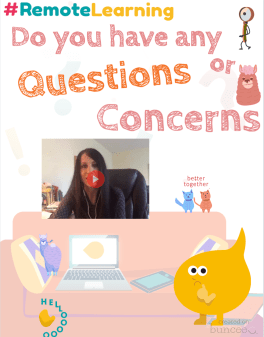
Finding ways to extend the “space” of learning for our students has been a popular topic of discussion for many years, and something that I have worked on, so it is not entirely something new. However, with our current global situation, educators and schools are seeking to find the right resources that can be put into action right away and that will work for transitioning back into the classrooms too. I love that I can create a message to share with students, to check in and  for them to connect with each other.
Screen Shot 2020-05-27 at 9.19.48 PM

We must look for ways to provide rich learning experiences through versatile tools that students can access and work on independently wherever they are and regardless of time. What I have suggested to many educators is finding one or two tools that enable them to do many of the same things they would do in the classroom and even more. With Buncee, we can work remotely and provide meaningful learning experiences that engage students in the digital space as well as our physical classroom spaces. As students create, they can work from school, at home, or anywhere, and be able to share their work with classmates and teachers, even globally.

Endless Possibilities with Buncee

One of the things that I love the most about Buncee is that it can be used in so many different ways, not only for instruction in our classrooms but also in life. I tell the story often that I have used Buncee personally to create cards for family and friends, personal business cards, design engaging graphics for Twitter chats and presentations for webinars, or to make quote graphics for my books. There are so many ways to use it and for me, it always comes down to the why, or the purpose for choosing a specific digital tool. What can I use it for? What are the benefits? How does it help students to learn, to be more engaged in learning and to build skills?

When I decide to use digital tools in my classroom, I want students to practice the content in a more authentic and engaging way, while also developing essential skills such as collaboration, critical thinking, problem-solving, and creativity that will benefit them in the future but that are necessary now too.

Having a specific platform or digital tool in place that all educators can use and making sure that all students will have access is very important. As teachers, we have so many choices for how we can use Buncee in our classrooms and we can share ideas for families to use it for activities too. It is a versatile tool that provides multiple ways for people to learn and to express themselves.We’ve tried a lot of different ways for using Buncee in the classroom, many of which have been a result of the creativity and out-of-the-box thinking of the students.

Unlock the Power of Creativity

It just takes logging into Buncee to unlock the power of creativity once you see a library of more than 31,000 graphics with new assets added every day that connect with what is happening in the world. Regardless of what you want to create, there are more than enough choices for what to add into your multimedia presentation. Students (and anyone) can quickly create a multimedia presentation full of animations, drawings, stickers, emojis, 3D objects, Buncee messages, 360 images, audio and video embedded and even student artwork!

Beyond the potential for creativity, collaboration, critical thinking, and communication, using Buncee, students can build skills in digital media literacy, technological proficiency, and digital citizenship. Students have the opportunity to use technology as a tool for solving real-world problems or making real-world connections.

Buncee is so invested in providing a lot of options and opportunities for students and educators to enjoy learning, creating and growing together. I have been proud to be a part of this growing educator community and have learned so much from the connections that I have made and from the relationships that have formed with the Buncee team and Buncee Ambassadors.

I looked for some examples and asked for some feedback from ambassadors and Buncee educators.

Buncee has been a wonderful asset during this time of remote teaching/learning.  I used Buncee every week to create my lesson plans.  I would make a copy and adjust my template to what I needed for that week. I also used Buncee to create flyers for our school-wide virtual spirit days.  
Buncee provided templates that I was able to use both for paper packets as well as digital templates for the students who were able to connect digitally (even if that number is small).
One big way that Buncee was a help was the sense of community and support that it provided during this time.”   Jessica Chandler 


Screen Shot 2020-05-28 at 12.33.43 PM

“It is such a special time for my students and for me as we look back.” Barbie Monty.

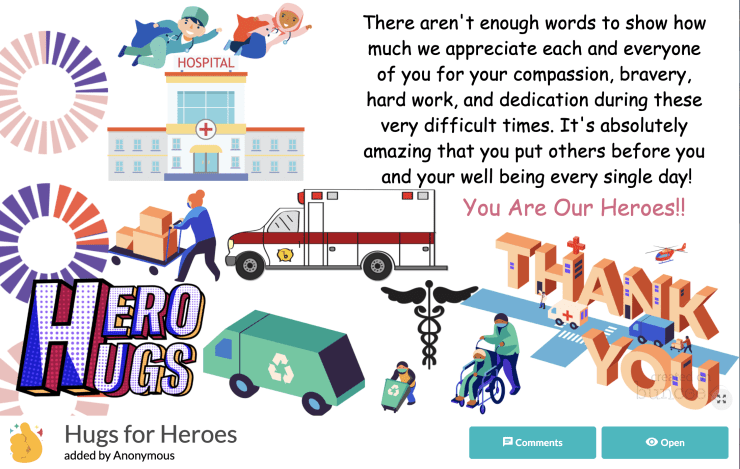
Barbie worked on the Hugs4Heroes initiative with Kristina Holzweiss and Amy Storer and there was also the #WithHeartWhileApart.

Check out this Buncee Board with more than 10,000 views!
Check out Buncee’s posts on Ideas for the end of the year and Summer Fun!
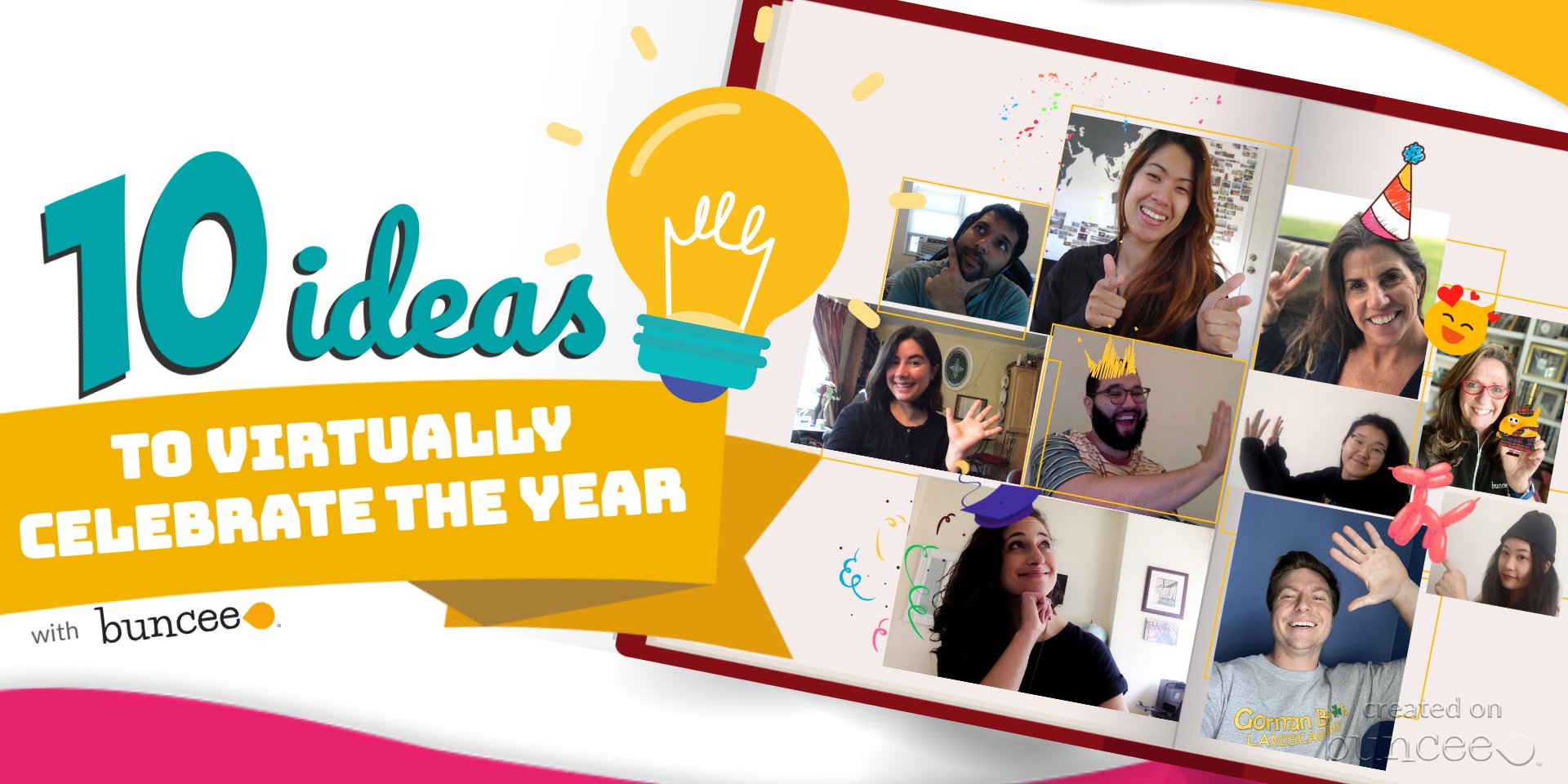
10 activities for a productive summer

Here are some of the latest ideas that have been shared.

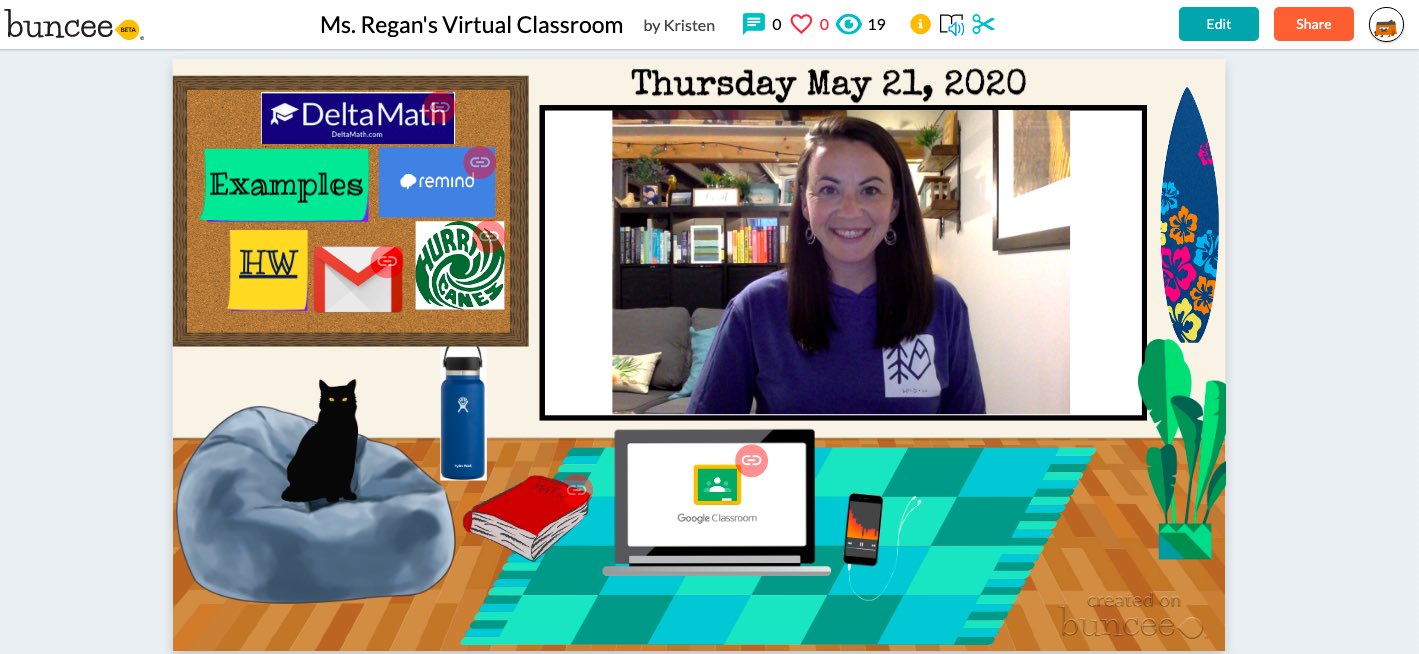
Explore virtual classrooms.The Merrills shared a template and I created several virtual classrooms for my students!

Check out Marie’s virtual classroom where she lost her Bunceemen!

Explore Summer fun for early learners

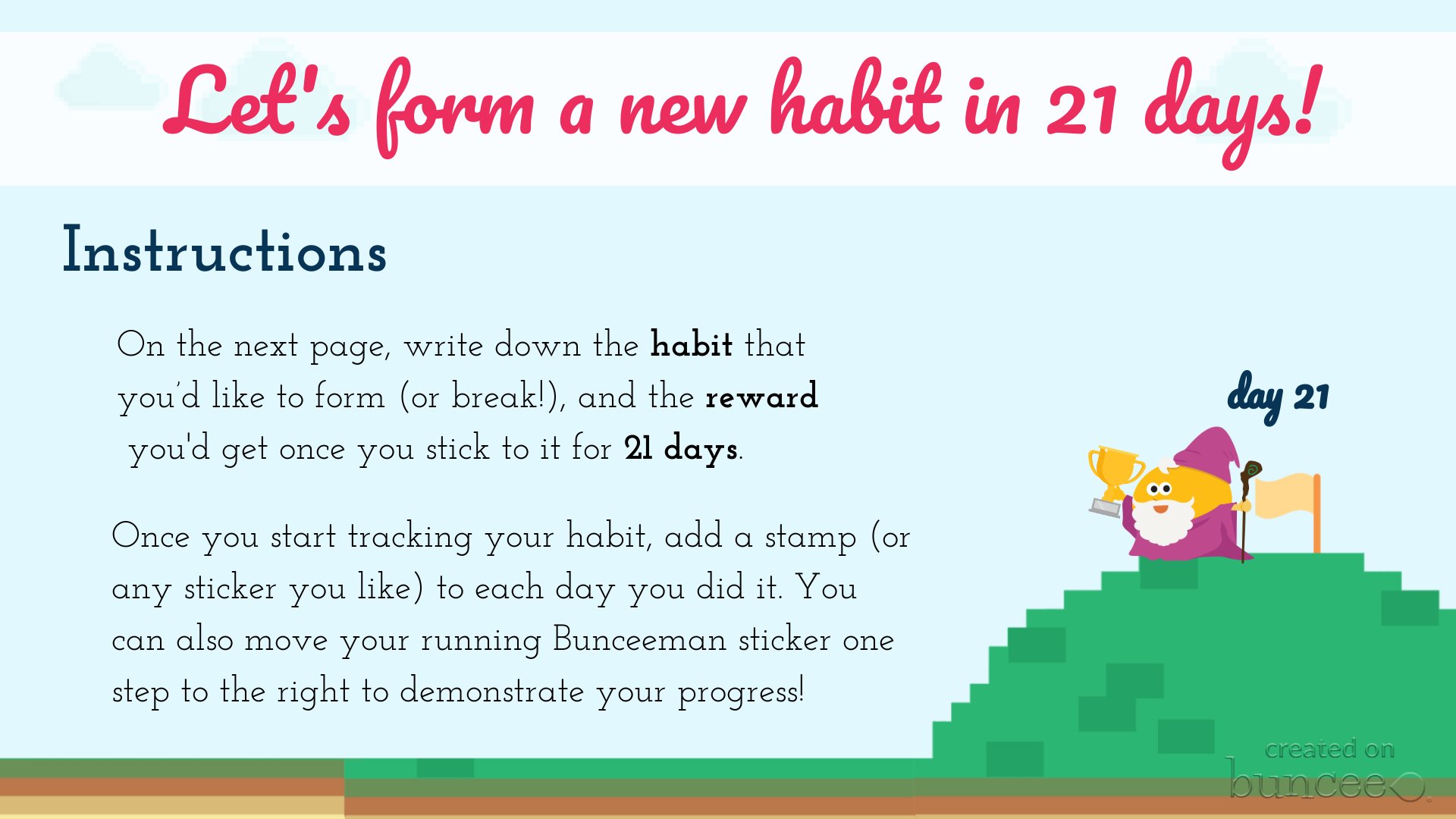
A new habit in 21 days activity
Image

My Spanish I virtual classroom

Art Classroom by Colette

Image

Image

Kristen Regan’s Classroom!

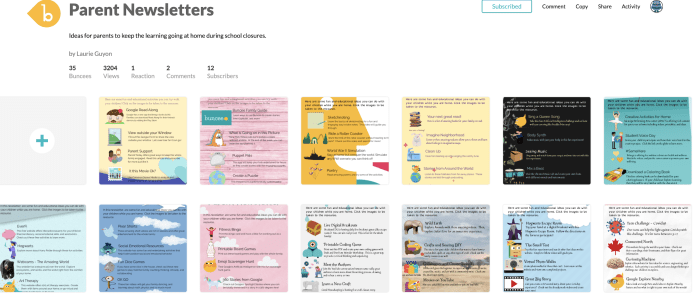
Check out Parent Newsletters from Laurie Guyon
Barbie Monty said, “My favorite is having my students create a Buncee end of the year reflection.

Bonnie Foster created a Covid-19 Survivor certificate

.

Ide Koulbanis is having students plan a trip! Bunceeman Adventure

Daily Reflective Thoughts by Don Sturm

Test Prep and Motivation: Amy Nichols
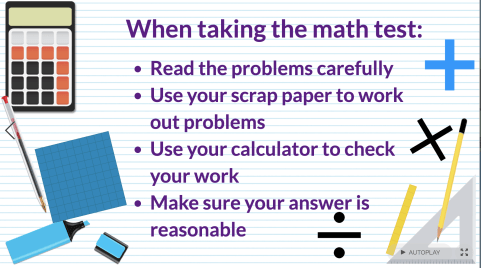
Self-care suggestions

End of the year celebrations and certificates or make a Buncee Card! 

Image


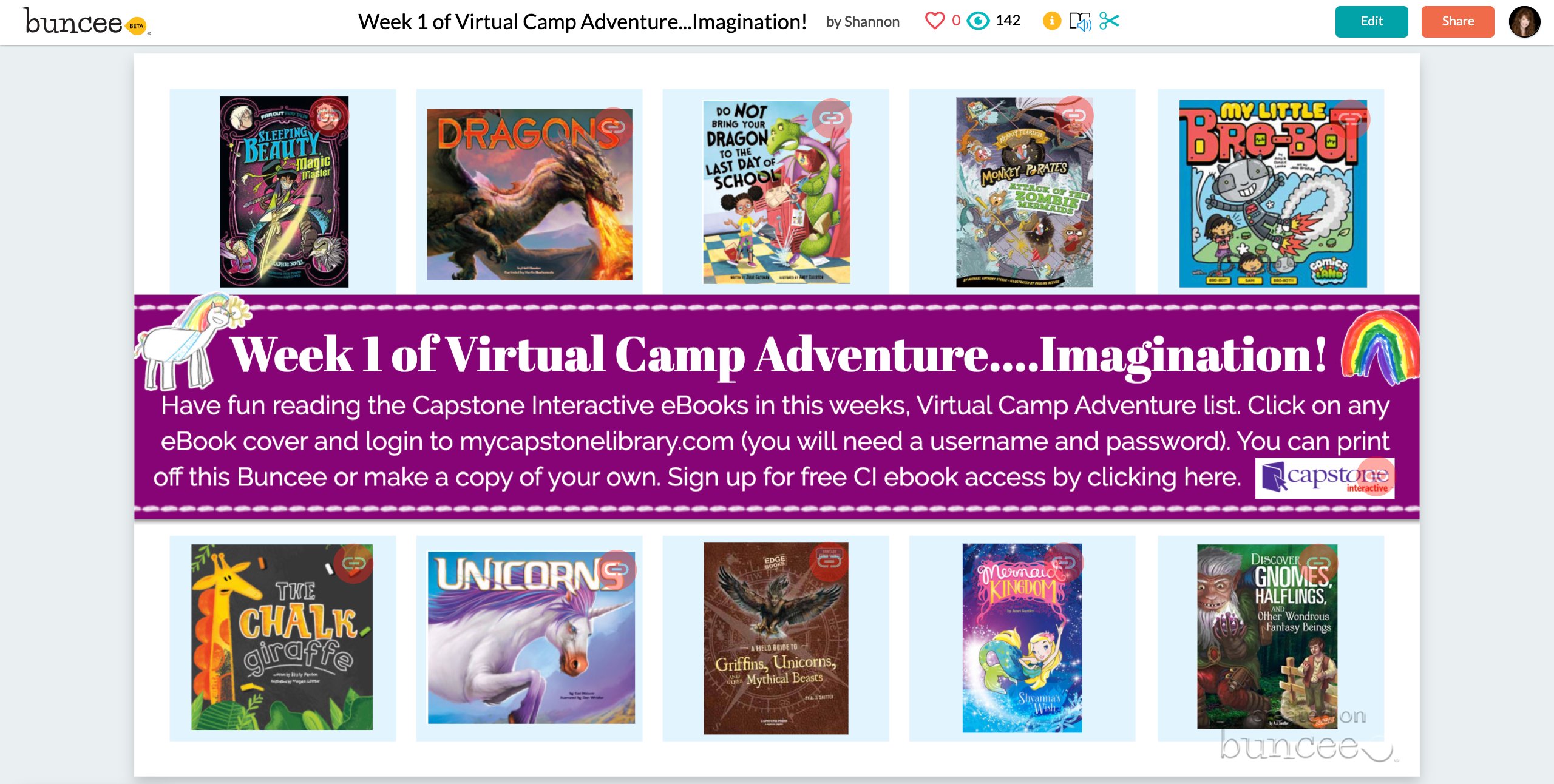
Virtual Camps!

Image

To learn more, join in the daily live webinars with Buncee at 12 and 3pm eastern. I also have webinars on Tuesdays at 4pm!

Check out the Ideas Lab!

Image


Fun badges and learning opportunities!

Image

Finding Peace and Balance


Guest post by Karl O’Leary, @KarlOLeary4, High School Principal

The new normal has looked very different for all of us. From work, to family, to personal lifestyles, so much has changed to acclimate to what we need to do for our society. The old manner of taking time to have space, sit down dinners to review your children’s day at school, and the weekend at sporting events looks drastically different. But does it have to?

Peace and Balance

What does is mean? Peace has been connected to the long-haired hippie days of Woodstock and tie dye colored shirts. This is a misconception of perception. Finding Peace within yourself enables you to:

  • Look inwardly and reflect about how you live your life.
  • Be true to yourself.
  • Maintain a positive mental attitude (PMA).
  • Do good toward others.

This can be in mediation, or reflection, or journaling. Taking the time to look in the mirror to assess yourself and what you do can provide opportunities to reconnect with your passions. Start with the question: Am I being what I wish to be?

Balance is connected to daily routines and activities. Like any pie chart, listing what activities are done each day provides a visual to understand where time is spent. Finding Balance entails making the necessary goals for living life how you wish.

What is different now is everything! But there are opportunities with how change exists.

  • Find time to take the morning walk
  • Incorporate routine
  • Have fun with family in a different manner
  • Leave work for work hours
  • Be realistic with expectations

The new Balance does require for some phone calls outside the old hours, but there is also opportunity to not send information late to others. By flipping the conversation, would you wish to have your child’s teacher email you during dinner, or family time? That time can be used for reflection and relaxation. Balance the need to send assignments outside of school hours; the email will still be there in the morning!

The new normal of Peace and Balance are what we make it to be. There are so many great opportunities to connect, at a low or free cost, to try what we have always wanted to. Look inwardly to reassess our daily activities and press the reset for moving forward.


**Interested in writing a guest blog for my site? Would love to share your ideas! Submit your post here.


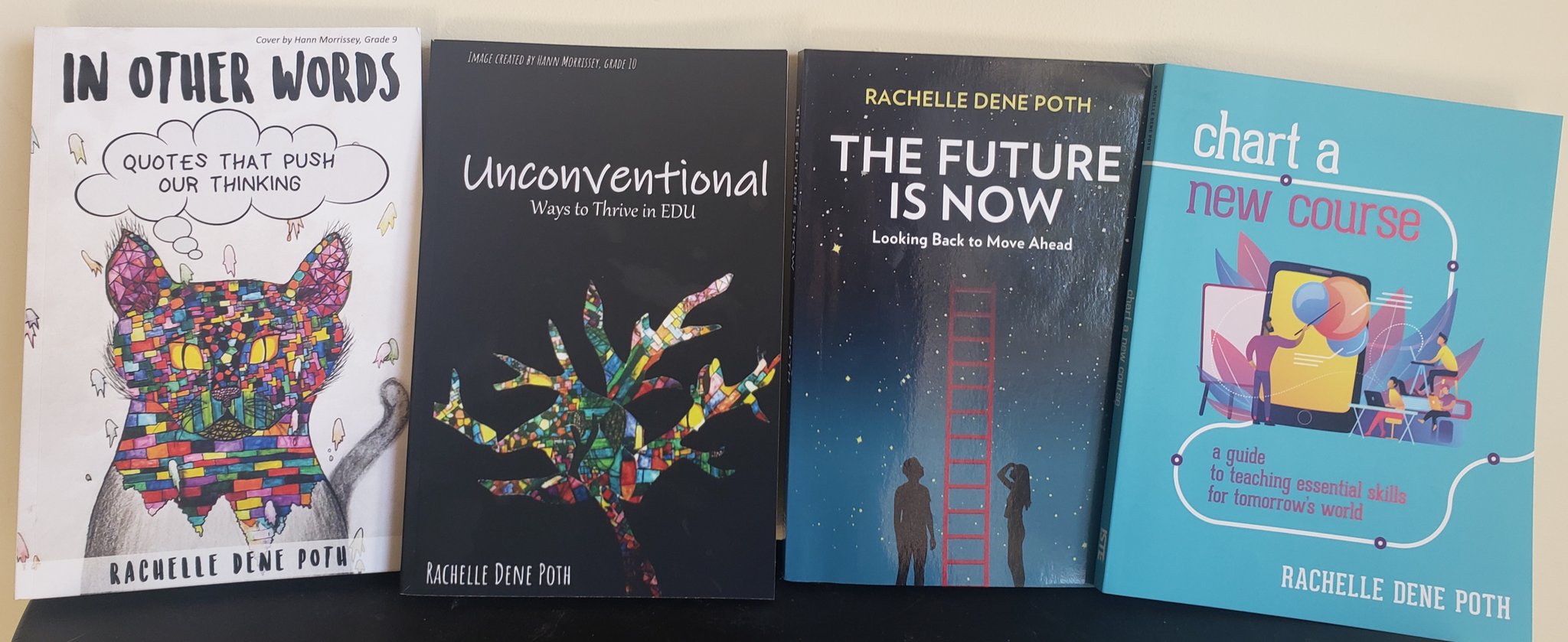
Looking for a new book to read? Many stories from educators, two student chapters, and a student-designed cover for In Other Words.

Find these available at bit.ly/Pothbooks  

Why Making Time for Reflection Matters: 5 Ideas to Try

Some recent ideas I have shared, by @rdene915

Reflection is an important act that regardless of your profession or role, is something that we all need to take part in regularly. On a daily basis, the interactions we have, the actions we take, and the decisions we make, likely have an impact on someone else, ourselves, or otherwise that we may never be aware of. Personally, reflecting was not something that I had always done. As a student in high school and growing up, I had a diary that I wrote in quite often, which at the time, I didn’t realize that I was in fact reflecting. But looking back now, that’s exactly what I was doing.

As a teacher, for many of my beginning years, mentors would ask for my thoughts on a lesson that I had taught or my principals would discuss their observations with me and ask me to reflect on my lesson. Whether it was to reflect on the choice in the activities I had used in my lesson or they offered additional questions in order to help me think through my methods and set new goals. But other than those experiences, reflecting was not something that I could say I did on a regular basis. I was not intentional about it and did not fully realize the importance of doing so for many years.

Why We Must Practice Reflection

In order to bring our best selves into our classrooms each day, we must evaluate our own practice and use a reflective process to grow professionally. We also need to help our students develop these skills and because of our role, it is important that we model reflection and provide different ways for our students to reflect as well. Not only will we help them build their skills, become self-aware and develop a greater understanding of their interests and needs, but we will also provide them with learning experiences that will benefit them in the future regardless of where their education takes them or which careers they pursue later on in life. Doing this will also help us continue to engage in the practice ourselves, and enable us to reflect with our students by asking for their feedback and working on goals together. However, not everyone feels comfortable expressing themselves in the same way, which is why it’s important to have different options available for engaging in the practice of reflection.

Here are some ways that you can incorporate reflection in your daily practice as well as include it as part of the work you do with students and colleagues. There is an idea here that can match your interests, needs and even time and place constraints,

  1. Old-fashioned pen and paper. Take time to jot down thoughts at certain periods throughout the day. For some people, trying to remember to write notes down throughout the day can be overwhelming, so instead pick a specific point in the day where it can become part of your routine. Grab a notepad or a special journal that you use, anything that makes sense to you. Make the effort to write down at least one thing or a few things each day and then the next day review your thoughts. See what you could change, if you want to change anything and how you can improve a little bit from the prior day. I used this practice with my students years ago, as a daily journal entry in Spanish and gave them questions to consider as prompts. It can also be a good practice to include in your daily activities.
  2. Blogging has become a great outlet for many educators to share the work they’re doing in their classroom, to express challenges or frustrations, or share positive thoughts or anything in between. Incorporating blogging into the classroom is also good for students for many reasons beyond just simply enhancing their writing and literacy skills. By using digital tools for this purpose, we can also promote peer collaboration, digital citizenship skills and it helps to build a solid online presence. Students can build their reflective skills with their peers and develop communication skills and better understand the importance and power of feedback.
  3. Podcasting can also be effective for reflection. Create your own podcast and invite people to listen to your thoughts, respond in a thread or simply create a podcast just for your own purpose of listening and reviewing. There are many free tools out there to use including Anchor and Synth, and who knows, it just might be something that you decide to pursue on a more regular basis and share with other educators in your PLN.
  4. Voxer is a walkie-talkie messaging app that can be used for anything ranging from recording voice memos for yourself, participating in synchronous or asynchronous discussions, connecting with other educators from around the world. It can be used for participating in a book study, having a topic and engaging with colleagues about specific discussion points and reflecting together. Voxer makes it easier to “think out loud” and then be able to process your thoughts. It is also a convenient way to communicate to meet everybody’s schedule and location. Students in my classes have also used it for their project-based learning to share ideas with me and to reflect on the work they have done and to ask questions and feedback.
  5. Videos. There are a lot of options out there for recording oneself while teaching, Swivl, as well as some online web applications that school districts can use. Although it can feel uncomfortable, especially watching yourself teach, it’s really good to be able to analyze your teaching practices, evaluate your rate of speech, how well you explained ideas, the involvement of your students, and many more important components of teaching. Having a video recording of a lesson or lessons that you’ve taught, are great ways to reflect because it gives you the chance to go back and really focus on key parts of your lesson delivery. You can also use these videos to share with a supportive group and use as a way to give one another feedback

Reflecting is important for all of us because it’s how we evaluate our actions. We can explore who we are, whether looking at the qualities and traits that we convey to others, our behaviors and how we interact with other people. It’s important that we continue to understand ourselves and to work on bringing our best selves to our families every day and to those with whom we work. When we work on this together, we will have it become a regular part of our daily practice and will continue to grow. We will also empower our students and those we lead with this powerful practice for personal and professional growth.


**Interested in writing a guest blog for my site? Would love to share your ideas! Submit your post here.


Looking for a new book to read? Many stories from educators, two student chapters, and a student-designed cover for In Other Words.

Find these available at bit.ly/Pothbooks  

A focus on Learning… in a “Remote World”

Guest post by: Whittney Smith, Ed.D. (@whittneysmith_) is the Principal at Mineola High School. You can follow the work done by our amazing students and teachers by following us at @mineolahs on both Twitter and Instagram.

In high schools across New York State there is always talk of the Regents Exam. This exam has been the focus of teachers since 1878 when the first high school exams were given. On April 6, 2020, that changed… at least for the time being. 

Now what?  I think we now have the unique opportunity to focus on learning, not the test anymore.  While we rely solely on remote learning opportunities… our ability to leverage technology will certainly accelerate our ability to focus on student agency. Some cynics will say that without a Regents Exam, the students will not be motivated anymore, they’re going to “check out.” I don’t think so. Instead, I believe we need to seize this opportunity and engage our students.  Remember that first and foremost we teach students, then we teach content… and remember, children are naturally curious, want to make connections, and desire learning things that are relevant to them; things that are real. 

When we were thrust into this remote world as we walked out of our schools on March 13, 2020,  I sent an email to the faculty. I will never forget that email. Along with a remote learning planning guide, I sent teachers my phone numbers and those of my assistant principals’, so they could reach us at any time.  I wanted them to know that we cared about them as people first; we cared about their social and emotional well being just as we wanted them to care for our students and their families.

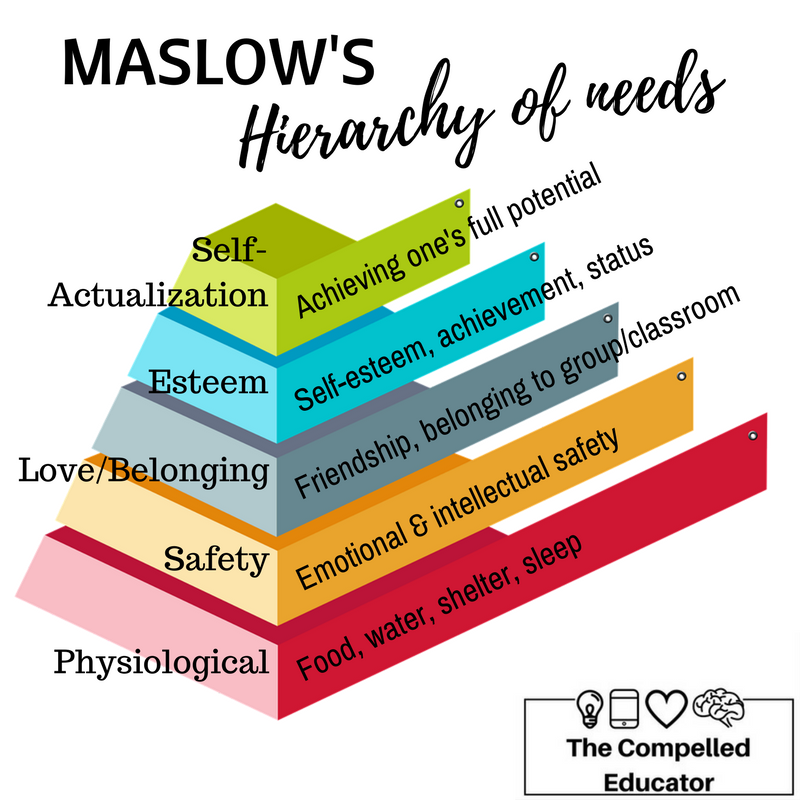
In the educational world we hear a lot about “Maslow before Blooms;” in other words, we need to take into account the hierarchy of human needs before the hierarchy of human learning. 

Next, I asked our educators to reflect on remote learning and consider the following while they focused on what remote learning would look like in their ‘new’ classrooms.

  • Emphasize Choice – allowing students to choose how they demonstrate their learning will increase completion and help them navigate misconceptions
  • Emphasize Learning and Not Grades – when students are not concerned about “the grade,” they are more likely to learn the material on their own, rather than “collaborating” with others (unless that is what you intend them to do). 
  • Direct All Student & Teacher Tech Related Issues to Bonnie and Katie (they are our Coordinators of Information Technology (CITs) and can do just about anything… and know who to reach out to when they can’t)).
  • Last but not least (for now) —> If you are having difficulty reaching a student (e.g. they are not responding) please reach out to our mental health team. They are counseling students and are ready to assist in any way possible.

Never did I think that I would be writing this post on April 30, 2020 (30 days into an extended school closure) telling you that the Regents exams have been canceled. 

Now is the time to tap into student interests and passions.

Now is the time to focus on strengths.

​Now is the time to give choice.

Now is the time to leverage creation tools. Whether it is a product to create or a problem to solve, allow students to determine how they demonstrate and share their learning. 

Now is the time to shift the paradigm  as we are  not going to take high stakes, multiple choice tests! Let’s do what we’ve always wanted to do… make learning fun!


Bloom’s Taxonomy graphic taken from: https://mylearningnetwork.com/blooming-as-a-learner/ 


**Interested in writing a guest blog for my site? Would love to share your ideas! Submit your post here.


Looking for a new book to read? Many stories from educators, two student chapters, and a student-designed cover for In Other Words.

Find these available at bit.ly/Pothbooks  


Guest Post: 5 Ways to Empower Your Students with OneNote

Guest Post by: Jeni Long & Sallee Clark, @salleeclark @Jlo731 @Jenallee1

Instructional Technologists from Eagle Mountain Saginaw ISD, Ft Worth, TX

#Jenallee #MIEExpert #MicrosoftEDU #Onederful

https://linktr.ee/thejenalleeshow

As you probably know by now, #Jenallee LOVES OneNote! We feel it is one of the best educational technology applications for our students for many reasons. (Check out the original post here).

  1. When we look at using technology, we do not look at the technology first and then decide what to teach… We look at what our learning objective is and then we select an application to fit our goals. Because OneNote offers a vast amount of educational benefits, we like suggesting it for teachers to utilize. Through using OneNote, teachers can help their students master their learning objectives first, while also utilizing one application versus a new app each week.
  2. One phrase we use a lot with teachers is to “Select an educational technology application and own it”. Meaning, don’t get overwhelmed with all of the different applications available, yet select one and learn how to use it in your classroom well. Own that one app and then move on to another when you are ready.
  3. With OneNote, students have the opportunity to learn through research based strategies including the ability to:
    • Justify their work both verbally and through writing
    • See worked examples in action
    • Listen to direct instruction or videos of instruction
    • Collaborate with their peers
    • Receive timely feedback from their teachers
    • And so much more

All of this is great but the real question is how? Here are 5 ways we use OneNote to empower our students.

#1 Student Portfolios

Student portfolios offer students the ability to create products, evaluate their creations, revise their products, and curate their best work throughout the year. It allows the students time to reflect upon their growth, set goals and truly see the evidence, purpose, & benefit of their learning. Read this blog post to see step by step directions on how to create and implement student portfolios in the K-3 classroom.

#2 Worked Examples

Recently we ran across a great article online written by Shaun Killian, “8 Strategies Robert Marzano & John Hattie Agree On” We really enjoyed reading this article because it showed the strategies both researchers found in their study of how students learn. One of the strategies both agreed upon was utilizing direct instruction.

Robert Marzano claims, “It is important to explicitly teach your students,” while Hattie says, “Direct Instruction involves explicitly teaching a carefully sequenced curriculum. And, it has built-in cumulative practice.” Hattie also highlighted the power of giving students worked examples.

OneNote makes it easy for teachers to implement this strategy into their daily instruction.

Here’s How:

  • Teachers can directly teach their students specific content from OneNote. It is an infinite white board! It goes on and on and on. The draw feature offers teachers ease in writing content (space pen is our favorite), highlighting content to be learned, and it automatically saves and updates in student notebooks or shared OneNotes! Boom! You just provided your students with class notes so that they can refer back to your content at any time.
  • We love the replay feature. Work out a math problem, label a diagram, fill in the blanks, and students can “replay” those steps at a later time. Once class is over and students want to review the content taught, they can simply click on View > Replay and see the steps replayed as many times as needed!! Did you catch that? As many times as needed! This is powerful and empowering for students! Check it out in action below

Replay ink strokes in OneNote for Windows 10

  • Don’t want to write? No problem! OneNote allows you to insert a printout of any PDF, Word, or image into OneNote. Why is this beneficial? Well, now students can follow along and make their own notes, highlight, and learn as you directly tell them the content to be learned with examples of what to do and what not to do.
  • According to Sebastian Waack and his Visible Learning chart of Hattie’s strategies, video review of lessons has a .88 effect size! Wow! This is also a way to provide examples for students that explicitly teach the content. OneNote makes it easy to embed YouTube videos into your pages! Simply copy the link and paste it in the page. All students can view the video in your OneNote.

#3 OneNote Breakouts

Looking for a way to help your students engage in problem solving and bring a slightly competitive gaming aspect into learning? Try using a OneNote Breakout! In the same article mentioned above by Shaun Killian, “8 Strategies Robert Marzano & John Hattie Agree On” It is also mentioned that both Marzano and Hattie both agree that problem solving and collaboration are high yield strategies. OneNote Breakouts offer students the ability to engage in solving relative problems in a collaborative way. This allows students to apply their knowledge of concepts to solve problems. “They also agree that inter-group competition can increase the effect of cooperative learning even more.” Breakouts are the way to go!

How does it work?

Students work together to “Breakout or escape” a series of challenges all housed in a OneNote. We complete this by locking pages in a OneNote and students reveal the lock combinations through completing various challenges utilizing their knowledge of concepts. Find out more about how we create and use breakouts with our students in this blog post.

#4 Feedback

We also know from Visible Learning that offering feedback has .70 effect size! Wow! OneNote offers teachers a powerful and meaningful way to give feedback to students. While students are working on content, teachers can access and see their progress. We want to offer our students feedback during the entirety of their work, not just at the end of a project. OneNote allows teachers to see student progress in real time, leave feedback throughout the process, and truly impact learning.

#5 Differentiation

OneNote offers teachers ease in differentiating content and providing accommodations for students. With the ability to distribute pages, teachers can distribute specific content to specific students, groups, or the entire class. That means you can distribute articles to groups of students according to reading level, or chunk assignments for certain students, or provide graphic organizers to specific students, etc. This allows the teacher the ability to scaffold instruction for their students strategically and with ease.

Not only can I send out individualized assignments, I can also empower my students with access to content. Students that may struggle with reading, writing, have dyslexia or ADHD, etc. are empowered by the learning tools that are built in to OneNote! According to Visible Learning, we see that when students with learning needs utilize technology, the effect size is 0.57. Utilizing OneNote with these students is a great way to empower them to be able to access content on their own, read on their own, and to write on their own. Let’s just say… they own their learning. We think Mike Tholfsen, Microsoft Product Manager, says it best!

OneNote Learning Tools are non-stigmatizing, mainstream, built in, and free.

So what are Learning Tools? These are tools built into Microsoft OneNote, Word, Forms, and many other partner companies. See the list of partner companies below

These tools include:

Immersive Reader – Reads any typed text, PDF, or word documents to the students!

Features include:

  • Human like recorded voices in both male and female
  • Reading speed settings
  • Customization for background color
  • Font options
  • Grammar options
  • Line focus
  • Picture dictionary
  • Translates a word or the entire document into over 80 different languages (yes, it still reads many of these languages!)
  • https://youtu.be/3n5emMEm3

Check out these click by click tutorials by MicrosoftEDU!

Want to see how we use Microsoft OneNote to offer our students audio tests? Check out this Jenallee blog post.

Recently we shared all of these ways and more on an episode of Ditch That Textbook with Matt Miller and Holly Clark. Watch the episode to learn more.

https://youtu.be/HopiR25ZlH8


**Interested in writing a guest blog for my site? Would love to share your ideas! Submit your post here.


Looking for a new book to read? Many stories from educators, two student chapters, and a student-designed cover for In Other Words.

Find these available at bit.ly/Pothbooks  


Guest post: Teachers have earned the benefit of the doubt

Be patient during the COVID-19 pandemic

As schools throughout the nation close for the remainder of the year, take a minute to consider what this will mean for thousands of teachers who are doing their best to educate our children. School leaders and local officials are scrambling to “flatten the curve” of the COVID-19 pandemic. This is our top priority, and as we retrofit our education system on the fly to meet the needs of millions of students, we ask for your patience and understanding.

Schools are not designed to adapt quickly

Be kind to teachers who are on the front lines navigating school closures in an education system that is, like so many institutions, incapable of meeting the demands placed upon it by the outbreak. At best, the expectations for most teachers right now are loosely defined by school leaders. Many teachers are trying to patch together inadequate distance learning programs without guidance. This is not the time for parents to use social media platforms to compare teachers or to publicly complain about a teacher who is slow to adapt. Our nation’s teachers have earned the benefit of the doubt, so please show some grace if you are irritated.
During normal times, school districts take several months, even years, to institute changes in curriculum and instructional methods. Expecting teachers to do this at a high level, with no time to prepare, during a national emergency is ridiculous. If you feel the need to share feedback with an educator, consider what would be helpful before you hit send. Negativity toward a teacher at this time will bruise deeply and could limit the creativity of teachers trying their best to meet student needs. A measured tone is imperative if you feel discouraged as a parent and wish to share your frustration. Trust me, teachers wish they could meet the needs of every student and family they serve.

More than the internet

Connecting and teaching students in a distance-learning environment is not akin to a teacher simply jumping online and presenting academic material to students. Conducting meaningful virtual instruction requires dedicated professional coaching for staff, and it also requires significant training and practice for students and families. Most teachers have never been expected to integrate remote learning into their curriculum. The instinctive knowledge teachers have spent their respective careers amassing has a vastly different application online, and most educators have never been trained to deliver robust instruction in that format. In addition, the inequity of student access to technology and broadband internet service is woven into the challenge of teaching students remotely.

Teachers are pros at building relationships

Teachers are well versed in building relationships with students so be grateful for the teachers who are trying to maintain their connection to students. This connection — virtual or in-person — is critical for academic and social-emotional growth. Our best educators specialize in making those human connections and they are experts at molding positive relationships, devoting their talent to create a culture of learning, and contributing to the school culture. Those indelible skills for expressing care and demonstrating a commanding presence may translate online for some teachers, but it is unfair to expect it to happen naturally.

Teachers are stuck waiting

Many of our teachers can’t share with you that they are at the whim of school leaders and state mandates that are not always communicated to them effectively. While teachers are on the front lines of most communication with parents and students, they are not always armed with the information parents seek. Your child’s teacher understands your concerns about assessments and grades, your child falling behind and your desire to have access to more resources. Teachers are trying to be flexible and they do not want to throw their school leaders under the bus by voicing their misgivings to you and fueling the anxiety parents are feeling.

Uncertainty and sadness

Educators lament the loss of the celebrations, getting that last high five, hug or final word of encouragement to students. Teachers have been working hard to get your child to the finish line, and in a career that has always included clear beginnings and ends each school year, this new reality is bewildering. Many educators are helping their own children cope with the loss of a traditional school year while they also cope with the same reality as a professional. Not being able to grieve the loss of the school year together is tough on the children and the adults who serve them. Teachers wonder if their current efforts are making much of an impact on students. In some cases, only a handful of students are still connected to school and that is disheartening. Teachers are used to receiving regular feedback from students and adjusting their teaching strategies accordingly.

Moving forward

The best thing you can do to help teachers is to unite with them and let them know you appreciate them. If you feel the need to share your concerns about school district policies and local programs, reach out to school leaders. Our educators are committed to serving all children and we know that we’re in this together. Teachers and school leaders throughout the country care deeply about the health, safety, and engagement of their students. Right now our teachers need your support.

**Interested in writing a guest blog for my site? Would love to share your ideas! Submit your post here.


Looking for a new book to read? Many stories from educators, two student chapters, and a student-designed cover for In Other Words.

Find these available at bit.ly/Pothbooks  

What we deny

Check out the Podcast too: “Just Conversations” with Melanie White and Amanda Potts. https://voiced.ca/project/just-conversations/

Only in our isolation and disconnectedness do we discover that everything and everyone is localized and connected. And, in this distancing, I am beginning to question what we deny.

Rebecca Solnit kept appearing in my daily consumption of media and I’m beginning to wonder if this is the work of a latent existential force drawing my attention to something I should have known or done long ago. I listened to her voice in an episode of On Being last week. She wrote, “When all the ordinary divides and patterns are shattered, people step up to become their brothers’ keepers…and that purposefulness and connectedness bring joy even amidst death, chaos, fear, and loss.” The unusual lilt of her voice and calm intellect still spin in my mind’s ear. And, this morning, I stopped scrolling my Twitter feed struck by this linguistic wisdom. She wrote,

“Inside the word ’emergency’ is ’emerge’; from an emergency new things come forth. The old certainties are crumbling fast, but danger and possibility are sisters.” #RebeccaSolnit

And then on Twitter, Gianpiero Petriglieri wrote that an “old therapist friend” told him why everyone was “so exhausted after video calls. It’s the plausible deniability of each other’s absence. Our minds tricked into the idea of being together when our bodies feel we’re not. Dissonance is exhausting. Our bodies process so much context…” I stopped to think about that wording, “plausible deniability”, and the more common legalistic use for one escaping criminal repercussions as a member of a corrupt organization or political power.

However, I couldn’t wrap my head around this experience of dissonance and the connotations of “plausible deniability” as something happening to us rather than something we choose to avoid like the truth or an injustice. According to Wikipedia“the expression was first used by the CIA” but the idea apparently has a longer history. I needed to understand the term, like Solnit explored “emergency”; it was an itch that pressed me, so I read further. “Plausible denial involves the creation of power structures and chains of command loose and informal enough to be denied if necessary”.

Then a thought struck me. What power structures are currently in place which I deny? What small almost imperceptible movements have made me complicit in this dance of distraction? Solnit reappeared during my longer moment of breakfast reading in The Guardian article entitled: “The impossible has already happened: what coronavirus can teach us about hope”. How marvelous and uplifting it is to read her vibrant words calling us to action and existence, to make the most of the worst.

While I cannot deny there is absence in my new-found isolation, I can also see that my thoughts attend a new experience. I am paying attention to moving about my house, to walking the dog, to gazing out the window with no real productivity pressure of this instant. And, yes, I am teaching remotely, but connecting, supporting personalized learning is my focus rather than a product on the line of academic factory life. This is where I cannot sense Petriglieri’s Tweet about “plausible deniability”. I am now working on processing the context of my daily life which I previously ignored in mind-numbing haste consumed by the blind goals of my own productivity or some socialized version of productivity.

My body is processing the context of my life in isolation and thinking about the actions needed for when we might connect again. I am trying not to deny my own physical interaction with and existence in the world.


**Interested in writing a guest blog for my site? Would love to share your ideas! Submit your post here.


Looking for a new book to read? Many stories from educators, two student chapters, and a student-designed cover for In Other Words.

Find these available at bit.ly/Pothbooks  

Riding an edu-emotional roller coaster


Opinions expressed are those of the author.


Last week those of us in BC ed had no idea what this week would have in store for us. When I was a kid, “self-isolating” was humorously coined for those who rather not deal with the public, “social distancing” was something told to us by supervisors at teen dances, and “quarantining” was something learned in history units.

But like it or not, we have been hit in the face with a crisis of epic proportions. It’s been an emotional roller coaster navigating the slings and arrows of toilet paper hoarding, Bonnie Henry updates, and beachy trip cancellations.

And now, BC teachers are faced with uncertainty as to how we will continue teaching without students in our classrooms. Over the last few years, we’ve been besieged with a renewed curriculum and just started to understand how proficiency scales can be used in our classrooms. Some of us have been making waves by leading teachers on a gradeless mission. Since yesterday’s announcement, I cannot help but wonder if all the work we’ve done will now be undone. I could scream and cry at the same time.

I know it might seem like an unrealistic conundrum to be contemplating the fate of gradeless at a time like this. Like many of you, I’m hanging on pins and needles waiting for our school board to announce how, specifically, we will meet the needs of our students after spring break. I have so many questions from communication to assessment. I’m worried about my at-risk students and how my colleagues will weather this storm. How will my student LEARN at home?

Learn. Hmmm…

Learning is the focus of gradeless teaching and assessment. You’ve heard me explain so many times over that when we remove grades and focus on the individual child and their growth, a child will develop a growth mindset. When we put the needs of each individual child instead of comparing them to each other or categorizing them by grades, we build a culture of learners, not grade grabbers.

Amid this edu-crisis, do we have to stop? Should we still consider gradeless? In fact, isn’t now, more than ever, the time to rethink what our goals are for our students? Is uncertainty and anxiousness a reason to revert to old habits, like handing over packages of content heavy worksheets, and abandoning single point rubrics? Or is this an opportunity to practice…really practice putting learning before grades? Isn’t this the time to think about the needs of the child? Shouldn’t our focus be on how the child will learn instead of how will I teach under these different circumstances? So many questions!

One thing I know is, now more than ever, students do not need grade pressures. They don’t need us to hover a “here’s what you need to pass” over their heads because we’re worried about getting through “the curriculum.” At home, students are juggling feelings of isolation, parents being laid off, themselves being laid off, lack of technology, too much technology, empty grocery store shelves and empty cupboards, never mind the questions: When will we return to school? Will there be a grad ceremony? Why can’t I see my friends?

In my opinion, if the government (or school board, or whomever makes these decisions) is smart, they’ll deemphasize grades. This will reduce the burden on educators. But like letter grades, even discussions over pass/fail, if that becomes the new norm, should not be considered or discussed with students until the end of the year. We can, instead, focus our energy on creative ways to meet students’ social emotional needs, develop a distance classroom community, and give voice and choice. Teachers will need to let go of being an eyewitness to learning in their rooms and we’ll really need to let go of content. If we hand over miles of notes, worksheets and google-able essay topics, we’re asking for trouble in the form of disinterest, cheating and plagiarism, and crushing failure. We’ll need lots of time to settle into a new routine. Students will need time to adjust.

Ultimately, before we start teaching, we need to figure out a balance between Maslow and Bloom….for all stakeholders: students, parents, and us. We need to lower our expectations and big dreams for the perfect online or distance education course. We need to take care of ourselves and our families first, connect with students and their families second, and collaborate with colleagues on implementing curriculum third.

When we implement the curriculum, we need to use the skills that are the focal point of the BC curriculum as a platform for meeting student’s social-emotional needs. If we give students some voice and choice as to what they want to learn and how they want to learn it, it will feel less like us pushing our agenda on them, and more like welcoming students into this new learning environment and building trust. For example, an English teacher (well duh…of course I’m going to use an English example) might begin by asking students to journal every day from a series of prompts but use prompts that are flexible and open to interpretation. This will give teachers some insight into students’ social-emotional levels/needs as well as meeting curriculum requirements to foster reflection and thinking. Information from those journals could springboard into a project-based learning assignment. Creative writers could write a story, critical thinkers could research a topic, and visual learners could create a collage or PowerPoint. Content pieces can be slipped into to individualized projects to try to meet curriculum requirements.

I understand the pressure that content heavy courses like science and math have on teachers. This dilemma has been systemically ingrained in school culture for years. Right now, a math teacher is reading this blog and thinking that there is no way they can do PBL when they have X number of chapters to get through in the textbook by June. My hope is that teachers incorporate a bit of hands on learning in order to make learning in seclusion enjoyable and fun. The reality is, the content students do not learn this year, can be incorporated into next year’s curriculum. Yup it can. But that’s next year.

I’ve made a point to vocally de-emphasize prepping over spring break, but I know that recommendation has fallen on deaf ears. I cast no blame, for if I were to, that would draw attention to me as a proverbial finger-wagger instead of me the genuine worrier for the well-being of my colleagues around the province. I confess, I’ve been thinking a lot about how I will handle my own new teaching situation, as, but I lost sleep thinking about how my colleagues are handling the pressure. I already see the formation of chats and groups with sole purpose of collaborating on resources and expertise. While these groups have good intentions, I hope teachers are using this time to focus on themselves and their families.

Teachers wear their hearts on their sleeves. We want to do what is best for our students. We naturally lack patience when gaps of information are left without direction. We overthink. We care so much. We worry. We’re teachers. Heck, I’m writing a blog in order to manage my own stress. It’s how I roll. It’s how I cope.

It won’t be long and spring break will be over and we’ll return to school. It will look and feel different. We’ll have to collaborate virtually with our colleagues who work just next door. Staff meetings may very well take place in the theatre so that we can sit 2 meters away from each other. It will be weird. Nothing about this pandemic is familiar. It’s important that we don’t expect to recreate what was in our classrooms and in our buildings. It’s important to accept the feelings of uneasiness and frustration that will come. Pause. Breathe. Accept. Repeat.

Focus on yourself. When you are ready to focus on how you’ll teach your students in this new reality, make learning and the social emotionally well being of them the priority. They’ll be just fine. So will you. We are, after all, in this together.

#mygrowthmindset


**Interested in writing a guest blog for my site? Would love to share your ideas! Submit your post here.


Looking for a new book to read? Many stories from educators, two student chapters, and a student-designed cover for In Other Words.

Find these available at bit.ly/Pothbooks  

10 Steps to Create Green-Screen Videos for Remote Learning

Guest Post by Allie Beldin @alliebeldin

I have always wondered how teachers on Youtube create videos that look so FANCY! I did some digging and found that several of these instructional videos use greenscreens. Green-screens are used to remove the background behind videos so you can replace it with another screen!

Why should you consider creating a green-screen video for your students?

If you want to show practice problems behind you, talk alongside a PowerPoint presentation, or add a picture of your classroom in the background to make students feel as if they are still learning in your school, consider trying the green-screen video method!
I recommend making your videos SHORT and ENGAGING. Try to shoot for making your video under 5 minutes long. Shorter videos will increase engagement and students will be more likely to watch all the way through.

10 Steps to Create a Green-Screen Video

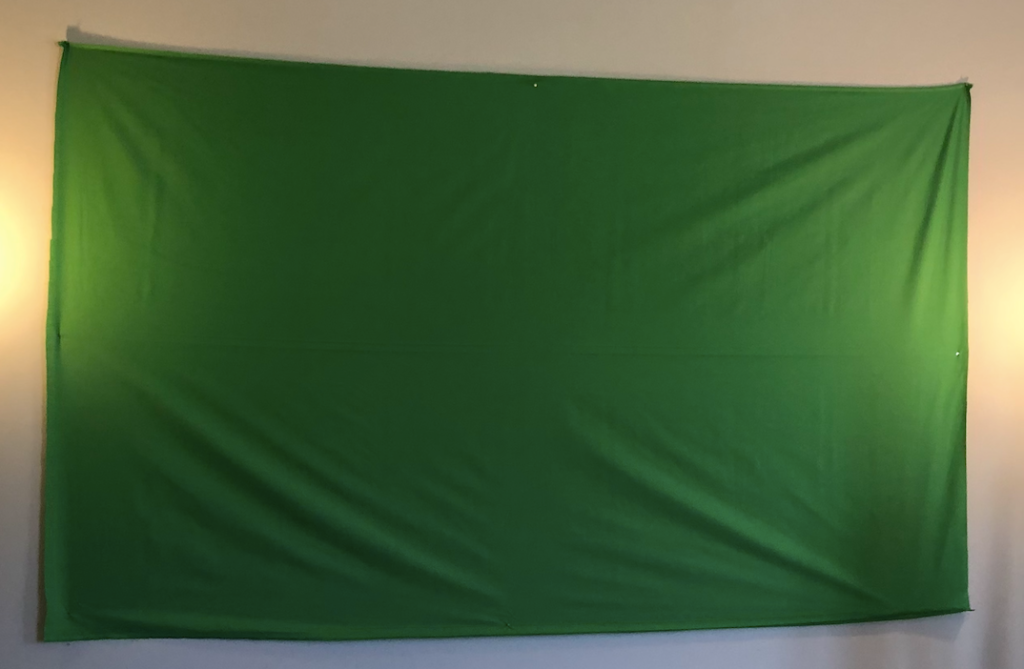
Step 1: Buy a green screen. You can buy a fancy one online on Amazon OR you can do the cheap version like I did. I bought two yards of green, non-reflective fabric from JoAnn Fabrics craft store.
My grand total? A whopping $9.15.

Step 2: Tape or push pin the fabric in a well-lit room. Find some floor lamps or lights in your house to make sure there are no shadows behind you when you stand in front of the green screen. You do not want shadows because it will lower the quality of yourself on your video.

Step 3: Use your personal device, an iPad, or a video camera to take a test video to make sure your lighting is working. I did a test video just to see where the best place to stand was in the frame.
[Please excuse the dance party.]

Step 4: Figure out which lesson you want to teach. Teach your lesson in front of the green screen. Refer to examples from a PowerPoint that you have used in your classroom or create new examples. It is okay if you mess up! Don’t stop the video, just keep recording and start over.

Step 5: Decide what you want the background of your video to look like. Open up Google slides and put up notes or practice problems that you want to pop up behind you in the video. This is the important part. Use Screencastify or another screen recording app to record the presentation of your Google slides. This video will be the video that is played in the background while you are talking!

Notes created by 6th Grade SIMS Science team: John Goldberg, Kimberly Wahus, & Brook Andrews

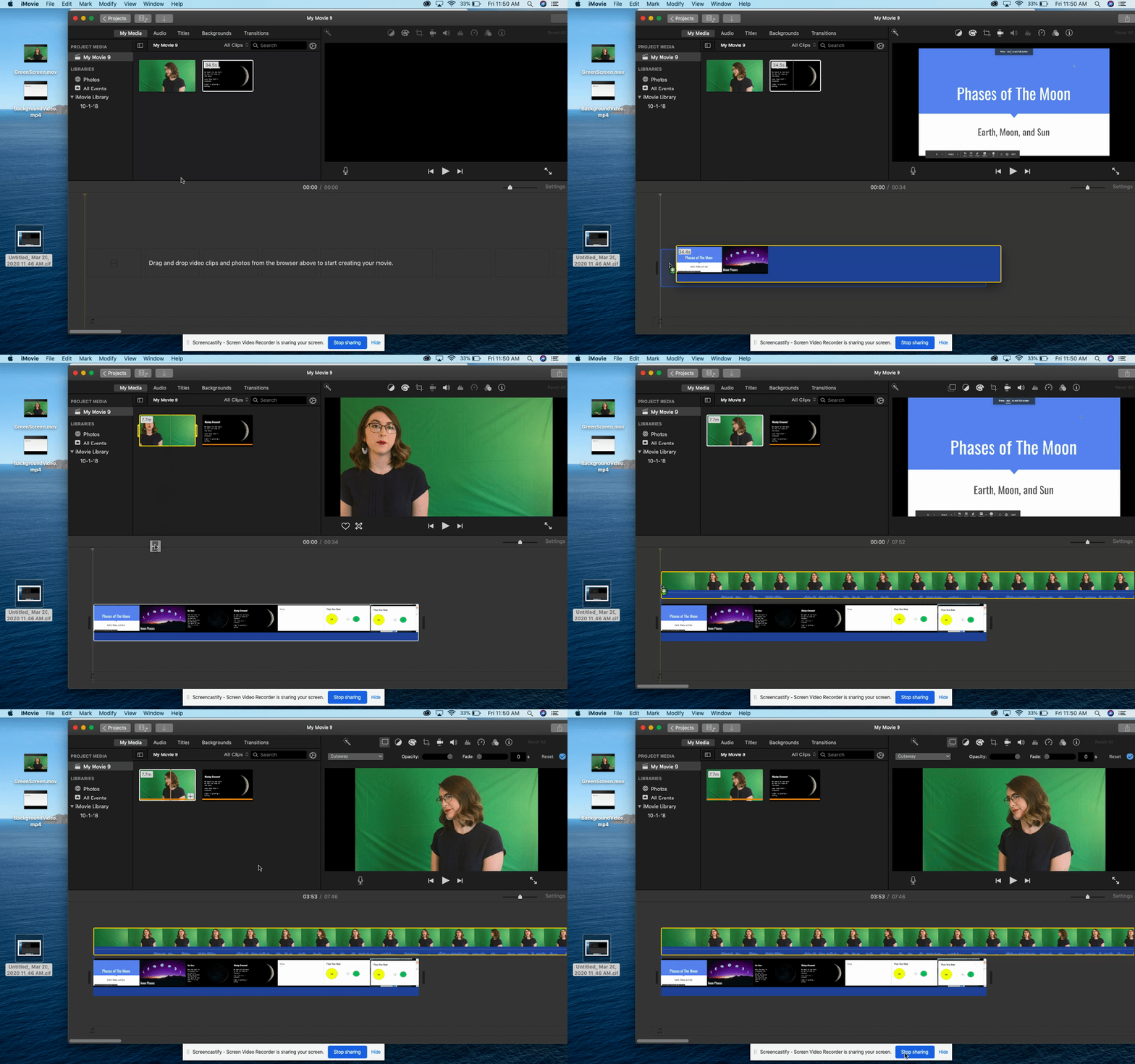
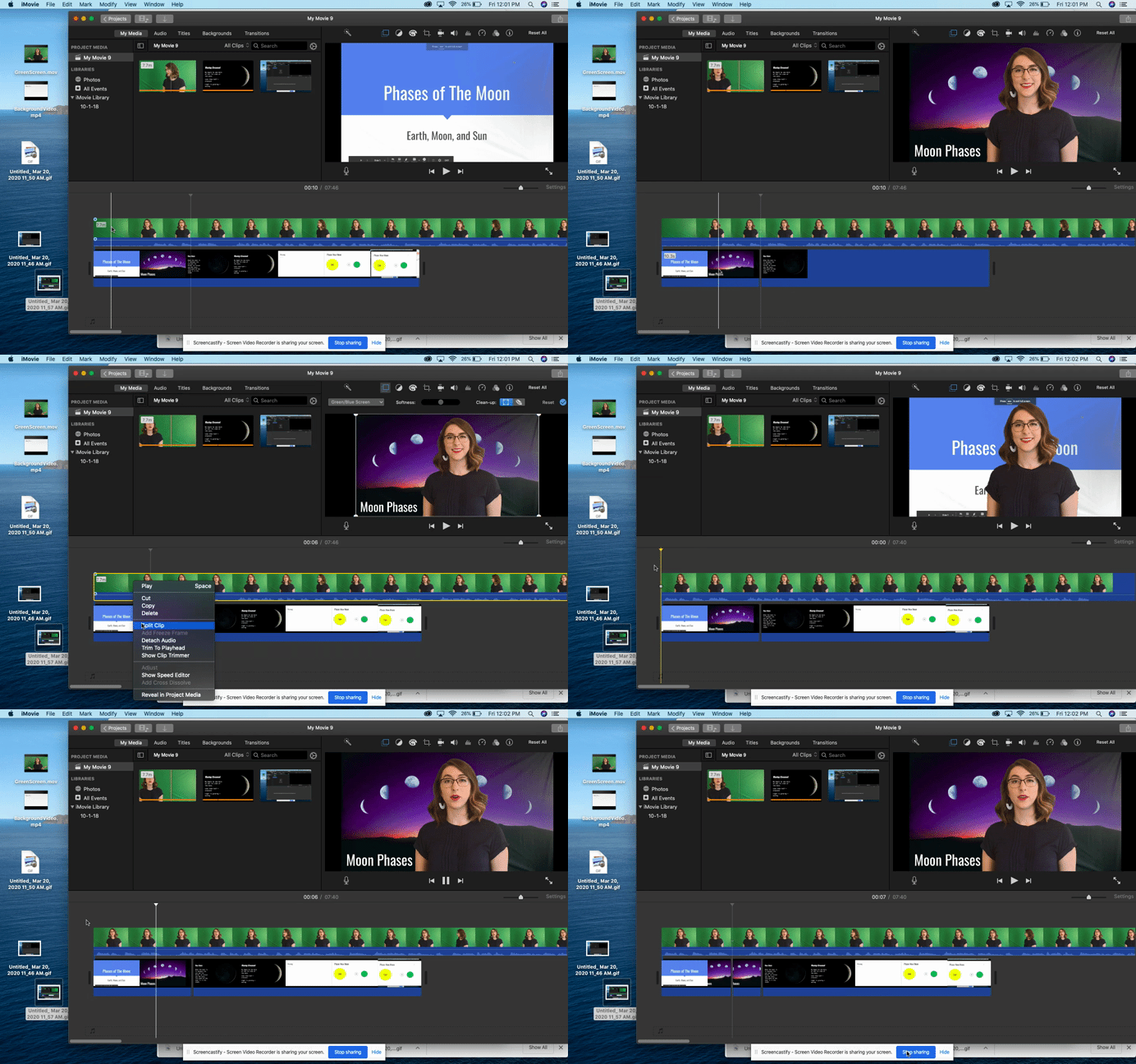
Step 6: Open up a video editing app. I highly recommend using iMovie because it is extremely user-friendly for editing purposes. Drag both videos to the top of the screen.

Step 7: Drag down the background video first. This is important. Then, drag the green screen video and place it on top of the background clip.

Step 8: Click on the green screen clip. On the top right panel, click on the drop down menu that says “cutaway.” Select the “green/blue screen” option from the drop down menu.

Step 9: Edit the green screen clip during the parts that you may have misspoke or messed up. Add music at the beginning or end if you want to make your presentation more engaging.

Step 10: Watch the video and if you are happy with the final result, click the share button on the top right of the screen. Select “file,” “next,” and “save” to your desktop. It will take a little while to download. Once it has dowloaded, you can upload your video to Youtube and share the link with your students!

I hope this helps some of you during the remote learning process.
Please reach out to me here or on Twitter if you have any questions or ideas about creating green-screen videos for your content.

@MrsBeldin

**Interested in writing a guest blog for my site? Would love to share your ideas! Submit your post here.


Looking for a new book to read? Many stories from educators, two student chapters, and a student-designed cover for In Other Words.

Find these available at bit.ly/Pothbooks  

How I Created a Podcast PD for Teachers

Guest post by Laura Cahill @engageducate

I’m always looking for ways to innovate professional development. Teachers are busy people and sometimes those after-school, face-to-face sessions just aren’t doable. I actually prefer PD that comes to me…webinars, Twitter chats, blog posts, podcasts…so I ran with that and created a podcast PD for the teachers in my district. Think book club, only with podcast episodes and online discussions. This was really simple to set up, especially because we are a G Suite for Education district but this could be done in other platforms as well. To get this running, I:

  1. Posted a sign-up to my district (this could be done at any level; district/school/grade-level/etc.)
  2. Created a Google Form with links to 20 episodes for participants to vote on (I chose all Cult of Pedagogy episodes for this initial session because I am familiar with the high quality of them but episodes could be from any/many podcasts.)
  3. Chose the top five episodes and created a Google Classroom with the link to one episode per “assignment”.
  4. Added open-ended discussion questions (What resonates for you? What do you agree/disagree with? How can you see this working in your own setting?)
  5. Set two-week “due dates” for each episode.
  6. Sat back and watched amazing conversation unfold…I didn’t really sit back, I participated, BUT I was shocked at how rich and thoughtful the conversation was!

Some logistics:

  • I offered 2 professional development hours for each week (10 total), assuming that listening takes about an hour and posting/commenting takes another hour.
  • We require that our PD participants demonstrate learning through some type of product, so we are going to create reflection videos at the end.

The participants are already asking for additional sessions and I’m thinking that participants could make suggestions for podcast episodes in the future! Such a simple solution to creating accessible and relevant PD for educators!


************ Check out my THRIVEinEDU PodcastHere!

Looking for a new book to read? Many stories from educators, two student chapters, and a student-designed cover for In Other Words.

Find these available at bit.ly/Pothbooks  

TeacherCast Educational Network | Developing Standards-Based Instructional Technology Integration

Technology Integration - Instructional Coaching - Productivity Secrets for Educators

Leadership Liner Notes: Sean Gaillard

Built on Connection. Tuned for Impact.

Stories by Thomas Oppong on Medium

Dr. Rachelle Dené Poth @Rdene915 Educator, Consultant & Keynote Speaker, Author, Attorney #THRIVEinEDU

Hooked On Innovation

When Innovation slaps you in the face, we slap back.

Teach Better

Dr. Rachelle Dené Poth @Rdene915 Educator, Consultant & Keynote Speaker, Author, Attorney #THRIVEinEDU

BrianKulak.com

Dr. Rachelle Dené Poth @Rdene915 Educator, Consultant & Keynote Speaker, Author, Attorney #THRIVEinEDU

The Principal of Change

Stories of learning and leading

Mandy Froehlich

Dr. Rachelle Dené Poth @Rdene915 Educator, Consultant & Keynote Speaker, Author, Attorney #THRIVEinEDU

Katie Martin

Informed by research, refined by practice

#RocknTheBoat

Rocking today's classrooms, one teacher, student, and class at a time.

User Generated Education

Education as it should be - passion-based.

Learning as I go: Reflections & lessons learned

Dr. Rachelle Dené Poth @Rdene915 Educator, Consultant & Keynote Speaker, Author, Attorney #THRIVEinEDU

Serendipity in Education

Join me, Allyson Apsey, as I stumble upon the fortunes of learning, laughing, and celebrating alongside incredible people.