Changing the Classroom

Image Credit Pixabay

Guest Post: Jenn Breisacher, Founder of Student-Centered World (www.studentcenteredworld.com)  

Twitter: @StuCentWorld, Instagram: @studentcenteredworld


Somewhere along the way, teachers got scared.

I don’t mean scared in the traditional sense. Yes, sometimes there are heart-stopping moments for one reason or another, but teachers aren’t scared of their climate.

Teachers became scared of today.

As long as we can remember, teaching has been about this technique or that in the classroom. We are sent to learn about different methods and spend hours of professional development learning about different ways to help our students be successful. Some teachers take this in stride while others sit back and roll their eyes, knowing that when they go back to the classroom, they’ll just stick to “what works”.

It always has, right?

But what happens when an entire generational shift occurs? What happens when an entire generation doesn’t know what life was like before September 11th? That landlines used to be the only way to call somebody? That “likes” and “follows” used to be a phenomenon that was done in person?

Folks, that generation is here…and “what works” doesn’t work for them.

Generation Z has entered our classrooms and they are different than any other group that has been taught in traditional education before. They are hands-on, tech-savvy, and need to know that what they are learning will help them make a difference. Simply put, traditional methods of instruction will not allow them to perform at their best. 

Let me say it again, “Traditional methods of instruction will not allow Generation Z to perform at their best.”

I’m not saying they can’t learn with traditional instruction. Sure, by osmosis they may learn by sitting and listening to a lecture or taking notes from a PowerPoint…but this is not how they will learn best. As educators, we don’t want to simply go through the motions. We don’t want to know our students learned the bare minimum to pass and move along. We want them to have a thirst for knowledge, to want to know more, learn more, do more. Yes, they may “learn” in a traditional classroom, but there will be multiple layers of potential that simply does not get tapped.


The world our students are entering is so competitive, but not in the ways we remember. Jobs used to be industrial, but now they’re turning entrepreneurial. We need to give our students the power to head into that world with confidence. We need to help give them an edge so when the going gets tough, they know what to do. We are preparing our students for jobs that don’t yet exist, which is a scary thought. (Don’t believe me? How many of you recall friends who wanted to be social media managers while you were in school? That’s just one example). The only way we can ensure their success is if we train them now to think outside of the box and to be willing (sometimes quite literally) to get their hands dirty and think like no one else.

This is the scary part for teachers.

Yes, throughout the years, life has changed. Every generation of students who have come to school has had different needs and interests than the ones before them. However, the birth of the information age and the worldwide connections that are now made in an instant are things that have never been seen before. We can debate for days whether or not this is good for society…whether or not “these kids” are being helped or harmed because they know how to function a Smart Phone by the time they’re 2. While those debates are fine, they’re not changing anything regarding what clientele we have in our classrooms right now. These changes to society aren’t going anywhere…at least not for a long time…and it’s our job…our duty…to make sure we are adapting in the classroom so these kids are learning in a proactive way for the world that awaits them, not the way it’s always been done in a world that no longer exists.


Change is scary for everyone. It takes us out of our comfort zone and makes us dabble in ideas that may be foreign to us…but remember, those ideas are not foreign to our students. If we want them to be as successful as possible in life, we need to help prepare them for the world that awaits them, not the world that awaited us.




Promoting Healthy Self-Esteem in Schools

Guest Post 

Katy Garvey, @Katy_Garvey, Social Learning Manager, The Source for Learning Inc., Former MS Principal, Reston, VA

Promoting Healthy Self-Esteem in Schools

Adolescent mental health and the social-emotional well-being of our students is something educators face daily. More frequently (thank goodness!), this topic is being brought to the forefront of many school districts. In my near 15 years in the public school system, I witnessed a transition to more mental health awareness practices as well as preventative and proactive care. The “middle years” can often be the most challenging, as our children are trying to figure out who they are, establish independence, all the while amidst changes in their bodies and minds. Oh, and we still expect them to demonstrate academic and social competencies in school! That is A LOT!


As educators, we know that when students feel good about themselves; in turn, they are much more likely to be more successful in the classroom. But, how do we set up our teen students for success? It takes a continuously committed focus on daily routines and practices that help build self-esteem. I will share some basic ideas and teaching strategies to consider when working to promote a healthy sense of worth and belonging in our students.


  1. Ask a “question of the day.”

We know that building and maintaining relationships are key and creating connections with students can go a long way in promoting their self-confidence. Try starting each class period with an open-ended question. Students can use an e-journal or blog (see some ideas HERE for blogs or e-journals) to record their thoughts. You could even move toward “circling up” and having students share their responses. Remember if you do this, always give the “pass” option. Read more about circle practice in the classroom HERE. In my time as a high school classroom teacher, I had the unique opportunity to teach a section of a class called Peer Helping, where the focus was to create meaningful relationships and mentorships between secondary and elementary school students. The first quarter of the year, the students were with me in the classroom, and we began each day in this way. As the year progressed, it was amazing to see how the students opened up, sharing beliefs and feelings. Additionally, an uncanny sense of community was established in my classroom as a result- it was something I’ll never forget! 

  1. Have students set goals, monitor progress toward them, and celebrate successes.

These could be behavioral goals, academic goals, extracurricular goals, or all of these. Ensure that the goals are attainable and always find something to celebrate…no matter how big or small. Also, make sure to work with students to create opportunities for them to succeed based on their strengths and interests. Lastly, remember, this will also vary student to student- we are striving for equity, not equality.

  1. Provide ongoing, genuine praise and feedback.

Talk to students frequently and provide consistent, specific feedback on learning and goals. It is important for students to know not only that you care, but that you are an active participant in their academic and social success. Written feedback is also impactful, but strive to be specific—instead of saying (or writing) “great job,” how about something like “I love the way you analyzed that text with such specific details”! This way, students know what the desired outcomes are and also when they meet expectations for success.

Well, that’s certainly a whole lot, but hopefully, it gets you started on the road to shaping our students’ self-esteem and creating those classroom routines and practices that foster a positive learning environment. I would love to know what you do in your daily practice to promote teen self-esteem. Drop a comment and let us all know!


ParentSquare for Teachers

Communication is Key

One of the things that I enjoy the most about the summer is having more time to reflect on the different tools and resources that I am using in my classroom and to explore new ones. Summer is also the perfect time to participate in professional learning, whether by attending conferences, taking classes, or meeting with other educators. This summer, I have been involved in several presentations and conversations that are focused on finding a way to enhance better communication between home and school. It is critical for classrooms today that we find a way to increase family engagement in the learning experiences of their children and make sure that everyone has access to the school information and resources, especially those that are time-sensitive.

Finding the right tools

There is no shortage of tools that we can use to form a connection between home and school, whether we want simply to send messages and class updates to students, or we want to focus more on including parents. Because teachers have so many different responsibilities, finding the time to explore tools can be a little challenging at times. This is why it’s beneficial to share what we are doing in our classrooms to help other teachers get started and to make those connections that we know are so important for student success today.

Several years ago I noticed a disconnect and I resolved that by finding a digital tool (Celly, then Remind) to connect with my students so I could share resources and class updates with them. But I soon realized that I needed to go beyond simply connecting my students with the class, I needed to include parents. That’s when I moved to using an LMS, Edmodo, which enabled students to get the materials that they needed, and also keep parents informed about our class.

The benefits of one platform

Although these tools worked just fine, the concern was that teachers were using multiple tools. This meant that parents had to keep up with multiple apps, some of which may not have been accessible on their devices. When I was using the messaging app and the LMS, I had to keep a good routine of posting on both platforms and keep reminding myself that I needed to do so for each class that I was teaching. After a short period of time, I realized that there were too many being used. Being able to effectively communicate and collaborate is easier when everyone uses the same platform. There is consistency and parents won’t have to worry about which teacher uses which app, or whether or not their device is compatible with the apps being used.

Making the shift

Thinking about the different communication tools available to teachers, moving to something that offers more than two-way communication and the sharing of photos, videos, and files, makes sense. We have many responsibilities that could require multiple apps or forms of communication. However, notifying parents about student attendance, scheduling conferences, asking for volunteer sign-ups, or coordinating class fundraisers, are a few added benefits when teachers use a platform that provides all of these options housed within one.

Enter ParentSquare

As teachers adopt free communication tools, districts are looking at alternatives. One such tool is ParentSquare. What does it have to offer for teachers and how does it compare to Remind and other teacher-adopted tools?

Teachers use ParentSquare for:

  • Communicating with families and students
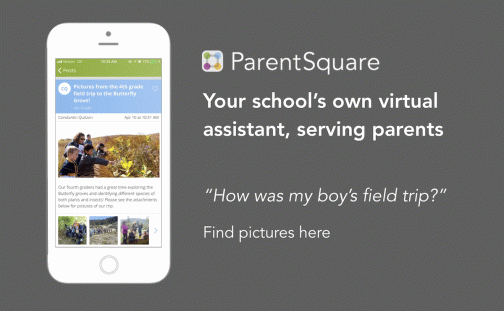
  • sharing pictures
  • scheduling conferences
  • sharing class calendar
  • asking for class and project supplies/class party items and food
  • requesting chaperones and volunteers
  • collecting payments for field trips
  • Providing/Collecting forms and permission slips

In addition to the teacher uses, there are many other benefits for school- and district-based usage such as attendance and lunch balance notifications, bus delays, sharing grades and assignments, delivering progress reports securely, and emergency notifications. Having these capabilities makes ParentSquare a single hub for all school-home related communication for parents.

I have had the opportunity to explore ParentSquare over the last six months, to get feedback from other educators and to compare the ways that I used other messaging tools and apps in my own classroom. Besides the time factor, sometimes educators get pushback because there is just too much technology. Too many things to worry about, too big of a learning curve, and too much to figure out to get started, so it’s easier to stay with the tools that have been used for years and that are more comfortable.

Easy to join

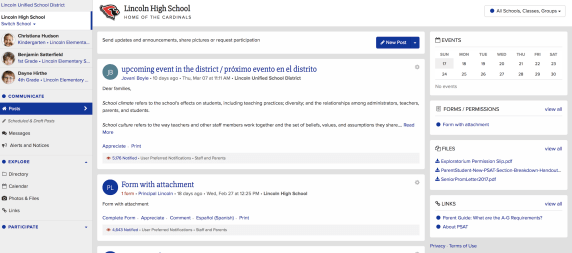
When using a platform like ParentSquare, teachers have a lot less to worry about when it comes to sending messages and inviting parents to become part of the group. ParentSquare automatically integrates with the SIS, making it easy for parents to join because it’s done automatically for them, without the need for a join code like with Remind. Parents who don’t register will still receive messages because their information is pulled from within the school rostering system.

Comprehensive and consolidated

Parents will feel more connected to the school by having one consolidated platform, which resolves the problem of knowing where to find information or keeping up with multiple apps for different classes and yet more apps and tools used by the school and the PTA. ParentSquare combines all into one. With tools like Remind, the options are limited as to the types of information that can be shared.

Privacy

It is important to first guarantee that any tool or platform used is in compliance with COPPA and FERPA. Compliant with both, ParentSquare takes all precautions when it comes to the safety and security of students and their families. ParentSquare is a signatory of the Student Privacy Pledge and the company signs a contract with the district to ensure student privacy. While Remind is also compliant with COPPA and FERPA, it has not signed contracts with the district or school in most cases.

Delivery of messages

At times I also heard that some parents were not receiving my messages. When I used Remind, I could see that messages were delivered, however, the students or parents were not necessarily reading them, which presented another problem. Perhaps because of the use of multiple tools, which is why it makes more sense to have one comprehensive platform. ParentSquare automatically delivers messages using the right modality – email, text or app notification and the right language as is in the school records. Reports show reach and deliverability of messages, making it easy to identify who has or has not been contacted.

Consistency is important

Personally, I have used anywhere between four and six different apps and websites to complete these tasks. However, with ParentSquare, you can facilitate faster and better communication and collaboration between home and school. ParentSquare enables schools and families to engage more in conversations by providing multiple options for communicating in less time through direct messages, polls, and the option to post comments all in one platform. It offers a consistent and reliable way to communicate within the school and school district, fostering and building the relationships that promote better communication, student success, and family engagement.

In many schools, administrators are potentially asking teachers to use platforms that are a paid platform rather than selecting the tools that they feel most comfortable with or prefer to use based on their role or content area. Making the transition from a tool like Remind to that of ParentSquare does not require any extra time, in fact, it is very user-friendly and easy to navigate. And if there are any questions there are many resources available including online self-paced training modules, extensive knowledge base, 24*7 support for teachers and parents.

Sign up for a demo today

**********

Key features: Also check out the video here.

Key Features  
Privacy Available, updated 2018
District Level Oversight
Messaging to and between parents
Messaging between teachers and staff
Individual/Group Messaging
Notifications as text, email, app
Send/Schedule reminders
Language Translation 100+ with Real-time translation
Class/School Calendar 2-way Sync with Google and iCal
File and Photo Sharing
Conference & Volunteer Signups
Single Sign-on
Unlimited Message Length
Coordinate Events/RSVP
Permission Slips
Devices: iOs, Android, Web
Attendance Notifications
Grades and Assignments
Report Card Delivery
Attendance Delivery and Excuse Notes
Truancy Letters
Cafeteria Balance
Payments and Invoices Recurring & one time
Polls and Surveys

Future Ready with IT Security

Guest post from Rachael Mann

As Benjamin Franklin once wrote, “…but in this world, nothing can be said to be certain, except death and taxes.”, to which I would like to now respectfully add, “and technology.”

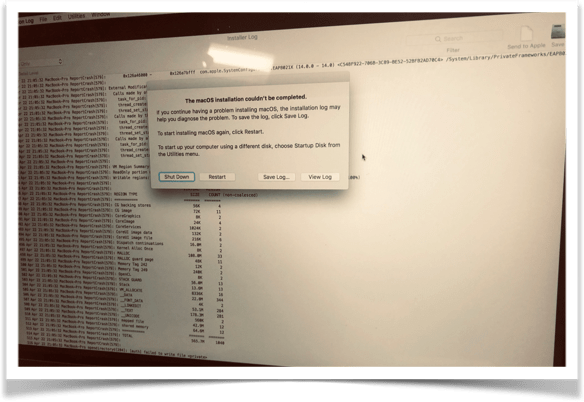
The dreaded circle of death can take many forms. My love-hate relationship with technology is relatable with everyone it seems. We’ve all been there- the projector isn’t working, the internet is stalling, or in my most recent scenario, repeated laptop failure. While working on the final chapters for my new book earlier this Spring, a message popped up saying that my power was low and to reconnect to a charger before my laptop went to sleep. I quickly went to plug in my laptop only to realize it was already plugged in. I tried a different outlet, but the message persisted. After trying different outlets in another room, I realized I was going to have to make a quick run to the Apple store to purchase a new charger.

The person assisting me at Apple suggested that I set up an appointment for later in the day to troubleshoot the problem and see if there was another underlying issue. The technician assured me that it was a routine check and that there was nothing to worry about after I expressed my fear that I would lose the data that wasn’t backed up. The “routine check-up” escalated to three technicians working to solve the problem as now the login screen wouldn’t take me back to my home screen. Five anxiety-ridden hours later, I was finally able to leave the store with my MacBook working like a brand new computer again.

The following Monday, due to a teacher shortage, I received a request to do a presentation on one of our campuses. Since most of my work is with teachers, I jumped at the opportunity to spend the afternoon in a high school classroom working directly with students. I rushed over and arrived at the same time that the students were piling in. I quickly set up my laptop and connected the projector, only to see that the dreaded message that had popped up at the Apple store only a few days earlier was once again on my screen.

Fortunately, the students had assignments to do for their IT class and were able to work independently. The IT specialist for the campus came to my assistance, but when he saw the message and realized that it was a personal computer, not one of the school’s devices, he could not offer his services after all.

With the students still working on their own, I took the window of time as an opportunity to call the Apple hotline. After 30 minutes of troubleshooting and still no progress, I resolved myself to the fate of spending another full evening at the Apple store. As I walked away from the laptop to see if any of thee students needed assistance, but a student who had been observing my challenge piped up and said, “Miss, I am a certified technician, can I look at your computer?”.

Several students protested, saying don’t let Peter work on it, he breaks everything! At this point, iI figured it couldn’t get any worse, and I was intrigued by this student’s curiosity and confidence, so I agreed to let Peter help me.

After a few clicks, other students began to gather around. What started as a failed attempt on my part had spontaneously turned into a class project. Some of Peter’s classmates began looking up solutions while others were yelling out commands. At one point, multiple kids were saying, “No, not the Kernel!. I thought this was a new slang word from this younger generation and told them to keep it down, later learning that “the Kernel” was actually a term for a code that he was using. They were speaking a foreign language to me!

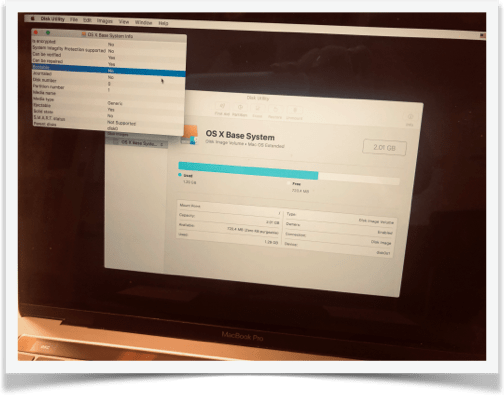
As Peter continued to troubleshoot, another screen showed that it wasn’t bootable. From the other student’s expressions, I knew this was a bad thing.

At this point, I began mentally preparing myself for purchasing a new laptop and hoping that I had saved my presentation for Pennsylvania, where I was traveling to the next day, in iCloud. After a short time, Peter asked me to log in. He had finally fixed what the tech specialist at his own school, Apple phone support, and several Apple techs in the store, could not accomplish. My evening was once again free and my trip to Pennsylvania would not incur the price of a new computer to deliver my presentation.

This is what Career and Technical Education is all about. Giving students real-world experiences and skills that will serve them as they decide to move forward on their career path.

I asked Peter about his plans after graduation and he shared that he may get another certification, join the military, or pursue a career in cybersecurity. I have since learned that he was offered a job by one an advisory council member from the program and is now employed locally by Code Ninjas.

Regardless of the paths that his classmates choose, at its’ very core, nearly every career imaginable is a technology career. While it may seem that I am overstating, as Peter Diamandis said in Bold: How to Go Big, Create Wealth and Impact the World, “Right now, there is another asteroid striking our world, already extinguishing the large and lumbering, already clearing a giant path for the quick and nimble. Our name for this asteroid is “exponential technology,” and even if this name is unfamiliar, its impact is not.”

To be successful in any field now requires having a strong technology skill set. This program will equip students with that critical tool.

Early on when the internet was just beginning to explode, it was common to hear professionals typing away on their trusty typewriter and stating, “this internet thing is just a fad”. Fast forward to a mere two decades later and “this internet thing” has not only proven that it is here to stay, it has now become a way of life. Technology will advance, whether we agree to join or not. Those who decide to keep pace will own the future.

Now, the greatest challenges facing the world can also be viewed as the greatest opportunities for our students in classrooms in every corner of the world. As educators, it is our privilege, as well as our responsibility, to give students the opportunity to start tackling big problems now, problems that could lead to initial failure, but ultimately lead them to their own success – which in this case, became my success as well.


Summer: Family, Friends, Learning


This slideshow requires JavaScript.

When people find out that I am a teacher, one of the first things they say is “it must be nice to have your summers off.”  Yes, it is, but in all honesty, I would be fine if my school switched to year-round schooling. I enjoy being in the classroom and look forward to each day and what it brings, even the challenges that might pop up. More than anything, I love working with students and learning from them. My reason for loving the summer is not because I don’t have to go to work; it’s because it is an opportunity to have more time with family and friends and to take part in professional development and reflection.

Time for Reconnecting

Life gets so busy sometimes that before you know it, weeks and months pass by and you might find that you haven’t had a lot of time to spend with family and friends.  Of course, technology helps us to stay connected more than we could before. Whether we use text messaging, different apps, FaceTime or even a hangout to see our family and friends, it’s not the same as time together in person. More days at home means more time for family and friends.

I’m also excited for conference season to be here and to have time to spend with some of my closest friends learning together and relaxing. It was an amazing week at ISTE 2019 in Philadelphia and it is hard to believe that it has already passed! Time to start prepping for ISTE 2020!

I presented several sessions while at ISTE, which is such a fantastic conference that brings so many educators from around the world together every year.  We had so much fun and some of these pictures totally capture that well. It is great to spend time with my 53s and the 4OCFPLN and meet some PLN for the first time in person.  I loved getting to finally meet (in person) Elisabeth Bostwick, Rich Czyz, Tamara Letter, Scott Nunes, David Lockett,  Annick Rauch, Stacey Roshan, the Gimkit team of Josh and Jeff, and a few members of the 4OCFPLN that I only knew through Voxer!

Now I am prepping for the next learning adventure which is coming up in 2 weeks. I’m fortunate to be part of the EdWriteNow Volume 3 group of authors who will meet in Boston to write the book together. An added bonus is that I will get to spend extra time with my good friend Jennifer Casa-Todd while there. After Boston, a few of us are going on a writing retreat to Nashville. While each of us will be working on our respective books, it will be nice to spend time together!

Knowing that I will spend time with my core groups, the 53s and the #4OCFPLN, plus meet other members of my PLN for the first time, in real life, is one of my favorite things about the summer.   


This slideshow requires JavaScript.

Time for Recharging

Summer is a time for a lot of things, one of the most important is self-care and recharging. So doing some normal summer things like sleeping in late, catching up with friends and family, going on vacations, ditching our devices and not worrying about setting the alarm are important for our self-care. Summer is also a valuable time for teachers to do even more on a personal and professional basis like think about their practice and take advantage of the opportunities that are out there for personal and professional development and growth. Attending conferences like ISTE give me a renewed excitement for the work that I do. My energy rarely dips when I am at these events, surrounded by friends and learning.

Time for Learning

A more flexible schedule for the summer means more time for attending conferences or webinars, joining in book studies or Voxer groups, or connecting within different learning communities. It might be easier to get involved in a Twitter chat, whatever it is during the school year that just doesn’t seem to fit as part of your routine, make it part of your summer routine.


There are lots of opportunities out there and my advice is to decide what is best for you. Do you want to be in one Voxer group or join one book study? Then make that your focus. Or maybe you want to start a blog or create a  new website. It’s up to you because it is your time to decide how to spend your summer break. I’m thrilled to be part of the summer BookcampPD book study with my book In Other Words. Looking forward to discussing the six books included in the study and of course, the two weeks in July (July 15-28), when we get to talk about my book and share ideas and takeaways from it.


Enjoy yourself

Each summer gets better and better, and it’s not because I traveled and spent hours on beaches, or to the contrary, kept idle. It is because I have used the time to learn more, to read, to connect, to reflect and to prepare for the next year.  My summer goal is to work so I can start stronger and be better than I was the year before. Whatever you do this summer, make time to recharge, connect and learn. And don’t set the alarm 🙂


This slideshow requires JavaScript.

Getting 2gnoMe

Personalized Learning for Teachers

Earlier this year, I was seeking guest posts for the monthly ISTE Teacher Education Network newsletter. One of the emails that I received included a link to a platform called 2gnōMe. I had not heard of it, so before responding, I took time to explore the website to better understand how it was being used by educators. After looking over the website and watching the video on the landing page, I learned that 2gnōMe is a platform that enables school leaders to provide personalized professional development for educators. The benefit of 2gnōMe is that the platform helps educators to ideally avoid, or at least reduce, the one-size-fits-all approach to PD and break away from what has become known as the “sit and get” professional development. For administrators, it enables school districts to clarify what individual teachers might need from available resources and personalize their learning experience, at scale, to measure its usefulness and impact.

The background

I contacted Ilya Zeldin, the CEO of 2gnōMe, to learn more about the company’s background, the purpose of the platform and to watch its demo. During our conversation, Ilya shared his vision for the platform and his goals for moving forward and getting the platform into school districts and learning providers. When he began designing the 2gnōMe platform, he focused on human connection and empowerment. Ilya said:

“That was the reason I developed the 2gnōMe concept. I would like to re-imagine the learning process for all adults, but the stakes are just too high with teachers. While teachers are asked to differentiate learning for students in their classroom, they rarely get the same kind of personalized professional learning when it comes to their own needs.”

According to Ilya, 2gnōMe enhances individual skills awareness and uses data to provide teachers and school-level leaders with crucial information to support teachers’ efforts to improve their practice, implement innovative practices, and achieve better results for their students.

During the demo, I saw the example of the 2gnōMe approach and platform based on the ISTE Standards for Educators. As teachers first reflect on their classroom practice, the data is compiled to then provide a more personalized learning experience for them. There is enhanced skills awareness — (the missing piece) after the self-reflection about the teaching practice. The underlying purpose is to impact how teachers can upgrade their skills and to narrow the growing gap between teachers and students when it comes to the integration of technology. By leading teachers through the assessments and providing an easy to navigate the platform, it creates additional opportunities for teachers to build technology skills. More than just content, 2gnōMe has been referred to as a “learning experience platform.”

How does it work?

2gnōMe offers a unique teacher-centric approach and can simplify leadership’s efforts based on their specific PD framework or standards used with teachers. As an ISTE member, I was interested in learning more about its use with the ISTE Standards, which is one of the options available. Using the platform, teachers take assessments and the results help districts scale personalized learning for every teacher. By addressing their learning needs, the program enhances self-awareness about critical skills and behaviors of teachers.

In my experience using the platform, I worked through each of the ISTE Standards for Educators by completing each assessment. The assessments required me to respond to a series of statements by selecting an option based on my perceived skill or comfort level in various areas. The questions and ratings pushed me to really reflect on my practice and consider areas that I need to grow professionally.

What is impressive is how the platform then takes the responses and determines areas where teachers can work to improve. For teachers such as myself, using 2gnōMe enables me to better hone in on my level of skills in each of the different areas, in particular with the ISTE Standards for Educators. For example, once I completed the “Learner” standard, I received information related to the teaching competencies and results that include a summary of strengths and areas that I might need additional support. When the results are received, personalized learning recommendations are provided, which the teacher can view within the platform or click the link to view the webpage externally.

Navigating the platform is easy and the data is displayed in a way that enables you to process the information quickly and understand the next steps. Returning to the platform and finding your results, summary, and portfolio is easy. Being able to review the results, use the summary for further self-reflection and even add items to a portfolio will empower teachers to advocate for their own professional development and also foster peer collaborations through the platform.

Features

Areas that caught my attention were how quickly the additional learning resources are compiled and available immediately to the educator. Having these so readily accessible enables each individual to explore different tools and learning providers available for professional development without the need for teachers, already short on time, to locate resources for themselves.

The Dashboard includes Goal Setting, Professional Learning, and Lifelong Learning and within each focus area, a list of the results for each are provided. Along with the scale showing your individual rating, an average rating is included which shows how you compare with peers. These are great points to use for building your professional collaborations and even mentorships with colleagues.

Benefits for the Educator Community

As a teacher, what I appreciate most about the 2gnōMe platform is that it coordinates a more holistic and continuous learning experience for educators. Just as our students need personalized learning experiences, educators need the same opportunity to build their own skills in our practice. Through 2gnōMe, teachers are able to self-assess and gain access to the right resources that meet their needs, without having to do all of the work. It analyzes all of the data and provides/creates a more personalized experience by gathering from the resources that are built within or made accessible through the platform.

  • Customizable platform to rubrics for learning.
  • Establishes a baseline of skills
  • Enhances teacher self-awareness
  • Promotes teacher-agency
  • Identifies teacher readiness
  • Provides access to portfolios, credentials, and PLCs
  • Personalized learning for educators at scale
  • Recommends courses for professional learning

For school administrators responsible for making decisions about the types of professional development to provide for teachers, using the 2gnōMe platform helps to simplify the decision-making process. It empowers education leaders to support teachers with personalized learning at scale, across their professional development systems. Using the data, administrators can see the type of learning that each educator might need or benefit from, and it personalizes the learning experience for each educator as they work through the different assessments in the platform.

Administrators recognize that teachers have different skill sets and they need to be able to identify what teachers know and what they need, to be able to provide the best learning experiences for students. To do this, there needs to be a consistent method that can customize the personal and professional learning experience for teachers. With 2gnōMe this is possible through:

  • Needs Assessment
  • Personalized Professional Learning
  • Resource Allocation Insights
  • Teacher Induction & Retention
  • Custom PLCs
  • Digital Portfolios for Teachers

Using 2gnōMe, teachers will engage in authentic, meaningful and personalized professional development in a supportive learning space. Together, teachers and schools will improve their practice, implement innovative methods, and achieve better results.

Learn more about district benefits and sign up for a Pilot here.

Be sure to follow @2gnōMe and meet up while attending ISTE.

See the interview with Jeff Bradbury and Ilya, Teachercast interview  ISTE 2018

School Communication Tools Comparison

Post sponsored by ParentSquare. The opinions expressed are my own.

Why Schools and Districts Need ParentSquare

The functionality of a teacher tool with a district-adopted platform

Finding a reliable and secure way to facilitate communication between school and home is critical for helping our students to be successful. When implementing digital tools and district-wide platforms, schools and districts must be cognizant of the rights and responsibilities when it comes to student privacy and digital safety. District leaders must protect the school community by maintaining a safe learning environment while also empowering teachers and families with the right tools to build community and promote family involvement.

For many classroom teachers, the options for tools to use are becoming more limited, whether because of access or school and district policies. While there are many free digital communication tools available, more and more teachers are being asked to not use the free tools and to implement tools that are district- or school-managed. Teachers must look for and recommend alternatives that will provide the same functionality they are used to and that will not require a lot of time to make the transition.

Choosing the Right Platform

There are many digital communication tools available to schools which offer a lot of benefits. It is important to find something that provides quality resources, centralizes school information, and which gives teachers the freedom they need to create a virtual space for their students and families.

Through the right platform, teachers can complete important tasks such as sending class updates, asking for volunteers, scheduling conferences and school events, sharing files and photos, and communicating various types of information to families, for a start. Being able to connect families and the school community with what is happening inside the classrooms strengthens the connection between home and school.

At the school and district level, being able to provide everything that students and families need through a comprehensive program and in a manner that parents and families choose is important. The entire school community benefits by having a consistent and efficient program in place that meets the needs and preferences of each of its members. So why should schools choose ParentSquare?

A Centralized Space for the Community

ParentSquare is available for the district- or school-wide implementation. If you find that you or your school are using multiple different apps to exchange information and communicate, ParentSquare provides one tool that does all of this and more. ParentSquare takes multiple tasks and communicative needs (messaging, attendance and grade notifications, event planner, calendar, fundraising, lunch balances, and much more*) that schools and teachers are currently using and unifies them in one easy to use and widely accessible platform.

ParentSquare facilitates timely and relevant communication between home and school through push notifications with real-time interactions and reports to show the reach and deliverability of messages, making it easy to identify who has or has not been contacted. Schools can create wishlists, ask for volunteers and launch fundraising campaigns, therefore streamlining more of the common tasks for schools. ParentSquare enables schools and districts to share information from the same source, which promotes consistency and efficiency in a simplified platform.

Unique Features

With district-wide adoption of ParentSquare, school districts can provide one comprehensive tool to connect families with their child’s school and the district, in a centralized space. Schools can then provide a more consistent, effective and reliable way to facilitate higher engagement and better communication between school and home.

Although ParentSquare combines multiple apps and resources into one platform, it is very easy to navigate. Everything in ParentSquare has a similar look and feel, “if you know how to do one thing, you know how to do everything.” The design encourages parents and families to interact more in the space and work together toward fostering a collaborative relationship between home and school. Communication happens through posts and direct messaging which facilitates a higher level of engagement for families and greater connectedness. Parents can opt-out of certain communications and enjoy the benefits of being connected with the school and their children’s teachers, by receiving messages based on their preferences.

Another unique feature of ParentSquare is the Smart Alert and Notices for sending emergency alerts with options to send to the entire district, individual schools, parents, or students. You can choose between sending a recorded message or one created using the text-to-speech feature provided by ParentSquare. The receipt of each message is verified and detailed analytics for reach and deliverability show the percentage of contacts reached and the number needed to achieve 100%.

ParentSquare scores on the integration aspect too, integrating with many SISs, so teachers do not have to invite parents and maintain a contact list, thus also protecting privacy. Parents need not join and create a password, they are still kept informed and in the loop, thereby including every parent.

ParentSquare helps to streamline school business and workflows by providing:

  • Attendance notifications with excuse notes
  • Grades, Assignments, Assessments, Attendance in the Portal and App
  • Social and Web Share (web widget)
  • Invoices (recurring and one-time)
  • Payments (spirit wear, tickets, etc.)
  • Fundraiser with Battery meter
  • Calendar and RSVP (adults and kids)
  • Lunch Balance Notifications and other notices with merge fields
  • Secure Document Delivery including postal mail (progress reports, report cards)
  • Advanced analytics
  • SIS integrations
  • Support

Beyond the Platform: What Does ParentSquare Offer?

One thing that I think is important is that edtech companies offer a unified space for educators, parents, and students to access information when they need it. All companies should be intentional about providing support and resources such as webinars, user stories, blogs written by members of the team or teachers currently using the platform, and make sure the information is current. It’s equally as important to actively share new features and any changes that are coming in the near future. I appreciate being able to find a lot of resources and support when I am using a digital tool or platform with my classes.

ParentSquare provides a wealth of information on their site including blog posts, Meet the team, webinars, new features, thought leadership, educator insights, best practices and more. The ParentSquare team also sends newsletters full of information to keep customers informed of events and updates to their platform. ParentSquare is fully invested in family engagement and is helping to streamline the communication between home and school. With ParentSquare, schools can provide a more consistent, effective and reliable way to communicate, and promote student success and family engagement. Learn more about it here.

Key features: Also check out the video here.

Key Features
Privacy Available, updated 2018
District Level Oversight
Messaging to and between parents
Messaging between teachers and staff
Individual/Group Messaging
Notifications as text, email, app
Send/Schedule reminders
Language Translation 100+ with Real-time translation
Class/School Calendar 2-way Sync with Google and iCal
File and Photo Sharing
Conference & Volunteer Signups
Single Sign-on
Unlimited Message Length
Coordinate Events/RSVP
Permission Slips
Devices: iOs, Android, Web
Attendance
Grades and Assignments
Report Card Delivery
Attendance Delivery and Excuse Notes
Truancy Letters
Cafeteria Balance
Payments and Invoices Recurring & one time
Polls and Surveys

Learning as we go

Recently I had a colleague ask me for some ideas for dealing with challenges when it comes to classroom management, student behaviors and just keeping up with the responsibilities of teaching in general. I’m always happy to have time to talk with other educators, there is so much to learn by connecting. I think sometimes there is an assumption that because someone may have been teaching for 10 or more years, or worked in the same school district for a long period of time, that’s there is a higher level of knowledge and skill held by a teacher that fits into this description. While of course the more that you teach, it might seem like you would have a lot of ideas and answers to share with younger or new to the school teachers, but the longer you have taught also means, I think, that you have that much more to learn.

Having taught for about the last 25 years, I’ve had a lot of different experiences, some good, some bad, some in between and some just absolutely fantastic. I have been in the position where I needed to improve, and felt like no matter what I tried to do or could try to do, that I just would not succeed. That I would lose my job. I’ve also been at the opposite end where I felt like things were going well, I could feel more success and a change in how I had been teaching in the classroom and in my connections and relationships that I had built with the students and colleagues.


I think if you ask any educator, most can probably identify the best year they’ve had, and if they can’t, they just can’t yet. We always have room to grow and things take time. How do educators decide what makes it the best year? For some, is it a year without many challenges, the students are well-behaved, homework is complete, other clerical tasks and responsibilities held by the teacher are finished, observations went very well and teacher ratings are satisfactory or proficient or whatever the ranking may be? Maybe. But how do we truly define what would be the best year ever?

It takes time to build

I am fairly certain that last year was the best year I’ve had yet. I think because I changed a lot of things in my classroom, I stopped worrying so much about having every minute of every class accounted for and instead gave the students more possibilities to lead in the classroom and for me to have more opportunities to interact with them. Now it did not come without its challenges, some student behaviors that in some cases pushed me so far beyond frustration that I thought I reached my breaking point. I reacted in ways that I was not proud of, but I let the frustration get the best of me. I stopped seeing the student and only saw the behaviors. My “lens” had become clouded and it took some reflection and just not feeling very good about it for me to realize that I had to do something different.


The common feeling or response is when you feel like there is a lot to handle or come up with a plan for, can feel so isolating. you might feel lost or like others are judging you based on what you perceive to be your weak areas when it comes to instruction. And I’ve had a few people confide in me that they feel like they’re too different or too weird or they’re not normal enough to be teachers. Hearing those kinds of things breaks my heart because I don’t want to see teachers become disengaged or to lose their passion for doing the work that teachers do because of worrying about how others may or may not perceive them.

My response is always it’s good to be different, what does normal look like anyway? Does normal mean everybody gets and does the same thing? Does being normal mean you fit into some kind of mold, one that may or may not be who you truly are? I think the best that we can do for our students is to show them who we are because we want to know who they are.

We can’t hide behind some perceived idea or model of what a teacher should or should not look like. Nor should we compare ourselves to our colleagues or other teachers that we may have had in our own experience. When we do this we lose sight of something and I think it’s important for us to demonstrate and model for students. We need to worry about ourselves first and only compete with who we are today by judging it based on who we become tomorrow. Everyone has weaknesses, everybody struggles, everybody feels like they don’t belong at times, a friend once wrote about being in the land of misfits, I’m totally fine with that.


What can we do, regardless of what year we are in during our careers? New teachers have a lot to offer veteran teachers. There are better pre-service teacher programs and more information available to current students that are seeking to get into the profession, than what is available to us veteran teachers, who may not have access to or may not even know they exist. And for the new teachers, when you are assigned to have a mentor in your school, I really don’t think you should consider it to be that you are the learner and that you must follow and adhere to all of the advice of your mentor. You have to decide who you want to be, what is your purpose, your why, your spark, your passion for doing what you’re doing?


We can get lost and swept up in all of the activities that pull us every single day leaving us very little if anything at all to work with to build our own skills. As veteran teachers, we need to seek out mentors for ourselves as well, and that might mean connecting with a newer teacher to your building or a new teacher to the profession. How can we expect our students to interact and understand different perspectives, and to be accepted if we ourselves do not do the same thing and go beyond that?

It starts with us and it always starts with us to take that first step. We have to be okay with who we are and commit to doing whatever is best for our own personal and professional growth but being mindful of what that means and how it will impact those we lead and learn with.


So if at any time you feel down, lost or frustrated or like you’re becoming disengaged or that you don’t fit in, please send me a message. I’d love to talk to you and share some of my own experiences on my 25-year learning journey. Need to connect? Reach out to me on  Twitter @Rdene915!


Animated GIF-downsized_large (5)

Thank you Kristi Daws for creating these images!!

Time for new ideas


null

The end of the school year is the perfect time to try the tools or explore new ideas that perhaps you did not get to throughout the year. We can also use this as a time to prep for the next school year. By trying different tools and platforms during the last few weeks, we can then take the summer break to reflect on their impact on student learning. During the spring, I notice a drop in student engagement and an increase in the number of students missing classes due to testing, sporting events, or regular absences. Finding a way to keep students connected and engaged in the lesson is critical.

To resolve these challenges, I try to find something that will benefit students, resolve any disconnect or gaps in learning that might be happening and increase engagement. A new tool that caught my attention recently is NoteAffect. It is a platform focused on enhancing and understanding student engagement and empowering teachers with a powerful tool to better understand student learning.

Why NoteAffect?

NoteAffect provides a unique platform for personalizing the learning experience for students. Using NoteAffect, teachers can deliver lessons in a more interactive way that empowers students to be more involved in the lesson and have access to all of the course materials within one platform. Whether or not students are present in class, they can log in to their account at any time and either view the lesson they missed, or review a lesson in preparation for an exam or for continued review.

NoteAffect offers the right resources and methods to better engage students in learning and helps teachers to track student progress, better understand the questions that students might have and use it as a way to reflect on their own teaching practice. Worried about having devices that are compatible with? No worries as NoteAffect can be used on a PC, Mac, Chromebooks, Android, and iOS devices, so students can interact in class or on their own schedule.
null

Getting started with NoteAffect is easy!

Finding time is always a challenge with so much to do in our school days and prepping throughout the week. However, with NoteAffect, teachers can quickly set up an account, invite students to join classes and begin sharing a lecture. The dashboard is easy to navigate and it provides access to the materials that empower teachers to better understand student needs and learning trends.

Once you have created your courses in NoteAffect, it is easy to have students join in the course and participate in minutes.

To invite students, simply follow these steps:

  1. Go to your Dashboard and select “Instructor Tools” and then “Course Management.”
  2. Select the appropriate course from the menu on the left.
  3. Select “Participants” and then select “Add participant” from the top right corner.
  4. Enter the student’s email address and click “Add.”
  5. Students will receive an email with a  prompt to join the course.

Once students are participants in your course, they will be able to see any prior lectures and participate in the current lecture being delivered.

To start a lecture:

  1. Click “Start new lecture” and you will be prompted to open the Broadcaster.
  2. Once the Broadcaster window opens, use the drop-down menu to determine which application to display or if you have other files that you want to use for your lecture.
  3. Once you select the app, it starts to share your screen with your students and it will record the audio as well.
  4. When finished, simply End Lecture and it will be available to students.

Features of NoteAffect

  • Students can take notes, highlight important points, make annotations on the lecture notes and even submit an anonymous question during class. Classmates can see the questions and upvote a classmate’s question, making it more interactive.
  • It’s a great way to have everything accessible in one place as opposed to writing on pieces of paper or having to pull from different presentations. By using notes, students have access to everything within one platform, making it even easier for students to manage.
  • Teachers can deliver their lessons and add in or embed live polling, and further engage students in the lesson.
  • Using the analytics, teachers can see the level of participation and engagement with the material.
  • Analytics provide information including the views, notes taken, words per note and annotations made by students, providing a clearer picture of the level of understanding and engagement of students.

null

It will be easy to get started with NoteAffect in your classroom or to recommend to colleagues and administrators for use in their classrooms and schools. To learn more, check into NoteAffect here and get started with a demo today! Be sure to follow them on Twitter 


For my prior post on NoteAffect, click here


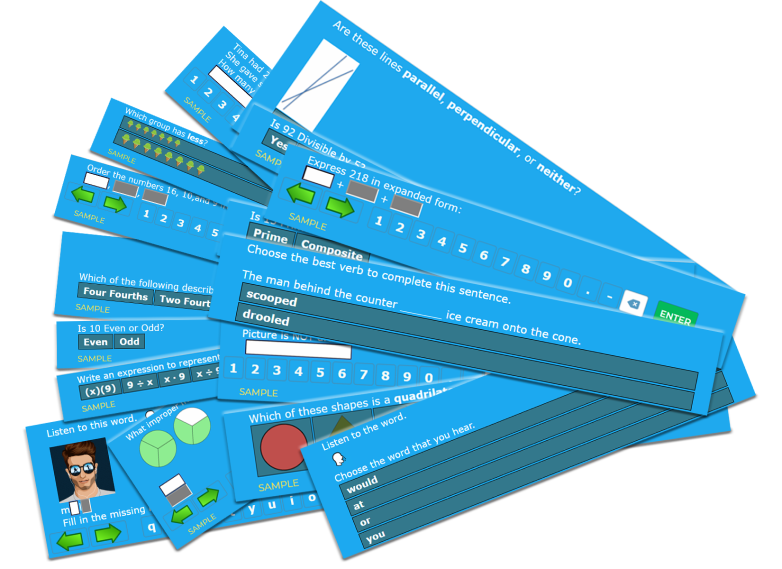
Learn with Socrates: Get started before the year ends!

This post is sponsored by Socrates. All opinions are my own.

When I think about trying some new tech tool, I first consider my purpose when deciding which tool to try. As educators, our goal should be to leverage technology in a way that helps to empower students, promote personalized and student-driven learning, and amplify their learning potential.

As the school year winds down, I think we have a great opportunity to provide some new, authentic learning experiences for our students. We can use these last few weeks of school to do some really cool things. If you notice that students are kind of drained or their motivation or engagement seems to be lacking, then I think it’s the perfect opportunity to try something that you’ve had on your mind but never quite found the time, or to try something new that you recently learned about. Either way, in my own experience, I have seen improvements in these areas by providing access to different digital tools for students to choose from and that meet their needs and interests. Of course, finding something that enables students to have fun while learning is never a bad thing. I recently found something that will definitely help: Socrates

Why Socrates?

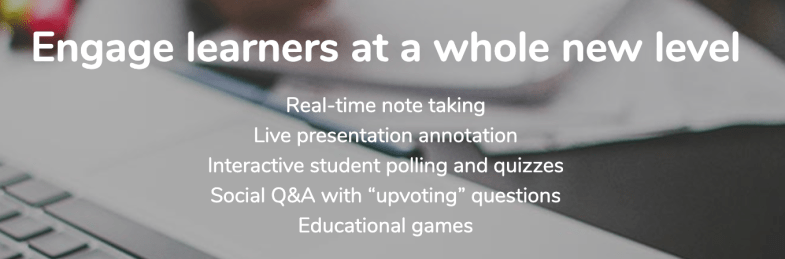
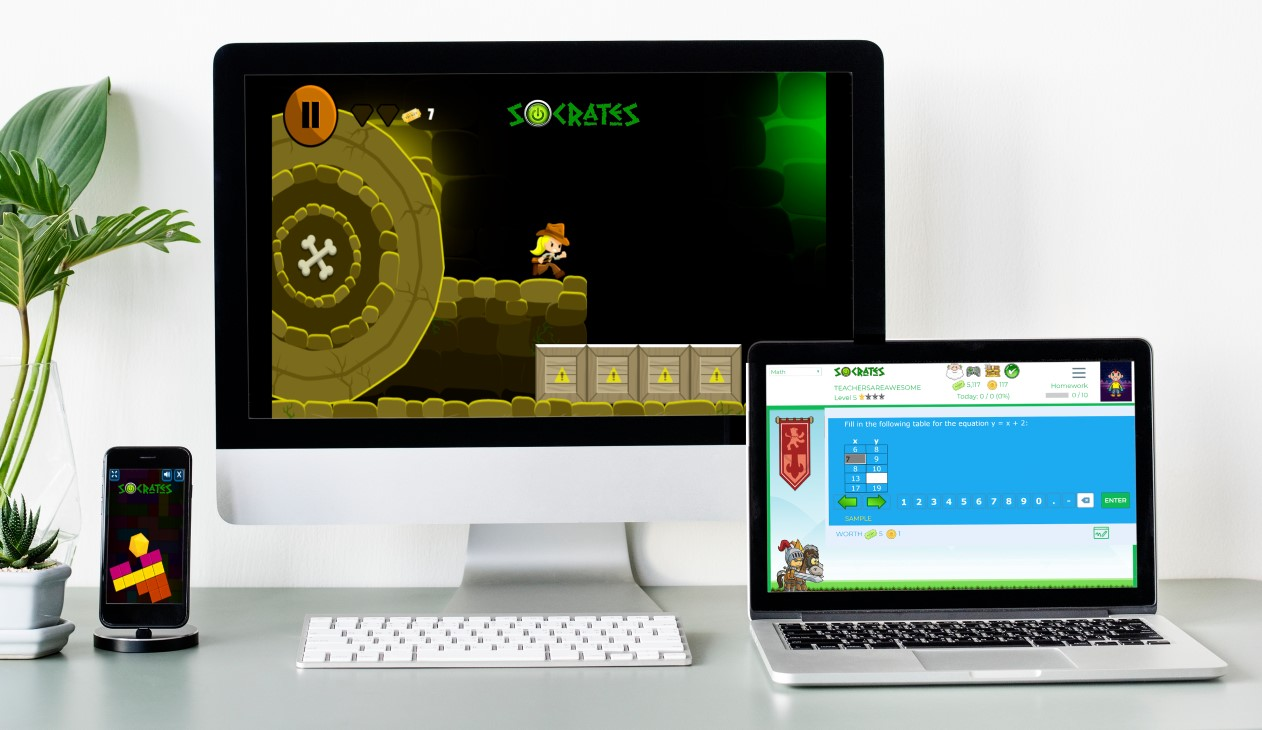
Socrates provides a unique game-based learning platform that is focused on differentiating instruction for students. By using Socrates, teachers have access to a wealth of resources and ways to better engage students in learning, helping them to build their skills in content areas such as math and English through the use of games. Because the platform uses artificial intelligence, it is able to adjust to student needs by creating an individualized learning path in real-time, which makes Socrates stand out from other learning platforms. It is easy for teachers to track student progress and quickly identify where students might need some extra help or instruction. It enables students to progress at a pace that meets their individual needs and provides them with the right supplemental resources they need when they need them.

Getting started with Socrates is easy!

Finding time is always a challenge with so much to do in our school days and prepping throughout the week. However, with Socrates, teachers can quickly set up an account, add students to classes and start assigning free practice, homework, and tests in no time at all. The Teacher and School Command Center Modules in Socrates provide a powerful teacher assistant that informs teachers when and where each student needs help. Being able to act on that information quickly is key for teachers, and this is where the AI makes an impact on student learning and growth. Get started today! (link)

Worried about having devices that are compatible? Socrates can be used on a PC, Mac, Chromebooks, Android, and iOS devices. Students can complete their work in class or on their own schedule wherever they have access to a device.

How to get students started

To add new students, simply follow these steps:

1. Go to your teacher Dashboard and select “Manage.”

2. Click the student icon to add a new student.

3. Enter student first and last name.

4. Add a student ID (at least 4 digits).

5. Select the grade level for the student.

6. Click “Create a student account and add to the roster.”

Making changes to student account information is easy using the Command Center. Teachers can specify a grade level, an active area of study, learning style, and gameplay (ranging from High gameplay to No games). Assessing student progress and making changes to their learning profile is easy to do within the Command Center.

Free practice, homework, and tests

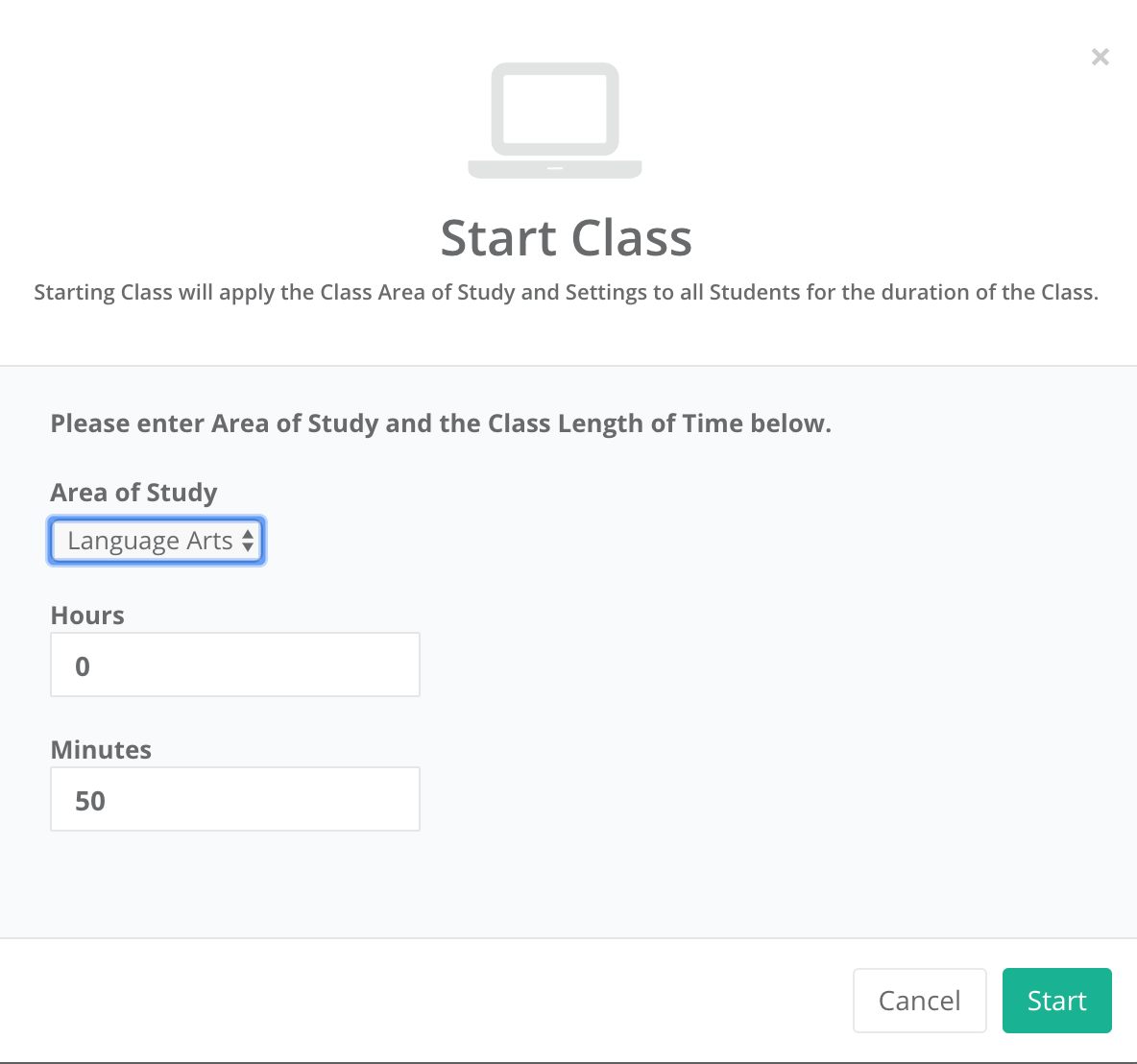
It is easy to find the right activities for students and to start a class or set up activities for students to work on at a later time.

To get started:

  1. On the dashboard, select “Assignments.”
  2. Once assignment opens, select the Area of Study (K through 5th) and the content area (Math or Language Arts)
  3. Select the topic, and continue making selections for the specific content material.
  4. On the Assignment details, change the name, the number of questions, add a start and end date if applicable.
  5. Choose to assign as Free Practice, Homework, or to Print.
  6. Once selected, the assignment is added to the student____________ and a box prompts you with “OK” to signify the assignment has been created.

First impressions

Before getting students logged in, we discussed artificial intelligence and how it was used in the Socrates platform. Students were excited to get started. I was impressed by how quickly I could create accounts for my students and get them logged in. They were able to navigate the platform without my assistance and enjoyed having so many choices in which games to try first. Being able to track their progress and make adjustments so quickly is definitely a benefit of the Socrates platform.

If you have not yet tried it, I recommend getting started here. Socrates offers a 30-day free trial. I encourage you to try it out for the rest of the school year and see what students think and reflect on how it benefits learning now and through the summer.

For more information, see the blog, be sure to share your feedback and also follow Socrates on Twitter: @learnwithsocra1

null