Bringing Augmented, Virtual and Mixed Reality to all Classrooms

Bringing Augmented, Virtual and Mixed Reality to all Classrooms

Jaime Donally’s book “Learning Transported” is the resource to go to to learn how immersive technology can be used in education. For anyone looking to get started with bringing augmented, mixed or virtual reality and different learning experiences into the classroom but not sure of where to begin, Jaime provides a well laid out format which provides the reader with the all of the information and resources they need to feel comfortable in using AR and VR in the classroom.
For some readers, knowing the differences between augmented and virtual reality or knowing the different apps available for each of these may not be clear. However, the structure of the Learning Transported book enables the reader to progress from understanding how it is used, and even more importantly “why” it should be used education, to reminders of some things to consider before getting started and then how to have a successful implementation into the classroom.
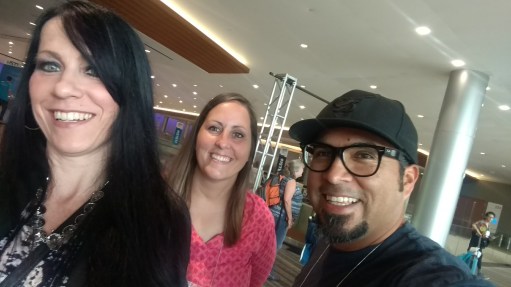
IMG_20170627_083505096.jpg

Beyond just having students as consumers of the content, Jaime offers ways for students to become the creators and design their own stories through augmented and virtual reality experiences.
Jamie is constantly looking for more tools and new ways to bring immersive learning experiences to educators and students, and has done nothing but share her wealth of knowledge and fully invest herself in making sure that educators feel comfortable with using the technology and knowing that she is available to help them in the process.
Learning Transported is a book that can be enjoyed by anyone, as the resources and experiences that she shares within this book definitely have application to other settings besides education.

Before Jaime even dives into the content of the book, she engages the reader with her message of “why” for using AR and VR. She shares the reasons why educators need to understand the possibilities of using immersive technology and the benefits that will happen as a result. She explains how to use the book, and guides the reader on how to navigate each of the chapters, explaining the process involved when starting to implement some of these augmented virtual and mixed reality tools, and encourages the reader to join in with other educators through social media using the #ARVRinEDU chat.

Learning Transported is geared toward anyone looking to try immersive technologies in the classroom and Donally provides all of the resources and many examples, especially through the lesson plans written by Jaime and how they were facilitated in different classrooms.

Another key features of Learning Transported is in Jaime’s message about why educators should use AR, VR and MR in education. The largest benefit is for students being able to engage and explore in the content in a different and more authentic way. It also facilitates building skills of communication and collaboration as well as social-emotional learning, when students connect with their peers and learn more about places and life outside of their own community. Jaime also explains exactly how the use of these tools can meet the ISTE Standards for Students, and encourages the reader to think about how these tools can benefit the students in their own classrooms.

Each chapter provides a wealth of examples and images for reference, explanations of each tool shared and ways that it can be used, and ends with a “Learning Transported” challenge for the reader. Jaime provides clears definitions and more detailed explanations throughout each chapter, and continues to encourage educators to challenge themselves to implement some of these different tools into their classroom and to share their experiences using the #ARVRinedu hashtag.

Some of the best features of the book are the way that Jaime conveys the information, reassuring educators that it is okay to take some chances with trying these in the classroom and involve students in the process. Chapters 5 through 8 include so many different examples of augmented and virtual reality tools, including ideas for creating with the tools, brief descriptions of how the tool works and for using it, as well as including some sample lesson plans that educators can try within their own classrooms.

The last chapter focuses on preparing for the future of mixed reality and Donally reminds us to keep moving forward as these tools are constantly evolving, and having an impact on the learning environment and educational market. In the conclusion, Jaime ends by stating “Teachers will facilitate a class of explorers, developers and designers as they experience, build and present their own immersive technology resources.”
Donally reminds us that “authentic learning experiences and opportunities that have never been accessible in the classroom are now possible with virtual field trips, interactive stories, and tools that can allow students to explore the world, the solar system and beyond.”

The book concludes with an appendix listing all of the apps shared within the book as well as the websites to find the apps and a brief description of what the after does. The standards for students are also included

She encourages the reader to share whatever they create after completing some of the learning transported challenges

Learning Transported makes a topic that can be overwhelming to anyone just starting with augmented and virtual reality, become something that is digestible and helps the reader to build confidence in learning more throughout the book. Donally provides answers to the questions that educators all have to consider when starting to implement these tools, and gathered everything into one well laid out guide for learning.
Creation just got even better with Buncee!

Rachelle Dene Poth

One of my favorite things about teaching, besides working with my students, is finding new and engaging ways to have students create and show their learning. I remember when I first came across Buncee about two years ago, I really enjoyed creating different presentations and exploring all of the choices that were available. Coming up with new ways to use it in the classroom and even creating a Buncee for Open House, that could later be sent to families who could not attend. I was amazed at the many options to include my own images and even to record messages explaining what students would be doing in our class throughout the year. An added benefit was that by sharing one of the tools that students would be using in class, I hoped that it might become something that other members of the family could use as well, because Buncee works for everything!

Buncee is the one tool that educators and students need for creating a multimedia presentation that includes animations, a drawing feature, emojis, stickers, 360 images and even audio and video embedded within and a lot more. As teachers, we should strive to offer different choices for our students to be able to show what they are learning and to apply their knowledge in a way that provides opportunities for them to be creative, to have fun while creating, and that will engage students more in learning. Buncee has consistently provided a presentation tool that offers all of this and much more for our students and for everyone.

Newest options

There are new features and items added all of the time, but some of the other features that were a game changer for me was being able to set up classes, thousands of new items to choose from in the gallery, and even new ways to share the Buncee creations. We were thrilled when students realized that they could share their work seamlessly by sharing to Google Classroom. In my own classroom, I think it is so important to give students more choices and to provide a tool that offers more than just one format for students to create with. Using Buncee, students can find what they need to be creative, communicate ideas, and think critically about the work they are doing, while having fun during the creation process. It promotes student engagement because they can truly create something that is authentic and meaningful to them. And it enables educators to learn more about the students in the process.

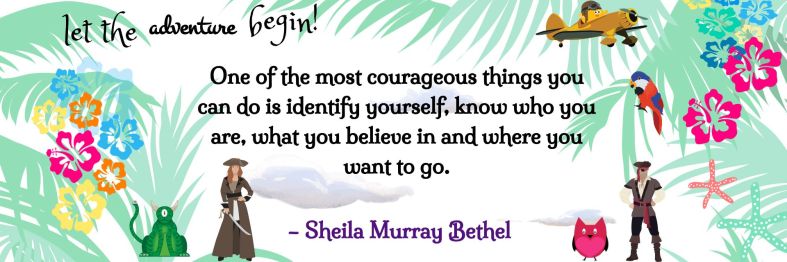
BunceeAdventure.png

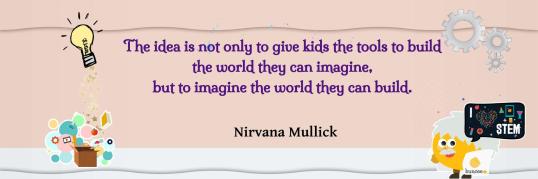
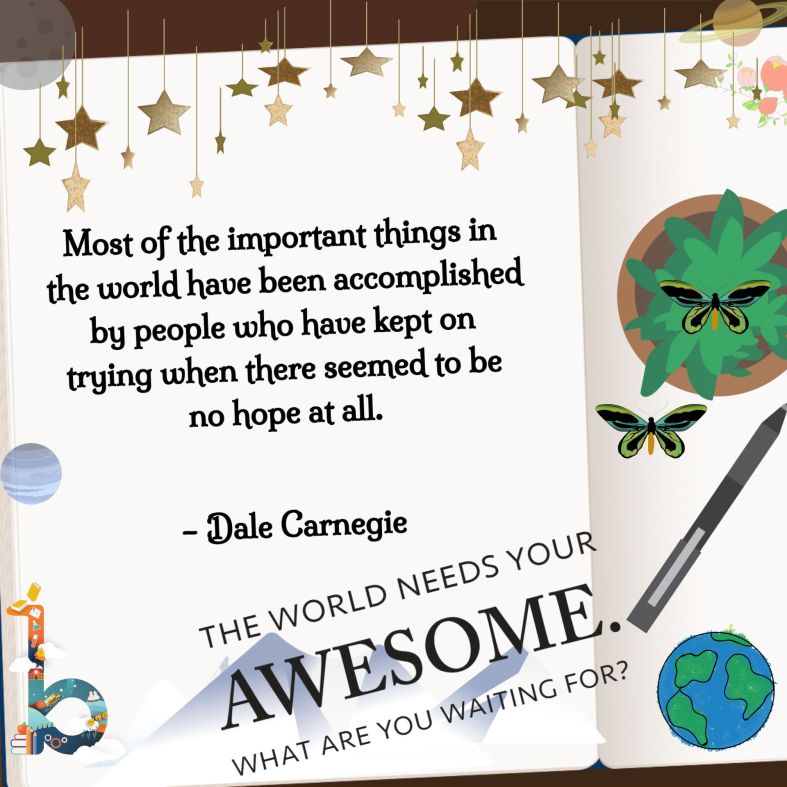
I love creating Buncees to share quotes!

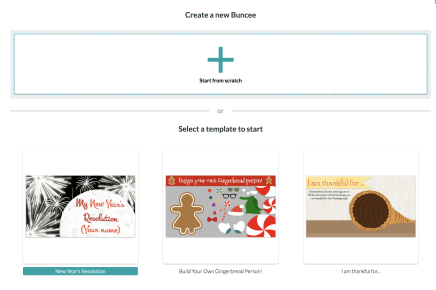
Templates are here!

Finding enough time to get started with new tools is often a challenge, but with the new templates, creation just got even easier. Buncee enables the user to create something wonderful in a very short amount of time. Just this week, Buncee launched hundreds of new templates, divided into categories based on topic or type of media format. With these new templates, it now offers even more options to make creating more personal and fun.

With the new templates, it’s easy to get started creating right away. There are many different categories to choose from including: Awards, bookmarks, business cards, flyers and events, printable worksheets, scrapbook and photo albums, various social media formats and much more. The hard part is deciding which one to go with because there are so many awesome choices, and when you start looking at them, the ideas for how you can use them keep coming. Don’t be surprised if you start creating and then keep on going, there is so much to choose from that can truly enhance the learning and teaching process.

Select a Template and Go!

Once you select a template, it becomes yours to change and to really make it your own. Each template is different and when you select one, you can preview the different backgrounds that will be included within the template. You can easily change the font color and style, change the colors in the background and then add more items into your Buncee. Creating with a template is perfect for anyone who wants to get started quickly, but does not have a lot of time to search different backgrounds and add in text and other items. You can change anything within the template, it simply makes getting started easier and gives you more time to find fun animations, stickers, emojis and more to visually represent your learning. Using the templates is also perfect if you don’t have a lot of time in class, but want students to be able to create something unique and personal to them, giving a boost in confidence by having a great starting point that they can build upon.

Buncee has made it their mission to amplify student learning and provide a tool that enables each student, educator, anyone to visually communicate learning, thoughts, experiences and create something unique. It gives students a ton of options and a safe space to explore and find exactly what they need. Can’t wait to see what they create!

Bunceegoals

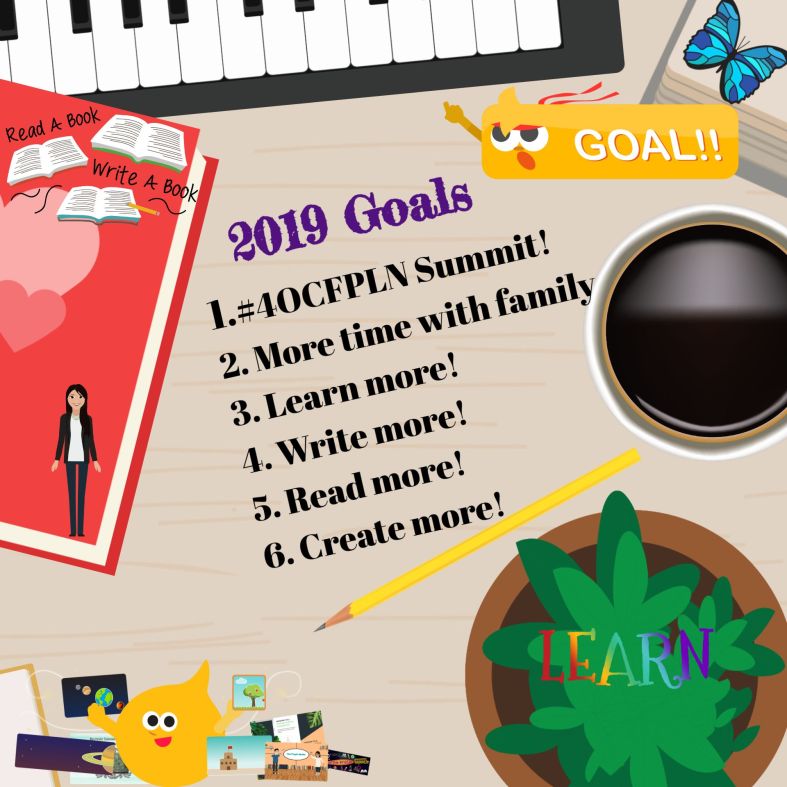
Make it your own, use the template then build!

BunceeCarnegis

3D Bear: Bringing Augmented Reality to Every Classroom

Sign up for a ONE MONTH Teacher Trial here:

There is so much discussion going on today about Augmented and Virtual Reality and how it can be used for education. I have signed up for a lot of alerts to keep me informed when new AR/VR tools come out or there is news about schools around the world and how they are using augmented and virtual reality to amplify student learning. Alerts arrive throughout the day and one thing is clear, these tools have tremendous potential to really engage students in a completely different kind of learning, giving them more control in the classroom.

Learning Curve

Because the concept of augmented and virtual reality seems so detailed and can be hard to grasp if you’ve not had experience with either of these, people tend to think that using these with students might be difficult or the learning curve might be too steep. Time is a huge factor when it comes to deciding what tools and methods to use in the classroom and I’m sure that there is not a single teacher who hasn’t occasionally said, if not on a daily basis, “I wish I had enough time to…” There’s always something they want to learn, something different to try that might have been on their to-do list for a really long time but they just have not been able to devote any time to it.

The great thing about tools like 3D Bear is that teachers don’t really have to spend a lot of time trying it out on their own or figuring out how to get started using it. This is what we want our students to do. We want to put tools that can engage them and more authentic and meaningful learning in their hands. Students learn more by doing and having opportunities to engage in hands-on activities, where they control the direction their learning takes. We cannot give students the answers or always show them how to do something, they have to experience some struggles. They will need to know how to problem solve, collaborate, communicate and to even create on their own as they are preparing for the future and life in general.

When thinking about adding some new technology into the classroom, we really need to focus on the why behind choosing a specific tool or method. What makes it different and what can it do differently for students, that can enhance the learning process and go beyond the traditional methods that are already being used in the classroom. What sets it apart from other options or methods you have been using? I think the answer is clear. We should select tools that help us move students to a more active role in the classroom rather than passively learning. By having students become the creators and immerse in a new learning environment, we will provide them with voice and choice in learning and lead them to explore through emerging trends in education.

Why 3D Bear

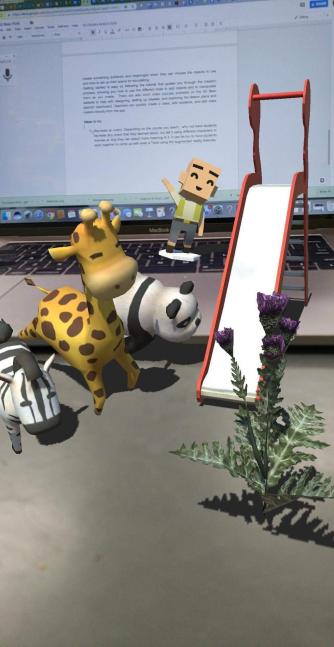
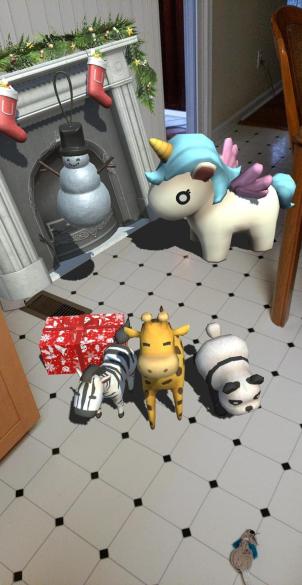
When I finally decided to get my new iPad this summer, I couldn’t wait to try out the different augmented reality apps. Actually, the whole reason that I bought the iPad was for this purpose. The first app that I tried was 3D Bear. I did not look for any tutorials, simply started clicking the options and found that it was very easy to use and a lot of fun. I was able to quickly figure out how to add items and manipulate them in the space I chose. Seeing the group of bears dancing around the middle of my table was fun. I could immediately see the potential for student learning regardless of the content area or grade level taught. Students can use it to create 3D objects in different spaces and have the opportunity to record a story to go along with it. The potential and power of storytelling in AR is awesome. What better way to have students represent their learning than to design their own story and deciding what to place in their environment and then creating a narration to go along with it.

Ideas for the Classroom and Getting Started

With so many new technologies entering the educational setting, it can be challenging to figure out which might be the best for your students. So we always want to focus on the “why” and determine what purpose will it serve that will amplify student learning. Being able to interact with and create a new learning environment through 3D Bear, will help students develop so many of the skills they need to be successful in the future. There are a lot of options for having students learn through 3D Bear. A nice feature is having access to ready-made lesson plans that can be used in any level which focus on content such as Social Studies, Math, Science, ELA and STEM, and STEAM-related topics. The lesson plans include different resources, worksheets, and links to other helpful reading materials. We can give students the opportunities to create, design and re-enact events in a more engaging way.

Features The best part of 3D Bear is the number of choices available for students and teachers to select from. There are a diverse group of objects that can be added in to create a story, making it easy to integrate this tool into any content area. Some of the object types are People, Garden, School, Animals, Holidays, Household, Emotions and even a category of funny items. There are a lot of possibilities for students to really create something authentic and meaningful when they can choose the objects to use and how to set up their scene for storytelling.

Once you log in, getting started is easy. Simply follow the tutorial that guides you through the creation process, showing you how to use the different tools to add objects and to manipulate them as you create. Or if you want to skip the tutorial, you can get started on your own. It is user-friendly and you can create something in a short period of time. There are also short video tutorials available on the 3D Bear website to help with designing, setting up classes, and exploring the lesson plans and teacher dashboard. Teachers can quickly create a class, add students, and edit class rosters directly from the app.

5 Ideas to try

  1. About Me: Getting to know our students is fundamental to our work in the classroom. Why not have students use 3D Bear to tell a story about themselves. With so many things to choose from, students can design something to reflect who they are, share their interests and even record a narration to explain. It will be fun learning about the students using AR to tell their story.
  2. Recreate an event: Depending on the content area you teach, why not have students recreate an event that they learned about, but tell it using different characters or themes so that they can attach more meaning to it and retain the content better. It can be fun to have students work together to come up with a twist using the augmented reality features. Learning about a famous historical period? Have students use the holiday theme or funny characters to explain key events or topics and then add narration to clarify if needed.
  3. Design a new space: Give students an opportunity to create a “dream house”, a new school, a new building for their town or even somewhere they would like to explore. With so many options available to choose from, students will be tasked with problem-solving, critical thinking, and collaborating to brainstorm ideas with their peers. It will promote creativity and give students the opportunity to dream big and use their imagination to come up with innovative ideas.
  4. Explain an idea or concept: Students can take a concept learned, maybe something in science class or in a math class and use the objects to create something like a biome or a diorama, or simply to visually represent something that is easier to understand by looking at it in 3D.
  5. Special events: Something fun might be to use 3D Bear to advertise an upcoming school event or a class activity instead of the traditional flyer or newsletter format. imagine what members of the school community would think if they were able to learn about a school event by exploring it through augmented reality. There are so many choices available that it just takes a little imagination to come up with a new way to use the tool.

As teachers, there are so many things that we are responsible for and have to keep up with, that it can be difficult to stay current and relevant with all of the emerging trends when it comes to technology. Fortunately, there are tools like 3D Bear that make it easier to get started with and that provide innovative ways for students to learn. It just takes a few minutes to get started and then give the students time to explore on their own and with peers. Sign up for the teacher trial at 3D Bear! Let me know how you use it in your classroom!

Why students should blog


What Are The Benefits Of Student Blogging?

What are some ways to assess students and engage them more in conversation? How can we help students to become more confident in expressing their ideas and more comfortable in sharing their ideas in and out of class? Good question.

As I have reflected more on my practice over the past couple of years, I have realized that I needed to make some changes. One of the most important areas has been finding ways to better differentiate and personalize my instruction and to empower students to take responsibility for their learning and have an opportunity to express themselves more.

Teachers have so many options to choose from when it comes to technology, and it can be a challenge to decide where or how to start. The best advice I can share is to find one area that you feel like you can improve upon, or maybe there is something that takes a lot of your time or does not offer students enough opportunities to participate in class, just to name a few.  A couple of years ago, I started to have my students blog. I had read blogs for several years, had only recently started writing my own, and thought they offered a great opportunity to learn about a lot of different topics in short passages.

While tremendously beneficial for the reader,  it seemed like a great way for the “blogger” to share ideas and even helpful hints to anybody who wanted to learn just a little bit more about a topic. Blogs are great for those who do not have time to read a book and want to follow or learn about specific topics.  It is also a great way to express oneself. With this in mind, I started having my students write blogs in Spanish and I chose Kidblog for them.

Choosing A Blogging Platform

There are many blogging platforms available, depending on your grade level, the specific platform needs and also funding if needed.  On a personal level, I have used Blogger, Word Press and Edublogs. These are great options and there are many other ways to share a blog, and depending on what your personal needs are and how you would like to incorporate blogging into your classroom, you may decide to use any one of these. But for my students when I started, I began with Kidblog in my Spanish II, III and IV courses.

At first many of the students were quite apprehensive about writing and worried about who would be reading their work and there was the fear of writing correctly and making mistakes. These are all common concerns for anybody when confronting something that’s new and different than what has been the traditional way of doing things, especially when it comes to the classroom setting.

I had never written a blog myself until I was asked to write one for a few Edtech companies and share how I was using the tools in my classroom. I was apprehensive at first, having no experience writing a blog at that time.  I was not sure where to begin nor how I would write so many words. However, it’s true what they say, once you take that first step you can keep moving. It’s just that getting started is the most difficult part, finding the right words, learning about your writing style, it’s all part of the process.

What Are The Benefits Of Student Blogging?

The blogger has the benefit of improving writing skills whether in basic grammar structures in English or learning foreign language skills as is the case for my Spanish students, or for other courses, learning to write in a specific way whether it be persuasive text or narrative for example. And the theme can be relevant to any course or personal interest topic. An additional benefit is the ability to share ideas and experiences, enabling people to learn from each other.

Blogging enables you to write freely about your ideas and thoughts, and you can choose to share them or you can keep them private, but the end result is that you have a way to express yourself, be creative and can then use it as a means for personal growth and reflection.

All of my students in Spanish II, III and IV have accounts for blogging and sometimes I will give them a prompt and other times I leave it up to them to write about whatever they feel like writing about. I do set guidelines for the blog to be a certain length, a number of words, or specific verb tenses, but I really want it to be a way for them to express themselves, be creative and have it be more personalized.

Getting Started

Before we begin blogging and throughout the year, I continue to emphasize that it’s really important to remember a couple of things. The purpose of the blog is to work on writing skills and that means their own skills and not those enhanced by trying to use a translator. They need to put forth the effort and try to write in Spanish, in my case, while keeping in mind some of the grammar, vocabulary, and verbs that we have learned in class. And finally, they need to read the feedback from me, or if they are paired with a classmate, peer-review and not worry about any errors.  I reinforce that we’re all in this together to help each other learn and grow and that it’s okay to make a mistake.  While my experience is with students studying a foreign language, you can apply these same parameters to any course.

I use the blogs as a way to have them work with a new vocabulary unit on their own. I let them get into small groups and take turns writing and then commenting on blogs, but either way, I read them all. I can learn more about what their needs are in terms of language skills, but I also learn more about them as a person and it helps to build relationships with them as well.

Final Thoughts

Blogging can be used for many purposes and can be a regular activity or maybe it’s something that you would do occasionally, depending on your class. It could be a great way for students to write their interpretation of something they read in English or in a history course for example. I have written blogs for graduate coursework and at times, I am still apprehensive because I am putting my ideas out there for somebody else to read and I think it’s natural to feel a little bit afraid of expressing yourself openly, but that’s what the purpose is.  We need to feel free to share our thoughts, to communicate with others, and to build connections.  These are all important parts of the learning process.

So think about blogging.  Whether it means you find a blog to read, start to write your own blog once a week, once a month or try it out in one of your classes. I will tell you that it can amount to a lot of reading when you have your students do it, but it’s completely worth it for you and for them. And don’t be afraid to take a chance with it, we learn from our experiences and we reflect and continue to grow.

Among the benefits of students blogging?

  • Student autonomy and student engagement
  • Promotes student choice and builds confidence in writing and in communicating
  • The natural “cognitive load” of the writing process. Writing is hard and writing that will actually be read by someone outside the classroom is another thing altogether. Students need to share their work.
  • 21st-century skills, collaborating, thinking critically, and publishing ideas with authentic audiences.
  • Opportunities to practice digital literacy and citizenship, very important to include in our classroom.

If you have any questions or comments I’d love to hear from you, happy blogging!

A better way to track growth and promote reflection

Assessments used to track student progress are certainly not new to teachers. However, it is important to consider that if you consistently use the same tool for assessment, these materials should be curated and referred to throughout the year. This ensures a conversation can happen between teachers, students, and guardians, reviewing  progress and growth.

Kidblog offers extended options for promoting student choice, giving students ownership in learning, and facilitating communication between home and school (family engagement in learning is critical for student success).  Over the years, I have tried to encourage students to keep prior assessments or writing assignments as artifacts of their work to share with families. It wasn’t long before these papers were misplaced and the opportunities for review, reflection and growth disappeared. Using Kidblog’s built-in digital portfolios empower students to self-regulate learning and develop their metacognitive skills. It also allows a conversation between student, teacher, and families happen.

Tracking growth in a more accessible way

There are many benefits of using safe student publishing that go beyond simply blogging and improving communication skills. Through Kidblog, students gain the tools necessary to prepare for their future with the skills they need to be successful.

  • Promotes digital literacy and citizenship: Blogging engages students in building their writing skills whether it be basic English grammar, practicing foreign language skills, or learning to write in a specific format such as a persuasive text or narrative. Students can share their posts with classmates and provide feedback to one another. Peer assessment builds student collaboration skills and promotes digital citizenship and the responsible use of digital tools.
  • Track their growth: Students build their online presence and create their own space unique to their needs. They develop confidence as they become more creative in their expression and learn to self-assess with each blog post they write. Because Kidblog offers a safe learning space, students can get started by writing posts that are private, visible by the teacher, and then continue to grow their audience, sharing their work with classmates, connections, and beyond. Using Kidblog across multiple courses provides students with an even greater opportunity to track their progress across the course of a semester, school year, or even year-over-year.


  • Build relationships and become confident learners: Receiving feedback throughout the learning journey is critical to student growth. However, some students may be hesitant in sharing their thoughts with their peers in the classroom. Through blogging, when students create their own online space, they can comfortably begin to develop their voice, express their thoughts in a personal space, and become more confident learners. The relationships that form by sharing their work at first with their teacher and then by publishing it to a larger community have a tremendous impact on student growth. Publishing work to a wider audience benefits the student through the additional feedback that can be provided. Students know their work is having an impact on readers.
  • Goal setting: When students consistently create through blogging, they can use their history (in digital portfolios) as a guide to push forward with goals. Each student can use Kidblog as a space to set personal learning goals. By publishing their goals in the class, they are held accountable and, in turn, will be motivated to hit those goals. Preparing students for their future requires that we provide opportunities for them to learn responsibility, to work within a schedule with different tasks and timelines.


  • Personal expression and growth mindset: Kidblog provides a space for students to explore their passions, be creative, and reflective. Students have the opportunity to share these passions with the world, and hopefully, make a connection with another student based off of these passions.


Consider adopting Kidblog as your tool for promoting student growth and formative assessment. Teacher premium memberships are a great way for an individual teacher to pilot Kidblog in all their classes, with benefits like automatic digital portfolio curation for your students, a class page, moderation tools to customize your audience levels per post, and so much more.

Making Global Connections: How and why it matters


by Rachelle Dene Poth

It is amazing today what we can accomplish through the use of technology. Past methods we relied on for communicating with friends, family, other schools, and abroad were limited to telephone calls, letters, meeting in person (if geographical location afforded this), for a few examples. When it came to learning, our opportunities for connecting students with others were limited to classrooms within the same school or a nearby school. These interactions had to be set up in advance either by making a phone call or even sending a letter in standard mail. (This goes way back to  my own elementary and high school experience, we did not have cell phones or the Internet and I am not sure about fax). Finding ways to create diverse learning experiences, took a good bit of time and collaboration for everyone. Schools needed to set up transportation, plan the schedule and other logistics, and of course the purpose had to be for a beneficial learning experience if it meant disrupting the school day.

We can provide so many more activities and learning experiences for students today, and they can be carried out with little to no real pre-planning, because of the diverse tools we have available through technology. Whether we use a form of social media or connect with a member of our PLN, and try using a tool like Voxer, or Slack, we can have a quick conversation instantly. Differences between time and place do not matter anymore, there is not even a need to move groups to different locations. We can simply talk, share images, livestream videos, use web conferencing, collaborate to add resources, (anything is possible) for us to quickly connect our classroom and our students, with another classroom and students somewhere in the world.

How we can open up these opportunities

There are many options for encouraging and supporting our students as they become globally connected. We should promote these connections so that students can develop a broader understanding of diverse world cultures, perspectives and have an appreciation of different experiences. With so many resources available, we have the ability to truly bring learning experiences to life, immerse students into different cultures and parts of the world, by simply connecting. It just takes one step.

Some examples of how easily this can be accomplished are by using some of the web-based tools available to teachers and students today. Through the use of video tools, many of which are available as free platforms, classrooms can connect with others throughout the world, regardless of differences in time and place. You can truly see what others experience in their day-to-day learning and living, and engage in conversations in real time.

Students can participate in activities like a mystery Skype or collaborate through a discussion, by using tools such as  Padlet or Flipgrid or use something like Appear.In or Zoom, for a live interaction or even Google Hangouts. These are just a few of the many options available to classrooms today. To promote conversation without video, we can use collaborative tools such as Padlet, Gecko or even a class Twitter account, (depending on grade level), as ways to have students connect through writing. In addition to learning about different cultures and establishing global connections, we can build other critical skills like communication and collaboration, digital citizenship and help to engage students more in the learning environment.  Imagine being able to have a conversation with people from 80 different countries at the same time. Regardless of geographical location or time zone, everyone can connect using one of these forms of technology and the many others that are out there.

Getting Started

Connecting globally requires that we as educators be connected. It always starts with us to set an example for our students. We have to build our own professional and globally connected network so that we can provide these learning opportunities to our students. It is worth the time, the risk, and the effort to seek out learning communities and build a community of support. We become stronger and better together, and when we collaborate to provide opportunities for our students to learn from other students, to gain new perspectives, to experience the multitude of ways of collaborating and communicating globally, we take their educational experience to a whole new level. Become a more globally connected classroom today.


Start by joining in on Global Maker Day!

A fun way to learn, a great story

PBL and GimKit

So the tool was Gimkit and I only heard bits of a conversation in the #4OCFPLN group (Thank you Laura Steinbrink) and I honestly thought it was something only for elementary school. I decided last weekend to look it up, create an account and give it a try. At the end of the school year, I love trying new tools and ideas to keep students engaged in learning and finish strong. A few years ago, Goose Chase was a huge success, and so I was excited for the possibilities with Gimkit.

It was so easy to create a game, referred to as a “kit.” I created several “kits” for my classes and then noticed that I needed to upgrade to make additional kits. I reached out to the game’s creator to find out if I could have a brief trial period, so that I could make more games. Since the school year was ending, and I had conferences coming up, I really wanted to try out as many features as I could.  I was quite surprised to find out that this is a tool that has been created by a high school junior, as a part of project-based learning.

“Being uncomfortable is a great way to increase your skill of learning”

Learning the story behind the creation of Gimkit

When I asked Josh asked about his background, he told me that during the last school year, a new project-based learning high school opened in his district and he decided to attend.(See an interview done by Michael Matera, #xplap, where he interviews Josh).

In May of 2017, as he was completing one of his projects , he thought back to traditional school, where he really enjoyed using other game based learning tools, and thought he could create something to improve upon them. He started by interviewing different students and teachers, and compiled a list of the most common issues expressed, which became part of his focus in creating Gimkit.

GimKitHW

As an assignment

Last summer he worked on creating the first version of Gimkit, and ran a small beta test in October and officially launched the day before Halloween. He says they have spent “little to no time and money on marketing,”  and the user base is growing, over the past few weeks he has seen around 20x the usage he did from just a month ago. As for the team, for the most part, it’s just Josh who does all of the engineering and responds to customer support messages. He started to code between freshman and sophomore years, and then developed GimKit over the following summer. Josh also has a mentor who works with the customers and provides business advice. Listening to his interview with Michael, there are three questions that he asked himself which impressed me. “Am I working to improve the product every single day? Am I improving myself every single day? Am I doing something to push the product further everyday?” He clearly has a growth mindset and is reflective in his “challenges” that he has set up for himself.


I was so surprised when I received a response to my email to Gimkit  within about fifteen minutes of having sent it. I can’t recall the last time that I got a response so quickly.

GImkitCreate

Giving it a try

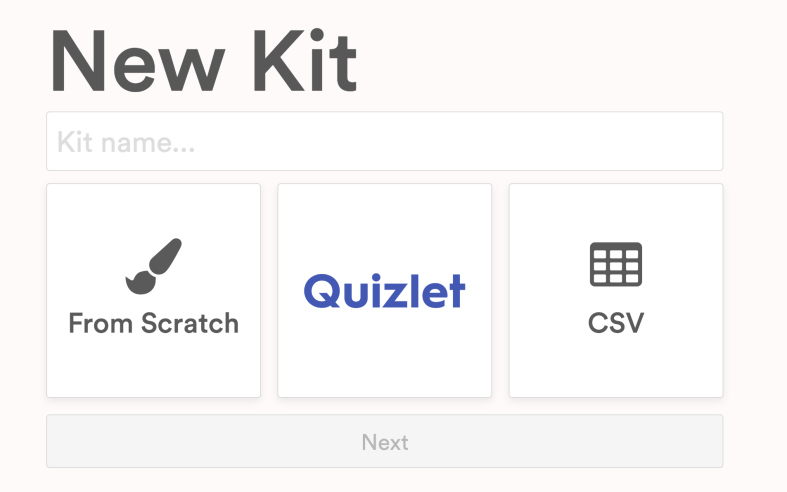
So last week I decided to give it a try in my classes without really knowing what to expect. I got started over the weekend by creating classes, entering the students’ names to make it easier in class. I created a few “kits”, which are games. It is very easy to create. You can start from scratch, upload your own sets of terms or connect with Quizlet to export a list of words directly into your game. The goal is to make as much money as you can, or for students to reach a set goal. Students can play individually or in teams and logging in is done through a code, where students can then either find their name if part of a class, or enter their name.. You can also set a time period to play, I have been using 10 and 12 minutes, just as a start.

I was very excited to try this with my classes and actually only intended to play during my Spanish I classes. To start, I told them that I really wasn’t sure how it worked and told them to just go for it.

Playing this reminded me of that day five years ago when we play Kahoot! for the first time. The students wanted to keep on playing more games every day and said it was their favorite. They were excited and having fun but more importantly I noticed that they were learning the words and their recall of the words became faster and faster with each time played. It was fun to observe them as they played, learning how the game worked, and hearing their interactions. Some students were yelling at their teammates “to stop buying things”, as they can “shop” and level up with extra money per question, buy insurance, bonus streak or other options. Eventually they all had fun buying things,  when they saw how quickly the money was being added to their account.

After the first round of games, I think the total won was around three million which seemed like a lot until the next class came in and had 17 million. The third group to play earned 37 million and when we decided to continue this the next day we were in the billions!

GimkitLIbrary

Gathering feedback and assessing the benefits of the tool

Once the game is done, a report is available which opens as a PDF. The summary shows the class results and the individual report lists each student, money earned and lost, correct and incorrect answers, followed by a list of the terms asked and the number of correct and incorrect responses. It is a great way to see what areas that the class as a whole needs some review with, but more importantly, something that can be shared with each student and used as a tool to study. Teachers can create 5 kits for free and edit each kit once. There are also paid plans that enable you to create more.


For the determining the benefit for students, I value their feedback very much and I ask them what they liked about the game and how they felt it impacted their learning of the vocabulary. They liked the game setup and the repeated questions, the music and the teamwork made it fun as well. Creating the kits was so fast and made it easy to keep adding more into my library. Another nice feature is the ability to assign kits for students to play outside of class for practice.

There are different options available for play in class as well as assignments. I love that students can work at their own pace and that they are learning more and feeling more confident with the material.  I definitely recommend that you check them out and follow them on Twitter, @Gimkit. Just in the past few days, there are already new features added, one favorite is the messages sent to teammates letting them know when someone on the team buys something.


12 Tools to Try…before summer break!

Updated from the Original Post on Getting Smart, January 19, 2018

Looking for new ideas to try before the end of the school year? If you have not tried some of this, now is the time!

There are so many digital tools available today that offer opportunities for promoting student creativity, student voice, and expanding where and how students learn. I had my own list of the tools that I found made a big difference in my classroom, but decided to ask students for their input.

Here is a list of tools to try in 2018, (or to try before the end of the year, let’s keep learning!)

Each of these offer multiple ways for students to create, connect and engage in more authentic learning experiences.

Promoting Connected Learners

We were able to take our learning to a whole new level this year through Project Based Learning (PBL). Using these tools enabled us to connect with students from several Spanish speaking countries, which created tremendous possibilities for more authentic learning and broadening our cultural understanding.

1) Edmodo: Virtual learning space, where teachers can set up a digital classroom to connect students with the resources they need, in a safe learning environment. Edmodo can be used for assessments and integrates with Microsoft Office and Google, making it easy to share files with students. Students relied on Edmodo to connect with students in Argentina, Mexico and Spain for their PBL. One student said “these connections enabled me to sculpt my PBL, and learn in ways that books, videos and regular classroom lessons cannot provide.”

2) Flipgrid: Video response tool, which became one of the most talked about tools this past year after launching new features, making it even easier and more fun for students to share their ideas. Students can record up to a five minute response, add emojis to their photos and access the “grid” quickly through a grid code. It is a great tool for helping students to become more comfortable and confident in sharing their ideas and sparking curiosity with their peers.

3) Padlet: Padlet, a virtual wall, is a favorite in our classroom. Students can create a digital portfolio by uploading files and links to projects, curate resources for PBL, or have discussions with classrooms around the world. Other popular ways to use Padlet are to ask questions, post homework, or as a classroom website. Newer features include being able to “like”, “grade” or “upvote” a post and directly transfer posts to another Padlet wall.

4) Recap: Recap 2.0 is a free video response tool, which integrates with Edmodo, Canvas, Schoology, Google Classroom and Blackboard, making it easy to implement right away. It provides a comfortable way for teachers and students to ask questions by setting them up in a “Queue”. Students can submit questions and receive direct feedback, in a safe moderated environment.

Tools to Engage Students in Learning

5) Quizlet Live: Quizlet Live is a fun way to encourage student collaboration by playing a team game using a set of Quizlet study cards. Teachers select a set of study cards, launch a Live game by providing students with a join code, and students are divided into teams. To play, you need at least four players and a study set with at least 12 unique terms. Only one member of the team has the correct answer and answering incorrectly bounces the team score back to zero.

6) Quizizz: Quizizz has launched some new features, including integrating with Edmodo and Google Classroom, which makes sharing or assigning games and reviewing results much easier. When playing live, students can see the class accuracy reflected as it updates the leaderboard live with each response. There are thousands of games available in the library, making it easy to get started or create your own.

7) Kahoot!: Some big changes to the layout and options of the platform make it easier to navigate and review questions in class. Teachers can now assign “challenges” to students as a fun way to practice by sharing a code. The new “Nickname Generator” creates fun and unique usernames such as “Mystery Panda” or “Fantastic Bat” to students. It definitely saves time rather than waiting for students try to come up with their own “creative” names.

8) Kidblog: Blogging has many benefits for helping students to express themselves and begin to develop their online presence. Teachers can provide students with a variety of writing prompts to not only assess student learning, but promote creativity, communication, collaboration and digital citizenship skills. With Kidblog, teachers can even AppSmash (use two or more apps or tools together to complete a task) by embedding other tech tools into the platform, such as Buncee, Flipgrid or by uploading images and documents directly from Google Drive.

Creativity, Assessments, Interactive Lessons and More

9) Buncee: Buncee, a versatile presentation and assessment tool, is great for creating multimedia projects full of animations, graphics, audio, and videos. Choose from thousands of templates, backgrounds, animations and other graphics to create invitations, classroom signs, and unique “Buncees” for any purpose. Buncee enables every student to find exactly what they need to add into their project and to bring out their creativity.

10) Formative: An interactive tool for creating formative assessments, for use in class or as student-paced practice. Students enjoy using Formative because they receive feedback quickly, they are able to “show” their work and when done as practice, move at their own pace. Teachers can create Formatives with different question types, content and even the ability to upload and transform files. Try having students create their own Formatives as a way to have more personalized and authentic practice.

Immersive Learning, Coding and Problem Solving

11) Nearpod: Nearpod continues to be a game changer in our classroom. It provides so many options for presenting material as well as assessing students through diverse activities. The chance to be immersed in the virtual field trips and explore places around the world is of tremendous value for students. Educators can quickly create interactive lessons which include multiple question formats, the ability to upload content, BBC lessons, PhET simulations, and even add in GIFS! Nearpod integrates with Google Classroom and Canvas, and most recently with Remind, making it even easier to share lessons. Nearpod also added 27 “College Tours”, available in VR, a great way to have students experience different schools by immersing in the campus, without having to travel the distance.

12) CoSpacesEDU: CoSpacesEDU provides students with a way to not only create their own “spaces”, but to be able to walk in the spaces created by their peers. To explore in VR (Virtual Reality) and problem solve by figuring out how to code using Blockly, offers students a truly authentic way to learn, create and problem solve. The Gallery is full of examples to get you started with ideas for your classroom. Use CoSpaces to have students represent a scientific concept, a book report, or create a scene representing something studied in any content area. Talk about creativity, imagination, innovation and critical thinking, and more all in one tool.

In the End

These are just 12 of the many tools out there for education. The most important thing to remember is the “Why”? behind using these in the classroom. While these 12 tools made a difference in my classroom, they may not have the same impact in yours, but I do recommend giving them a try. Think about the tools you are currently using to amplify or facilitate student learning. What is making a difference in how, what and where students learn? Could one of these be used in place of another, as a way to engage students more in learning, or even better, provide opportunities for students to move from consumers to creators?

My advice is to simply choose one of these 12 tools and give it a try. See how it goes, ask your students for some feedback, and then plan your next steps.

Rubicon Summit: Classroom’s Journey To Student-Led, Interactive Lessons

A Classroom’s Journey To Student-Led, Interactive Lessons

Written for the RUBICON SUMMIT

About two years ago, I found myself struggling to find ways to keep my students engaged in the lesson. I tried to get them involved more in class activities by offering more choices and providing opportunities for them to be part of the decisions made about what we were doing in the classroom. Why did I do this? Partially because I saw – and could feel – a decrease in student motivation and engagement. It was approaching the end of the school year, and the focus had shifted more to “when does summer begin?”

So I tried to do things a bit differently, think creatively, and take some risks. I wanted to keep us all moving, to finish strong at the end of the school year and begin summer vacation with a sense of accomplishment, to celebrate all that we had learned throughout the year and also what we had gained from these new experiences.

Educational Technology and Digital Tools with Purpose
Educational Technology provides so many resources that enable students to learn anywhere and at any time, and at a pace that is comfortable for each student. We can instruct from inside the traditional classroom, ​”​the brick-and-mortar​” ​as it is called, or from anywhere around the world. Using digital tools provides more differentiation and personalized learning, and provides opportunities for the students to move from consumers to creators. When students have choices in how to show what they have learned, they are more likely to be engaged and excited for learning. They will feel valued​,​ and the lesson and learning will be more meaningful because it has been made perso​n​al to them.

Creating Interactive Lessons
What did I change? I started by having my students create some interactive lessons using educational technology tools like Formative, Nearpod, and EDPuzzle, or even games with Kahoot! and Quizizz. It proved to be a very beneficial learning experience for all of us. By doing this, we had extra resources available that could be shared with students who might need some extra practice. I thought it went so well that I decided to take it a step further and start a “teacher for a day” activity during which the students create a lesson based on a grammar topic or vocabulary.

I stepped back and had the students lead our classroom. It was a really good way to learn a lot more about the students, to better understand what their needs were in terms of the content material, and for the students to learn about each other. Giving students the control and the opportunity to become the creators and leaders in the class has tremendous benefits and it has been something that we have enjoyed.

Giving Students the Control
At first when students created interactive lessons, I would launch the lesson and control it on the SmartBoard, but find ways to involve the student who created it during the presentation. I eventually decided to move aside, and took a seat in the back of the room, having the student lead the lesson, give explanations, answer questions, call upon students for answers, and provide feedback. Having the opportunity to sit back and experience this was tremendous. The students enjoyed the activity, supported each other, collaborated, and provided some positive feedback to each of their classmates. I was very impressed with how well they taught, led, and learned during each of the “teacher for a day” lessons.

Empowering Students in Learning
The use of these digital tools means ​that ​the “time and place for learning” is no​ longer​ confined to the ​traditional time and setting of the physical ​classroom​. It opens up the learning environment ​to​ anywhere​, at any time and at a pace that is comfortable for the students as well. Learning and having timely, purposeful and authentic feedback is critical ​for growth to happen. When we shift our focus to creating opportunities, giving students the control, leaving the decision making to students to choose ​how t​o show what they have learned, or ​letting them​ design their own assessments, they are more empowered in their learning.

What are the Next Steps?
Have a conversation with your students and ask for their honest feedback. What did they like? What did they not like? Which lesson or format seemed to help the most? What did it feel like to be in control, decide how to deliver the lesson, and experience being the teacher? You can have this as a face to face conversation, students can respond on paper, or use one of the many digital tools available for communication. No matter which way you choose, look to your students for the valuable feedback to decide your next steps. Be sure to ask yourself these same questions and continue to reflect on steps taken and progress made!

For more strategies about integrating technology into instruction, read Overcome

EdTech’s Problems With Blended Learning!

Practical Ways to bring SEL into the Classroom


Published on Getting Smart, 


Toward the end of the past school year, I noticed some changes in student behavior. There was a decrease in student engagement, especially while I responded to the question of a student seated close to me, students around the room became distracted or stopped listening. Trying to get the group to refocus sometimes presented a challenge and resulted in a loss of valuable instruction time. A second concern was how students had been treating one another. I overheard conversations in the hallways, witnessed unkind interactions in the classroom, or heard directly from students who sought help in dealing with different situations. There were two issues to resolve: eliminate the valuable instruction time that was being lost and help students to develop more positive, collaborative peer relationships. How could I connect students more to the content and to one another, so they could work together to foster a more positive classroom. After some brainstorming, I decided to first focus on ways to promote collaboration and to step out of my role of “leader” in the classroom by stepping aside.

The changes:

My first realization was that I needed to shift roles in my classroom. I needed to get out of the way, and students needed to do more than simply sit for the entire class. To get started, look at your own classroom. Where are you and the students spending the class period? Are you the only one speaking and moving? If so, think about how you can open up space and provide a more collaborative setting for students. Think about how you can involve the students in more “active learning” that will lead to better student engagement.

One morning, I looked at the physical space of my classroom and decided to break apart the rows of desks. By doing this, it created more flexible spaces for students to interact, to create and lead, and do more than just sit and listen. Students need opportunities to work with their peers through lessons and engage in activities where they can master the content together, and that will provide opportunities to develop their interpersonal skills, self-awareness and social awareness of others.


Making these changes can feel uncomfortable because it means going against what likely has been the traditional classroom structure. However, many teachers have moved toward flexible learning spaces, creating a more student-centered and student-driven classroom. A classroom which moves away from simply lecturing, reviewing homework, passing out materials, assigning new homework, and repeating this same routine the very next day. While this process may promote the acquisition and application of knowledge, it does not effectively promote collaboration, invite student input, nor foster development of vital SEL (social-emotional learning) skills.

CASEL (The Collaborative for Academic, Social, and Emotional Learning), formed in 1994, is an organization which actively works toward promoting the importance of developing SEL skills in education. SEL is focused on five competencies: self-awareness, self-management, social awareness,  relationship skills and responsible decision making. The development of these skills can benefit the level of student engagement as well, leading to higher academic achievement and reduce discipline issues in the classroom. To promote the development of SEL, here are some ideas and additional resources to get started.

Practical ways to promote SEL:

  • Icebreakers: I started the school year with fun icebreakers, to get to know one another and to find out what students had in common. Why? It all starts with relationships, building a connection with peers and the teacher, and using this to connect with the content area. Returning after an extended holiday break, doing even one icebreaker can be a good way to welcome students back to the classroom, to ease into the daily routine and to start the year fresh by working on relationships. Perhaps have students share what they did over break, show a picture, talk about favorite foods for holidays even, and let students make connections on their own.
  • Games and activities: Providing opportunities for students to interact through the use of games and activities in the classroom promotes the development of social-emotional learning skills. There are many online tools available to help you get started. For elementary and middle school, Centervention provides free online games, activities and printables for teaching students about SEL. Gaming helps students to learn to problem solve, collaborate, think critically, and develop empathy through scenarios within the game itself, or as a result of being part of a team. It creates a sense of community and belonging, which foster the social-emotional skills students need. Even by using Minecraft, educators have seen a connection between the benefits of gaming for learning and the development of SEL skills.
  • Learning Stations: Something that has really made a difference in my classroom has been using learning stations. I started the year with rows and decided one morning, that the rows had to go. I quickly set up clusters of desks or “stations” to accommodate three students each, with four extra desks grouped together in the center. At each station, students spend 10-14 minutes doing a hands-on activity like a worksheet, creating flashcards, watching a video, playing a game or simply coming up with their own ways to practice. Deciding upon the activities takes some planning, especially when trying this for the first time, but it is well worth it. Start by explaining the “stations”, involving students in the discussion and asking for feedback. When we explain our goals and share any fears we may have, we are modeling “self-awareness” and “self-management”. By using stations, we also have more time to interact with each student and group, work on relationships and foster a deeper understanding of the content as well as connecting with one another and creating a more positive classroom culture.

Challenges and solutions:

  • Groups: The first few class periods there were complaints. Students wanted to work with their friends and others wanted to work alone. It can be awkward if you are the only one who doesn’t find somebody to work with, but it can also be a challenge to work with a group when you may end up being the only one doing the work. Assigning random groups can help alleviate some of these uncomfortable feelings, even though in life and for the future, students may face the same challenges and uncomfortable moments, not having a choice in collaborative work. However, for the time being, the importance is to help students to develop interpersonal skills that will enable them to be successful in the future, to develop the social and emotional learning skills, especially in terms of relationships, decision-making and developing a self- awareness.
  • Timing: It can be a challenge at first to know how much time to provide for each station. I started by spending ten minutes reviewing material, asking questions, or doing an activity with the whole class, before starting stations. I tried giving 15 minutes for each, so students would work through two each day. Some students finished early and wanted to move on. To work through this, I would use the time to speak with each group or individual students, and then make adjustments during the next station rotation. There is always room to improve, but the important thing is remembering to be flexible and open to changes that will positively impact student learning and relationships.

Benefits:

  • Student engagement: Students have been more engaged in learning, and have come in to tell me how much they look forward to coming to class. Because of the different activities within the stations, students participate more because they are active and moving, and know that each station offers a new way to learn.
  • Student leaders: Students are offering to help one another, to explain concepts, and to cheer each other on. They keep each other on task and by working in these small groups, there are less distractions than working as a whole group. Each small group can ask questions, receive individualized feedback because I can freely move around the classroom and clear up any misunderstandings.
  • Teacher-student relationships: Students are getting timely, authentic and personal feedback. By using learning stations, more time is student-focused and those individual conversations can happen as needed, to help students to be successful and be more confident.
  • Student learning: In terms of academic achievement, the participation and results of recent assessments are the highest they have been. Students enjoy coming to class because they know they’re going to be leading and making decisions about their learning, in a way that is comfortable, flexible and fun.The learning experience is more authentic and meaningful for students. Research has shown the positive benefits of incorporating SEL into the curriculum.
  • Student behaviors: As for the class distractions and the negative interactions that existed before, both have decreased tremendously. It is not something that is going to change overnight but what matters is that we make constant progress. We are learning and becoming better together.