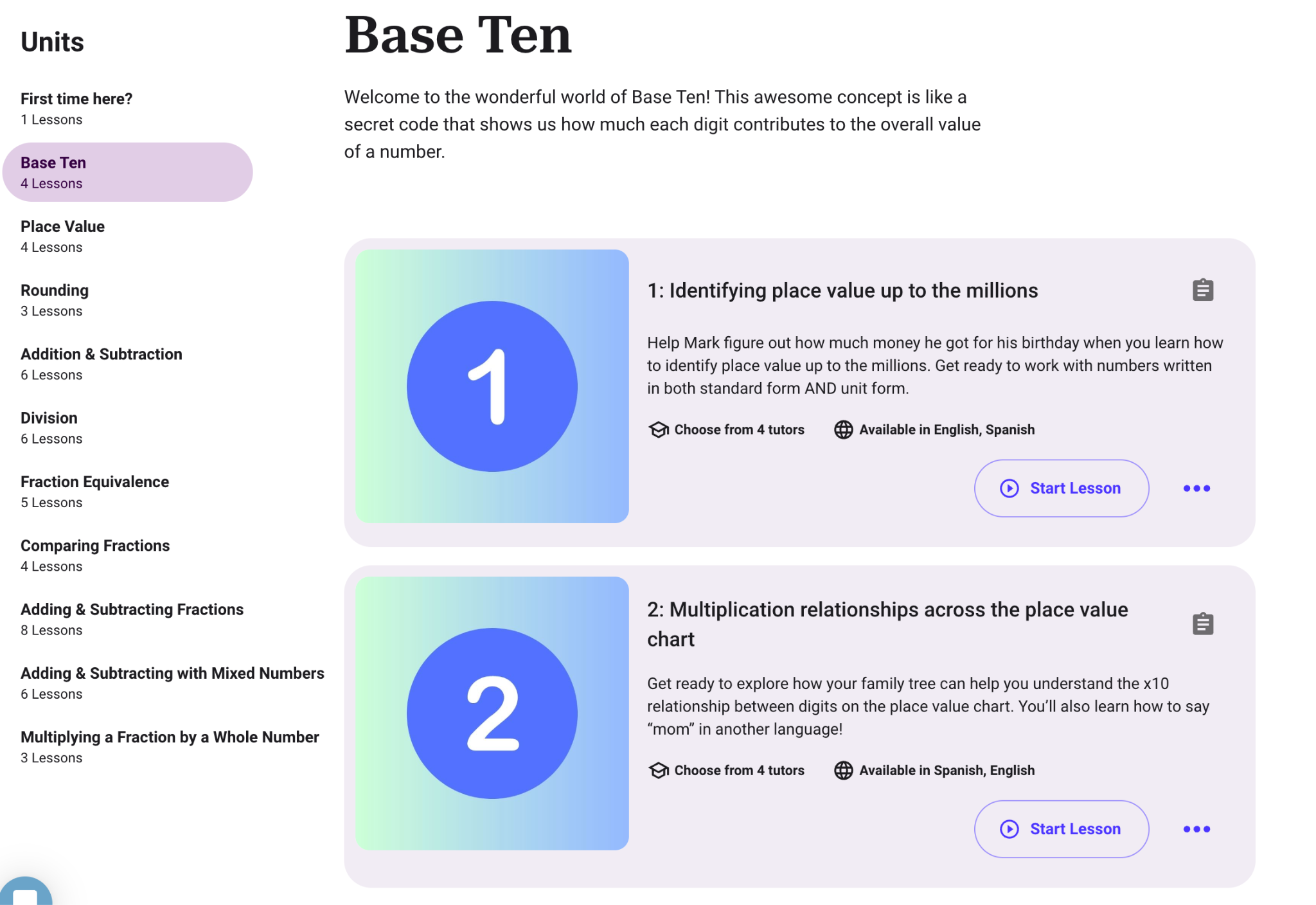
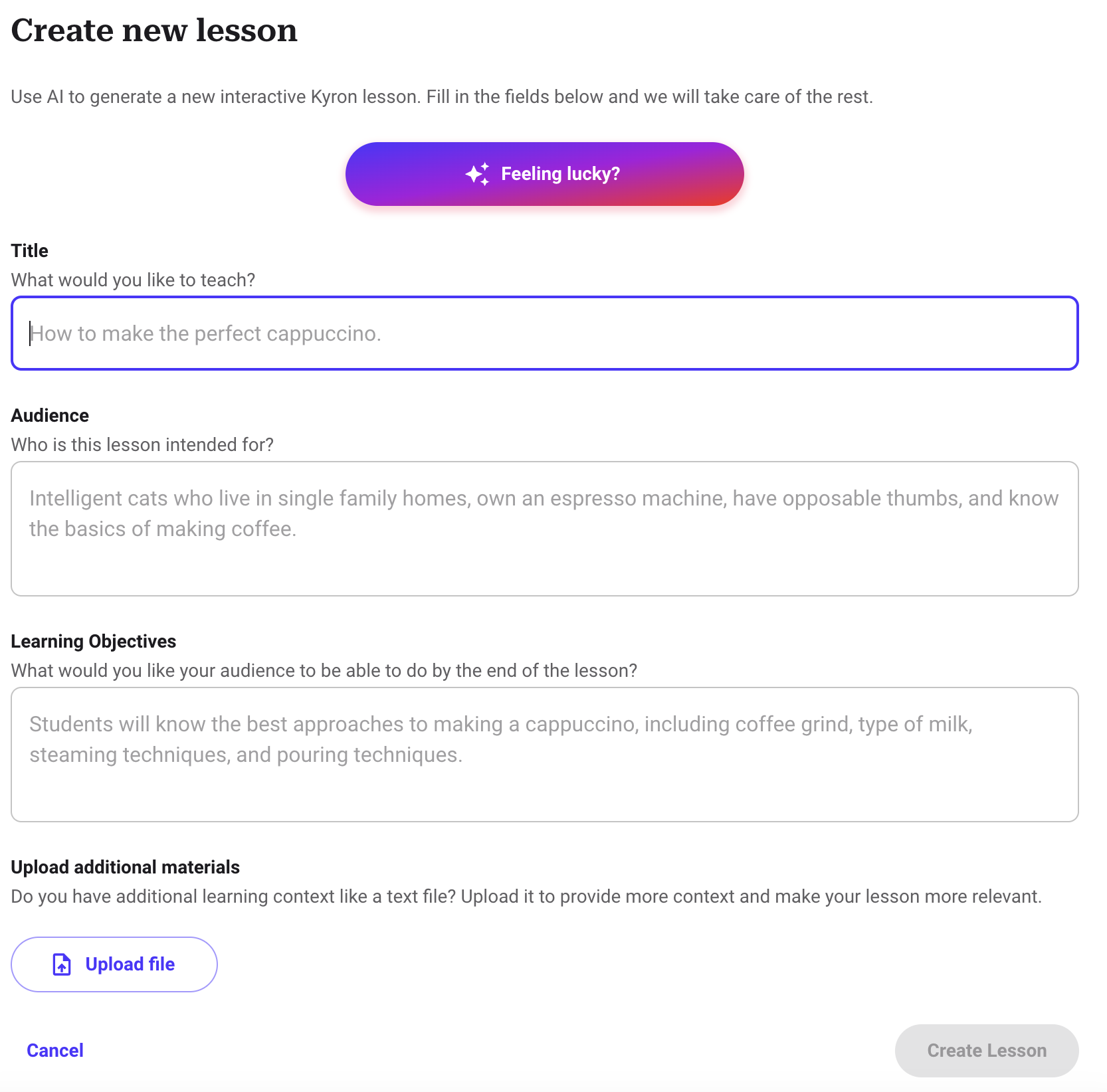
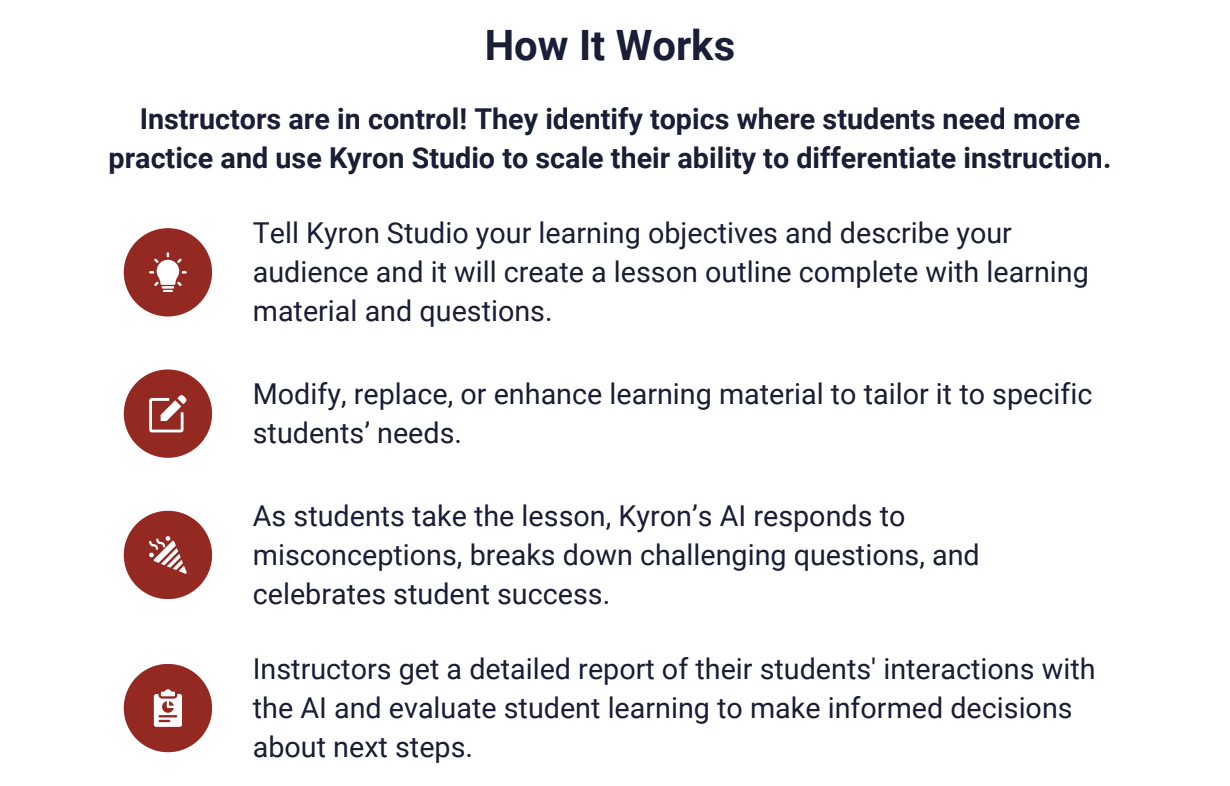
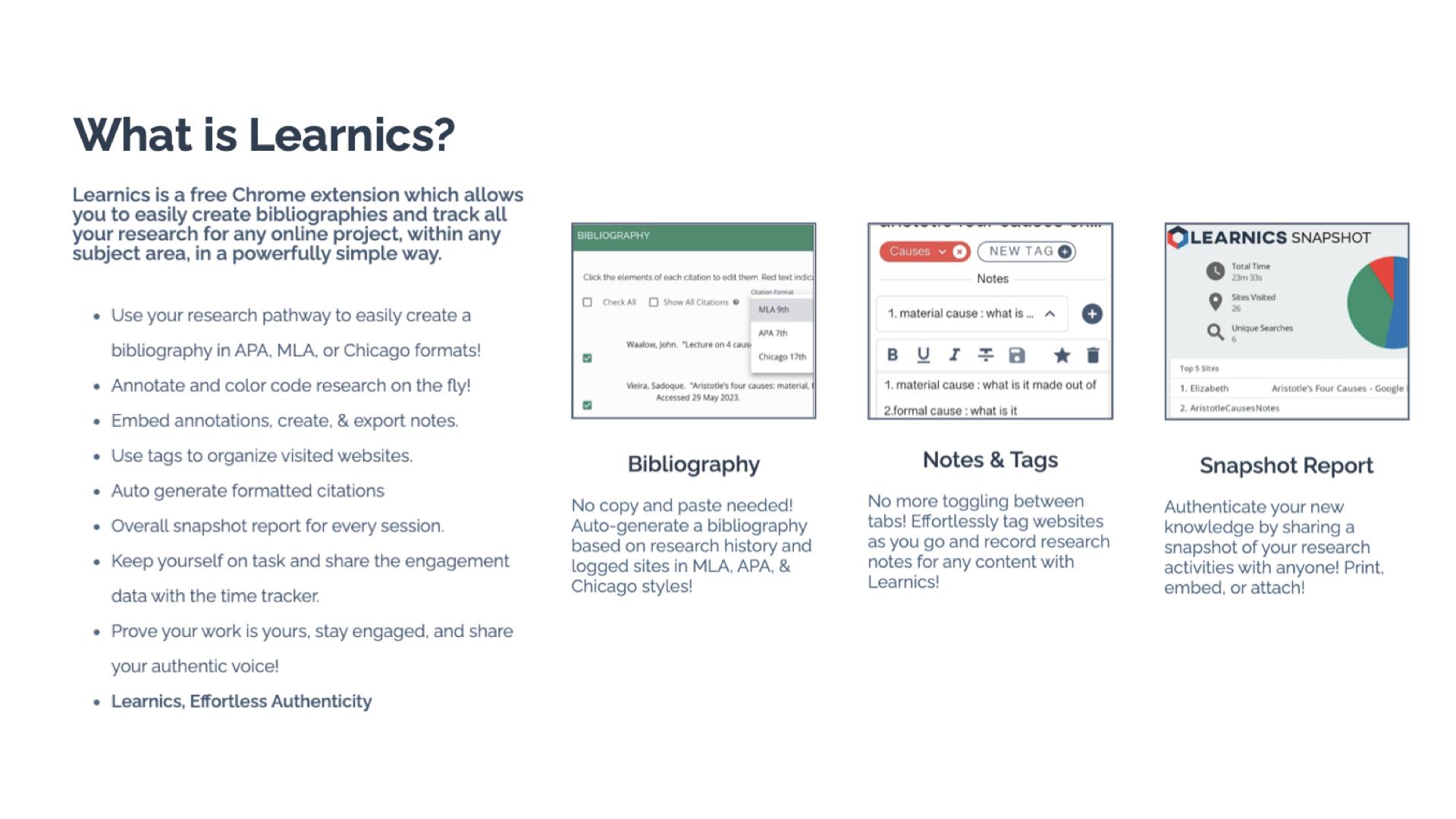
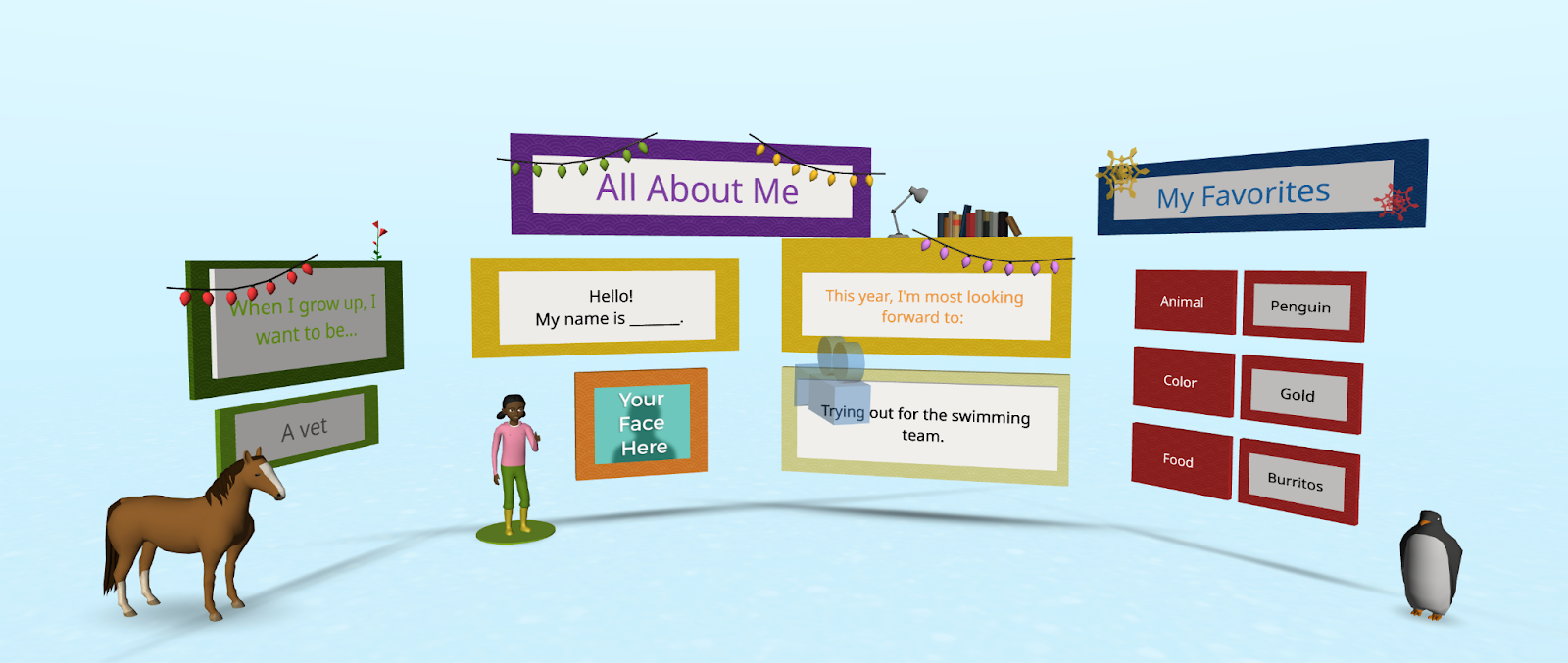
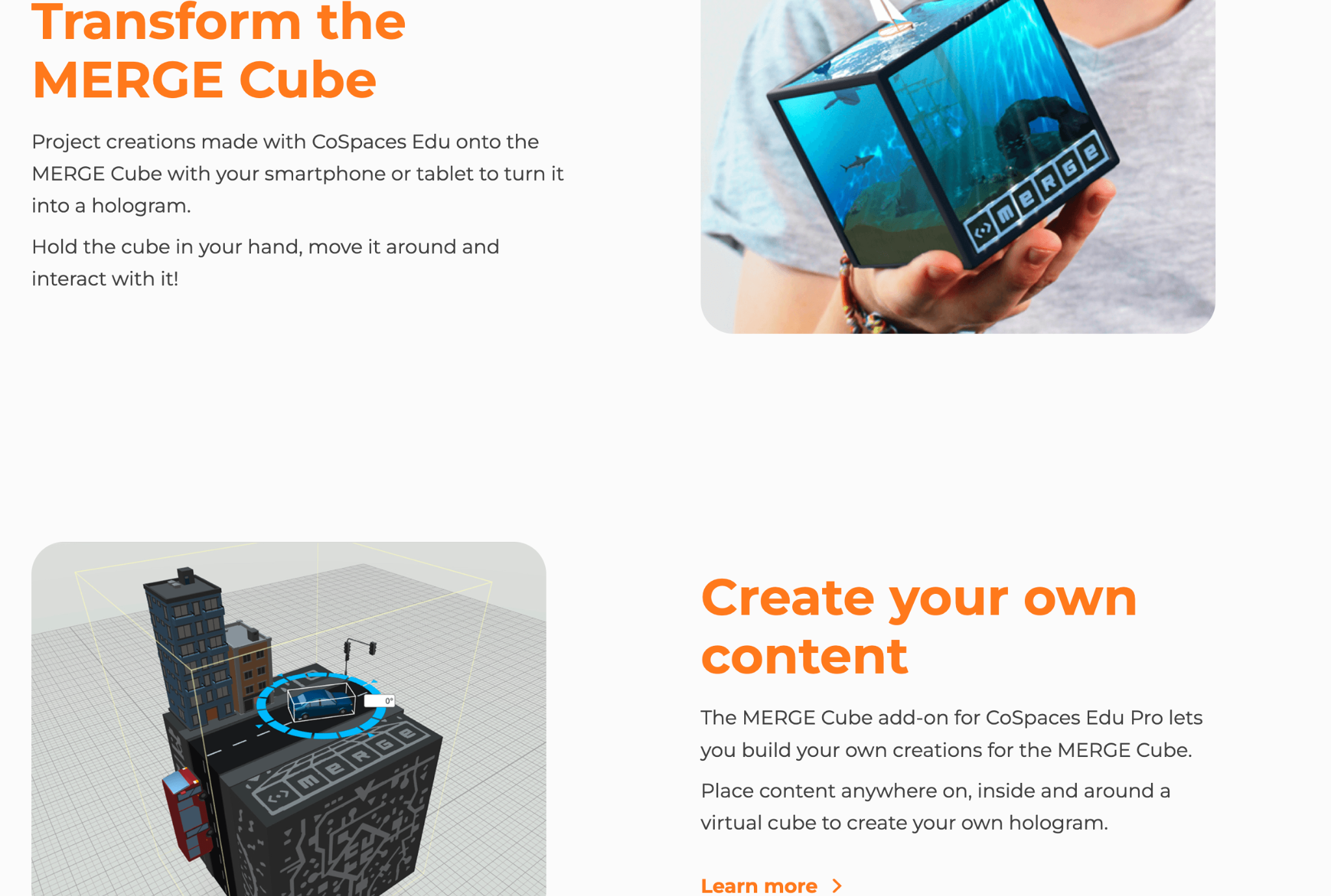
These apps and websites can help teachers boost their productivity, personalize learning, and create lesson content.
Over the past five years, I’ve explored ways to integrate AI into my teaching practice—even before ChatGPT and other generative AI became some of the most talked-about topics in education. Every educator needs to learn about AI and how we can leverage this technology to benefit our students and enhance our own work. To best provide for our students, we need to understand how this technology will impact them and us. What better way than to explore new tools via AI in our teaching practice?
Rachelle Dené is a Spanish and STEAM: What’s Next in Emerging Technology Teacher at Riverview High School in Oakmont, PA. Rachelle is also an attorney with a Juris Doctor degree from Duquesne University School of Law and a Master’s in Instructional Technology. Rachelle is an ISTE-certified educator and community leader and served as president of the ISTE Teacher Education Network. She was named one of 30 12 IT Influencers to follow in 2021 and one of 150 Women Global EdTech Thought Leaders in 2022.
**Interested in writing a guest blog for my site? Would love to share your ideas! Submit your post here. Looking for a new book to read? Find these available at bit.ly/Pothbooks
************ Also check out my THRIVEinEDU PodcastHere!
Join my show on THRIVEinEDU on Facebook. Join the group here
Time and the capacity to use data and understand it are at the essence of making data-driven decisions in classrooms and schools (Rhoads, 2019; Mandinach 2012, U.S Department of Education, 2010). In my research focusing on data literacy for educators, time has always been the number one issue for educators to use data to make decisions as well as learn and practice data literacy skills. Yet, with what we are going to talk about today, I believe that this can change by leaps and bounds.
Ultimately, as the world of education becomes increasingly data-driven, teachers and school leaders face the daunting task of learning how to effectively analyze and apply this data. The role of technology software in gathering, transforming, and visualizing data is no longer optional—it’s a necessity as our classrooms and schools are collecting immense amounts of data that can be utilized to support student learning. But how can we bridge the gap between the data we have and the insights we need in a quick and efficient manner? Enter Code Interpreter, a revolutionary tool that’s changing the way we approach data in education. Let’s discuss how it can be utilized to support data-driven decision-making as I believe it can solve many of the time and capacity issues facing teachers and school leaders in using data to make important decisions for students and school systems.
Note: For information related to my research into data literacy, please check out my study and its summary found here.
Data is Everywhere in Classrooms and Schools
Data for teachers and school leaders can be drawn from various avenues such as the school’s Student Information System, Learning Management System, and EdTech tools. Many of these tools provide opportunities within themselves to review the data they collect in the form of visualizations and dashboards. Yet, these tools do not provide in-depth analysis that can help teachers and school leaders make data and evidence-informed decisions to the best of their abilities. As a result, the data will need to be extracted, and cleaned, and further analysis will need to take place to see deeper insights as to what the data is telling us as well as how it may relate to other strands of data we’ve collected. For example, take test scores, student SEL surveys, and attendance data from a period of time. What we can now do is easily place those data points onto a single Excel file to be analyzed by Code Interpreter to see if any relationships may exist. With this said the goal of this blog is to demonstrate how this can be done by teachers and school leaders as they begin harnessing this tool to support them in their data-driven decision-making.
Step-by-Step Process of Using Code Interpreter
Now, we will discuss its major features in supporting educators in making data-driven decisions. First, we will discuss the process of how it can be used. Secondly, we will outline how it can conduct important data preparation and analysis steps for us in order for the results to be computed in a way that is understandable during analysis as well as to stakeholders. Third, we will go into further applications of Code Interpreter that can be utilized by teachers and school leaders. Let’s get started!
Important Facets Code Interpreter Can Do Essential to the Data-Driven Process
Before discussing how to use Code Interpreter in a step-by-step process, we want to cover some important facets it can do in the data-driven process: Clean Data, Statistical Analysis, Visualizations, and Articulate Data Findings to Stakeholders. All of these facets are critical when utilizing Code Interpreter and conducting any form of data analysis.
Cleans Data
One of the major hurdles in data analysis is data cleaning, a time-consuming but critical process to ensure accurate results. Code Interpreter can automate this process, identifying errors, inconsistencies, and outliers in raw data. With its robust data cleansing capabilities, Code Interpreter can streamline this often laborious task, leaving more time for interpretation and decision-making.
Note: This video illustrates how Code Interpreter cleans data. Cleaning data is super important in order to have valid results from a data set you are working with.
Conducts Detailed Statistical Analysis with a High Degree of Accuracy
Beyond cleaning data, Code Interpreter shines in its ability to conduct detailed statistical analysis. It can handle a wide variety of statistical techniques and tests, delivering a high degree of accuracy. Even complex data practices, often daunting for non-expert users, become more accessible and understandable with GPT-4’s intelligent interpretation and simplification of statistical outputs.
Visualizes the Data Based On the Statistical Outputs You Desire
Visualizing data is a key element in understanding and communicating complex information. GPT-4 Code Interpreter can assist in creating visually engaging and informative graphs, charts, and dashboards based on the statistical outputs you need. This automated visual representation of data can support data-driven decision-making by making the findings more tangible and accessible.
Note: Below is an example of a visualization of data produced by Code Interpreter
Articulates the Data to be Presented to Stakeholders
Another challenge that Code Interpreter addresses is the communication of data insights. Often, complex statistical analyses can be difficult to convey to stakeholders in a clear, understandable manner. Code Interpreter can summarize complex findings, generate reports, and even make predictions based on the data, making it easier for stakeholders to understand and apply these insights in decision-making.
Example in Action – Using Code Interpreter for Educational Data Analysis
Let’s focus on the example we provided at the beginning of this blog post. It focuses on reviewing test scores, student SEL surveys, and attendance data. We will now walk you through the steps of how to use Code Interpreter to dive into this data and analyze it. This will be a four-step process, which can take between five and ten minutes to complete.
Step 1: Gathering the Data
Your first task involves gathering your data from various sources – this could be test scores, student Social-Emotional Learning (SEL) surveys, and attendance data. Let’s say for this example that the test scores, the SEL survey, and attendance data are for the entire 2022-2023 school year. The assessment scores for an elementary school are from the most recent state-wide summative assessment given. Data can be collected from the student information system, the state’s assessment database, and the survey provided to students on a local Google Form. This may be the most time-consuming step of the process as sometimes data extraction features are hard to find and selecting data to extract may also take time as well.
Note: Below is a video example demonstrating how to export data from I-Ready Onto an Excel File.
Step 2: Organizing the Data in an Excel File
Once collected, arrange all these data points on a single Excel spreadsheet. You might have columns for the grade levels, test scores, survey responses, and attendance records. Make sure your data is clean, accurate, and organized coherently for the best results. What an educator can do is copy and paste the columns from each of the extracted data sources onto a single spreadsheet. Then, they can prompt after uploading the data to Code Interpreter to clean the data (more on that later).
Note: This video demonstrates how to combine data from multiple data sets in four ways using Excel.
Step 3: Importing Your Data into Code Interpreter
Now it’s time to engage with the Code Interpreter. To do this, you’ll need to import your Excel file into the platform. In most cases, this is as simple as clicking the “Upload” button and selecting your file.
Step 4: Prompting the Code Interpreter to Conduct Descriptive Statistics
Start with some basic analysis. For descriptive statistics, you might instruct the Code Interpreter to compute measures such as the mean, median, or standard deviation for your various data columns.
Note: Before moving into statistical prompts to ask Code Interpreter, be sure to prompt Code Interpreter to Clean the Data. For example, prompt Code Interpreter to clean the data and organize it for analysis, which it will then conduct for you.
To do this, you could input something like:
“Compute the mean, median, and standard deviation for the ‘Test Scores’ column.”
The Code Interpreter will then return the requested statistical measures.
What’s great is that it can provide easy-to-understand results. You can further review and question the results as well. Additionally, in this same instance, prompting it to visualize these results into graphs is another important feature, which can help in the data articulation piece for when it’s presented formally to other educators and stakeholders.
Step 5: Conducting Multivariate Analysis
For a more in-depth understanding, you can instruct the Code Interpreter to conduct multivariate statistical analyses. For example, you might want to find out if there’s a correlation between attendance and test scores.
To do this, you could input something like:
“Calculate the correlation between ‘Attendance’ and ‘Test Scores’ columns.”
The Code Interpreter will return the correlation coefficient, providing insight into the relationship between these variables.
Step 6: Interpreting the Results
Code Interpreter not only conducts the analysis but also provides a simplified interpretation of the results. This is a vital step to help you understand and apply the insights from the data to your decision-making process. As with descriptive statistics, you can further prompt it to dive deeper into the analysis or ask it to provide graphs to visualize the data.
Note: Below is a video demoing Code Interpreter a wide variety of ways that follow this protocol.
Further Applications
Code Interpreter isn’t limited to basic data analysis—it’s a versatile tool with a multitude of applications that can revolutionize the way we engage with data in education. Let’s explore some of the ways in which this advanced tool can assist teachers and school leaders beyond basic statistical analysis:
Facilitating Data Dialogues: The Code Interpreter can serve as a valuable assistant in data dialogues, aiding in both data cleaning and providing alternate perspectives in analysis. It can efficiently present various statistical outputs, offering multiple ways to interpret the data and stimulate insightful conversations among educators.
Developing Action Plans: With its ability to produce comprehensive reports and detailed analyses, the Code Interpreter can facilitate the development of data-driven action plans. By linking analyzed data to practical steps, it can help formulate action plans tailored to improve student outcomes.
Improving Instruction: The Interpreter’s analysis can uncover patterns and trends that are invaluable for informing instructional strategies. By linking data findings with recommendations for instruction, it allows educators to make data-informed decisions that directly impact classroom practices.
Enhancing Processes: Beyond the classroom, the Code Interpreter can also support the optimization of broader school processes. For instance, patterns in attendance data can inform changes in scheduling or student support services.
Predictive Analysis: The Code Interpreter’s predictive analysis capabilities can help forecast future trends, enabling proactive planning. For instance, it could predict future test scores based on current student performance and engagement metrics.
Personalized Learning: The Code Interpreter can help tailor educational experiences to individual student needs. By analyzing data at the student level, it can inform personalized learning plans to cater to each student’s unique strengths and areas for improvement.
Conclusion and Data Literacy Skills Needed to Be Effective Using Code Interpreter
We’ve embarked on a journey today, exploring the potential of the Code Interpreter in transforming educational practices through effective data analysis within classrooms and schools. By harnessing the power of this tool, we can redefine how we approach data, decision-making, and action in our educational spaces to improve our instruction and school systems for our students, faculty, and community.
However, as we navigate this digital landscape, it’s important to remember that tools like the Code Interpreter are most effective when coupled with our own data literacy skills. As teachers and school leaders, enhancing our understanding of data management and analysis will be instrumental in maximizing the benefits of these technological advancements.
This includes the ability to merge and transform data on spreadsheets, and the knowledge of single and multivariate statistical analysis. A strong foundation in these areas not only amplifies our ability to use tools like the Code Interpreter but also empowers us to question, interpret, and apply data insights in meaningful and impactful ways.
While this may seem like a daunting task, take heart in the knowledge that the digital age brings with it a wealth of resources to help build these skills. Online courses, webinars, workshops, and even integrated tutorials within tools like the Code Interpreter are at your fingertips, ready to help you embark on this exciting learning journey. For those who want to practice, Kaggle provides datasets from many different industries. It’s a great way to practice as the datasets come pre-packaged and are easy to work with as you get started with using Code Interpreter.
So, let’s take this as a hopeful invitation to embrace the future of data in education. The road ahead is full of opportunities for growth, innovation, and enhanced understanding, all aimed at one noble goal – the betterment of our educational environments. Together, equipped with our growing data literacy skills and the powerful Code Interpreter, let’s step forward into this exciting future.
**Interested in writing a guest blog for my site? Would love to share your ideas! Submit your post here. Looking for a new book to read? Find these available at bit.ly/Pothbooks

************ Also check out my THRIVEinEDU PodcastHere!
Join my show on THRIVEinEDU on Facebook. Join the group here
Building skills in STEM-related fields especially in computer science is important for our students today. The World Economic Forum stated that approximately 1 billion jobs will be transformed by technology over the course of the next 10 years and the Bureau of Labor Statistics “predicts a 13% growth in computer and IT-related fields between 2020 and 2030. As educators, we must continue to find ways to best prepare all students for the rapidly evolving world we live in. A valuable skill that we can equip them with is computer science. By exploring the careers that are highlighted through Defined Careers, students become aware of the different fields that require skills in computer science the types of jobs that will exist in the future, and how to prepare.
Although not every teacher has a computer science background, it is important to find ways to bring related learning activities into our classrooms for the benefits they can offer students. There are many advantages of integrating computer science into different grade levels and content areas through activities and projects. Defined Learning offers many resources that can help educators to get started.
What are the benefits of computer science for students?
Computer science helps students to develop some of the essential skills that are required in the world of work and that will continue to be needed, even though we don’t necessarily know what types of jobs will exist. Computer science-related learning can help students to build the following skills:
Analytical Thinking: Students will need to learn how to analyze by examining data, identifying patterns, and making data-driven decisions as they learn. Provide students with some problems to solve and task them with analyzing various aspects of it and potential solutions.
Collaboration: Students can work together in teams to explore computer science topics or work through activities together. In these experiences, they not only develop skills related to the content but also other skills in collaboration, critical thinking, and problem-solving, they learn to work together as a team as they push through challenges that may come with learning. It will prepare them for future careers where collaboration is essential.
Creativity and Innovation: By allowing students to design their own projects, such as creating apps, designing websites, or even games, they learn about computer science in an engaging way. These experiences also empower them to bring their ideas to life and spark their creativity!
Problem-Solving Skills: Computer science encourages students to develop their critical thinking skills and be better able to solve complex problems in learning and in the future. Through lessons in coding and programming, students will learn to break down tasks into smaller, manageable steps. These skills are essential when thinking about SEL skills and developing resilience in learning and dealing with challenges.
Ideas for exploring computer science
Coding: There is an increase in need for people with coding skills and that need will continue to grow over the next five years. A predicted 58 million STEM-related jobs will exist, many of which will require coding skills. Some options include Code.org, Scratch, or Tynker which offer age-appropriate coding activities that make learning fun. Matatalab has several robots available for learners as young as 3 and which provide screen-free coding options too. For younger students, trying the KIBO robot from KinderLab Robotics is a great option. Code with Google is focused on closing equity gaps in computer science opportunities and it provides free resources for students.
Hour of Code: Even though the Hour of Code happens during December, it is something that should be a focus throughout the year. There are many websites that offer activities for all grade levels. Options to explore include Scratch and Scratch Jr. which are designed for kids and available for free. CS Unplugged is an option that does not require computers, which promotes accessibility for all students.
Game or App Development: Students can try MIT App inventor and other online tools to create their own game. It can be done as a project-based learning experience. Students can design and create their own video games, and focus on the process of learning. Students can design and build mobile apps using platforms such as App Inventor or Swift Playgrounds that offer beginner-friendly environments for app development. These will help to encourage students to take some risks and hopefully spark curiosity for coding and computer science.
ISTE Curriculum: ISTE offers free curriculum guides for computer science educators that also bring in Artificial intelligence learning into the classroom. These guides are full of standards, resources, activities, and lesson plans that make it easy to get started. The guides are focused on elementary, secondary, computer science, electives, and ethics.
Robotics:There are a lot of resources for students to learn about robotics and explore more about what a career in computer science might involve.
Regardless of whether computer science may not be our primary field of expertise, integrating it into our classrooms can be incredibly beneficial for our students. The advantages include the development of problem-solving skills, enhanced creativity, real-world learning experiences, fostering collaborative skills, and analytical thinking. By exploring coding challenges, robotics, game and web development, data analysis, and app development, students can gain valuable computer science skills.
About the Author
Rachelle Dené Poth is a Spanish and STEAM Educator at Riverview High School in Oakmont, PA. She is also an Attorney, Edtech Consultant, Speaker, and the Author of seven books about education and edtech. Rachelle is available to provide PD on Artificial Intelligence, Augmented and Virtual Reality, Coding, SEL and STEM.
Contact Rachelle to schedule sessions for your school about Artificial Intelligence, Coding, AR/VR, and more!
**Interested in writing a guest blog for my site? Would love to share your ideas! Submit your post here. Looking for a new book to read? Find these available at bit.ly/Pothbooks
************ Also check out my THRIVEinEDU PodcastHere!
Join my show on THRIVEinEDU on Facebook. Join the group here
I have been speaking and teaching about AI in my classroom for more than five years. I was curious to understand where we see it in the world and how to teach about it in our schools. I was also fascinated by the capabilities of AI for learning and in the world.
I reached out to several educators and some students to find out what they thought about the changes we are experiencing in education, especially with these emerging technologies. There are, of course, concerns, ongoing conversations, and definitely excitement, although sometimes hesitant excitement, about what these technologies might bring to the world of education and work.
Educator predictions
Nicole Biscotti @BiscottiNicole, Educator
“AI has exploded on the scene and everyone is trying to figure it out at the same time which is exciting. A lot of educators are afraid that kids will use technologies like ChatGPT to cheat and have even banned its use. The reality is that kids have been cheating since the beginning of school and we have an exciting opportunity as educators to shape the narrative around this new technology. Biscotti plans to continue to learn as much as she can about how to use AI to better support her students. She says as an educator, “I feel that I am obligated to prepare my students for their future, not my past. These tools will only improve and they are here to stay. It’s imperative that kids are familiar with them and know how to use them or we risk sending graduates out into the workforce at a competitive disadvantage.”
Dr. Michael Harvey @doctor_harves, Pedagogical Prognosticator from Blenheim New Zealand
“AI/emerging tech has yet to really shape this past school year. Questions are being asked of what learning is and the role of assessment, but the actions to this change are yet to be realized.” He is thinking about /planning how to transition assessment tasks to a process rather than a product model. As for the future, Harvey thinks that “the next school year will bring pushback from the establishment and for those who want to progress in education a movement away from assessment of learning to assessment for learning and the role of AI to support student independence in learning.”
Alex Isaacs @mr_isaacs_math, Edtech Specialist from Long Branch Public Schools
“Emerging tech has helped teachers gain time while assisting with lesson planning, quick questions, and providing feedback to students in real-time. It has also helped increase data analytic capabilities by providing insights into student performance trends and instructional practice.” He plans to delve more into emerging technologies and how they can benefit the teachers and students in his school district. By participating in multiple coaching cohorts, including GoGuardian and Pear Deck, he hopes to gain more insight into helping his colleagues with these platforms. As for the future, “the discussions surrounding the ethical use of emerging tech will continue next school year.” He believes that more edtech platforms will increase their integrations of AI-related tech to provide differentiated instruction and personalized pathways to every learner.” Check out his AI-themed Wakelet collection that he and colleague Lois Alston created.
Vicki Van Matre @MsVanMatreArtRm, Teacher at Bluffton High School and ISTE Certified Instructor
Next year, Vicki will be teaching a class called the” 3rd class” for their new Education Professions pathway. One basis for this class is introducing technology’s role in the modern classroom. She was planning on discussing AI and how it could help the teacher but also discuss how to use it appropriately as a student. Her plans focus on involving students more in learning about ChatGPT by writing a lesson for them and having them make modifications where necessary. She also wants her students to experiment with a variety of technology to see “what THEY think would work best in the classroom.” While she uses technology in her art room, she has not yet experimented a lot with DALL E to see if I want to use AI for any of my art classes. However, she believes that if she does choose to use it, most likely it would be with the senior independent study students to have them experiment with it.
Student reflections
Holden, grade 10
“As soon as I was introduced to AI, I knew that it would change the world. The more I interacted with it, the more I understood its vast potential.” He shared that he “may or may not have used it to complete a few small assignments (Never in Spanish).” His uses were more as a study tool, in particular for reviewing for Chemistry. He would ask it to give a simple definition and an example and it worked perfectly to help him process the information and content better. He believes that “AI by itself is mediocre at best. However, when collaborating with humans, it can do amazing things.” As for benefits, he has an interest in starting an online store but has never really had the time and he hopes that with the help of AI to get a jumpstart this summer. “The school will look right through all the great things that AI is capable of and try to prevent it from being used completely.”
Lola, grade 11
“I believe that emerging technology has provided and created new opportunities for students. The new ideas and aspects of technology accessible to students now provide new experiences and can help to improve a student’s capabilities and knowledge about the subject they are studying.” Looking ahead, “I believe that by next school year, technology will continue to grow and emerge in new ways that will allow students to continue to have opportunities that will enhance their learning environment.”
Dimitri, grade 8
“AI and a lot of new tech has helped me with coming up with ideas for projects or providing me with a summary of a book, if I forgot something that I had read or I didn’t understand it.” As for the next school year, “I hope we will be allowed to use ChatGPT in class to help us understand books and literature more.”
With the rapid advancements in AI and emerging technologies, there are now incredible opportunities available to us and as we reflect on the past year, it becomes evident that AI and emerging tech have revolutionized education in ways we never imagined.
Looking for PD for your school? I provide in-person and virtual training on the following topics. If you want to learn more about and explore AI and ChatGPT, contact me to schedule! Rdene915@gmail.com
**Interested in writing a guest blog or submitting a sponsored post for my site? Would love to share your ideas! Submit your post here. Looking for a new book to read? Find these available at bit.ly/Pothbooks
Guest post by: Torrey Trust and Robert W. Maloy, University of Massachusetts Amherst
“The Ethicist” – Kwane Anthony Appiah’s column in the New York Times Magazine – offers philosophical advice about how to respond to the dilemmas and complexities of everyday life. People submit questions they want answered, and the rights and wrongs or ethics of what to do are not immediately clear or self-evident. Questions posed include: “Is it ever acceptable to visit a Confederate historical site?” “My salary is too high. Is it wrong to stay in my job?” “Can I sell my Taylor Swift tickets for thousands of dollars?” and “Can I use ChatGPT for the tedious parts of my job?” In July 2023, the Ethicist responded to this last question about ChatGPT, which was written by the chair of the English department at a small college. The reply was “yes,” as long as “you exercise proper vigilance and can stand by what you submit” (para. 4).
Utilizing “The Ethicist” as the starting point for instructional ideas, we envision giving elementary, middle, and high school students ongoing opportunities to develop their own ethical responses to authentic questions and issues they are facing in their lives, schools, and communities – especially those related to the use of GenAI tools and large language models (LLMs) – as a means of helping them develop their civic engagement skills and knowledge. Ideally, students engage in discussions about how they and others should act in the different situations and settings of everyday life. By stating their views and restating and understanding the views of others, students will become more socially conscious and civically engaged as members of our diverse society.
Questions of ethics and ethical behavior are central to how individuals and groups conduct political campaigns. In the run-up to the 2024 election, political candidates, parties, and action and advocacy groups have been using GenAI tools to generate campaign speeches, policy proposals, and even fundraising emails. In one example, the Democratic Party used AI to write fundraising emails and found that AI-generated fundraising requests performed as well as or better than human-generated requests in generating financial responses from donors (Goldmacher, 2023). However, not all uses of GenAI in political campaigns have been done with honorable intentions. University of Georgia journalism professor David E. Clementson (2023) identified multiple ways that GenAI tools could make political campaigns more deceptive than ever, including using these tools to design customized bogus campaign promises, write outright lies presented as truthful statements, convince voters to reevaluate their choice of candidates, and craft manipulated photos of candidates.
Following the model of “The Ethicist,” students could be asked: “Is it ethical to use GenAI tools to craft political campaign materials and media?” To begin this activity, students could be encouraged to use the Teacher and Student Guide to Analyzing AI Writing Tools to critically investigate popular GenAI tools, including ChatGPT, Bard, Stable Diffusion, and DALL-E. This guide provides a series of prompts that motivate students to examine the design and production of AI tools (questioning things like “Who designed this tool and why? “How does this tool make money?” “What data was used to train this tool?” “What biases are represented in the data?” and “What privacy protections are in place for users’ data?”) and the output of AI tools (questioning things like “Who or what is included in the output and who or what is left out?” and “How does the AI-generated output compare to human-generated text or media?”). Through this type of critical investigation, students might uncover that GenAI tools are trained on data that has embedded biases and consider what that might mean if political campaign staff use these tools, for example, to write fundraising campaigns based on demographic data.
Next, students could work on designing their own political campaign to run for a local or statewide political office (see the “Online Campaigning for Political Office” activity). Students could start this activity without any assistance from GenAI tools and then mid-way through the activity have the opportunity to use AI to help with or improve their campaign materials. For example, students might ask ChatGPT to generate a series of social media posts related to their campaign promises, write a script for a podcast or video that will be embedded into their campaign website, improve the quality of the text for their campaign website, or devise a strategy for increasing voter engagement with their campaign. Or, they could use image generators, like Microsoft Bing Image Creator powered by DALL-E, to produce visuals for their campaign websites or social media posts.
After designing their own political campaigns with and without the assistance of GenAI tools, students could engage in a discussion or debate about whether they think it is ethical for politicians and their campaign staff to use GenAI tools to craft political campaign materials and media. Integrating an ethical question about the use of AI in political campaigns as students design their own run for political office gives students an opportunity to investigate what AI can and cannot do and what AI should and should not do as a tool. The cognitive scientist Fei-Fei Li said nearly a decade ago: “AI is a machine that can make a perfect chess move while the room is on fire” (quoted in Knight, 2017, para. 4). Her point is AI can generate content, but not critical thought or socially and morally ethical plans for action. Through this activity, students consider what role AI should play in politics, and then they should be able to form their own opinion to the prompt: “Is it ethical to use GenAI tools to craft political campaign materials and media?”
Author Bios
Torrey Trust, Ph.D. is a Professor of Learning Technology in the Department of Teacher Education and Curriculum Studies in the College of Education at the University of Massachusetts Amherst. Her scholarship and teaching focus on how technology shapes educator and student learning. Specifically, Dr. Trust studies how educators engage with digitally enhanced professional learning networks (PLNs), how emerging pedagogical tools (e.g., HyperDocs), practices (e.g., Making), and technologies (e.g., 3D printers, augmented reality) facilitate new learning experiences, and how to design and use open educational resources (OERs). Dr. Trust served as a professional learning network leader for the International Society for Technology in Education (ISTE) for five years, including a two-year term as the President of the Teacher Education Network from 2016 to 2018. In 2018, Dr. Trust was selected as a recipient of the ISTE Making IT Happen Award, which “honors outstanding educators and leaders who demonstrate extraordinary commitment, leadership, courage, and persistence in improving digital learning opportunities for students.” www.torreytrust.com
Robert W. Maloy is a senior lecturer in the College of Education at the University of Massachusetts Amherst where he coordinates the history teacher education program and co-directs the TEAMS Tutoring Project, a community engagement/service learning initiative through which university students provide academic tutoring to culturally and linguistically diverse students in public schools throughout the Connecticut River Valley region of western Massachusetts. His research focuses on technology and educational change, teacher education, democratic teaching, and student learning. He is co-author of Transforming Learning with New Technologies (4th edition); Kids Have All the Write Stuff: Revised and Updated for a Digital Age; Wiki Works: Teaching Web Research and Digital Literacy in History and Humanities Classrooms; We, the Students and Teachers: Teaching Democratically in the History and Social Studies Classroom; Ways of Writing with Young Kids: Teaching Creativity and Conventions Unconventionally; Kids Have All the Write Stuff: Inspiring Your Child to Put Pencil to Paper; The Essential Career Guide to Becoming a Middle and High School Teacher; Schools for an Information Age; and Partnerships for Improving Schools.
**Interested in writing a guest blog for my site? Would love to share your ideas! Submit your post here. Looking for a new book to read? Find these available at bit.ly/Pothbooks
************ Also check out my THRIVEinEDU PodcastHere!
Join my show on THRIVEinEDU on Facebook. Join the group here
Guest post By Reggie Grant, Twitter @media4literacy
This project was presented at the FSU-Teach STEM Teaching Mini-Conference at Florida State University on June 28, 2023.
“While we teach, we learn.”
These words are attributed to the Roman philosopher Seneca and are the inspiration for a classroom project that I recently developed with my former colleague Brian McClain. “In what scientists have dubbed ‘the protégé effect,’ student teachers score higher on tests than pupils who are learning only for their own sake,” according to a 2011 Time article.
As a longtime high school science teacher, Brian has encountered various common science misconceptions that students hold, some of which are directly or indirectly related to photosynthesis. In an article published in the 2015 issue of the European of Teacher Education, researchers say misconceptions like these must be confronted and corrected to prevent them from stunting students’ future understanding.
“Misconceptions operate to distort new learning. …learners’ existing misconceptions will hinder future-related learning,” the article says. “Before new concepts can be understood, misconceptions must be dispelled.”
Brian and I designed this media project to help students use research and credible evidence to correct some of these common science misconceptions. The project guides students in the production of a short instructional video presentation that sets the record straight about a chosen misconception.
This “Set it Straight!” video project is similar to another project I developed a decade ago when I was teaching high schoolers. In that project, students taught others the correct use of a commonly misused set of words. Examples include there / their / they’re, affect / effect, and farther / further.
Using media this way in the classroom is endorsed by the Science Education Resource Center at Carleton University. SERC recommends teachers use media technology to engage students in more meaningful and deeper learning experiences. It should be used for more than delivering PowerPoint presentations and showing videos.
“Media can also be student-generated,” the SERC website said. “This approach asks the student to step into the role of the teacher and create content that will engage learners and help them to master concepts.”
“Involving students in creating media encourages collaboration, accountability, creativity, and mastery of ideas and concepts,” the SERC website said. “Importantly, one does not need a large budget, fancy studio, or advanced degree to create original media that is informative, entertaining and educational.”
The Project
The “Set it Straight!” video project is guided by a series of prompts.
For example:
“What is the common misconception you researched?”
“Why do you think this is a common misconception?”
“Identify and list two or three important facts necessary to correct this misconception.”
The questions require students to restate the questions and answer them clearly and briefly. Limiting the number of sentences students can use in their answers is important. Short answers require students to really understand the concept. Clarity and brevity are the keys to effective media production.
After feedback has been provided and final revisions have been made, the questions/prompts are removed and the answers/responses become the script.
Students record themselves reading the script.
Accompanying visuals (photos/charts/graphics) are created and/or identified and downloaded.
Then, the visuals and narration are edited together for the video, which will be no longer than about three minutes.
“Nutrients in the soil are the primary source of the mass increase in plants during their lives.” This misconception is corrected in this example video that we produced.
Conclusion
Making sense of a complex concept by creating media products is empowering for students. It is an effective way to actively involve students in their own education by teaching others.
And by teaching, they learn.
If you have any suggestions for this project, please send them to mediaforliteracy@gmail.com
Reggie Grant teaches journalism and mass communications at Tallahassee Community College. For 11 years, he taught media production — introduction to mass communication, photography, video production, and graphic design — at Lincoln High School in Tallahassee, Florida. He blogs at https://mediaforliteracy.wordpress.com and can be found on Twitter @media4literacy.
Looking for some PD for your school? I provide in-person and virtual training on the following topics. If you want to learn more about and explore AI and ChatGPT, contact me to schedule! Rdene915@gmail.com
**Interested in writing a guest blog or submitting a sponsored post for my site? Would love to share your ideas! Submit your post here. Looking for a new book to read? Find these available at bit.ly/Pothbooks
This was my ninth time attending the ISTE conference, the third time it was held in Philadelphia, Pennsylvania. There were a few years that the in-person event did not happen but ISTE held a virtual conference that enabled educators to connect and learn with other educators from around the world. It is the reason I look forward to the summer and a conference I look forward to because it brings in people from more than 80 countries from around the world. It offers so many different ways to learn through the poster sessions, the playgrounds, the concurrent sessions, panel discussions, workshops and other special events.
But beyond those specific learning spaces, there are lots of opportunities to connect with educators and build your PLN. It’s not just the learning that happens in those session rooms and spaces. It is about the learning that also happens on your walk to the sessions and while in the open spaces. A time when you can walk and talk or sit and have a conversation. And even once the conference day ends, the social events that happen later in the evening, are always great for connecting with friends and making new ones.
The conference was a little bit different for me this year because even though my schedule was busy it didn’t feel as overly busy as in prior years. I had the opportunity to join in some new adventures, present sessions on some of my favorite topics, and had the honor of being involved in the Closing Mainstage.
For me, as soon as I met friends at the airport, the excitement started. Then as soon as I arrived at the convention center to register on Sunday afternoon, it took a good 25 minutes to get there because I kept passing friends along the way, some of whom I had not seen in more than 5 years and a few that had never met in person. And when that happens, you have to stop and enjoy those moments.
Registration can definitely wait. Taking the time to stop, grab a quick picture, a hug, even a quick conversation makes all the difference. It brings those connections to life and reminds you to not miss out on opportunities, no matter how tired you are.
Presenting with friends
There wasn’t much time to waste as I had a workshop with my good friend Melody McAllister on Sunday. While we have done a live show for years, it was the first time presenting together officially. The focus was on podcasting and live streaming. We had a great crowd, our session was sold out and it was a high point in the conference for me. Being able to present with friends, share each other’s perspectives, and learn together, really makes a difference. For a long time, I did sessions by myself and that definitely helps me to build my own comfort level and confidence but I have definitely grown to prefer having friends present with me because we can bring in our different backgrounds and experiences and it’s just fun.
Another highlight was my Immerse Students in Learning session, all about AI, AR, and VR, topics which I have been presenting on for a little over 5 years. It has been amazing to see the increased interest in AI especially over the past 6 months with the entrance of ChatGPT, it has stirred up a lot of conversation and will continue to do so.
It’s a lot of fun to share with educators how I got started in teaching about AI in my classroom, knowing very little but also knowing that I needed to just dive right in. And that’s the advice that I often give. You don’t have to be an expert, you just need to have one idea, one method, one tool to start with and put it in the hands of the students. It’s important to also engage in conversations about these topics and these technologies so that we can be mindful of any concerns but also aware of the potential benefits not just in education but in preparing the students for their future and how these technologies might be used in the world of work.
Presenting with students
Another highlight was being able to co-present with Namya Joshi, (#EachOneTeachTen) a young student from India who we had hoped would be able to attend in person but thanks to technology and the power of using Zoom, I was able to bring her in to present with me during that session. Powerful to hear from students and I definitely recommend any time you can involve students in sharing the impact of these tools, and in this case the importance of STEM, then we need to do this. Hearing from her, (at actually 3:00 in the morning because of the time difference), did not diminish her spark for STEM and she was definitely an inspiration.
ISTEVerse
The three-day augmented and virtual reality ISTEVerse experience was a big hit and I tried to direct people to stop there as much as I could because a lot of people don’t realize the benefits of it until they experience it. And without access to the resources or know how to sort through all of the tools that are available, it can be hard to dive in and explore. That space had a variety of opportunities for people to learn about augmented and virtual reality, how to have students create rather than just consume, and that AR/VR is something that can be used in all content areas and grade levels.
Coffee with Kai’s Clan
Social events
And everybody kept busy with social events, which are great spaces for networking. Whether the Edtech karaoke, casual gatherings for coffee or small sit-down dinners, there were opportunities everywhere. Learning still happens in these spaces. What I’ve discovered over the years is that PD does not only mean sitting down in a session and listening to a presentation. PD is so many different things and there are so many ways for people to choose the type of PD that is going to impact them the most.
Those early morning CoffeeEDUs with Alice Keeler, the social events and mixers held by some of the companies that we all know, and quaint gatherings by some other companies that enable you to really engage in conversation and get to know the people behind the products and their passion for what they’re doing. An amazing dinner with the BookWidgets team was a lovely opportunity to relax, enjoy the conversation and spend time with friends.
Dinner with BookWidgets
The Closing Mainstage: AI in Education
And one final highlight as I’m rolling these out in chronological order, was the Closing Mainstage on Wednesday. I was honored to be selected as the person to introduce and then interview the keynote speaker Kevin Roose. He is a New York Times columnist, a bestselling author of three books and he writes about technology, education, finance, and AI. We had the opportunity to sit down and talk for about 20 minutes. I had a lot of questions for him but tried to streamline them to those that are on the minds of many educators that I’ve spoken to, and some questions based on what I had read in his most recent book Futureproof.
Some of the biggest takeaways from that conversation are:
As educators, we need to be willing to embrace new ideas, trends, and technologies, even if we don’t fully understand them or we feel like we’re not the expert, we have to keep up with the changes that are coming.
We have to prepare our students and understand how these tools can be beneficial to us and to students, but we also have to be cautious as with all things, and question their purpose.
Consider any potential concerns or harm that can come from using them whether safety, security, or privacy. Ethics needs to be part of the conversations that we have and continue to have as these tools continue to evolve.
If we look at the positives, for teachers, as Kevin stated on his podcast dividing the AI between the “relational and the logistical.” We need teachers, humans, for the relational so that we can work with the students, we can have conversations, and support them as they learn. But we can benefit from the logistical or the clerical tasks that AI can do like helping us with some of the grading or having it be able to see trends in student responses and create a personalized learning path for them in real time. We can use traditional assessments and give students feedback one-on-one, but we can also find a way to balance the use of the technology so that we have more time to work with our students and provide for them with exactly what they need.
It was a great conference and it’s hard to believe that it has come and gone already but before you know it, it will be June 2024 and we will be in Denver for ISTE. The last time it was held there was in 2016 and that was the first time that I got on an airplane in many years and so I’m looking forward to returning to the conference next year. If you have not ever attended but have been giving it some thought, I definitely recommend that you try to go. And if attending in person is not an option, take advantage of the virtual learning that is available. Several of my sessions were recorded and live streamed and many of the other sessions were as well. So you can join in, interact in the chat, build your network, and learn from wherever you are and whenever you want to.
Jenn Womble and Adam Phyall
Wakelet and Capstone friends
The power of these global networks is that there is something for every educator and it’s important to keep pushing ourselves to learn and grow and adapt with the changes that we have seen and will continue to see in education.
See you in Denver next June!
About the author
Rachelle Dené is a Spanish and STEAM: What’s Next in Emerging Technology Teacher at Riverview High School in Oakmont, PA. Rachelle is also an attorney with a Juris Doctor degree from Duquesne University School of Law and a Master’s in Instructional Technology. Rachelle is an ISTE Certified Educator and serves as the past president of the ISTE Teacher Education Network. She was recently named one of 30 K-12 IT Influencers to follow in 2021.
Looking for PD for your school? I provide in-person and virtual training on the following topics. If you want to learn more about and explore AI and ChatGPT, contact me to schedule! Rdene915@gmail.com
**Interested in writing a guest blog or submitting a sponsored post for my site? Would love to share your ideas! Submit your post here. Looking for a new book to read? Find these available at bit.ly/Pothbooks
Guest post by Melisa Hayes, 2nd grade teacher, @MrsHayesFam
It’s that time of year again when the biggest tech conference comes together to show off their tech toys; educators & consultants share amazing strategies, resources, and more! For many, it’s another year. For others, it’s the 1st time. In any case, It’s an exciting time! It’s like Black Friday. The anticipation or dread of packing, creating your schedule for the week, & preparing for your presentation gives many goosebumps. The suspense of getting on the plane or in a vehicle and taking off makes your heart race. Arriving in Philly & thinking about all your friends you’ve only spoken to virtually and getting to physically hug for the 1st time or friends you can’t wait to hug again!
The day is finally here and you have arrived, it’s official. Christmas has come early. The love you feel when you see your friends/family is such a rush of emotion. I remember last year at my first ISTE and seeing my family for the first time. It was a HIGH. A drug that I didn’t want to stop using! For me, these educators are my family. The rush of emotions I felt is hard to explain. Most people can’t understand, my husband being one of them (LOL) I have established a relationship with so many. We know each other even if we’ve never met. The impact each has had on not only me but my 2nd-grade family is just astronomical! These amazing educators have zoomed with my kids and some have Zoomed with them for years! I actually plan to use Microsoft Flip to showcase these family members to my kiddos!
The EXPO/North Pole is miles and miles of tech toys and rock stars showing off the latest and greatest resources. For teachers, It’s Christmas. The giveaways you’ll receive are astronomical! For me, It’s all about the PEOPLE. Get that camera ready and take LOTS of pics to capture those memories. You want to savor every moment! Also, make sure to have comfy shoes. Whether flip flops, crocs, tennis shoes, or any comfortable footwear you’ll need since the convention center is approximately 1.3 million square feet. That’s a lot of traveling so be prepared:)
Snacks are essential as well as chargers, camera/device to capture the memories, Advil for sore muscles or a headache, and a HUGE bag for all those giveaways from the expo:) It would be good to have labels with your name and address so you don’t have to fill out SO MANY slips for giveaways:) Have an open mind when hearing all theories, strategies, and resources. These amazing ideas can always be scaffolded or differentiated for our kids.
Last piece of advice, ENJOY EVERY MINUTE of Black FridayS… These days fly by and before you know it, you have to say goodbye to family/friends. Sign up for all the activities and enjoy all the amazing learning and tech toys that you may win:) Lastly, make memories. You never know what life has in store so savor every moment! #ISTELIVE
About the Author
Melisa Hayes
Melisa is a 2nd-grade teacher in Hilliard, Ohio, and has taught for 26 years. Melisa has a Master’s in Education degree and is passionate about inclusion, blending technology into the curriculum and creating experiences in the classroom, such experiences focus on creativity, Stem, coding, and more. She earned the recognition of Global Teacher of the Year in 2020. She is also a Microsoft Flipsider, Wakelet, Whiteboard Chat, Night Zookeeper, Teach Better Ambassador and an Apple Distinguished Educator.
Connect with me on Twitter @MrsHayesFam
Looking for some PD for your school? I provide in-person and virtual training on the following topics. If you want to learn more about and explore AI and ChatGPT, contact me to schedule! Rdene915@gmail.com
**Interested in writing a guest blog or submitting a sponsored post for my site? Would love to share your ideas! Submit your post here. Looking for a new book to read? Find these available at bit.ly/Pothbooks

In today’s digital era, educators are constantly seeking innovative ways to make learning more interactive and engaging for students. One such tool that has gained popularity among teachers is an interactive Video Quiz. This powerful educational technology combines the use of videos with interactive quizzes, fostering active participation and enhancing comprehension. There are a few tools you can use to create interactive question videos. Think about Edpuzzle or EducaPlay. An alternative to Edpuzzle you might have heard of is the BookWidgets Video Quiz with the possibility to pause a video and ask over 35 different question types!
In this blog post, we will explore the features and benefits of the BookWidgets Video Quiz and how it can revolutionize the learning experience for students.
BookWidgets, a teacher content creation and evaluation tool, simplifies content creation, feedback, and grading processes while enhancing student learning experiences. Its innovative resources empower educators to effortlessly create interactive content and promote personalized learning.
What is a Video Quiz Widget?
BookWidgets has various types of digital exercises template teachers can fill with their own lesson content. They are called “widgets”. The BookWidgets Video Quiz is one of the 40 widget types you can choose. It seamlessly integrates with YouTube and Vimeo platforms. Educators can choose from a wide range of question types including multiple-choice, true/false, fill-in-the-blanks, voice recording, and more, and insert them at specific stopping points or cue points in the video. There are great ideas for getting started with a Video Quiz.
Creating interactive lessons for students is so easy! Check out this Spanish I video quiz on the verb “gustar” and “las frutas. “Adding in a few questions to check for student understanding and giving them an opportunity to learn at their pace and review as needed is why I love using the video quizzes in BookWidgets. Simply choose a video from Vimeo, YouTube,or one of your own created videos for your students that you may show in class. Rather than use these alone, instead, create a video quiz in BookWidgets for them to extend their learning beyond the classroom and for you to be able to understand where they are in the learning process!
Engaging Students with Interactive Learning:
One of the key advantages of the BookWidgets Video Quiz is its ability to captivate students’ attention and keep them actively engaged throughout the learning process. There are more than 35 question types to choose from to add to the quiz which makes it easier to customize the quiz for any grade level or content area.
By embedding questions within videos, students are prompted to think critically, analyze content, and apply their knowledge in real-time. This interactive approach encourages active participation, leading to improved comprehension and retention of the subject matter. Video Quizzes are perfect for Flipped Learning. Learn more about the use of BookWidgets for flipping your classroom learning space!
Customization and Flexibility:
BookWidgets Video Quiz offers educators a high degree of customization and flexibility. Teachers can tailor the quiz to suit their specific instructional goals, selecting the video content and designing the questions accordingly. The interactive elements of the videos help to capture students’ attention and make the learning process more engaging for them.
Teachers also have the option to add hints, explanations, and feedback to guide students’ learning process. I like adding in a note at the beginning or end of the video quiz to remind students to jot down some notes or hints at grammar topics or specific vocabulary to focus on for example. This adaptability empowers teachers to create personalized assessments that cater to the diverse learning needs of their students.
One of the best things about BookWidgets is that it offers more than 40 interactive templates for teachers to use as they design activities to help students build their skills. The many templates and options available to create widgets enables educators to create activities that enable students to work at their own pace and experience more active learning which, as a result, becomes more meaningful. When learning is meaningful, it will also boost student engagement and create a more authentic experience for our students.
We have used the bingo cards, crosswords, snowman games, jigsaw puzzles, video quizzes, and word searches in my classes. Each of these offers opportunities to differentiate the instruction and provide more choices for students as they practice the vocabulary and related content. In my own classroom as a language educator, I also want to be able to assess students’ speaking skills and within BookWidgets, having the option for students to record their voices is great for designing assessments and guiding students in the feedback process. Here are some additional examples that can be used in language classes!
Real-time Assessment and Feedback:
One of the most significant advantages of the BookWidgets Video Quiz is its ability to provide instant assessment and feedback to students. Teachers are able to view student progress using LIVE mode and immediately see where students may need support and encouragement or enrichment.
What is so great about BookWidgets is being able to have access to real-time data. Within the dashboard, I can quickly see the flashcards that my students have practiced, how much time they spent on them, and even how many times they flipped a specific card. Being able to see their work helps me to better plan my instruction and the activities that I design for them. Understanding our students’ needs is essential so we can provide additional resources and encouragement for them as they engage with and master the content.
As students complete the quiz, their responses are automatically graded, saving teachers valuable time. Immediate feedback allows students to gauge their understanding of the content, identify areas for improvement, and reinforce their learning. Such timely feedback fosters a continuous learning loop and helps students stay motivated. We know the importance of authentic, meaningful,and timely feedback and with BookWidgets, educators can respond to students’ needs right away and have a clear understanding of where students are in the learning process. Saving time with our assessments by using these tools enables us to then spend that time with students and engage in meaningful conversations about their progress.
Tracking Progress and Analytics:
Via the Reporting Dashboard, BookWidgets offers valuable insights into student progress and performance through its analytics feature. Teachers can easily track individual and class-wide progress, identify patterns, and assess the effectiveness of their instructional strategies. These analytics enable educators to make data-driven decisions, modify their teaching methods if necessary, and provide targeted support to students who may require additional assistance.
When we have this data, we can provide more timely responses to student needs in our classrooms. The Dashboard makes it easy to identify areas that we can focus more on with individual students or the class and also provides us with an opportunity to reflect on the activities and strategies we are using.
BookWidgets FREE in Google Classroom
We have some exciting news for schools using BookWidgets within Google Classroom! If your school has the Google Workspace Teaching & Learning Upgrade Edition or Google for Education Plus Edition, you can now use the BookWidgets add-on in Google Classroom for free until August 31st.
Every teacher can find the add-on in Google Classroom and start using it immediately. Just follow the steps below (and share them with your fellow teachers):
Fill in the details of your assignment. Then, click the BookWidgets add-on under the “add-ons” section in your assignment. If BookWidgets is unavailable, ask your Google Workspace administrator to add or allow the BookWidgets add-on;
After clicking the add-on, BookWidgets will pop up and you’re ready to go!
Make sure to watch this webinar to get started with the BookWidgets add-on in Google Classroom. New to BookWidgets and still figuring out the added value for your students? This blog post will get you inspired!
Why Video Quizzes Make A Difference
Incorporating the BookWidgets Video Quiz into educational practices opens up a world of interactive and engaging learning experiences. By combining videos with interactive quizzes, teachers can foster active learning, customize assessments, provide instant feedback, and track student progress effectively. This powerful tool not only enhances comprehension but also encourages critical thinking, collaboration, and self-directed learning. With the BookWidgets Video Quiz, educators have a versatile tool at their disposal to create dynamic and impactful learning experiences that prepare students for success in the digital age.
Get started today!
Create an account! It is easy to get started and create your own widgets to use in your classroom. Want 3 months to try it out? Sign up here!
Are you headed to ISTE 23 in Philadelphia? Don’t miss the chance to meet with the BookWidgets Team and join in sessions for opportunities to learn more about BookWidgets! Stop by the Chopped Playground to learn from Lucie Join Kate for “SCAMPERing into Human-Centered Design and Sheryl’s session on Creative Grading and Assessment at the Learning in Disguise Playground. Don’t miss the Lightning Talks and Kate’s session on Reimagine Education – Human-Centered and “Understanding Microsoft Teams The Digital Learning Hub in My Classroom and Yours with Kate, Sheryl, and Jeff Bradbury! Rachelle will be sharing about BookWidgets during her session “Chart A New Course” on Tuesday morning at 10:00 am!
Looking for some PD for your school? I provide in-person and virtual training on the following topics. If you want to learn more about and explore AI and ChatGPT, contact me to schedule! Rdene915@gmail.com
**Interested in writing a guest blog or submitting a sponsored post for my site? Would love to share your ideas! Submit your post here. Looking for a new book to read? Find these available at bit.ly/Pothbooks
In collaboration with @RoboticalLtd, All opinions expressed are my own.
How can we create opportunities for students to dive into coding and STEM? With Marty the Robot, students will take the lead! Marty the Robot from Robotical is a versatile and engaging tool that can be used to enhance learning in any classroom! Marty is a humanoid robot that can dance, walk, and even wiggle his eyebrows!
What I love about Marty is that it is so easy to get started, even for beginners. Marty has a variety of sensors, including distance sensors, light sensors, and touch sensors, which can be programmed using Scratch or Python, two popular programming languages for beginners. With these options, children as young as seven years old can start learning to program and control the robot with ease. With the screen-free option, remote controller, and even MartyBlocks Jr (based on Scratch Jr), Marty can be used with children as young as four! The screen-free option is perfect for learning about the steps in the process and watching how Marty responds. Using the infrared sensors and color sensors on his feet, he can figure out which direction to move in and even dance and play music when he is placed on the color cards.
And Marty’s keeps on getting better! What’s new in 2023?
The Robotical team has been working tirelessly behind the scenes to bring you Marty’s new drag-and-drop sound blocks. This latest addition to the MartyBlocks coding environment (based on Scratch) allows students to expand their creativity, get even more technical, and will add extra personality to every robot.
Marty is customizable. The robot can be assembled and disassembled, allowing users to modify and upgrade its parts to suit their needs. Students can have fun decorating Marty and create a lot of fun ways for Marty to move around and interact! This means that as users’ programming skills and knowledge of robotics and engineering concepts improve, they can modify the robot to make it more complex and challenging.
Marty the Robot is now delivered with pre-installed LED eyes. Programmable in every color under the rainbow, these lights are the perfect addition to the robots and will add a pop of color and sparkle to every lesson. Not to mention, this new addition will also allow teachers to take advantage of Robotical’s disco eye lessons, expanding students’ knowledge of LEDs and lights, testing students to program different colors as reactions, and allowing students to explore different patterns and timing orders.
Marty is suitable for a wide range of age groups, from primary school children to adults. Children can use the robot to learn basic programming concepts, while older students and adults can use the robot to build more complex projects and explore advanced robotics and engineering concepts.
Building essential skills
There are many ways to use Marty to build STEM skills and SEL (Social-Emotional Learning) competencies. For SEL, students can use Marty to practice teamwork and collaboration skills. They can work in groups to build projects and share ideas for improving the robot’s performance. Additionally, students can use the robot to develop problem-solving skills, as they will need to debug code and troubleshoot any issues that arise during the robot’s operation. Students can use the robot to develop perseverance and resilience, as they work to overcome challenges and setbacks during the project-building process.
For STEM skills, students can use the robot to learn programming concepts, including loops, conditionals, and variables. They can also explore robotics concepts such as sensor technology, motor control, and movement algorithms. Additionally, students can use the robot to build projects, such as obstacle courses or mazes, which require them to think creatively and apply their knowledge of programming and robotics.
Here are some reminders for when using Marty the Robot in class:
Have fun! Marty is a fun and engaging robot! Marty can dance, walk, talk, and more.
Teach others. Marty can be used to teach others about coding, robotics, and STEM.
Make music. Marty can be used to make music. Marty has a built-in speaker and can play a variety of sounds.
Be creative. Design fun programs to get Marty up and moving, dancing and talking!
Ideas for Marty!
Build an obstacle course: Challenge students to build an obstacle course using cardboard boxes, ramps, and other materials. Then, program Marty to navigate through the course. Students will need to use their engineering and coding skills to ensure that Marty can safely navigate through the obstacles.
Build a robot team: In groups, students can build multiple Marty robots and program them to work together. They can experiment with different algorithms to control the movement and behavior of the robots. This activity develops teamwork, programming, and engineering skills.
Explore sensor technology: Marty the Robot comes with a variety of sensors, including distance sensors, light sensors, and touch sensors. Students can use these sensors to create programs that respond to changes in the robot’s environment. For example, they can program Marty to move away from objects or to stop when it detects a certain color. This activity encourages problem-solving and programming skills.
Have a dance party: Encourage students to create a fun and lively dance routine for Marty. Students can program the robot to dance along to their favorite songs. This activity encourages creativity, problem-solving, and programming skills.
Create a science experiment: Marty the Robot can be used to conduct a variety of science experiments, such as measuring the speed of sound or testing the effects of gravity. Students can program the robot to collect data and perform calculations, helping them to develop their scientific inquiry and data analysis skills.
Marty goes above and beyond to help deliver STEAM subjects (and more) in an accessible, interactive, and engaging way. Get started today! In the Knowledge Base, teachers can find support articles and lots of other information to help them get started. You can sign up for a free trial! Also check out my podcast episode with Hal Speed, Head of North America Robotical.
About the author
Rachelle Dené is a Spanish and STEAM: What’s Next in Emerging Technology Teacher at Riverview High School in Oakmont, PA. Rachelle is also an attorney with a Juris Doctor degree from Duquesne University School of Law and a Master’s in Instructional Technology. Rachelle is an ISTE Certified Educator and serves as the past president of the ISTE Teacher Education Network. She was recently named one of 30 K-12 IT Influencers to follow in 2021.
Looking for PD for your school? I provide in-person and virtual training on the following topics. If you want to learn more about and explore AI and ChatGPT, contact me to schedule! Rdene915@gmail.com
**Interested in writing a guest blog or submitting a sponsored post for my site? Would love to share your ideas! Submit your post here. Looking for a new book to read? Find these available at bit.ly/Pothbooks