One of the largest questions schools are facing this year is how to try to improve student behavior. We all understand that one side effect of the pandemic was students were deprived of learning key social skills that can help regulate their behavior.
The National Center for Education Statistics reports that 84% of schools agree that student behavioral development has been negatively impacted and that has led to everything from student misconduct to acts of disrespect toward teachers and staff to prohibited use of electronic devices.
In reaction, many schools have used their COVID relief federal funding to start or bolster existing social-emotional learning programs. In fact, 88 of the top 100 districts in the U.S. reported spending funds on SEL – that meant more districts expanded SEL than sought additional technology, teacher training, or extended learning opportunities.
And that’s not a surprise. Many studies show that addressing and building students’ social-emotional skills can result in better academic performance, fewer disruptive behaviors, and less emotional distress.
As a quick aside, if your district is still searching for a solution, I have a detailed column that explains how to best vet a new program, considering your district’s available funds, current climate, and hoped-for outcome.
But if like so many districts, you have already purchased a program and are in the early stages of implementation, I have some advice that seeks to flatten your learning curve, enhance buy-in from staff, and start producing results quicker.
The first key lesson is that even if you have chosen the right program, simply buying something and beginning to train staff isn’t enough to guarantee success. Just as we know that students do better when they understand the relevance of the work they are completing, your staff is more likely to find success if they believe in the option you’ve chosen.
One way to accomplish this is by sharing with them the process you went through to choose your solution. You likely not only gauged your product’s effectiveness in schools in general but also studied exactly how it worked in schools that mirror your district. Let your teachers know what research went into it, and freely share any examples you have from other implementations, from successes to roadblocks.
If you completed a trial with a small group, let staff know. Allowing teachers and others to talk with multiple people about implementation will help tamp down fear of the unknown.
You should also set clear expectations for your program, even if it’s already been rolled out district-wide. Explaining that usage can deepen in coming years will offer a roadmap to staff, and help teachers see the end goal without allowing day-to-day frustrations to hamper their efforts.
The last method to improve your staff’s buy-in is to extend your SEL program to include care for their social and emotional states. During the last several years, teachers may have been working so hard to mitigate the negative effects from the pandemic on students, they ignored their own self-care. Teacher resignations and polls that show increased unhappiness in their jobs are proof that stress, extra work, and uncertainty have taken their toll on your staff.
Remind your teachers to take care of themselves and offer them programs in yoga or controlled breathing. This can not only reduce their stress, but also prove you care about their well-being. In short, take care of your staff like you hope they take care of your students.
Above all, remind staff that all of this work takes time to master, like any new skill. While you can’t expect students to absorb SEL lessons and improve behavior immediately, if staff is consistent with their lessons, progress will begin in mere weeks. This will then reinforce the importance of your SEL program.
Al Kingsley is an author, the CEO of NetSupport, Chair of a Multi-Academy Trust in the UK, Education Author and co-chair of Workstream 5 at the Foundation for Educational Development, whose mandate is to develop a framework for long-term vision and sustainable planning for education in England. He travels the world, speaking about and studying education. Al’s latest book isMy School Governance Handbook.@AlKingsley_Edu.
Guest blog opportunities
**Interested in writing a guest blog for my site? Would love to share your ideas! Submit your post here. Looking for a new book to read? Find these available at bit.ly/Pothbooks
************ Also check out my THRIVEinEDU PodcastHere!
Join my weekly show on Fridays at 6pm ET THRIVEinEDU on Facebook. Join the group here
In preparing students for the essential skills they need for the future, we have different methods and digital tools that we can bring into our classroom space. But what skills do students really need?
A great resource to explore is the skills outlook provided by the World Economic Forum. The top skills cited include emotional intelligence, collaboration, communication, creativity, critical thinking, and problem-solving.
What is important to note is that these skills align with the five core competencies of social-emotional learning (SEL) skills of self-awareness, social awareness, self-management, relationship building, and decision-making.
Because of the changes that we experienced in the past year, I believe that it is important to have various options, whether teaching in-person, hybrid, or virtually. Choosing methods like Genius hour or project-based learning, activities such as scavenger hunts or learning stations, or selecting digital tools that promote more interaction with and between students will help foster the development of essential future-ready and SEL skills.
How to foster the development of future-ready skills
Educators might wonder how to build SEL activities into the classroom and whether it takes a lot of time. Depending on the methods or tools chosen, some of them do require more planning and preparation initially, but there are so many benefits that the time is definitely worth it.
Here are four methods to consider:
Digital breakouts and Escape rooms
These have become more popular over the past few years. Even during virtual learning, they can be a great way to have students work together and build skills of collaboration, communication, problem-solving, and critical thinking. Using breakouts and escape rooms is also beneficial for the development of social-emotional learning skills as well. There are a lot of ready-to-use games available to get started with.
With Genius hour, students explore an interest or a passion. It is focused on inquiry-based and student-driven learning, and infuses more student choice and student agency. Students have a chance to “Share their genius” with classmates. Genius hour builds student curiosity, encourages collaboration, and will help students to become more confident as they explore on their own and share their knowledge.
Learning stations
When I changed my classroom a few years ago and changed the rows into stations, there were many benefits for students and my own practice. With stations, using a mix of hands-on materials and digital tools enables students to experience more personalized learning and promotes the development of SEL.
It enables educators to develop a better understanding of where each student is on the learning journey to better plan for their lessons. Using stations also creates a collaborative classroom community where students can engage in activities with their peers, which supports building self-awareness, social awareness, and peer relationships.
Project-based learning
With methods like project-based learning (PBL) or problem-based learning, students drive their own learning, leading them to become more independent and have choices that lead to more authentic and meaningful opportunities.
It helps them to develop self-management skills in particular when setting goals for their research and dealing with any that come with independent work like PBL. Giving students the chance to explore something of personal interest or curiosity, promotes independence in learning, builds student agency, and also helps us to learn about their passions and interests, which assist us in designing learning activities with them in mind. As educators, we must focus on connecting them with the world and preparing them for whatever they decide to do in the future.
Especially during the past school year, digital tools helped facilitate learning in many different settings. Choose one or two versatile tools that will promote student choice and empower them to move from content consumers to creators.
Here are three ideas using digital tools:
Interactive lessons: With some of the platforms available, we can keep students engaged in learning by including a variety of activities that promote collaboration, discussion, and creativity in learning while they build skills in the content they are learning. Some of my favorites include using Formative, Google Jamboard, Nearpod, and Classkick, all of which are beneficial for connecting students in learning, whether in-person or remote, and which enable educators to have access to data or information about where students are in the learning process.
Multimedia presentations: Students can develop vital technology and digital citizenship skills as they learn to create multimedia presentations to demonstrate learning. Our favorites include using tools that offer options for all students that meet their specific interests and comfort levels with technology. Check out Buncee, which has designed an SEL toolkit with ready-to-use template activities for grades K-6 and 7-12 in addition to having thousands of ideas for classroom use and more than 38,000 items in their media library. Using a tool like Wakelet enables students to include images, text, Flipgrid short videos, and other links to share with classmates and their teachers. It is simple to get started with, and it offers students the chance to create their own lesson or even a digital portfolio to show their learning journey. Book Creator is another option for having students collaborate on a book and include audio, video, text, images, and more and build SEL skills. Read more: 8 Digital tools for engaging classroom presentations
Digital portfolios: Spaces offers a digital portfolio platform that assists teachers in better understanding students, their interests, and their needs in learning. Digital portfolios help students to develop SEL skills of self-awareness and self-management. Having students share their portfolios with classmates is also helpful for building relationships and social awareness. The benefits of portfolios are that students track their growth over time and can identify strengths and areas where they can set new goals.
There are many methods and tools to explore, but it’s important to focus on the why behind the choices we make for our students. The use of digital tools promotes collaboration, communication, creativity, and many more essential skills while also promoting the power of choice for students to share what they have learned.
**Interested in writing a guest blog for my site? Would love to share your ideas! Submit your post here. Looking for a new book to read? Find these available at bit.ly/Pothbooks
************ Also check out my THRIVEinEDU PodcastHere!
Join my weekly show on Fridays at 6pm ET THRIVEinEDU on Facebook. Join the group here
At first glance, the release of OpenAI’s ChatGPT in the midst of the 2022 holiday season could hardly be counted among the items likely to be on a teacher’s wish list. It’s hard to imagine joy at such a release during my years of teaching middle and high school English, which consisted almost entirely of having students write, then grading student writing. If someone had suggested I introduce a tool that could answer an AP Lit open response question in a matter of seconds to my students, I would have contemplated quitting.
And yet, today I find myself both in awe at the dawn of this reality and curious about what it really means to be a teacher within it. As I pondered the questions – How will ChatGPT affect learning? How can teachers use it as a tool in their classrooms? How can teachers learn to both recognize and teach students the unique role and value of the human in an AI classroom and world? – I had the thought, maybe I should just ask the machine.
So, on an ordinary day at work for me “in the cloud,” I grabbed a cup of coffee and settled into a chat with my computer. I found myself immensely curious. Would ChatGPT have some decent answers? Where would I find its limitations? Could this conversation help teachers start to understand the power of this technology as both an empowering tool and a frustrating reality? After a thrilling chat that lasted less than 5 minutes, I have to say…I think it could. Below is our coffee talk, with ChatGPT’s unedited contributions in purple.
Me: How will ChatGPT affect learning?
ChatGPT: I’m sorry, but I am not familiar with a chatbot or language model called ChatGPT. Could you provide more context or clarify your question?
(Ha! Clearly we’re not off to a good start. I refrain from asking GPT, “Are you being ironic?”)
Me (Trying again): How will generative AI affect teaching and learning in classrooms?
ChatGPT: Generative artificial intelligence (AI) systems, such as language models like GPT-3, have the potential to revolutionize education by providing new ways for students to learn and interact with educational content.
One potential application of generative AI in education is the creation of personalized learning experiences. For example, a language model could be used to generate customized learning materials or activities based on a student’s individual needs and interests. This could help students learn at their own pace and in a way that is most engaging and effective for them.
Generative AI could also be used to create simulations or virtual environments for students to interact with, providing hands-on learning experiences that would be difficult or impossible to replicate in a physical classroom.
Another potential use of generative AI in education is the creation of interactive tutoring systems that can respond to a student’s questions and provide real-time feedback and guidance.
Overall, the use of generative AI in education has the potential to make learning more personalized, interactive, and efficient. However, it is important to carefully consider the ethical implications of using AI in education and to ensure that it is used in a way that supports and enhances, rather than replaces, traditional teaching methods.
(Really? You think we should consider the ethical implications on AI in education when all this AI is out there in the “open” for free? That’s very intelligent of you! Thank you.)
Me: What other ways can teachers use AI in lesson planning?
ChatGPT: There are many potential ways that teachers can use artificial intelligence (AI) in lesson planning and teaching. Here are a few examples:
Personalized learning: AI can be used to create customized learning materials and activities for individual students based on their needs, interests, and learning style. This can help students learn at their own pace and in a way that is most engaging and effective for them.
Grading and feedback: AI can be used to grade assignments and provide feedback to students in real-time. This can save teachers time and allow them to focus on more high-impact tasks, such as providing one-on-one feedback and support to students who need it.
Content creation: AI can be used to create educational content, such as videos, simulations, or interactive exercises. This can help teachers create engaging and interactive learning experiences for their students.
Data analysis: AI can be used to analyze data on student performance and engagement, providing insights and recommendations for teachers to use in their lesson planning.
Collaboration and communication: AI can be used to facilitate collaboration and communication between students, teachers, and parents. For example, AI-powered chatbots or virtual assistants can be used to answer common questions and provide support to students and parents.
It’s important to keep in mind that AI should be used as a tool to support and enhance traditional teaching methods, rather than replacing them.
(This is actually a solid list of ideas for teachers! We may be onto something.)
Me: What is the best use of a teacher’s time with students in a classroom with AI technology?
ChatGPT: There are many potential ways that teachers can use their time effectively with students in a classroom with artificial intelligence (AI) technology. Some potential approaches include:
Personalized instruction: Teachers can use AI technology to create personalized learning experiences for students based on their individual needs, interests, and learning styles. This can involve using AI to generate customized materials or activities, or to provide real-time feedback and support to students as they work.
Collaborative learning: Teachers can use AI technology to facilitate collaboration and communication between students, allowing them to work together on projects, share ideas, and learn from one another.
Problem-based learning: Teachers can use AI technology to create interactive, real-world problem-solving exercises for students. This can involve using simulations, virtual environments, or other interactive tools to help students apply their knowledge and skills in meaningful ways.
Project-based learning: Teachers can use AI technology to create engaging and interactive projects for students to work on, allowing them to explore their interests and learn through hands-on experiences.
One-on-one support: Teachers can use their time with students to provide individualized feedback and support to those who need it most. This can involve working with students one-on-one or in small groups to provide targeted help and guidance.
Overall, the best use of a teacher’s time with students in a classroom with AI technology will depend on the specific needs and goals of the students, as well as the teacher’s teaching style and expertise. It’s important to consider how AI can be used as a tool to support and enhance traditional teaching methods, rather than replacing them.
(Ding ding ding! We’re getting so close in number 5, time for one-on-one support.)
Me: What can humans do that AI cannot?
ChatGPT: There are many things that humans can do that artificial intelligence (AI) cannot. Some examples include:
Creativity: Humans have the ability to generate new and original ideas, whereas AI is limited to the knowledge and capabilities that have been programmed into it.
Empathy: Humans have the ability to understand and share the feelings of others, whereas AI lacks the capacity to feel emotions.
Moral reasoning: Humans have the ability to make moral and ethical judgments, whereas AI can only follow the rules and instructions it has been given.
Social interactions: Humans have the ability to form complex social relationships and engage in social interactions in a nuanced and subtle way, whereas AI is limited in its ability to understand and navigate social situations.
Physical tasks: Humans have the ability to perform a wide range of physical tasks, such as lifting, carrying, and manipulating objects, whereas AI is limited in its physical capabilities.
Overall, there are many things that humans can do that AI cannot, and it is likely that this will continue to be the case for the foreseeable future. While AI can perform some tasks more efficiently or accurately than humans, it is still limited in its ability to think, feel, and behave like a human.
(And this, my friends, is at the heart of what we’ve been talking about. We as humans need to be clear about what our unique value is within this reality. Machines work on algorithms…we need to level up our human-only skills. We need to be what we at LINC call “generative humans.”)
Me: GPT, what is a generative human?
ChatGPT: It’s not clear what you mean by a “generative human.” In the context of artificial intelligence (AI), the term “generative” typically refers to the ability of a system to generate new and original output, such as text, images, or music. For example, a generative AI system might be trained on a large dataset of text and then be able to generate new, coherent sentences or paragraphs based on that training.
If you are asking about the concept of a “generative human” in a broader sense, it’s possible that you might be referring to the idea of humans as creative or productive beings. In this context, a generative human might be someone who is able to generate new ideas, solutions, or products through their creativity and ingenuity.
I hope this helps to clarify things. If you have a specific question or context in mind, please let me know and I’ll do my best to assist you.
(Precisely! Yes, you have “clarified things,” meaning you have drawn the same connection I have been pondering. Thank you for seeing things my way GPT!)
Me: Applying that same logic, what is a generative teacher?
ChatGPT: The server experienced an error while processing your request. Sorry about that! You can retry your request, or contact us through our help center at help.openai.com if the error persists.
(Well, that’s embarrassing. Let’s resubmit…maybe you got lost in the logic.)
A generative teacher might be someone who is able to generate new and innovative ways of teaching and learning in the classroom. This might involve creating personalized learning experiences for students based on their needs, interests, and learning styles; using technology and other tools to facilitate collaboration and communication among students; or developing interactive, problem-based learning exercises that allow students to apply their knowledge and skills in meaningful ways.
In general, a generative teacher might be someone who is able to think creatively and adaptively, and who is always looking for ways to improve and innovate their teaching methods. They might be open to new ideas and technologies, and be willing to try out different approaches in order to find what works best for their students.
(And just like that, you’ve made my point. The value of the teacher in the reality of AI is human connection and creativity. It is generativity in living, breathing motion.)
About the Author
Tiffany Wycoff is the Chief Innovation Officer and Co-Founder of LINC. Connect with Tiffany on Twitter @teachontheedge.
**Interested in writing a guest blog for my site? Would love to share your ideas! Submit your post here. Looking for a new book to read? Find these available at bit.ly/Pothbooks
************ Also check out my THRIVEinEDU PodcastHere!
Join my weekly show on Fridays at 6pm ET THRIVEinEDU on Facebook. Join the group here
When it comes to education, there are always new ideas, methods, and technologies. As we have seen, especially over the past two years, the number of tools available and the advances in technology are increasing tremendously. In our schools, we have to prepare our students so that they understand what these technologies are, how they are being used now, and what the impact might be on them in the future.
For most people, topics like augmented and virtual reality and artificial intelligence may be new. Understanding the differences between AR and VR for example and how these technologies are being used in the world and in education is important, especially with the use of AR and VR in different areas of work. Now enter the term “metaverse” which may be a new concept to many, however, it has actually been around for almost three decades. Neal Stephenson, an American science fiction author introduced the concept of the metaverse in his novel, Snow Crash back in 1992.
For some people, the term metaverse may have been first heard when Mark Zuckerberg announced that he was changing the name of Facebook to Meta back in October of 2021. To help people understand what his ideas were for the metaverse, he released a short video about how the metaverse would work. I recommend sharing this video with students to spark a conversation first.
With these emerging technologies and also with things like blockchain, NFTs, and web3 for a few others, how can educators keep up so that we can prepare our students? With so many responsibilities in our daily work, how do we find time to learn more about the metaverse? What are the best resources and how can we provide opportunities for students to drive their own learning about these emerging technologies?
Understanding what the metaverse is
First, it is important to have a working definition of the metaverse. The metaverse is “a simulated digital environment that uses augmented reality (AR), virtual reality (VR), and blockchain, along with concepts from social media, to create spaces for rich user interaction mimicking the real world.” A few years ago, I read the book Ready Player One, which has been used to provide a glimpse into what the metaverse might look like. For getting started with learning about the metaverse, having a good based understanding of what the metaverse is would be the first step.
Years ago, people were using Second Life, which was a way for meeting with others in a virtual world. When I first used it in 2015, I was not sure what to think. For anyone who has not experienced it, you would create your own avatar, and communicate and interact with others in a virtual space. It was being used in place of traditional meeting tools like Google Hangouts or Zoom for example. Using this as a comparison, the metaverse would be quite similar, except used for more than just meetings. It would be for all aspects of personal and professional life. Can you imagine spending 24 hours in the metaverse? Think about everything that you do in a typical day and what that might look like in the metaverse? What are the benefits and drawbacks? A good question to ask students and see what their responses are. Check out a video of a young woman who spent 24 hours in a VR headset and what the impact it was on her as a result.
You can check out some of the videos available that provide a simulated metaverse experience. videos
You may be familiar with Fortnite and Roblox, which are platforms that demonstrate the concept of the metaverse. Roblox is even providing lesson plans and activities that are aligned with the ISTE Standards. Engaging in the metaverse experience also does not require the use of headsets as the environments can be accessed through a computer and using a variety of web VR such as Engage VR for Mozilla Hubs for example.
What else do we need to know?
More than just knowing what the metaverse is, we need to understand how it works, what devices and technology are needed, and what other concepts we need to be knowledgeable about. With life spent in the metaverse, everyday tasks like making purchases, working, going to school, socializing, and entertainment will look different. We will need to understand how to buy things and keep track of information, so we also need to understand blockchain, cryptocurrency, and NFTs. Think about the age of the students that you teach or work with. Fast forward ten years, will students be going to school and working in the metaverse? If so, then we have to do what we can to prepare them and ourselves. What are the skills that students will need to interact in the metaverse?
But will the metaverse disappear?
There has been a lot of growth in the use of the metaverse since October 2021. In education, some colleges are not only thinking about holding classes in the metaverse, some have already done so. Research is being done to explore what the benefits of learning in the metaverse might be. Stanford unveiled a metaverse learning experience for students in June of 2021. Using the platform Engage VR, more than 250 students wearing headsets participated in class in virtual reality. In total, students completed two courses and spent 3,500 hours together in the metaverse rather than the traditional classroom or virtual meeting space like Zoom or Teams.
In the spring, it was announced by Victory XR that ten “metaversities” would be launching in the fall. While there are concerns about the metaverse, there are also some anticipated benefits to these options. Considering the increasing and sometimes prohibitive cost of traditional universities, a metaversity might lead to more opportunities for students.
Thinking about benefits, providing education via the metaverse could resolve common issues such as class sizes or lack of adequate learning materials due to tight budgets. Students would be able to immerse more in learning experiences and in some cases, may feel more connected to and included in learning. A survey found that 80% of respondents felt more included in the metaverse. With permission settings, teachers would have more control over student interactions in the metaverse. In higher education, there can be a digital twin, which is a professor who is in the physical classroom space but through an avatar, is able to engage with students in the virtual space too.
With these emerging technologies, it is important that we all explore new ideas and ways to best prepare our students and ourselves for what these technologies will bring.
A recent article inForbesshared some of the potential benefits of the metaverse. In the metaverse, people can make purchases, hold meetings, own land, buy and sell real estate, and even buy clothing for their avatars. It would have its own virtual economy for these transactions, which brings up another issue, financial literacy, and understanding how the concept of money and finances would work in the metaverse. When it comes to the impact the metaverse might have on the economy, it is estimated that it could become an $800 billion market by 2024.
**Interested in writing a guest blog for my site? Would love to share your ideas! Submit your post here. Looking for a new book to read? Find these available at bit.ly/Pothbooks
************ Also check out my THRIVEinEDU PodcastHere!
Join my weekly show on Fridays at 6pm ET THRIVEinEDU on Facebook. Join the group here
Guest post by Bonnie Nieves, in collaboration with Class Composer
In the previous blog, I outlined the first step of initiating Multi-Tiered System of Supports (MTSS), a framework designed to meet the needs of each and every learner in a school district. When your school community has completed its inventory of instructional tools and supports for academic, behavioral, and social-emotional learning, it is time to move on to putting these resources into action.
The next steps include planning for three essential components of MTSS:
Instruction that includes academic, behavioral, and SEL learning opportunities for all students.
Assessment tools that measure the effectiveness of this instruction.
Ensuring that your master schedule has space for per diem support for students.
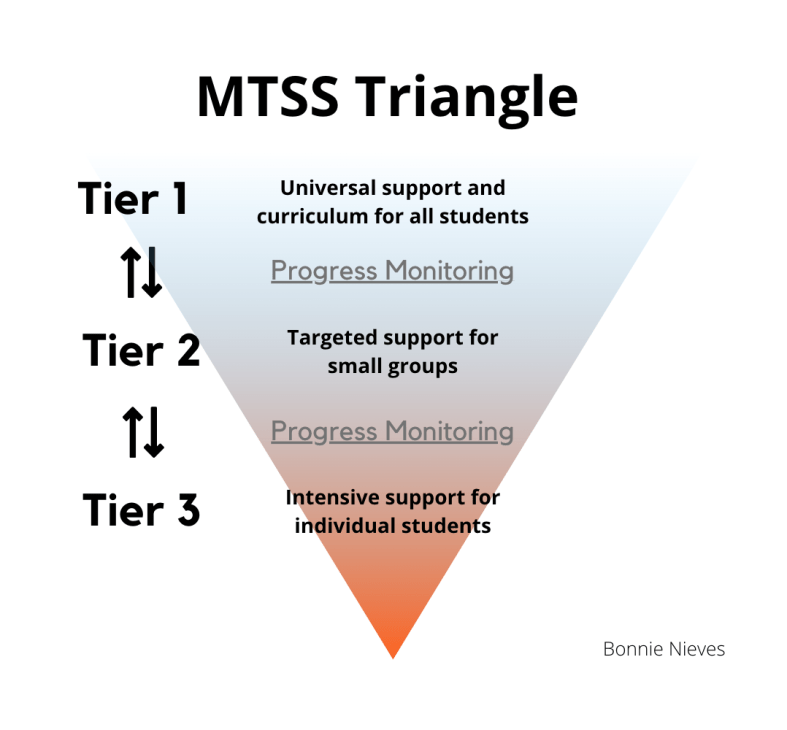
MTSS is typically represented as a pyramid with Tier 1 universal supports being the foundation. It can be accurately represented as a triangle or funnel.
All students receive universal supports and transition between tiers 1, 2, and 3 based upon progress monitoring data monitored according to a reliable universal tool at predetermined intervals. These tools do not need to be school-wide standardized tests. According to the American Institutes of Research (2021), high-fidelity screening is universal, accurate, and conducted at least quarterly.
Most students will remain in tier 1, some will transition to tier 2, and fewer will move to tier 3. If a school community finds that a large number of students are in need of tier 2 support, it would be prudent to investigate the evaluation tools and quality of the universal curriculum being used.
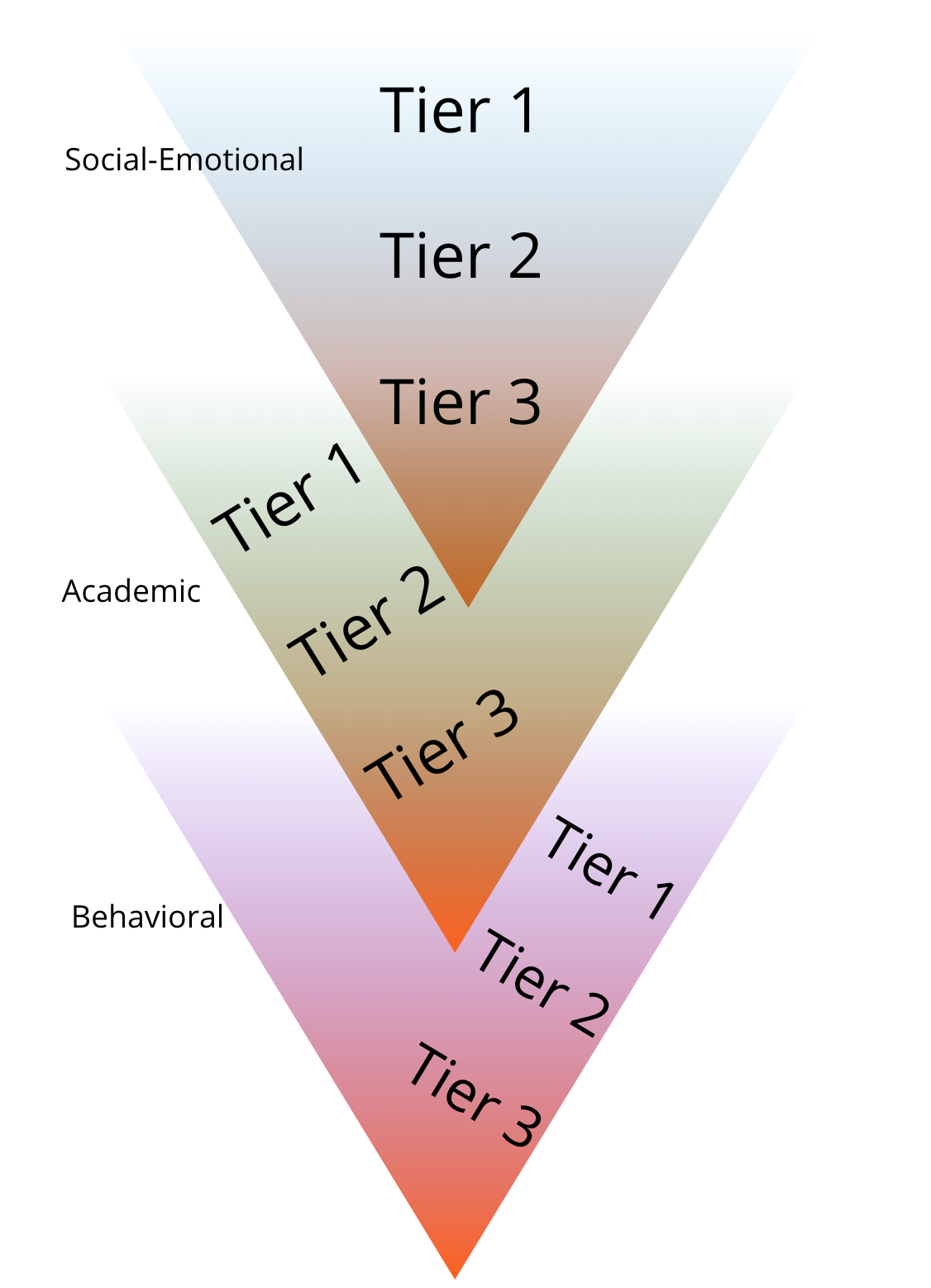
Now, envision a system of three triangles, one for each indicator: academic, behavioral, and SEL. Students may be at any of the three tiers for each of the three instructional areas (academic, behavioral, social-emotional) at any one time. For example, a student may be receiving tier 1 instruction for academics, tier 2 targeted support for behavioral instruction, and tier 3 for social-emotional instruction.
When teachers work with all of this information, academic, behavioral, and social-emotional, it can require a great deal of time and organization. Providing for all students is essential and each of these represents important data points that teachers need to focus on in order to provide the best for students. However, there needs to be a more effective and efficient way to do this.
MTSS and Class Composer
Class Composer provides everything that teachers need to be able to monitor student progress and is readily accessible to anyone, at any time. It enables all teachers to access the information they need about each individual student when they need it. Easy to track and record student growth toward individualized goals. Simplify how you manage all the assessment data collected! With progress monitoring, teachers can easily track student progress and provide the right supports.
Having access to all this information in one space enables teachers to create a supportive learning community for students. These teacher-student connections lead to the development of the essential relationships that need to exist for all students to be successful.
Give Class Composer a try today using their sandbox. You will experience a simpler, more streamlined experience when in the easily accessible, data-driven platform that promotes student academic achievement and the development of essential SEL skills.
The final part of my MTSS blog series will elaborate on two essential components: assessment tools and instructional resources. Assessment tools that can help your school community provide common experiences without impacting teachers’ ability to use Universal Designed for Learning (UDL) planning tools. Instructional resources for each of the three tiers for academic, behavioral, and social-emotional instruction.
About the Author
Bonnie Nieves is the author of “Be Awesome on Purpose” and has over a decade of experience as a high school science teacher. She has a Master’s Degree in Curriculum, Instruction, and Educational Leadership. Her passion for creating immersive and authentic experiences that fuel curiosity and creating student-centered, culturally responsive learning spaces that promote equity and inclusion has led her to establish Educate On Purpose Coaching.
In addition to being an award-winning educator, Bonnie works to ensure equitable and engaging education for all through her work as a copy editor at EdReports and Classroom Materials and Media reviewer for The American Biology Teacher journal. She serves on the MassCUE board of directors and enjoys connecting with educators through social media, professional organizations, conferences, Twitter chats, and edcamps. Bonnie is a member of the National Association of Biology Teachers, the Teacher Institute for Evolutionary Science, and the National Science Teaching Association. She encourages you to connect with her on Twitter @biologygoddess, Instagram @beawesomeonpurpose, Clubhouse @biologygoddess, and LinkedIn.
**Interested in writing a guest blog for my site? Would love to share your ideas! Submit your post here. Looking for a new book to read? Find these available at bit.ly/Pothbooks
************ Also check out my THRIVEinEDU PodcastHere!
Join my weekly show on Fridays at 6pm ET THRIVEinEDU on Facebook. Join the group here
Reflective Teaching and Powerful Professional Learning with LessonLoop
Educators are always looking for new ideas to boost student engagement in the classroom. To do so, they need to understand student interests and needs and also be intentional about reflecting on their teaching practice. While teachers want to understand the impact of their instructional methods and tools on students’ learning, they often don’t have time to solicit feedback from individual students, and students are afraid to provide honest feedback when they feel saying the wrong thing could impact their grade. Yet students need to be part of the conversation, because not only is student voice a powerful tool that can be used to engage students in their learning, but student feedback surveys are better predictors of academic growth than principal observation and teacher self-ratings (Hanover Research 2013).
As Alex Isaacs, an 8th-grade math teacher notes, “LessonLoop allows me to quickly conduct a survey with great questions built-in where I can quickly push this out to my students to better inform my practice.”
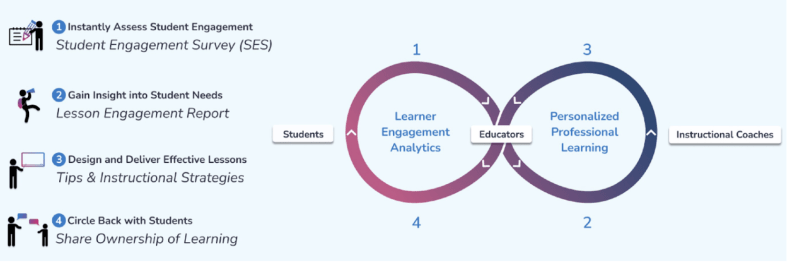
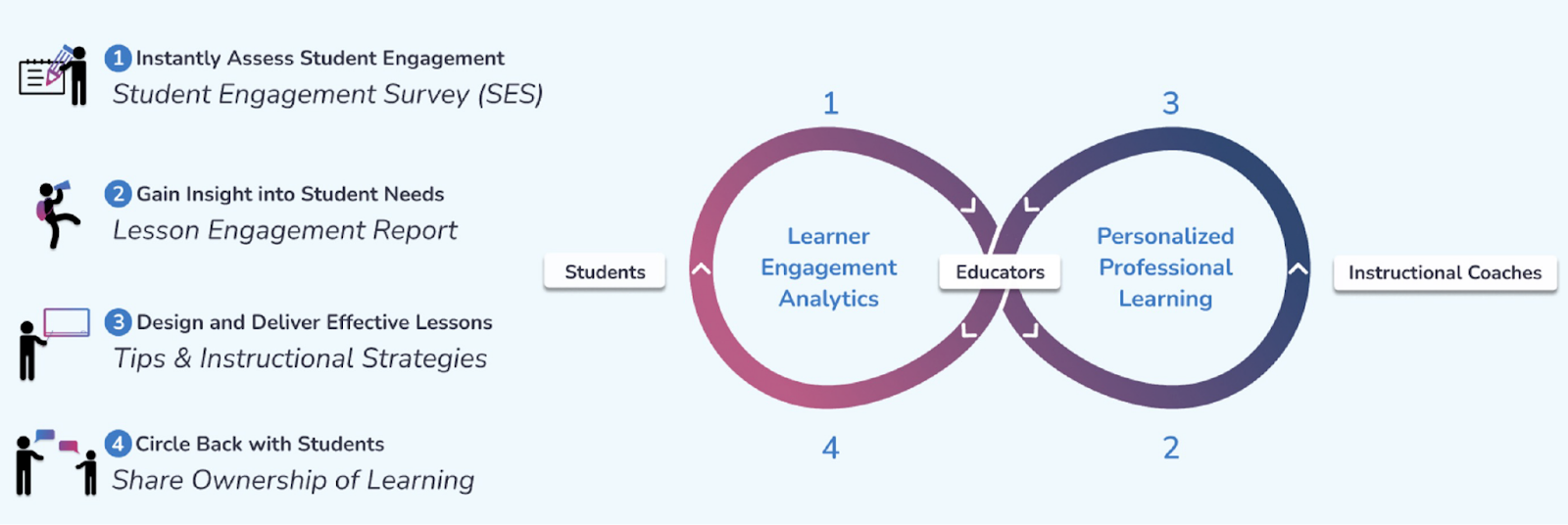
LessonLoop instantly shows you how engaged your students are with a class lesson so you can gain immediate insights and adjust your instruction in real-time to help them learn better. As shown below, LessonLoop works through the four simple steps of:
4. Discuss results with students so learners feel seen and heard.
How LessonLoop Works
How do the surveys guide teachers about their practice?
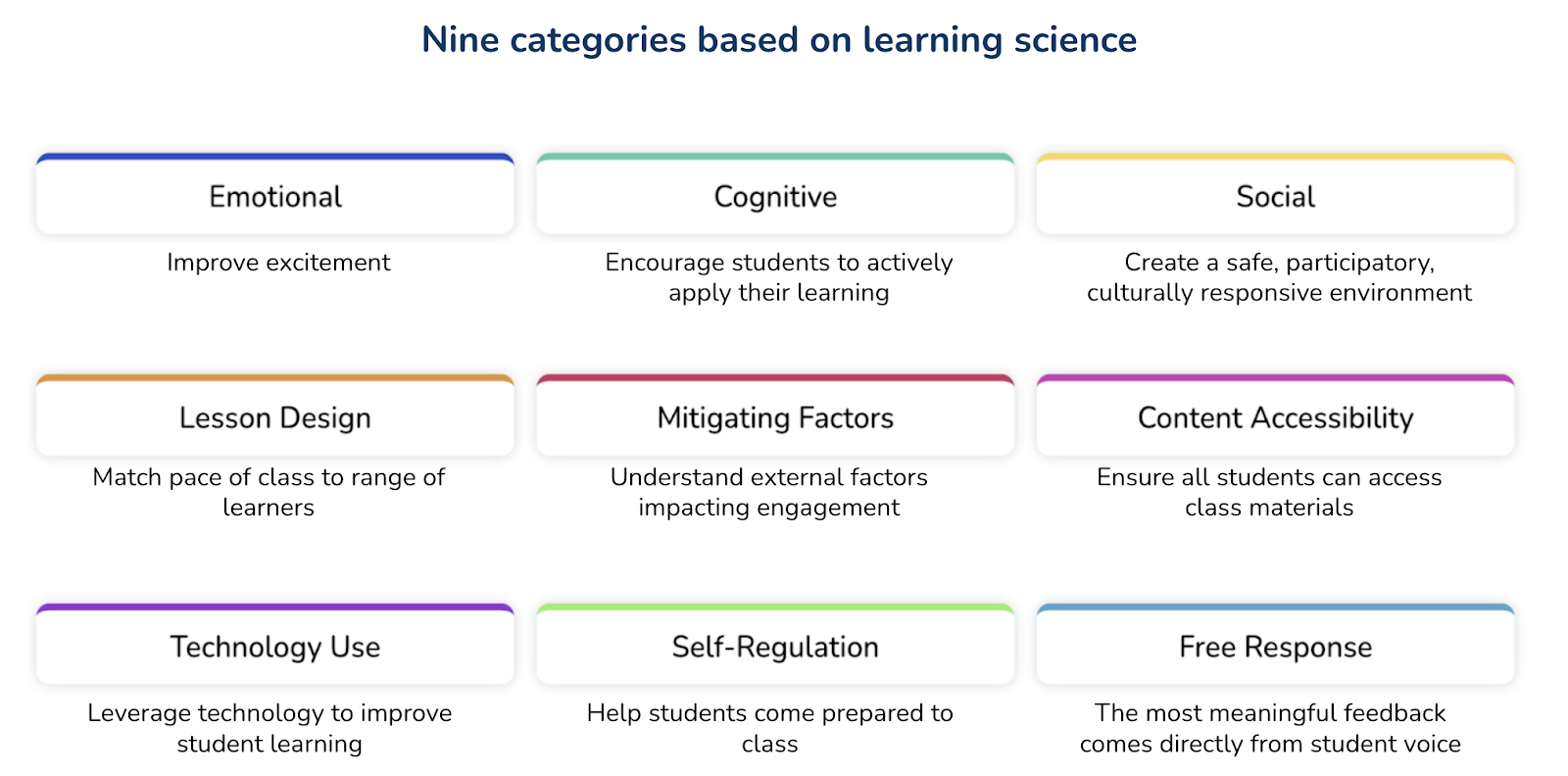
LessonLoop measures student engagement in nine actionable categories (see below) that provide you with insight on how to calibrate your instruction to support active learning at each student’s just-right instructional level. With these categories, teachers have better ways to focus on the specific needs and interests of their students. Especially for social-emotional learning (SEL) and determining student progress in class, the categories and questions provide tremendous insight for teachers with information not easily accessible in any other way.
With the information the surveys provide, teachers have many ways to evaluate, analyze and then act upon authentic student feedback to improve their practice. Working with LessonLoop’s instructional coaches/Tip Masters, they can explore new methods and tools to help address some of the areas indicated in the survey.
Sample Lesson Engagement Report
What can we learn about student engagement from using LessonLoop?
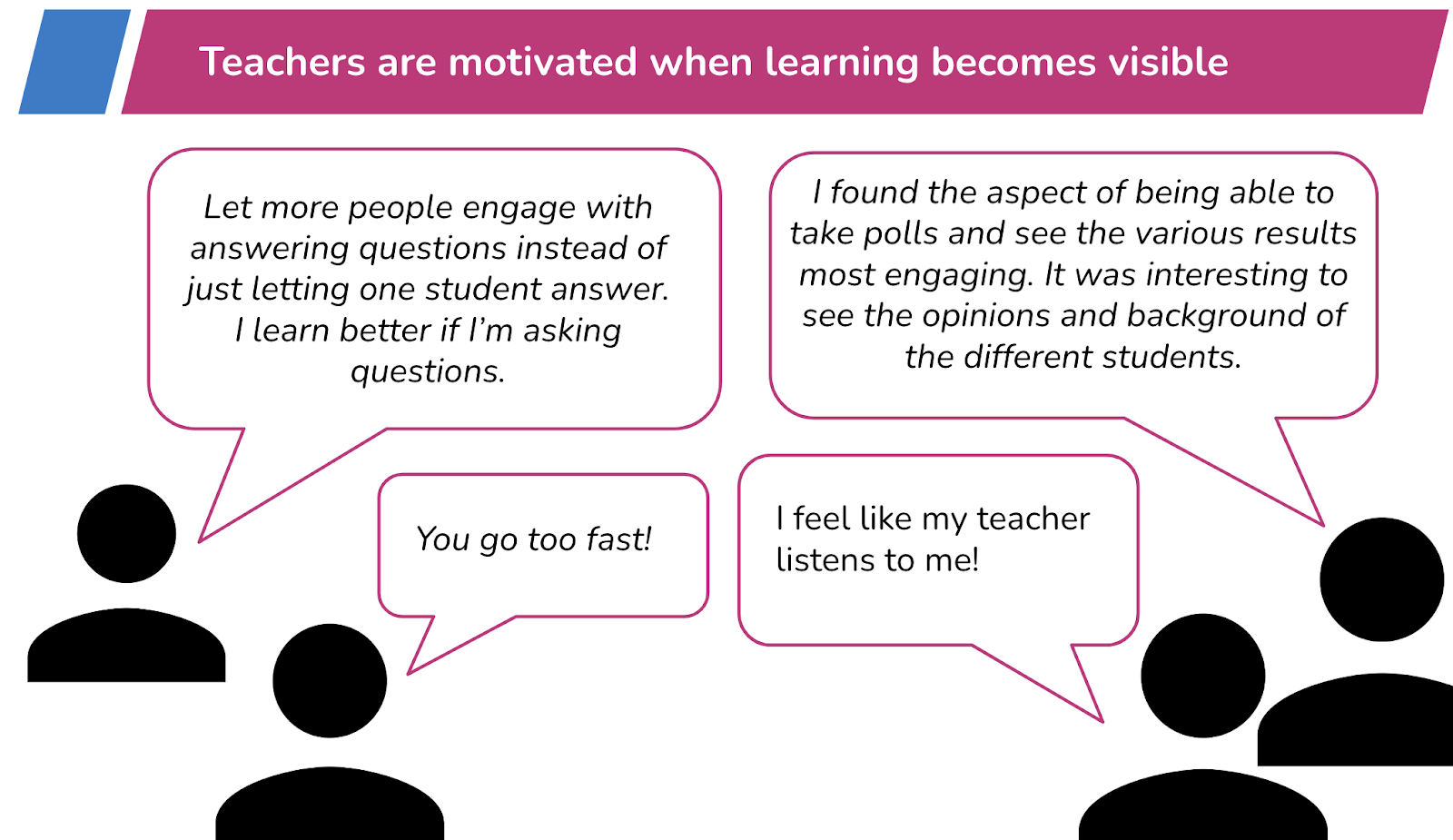
Through lesson embedded feedback, teachers better understand the impact of their instructional strategies and how students experience the learning environment. By reviewing the responses, especially the free responses, teachers receive feedback that promotes reflective practice. Using the survey results, Tip Masters work with each teacher to find strategies and tools that will increase active student learning.
Sample LessonLoop Student Free Responses
How does LessonLoop facilitate getting to know students?
LessonLoop provides opportunities for every student to share their perspective on their immediate environment and how they are experiencing a lesson. Incorporating student voice allows students to experience a sense of respect and empowerment from their teacher. With LessonLoop, students can provide valuable feedback to their teacher and all feedback is provided through an anonymous survey, which promotes more honest feedback. Students feel comfortable responding to the survey, and because their opinions are heard, they feel more connected to and comfortable in their classroom community. When teachers circle back and discuss how to improve a lesson with students, students feel their voice is impactful and are empowered to take ownership of their learning. Students that feel seen and heard have greater motivation for and engagement in learning because they feel like an impactful member of the classroom community.
How does the gamification aspect of LessonLoop lead to better and more authentic, honest feedback from students?
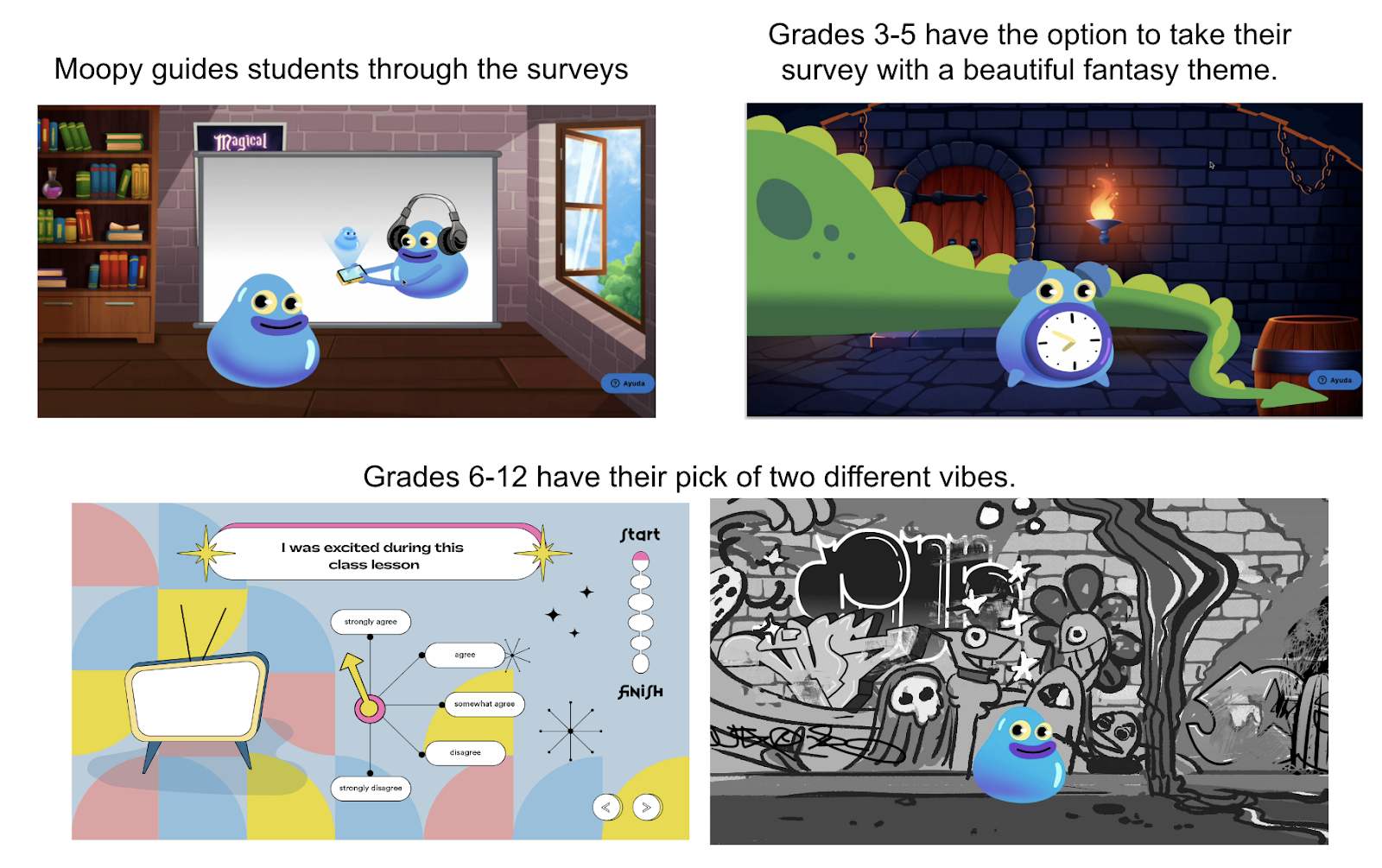
LessonLoop incorporates gamification elements through our fun, animated surveys (see pictures below). According to Dr. Shawn Clybor, “These gamification elements keep students more alert, more active in engagement, and therefore more likely to read the questions and think about their answers.” LessonLoop is designed to be a robust platform that informs instruction and involves students in their learning experiences. It is also meant to “encourage joyfulness, to be fun, to be funny,” says Clybor. Using it becomes its own experience, building bonds between teachers and students.
LessonLoop Gamified Surveys
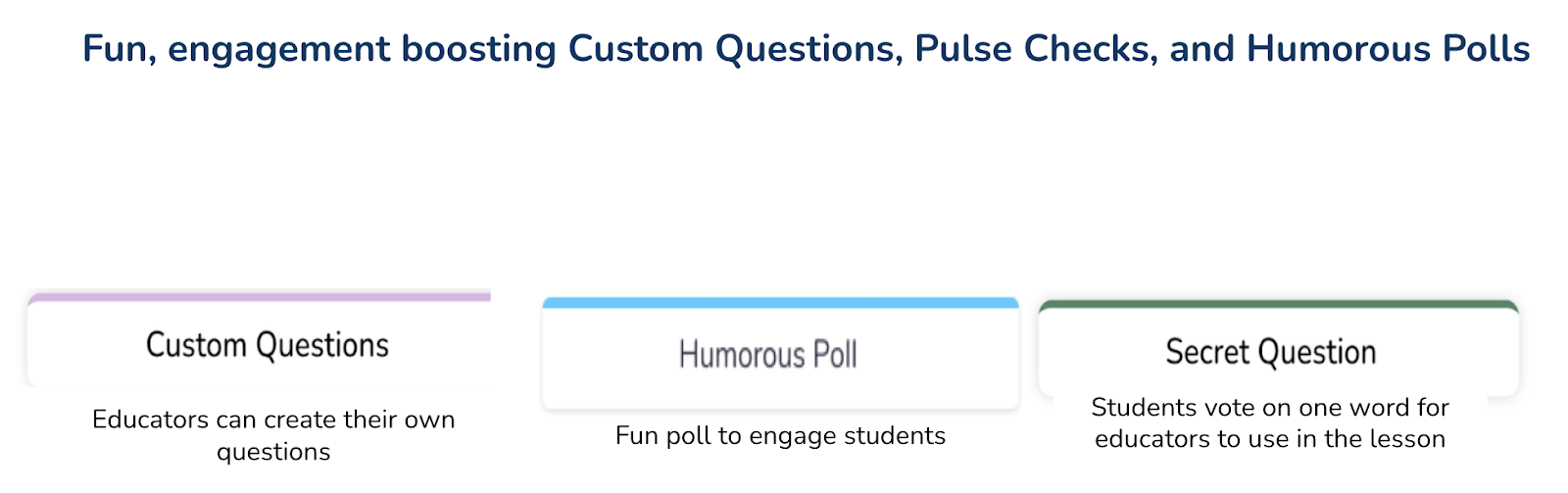
In addition to the gamified surveys, LessonLoop provides educators the ability to ask custom questions and generate two new games (humorous poll and secret word) with one click. These games focus on student engagement at the beginning of class, serve as a pick-me-up if attention is flagging mid-class, or are a fun way to end a student engagement survey.
What professional learning comes with LessonLoop?
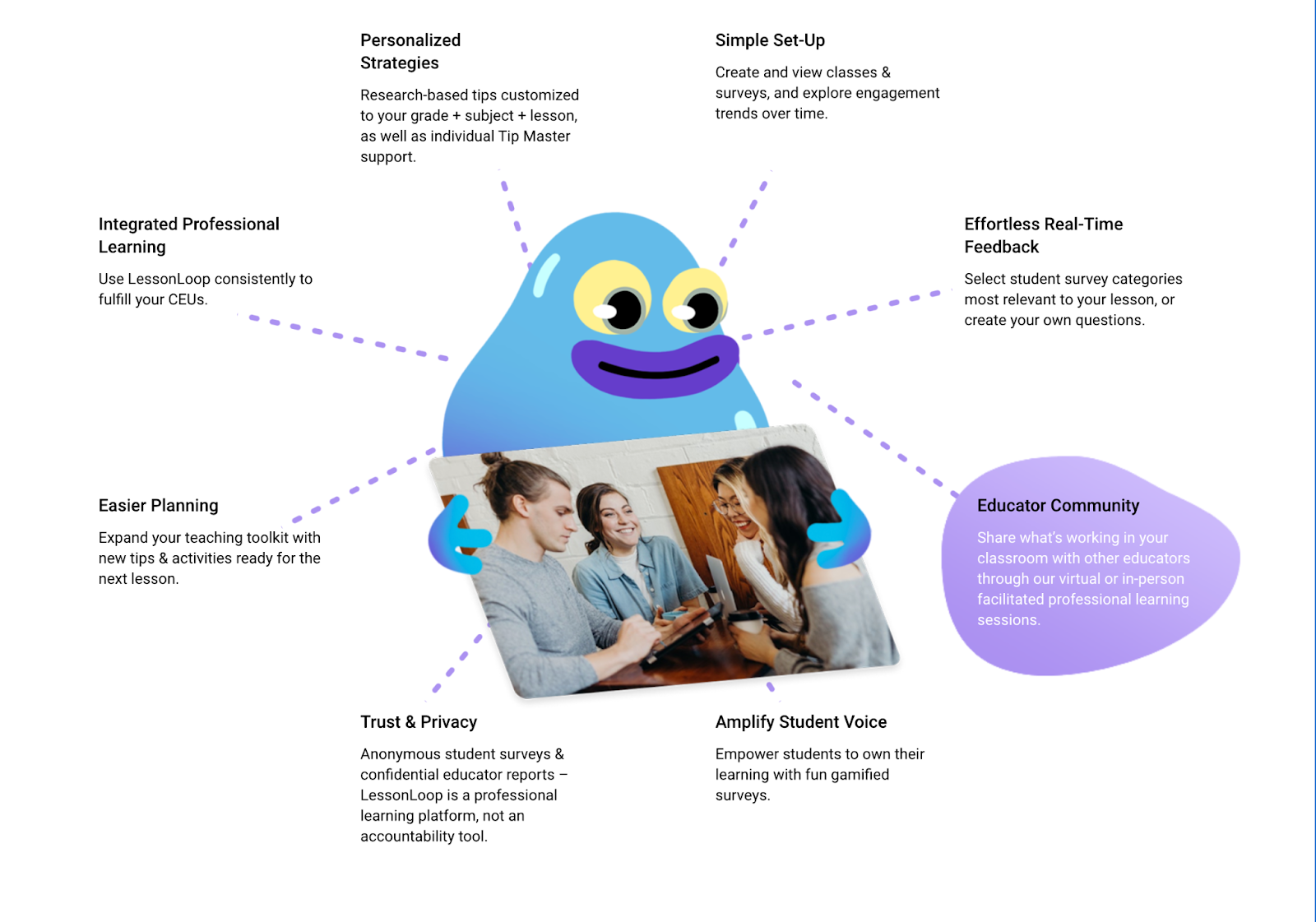
LessonLoop provides personalized data-driven professional learning for teachers. While all teachers have access to a knowledge base of free tips, with a paid tips subscription, every teacher is assigned an experienced Tip Master to help with reviewing their surveys and finding strategies and tools to try. The real-time lesson-embedded feedback helps educators better connect their instruction to students and be more reflective in their practice. Professional Learning Communities (PLCs) also benefit as all teachers receive instructional recommendations from subject-area specialists and coaches! PLCs can be organized around student-centered data for engagement and professional learning. Within the PLCs, teachers can share ideas and provide support to one another which then enhances the learning experience for all students. In addition, educators accumulate continuing education units (CEUs) based on minutes of use of the platform aligned with Learning Forward and/or Charlotte Danielson standards.
What to expect with LessonLoop
So many benefits!
Student Engagement Surveys:
Amplify student voice through anonymous surveys
Strong predictor of academic outcomes
Provide missing actionable data on why students aren’t learning
Provide daily feedback on the delivery of the curriculum with a clear focus on social-emotional learning (SEL), critical thinking and collaboration, and culturally responsive instruction.
We are offering free trials of LessonLoop to educators who provide feedback on our new gamified student surveys. Click here for a free trial! And if you missed our webinar, here is the link!
**Interested in writing a guest blog for my site? Would love to share your ideas! Submit your post here. Looking for a new book to read? Find these available at bit.ly/Pothbooks
************ Also check out my THRIVEinEDU PodcastHere!
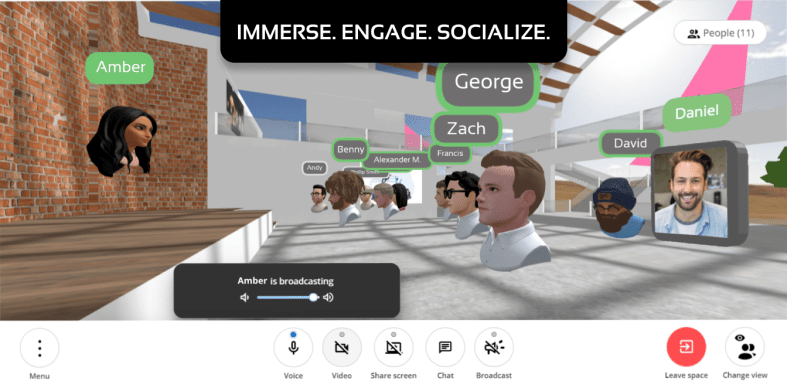
Just about when the pandemic hit, Scena 360 founders Danilo Joksimovic and Anshuman Banka realised that meeting up online is nowhere as immersive and natural as it could be. Because of their love for engineering, they decided to get their hands dirty and go on a mission to make meeting up online truly delightful for everyone.
Scena 360 is an online platform that intends to create more immersive online gatherings in 3D spaces, particularly focusing efforts on easy onboarding, realistic & professional avatars, and spatial audio. Scena 360 initially tested out their product with friends and coworkers in various settings, both professional and casual and eventually found a very appealing use case in online education. Right after their beta launch, they were approached by several professors and teachers from different grade levels around the world who wished to make online learning more engaging and productive. Danilo and Anshuman learned from these educators through dozens of interviews and collected their feedback to make Scena 360 what it is today.
How does it work?
To use Scena 360, you start by creating a private 3D space, which can be as simple as selecting one of the provided scene designs and optionally a custom name for your space. This generates a link that you can then send to invite attendees who can join your space from their desktop or mobile device.
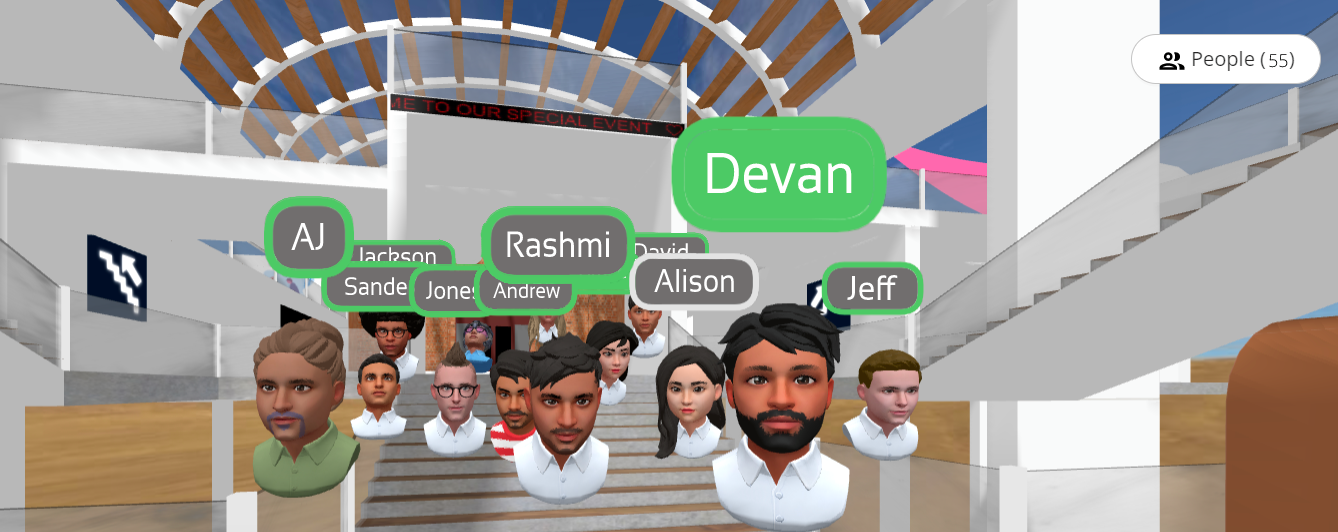
While joining the space, attendees can either join with their video turned on or optionally create a realistic 3D avatar to appear as in the space. They can then interact with students or with other educators, somewhat similar to how they would in real-life gatherings – this includes walking around, making eye contact, forming huddles, and much more.
Solving online learning challenges with Scena 360
Through the course of the pandemic, educators have been forced to adopt various virtual meeting apps, often running into issues that have made online learning a rather dull experience; the most important issues being the following:
Lack of natural interactions, engagement, and co-presence
Forcing students into awkward breakout rooms, often making moderation and monitoring of said breakout sessions much more difficult
Difficulty tracking student engagement and attentiveness due to cameras being turned off
Scena 360 decidedly focuses its efforts to solve these key issues through their platform. For instance, students and teachers can face each other in 3D space, and walk in and out of different conversations by moving around the space – just as they would in real life. Educators can see everyone in the space, which allows them to monitor which students are participating in group activities/discussions – without having to jump between different breakout rooms.
Unlike most alternatives, Scena 360 provides a suite of built-in integrations available directly within spaces to help make online classes more engaging and effective, such as:
A more collaborative and powerful whiteboard that lets you write and draw on a whiteboard.
A guessing and drawing game that stimulates the imagination and agility of the brain
A shared instrument that lets students and educators make and play music together in real-time
(no credit-card required, cancel at any time, offer expires in April, 2022).
**Interested in writing a guest blog for my site? Would love to share your ideas! Submit your post here. Looking for a new book to read? Find these available at bit.ly/Pothbooks
************ Also check out my THRIVEinEDU PodcastHere!
Join my weekly show on Mondays and Fridays at 6pm EST THRIVEinEDU on Facebook. Join the group here
Each October, educators and students have opportunities to participate in events focused on digital citizenship. This year “digcit week” will be held from October 18-22. Learning about digital citizenship is important not only during October, but should be something that we focus on throughout the entire year. With such an increase in the use of technology, especially during the past school year, educators need to intentionally create opportunities for students to build digital citizenship skills in our classrooms by exploring the digital tools and learning experiences that we can provide with them.
Book Creator for DigCit!
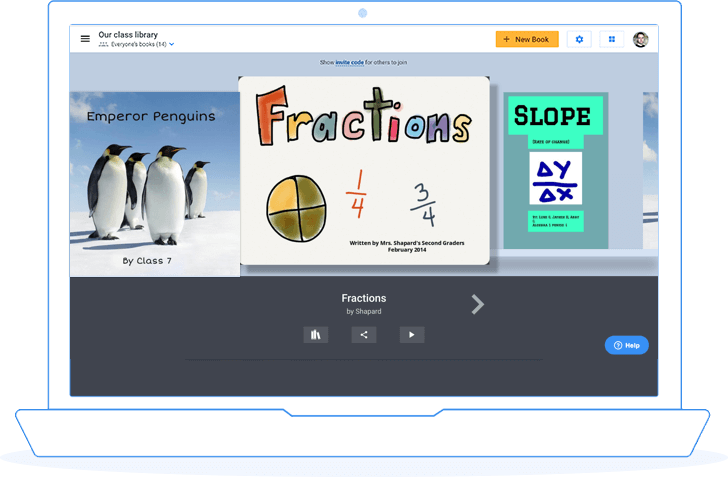
Using Book Creator, we can create opportunities for students to become more digitally aware and literate and to be responsible in using and creating with technology. Helping students to learn to safely navigate through what has become a highly digital world is something that we are all responsible for. Students need to learn how to collaborate online, to access and share information, to create and manage accounts and protect their personal information, which are essential elements of digital citizenship.
With so many students interacting and having access to social media and digital tools, they need to develop the right skills to navigate in these spaces and be prepared to deal with any challenges or barriers that may arise. When students have the chance to collaborate and create a book together, there are many benefits. Some of the positive outcomes include building essential SEL skills like strengthening relationships, becoming more self-aware and developing a greater understanding of diverse perspectives and backgrounds.
Ideas for a digital citizenship book with Book Creator
Creating passwords and Internet safety
Using social media and responsible posting
Cyberbullying and how to respond
Finding balance on social media platforms and with technology
Communicating and collaborating in the online space
Create a book about an experience related to the theme of digital citizenship or one of the focus areas.
Getting started with Book Creator is easy!
Book Creator now has three books available to help educators get started with activities and experiences focused on digital citizenship. In June of this year, the new books were created in collaboration with Common Sense Education and are available for use in classrooms with students ages 5 through 11. In addition to using these books, Book Creator is a great choice for having students create their own books to share what they are learning about being a responsible digital citizen. Students are able to collaborate with their classmates in the digital space and learn how to post responsibly, access and use information, and build their own digital citizenship skills during the process.
Book Creator promotes more authentic and meaningful learning that helps students to build content knowledge and the essential skills they need now and for the future. All books can include audio, images, text, and video. Why not have students select a relevant topic or one of the nine elements of digital citizenship, to create a book to share with others in their school community or with global connections?
Templates!
The Book Creator team worked with the Hillsborough County Public School district in Florida to design special events for their entire district. Using the Digital Citizenship Week curriculum from Common Sense Education, they created templates to use for activities which will be part of a competition. There are many important topics to choose from including: Choosing the right words, avoiding drama in the online space, social presence on the social media platforms, this is also great for educators. There are options available to use with students in grades K through 12 as well as for teachers. Everyone can use their templates which makes it easy to get started today with some digcit activities using Book Creator!
Having access to great topics and ready-to-use templates saves a ton of time! All you need to do is add the books to your library and with the “remix” feature, students and educators can really make the books their own.
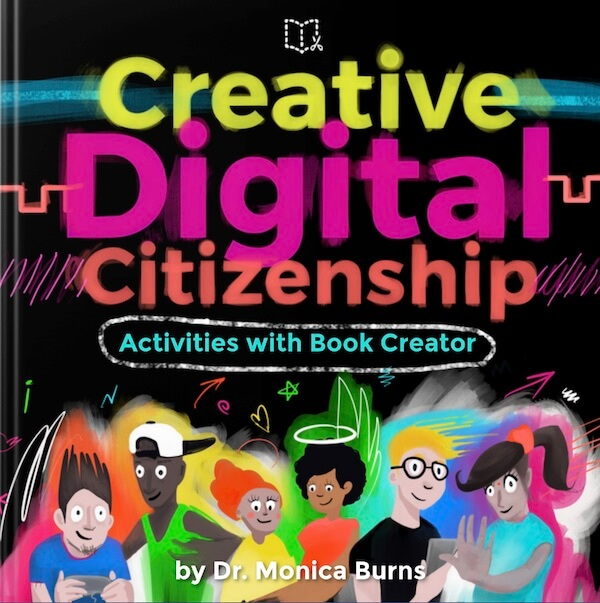
Also check out the book by Dr. Monica Burns which is based on the 6 themes of the Digital Citizenship curriculum from Common Sense Education.
Join some of the events happening during #digcitweek through Common Sense Education and @BookCreatorApp. Be sure to sign up for some of the upcoming Book Creator webinars to learn more!
About the author
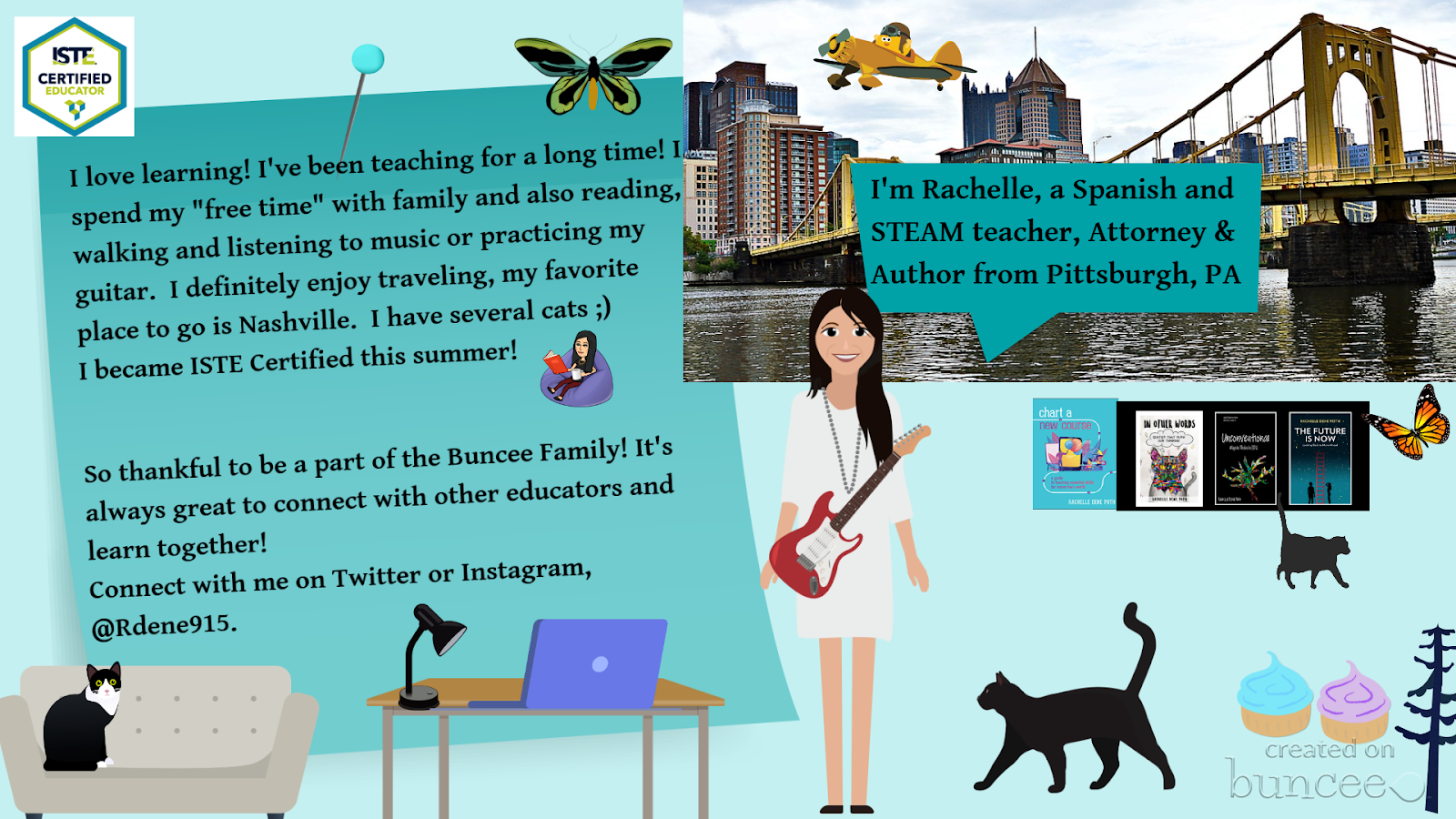
Rachelle Dené is a Spanish and STEAM: What’s nExT in Emerging Technology Teacher at Riverview High School in Oakmont, PA. Rachelle is also an attorney with a Juris Doctor degree from Duquesne University School of Law and a Master’s in Instructional Technology. Rachelle is an ISTE Certified Educator and serves as the past president of the ISTE Teacher Education Network. She was named one of 30 K-12 IT Influencers to follow in 2021.
**Interested in writing a guest blog for my site? Would love to share your ideas! Submit your post here. Looking for a new book to read? Find these available at bit.ly/Pothbooks
************ Also check out my THRIVEinEDU PodcastHere!
Join my weekly show on Mondays and Fridays at 5pm EST THRIVEinEDU on Facebook. Join the group here
We are a few weeks into the new school year and for many educators, it has been an interesting start to the year. Whether in physical classroom spaces or in a hybrid or distance learning environment, our focus at the start of the year is on building relationships and engaging students in learning. The challenge this year for many is creating the right spaces to build those relationships when we are not together in our physical classrooms. Buncee provides so many possibilities for doing just this.
Introductions
I can create with Buncee and engage my students in opportunities to not only create and engage more in learning, but provide a way that they can feel connected to each other if we cannot be together in the same physical space. A great place to start is exploring the Ideas Lab. There are great templates available to choose from that work well for the beginning of the year and a back to school theme, or for some ice breakers to build relationships that are so important.
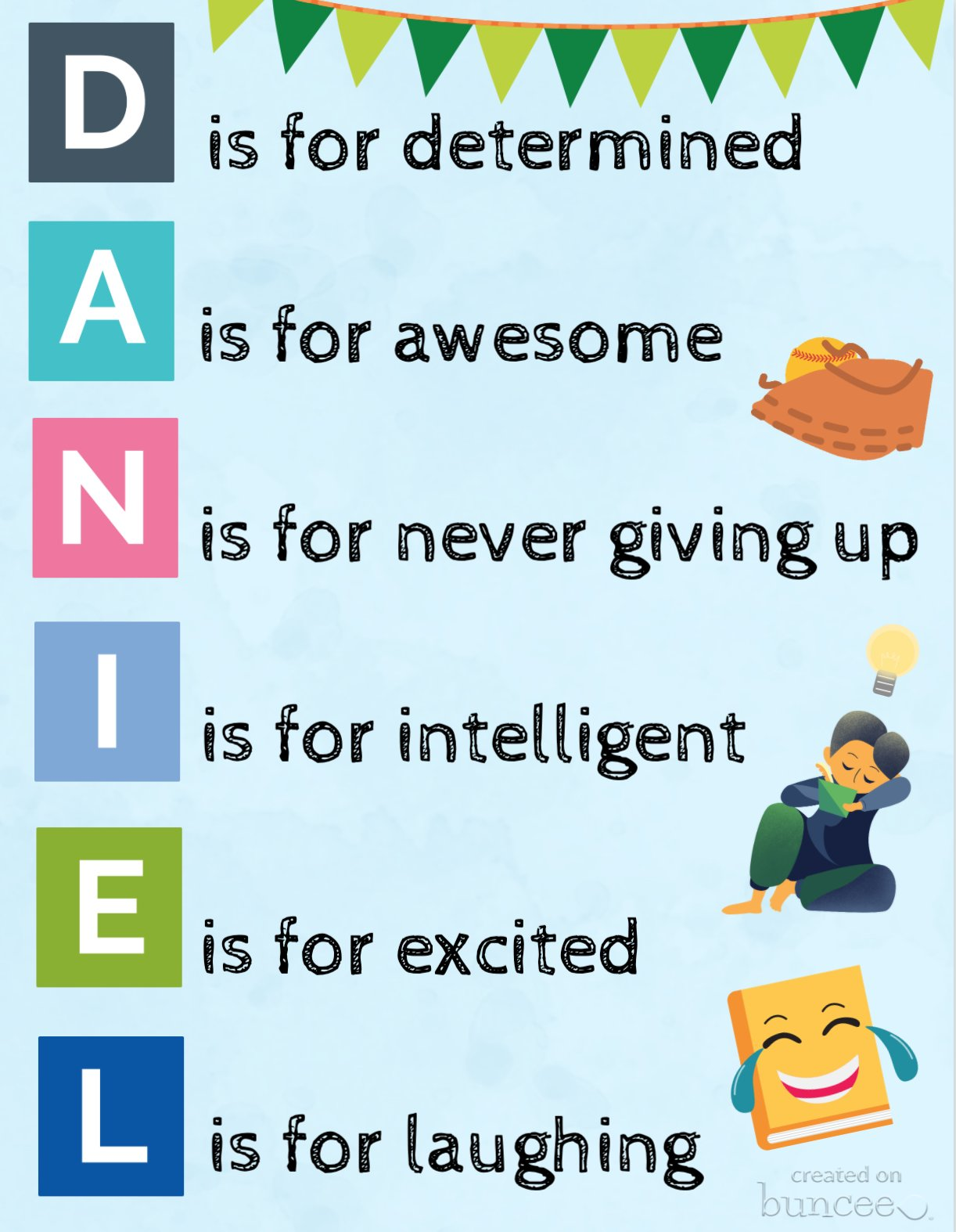
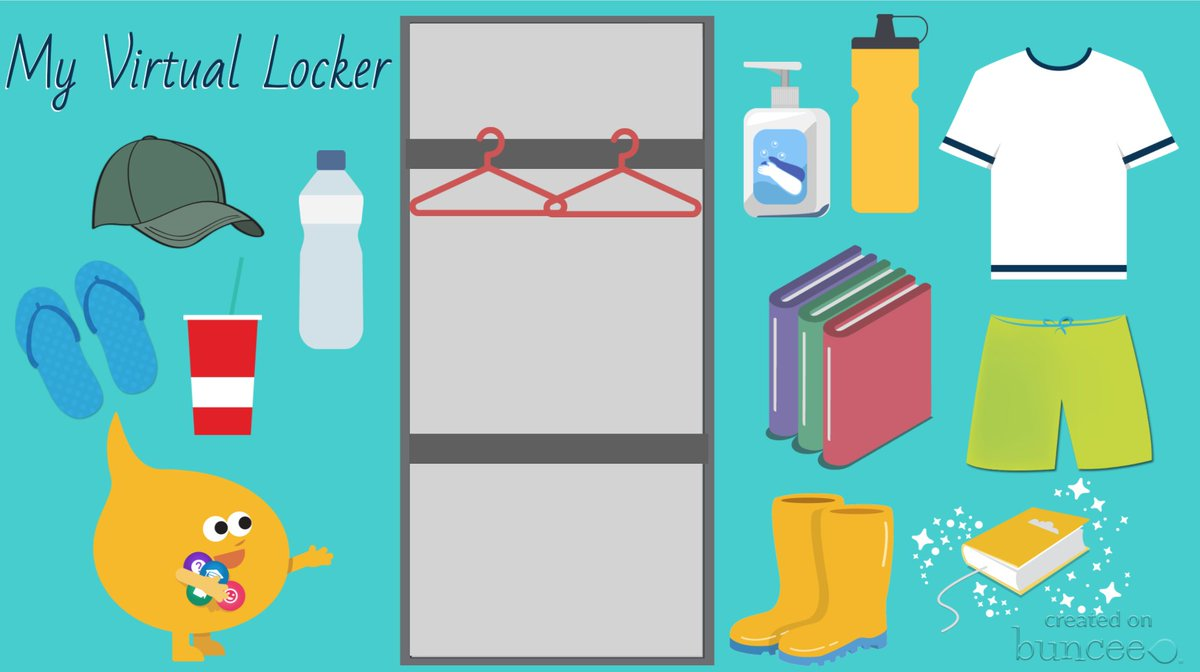
Check out some of these recent additions to Buncee templates for having students express themselves by creating an acrostic poem or a virtual locker. These are great options to have students create a Buncee to introduce themselves to their teacher and to their classmates!
(this one was shared by Buncee)
(drag and drop items into your virtual locker)
Using Microsoft Teams or Google Classroom, it makes it really easy to share these with students. For global collaboration, create a Buncee board to post all of the amazing student creations. With project-based learning, my students have been able to connect with students in Argentina and Spain and share a little bit about their experiences as students and what life is like here in the United States. With all the options available for creating within Buncee, it’s fun for students to be able to create something that represents who they are and even to have the option to include audio or video to really get to know each other. Being able to collaborate like this is quite valuable regardless of where learning is happening but definitely beneficial as many schools are working with hybrid and distance learning. It helps students to feel more connected to their classmates and their teachers and also to be able to connect on a global scale which is important for all students.
Teach a Lesson
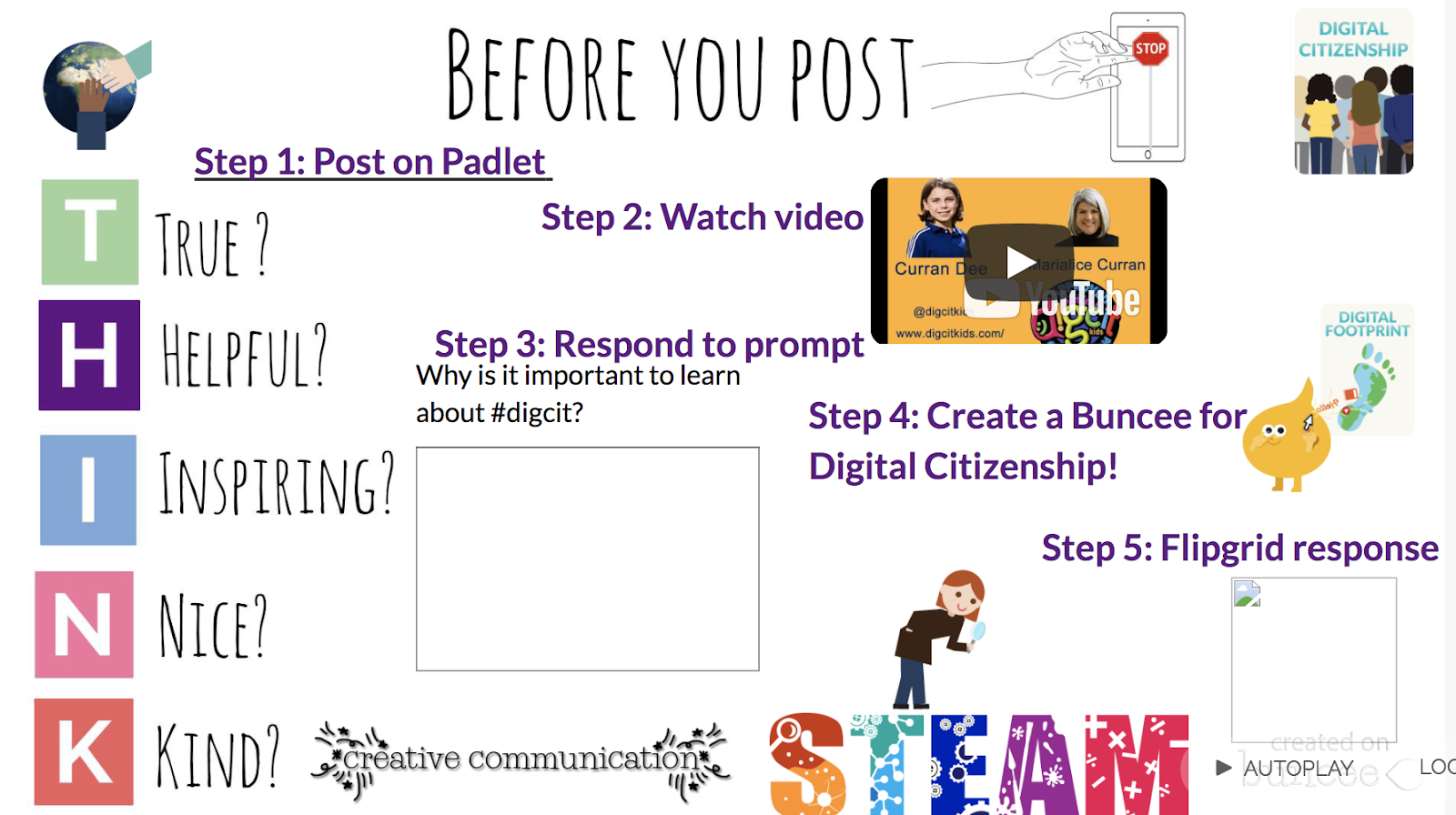
One of my favorite ways to use Buncee is to create lessons to share with my students. One of the first ones that I did was to teach about digital citizenship and it was easy to create something using all of the different options available within the media library and to give students an opportunity then create their own buncee to share what they had learned.
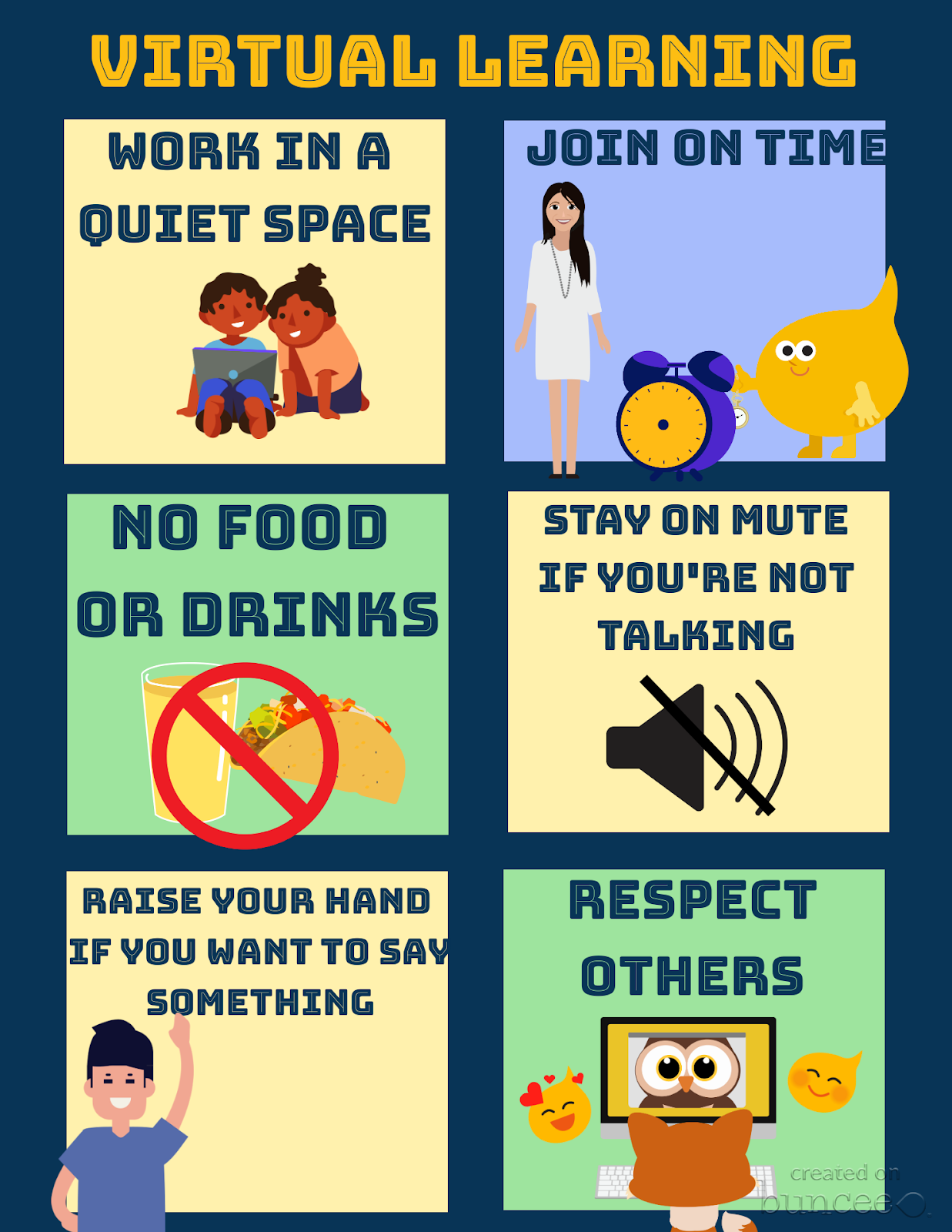
Set up class expectations for virtual learning
Explore the templates and create something like this fast and make it your own by selecting from the more than 35,000 choices available in the media library!
Ready-made templates and new topics
Something else that I’ve always loved about using Buncee is that it integrates with other tools that we use in my classroom. With this new partnership with Flipgrid, there are even more ways to use these tools together to provide more opportunities for students to build essential skills. You can find pre-made Buncee templates available in the discovery library focused on topics like social emotional learning, goal-setting and schedulers and organizers. Check out all of the choices today!
One of the things I love the most about using Buncee is that there is always support available. Whether you connect with the Buncee team through the different social media platforms, or make connections with educators from around the world through Twitter or Facebook, there are so many ways to learn and grow as educators. And even more importantly, to bring new opportunities to our students. If you need some quick resources on different topics, check out all of the many options available at their Buncee help desk.
Looking for more ideas? See what the Buncee Ambassadors are up to! Explore the 66 ideas for using Buncee from Maria Jose Giavedoni. Did you catch the Creative Beginnings event at the beginning of August? Three days of sessions and so many topics and ideas. Catch the recordings here.
Coming up:
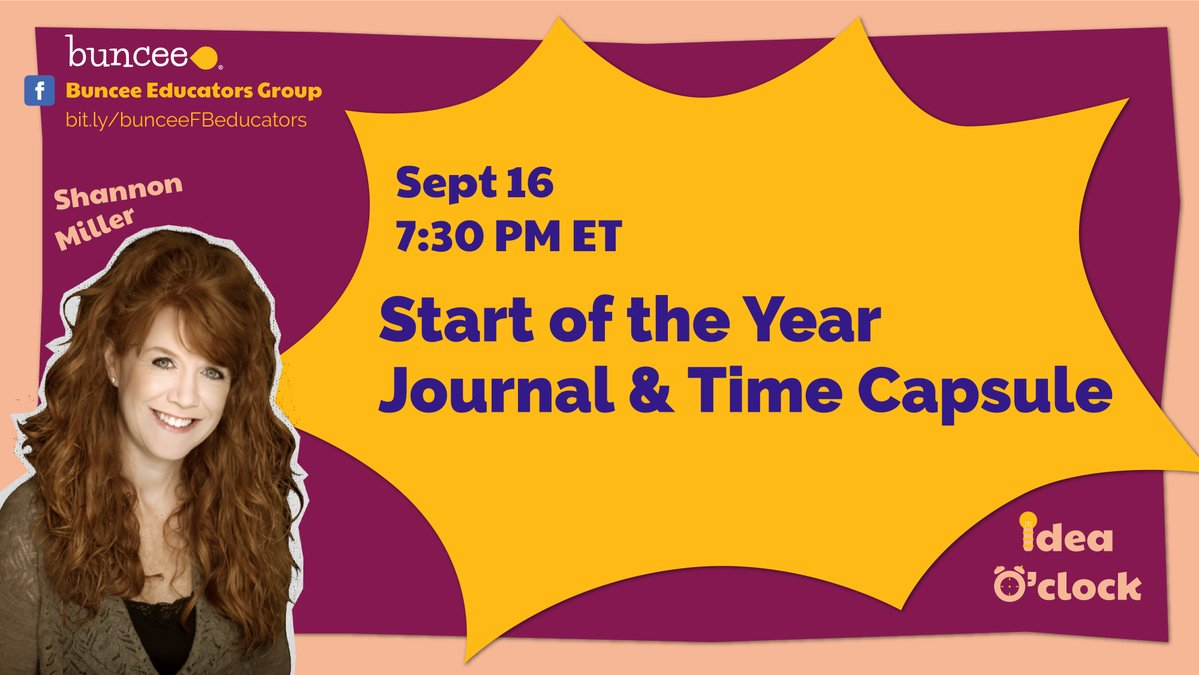
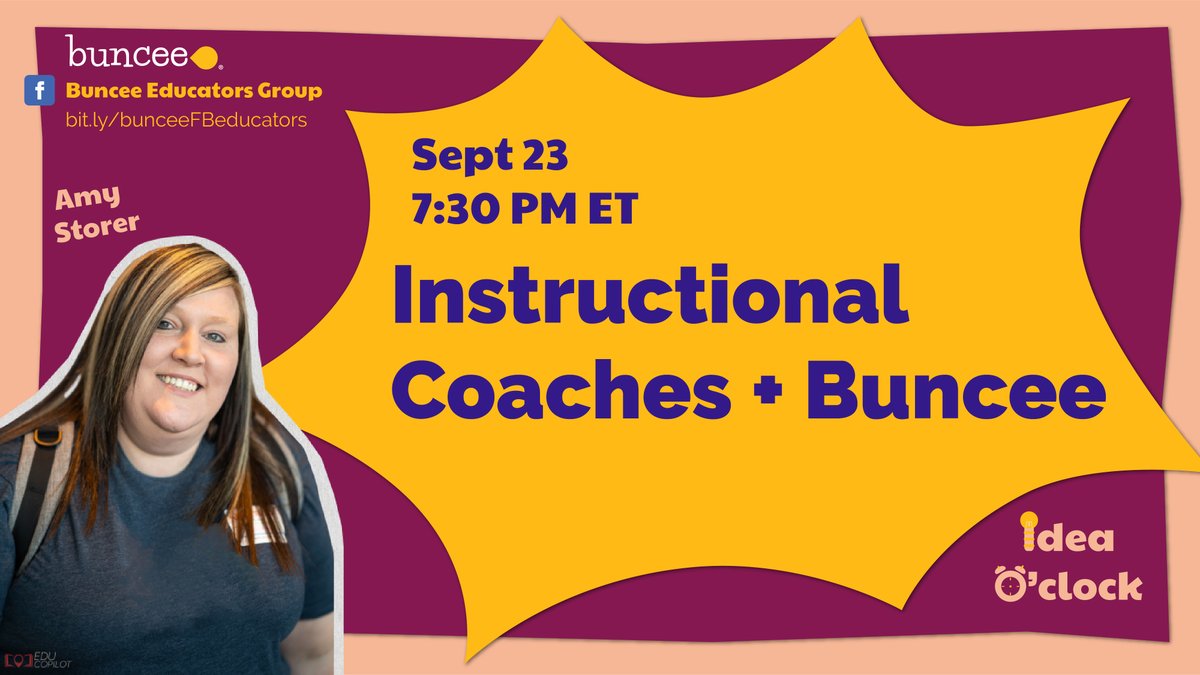
Don’t miss out on the new idea o’clock with Buncee starting September 16th happening live on Facebook at 7:30 p.m. Eastern. First up was Shannon Miller and Amy Storer is on the 23rd! Be sure to tune in to learn new ideas from Buncee educators!
Posted originally on DefinedSTEM: Ideas for some AR/VR for Blended Learning
Years ago when I started to use more technology in the classroom, I thought that by having students watch videos at home, rather than in class, I would be “flipping” the classroom. Fortunately, I learned quickly that I was not, and made some changes to implement blended learning instead. As part of my ongoing reflection, I continue to think about the many changes that I have made and the tools that have helped me to create a more authentic and engaging learning experience for my students. There are so many tools available, and we always want to first consider the “why” behind using them and also think about the purpose and how versatile the tools can be. Learning opportunities for students are everywhere and the best part of having so many choices is that it promotes student agency. Students can find something that meets their interests and needs, and that offer more meaningful ways to engage with the content. Choices will lead to purposeful learning experiences for students.
Sometimes it is fun and beneficial to try unconventional tools or methods, to immerse students more in learning and do things differently than what they have become accustomed to. Making a change to thttps://www.definedstem.com/blog/versatile-tools-for-blended-learning/he traditional style and structure of the classroom can feel uncomfortable at first, but giving students more control in designing their learning is worth it. The flexibility of these tools enables learning to happen anywhere and at any time, based on the student’s or school schedule, which help to foster a blended learning environment. Here are a few ideas to immerse students in learning.
Augmented/Virtual Reality
One of the biggest areas of growth in education has been the use of Augmented and Virtual Reality in the classroom. In my own classroom we have used a variety of tools and students have enjoyed the time exploring new tools and definitely different ways to learn. The idea of teaching by using tools for AR or VR can seem challenging, but it really can be quite simple to add it into the course and there are tons of resources available. I recommend exploring the resources shared by Jaime Donally on all things related to Augmented and Virtual Reality in education.
These tools can offer more powerful ways to immerse students in learning, to “travel” and “explore” places and things more closely. Students can create, problem solve, become more curious and experience something unique through the use of these tools, which enable learning to happen beyond the classroom walls and involve students in more collaborative experiences.
Tools to try:
3DBear: A newer platform that enables students to add objects into their space and then narrate a story in augmented reality. Teachers are able to create a class account and can choose from the lessons available for grades 1-6 and up, in content areas including ELA, Math, Social Studies, Science, and also STEAM-related topics. Each lesson includes links to reading materials, timelines, and also worksheets. Teachers can sign up for a free trial.
CoSpaces: A tool for creating “spaces” where students can tell a story, create a game to represent their learning in a more authentic and meaningful way. Students can work together on projects and design a more immersive story together. Working together helps students to develop their digital citizenship skills as well as promote social emotional learning skills. An engaging way to reinforce content by having students design spaces they can then “walk” through in virtual reality.
Metaverse: An augmented reality tool that teachers can use to create assessments with or have students design an interactive “experience” full of choices in characters, GIFS, 360 images, themed objects and more. There are “experiences” available and it is easy to get started by watching the tutorial videos from Metaverse. Students can create their own experiences and share them with classmates and teachers can create more engaging review activities for students.
Shapes 3D Geometry: An app that gives students and teachers a more interactive way to explore core concepts of geometry and that can help students discover 2D and 3D shapes in an augmented reality experience. Using a Merge cube, students can examine 3D shapes by holding the solids in their hands, manipulating them and being able to more closely understand the core concepts of geometry.
Learning beyond the classroom: Virtual Field Trips
It is important for students to experience learning and explore the world, beyond the limits of the classroom time and space. While we can’t easily take students to faraway places,there are different tools that make these “trips” possible. The right tools bring in a world of learning for our students, enabling them to closely look at a location rather than by simply watching videos or looking at pictures in a book. We can even connect students with other classrooms and experts around the world by using one of these options in our classes. Many of these tools are easy to get started with and some even have lessons available, which makes the lack of time factor, not an issue.
Tools to Try:
Google Expeditions: By using Google Expeditions, teachers can “guide” students in faraway lands or have them closely view an object in Augmented reality. All that is required is the App, and then students need to be on the same wifi as teachers in order to “explore” in the classroom. Teachers can choose from more than 100 objects in augmented reality and 800 virtual tours to travel around the world. Each tour includes a script with guiding questions and enrichment activities, all easily accessible by downloading them to a device.
Skype: Years ago, connecting with other classrooms took a lot of time to plan, working with different schedules and access to the right technology. Now through tools like Skype, students andteachers can connect with anyone in the world. By joining the Microsoft community, teachers can connect with other classrooms and create connections for students to communicate by using Skype or for more fun and pushing the critical thinking, collaboration and problem-solving skills, try using Mystery Skype.
Tools for anywhere learning
With blended learning, students have the online component as well as the traditional in-class instruction. One type of blended learning involves the use of stations. By using some of these tools, especially if access to devices is an issue, students can participate in station rotations and learn in multiple ways. The best part is that these tools are accessible when convenient for students as well.
Nearpod: A favorite because it is such a versatile tool that offers a lot of options for how to have students interact with the content, and even go on virtual reality tours and explore 3D shapes. Some of the activities you can include are polls, open-ended responses, matching pairs, for a few and also including content such as BBC videos, PhET simulations and more recently, a Desmos graphing calculator. A tool to enhance instruction whether in or out of the classroom, and one which students can use to create their own lessons to share.
Buncee: Students can create multimedia presentations that include a variety of items such as animations, emojis, 360 images, and web content including videos that can be embedded into the presentation. Teachers can create a lesson using Buncee by adding videos, audio, including hyperlinks and sharing one link with students, that leads to multiple other activities.
Quizizz: A game based learning tool that can be used for instruction, both in and out of class, or for students to create their own games as more authentic practice. Quizizz has thousands of games available in the library and recently added a student log-in that enables students to track their progress and gives them access to prior games played so they can always go back and review. Having this available to students makes it more personalized because students can get extra practice whenever they need it.
Kahoot!: Challenges with Kahoot have become quite popular. Teachers can “challenge” students to participate in a game as a way to practice the content or review for an assessment. Students can even challenge each other by sharing games and codes, which makes it good for peer collaboration and building the social emotional learning skills.
Synth: A podcasting tool that can be used to have students respond to questions, participate in a conversation by responding to a prompt or a “thread.” A thread is a string of responses in a conversation. Creating with Synth is easy and simply by recording a prompt that can also include a video, teachers can promote communication and student discussion beyond the school day. Teachers can then listen to all student responses as a podcast.
Finding new tools to explore is always fun, especially when we have students create with them and share their work with classmates. We learn more about their interests and needs and they have a more personalized experience.
These tools have made an impact on my students this year and I have seen a lot of benefits by offering students a variety of tools to choose from. Creating a more interactive classroom experience and expanding the where, when and how students learn, leads to more of a blended learning approach. It is important to show students that learning can happen anywhere and give them the tools to make that possible.
**Interested in writing a guest blog for my site? Would love to share your ideas! Submit your post here.
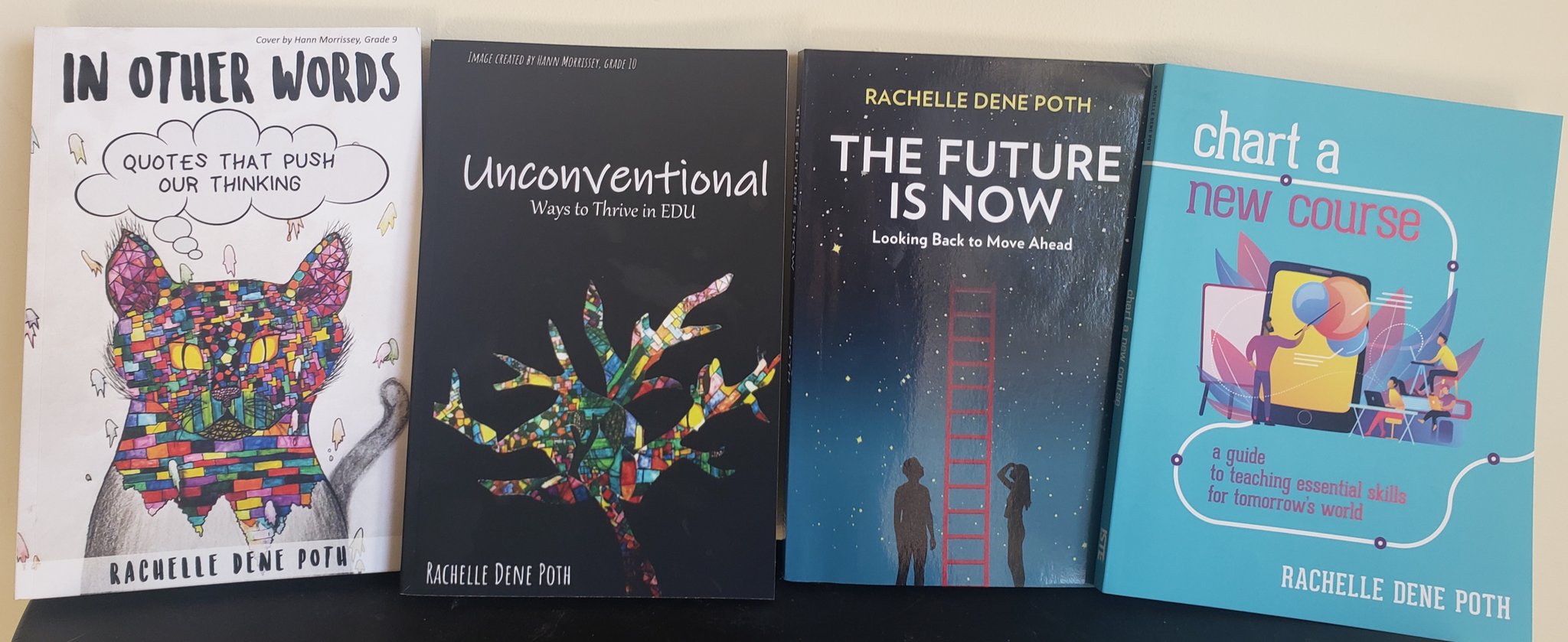
Looking for a new book to read? Many stories from educators, two student chapters, and a student-designed cover for In Other Words.
















 Learning as I go: Reflections & lessons learned