Klassboard: School Management App

In Collaboration with Klassly

Over the past year, we have learned a lot about the importance of communication. Being able to connect not only with our students and our colleagues, but also to be able to provide essential information to families is critical. We need to have a reliable way to communicate last minute changes in schedules or inform about events happening in our communities. Being able to provide all this information and manage it within one space is essential. While many educators and schools may have been using a variety of tools, we’ve learned that it’s really important to streamline these communications to provide more consistent and reliable information in one space. Leveraging a platform where all stakeholders can interact, and access information and have support is key to avoiding the overwhelm that can come with the use of multiple tools.

Klassly is the parent-teacher communication app that can be used on any electronic device. It is easy to navigate Klassly and find the information you need when you need it because of the platform design. Klassboard is a dashboard for school leaders that is available as a web app. Klassly offers a centralized space for the exchange of information and for carrying out the essential daily tasks that educators and administrators need. There is greater consistency in communication between home and school which promotes more family engagement in the school experience.

For classroom teachers and families, The Klassly App, enhances the possibilities for more frequent communication about important issues including student attendance, upcoming events and the student learning experience and makes it easier to create a strong support system for students where families and teachers work together with ease.

For school leaders, Klassboard provides school administrators, principals, district leaders or any school leader with access to relevant data such as student attendance and the reach and deliverability of messages sent to parents. With Klassboard, school principals or superintendents can easily communicate with teachers and families which promotes smooth school-family communication. Klassboard facilitates the access and management, organization and guidance of the school community with a simple and free tool.

As we have all experienced this school year, being able to communicate in real-time and share resources is critical. With Klassboard, multimedia messages can easily be sent to the entire school community instantly, which helps to foster a strong and vital partnership between school, families and educators. Messages can include audio and video, documents, polls and essential information about school events. Leaders can broadcast messages as posts on the timeline of each Klassly class or as a push notification that appears on the mobile device of all school parents and family members who have the klassly app. It’s the most efficient option for real-time communications.

Klassboard makes it easy to communicate directly with teachers and families. It is easier to manage the communication that is being sent out to the school community and access centralized attendance reports. Principals can attach each teacher’s Klassly classes and then manage all communications within one place. Using Multicast, messages can be distributed to all parents of students. Quickly broadcast messages to all Klassly classes instantly, or send to a specific class or students’ families. In addition to scheduling messages, an SMS can be sent in the event of any emergencies, and notifications are received to inform administrators that the messages have been received by parents. You can schedule the time at which messages will appear on teachers’ and families’ apps, request they sign your message to prove they took note of it, or even allow a private reply that only you as the Klassboard manager will see.

Members can comment and react if this is allowed in their Klassly class on the message that appears in the timeline.

On their personal dashboard gathering all their classes, administrators can check the reports and look at the statistics related to student attendance, absences or late arrivals to school. The dashboard makes it easy to collect valuable information about the impact of your messages

Klassroom complies with GDPR and FERPA. All information is private and never transferred to any third parties. It is easy to get started; you simply go to Klassboard.com and create an account. Once you enter your school information you can then add the classes of your school for each of the teachers and link them to their Klassly timeline with their secret passcode (the class key) and then, manage the school all within one space.

When it comes to communication tools, choosing something comprehensive is essential to providing consistent and reliable information to families. We need to streamline the overwhelm that comes with the use of multiple apps and tools that are being used and instead, leverage all of the capabilities that can easily be done using one tool, Klassroom.

With Klassly, teachers have the power of a messaging app, calendar, event planner and more all within one safe and user-friendly platform.

With Klassboard, schools can better support parents, families and student learning. Having a district-wide communication platform establishes consistency and enables teachers and parents to communicate through messaging instantly, privately, and as often as needed.

About the Author:

Rachelle Dene is a Spanish and STEAM: What’s nExT in Emerging Technology Teacher at Riverview High School in Oakmont, PA. Rachelle is also an attorney with a Juris Doctor degree from Duquesne University School of Law and a Master’s in Instructional Technology. Rachelle is an ISTE Certified Educator and serves as the past president of the ISTE Teacher Education Network. She was recently named one of 30 K-12 IT Influencers to follow in 2021.

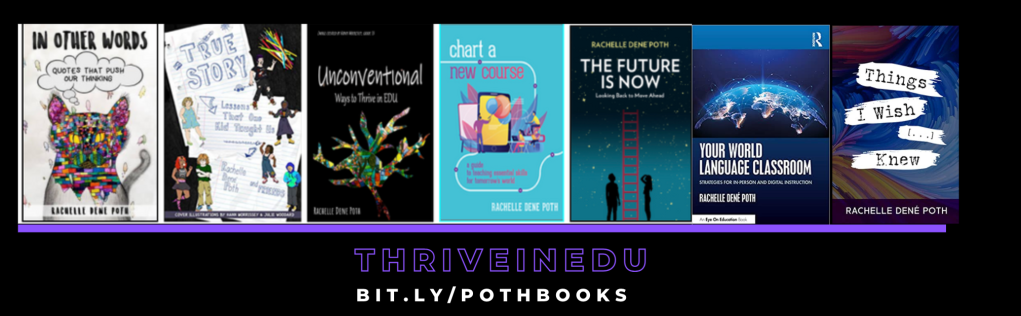
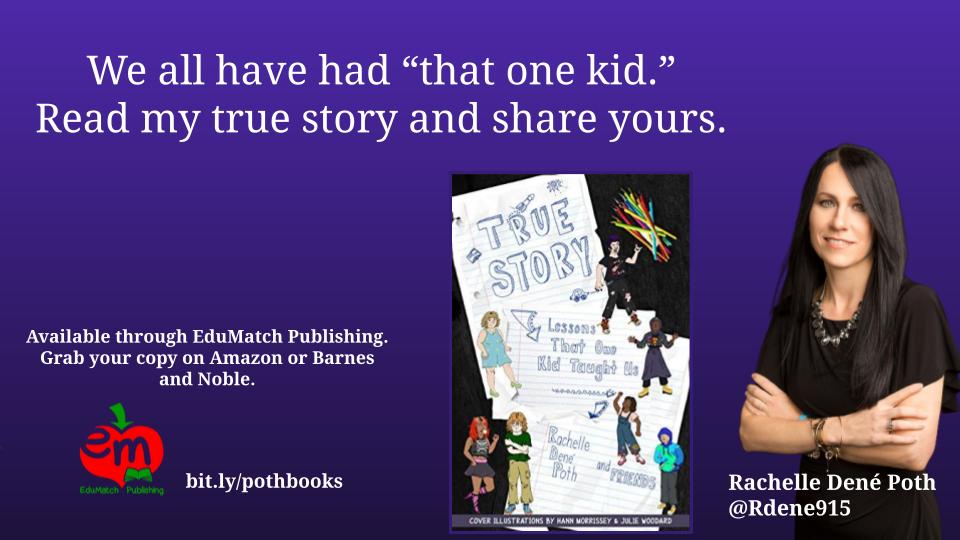
She is the author of five books including ‘In Other Words: Quotes That Push Our Thinking,” “Unconventional Ways to Thrive in EDU” “The Future is Now: Looking Back to Move Ahead,” “Chart A New Course: A Guide to Teaching Essential Skills for Tomorrow’s World and her newest book “True Story: Lessons That One Kid Taught Us” is now available. All books available on Amazon and Barnes and Noble, or directly from Rachelle.

Follow Rachelle on Twitter @Rdene915 and on Instagram @Rdene915. Rachelle has a podcast, ThriveinEDU available at https://anchor.fm/rdene915

**Interested in writing a guest blog for my site? Would love to share your ideas! Submit your post here. Looking for a new book to read? Find these available at bit.ly/Pothbooks

************ Also check out my THRIVEinEDU Podcast Here!

Join my weekly show on Mondays and Fridays at 5pm EST THRIVEinEDU on Facebook. Join the group here

Sharing Our Passions

Guest post by @deidre_roemer Deidre Roemer

Something I have really missed over the last year has been gatherings at the table. I love to cook and bake for family and friends. I love long lingering meals in the backyard and big family dinners. I love family-style meals with my work family in our office. I have been thinking a lot about why I miss those so much. It the sense of community that I feel in those moments. It means something that people take the time to gather, take the time to prepare food for each other, and pause whatever else is going on to sit and listen to one another. A shared meal is a community experience that brings people together in a beautiful way. I had the honor of being invited to a bake-off with a class of third graders a few weeks ago. I couldn’t stay the whole time, but I was able to be there at the start. I watched almost fifty young people in an online session that were so excited to be there. Nearly every student had their camera on and enthusiastically asked questions, mostly all at once as third graders do when they are excited.  

Two classes started doing bake-offs together during emergency remote teaching to continue to build community no matter what the circumstances. They have continued doing shared activities around food or other common interests that are amazing. As we moved to a hybrid model, one of the teachers wanted to continue that work, so she asked if she could get bread machines for their classroom. She wrote this wonderful blog post about the experience of baking together as a community with a focus on the skills the learners are gaining through the process.  

What stuck out to me the most was how it all started. Last spring, I was watching our families post things online about how they were teaching their young children to cook, doing home repair projects, building and making things, and participating in the #epictomatochallenge with the extra time at home. We wanted to find a way to take everything our teachers, learners, and families were doing from home and tie it to their school experience. Our teachers found new passions and spent time doing the things they were already passionate about. Our learners were developing new interests or perfecting things that they were already passionate about. We wanted to find a way to live our strategic plan, empower our learners to share their interests with us, and engage some learners who were starting to disconnect.  

We have been working for the last several years on embedding the Deeper Learning competencies into every single classroom as our way to prepare our learners to live life on their own terms after graduation. The competencies focus on the skills needed for life success- content mastery, communication, problem-solving, collaboration, self-direction, and most importantly, having an academic mindset, which means feeling such a strong sense of belonging that you want to push yourself to try new things and work hard to achieve your goals. We always look for ways to move that work forward and have seen pockets of unbelievable success over the last few years. Watching the way our community united around the tomato challenge and watching what was happening at home on social media prompted us to move to a four-year-old kindergarten through twelfth-grade passion project. 

It was amazing to see the increase in school attendance, the incredible things our learners and families worked on together, and the shared experience across an entire community. We had learners gardening, making movies, participating in online challenges, doing home repair projects, cooking, learning about broadcasting, and many, many more. While our learners were investing their own interests, they were also learning to start with an idea, get feedback from the teachers and other experts, ask probing questions, iterate again and again, write lengthy reflections, use new technology tools to share their knowledge, and produce artifacts about what they had learned that they were very proud to share with an authentic audience. It is that learning experience, tied to academic standards, that we want them to have every day. Watching the momentum of that project carry over into this school year has been inspiring.  

Our staff started sending me copies of their own passion projects last spring. They were doing some new things and some things that they have always loved. Watching adults articulate their learning process with reflections while they learned how to use new technology tools to share what they had learned was fantastic. It became a shared process for learners and staff. It pushed all staff, including teachers, educational assistants, school leaders, and our facilities staff, to share parts of themselves with our learners and invite our learners to do the same. We are always looking for access points to move our Deeper Learning work forward. This became an amazing window for staff and learners to see the power of authentic, learner-driven work.  

I received a lot of feedback on the projects and the whole process and still do almost a year later. Some of the families’ feedback was that their learner needed a more structured learning method, and therefore this was not working for them. Some shared that they were worried about the level of rigor involved. Some were concerned that our teachers had not had enough training in project-based learning to ensure standards were embedded. Many families and learners thanked us for taking a step that helped their child feel empowered. One parent shared that she started the project concerned about rigor and ended up watching her child learn many new skills, build his confidence, stretch himself to do more and more, and connect to his father through common interests. She saw the academic success he experienced in many different ways by the time his first project was done.  He went on to do several more throughout the summer and fall. That learner started something at school that inspired him to connect and go deeper- so powerful.   

Staff also shared some equally thought-provoking reflections. Many of them started the process being frustrated that they were asked to make a shift during such an uncertain time but ended up inspired by what our learners could do. They started to talk about how the strategies they would use to empower our students identified as gifted and talented were the same ones they should be using with our learners identified as having special education needs. One teacher wanted to learn about digital storytelling to engage and deepen the learning for “advanced” students and discovered that she would use the same method to create innovative ways to engage reluctant readers. Another teacher shared she felt overwhelmed at the start of the project but watched her learners come alive as it moved along. She shared that one learner wanted to learn about broadcasting. This led to a new connection with the band teacher, who also knows a lot about sound engineering. He worked collaboratively with the learner and teacher to share what he knows and connected the learner to a local expert who does a professional podcast for the GreenBay Packers for an online meeting to learn more. This kind of cross-curricular, authentic learning was happening for thousands of learners across our community.  

One of our leaders, who was new to us last year, had such inspiring reflection as he was reviewing the learners’ projects and writing about them for his own blog. He chose to review the projects from one of our Advanced Placement courses.  He shared:

That is when I had my a-ha moment. It didn’t matter what student I picked. I didn’t have to think hard and critically about what students would or wouldn’t look good on the blog. They all had a helpful, reflective, communicative project that they did with fidelity. You couldn’t tell a “5” student on their exam to “1”, or an “A” student to a “B”.

This is what the vision should be not for 70 students, but 1000. This is what Central should strive for. I should be able to go into any classroom, any period, and I wouldn’t notice SPED, remedial, or different opportunities. All students would have access and output that would be equitable. It was a powerful feeling for myself.”

All feedback is important as it informs our practice.  Our goal is never to make sure every learner has the same experience. It is that we find a way for the right learning experience for each learner at every moment we can. As we create more access points for our learners to become empowered, we will find the right ones for each learner over time.  It will always mean balancing structured activities, lectures, and a more traditional approach to teaching combined with multiple ways to investigate, explore, try, fail, and try again with opportunities to share what they know and get feedback.  Finding the right balance, being patient with the time it may take, and ensuring the learners have the skills needed to create their own pathway with our support is what creates an empowered learner experience.    

The number of staff members who sent us videos, reflections, and samples of learner projects was impressive. They were so proud of their learning communities that they sent emails, posted things on social media, and have used what they had learned in planning instruction for the future. That community of bakers grew out of some of the moments we shared as a community last spring that they will remember for a lifetime. The power in that is immeasurable. 

**Interested in writing a guest blog for my site? Would love to share your ideas! Submit your post here.

Looking for a new book to read? Many stories from educators, two student chapters, and a student-designed cover for In Other Words.

Find these available at bit.ly/Pothbooks  

************ Also check out my THRIVEinEDU Podcast Here!

Join my weekly show on Mondays and Fridays at 5pm EST THRIVEinEDU on Facebook.  Join the group here
Gamification and SEL with MyPeekaville

In collaboration with Peekapak

Everyone in the country is talking about social-emotional learning (SEL), and rightly so. Kids, teachers and parents alike have been challenged to their furthest extent throughout this pandemic and regardless of whether students are in-person, remote or hybrid, we need to find ways to focus on SEL and bring it to life to build resiliency. Doing this in a remote environment can be a challenge, as students are more limited in teacher and classmate interactions, and therefore, experience fewer opportunities to socialize in the ways they were used to. Social interactions are such an essential part of their learning process. Choosing the right methods and tools can help create spaces where our students feel more connected to us and to each other. Therefore, we must help students build academic skills, as well as essential SEL skills as the two go hand in hand.

As an individual involved in EdTech and as a teacher myself, I believe that we need to leverage technology to maximize student engagement and provide teachers with flexible, easy to use resources. I recently came across an SEL curriculum called Peekapak that offers an online game called myPeekaville as a complement to its teacher-led curriculum. This online game allows kids to practice SEL skills in real-life scenarios, which engages them further in the learning and embedding of SEL competencies. Games like these are fun of course, but more importantly, they can provide students with opportunities to learn and master strategies while building problem-solving, critical thinking, and collaboration.

layout - 03-04.jpg

For example, in the first activity in myPeekaville, students help Leo the Hedgehog identify his nervous ‘first day of school’ emotions. This scenario is highly relatable to their own feelings about the first day of school and how to manage through this anxiety. This type of game-based learning also promotes more interactive learning experiences in class or at home. In Peekapak, the use of myPeekaville provides teachers with another way to understand students’ specific interests and gives parents an idea of the learning that is happening in our classrooms.

Another key benefit I appreciate in this digital resource, is that teachers can monitor and assess student progress and student moods, so they can identify which students may need additional support – particularly if they’re not seeing the student in person or if the student is not directly asking for help. The mood tracking lets students share their feelings and become more aware of the feelings of others which helps in the development of empathy.

When I see kids using the game, building their personal avatar, collecting berries and reading the SEL themed books, I can see how this technology can engage them in a variety of ways to build SEL along with the core skills of reading and writing. It reinforces academic areas that we are primarily focused on with young students.

Ultimately, it is important for children to be able to build SEL skills of self-awareness and self-management, especially in dealing with some of the changes experienced throughout this past year. As we work through what has been a challenging year and plan for the future, we need to make sure that we are focusing on the mental health and wellness of our students. To do so, we must be intentional about creating opportunities for students to build their social-emotional learning (SEL) skills in our classrooms.

Overall, Peekapak offers a robust platform and space for students to learn about themselves and to better understand one another, creating increased opportunities for social-emotional development. Explore Peekapak today!

About the Author:

Rachelle Dene is a Spanish and STEAM: What’s nExT in Emerging Technology Teacher at Riverview High School in Oakmont, PA. Rachelle is also an attorney with a Juris Doctor degree from Duquesne University School of Law and a Master’s in Instructional Technology. Rachelle is an ISTE Certified Educator and serves as the past president of the ISTE Teacher Education Network. She was recently named one of 30 K-12 IT Influencers to follow in 2021.

She is the author of five books including ‘In Other Words: Quotes That Push Our Thinking,” “Unconventional Ways to Thrive in EDU” “The Future is Now: Looking Back to Move Ahead,” “Chart A New Course: A Guide to Teaching Essential Skills for Tomorrow’s World and her newest book “True Story: Lessons That One Kid Taught Us” is now available.

Follow Rachelle on Twitter @Rdene915 and on Instagram @Rdene915. Rachelle has a podcast, ThriveinEDU available at https://anchor.fm/rdene915

**Interested in writing a guest blog for my site? Would love to share your ideas! Submit your post here.

Looking for a new book to read?

Find these available at bit.ly/Pothbooks

** Also check out my THRIVEinEDU Podcast Here!

Join my weekly show on Mondays and Fridays at 5pm EST THRIVEinEDU on Facebook. Join the group here

Are students drowning in the stream?

– Guest post by Dr. Michael Harvey @Doctor_Harves

recent education report from Tokona Te Raki has argued the streaming, also known as ability grouping needs to stop as it disproportionately affects the academic performance of Māori and Pāsifika students. Having now read the report, the paper does have a statistically significant conclusion that Māori does not have the same long-term outcomes as non-Māori, however, this is a correlation and not necessarily the cause of this underachievement.

So yeah, I decided to go down the internet rabbit hole and see what the global situation was and if indeed streaming was a major cause of Māori educational underachievement. First things first let me define my terms so anyone reading knows what exactly what I am talking about. ‘Streaming’ is used to describe a variety of approaches by which students with similar levels of current achievement (note I do not say ability) are consistently grouped together for lessons.‘Streaming’ can involve grouping students into classes for all or most of their lessons or only for some, in particular Maths, English, and Science.

In the New Zealand context, most students in different streams follow the same curriculum. The purported aim of streaming is to enable more effective and efficient teaching by being able to focus on learners with similar achievement in those subjects, in the hope to improve or enhance that achievement (think gifted and talented). Although this approach is sometimes described as ‘ability grouping’, I would see this more as ‘achievement’ rather than ‘ability, as schools generally use measures of current performance, rather than measures of ability, to group their students.

So after wading through the research (see the reference list at the bottom), just how effective is streaming? On average, students whose classes are streamed make slightly less progress than students taught in mixed achievement classes. The evidence suggests that streaming has a very small negative impact for low and mid-range achieving students and a very small positive impact for higher achieving students.  So, the effects are small, and it appears that streaming is not an effective way to raise achievement for most students although it is unclear whether the achievement at lower ends is due to streaming or other factors.

Other effects on students must also be considered, however, such as the effect on their confidence. I remember the effect on my friends at high school when they were told they were in 9J “stingray”, and being labeled stingers – the bottom feeders of the ocean. The research I looked at from the broader evidence base concludes that grouping students on the basis of achievement may have long-term negative effects on the attitudes and engagement of low achieving students, for example, by discouraging the belief that their achievement can be improved through effort and reinforcing the idea they were ‘born dumb’ and that intelligence is not malleable.

2012 OECD review concluded that streaming students is not associated with higher learning outcomes and that students from low-income families are likely to be negatively affected. Although the report did not go on to investigate the effect on local indigenous communities – though poverty is a large part of those community experiences globally.

But what of the actual research, is it reliable and can it be used to make inferences into best educational practice? The evidence on streaming that I read had been accumulated over at least 50 years and there are a large number of studies, some involving large student groups others with small. The conclusions on the impact of streaming are relatively consistent across different evidence reviews and meta-analyses. However, most of the reviews present relatively basic analysis and few investigated the different pedagogical approaches being used in the different extremes of the streamed classrooms. They do not explore whether effects vary between different interventions and the evidence base would benefit from new reviews which address these issues in more depth. Overall, the evidence is rated as limited.

One example of this is that the majority of the experimental evidence comes from the USA, and there are few rigorous experimental studies from other countries like New Zealand and the impact on indigenous communities. There was more evidence from secondary schools than primary schools, as streaming is more commonly used for older students. 

So there, you go, streaming has a small effect either way on overall learning for both low ability and high ability groupings and there is little support for the claim that streaming is the cause of Māori or Pāsifika underachievement – though such research is scant either way. So we must look to develop our pedagogy as educators to cater to the diverse needs of our students, no matter their present achievement 

References:

Collins, C. A., & Gan, L. Does Sorting Students Improve Scores? An Analysis of Class Composition.
(No. w18848). Cambridge, MA: National Bureau of Economic Research. (2013)


Duflo, E., Dupas, P., Kremer, M. Peer Effects, Teacher Incentives, and the Impact of Tracking: Evidence from a Randomized Evaluation in Kenya American Economic Review 101 (5): pp 1739-1774. (2011)

Dunne, M., Humphreys, S., Dyson, A., Sebba, J., Gallannaugh, F., & Muijs, D. The teaching and learning of pupils in low-attainment sets. Curriculum Journal, 22(4), 485-513. (2011)

Hallam, S., & Ireson, J. Secondary school pupils’ satisfaction with their ability grouping placements.
British Educational Research Journal, 33(1), 27-45. (2007)

Hanushek, E. A. & Woessmann, L. Does educational tracking affect performance and inequality? Differences-in-differences evidence across countries. CESifo working papers, No. 1415. (2005)

Henderson, N. D. A meta-analysis of ability grouping achievement and attitude in the elementary grades
Doctoral dissertation, Mississippi State University, Mississippi: Department of Curriculum and Instruction
(1989)

Ireson, J., Hallam, S. & Plewis, I. Ability grouping in secondary schools: Effects on pupils’ self-concepts.
British Journal of Educational Psychology 71. 2, pp 315-326. (2001)

Ireson, J., Hallam, S., Mortimore, P., Hack, S., Clark, H. & Plewis, I. Ability grouping in the secondary school: the effects on academic achievement and pupils’ self-esteem. Paper presented at the British Educational Research Association Annual Conference, the University of Sussex at Brighton, September 2-5 1999. (1999)

Kulik, J.A., & Kulik, C.L.C. Effects of ability grouping on student achievement. Equity and Excellence in Education, 23(1-2), 22-30. (1987)

Tereshchenko, A., Francis, B., Archer, L., Hodgen, J., Mazenod, A., Taylor, B., Pepper, D., & Travers, M. C. Learners’ attitudes to mixed-attainment grouping: examining the views of students of high, middle and low attainment. Research Papers in Education, 1-20 (2018)

**Interested in writing a guest blog for my site? Would love to share your ideas! Submit your post here.

Looking for a new book to read?

Find these available at bit.ly/Pothbooks

************ Also check out my THRIVEinEDU Podcast Here!

Join my weekly show on Mondays and Fridays at 5pm EST THRIVEinEDU on Facebook.  Join the group here

Spaces: #21for21 Great Ideas from Educators

If you haven’t heard about Spaces EDU, now is definitely the time to check it out. Besides offering a lot for educators and students when it comes to creating digital portfolios and building the essential skills to be prepared for now and in the future, they’re offering a lot more for educators this month!

Check out the 21 Educators, 21 interviews and the 21 days of giveaways to teachers. The #21for21 is a podcast series in which each teacher shares their experiences, what has worked for them in the classroom and what they believe we need to provide for our students in order to be successful in our 21st century world. Make sure you subscribe to the 21for21 newsletter to be entered into the giveaways, and check out each of the 21 videos available.

Each educator offers some helpful tips about preparing students for a skills-based world through real-world experiences, promoting communication and collaboration skills, and more. Take some time to listen to each idea and borrow it for your classroom!

Listen to each and click “Tweet to vote” for your favorite “Borrow and Share idea. Check out the great prizes still to be given away. The top five educators with the most votes will win cash prizes for their classrooms. 

Sharing PBL for my Borrow and Share!

Preparing for the Future with Spaces

It is important that educators find ways to  better understand students and their interests in learning. Having the right tools or methods in place, can help with not only supporting students on their learning journey, it helps with building those vital teacher-student relationships. A key part of this is that it helps to focus on the social-emotional learning (SEL) skills as students build their self-awareness and also self-management skills, when they look at the work that they’ve done and set new goals for their continued learning journey.

portfolios enable us to be able to give authentic, meaningful feedback to students and develop a better understanding of each student’s strengths and needs. These “spaces” also help to build relationships as we get to know our students and their learning needs and strengths more. 

Spaces provides a great choice for creating digital portfolios and more. Through digital portfolios, students can choose and compile artifacts of the work that they have done throughout the year or during a PBL experience. By including samples of projects or even reflections on career explorations or participation in community activities that they engaged in during their high school career, educators and future employers will be able to see student growth over time. Portfolios are a great way for students to show their learning journey. Creating portfolios in a digital space gives students the opportunity to self-assess, track their growth over time as they build their narrative. With the use of digital portfolios, we help students focus on their own learning journey as they develop these other essential skills. 

Students can record their daily work, reflect on their learning experiences and express their thoughts, which is a beneficial way to promote the continued development of SEL skills. Teachers can assess students and provide real-time feedback. It also helps students to share their work publicly and build confidence in learning.  Get started with Spaces today!

**Interested in writing a guest blog for my site? Would love to share your ideas! Submit your post here.

Looking for a new book to read?

Find these available at bit.ly/Pothbooks

Ziplet: A great tool for SEL and exit tickets

Having taught the majority of this school year in hybrid and fully virtual teaching, finding ways to assess students and to check-in with them regularly was a challenge.

As a Spanish teacher, it is important for me to know how they are doing with the content and how they are doing in general. I started to use Ziplet, which helped me to better understand where students were in ​the learning​ process​, do a quick check-in ​to monitor wellbeing, or use it for an exit ticket at the end of class.​ ​

When I look for digital tools ​to enhance instruction, ​whether virtual, hybrid or in-person, having a versatile tool like ​Z​iplet makes it easier to involve students in learning and be able to gauge their understanding quickly.

During this school year, as I had to transition between these learning environments, using Ziplet helped me with staying consistent when it comes to communication. I can send a quick announcement to my students in the group, ask questions and check in with them to see how learning is going or ask about any challenges that they are facing for just a few examples.

​Getting started​

​Using the question templates available within Ziplet makes it easy to get started quickly. ​What I appreciate is that you can choose from the response types which include emojis, ​multiple choice, open response​s​, or a rating scale. I like to select two different response types such as asking ​students an open-ended question and doing a quick check-in using an emoji​ or a scale.

Questions can be saved under your favorites so that you don’t have to create a new question every single time you use it.

[template options with sample questions that appear for each]

​Reviewing responses​

Accessing student responses is simple and through the scale or emoji options, it’s easy to get a quick glimpse at how students are feeling about a particular topic or their well-being in general.

Asking a quick question such as “How do you feel about the lesson covered?” and using the scale of 1 to 5 makes it easy to gauge a student’s responses and the text response helps students to elaborate or reflect on the lesson. Answers can be posted anonymously and responses are private between student and the teacher.

Messaging with Ziplet

You can also use Ziplet to send a quick message to your class. Since Ziplet integrates with Google Classroom, you can easily import your student roster and share questions directly.

If your school does not use Google Classroom, students can join using the group code provided by the teacher or can be added with email. You can use the email to post a question and students will receive an email message or a notification through the Ziplet app.

Ideas to get started

Start class with a quick check-in to see how students are doing or ask specific questions about the prior lesson. Another great idea is to use Ziplet for a 3-2-1 exit ticket which encourages students to think closely about what they are learning and help them to become more self-aware which is great for developing SEL skills.

Check out the example exit ticket ideas for different content areas here.

Key features

  • Ziplet meets all privacy and security requirements, COPPA and GDPR Compliant
  • Collect classroom or even school wide responses instantly
  • Use it for a daily check-in or a weekly reflection
  • Create announcements to share with students
  • Schedule questions in advance
  • Promotes timely and authentic feedback

Creating accounts

There are several options for getting started with Ziplet including a free plan for teachers to create up to three groups with 50 students and two teachers per group. There are additional plans including Ziplet Plus, a custom plan for K through 12 schools and even one for higher education.

Upgraded plans include unlimited groups and students with many additional features such as student response filtering, reply to all, ability to export response data, and more.

Ziplet, founded in 2016 and based in Melbourne, Australia is being used in more than 10,000 institutions including schools, universities and even in corporate training environments.

Ziplet is available on the App store and Google Play. Getting started with a new digital tool often takes time but that’s not the case with Ziplet as there are preloaded questions available that teachers can use to get started right away!

About the Author

Rachelle Dene Poth is an edtech consultant, presenter, attorney, author, and teacher. Rachelle teaches Spanish and STEAM: What’s nExT in Emerging Technology at Riverview Junior Senior High School in Oakmont, PA. Rachelle has a Juris Doctor degree from Duquesne University School of Law and a Master’s in Instructional Technology. She is a Consultant and Speaker, owner of ThriveinEDU LLC Consulting. She is an ISTE Certified Educator and currently serves as the past -president of the ISTE Teacher Education Network and on the Leadership team of the Mobile Learning Network. At ISTE19, she received the Making IT Happen Award and a Presidential Gold Award for volunteer service to education.

Rachelle is the author of five books available on Amazon and Barnes and Noble. Follow her on Twitter and Instagram @Rdene915.

**Interested in writing a guest blog for my site? Would love to share your ideas! Submit your post here.

Looking for a new book to read?

Find these available at bit.ly/Pothbooks

************ Also check out my THRIVEinEDU Podcast Here!

Join my weekly show on Mondays and Fridays at 5pm EST THRIVEinEDU on Facebook.  Join the group here

Increasing Independent Work time can mitigate learning loss

Guest post by Lis Bluford, @LisBluford @EdLightPBC

To accelerate learning, we need to focus on student work output daily.

Students show us their learning every day. It’s our job to give them time to show us their understanding and listen.

Authentic student work should be at the center of learning.

As part of my role at EdLight, I’m constantly observing remote classrooms of all ages. One of my greatest takeaways is how few classrooms prioritize independent work time.

I recently observed a 60-minute lesson where the teacher skillfully modeled a procedure and engaged 100% of students in a guided practice. While this was impressive, I kept waiting for students to have a chance to apply the learning themselves through independent work or an exit ticket time. It never came.

Unfortunately this has become a trend with remote / hybrid learning. Perhaps it’s the camera that makes us want to perform, but for whatever reason, teachers are reluctant to have students working independently + quietly.

Supported independent work time is the number one thing you can do to increase learning, whether you are in person or remote.

When I was teaching in person, administrators were confused by the sheer volume of work completion in my classroom. I reserved at least half of class time or more for supported independent work. And it worked — my students performed at the top of our network of schools.

Silently watching students working may feel uncomfortable, but time spent trying hard on challenging tasks is never wasted. Here is why that matters, even in remote learning:

Benefits for Students

Independent work is important in building stamina. As students grow older, they are required to sit and work alone for longer periods of time. As a teacher, I have to facilitate this ability to focus for a sustained block or on a single project.

This is one of the best ways to support students of various learning styles and personalities. For students who are quieter and more reserved in group discussions, this might be the only time you get to understand if they really “get it.” You can’t hide behind independent work.

With the increase in formative remote learning tools (selecting a multiple choice answer, drawing on a trackpad) students have minimal opportunity to interact with content with pencil and paper. Handwritten work facilitates deep thinking in a new way, gives students a welcome break from technology, and guides younger students to develop the occupational skill of handwriting.

Extended work time allows students to show mastery of content of a single standard in a variety of ways. You can give multiple versions of one math problem, ask a question various ways in reading, etc. The more independent work, the more students can show their understanding of a concept.

Benefits for Teachers

The more work students are submitting, the easier it is for teachers to find the misconceptions. Teachers can check for understanding by looking at student work before class is over and figure out the gaps in learning in order to address them.

Giving feedback to students on their work will allow teachers also see higher engagement, which can help build relationships.

But what does “supported independent work” mean?

Teachers must find a way to give feedback to students in the moment when they complete their independent work. Whether this is on a Google Doc, in an online learning portal, or on paper — so long as you are acknowledging work!

Another great way to support independent work is to close out the lesson by showing an example of work a student completed that day. It can be work that students fix together or an example of mastery. Either way, this can build a culture of teamwork and pride over work completion.

If you’re looking to push student understanding in your classroom – sit in the silence, break out the pencil and paper, and let kids work. For more than just a 5 minute exit ticket at the end of class. I guarantee both you and your students will grow from it.

About the author: Lis Bluford has taught in high-performing charter schools for ten years, demonstrating exceptional student results. Most recently, her fifth-grade students earned the #1 student growth in the state of Massachusetts. She is currently the Master Educator at EdLight, where she tutors students virtually while prioritizing targeted feedback.

**Interested in writing a guest blog for my site? Would love to share your ideas! Submit your post here.

Looking for a new book to read?

Find these available at bit.ly/Pothbooks

Klassly: Choosing the Right Communication Platform

Choosing the Right Communication Platform

As educators, we are fortunate that there are many digital communication tools available to help us foster a meaningful home-to-school connection. With so many options, it is important to choose one that offers quality resources, centralizes school information, and which helps educators create a virtual space for students and families to be part of the learning community.

As we have learned even more in this past year, being able to keep families and the school community informed about what is happening inside the classroom, in real-time, strengthens that connection between home and school. At the school and district level, it is essential to implement a comprehensive, consistent and efficient program that meets the needs and preferences of each of its members. Greater family engagement, positively impacts student growth and provides a stronger support system.

Choosing the best platform depends on your specific needs. Teachers need to complete important tasks such as sending class updates, asking for volunteers, scheduling conferences and school events, sharing files and photos, and communicating information to families and more. Administrators have access to the same resources as well as important data to better understand how well communication is happening in their school community.

As we work through transitioning learning environments and challenges, it is critical to have a robust platform that enables schools to better support parents, families and student learning. Especially today, we need access to consistent and reliable communication between home and school to avoid potential disconnect between parental involvement and teacher communication. So which do we choose?

There are two communication platforms that I have been asked about recently: Klassly and ClassDojo. Here are some key features:

Features

Klassly

ClassDojo

Safety Guidelines

COPPA, FERPA and GDPR compliant, parent authorization form. Also has extra verification steps (3 steps to join a class + authorization form of parents)

COPPA, FERPA and GDPR compliant

Parent Engagement

Created for parents to actively participate

Created for parents to observe and stay informed

Language Translation

120+ languages and with voiceover for visually impaired

35+ languages

Private Chat

Yes

Yes

Group Chat

Yes

Yes

Video Conferencing

Yes

No

Contacting the teacher

Functions like social media with reactions and comments on posts – Parent DM requests must be approved by teachers

Quiet hours

Calendar scheduling and meetings

Teachers can post availability or parents can request appointments. Parents can choose a time slot for in-person or videoconferencing.

Not available within the app

Attendance

Yes

Yes

Homework assignments

Assigned and graded. Can include documents, photos, video and voice.

Assigned but not graded within ClassDojo

School Management/school wide announcements

Principals can broadcast posts in each class.

Administrators have Klassboard.

Parents have to check class and school accounts as it is not a centralized system.

Community Building

Parents can comment and see each others’ reactions to posts

or privately connect to organize events. No numbers are exchanged

Parents can comment and see each others’ reactions to post

Media sharing

Similar to Facebook. Multiple multimedia posts (prime) but free multi attachment posts.

Can post multiple pics but not a mix of video, pictures, and documents. Send newsletters

Teacher accounts per class

Multiple per class, as per U.S.

Multiple per class, as per U.S.

Notifications/Quiet time

Teachers set schedules, manage notifications, show availability. Full management

Turn notifications on/off.

Cost

Free with premium features

Free with paid content features

Klassly

What makes Klassly stand out? Klassly is available for classroom, district- or school- wide implementation. School administrators, teachers and parents, whether tech-savvy or not, will find it easy to navigate Klassly and Klassboard to exchange information and carry out essential daily tasks in one centralized space. These tools enable schools to establish consistency in communications which leads to greater family engagement by providing all essential resources in one centralized digital space.

For school and district administrators, relevant data is easier to access through Klassboard. Administrators can link teacher Klassly classes in one space and broadcast messages to the entire community instantly, which helps to foster a strong and vital partnership between school and families. Messages can include audio and video, documents, information about school events as well as polls. Reports show attendance, parent engagement, reach and deliverability of messages, all which helps to promote better communication with families.

Parents have access through push notifications and can quickly learn about student attendance with real-time interactions and feel more connected through timeline posts such as photos from a field-trip or a class presentation, for example. Parents can also contact the teacher about an absence or late arrival.

Klassly offers video conferencing which makes it easier to communicate with families and share the learning happening in the classroom. Klassly, is a comprehensive tool that connects families with their child’s school and the district, all within one centralized space. Schools are better able to provide a more consistent, effective and reliable way to facilitate higher family engagement and better communication between school and home.

ClassDojo is a communication app for teachers, parents, and students. While ClassDojo was initially used more for promoting a positive classroom culture and behavior management, it has evolved into a more expansive platform for teachers to communicate with families.

Students are able to create digital portfolios through the app and include photos and other artifacts of their work. Parents are connected with the learning that is happening in the classroom through messaging features within ClassDojo and teachers can post announcements, send updates, share photos or videos with parents instantly through the messaging of ClassDojo. (These are also features of Klassly). Only teachers can post on the class story but parents can react with hearts to show appreciation. (In Klassly, there are more reactions and parents can give responses that are private and only seen by the teacher or give a signature when the teachers request it in their posts).

In ClassDojo, teachers can create assignments, share lessons, schedule events, post photos and see if messages have been seen and read. Messages can be instantly translated into more than 35 languages and families can set preferences for notifications. Teachers can also set quiet hours to pause notifications and let families know that they are unavailable.

ClassDojo offers the following tools within its app: Classroom Directions, Random Group Generator, Classroom Music, Classroom Noise, Think-Pair-Share, Random Student Selector, Classroom Timer, and Morning Meeting App.

ClassDojo has “Dojocast”which enables the projection of each app from the phone to the smartboard in the classroom.

ClassDojo is available for free and with premium options. It is used in grades K-12 and works on all devices so accessibility does not rely on having a specific phone or computer.

Similarities and differences between ClassDojo and Klassly

Both platforms offer a lot of options, and it may come down to personal preference, school decision or possibly cost involved in using these tools. With both ClassDojo and Klassly, messages are exchanged through two-way communication using any device to share classroom updates, important reminders, files and media which helps to keep families informed of classroom events and learning activities. In both platforms, events can be created which also includes permission slips, sign-up sheets, and the ability to track RSVPS.

So why should schools choose either one of these platforms?

Klassly is a robust platform. For teachers, it integrates features such as a messaging app, calendar, event planner and more into one safe and user-friendly platform. It enables teachers and parents to communicate through messaging instantly, privately, and as often as needed. For principals, it has a school management platform (Klassboard), which is not available through ClassDojo.

Klassly is a tool that I have used and recommended often because it provides many features that save time and promote more family engagement. Klassly facilitates timely, relevant and secure communication (extra verification steps) between home and school through push notifications with real-time interactions. Klassly takes multiple tasks and communicative needs (messaging, attendance and gradebook portal, event planner, calendar) that schools and teachers are currently using and unifies them in one easy to use and widely accessible platform.

18 Resources to Get Students Coding This Year

Each year during December, there’s a focus on coding and computational thinking. Computer Science Education Week is happening December 9th-15th this year and there are a lot of great ways to get involved. A few years ago I first learned about the Hour of Code, and immediately referred to the Code.org website to find activities for my eighth grade STEAM class. Just getting started, I didn’t know much about the resources available and thought this was the best way to provide some activities for my students to join in during the week. It was fun to sign up to participate in the events of the day and see from where around the world other classrooms were joining in from. But beyond that one day, and actually, that one hour, we didn’t really do much more in my class. I asked colleagues and members of my PLN about their activities for the Hour of Code and coding throughout the year, and many stated that they didn’t know how to implement more in their classrooms. It was then that I recognized the need to provide more ways for students to learn about coding and computational thinking, and that as educators, we must actively look for opportunities for our students. We need to push past an Hour of Code and do more in our classrooms.

Preparing Ourselves

For some educators, topics like coding and computational thinking can seem challenging to bring into the classroom and for them to know enough to feel confident in teaching students about these topics. I was one of those educators. My comfort level changed when I had to create a game using Hopscotch for a master’s course and I struggled a lot. It was uncomfortable to not be able to fully understand the coding process, but it pushed me to keep learning and to start using Hopscotch with my eighth graders. I learned a lot from my students and it was a great opportunity to put myself in their place as they learn something new. Realizing that it is okay to not know all of the answers is a valuable lesson.

Another hurdle was to learn more about computational thinking, a topic that I had avoided because of a fear of not understanding it enough and thinking it did not apply to my role as a Spanish teacher. It was an area that intimidated me because I believed it to be so complex.

However, I recently took a Computational Thinking (CT) course provided by ISTE U, which definitely stretched me professionally and provided a solid foundation full of resources for doing more with these topics in my classroom. We need to find ways to give our students and ourselves an opportunity to learn about topics like coding and computational thinking and how they apply in our daily lives and how it could possibly benefit us in the future.

Where to Begin

There are so many resources out there that sometimes knowing exactly where to start presents the challenge. It is easy to get started by referring to the Code.org site or checking out CS First from Google and resources for educators. There are some apps and websites to get started with coding and computational thinking. Some of these can be used specifically with elementary students in grade bands pre-reader through two, three through five, and six plus, and others that are specific to middle school or high school. Several of these options offer ways to search based on topic, level or type of activity. What I like the most is that they are fun ways for educators to get started with coding and CT, with the ability to decide how to apply them to our own work.

Start with Code.org or CS First from Google, and then explore these 18 resources to check out what specifically to use during the Hour of Code and Computer Science Week, or take the time and try each of these out over the course of a couple of weeks. Have your students explore and continue learning right along with your students.

18 Sites to Explore

Artist. Use this as a way to have students begin coding with blocks to complete tasks to build their coding skills.

Code.org. Explore this link to find a list of resources and different activities and to sign up to participate in the Hour of Code. There are more than 500 one hour tutorials that are available in more than 45 languages.

Code Combat is a game based computer program for older students who want to learn about Javascript or Python. In Code Combat, students type in their code and see their characters respond in real-time.

Code Monster is an easy way to get younger students to learn more about code. Two boxes on the screen show the code and what the code does, with explanations popping up to show students what happens with each command.

CoSpacesEDU Robot Rattle. Students learn to operate a robot and the activity includes a tutorial video. Using blocks and drag and drops, students can write the instructions for the robot and then if devices are available, the robot can be seen performing the tasks as written in the code in virtual reality (VR).

Hopscotch is for use with iPads and has specific activities available for the Hour of Code but offers many options for students to create their own games or to remix games that are available.

Turtle Art. Students use block coding like Scratch but through the use of one turtle and mathematics to do the programming.  Students can create their own work of art or remix someone else’s painting.

Science

Explore Mars with Scratch. Students in grades three through eight can create a Mars exploration game using Scratch. Through this lesson, students work through activities and build their math, computational thinking, and problem-solving skills. There is also the option for an extension activity for students in grades K-12 to do an independent project.

Multi-topics

Code-it studio is for use with grades two and up and offers students the chance to program art and designs.

CodeSpark. Students up to grade five can design and code a video game using the self-paced activity available through this site.

Code an Unusual Discovery. Using Scratch and CS First from Google, students can work through on their own and create a story using code.

Khan Academy Code. For grades six and up students can watch an interactive talk-through, work through challenges or decide to do their own project. Everything that students need for coding is available directly through the website. Students can also learn to code by making a website in HTML tags and CSS.

Kodable. Activities for students in grades two through five, offering Javascript for students in upper elementary grades. There are activities for social studies, science, ELA, math and more with levels from beginning to advanced. Students can even choose their own adventure.

Minecraft Hour of Code. A free Hour of Code lesson was developed by Microsoft’s AI for Earth team. In the lesson, students in grades two and up use code to prevent forest fires. There is also a free online course for educators to learn how to run an Hour of Code lesson in their school.

Robo-Restaurant Decorator. Students in grade two and up can program a robot to paint a restaurant and the algorithms must be done correctly

Star Wars. The first activity we tried was working through the activities provided using the Star Wars theme. Activities are available for students in grades two and up. Learn to code with Blocks and Javascript.

Tynker offers a lot of activities for students to participate and learn about coding, specially curated for the Hour of Code. Activities are grouped for students in the ranges of K-two, three-five and six plus. Options available include text coding, STEM activities, and the new UN+ which is focused on ecological issues such as life on land, responsible consumption and affordable and clean energy.

VidCode is an online platform that offers opportunities for teachers to explore computer science curriculum or individual lessons related to coding. For the Hour of Code, explore the Climate Science coding activity.

Another option is to have students learn about the Hour of Code, its origin and different terms related to coding and then use some of the game-based learning tools out there like Kahoot! To help students develop a better understanding of the basics of coding. Try one of these ideas out for some fun ways to get students involved with coding and use the game as a starting point for class discussion.

**Interested in writing a guest blog for my site? Would love to share your ideas! Submit your post here.

Looking for a new book to read? Many stories from educators, two student chapters, and a student-designed cover for In Other Words.

Find these available at bit.ly/Pothbooks  

When they are empowered!

DeidreroemerUncategorized  April 10, 2021 6 Minutes

Guest post by @deidre_roemer DeidreroemerUncategorized  April 10, 2021 6 Minutes

One of the many things I have really missed in the last year is my time in schools talking to our learners. I typically spend about sixty percent of my time in classrooms with teachers and students in a “normal” year. I have missed that chance to hear about their learning and see the learner experience through their eyes. While we were still virtual, I was able to join some online classes, but it wasn’t quite the same as the connections I could make face-to-face. Now that we have been back in our physical schools for a few months, I am cautious not to go into too many classrooms in person each week as that would be tough to contact trace. I am affectionately known as “that lady” in many of our schools. I hear kids say things like, “That lady is back. Get ready; she’s going to ask you a lot of questions.” They all learn my name while I am there and then usually forget it between visits. I miss being “that lady”!

I was lucky enough to get the chance to be the substitute for one of our amazing teachers recently. It was a learning community of eighteen five and six-year-olds who were having their first day of in-person learning on the day I was there. It was the first time all year they had been together as an entire class. It was such an honor to get to welcome them and attempt to follow the beautifully written lesson plans from the teacher. As we did an opening community circle and moved in to do some opinion writing, a sense of incredible pride overwhelmed me. Although these learners had been virtual for most of the year and then hybrid for a few weeks, they had such a strong sense of community. Two students were new to the class that day, and the others were anxious to welcome them and show them the ropes. With a stranger in the room, they were comfortable sharing what they know and talking through challenges. They were excited to show what they had learned and made sure they included everyone. I watched what an empowered five or six-year-old could do and was blown away. They had a sense of belonging and a desire to work through anything. They were vocal when they got stuck and exactly what help they needed to be successful.

I sent this to the teacher at the end of the day:

Thank you for allowing me to be a guest in your beautiful learning community today. You have obviously done some amazing work to create a space where your learners feel confident and included.  

They ranked themselves, and 10 gave the class a thumbs up on the day, 6 gave themselves a thumbs medium, and 2 were at speech when we took the poll. We collected some evidence of why we really should get a thumbs-up:

  • We welcomed new friends kindly into our learning community.
  • We did a great job on our reading.
  • We did a great job on our opinion writing.
  • We listened right away when we needed to come in from recess.
  • We were flexible in our thinking as so much was new today.

I was so impressed with their ability to advocate for themselves, support each other when things got tough, and be reflective in their work. They were joyful and curious all day long and yet not afraid to challenge things at the same time. I also asked them for feedback throughout the day on how I was doing. They fired me twice in the morning but then hired me back to be the substitute again at the end of the day. 

A few weeks ago, I also had the opportunity to host an open meeting with some of our high school students. I asked them about what was going well for them this year and what else they need from school. They were as articulate and honest as the five and six-year-olds. We talked openly about how they felt about virtual and hybrid learning, where this year was challenging in and out of school, and how they felt about our curriculum. Many of them were happy to be back in school and some were anxious to know if we would have a virtual option next year because that has worked better for them. They had many positive things to say about their teachers and their opportunities in our schools.  

They also gave me some things to work on. They asked that we incorporate more Mindfulness lessons throughout the day. They do Mindfulness activities in their homerooms, but not often enough to be really useful. They asked for classes in mental wellness to find balance and better understand mental health issues. A few of the learners in the meeting are on our Hope Squad at their school and shared how powerful it is to really understand mental health needs as well as how to look out for their peers.  

I asked if they felt prepared for life after high school and, for the most part, they felt confident except in the area of financial literacy. One of our graduation requirements is to take a financial literacy course, but they didn’t feel like the course goes far enough. We will be asking students to join us in curriculum writing for the course going forward as they know exactly what they need. Many of them talked about project-based learning experiences that empower them to find their voices in school and learn what they want to do after high school.  

There were about forty students in the online meeting from our three high schools who were participating in a variety of opportunities at school. Almost every student spoke up and shared something. The confidence I could hear in their responses was impressive especially given that it was a very mixed group of students with different interests, aptitudes, and school experiences. No matter where they were coming from and how successful they were by traditional measures, they were all able to speak up for real and honest things that they need from school. I will be hosting a few more before the end of the school year and will continue it next year. Hearing truly empowered learners advocate for themselves and recognize success was incredible. 

Each year, we go to our community to share what has been happening in our schools with our finances, learning, and upcoming developments in our district. Last year, I invited groups of learners to attend the sessions to speak about our work. If we are working to empower them, then they should be the ones sharing their own progress. This year, the meetings were virtual, so it was even easier to facilitate learners’ attendance to discuss their learner experience. In one presentation, a ten-year-old asked to share his screen to show the community a video game he created in math class to demonstrate his knowledge. Teachers shared videos of learners creating and making things who could articulate the standards they had mastered or the content knowledge they had gained through what they built. We saw art projects that demonstrated knowledge of literature and learners talking about using new technology tools to create podcasts to create a dystopian universe. All of the examples demonstrated rigorous learning tied to the interest of our learners. It was so powerful! 

We didn’t tell the teachers which students to choose, just that we wanted a group from elementary, intermediate, and high school at each of the three meetings. Our staff choose a wonderfully diverse group of learners. We had learners with special needs, some choosing virtual learning, learners in our advanced placement classes, and learners who have needed additional support in school. It was so incredible that no matter which student I asked, they could all share how they feel inspired and supported at school. They talked about what Deeper Learning means to them and how their learning is about trying, getting feedback, and iterating until they get an artifact that shows what they know. They were confident and articulate and so excited to present to an audience. You could hear the pride they felt in their work and themselves.  

Our empowered learners are also starting to challenge us more, which I love! They send emails to our Superintendent and me advocating for what they want to see in our schools. They come to our school board meeting and speak in open comment about how they think we should do something. Watching them feel the confidence to speak up, ask for what they need, and challenge ideas they disagree with is inspiring. We aren’t always able to grant what they are asking for when they ask for it, but they are helping us shape how we allocate some resources and write curriculum in new ways.  

I love the quote from AJ Juliani, “Our job is not to prepare students for something. Our job is to help students prepare themselves for anything.” Our learners, at all ages and learning formats, are starting to demonstrate that they are ready for anything, and that we’ve helped prepare them to do it all with confidence and grace. 

**Interested in writing a guest blog for my site? Would love to share your ideas! Submit your post here.

Looking for a new book to read? Many stories from educators, two student chapters, and a student-designed cover for In Other Words.

Find these available at bit.ly/Pothbooks  

TeacherCast Educational Network | Developing Standards-Based Instructional Technology Integration

Technology Integration - Instructional Coaching - Productivity Secrets for Educators

Leadership Liner Notes: Sean Gaillard

Built on Connection. Tuned for Impact.

Stories by Thomas Oppong on Medium

Dr. Rachelle Dené Poth @Rdene915 Educator, Consultant & Keynote Speaker, Author, Attorney #THRIVEinEDU

Hooked On Innovation

When Innovation slaps you in the face, we slap back.

Teach Better

Dr. Rachelle Dené Poth @Rdene915 Educator, Consultant & Keynote Speaker, Author, Attorney #THRIVEinEDU

BrianKulak.com

Dr. Rachelle Dené Poth @Rdene915 Educator, Consultant & Keynote Speaker, Author, Attorney #THRIVEinEDU

The Principal of Change

Stories of learning and leading

Mandy Froehlich

Dr. Rachelle Dené Poth @Rdene915 Educator, Consultant & Keynote Speaker, Author, Attorney #THRIVEinEDU

Katie Martin

Informed by research, refined by practice

#RocknTheBoat

Rocking today's classrooms, one teacher, student, and class at a time.

User Generated Education

Education as it should be - passion-based.

Learning as I go: Reflections & lessons learned

Dr. Rachelle Dené Poth @Rdene915 Educator, Consultant & Keynote Speaker, Author, Attorney #THRIVEinEDU

Serendipity in Education

Join me, Allyson Apsey, as I stumble upon the fortunes of learning, laughing, and celebrating alongside incredible people.