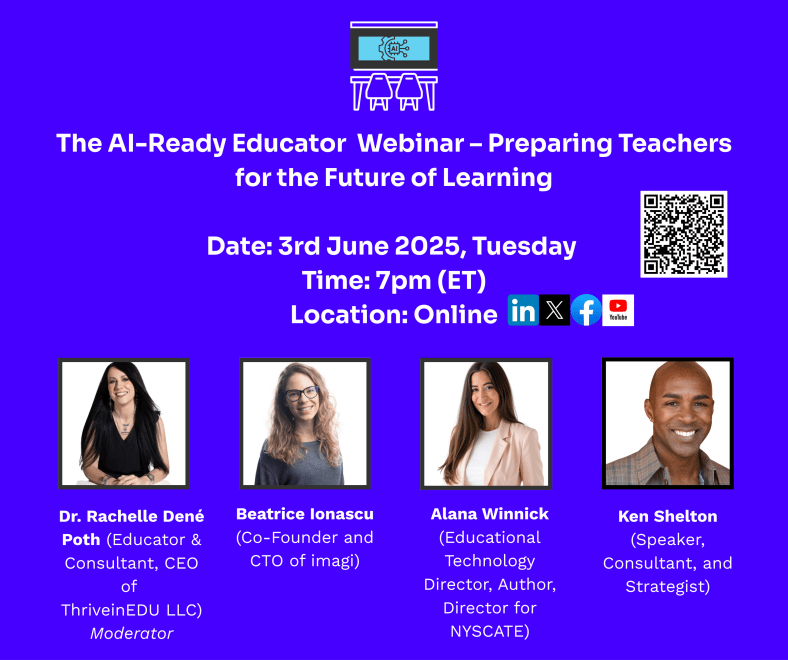
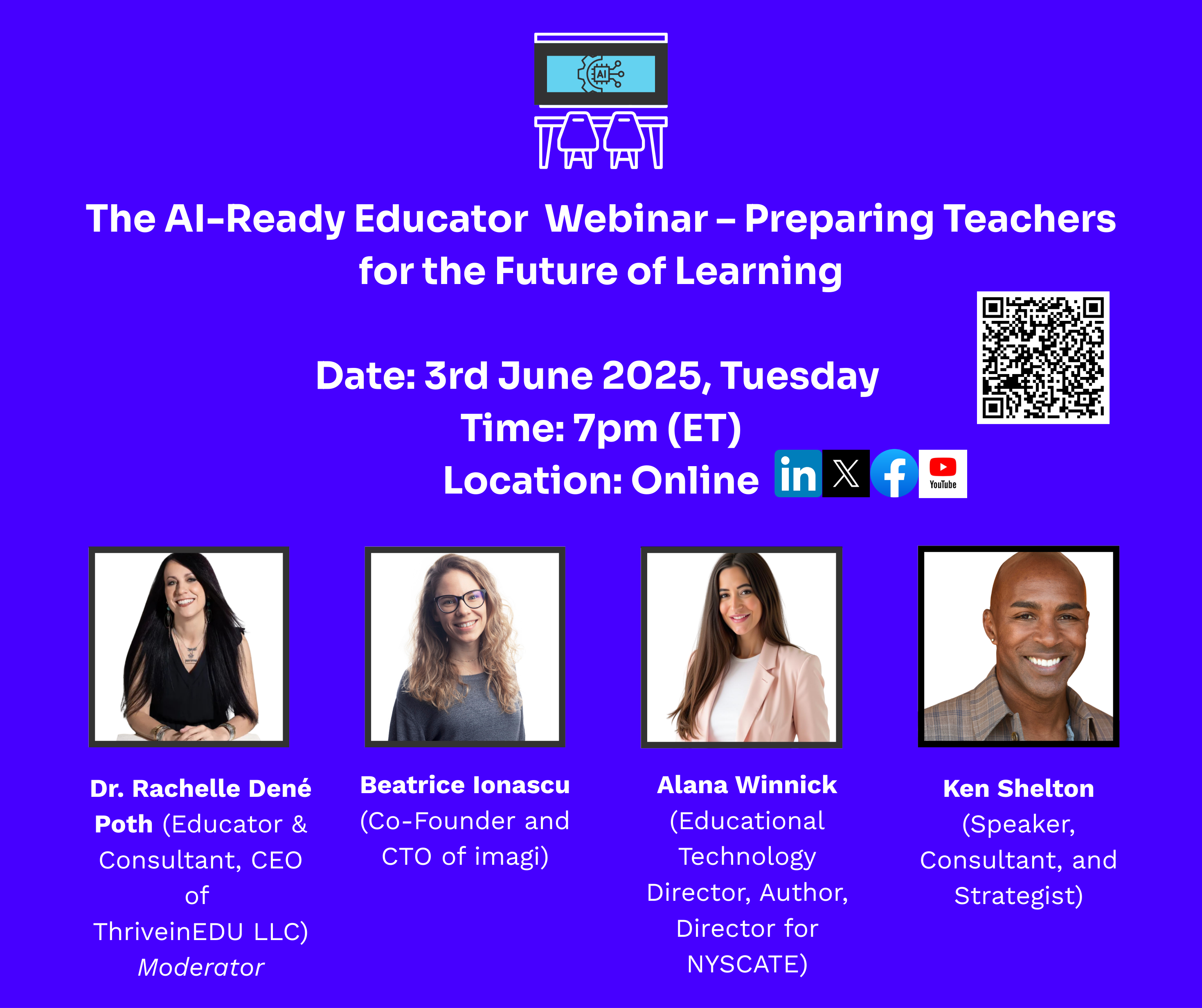
Imagi Webinar: AI-Ready Educators: Preparing Teachers for the Future of Learning

We had a great turnout for our recent webinar and a great panel! Read more here and check out the recording.

Artificial Intelligence is no longer a concept for the future—it’s transforming classrooms everywhere. The sudden and widespread availability of powerful AI tools has left many educators with a mix of excitement and apprehension. How can we, as educators, prepare our students for an AI-driven future? How do we harness the potential of these tools while carefully and consistently navigating their pitfalls?

These were the central questions addressed in a recent webinar, “The AI-Ready Educator: Preparing Teachers for the Future of Learning,” hosted by ThriveinEDU and Imagi-Labs. The session brought together a panel of experts, including educator, author, and attorney, Dr. Rachelle Dené Poth, who moderated a powerful conversation with panelists Alana Winnick, Beatrice Ionascu, and Ken Shelton about the intersection of computer science, computational thinking, AI, and ethics in modern education.
“We’re not here because we’re experts—we’re here because we’re learners,” said Poth, who has spent the past eight years working with AI in education. “This is a conversation. We’re figuring it out together.” This insightful conversation provided a roadmap for educators looking to become AI-ready.

Understanding the Fundamentals

Before exploring the practical applications of AI in the classroom, it’s essential to understand what AI is. As Beatrice explained, AI systems are designed to perform tasks that typically require human intelligence, such as pattern recognition, language processing, and decision-making, all of which are fueled by data. Ken Shelton further clarified that ‘not all AI is the same,” breaking it down into three types: reactive, predictive, and generative. While we’ve been interacting with reactive AI (like spell check and email spam filters) and predictive AI for years, it’s the recent explosion of generative AI that has captured our collective attention.

Understanding these distinctions is the first step toward developing a nuanced approach to AI in education. A blanket policy to “block all AI,” as Ken pointed out, is not only impractical but also counterproductive, as it would mean eliminating tools we rely on daily. Instead, the focus should be on using these systems effectively and responsibly.

From Educators to Empowerers

The panel opened with introductions from four leaders who are not only immersed in educational innovation but also actively working to shape its future.

Alana Winnick, Educational Technology Director and Data Protection Officer at Pocantico Hills Central School District in New York, emphasized the need for purpose-driven integration of AI. “I also started a program called Students for Innovation, which empowers students to advocate for change in their schools,” she shared. With a book and podcast on generative AI, Winnick has centered her work on amplifying student voices in tech spaces.

Beatrice Ionascu, co-founder and CTO of Imagi, echoed the importance of inspiring student curiosity. “I truly believe that technology education is the key to creating a better world,” she said. “At Imagi, our mission is to make computer science and AI literacy as essential and accessible as reading and math.” With a background in engineering, product design, and education, she brings a unique perspective to building tools that connect students, especially girls, to technology through creative coding.

The Imperative of AI Literacy

A recurring theme throughout the discussion was the concept of “AI literacy.” Ken Shelton offered a comprehensive definition: “AI literacy means knowing, understanding, and using AI in smart and safe ways. It helps people ask good questions about how AI works, how it helps or hurts others, and how it can change or impact the world around us.”

Alana Winnick provided a practical framework for fostering AI literacy in students, assigning them two critical roles: the “detective” and the “DJ”. As detectives, students must be on the lookout for bias and misinformation, understanding that AI is not a magical, infallible source of truth. This is a crucial skill, especially in a world where AI-generated content can be convincingly inaccurate. As DJs, students are encouraged to “remix” AI-generated content, infusing it with their own thoughts, ideas, and voice, ensuring that their work remains a reflection of their own learning and creativity.

The Irreplaceable Human Element

One of the most pressing concerns for educators is the fear that AI will render their roles obsolete. The panelists, however, were unanimous in their belief that the human element in teaching is not only irreplaceable but will become even more critical in an AI-integrated world. Beatrice painted a stark picture of a “dystopic future” where learners are isolated with machines, a vision that underscores the fundamental need for human connection in education.

Ken Shelton passionately argued that AI cannot and should not replace the meaningful interactions that are the bedrock of effective teaching and learning. He cautioned against “cognitively offloading” the human aspects of education to AI, emphasizing that these systems don’t know our students’ individual needs, dreams, and challenges. Alana added that AI, when used thoughtfully, can actually enhance the human element by automating tedious tasks, freeing up teachers to focus on what they do best: building relationships, fostering a positive classroom culture, and providing individualized support. Poth agreed that when using AI in her classroom, she guides students on how to use it for enhancing learning and engages in more conversations and interactions with students because of the time that can be saved when using these tools.

The Role of Computational Thinking

While discussing AI and various important topics, we also emphasized the importance of computational thinking (CT) as a foundational skill for AI readiness. CT includes logic, pattern recognition, decomposition, and abstraction—core elements that help students understand how computers “think” before they ever write a line of code.

Panelists agreed that you can’t fully understand AI without understanding the process of problem-solving that goes into it. Computational thinking is the gateway to coding and beyond.

Winnick added, “We’re seeing kids jump straight to AI tools, but they still need to understand how algorithms are structured, how data works, and how to identify problems worth solving. AI doesn’t replace thinking—it amplifies it when used responsibly.”

AI as a Tool for Creation—not Just Consumption

One key takeaway was that AI should be positioned as a tool that supports students as creators, not just consumers. This shift requires educators to rethink traditional computer science instruction.

“We want students to code, but also to see how AI can help them prototype faster, solve problems differently, or iterate creatively,” Ionascu explained. “That’s why we need to teach both the fundamentals and how to critically use AI tools.”

The panel discussed how students can use AI to generate code, explore new ideas, or debug faster—but only if they’ve first learned the structure and logic of programming.

Ethics Must Be Front and Center

Beyond skills and tools, panelists emphasized that students need to learn how to use AI responsibly, and this starts with intentional discussions about ethics.

“We can’t wait until something goes wrong to start talking about ethics,” said Winnick. “Students need to understand bias, privacy, and the societal impact of AI from the beginning.”

Ionascu added, “In our work at Imagi, we try to normalize conversations about ethics early on. It’s not a separate unit—it’s woven into every experience with technology. Students should be asking, ‘What could go wrong?’ Who is this helping? Who might it harm?”

Shelton also highlighted the role of educators in modeling ethical inquiry. “We don’t need to have all the answers, but we do need to show students how to ask the right questions.” Shelton’s work related to equity is well-known,  and his book “The Promises and Perils of AI in Education: Ethics and Equity Have Entered The Chat,” which he co-authored with Dee Lanier, is a great resource for educators.

Practical Strategies for Educators

The webinar also offered classroom-ready strategies to help educators bridge the gap between foundational computer science and AI-enhanced learning:

  1. Use block-based coding (like Scratch or Imagi) to introduce logic before jumping into text-based languages.
  2. Incorporate AI exploration tools (such as ChatGPT or Google’s Teachable Machine) to show how models are trained.
  3. Encourage journaling or reflection prompts about ethical dilemmas related to AI tools.
  4. Introduce AI early, but always in tandem with skill-building and reflection.

Poth emphasized, “It’s not about having a perfect curriculum. It’s about giving students opportunities to explore, experiment, and reflect.”

Preparing Educators to Prepare Students

At its core, the panel’s message was clear: educators themselves must become AI-literate if they’re going to prepare students for an AI-driven world.

“We have to do the work of learning ourselves,” said Winnick. “That means experimenting with tools, joining communities, reading critically, and being honest with students when we don’t know something yet.”

Ionascu reinforced this, noting that teacher curiosity is contagious. “When students see educators exploring and asking thoughtful questions, it empowers them to do the same.”

As the conversation closed, panelists left attendees with words of encouragement: It is an opportunity to rethink what we teach, how we teach it, and how we prepare students to lead in the future.

The message of the evening was one of hope, responsibility, and action. As AI continues to evolve, so too must our approach to teaching. By grounding our work in computational thinking, ethical reasoning, and curiosity, we can help students not only adapt to the future but shape it. To learn more about the panelists, see below the video. To sign up for our next webinar, register here.

Contact Information:

Consulting Dr. Rachelle Dené Poth: bit.ly/thriveineduPD

X, Instagram, Bluesky: @Rdene915 

LinkedInhttps://www.linkedin.com/in/rachelledenepoth/ 

Website/blog: www.Rdene915.com 

Relevant book: How To Teach AI 

LinkedIn: Beatrice Ionascu

Imagi Labs

Alana Winnick 

AlanaWinnick.com

GenerativeAge.com

Studentsforinnovation.org

Relevant book:  Generative AI

Ken Shelton 

LinkedIn https://www.linkedin.com/in/kenashelton/ 

Twitter  https://x.com/k_shelton 

Website https://kennethshelton.net/ 

Book The Promises and Perils of AI in Education: Ethics and Equity Have Entered The Chat.”

About Rachelle

Dr. Rachelle Dené Poth is a Spanish and STEAM: What’s Next in Emerging Technology Teacher at Riverview High School in Oakmont, PA. Rachelle is also an attorney with a Juris Doctor degree from Duquesne University School of Law and a Master’s in Instructional Technology. Rachelle received her Doctorate in Instructional Technology, and her research focus was on AI and Professional Development. In addition to teaching, she is a full-time consultant and works with companies and organizations to provide PD, speaking, and consulting services. Contact Rachelle for your event!

Rachelle is an ISTE-certified educator and community leader who served as president of the ISTE Teacher Education Network. By EdTech Digest, she was named the EdTech Trendsetter of 2024, one of 30 K-12 IT Influencers to follow in 2021, and one of 150 Women Global EdTech Thought Leaders in 2022.

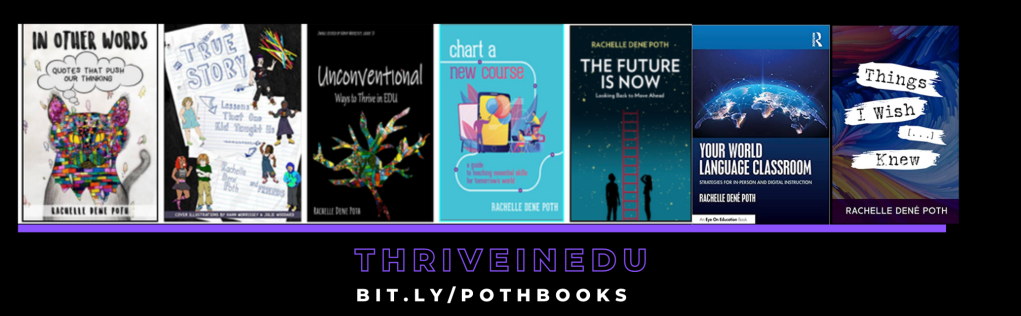
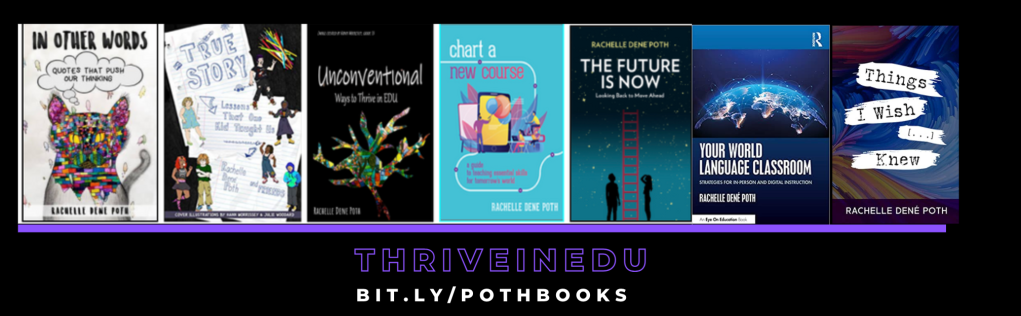
She is the author of ten books, including ‘What The Tech? An Educator’s Guide to AI, AR/VR, the Metaverse and More” and ‘How To Teach AI’. In addition, other books include, “In Other Words: Quotes That Push Our Thinking,” “Unconventional Ways to Thrive in EDU,” “The Future is Now: Looking Back to Move Ahead,” “Chart A New Course: A Guide to Teaching Essential Skills for Tomorrow’s World, “True Story: Lessons That One Kid Taught Us,” “Things I Wish […] Knew” and her newest “How To Teach AI” is available from ISTE or on Amazon.

Contact Rachelle to schedule sessions about Artificial Intelligence, Coding, AR/VR, and more for your school or event! Submit the Contact Form.

Follow Rachelle on Bluesky, Instagram, and X at @Rdene915

**Interested in writing a guest blog for my site? Would love to share your ideas! Submit your post here. Looking for a new book to read? Find these available at bit.ly/Pothbooks

************ Also, check out my THRIVEinEDU Podcast Here!

Join my show on THRIVEinEDU on Facebook. Join the group here.

Nurturing Digital Literacy and Citizenship in Students with PebbleGo

In collaboration with Capstone

As we start to see more technology being used in our classrooms and students having access to endless resources with just a few clicks, it’s critical that students not only become proficient in using digital tools but also understand the responsibilities that come with it. Providing opportunities for students to develop skills in digital literacy and digital citizenship will help them to navigate the digital world safely and effectively. With resources available through Capstone, students have access to so many beneficial and engaging learning materials. In addition to the educational content, the learning materials provide students with an opportunity to practice and develop good habits when it comes to using digital tools. Using PebbleGo and PebbleGo Create are excellent ways to help students build essential digital citizenship and digital literacy skills.

Why does Digital Literacy matter?

Digital literacy is a skill that is required now and for the world of work. When we start building these skills early, it equips students with the tools they need to succeed in their future careers, where technology is certain to play an integral role. Digital literacy also helps to promote critical thinking. For students, being able to think critically, evaluate and process the information they find online is important, especially when trying to avoid fake news and misinformation. Teaching students to discern credible sources, fact-check, and critically analyze digital content are vital skills for making informed decisions. Using PebbleGo resources, students learn about proper citations and reliable resources and they learn basics about how to use digital technology!

With ebooks available to take students through lessons on important topics related to the use of technology, teachers can guide students through activities to help them develop their skills and understand the power of the technology they have access to.

Digital literacy also teaches students about the importance of online safety, privacy, and the responsible use of technology. Students need to understand the potential risks and know how to protect themselves when using technology and interacting online. With resources available on PebbleGo focused on topics like cyberbullying, online privacy, and internet safety, students can explore on their own and understand the importance of these topics We want students to know how to stay safe online and there are great books available to read with students that can spark classroom discussions and a positive learning community.

It is important to engage students in conversations about real-world online situations, and support and guide them in making safe and ethical choices. There are articles and books available to help students learn about these topics and then create a presentation to teach classmates or make a poster to display in the classroom.

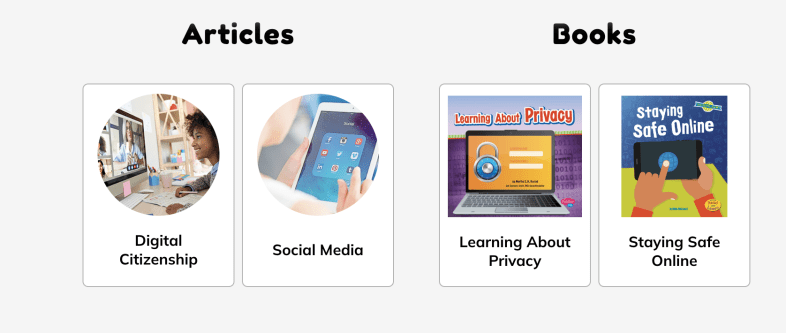
Students can explore articles on topics such as digital citizenship or read books to learn more about privacy and how to keep themselves safe. PebbleGo offers interactive materials that make learning fun for students!

Here are five creative ideas for using PebbleGo and PebbleGo Create to build digital citizenship and digital literacy skills:

  • Digital Citizenship Pledge: Once students learn about digital citizenship, they can then create digital citizenship pledges using PebbleGo Create. With all of the fantastic choices, students can create visually engaging infographics that share their commitment to responsible online behavior, respecting others, and being kind online. We can then display their PSAs in the classroom or on the school’s website to promote a positive digital environment.

Digital literacy and digital citizenship are essential components that will best equip students with the skills they need to navigate the digital world responsibly, ethically, and safely. Educators have valuable resources from PebbleGo that will help students by providing a structured and engaging platform for teaching these crucial skills. PebbleGo Create allows students to take what they have learned and illustrate their understanding and ideas through a variety of media features in authentic and meaningful ways.

About the Author

Rachelle Dené Poth is an edtech consultant, presenter, attorney, author, and teacher. Rachelle teaches Spanish and STEAM: What’s Next in Emerging Technology at Riverview High School in Oakmont, PA. Rachelle has a Juris Doctor degree from Duquesne University School of Law and a Master’s in Instructional Technology. She is a Consultant and Speaker, owner of ThriveinEDU LLC Consulting. She is an ISTE Certified Educator and currently serves as the past -president of the ISTE Teacher Education Network and on the Leadership team of the Mobile Learning Network. At ISTE19, she received the Making IT Happen Award and a Presidential Gold Award for volunteer service to education. She is also a Buncee Ambassador, Nearpod PioNear, and Microsoft Innovative Educator Expert.

Rachelle is the author of seven books, “In Other Words: Quotes That Push Our Thinking,” “Unconventional Ways to Thrive in EDU” (EduMatch), and “The Future is Now: Looking Back to Move Ahead,” Rachelle Dene’s latest book is with ISTE “Chart A New Course: A Guide to Teaching Essential Skills for Tomorrow’s World.” True Story: Lessons That One Kid Taught Us, Your World Language Classroom: Strategies for In-Person and Digital Instruction and Things I Wish […] Knew.

Rachelle is a blogger for Edutopia, Defined Learning, Getting Smart, and NEO LMS.

Rachelle provides professional development and keynotes on topics including artificial intelligence, augmented and virtual reality, emerging technologies, SEL, and STEM.

Follow Rachelle on Twitter @Rdene915 and on Instagram @Rdene915. Rachelle has a podcast, ThriveinEDU https://anchor.fm/rdene915.

Saving Time and Learning About AI

*AI is one of my favorite areas to work in and I love sharing ideas!

As a classroom teacher with almost six years of experience integrating AI into my teaching practice and training other educators, I have enjoyed exploring the possibilities through AI and engaging in conversations with students and teachers. Every educator needs to learn about AI and how we can leverage this technology to benefit our students and enhance our work. To best provide for our students, we need to understand how this technology will impact them and us.

Especially as we see such as increase in technology in education, it is essential that we embrace and understand emerging technologies, especially AI and how it can impact not only our work but the benefits it can offer for student learning. In my work as a classroom teacher and consultant, I enjoy helping other educators get started with AI.

Why Educators Need to Understand the AI Tools Available

Our roles as educators have continued to change over the years. Not only do we teach the content, but we serve as mentors, facilitators of learning, and co-learners with our students, especially as we embrace these emerging technologies. It is important that we explore the benefits and how it can help us to “work smarter, not harder” so that we have more time to work with students, build relationships and support them in their learning journey.

AI, ChatGPT, and other forms of generative AI have become some of the most talked about topics in education this past year. But with all technology comes some hesitancy, especially with something as powerful as AI. Schools need to provide opportunities for students to learn about this changing technology because of its impact on their future. Not only can AI tools enhance creativity and productivity, they can also provide educators with valuable insights into student learning and assist with some of the time-consuming tasks that educators have.

How to leverage some tools with benefits

I like to think of three key areas where AI can make an impact for educators and for students.

1. Personalized Learning: Through AI, educators can provide tailored learning experiences based on AI-driven analytics that provide valuable insights into student performance and learning trends. It can adapt to each student’s strengths, weaknesses, and learning pace.

2.Efficiency and Productivity: Another benefit of AI is greater efficiency. Educators may spend more time on clerical tasks that takes time away from working directly with students. The right AI tools can help to automate or streamline tasks uch as grading assignments or providing feedback, giving teachers more time with their students.

3. Creating and supplementing the content: Through AI-powered platforms, teachers can curate various educational resources for their students and their own professional learning. With generative AI in particular, quickly being able to create lessons, activities, assessments, prompts for discussion, and presentations by providing a short prompt with keywords, educators can create engaging lessons for students in far less time.

But how do we know where to begin?

Tools to Explore

With so many different tools becoming available or integrating AI into them, it can be hard to keep up. My recommendation is to select one or two to start with. Explore how they work and the content that is created. Take time to evaluate the accuracy of the information and even involve students in discussions about the benefits for their learning.

Here are five AI-powered tools that will help teachers with personalized learning, efficiency, and saving time. I have created and experimented with so many tools, and my students’ responses have always been positive. Embracing these tools also sparks curiosity for learning. Creating and sharing these resources with our students leads to rich conversations about AI’s benefits and the proper use of this technology for creating and learning. See below for an additional article link and my contact form to bring me to your school or provide coaching.

  • Curipod: Enables teachers to create interactive lessons in minutes using AI. Teachers simply type in a topic, and a ready-to-run lesson is generated with text, images, and activities such as polls, open-ended responses, word clouds, and more. There are even activities to build in that focus on SEL check-ins. Use my code CURIRACHELLE
  • Eduaide.Ai: An AI-assisted lesson development tool that provides educators with more than 100 resource types to choose from. It offers the ability to translate the generated content into more than 15 languages instantly. Educators can generate a syllabus and discussion prompts, use the Teaching Assistant to help with creating IEP plans, write emails, or even create a list of accommodations for students in addition to many other options. I enjoy using Eduaide for a variety of tasks, especially creating lesson and project outlines and testing out the feedback bot! Try some and then tag @eduaideAI and @Rdene915 in a tweet and win a book!
  • Quizizz: With Quizizz, teachers can design quizzes that create a personalized learning path in response to each student’s responses and based on their needs. Teachers can also create lessons with Quizizz, which now has AI enhancements that can adjust question difficulty, check grammar, redesign questions to reflect real-world scenarios, create a quiz from a URL or PDF, and more features on the way.
  • Slidesgo: Provides access to free templates via Google Slides and now has the AI Presentation Maker. With this new functionality, presentations can be created within minutes. Start by choosing a topic, selecting a tone such as casual, creative, or professional, making changes, and downloading your presentation. A time saver, for sure! I really enjoyed testing it out and creating some amazing presentations! Want to learn more? Be sure to check out their recent survey, which has great insights into AI and tools for education! Dive into exploring more today!

Also, head to my additional post via Edutopia for more AI tools to try here: 7 Tools

Do you want to learn more about AI and how to bring it into your classroom? I have six years of experience working with students and teachers and would love to work with your school, at your conference or individual coaching: bit.ly/thriveineduPD

About Rachelle

Follow Rachelle on Twitter @Rdene915 and on Instagram @Rdene915. Rachelle has a podcast, ThriveinEDU, available at https://anchor.fm/rdene915.

Looking for PD for your school or keynotes for your conference? I provide in-person and virtual training on the following topics. If you want to learn more about and explore AI and ChatGPT, contact me to schedule! Rdene915@gmail.com or use the Book Me form on my website.

**Interested in writing a guest blog or submitting a sponsored post for my site? Would love to share your ideas! Submit your post here. Looking for a new book to read? Find these available at bit.ly/Pothbooks

Ideas for Starting the new school year

It seems that summer passes by so quickly every year. We are so busy throughout the school year and sometimes miss out on trying new ideas or exploring new tools. However, we have the summer break to reflect and explore new experiences and it is an opportunity to take time to recharge. Before we know it, we are back in our classrooms and looking for some new ideas and ways to engage students in learning.

There are so many resources out there to explore for educators and sometimes it can be a bit overwhelming to find something that works well. Or, you want to create some new learning experiences for students and help them to develop a variety of skills beyond just the content area that we are teaching.

With the start of a new school year, I think it’s a great time to explore some new ideas. We need ideas that not only help students to build their skills in the content area but also help them to develop essential social-emotional learning (SEL) skills, learn about the world around them, and be prepared for whatever the future may bring.

As the summer draws to a close, it’s the perfect opportunity to set the tone for a successful academic year. Let’s explore a few ideas for back-to-school that will help us to kickstart the year.

  • Building relationships

It’s important that we get to know our students, their interests, and what their specific needs are. A fun way to do this would be to encourage students to select a topic of interest from the PebbleGo Library and then use PebbleGo Create to share what they know about the topic and also to include some information about themselves. This is a great way to get to know our students and for students to get to know each other. When we do this, it helps us to build a successful and thriving learning community. You can also check out the lesson plan for “Making a New Friend” and explore the different articles available!

We want students to be successful and at the start of the year, it’s a good opportunity to set up some structure to help students set learning goals. Work with students to establish a clear vision for the academic year by setting personal and academic goals. Encourage students to think about what they want to achieve and how they plan to get there. Guide them to create realistic and achievable goals, and work with them to review progress throughout the year. When students set goals, it can help to motivate them, promote greater focus, and build valuable skills like time management and self-discipline which are essential SEL skills.

It’s always a great opportunity to start a new school year to have some fun getting to know each other and build those relationships. In the new school year or new class, students are often curious about what they will be learning. What better way than to use the Curiosity Game to get students excited about learning and then share that learning with classmates!

We want students to develop a love of reading and what better way than to create a book club in your classroom. Students can explore the diverse range of resources available from PebbleGo on so many different topics. We can have book talks in our classes and students can use PebbleGo Create to share a little about their book. These opportunities will foster critical thinking, creativity, and communication skills. It will also get students excited about reading!

An activity that is a lot of fun because we get to learn about students and their interest is genius hour. With genius hour, students choose a topic or an area of interest and then research it and create something to share with everyone else. It gives them a chance to share their genius. A great way to do this is by using the lesson plan available through PebbleGo. Students choose their research topic, have time to explore and then they can create with PebbleGo Create to share that learning and their excitement with their classmates. An activity like this also helps students to become more independent in learning which is a valuable learning experience as we want to prepare them for the future and develop student agency.

Back-to-school can sometimes bring feelings of anxiety and stress. We can help students to learn about health and wellness and create using PebbleGo Create to share tips for others! It is so beneficial for students and ourselves when we introduce mindfulness and stress-relief activities into our daily routine. It will help students cope with the challenges that can arise with academics and provide them with ways to deal with stress, or improve focus, concentration, and their overall well-being. Understanding their emotions is important for academic success.

You can even have students create something simple to reflect what they have learned and share it in class. So many wonderful options available to explore! Just choose one to start and then add in the others throughout the year to mix things up a bit, boost student engagement and spark curiosity for learning.

With so many already in or heading back to school, these ideas can offer a bit of a different approach to start the academic year with excitement, enthusiasm, and purpose. By fostering a positive and engaging learning environment, helping students with setting goals, encouraging peer interactions, and incorporating interactive methods, students and educators can experience a rewarding educational journey.

Starting with these ideas can help students to build relationships, be mindful of their well-being, focus on their academic growth and enjoy learning! It can help with making this academic year one to remember. Happy back-to-school!

About Rachelle

Follow Rachelle on Twitter @Rdene915 and on Instagram @Rdene915. Rachelle has a podcast, ThriveinEDU available at https://anchor.fm/rdene915.

Looking for PD for your school? I provide in-person and virtual training on the following topics. If you want to learn more about and explore AI and ChatGPT, contact me to schedule! Rdene915@gmail.com

**Interested in writing a guest blog or submitting a sponsored post for my site? Would love to share your ideas! Submit your post here. Looking for a new book to read? Find these available at bit.ly/Pothbooks

About the Author

Rachelle Dené Poth is an edtech consultant, presenter, attorney, author, and teacher. Rachelle teaches Spanish and STEAM: What’s nExT in Emerging Technology at Riverview Junior Senior High School in Oakmont, PA. Rachelle has a Juris Doctor degree from Duquesne University School of Law and a Master’s in Instructional Technology. She is a Consultant and Speaker, owner of ThriveinEDU LLC Consulting. She is an ISTE Certified Educator and currently serves as the past -president of the ISTE Teacher Education Network and on the Leadership team of the Mobile Learning Network. At ISTE19, she received the Making IT Happen Award and a Presidential Gold Award for volunteer service to education. She is also a Buncee Ambassador, Nearpod PioNear, and Microsoft Innovative Educator Expert.

Rachelle is the author of seven books, “In Other Words: Quotes That Push Our Thinking,” “Unconventional Ways to Thrive in EDU” (EduMatch), and “The Future is Now: Looking Back to Move Ahead,” Rachelle Dene’s latest book is with ISTE “Chart A New Course: A Guide to Teaching Essential Skills for Tomorrow’s World.” True Story: Lessons That One Kid Taught Us, Your World Language Classroom: Strategies for In-Person and Digital Instruction and Things I Wish […] Knew.

Rachelle is a blogger for Edutopia, Getting Smart, Defined Learning, and NEO LMS.

Follow Rachelle on Twitter @Rdene915 and on Instagram @Rdene915. Rachelle has a podcast, ThriveinEDU https://anchor.fm/rdene915.

Spring Ideas to bring STEM to your classroom!

By Rachelle Dené Poth, @Rdene915

As we continue to seek ways to best prepare students for the skills that they need to be successful in the future, it’s important that we are not afraid to take risks in our classroom by bringing new methods and different digital tools for our students. In looking at resources from the World Economic Forum and the Job Skills Outlook for 2025, for example, many of the skills that we’ve been talking about for years are still in demand and predicted to be even more essential in the future. Some of those skills include critical thinking and problem-solving, creativity, collaboration and communication, flexibility, resilience, leadership skills, and digital literacy. Deciding on methods to use or which digital tool to use in our classrooms can be a challenge sometimes, however, there are some easy ways to get started with STEM learning activities that provide many benefits for students.

Regardless of the grade level or content area, all teachers can bring in ​STEM-focused activities for students in a variety of ways. There may be concerns about a lack of teacher training, however, it just takes a little bit of time to become familiar with the technology or the concepts and then let students dive in and take the lead in learning. It is great when students teach us as well. It does not require us to be experts in all of these areas. We just need to find a few ideas and get started.

Why STEM Matters

Helping students to learn about STEM is important for their future success as many of the in-demand careers are in ​STEM-related fields. These careers will increase in demand and it is important that all students have opportunities to explore their interests in these areas. There are many benefits of learning about STEM including that it helps students to develop problem-solving skills, which is a valuable skill for any type of career. Students build collaboration skills when working with classmates to solve STEM challenges for example. These opportunities also spark curiosity as students become more engaged in learning, not just the content area but also learning more about the fields of science, technology, engineering, and math. Providing STEM-related learning opportunities helps students to become more comfortable with taking some risks in learning and also shifts students from being consumers to creators and even innovators. ​

STEM also helps students to build social-emotional learning (SEL) skills. As students work through a learning activity, they build self-awareness in regard to their skills and their interests, self-management as they work through challenges, and develop persistence and resilience as they may face obstacles in learning. They also become better with time management as they plan their project-based learning​ (PBL)​ or need to meet a specific deadline for their work, depending on the methods used. Students build relationships as they collaborate with classmates and develop social awareness as they learn about one another or by exploring the United Nations’ ​S​ustainable ​Development Goals (SDGs) and learning about places and challenges being faced around the world. Decision-making skills are developed as they focus on their learning journey and make decisions and take greater ownership of their learning. Providing STEM activities helps students to become quite flexible in their learning as they have to continue to iterate and reflect on where they are in the learning journey.

Getting Started and Ideas to Explore

Finding the time to get started with ​STEM may present another challenge for teachers, especially with benchmarks that need to be met and specific curricula that must be followed. However, there are some different ways to bring STEM in even if it’s for a short term or as a class activity. 

  1. Start with a discussion about the various subjects of STEM and then encourage students to explore something related to their interests and share it with classmates. There are many online resources available and even educational programs and courses that can help students to learn about STEM subjects. It could be that they enroll in an online course or follow a tutorial and then create something to share in class. Hands-on learning is a great way to get students involved in STEM and that can require very little if any funding. 
  2. Think about the content that you are teaching and identify a real-world problem for students to solve or apply a STEM concept to it for a solution. Students can work individually or in small groups to come up with different solutions and then provide feedback to each other.
  3. Design ​h​ands-​o​n learning activities for students. Depending on the course you teach, it could be having students conduct an experiment in a science class, they could design a prototype for something, reconstruct a famous landmark from history or another course of study, and try to improve upon it using STEM concepts. Use the STEM challenges to connect students in the classroom and boost student engagement in learning.
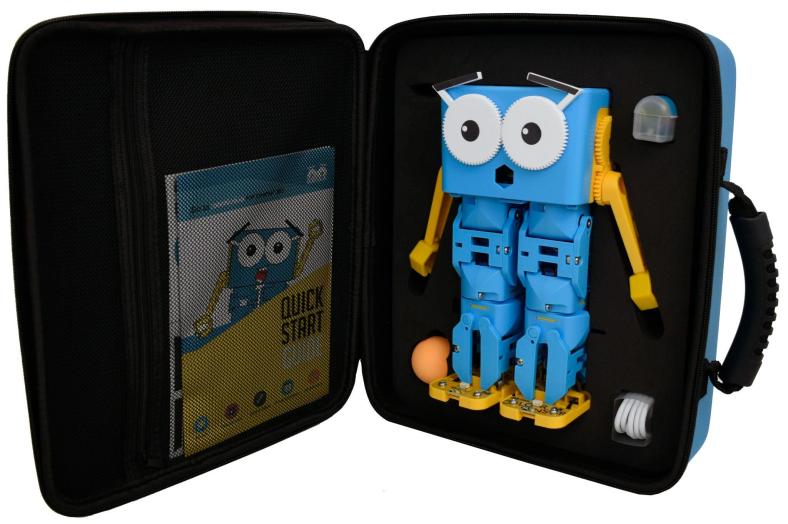
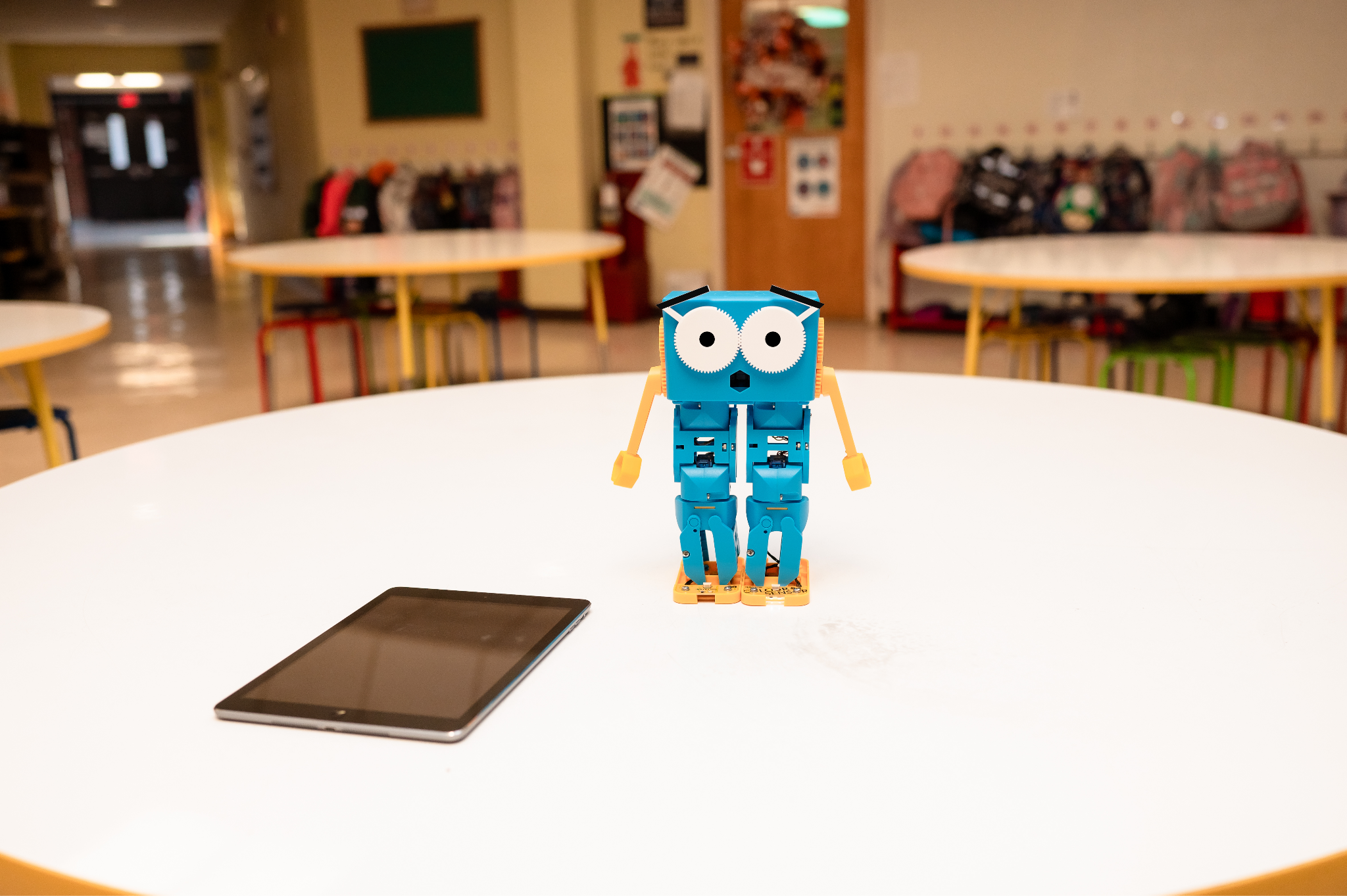
  4. Bring in some digital tools and STEM materials. There are many digital tools available that not only provide students with opportunities to learn about STEM but also involve emerging technologies like artificial intelligence for example. We have been working with Marty the Robot, a humanoid that can be coded screen-free with color cards or using the app with text-based and block-based coding. This is another great opportunity to bring in STEM, PBL, and SEL and understand how AI is programmed. Also with the great choices focused on STEM and SDGs and more with iBlocks, students engage in learning that is authentic, meaningful, and personalized for them. Teachers have all of the materials they need to get started. Another option is Ozobot, a one-inch robot for teaching students about coding that is a favorite in my STEAM class. It can be used as a screen-free coding resource too!
  5. Think about cross-curricular collaboration. Finding time to bring in STEM activities can be done when collaborating with colleagues through cross-curricular collaborations. Find a common focus and have students apply their knowledge from these courses to design a project or work together with classmates to develop STEM and essential SEL skills.

Finding the Funding

Some of the challenges with bringing STEM into classrooms may include a lack of funding, depending on the type of resource that a school may want. Applying for grants or connecting with a local school or organization that offers a lending program or a library of resources that they share can be a great way to get started. Another suggestion is to obtain a few items and have students work in learning stations. Giving students a chance to explore multiple resources and then exchange ideas and reflect on their learning experience is also beneficial. When it comes to technology, not all schools may have access to the right devices, so finding a variety of resources to use that provide students with the opportunity to learn and engage with these tools is important. Also connecting subjects with other areas of the curriculum so that they see the real-world connection makes it more meaningful for students.

Another idea is to find guest speakers who can talk to students about STEM fields and the importance of these areas. In my school, we have access to a cohort that helps us find local organizations, technology companies, and local universities that offer resources or STEM-related learning opportunities for students.

The Benefits are Long-Lasting

Providing access to resources that equip students with the right information and opportunities to work at their own pace and explore based on their specific interests and needs is essential. Providing students with opportunities to engage in more student-driven learning through STEM-related activities will offer many benefits beyond just the content knowledge. It will prepare them for whatever the future holds and equip them with a variety of skills that will be adaptable to many areas of work and life.


About the Author:

Rachelle Dené Poth is an ed-tech consultant, presenter, attorney, author, and teacher. Rachelle teaches Spanish and STEAM: What’s nExT in Emerging Technology at Riverview Junior-Senior High School in Oakmont, PA. Rachelle has a Juris Doctor degree from Duquesne University School of Law and a Master’s in Instructional Technology. She is a Consultant and Speaker, owner of ThriveinEDU LLC Consulting. She is an ISTE Certified Educator and currently serves as the past -president of the ISTE Teacher Education Network and on the Leadership team of the Mobile Learning Network. At ISTE19, she received the Making IT Happen Award and a Presidential Gold Award for volunteer service to education. She is also a Buncee Ambassador, Nearpod PioNear, and Microsoft Innovative Educator Expert.

Rachelle is the author of seven books and is a blogger for Getting Smart, Defined Learning, and NEO LMS. Follow Rachelle on Twitter @Rdene915 and Instagram @Rdene915. Rachelle has a podcast, ThriveinEDU https://anchor.fm/rdene915.

**Interested in writing a guest blog for my site? Would love to share your ideas! Submit your post here. Looking for a new book to read? Find these available at bit.ly/Pothbooks

************ Also check out my THRIVEinEDU Podcast Here!

Join our weekly show on Fridays at 6pm ET THRIVEinEDU on Facebook. Join the group here

Diving into PBL with iBlocks!

Providing a variety of options for students to show what they have learned or using different methods like project-based learning (PBL) will foster student agency and boost engagement and student motivation in learning. As educators, methods like PBL can help us learn more about our students’ passions and interests while providing students with learning experiences that will stretch their thinking and shift them from consumers to creators and innovators. Students become problem solvers and will take risks with learning and as a result, embrace the process of learning itself, rather than an end product.

When we create learning experiences that will more meaningfully engage students with the content, it increases student engagement and amplifies student achievement. Through PBL, we can create unique, authentic, and meaningful opportunities for students to explore real-world issues and better connect with the content and understand the world around them. By cultivating a student-led learning environment that promotes choice in learning, students will build confidence and these experiences will help to amplify student learning.

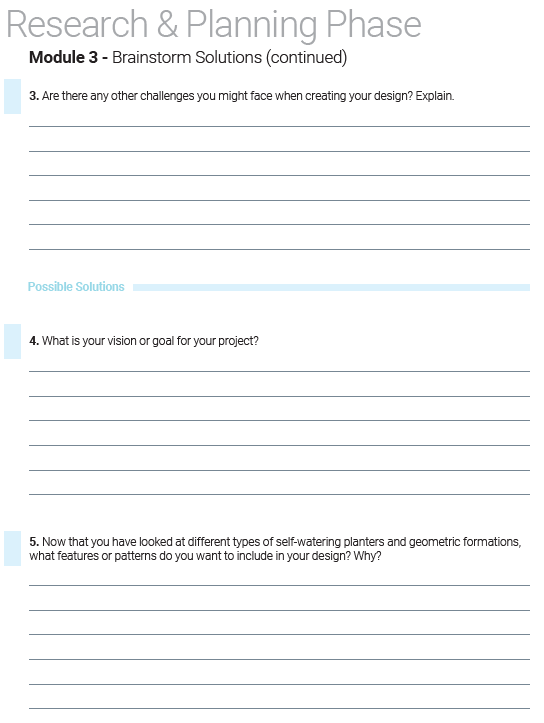
When thinking about beneficial learning opportunities that provide a lot of experiences, PBL is a perfect choice. PBL promotes the development of essential SEL skills and STEM competencies, and iBlocks provides everything that teachers need to get started. With iBlocks, there are a variety of topics to choose from that connect with different content areas and real-world issues. Students can design their learning journey and be supported in the process through resources like the student workbook. In the workbook, students can brainstorm ideas, add reflections, and chart their progress in their work. With the guiding supports in place, students will become more independent learners and develop a greater motivation for learning. Being able to see and feel the relevance and applicability of their work to the real world will have a positive impact on their learning experience.

Getting started

Teachers need to simply open the materials and can get started without worries about finding the time to review all of the materials and gather additional resources. iBlocks provides you with all of the content that you need to be able to effectively implement PBL and design thinking in the classroom. Teachers have everything needed to get started with PBL and bring STEM-focused lessons into their classrooms.

Unpacking the iBlock materials

When exploring the iBlock materials, teachers will find everything they need to dive right into PBL with students. First, explore the Skills Matrix which helps to set up the structure for the learning experience. It includes the goals for the lesson and the intended outcomes for learning.

Next, I recommend checking out the Teacher’s Guide. The guide has information about the process for using iBlocks, the student workbook, and activities for each module are included in the Teacher Guide and it also has the standards and other relevant PBL-related information to guide teachers in the implementation of PBL with iBlocks.

For ideas on how to use the iBlocks and the flow of the lessons, teachers will find it easy to get started with the lesson plans that are included. In each plan, there are detailed descriptions, classroom activities, and also outcomes that are anticipated for each learning activity and lesson.

Take time to look through the Student Workbooks to explore the activities and ways that students are guided through their learning journey. Students have writing space to answer questions, brainstorm ideas, ideate solutions, work through challenges, and then reflect on what they have learned. Each of these is highly beneficial for SEL skills.

And finally, after reviewing the Teacher Guide and Student Workbook, there are assessment materials that are great for use with students to determine their understanding of the work they are doing with the iBlock content. Some of the materials are great for SEL as students reflect on learning and the challenges with the PBL experiences. They will develop skills in self-awareness and self-management skills during their project.

Choices through iBlocks

There are a lot of great iBlocks to choose from for different grade levels and content areas. Think about topics related to your content area or skillsets that students need and find an iBlock that can provide everything in one.

Here are five options to start with:

Build Literacy Skills: For example, to help students build their literacy skills, there are iBlocks where they can create a short story or design a comic book. Students might also enjoy creating a one-act play and then hosting a performance for classmates or even the school! These would be great choices to boost creativity and spark curiosity for learning. It also gives students the opportunity to collaborate and create something truly authentic and relevant to their lives.

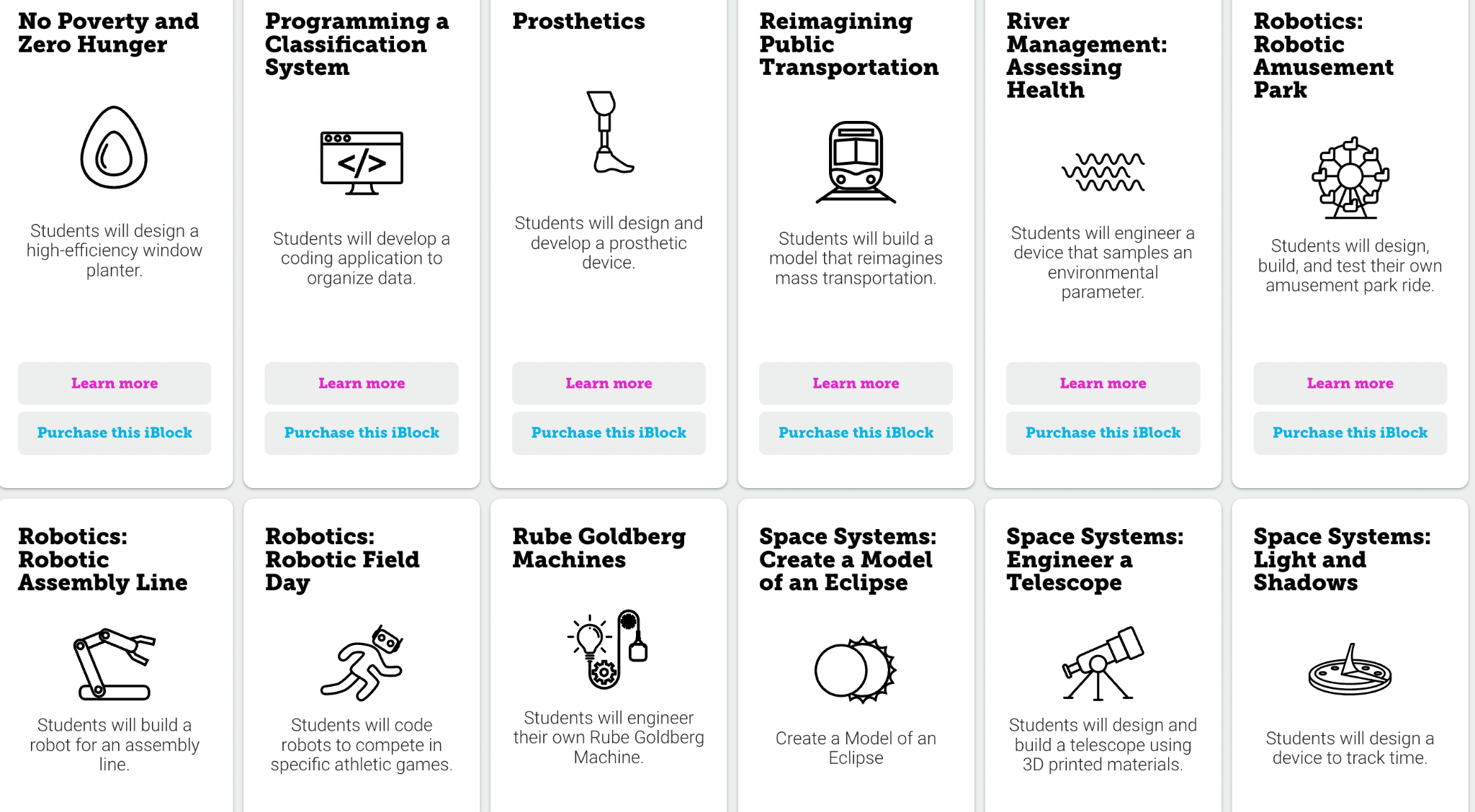
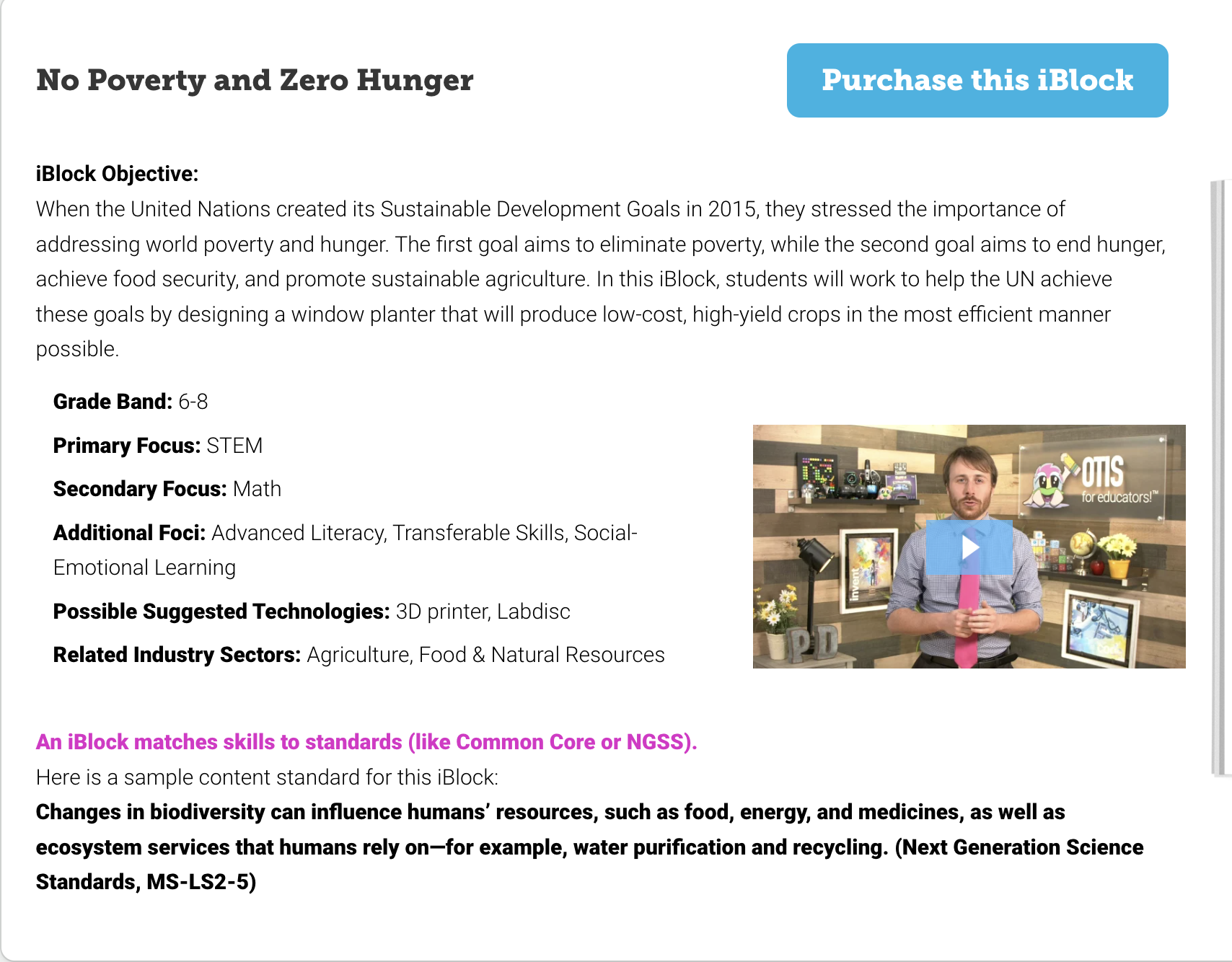
Social Awareness: It’s also important to help students understand issues that are being faced by people around the world, so exploring iBlocks related to the United Nations’ Sustainable Development Goals (SDGs) would also be a great option for teachers. The “Clean Water and Sanitation” iBlock, explains SDG Number 6 and the “importance of ensuring availability and sustainable management of water for everyone.” Students can explore where water comes from, identify contaminants and then design and engineer their own water filtration system. The No Poverty and Xero Hunger iBlock, focuses on SDG Number 2. This iBlock not only will help students to focus on math but also develop social-emotional learning skills as they learn how they can create something to benefit people from around the world. These would be great choices to help students not only learn about math, science, and STEM but also develop essential SEL skills.

Each iBlock matches skills to standards such as the Common Core or the NGSS standards.

Collaboration and Problem-solving: Students need to develop these skills to be prepared and with iBlocks, there are fun options that help students to build these and other skills like critical thinking and creativity, as they design and carry out their own Escape Room or even make up a traditional board game.

Emerging technologies: Students can become designers and engineers through the Wearable Technology iBlock. Providing students with an opportunity to think about the purpose and how the technology can benefit people and then design something, fosters creativity and moves students from consumers to creators and innovators!

Financial Literacy: Another very important topic for students is to be financially literate. In the financial literacy iBlock, students learn about concepts related to economics and then design and reflect upon their own personal financial plan.

There are many more iBlock options available that help teachers enrich the content being taught and leverage the right tools that will help students to develop core curricular skills as well as STEM-related and SEL skills.

Benefits of choosing iBlocks

What I like the most about using iBlocks is that for teachers who are looking to bring a new method like project-based learning (PBL) and also to give students an opportunity to build SEL skills and to be prepared for a growing need for skills in STEM-related fields, this is the solution for everything. When we find tools and resources that enable us to do a lot with less and it saves time, it will be highly beneficial for students but also for helping teachers to embrace and provide these new and transformative learning experiences for all students.

The iBlocks framework offers an “out-of-the-box” experience in that it simply requires taking the materials out of the box to get started in the classroom. By using iBlocks, teachers will be confident getting started with PBL without having to worry about so many other variables.

iBlocks makes it easy to provide enriching and engaging learning experiences for students that are flexible regardless of where learning is happening. You can download a sample iBlocks to start with today!

About the Author

Rachelle Dené is a Spanish and STEAM Emerging Technology Teacher at Riverview Junior Senior High School in Oakmont, PA. Rachelle is also an attorney with a Juris Doctor degree from Duquesne University School of Law and a Master’s in Instructional Technology. Rachelle is an ISTE Certified Educator and serves as the past president of the ISTE Teacher Education Network. She is the author of sevens books including ‘In Other Words: Quotes That Push Our Thinking,” “Unconventional Ways to Thrive in EDU” “The Future is Now: Looking Back to Move Ahead,” “Chart A New Course: A Guide to Teaching Essential Skills for Tomorrow’s World”, “True Story: Lessons That One Kid Taught Us,” “Your World Language Classroom: Strategies for In-person and Digital Instruction” and “Things I Wish [..] Knew.” All books are available on Amazon and at Barnes and Noble.

Follow Rachelle on Twitter @Rdene915 and on Instagram @Rdene915. Rachelle has a podcast, ThriveinEDU available at https://anchor.fm/rdene915

Rachelle is available for in-person and virtual PD sessions for your school.

**Interested in writing a guest blog for my site? Would love to share your ideas! Submit your post here. Looking for a new book to read? Find these available at bbit.ly/Pothbooks

************ Also check out my THRIVEinEDU Podcast Here!

Join our weekly show on Fridays at 6pm or 6:30 pm ET THRIVEinEDU on Facebook. Join the group here

Meet Marty the Robot!

In collaboration with Robotical

As we think about preparing our students for the future, all educators need to think about ways to bring STEM into the classroom. With a predicted need of 3.5 million STEM-related jobs available by 2025, students need opportunities to learn about STEM topics in all classrooms. Through STEM, students build skills that will enable them to adapt to the changing world of work such as collaboration, communication, creativity, critical thinking, and problem-solving. With the right resources, we also help students to develop essential social-emotional learning (SEL) skills that are also critical for future workplace success.

In my 8th grade STEAM course, we explore a lot of different technologies and the best learning experiences are when students can work together and figure things out on their own. Even better is when they take the lead and teach me and their classmates too. How can we create opportunities for students to dive into coding and STEM? With Marty the Robot, students will take the lead!

Meet Marty the Robot

Marty is absolutely amazing! From the time you open the box, the fun begins. Without even interacting with Marty, students are instantly curious about Marty and how he works. If you have not seen Marty before, let me introduce you.

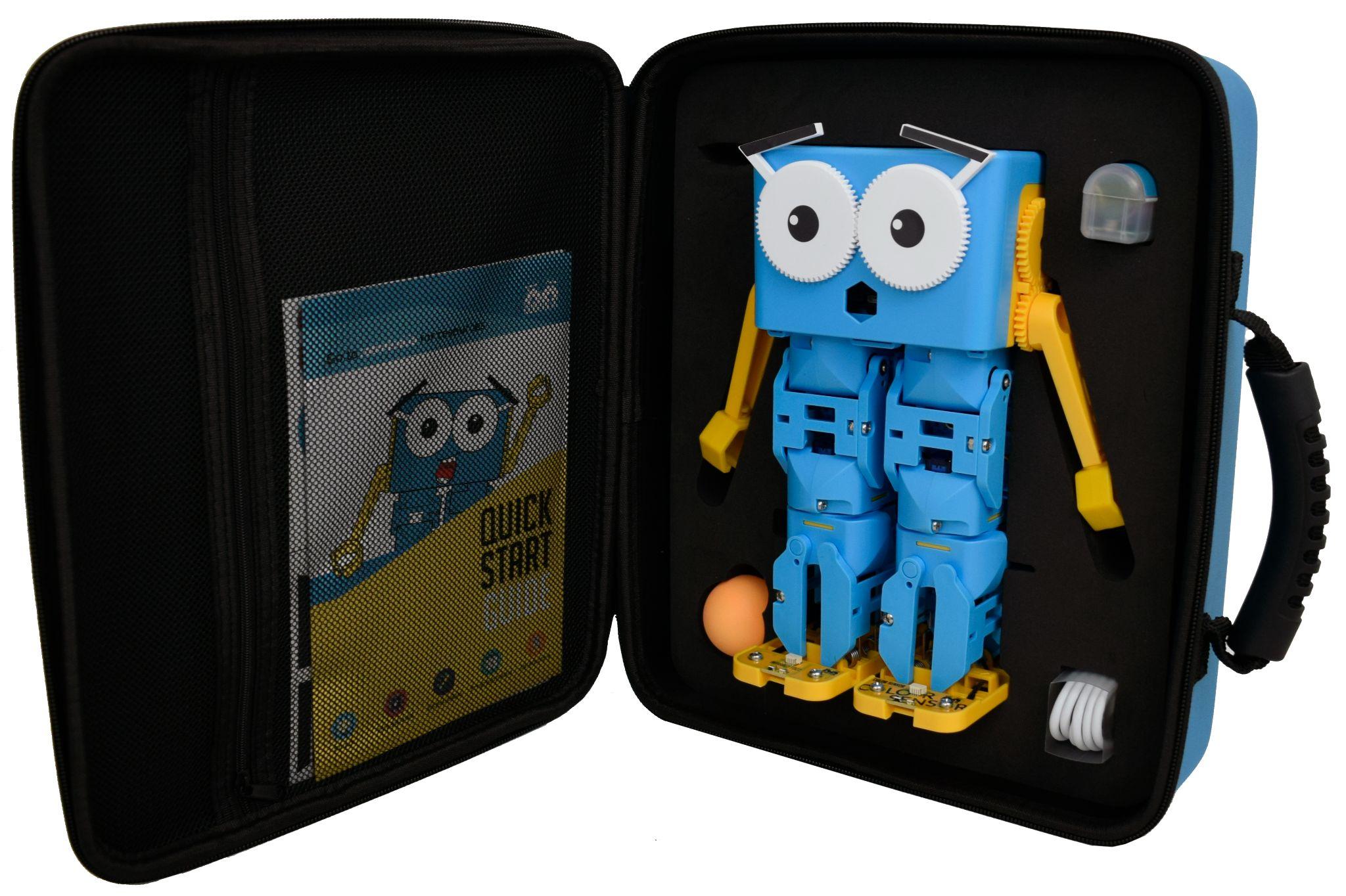
Marty is a humanoid robot that can dance, walk, and even wiggle his eyebrows! Each of Marty’s limbs is controlled by a separate motor which enables Marty to move around with his unique walking mechanism. Whether using the app or hands-free coding, Marty will bring joy to the classroom and spark curiosity for learning about him and coding right from the first time he is introduced. An excellent choice for students starting in pre-K and up!

Getting students started

With the options available in the app or the web-based app, students can dive in and create a program that has Marty moving, dancing, walking, and talking. Marty also comes with a ball that can be used to kick. Using the fun sticker accessories, students can dress Marty up which will help to promote student engagement and curiosity for learning!

It is amazing how much technology is available and how powerful it is for learning. Marty has a rechargeable battery and can be used for multiple class periods, enabling all students to engage with Marty!

To help students understand what coding is, the screen-free option is perfect for learning about the steps in the process and how Marty responds. Using the infrared sensors and color sensors on his feet, he can figure out which direction to move in and even dance and play music when he is placed on the color cards. It’s fun to see the students’ responses to how Marty moves and then for them to create their own code using the cards. It definitely sparks interest for them to get started with the app and make their own programs to get Marty moving and shaking.

Coding with Marty

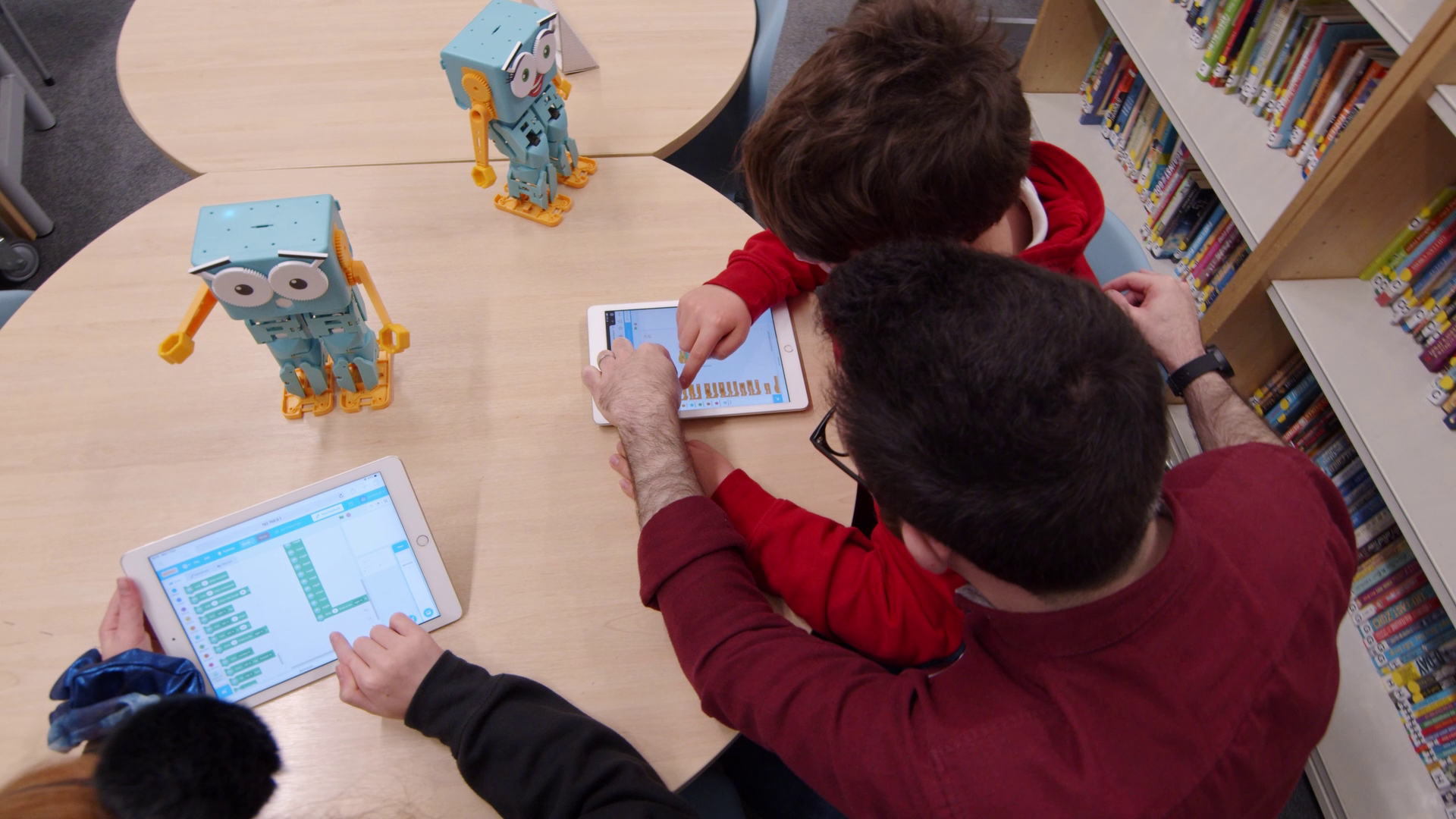
Students can get started comfortably with the block-based coding or try more advanced text-based coding such as Python. Some fun activities are the obstacle course for students to try. It is fun for students to figure out how to get Marty to move around and even kick the ball! Marty will execute the program created by students and this helps students to learn about coding at their own pace and problem solve. If Marty does not respond as they hope, they can then work together to figure out how to change it so that it works, and if it doesn’t, problem solve to get it to work. Working through coding is great for building essential SEL skills such as self-management as students work through challenges and set new goals and also a great way to build collaboration and communication skills.

Benefits for teachers

Teachers don’t need to worry about needing a lot of time to get started, since Marty comes with everything needed within the learning portal. There are some videos to show exactly what Marty can do, lessons for unplugged activities for students to learn about who Marty is, what a program is, moving in different directions, and then getting started with MartyBlocks Jr. There are also lesson packs to choose from, such as “Marty Sensing the Environment”, “Introducing Python with Marty” and even mathematics lesson packs for younger as well as older students. One thing that I love about the resources is that Marty can be used to help students understand sustainability and the United Nations Sustainable Development Goals (SDGs). Students can see the impact of STEM and these types of learning activities for them.

In the Knowledge Base, teachers can find support articles and lots of other information to help them get started. Teachers can learn about all the parts of Marty, and there are even user guides for Python, Raspberry Pi, the MartyBlocks Jr, and many other topics.

New features coming soon!

As if Marty wasn’t already awesome for students and teachers, check out these new features coming soon! All Marty robots will have LED, or “Disco” eyes and this will be a lot of fun for students when coding! There is new sound functionality on the way that will include type-to-speech and also the playback of recordings. And recently, there was a webapp, or a browser-supported version of the app made available. Now students in schools that are using Chromebooks or working on a PC are able to have the same great experience as they do when using the app.

To best prepare students for the future, having opportunities to learn about and explore STEM is important. When we provide options that promote agency in learning, it leads to more meaningful experiences that promote the development of essential skills for the future and empower students through self-driven learning. What I love is that Marty is definitely a fun and engaging way to get students to learn about STEM. Everything that teachers need comes with him and there are all of those resources available in the Learning Portal and Knowledge Base. You can also do cross-curricular activities and connect other core content areas with coding of Marty. And it’s fun for students of all ages, we just need to tweak the learning goal and give students a chance to really expand upon the types of coding and programming that they’re doing.

Get started today! You can try Marty for free! All you need to do is sign up for a free trial and schools can try out Marty for 2 weeks with no obligation. You definitely want to take advantage of this opportunity, because your students and you will fall in love with Marty right away!

About the Author:

Rachelle Dené is a Spanish and STEAM: What’s nExT in Emerging Technology Teacher at Riverview High School in Oakmont, PA. Rachelle is also an attorney with a Juris Doctor degree from Duquesne University School of Law and a Master’s in Instructional Technology. Rachelle is an ISTE Certified Educator and serves as the past president of the ISTE Teacher Education Network. She was recently named one of 30 K-12 IT Influencers to follow in 2021.

She is the author of seven books including ‘In Other Words: Quotes That Push Our Thinking, Unconventional Ways to Thrive in EDU, The Future is Now: Looking Back to Move Ahead, Chart A New Course: A Guide to Teaching Essential Skills for Tomorrow’s World, True Story: Lessons That One Kid Taught Us, Your World Language Classroom: Strategies for In-Person and Digital Instruction and her newest book Things I WIsh [….] Knew is now available.

Follow Rachelle on Twitter @Rdene915 and on Instagram @Rdene915. Rachelle has a podcast, ThriveinEDU available at https://anchor.fm/rdene915

**Interested in writing a guest blog for my site? Would love to share your ideas! Submit your post here. Looking for a new book to read? Find these available at bit.ly/Pothbooks

************ Also check out my THRIVEinEDU Podcast Here!

Join my weekly show on Fridays at 6pm ET THRIVEinEDU on Facebook. Join the group here

Back-to-school with BookWidgets!

In Collaboration with BookWidgets

We started to use ​B​ook​W​idgets last year and my students immediately fell in love with it. The first activity that I gave to them was a crossword and they thought it was the coolest thing ever. As a language educator, I want my students to be able to remember the vocabulary and the verbs of course, and a big part of that is knowing how to spell them. Using some of the ​options like crosswords or word searches helps students to build their skills in spelling because the words have to fit in the right place. The benefit of using a tool like ​B​ook​W​idgets is that students can work on these activities wherever they are. As long as students have access to a device, I can share different activities with them whether for extra practice, for enrichment, and sometimes just because they ask me to because they enjoy the activities and forget that it’s actually for learning!

​So many choices!​

There are more than 40 different templates available in ​B​ook​W​idgets and in case you didn’t know, in August they added some new features just in time for the upcoming ​school year. Beyond those activities that I had done with my students last year, something else that I recommend for students is using flashcard​s. With some tools, it can be difficult​ to know if students are in fact using the ​f​lashcards. However, in the live ​B​ook​W​idgets dashboard, I can see which cards the students practiced​, the time ​spent on them, and even how many times they flipped a specific card. Students even have the audio with the flashcards! ​Having this real-time data is great for me to be better able to understand what my students’ needs are so that I can provide additional resources and encouragement as they work on learning the content.

Another great feature is the scratch pad, my students love using the dry erase boards but the time that it takes to gather the materials and to keep cleaning them loses precious class time. However, with BookWidgets I can have students use the scratch pad and have them conjugate verbs or I could give them a sentence and have them draw something​. T​here are so many different possibilities​!​ I can even have ​students submit what they created so that I can review it and if I want to and also provide a grade for it. Just another way that I can really stay connected to where they are in the learning process and be able to provide timely​,​ authentic, and meaningful feedback to them when it is most essential.

A very important issue when it comes to using technology in our classrooms is accessibility. We want all of our students to be able to participate and engage in the methods and tools that we are using so that they all have the same opportunities to amplify their learning. In some tools, they have translation capabilities, and now in ​B​ook​W​idgets, it offers text to speech for students. Having students that use screen readers, ​this feature ​is fantastic because they have the option to listen directly through ​BookWidgets. ​Students can select the text and choose the language that they want to have it read out loud in. For teachers who use Google classroom, ​B​ook​W​idgets is one of the add-ons which makes it even better for keeping things streamlined and not overwhelming students but at the same time creating so many amazing learning opportunities.

Now with Google!

There are more than 40 interactive templates available that you can add to your Google classroom. The favorites for my students are the crossword puzzles, the word searches, and the split whiteboard​! There are possibilities for using these with all grade levels and content areas. ​​We will continue to add more to the list of the activities that we are using because​ ​students ​keep coming to class asking to use ​BookWidgets​! When this happens, ​ you know that it’s making a difference for them. Also as a language educator, it’s important that I be able to assess their speaking skills as they develop them, and having the option for students to record their voices is great​.​ ​Some students may not feel comfortable at first speaking in front of their classmates​,​ so this helps them to build their confidence because they can record at home or in a place that is comfortable for them. ​For teachers, it enables us to access their recordings at any time and be able to give feedback after it that the students can respond to. Check out some additional examples that can be used in language classes!

With the Google Chrome extension, it is so easy to get started with BookWidgets! Using the SSO, everyone saves time accessing activities and being able to understand where students are in their learning journey. Being able to provide feedback to students right within Google Classroom streamlines the process and keeps the learning going. If your school has the Google for Education teaching and learning upgrade or a plus account, you can ask your administrator to enable BookWidgets for your entire school!

For teachers that are using Google Classroom, it’s great that you can monitor the work students are doing in real-time whenever you’ve created a ​B​ook​Widgets​ assignment within Google ​Classroom. Being able to see when they completed the last activity, what their progress is, and how they responded, in a very visually engaging and easy-to-understand way, helps teachers be able to give feedback when it is critical. It’s also great to be able to visualize the progress of the class, to be able to provide additional instruction to the whole group or to have time to go and work with students on an individual basis. Check out these ideas for using BookWidgets with Google Classroom!

In addition to teaching Spanish, I also teach a ​STEAM course and if you didn’t know, ​B​ook​Widgets also has interactive ​STEM lessons available with 25 ideas to choose from​!​ You might want to check out the recent blog post on those 25 ready-to-use less​on​ ideas for ​STEM lessons​. T​​​here are so many and the key about them is that it helps students to work at their own pace ​and experience more active learning that becomes more meaningful for them and then of course will boost student engagement. Even if you don’t teach a specific course to ​STEM, you’ll find options for other courses that you can adapt to the course that you are teaching.

So if you are looking for some great back-to-school ideas for any classroom, head to BookWidgets and get started today. Check out the ready-to-use lesson ideas and many templates to choose from! And even better, sign up for one of their upcoming webinars! Join in and you might win BookWidgets for your entire school. At the end of the 1-hour webinar course, complete the survey and you’re in the running to win BookWidgets for 1 year for your entire school!

About the Author

Rachelle Dené is a Spanish and STEAM Emerging Technology Teacher at Riverview Junior Senior High School in Oakmont, PA. Rachelle is also an attorney with a Juris Doctor degree from Duquesne University School of Law and a Master’s in Instructional Technology. Rachelle is an ISTE Certified Educator and serves as the past president of the ISTE Teacher Education Network. She is the author of sevens books including ‘In Other Words: Quotes That Push Our Thinking,” “Unconventional Ways to Thrive in EDU” “The Future is Now: Looking Back to Move Ahead,” “Chart A New Course: A Guide to Teaching Essential Skills for Tomorrow’s World”, “True Story: Lessons That One Kid Taught Us,” “Your World Language Classroom: Strategies for In-person and Digital Instruction” and “Things I Wish [..] Knew.” All books are available on Amazon and at Barnes and Noble.

Follow Rachelle on Twitter @Rdene915 and on Instagram @Rdene915. Rachelle has a podcast, ThriveinEDU available at https://anchor.fm/rdene915

Future-focused: Preparing for 2025 and beyond with iBlocks

In collaboration with iBlocks

In preparing students with the essential skills they need for the future, we have a variety of methods and digital tools to choose from. Starting with methods first is my recommendation because it helps us to focus carefully on our specific learning goals and consider the “why” behind our decisions. We should focus on the skills our students will gain from a particular method or tool and then how these skills align with what they need to be prepared for what lies ahead after they leave our classrooms.

As we look to the future, there are many unknowns when it comes to the world of work. Jobs that exist today may not exist in five years due to changes in technology and automation for example. To stay informed, a resource that I often explore is the World Economic Forum which provides a Job Skills Outlook with a list of the top ten in-demand skills by 2025. Among the top skills cited include active learning, collaboration, resilience, stress tolerance and flexibility, critical thinking, problem-solving and ideation. How can we make sure our instruction is relevant to meet the growing demands in the world of work? And how can we help our students to deal with the challenges that might come from a changing world of work and be able to understand their strengths and areas that they need to improve in?

To meet the demand for these skills, we need to provide students with project-based learning (PBL) opportunities which foster the development of social-emotional learning (SEL) skills. The five core competencies of self-awareness, social awareness, self-management, relationship building, and decision-making are necessary in our classrooms today and are needed in the world of work. To learn more about SEL, explore the many resources available through the Collaborative for Academic, Social, and Emotional Learning (CASEL.org).

Why focus on SEL in PBL?

Because research shows that by addressing the five competencies of SEL in our classrooms, we can positively impact and see an increase in student academic performance. To be successful in the future, students need opportunities that will help them to build SEL skills, especially in the areas of self-awareness and self-management.

Self-awareness: As students work independently during project-based learning, they are becoming aware of their skills and their interests as they explore topics that they are curious about. As they design their PBL focus, they learn to self-assess and evolve as learners.

Self-management: Through project-based learning, students work on setting new goals, and dealing with stress as they work through their project or perhaps problem-based learning journeys. Because PBL is an iterative process, students will see learning as a process, rather than a final product as they develop their own personalized work plan.

With the Job Skills Outlook, developing self-awareness is essential for ideation and innovation. Self-management skills will help students to become resilient, tolerate the stress they experience, and above all, be flexible in learning.

Why start with self-awareness and self-management

When it comes to engaging in PBL, or other work that is focused on student choice and is student-driven, it can be a difficult shift at first for some students. Different than doing just projects, where specific requirements are given and a defined tangible end product is created, with PBL, students have to design their learning journey. By doing this, it can lead students to experience some stress and frustration because it is so open-ended and requires an ongoing iterative process. As students are trying to solve a problem or dealing with failure, they need to be able to process emotions, set goals, and push through the challenges faced. Students will engage in trial and error, testing and re-testing, and at times, may find that they cannot find a specific solution to a problem. When this happens, being able to deal with these stressors and work through them by setting new goals will be essential for students now and in their future. This is why SEL matters and starting with a focus on self-awareness and self-management is key.

Promoting SEL through iBlocks

I recently met the folks and Teq and have been researching their iBlocks solution for PBL. I think it provides a good structure for students to work through projects and supports the development of SEL skills in some specific ways.

With iBlocks, students are working on authentic projects and with the resources provided, they will develop skills of self-awareness and self-management. Students have a student workbook that is used as they work through each module of the iBlock. What is the most helpful for students is that they have a space where they can really think through what they are learning and reflect on the experience they are having.

As they work through the research and planning phase, they can respond to the questions and capture their ideas in a space where they can reflect on them, evaluate them, set goals for themselves, and have the support of pacing. It is so beneficial for students to have that structured support available that they can use.

The right student resources

When focusing on self-awareness, students need to understand where they are in the learning process. They need to be able to process their learning and ask:

What are some of the things that they know and can do?

What are some areas that may be confusing to them?

What do they notice about how they learn?

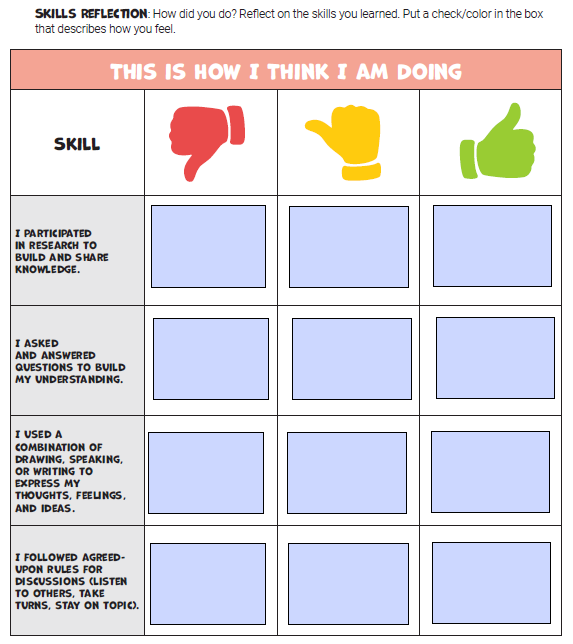
With iBlocks, the use of the student self-assessment rubric helps students to develop their skills of self-awareness by recording and reflecting on their iBlock work. Having the space and a system in place that guides students along the way, will help them to become more aware as they learn and develop confidence in the process as well.

With self-management, being able to tackle a big project or work through a challenge are skills that students need in our classes now. And for those skills for the future, stress tolerance, dealing with frustration, and being flexible in learning are all important. By using the self-assessment in their student workbook, it takes away some of that pressure for students of having to figure it out on their own. The student workbook helps them plan how much time to devote to their work, reflect on the progress they are making, and the next steps that will lead them to be successful in completing the work.

The student materials help teachers to facilitate rather than lead the learning. The workbook helps students to stay on track and be accountable to themselves in setting goals and working through challenges. They will better understand where they are in the learning process and what next steps they need to take.

The student workbook and iBlocks modules provide students with a structure that enables them to work with complex topics but in a way that builds their skills over time and at a good pace so that they can learn as well as build those self-awareness and self-management skills.

Learning to process thoughts and emotions

As students are working through their project-based learning, they have prompts throughout their workbook (and provided by the teacher as needed) that will require them to assess their own performance. They will be accountable to themselves and have a space where they can write down any of the challenges that they are facing in the work. They can even brainstorm ideas for how to work through those challenges and overcome them. As a result, they will build resilience and be better prepared for the next PBL experience and will continue to build those skills over time.

As students work through a project, they have the space and support to reflect on their learning, to evaluate where they are in the learning process, and learn to manage their emotions as they are working through the challenges of PBL.

As educators, we should continue to ask ourselves these questions:

  • How can we create opportunities for students to drive their own learning?
  • What options will provide a more interactive and collaborative experience, regardless of where learning is taking place?
  • How do we weave SEL into our classroom and boost student engagement in learning?
  • Which methods will provide students with the right skill development?

With the different iBlocks available, students engage in purposeful learning and figure out how to solve some of the challenges being faced by people in the world. With each iBlock, teachers receive a Framework, Teacher’s Guide, Student Workbooks, and more. There are issues being faced that have been researched for many years and still are without a solution. Our students can explore any area of interest and become innovators and problem solvers. They will learn about working as part of a team, pushing through failures, and engaging in hands-on STEM learning.

With the knowledge that students will gain through their experiences, they will have developed skills that will enable them to adapt to a changing world of education and work.

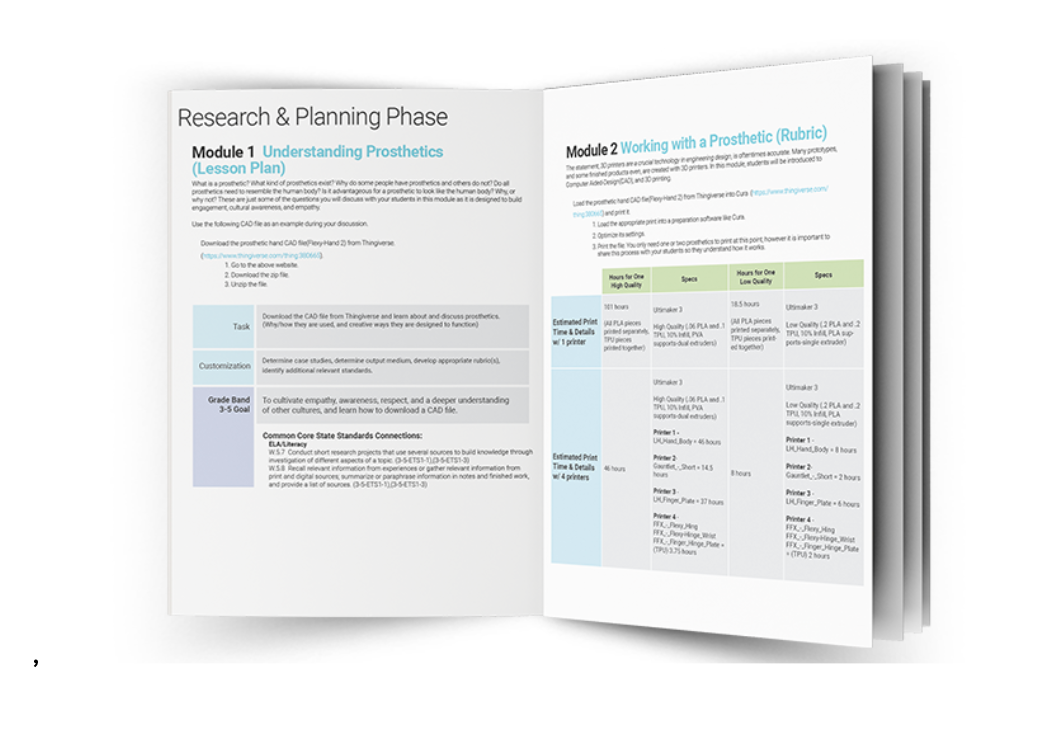
To get started, there are three sample iBlocks available to download: Rube Goldberg, Design a Comic Book, and Prosthetics iBlocks.

SEL Skill

Example PBL activities to Support SEL Skill Development

iBlocks-Specific Support for this SEL Skill Development

Self-Awareness

  • Career exploration based on interests
  • Independent work
  • Student voice and choice
  • Self-assessment
  • Defined learning pathways to select from that cover real-world projects
  • Place for students to record work and reflect on the learning process
  • Student self-assessment rubric
  • Workbook sections dedicated to asking questions and revising work

Self Management

  • Students design their learning journey
  • Iterate through a learning process
  • Goal setting
  • Scaffolded questions to support personal goals within the student workbook
  • Progress tracking charts/tables to maximize learning during the allotted time
  • Peer review and other collaborative activities within lesson plans that give an opportunity for students to recognize differences in opinion and respect others’ opinions
  • Teacher tips to support students with compromising during collaborative work (i.e. collaborative brainstorming)

About the Author

Rachelle Dené is a Spanish and STEAM Emerging Technology Teacher at Riverview Junior Senior High School in Oakmont, PA. Rachelle is also an attorney with a Juris Doctor degree from Duquesne University School of Law and a Master’s in Instructional Technology. Rachelle is an ISTE Certified Educator and serves as the past president of the ISTE Teacher Education Network. She is the author of sevens books including ‘In Other Words: Quotes That Push Our Thinking,” “Unconventional Ways to Thrive in EDU” “The Future is Now: Looking Back to Move Ahead,” “Chart A New Course: A Guide to Teaching Essential Skills for Tomorrow’s World”, “True Story: Lessons That One Kid Taught Us,” “Your World Language Classroom: Strategies for In-person and Digital Instruction” and “Things I Wish [..] Knew.” All books are available on Amazon and at Barnes and Noble.

Follow Rachelle on Twitter @Rdene915 and on Instagram @Rdene915. Rachelle has a podcast, ThriveinEDU available at https://anchor.fm/rdene915

Rachelle is available for in-person and virtual PD sessions for your school.

**Interested in writing a guest blog for my site? Would love to share your ideas! Submit your post here. Looking for a new book to read? Find these available at bit.ly/Pothbooks

************ Also check out my THRIVEinEDU Podcast Here!

Join my weekly show on Mondays and Fridays at 6pm or 6:30 pm ET THRIVEinEDU on Facebook. Join the group here

Author

Rachelle Dené is a Spanish and STEAM Emerging Technology Teacher at Riverview Junior Senior High School in Oakmont, PA. Rachelle is also an attorney with a Juris Doctor degree from Duquesne University School of Law and a Master’s in Instructional Technology. Rachelle is an ISTE Certified Educator and serves as the past president of the ISTE Teacher Education Network. She is the author of sevens books including ‘In Other Words: Quotes That Push Our Thinking,” “Unconventional Ways to Thrive in EDU” “The Future is Now: Looking Back to Move Ahead,” “Chart A New Course: A Guide to Teaching Essential Skills for Tomorrow’s World”, “True Story: Lessons That One Kid Taught Us,” “Your World Language Classroom: Strategies for In-person and Digital Instruction” and “Things I Wish [..] Knew.” All books are available on Amazon and at Barnes and Noble.

Follow Rachelle on Twitter @Rdene915 and on Instagram @Rdene915. Rachelle has a podcast, ThriveinEDU available at https://anchor.fm/rdene915

Spark curiosity in learning with a classroom escape room!

Prior post for NEO

Looking for a new activity to challenge students to learn in a new way?  Students spend so much of their school day sitting in their seats with few opportunities to move and interact with their classmates. However, there are many different methods that we can bring into our classroom to get students up and moving and more importantly, collaborating. 

In my own practice, I’ve found that working together with students sparks innovative and more meaningful ways to build their content area knowledge and essential skills. Since students spend so much time in classrooms, why not plan a quick “escape” to inspire curiosity for learning and engage students?

The classroom escape room: when you need something different!

Escape rooms or digital or physical breakouts are a favorite for many students and teachers. Whether created simply using paper and other hands-on materials or with different digital tools, they help students build their skills in many different areas. 

In its essence, an escape room requires that the players escape from some type of a scenario or situation. Teachers typically create a theme to hook students in. The purpose is to engage students in learning, making connections to the content area, while boosting student engagement. The theme also creates excitement for learning! 

I think these activities would be great for giving students a chance to work on some of the content that might be more complex or that would benefit from repetition and the development of their leadership skills. We definitely want students to build their collaboration and social-emotional learning (SEL) skills. Escape room activities encourage them to work together towards a common goal, even if sometimes they don’t realize it. When I first did a breakout, it was a way to review for midterm exams. Students loved being able to get up and talk with each other. It led to a far better review experience than the other methods that were available to me.


How escape and breakout rooms can benefit students

The goal behind the breakout or escape room challenge is to have students typically in a race against time. Most often they enjoy the game-based learning aspect and want to be the first one to complete it or to escape. Here are some other benefits:

Suitable for any grade level and content area

Methods like these can be really effective because they can be used with any grade level and content area. For teachers concerned about the amount of time that it might take to create one of their own, there are enough resources out there to get started that don’t require much time at all. The idea is to simply start with a ready-to-use one and let it be a guide to create your own. Depending on the age of your students, have students create an escape room for their classmates!

Build SEL skills 

Each of the five core SEL competencies is addressed. Beyond building content knowledge, students will build essential SEL skills. As they work through the problems, they are learning and building self-awareness. The frustration that they might experience working through the challenges helps them with self-management. Depending on the topic, they can build social awareness through the content that they’re exploring, discussions that they’re having, or what they’re learning from their peers. 

Create meaningful classroom relationships

Escape rooms build relationships as students work together to break out.  Additionally, throughout the whole experience, they’re making decisions, building resilience, and persist whenever the solutions are not working. Students walk away with excitement about what they have learned in an immersive and engaging learning experience. 

How to build a classroom escape room to spark curiosity in learning_Rachelle Dene Poth classroom

Escape room activity in the classroom. Credit: Rachelle Dene Poth

How to get started with classroom escape rooms

Teachers can create escape rooms in many different ways, such as: 

1. Breakout kits 

For example, the Breakout EDU boxes come as a full kit that has a variety of locks, hint cards, and more. It requires students to work through problems or puzzles and break out. There are many free resources available for educators to get started with that just require the box and thinking about a theme or using some of the many choices available for different subject areas and grade levels. 

2. Virtual breakouts

For virtual learning, there are also digital breakouts that can be completed in or out of the classroom in small groups using meeting spaces like Zoom or Microsoft Teams breakout rooms. Students will follow the clues and collaborate with their peers to figure out how to solve the problem that will get them to move on to other puzzles and clues. 

3. Escape rooms using Google 

You can create a Google Site to house all of the relevant content for the breakout. This means that you can embed a Google form. Alternatively, you can use physical other clues on paper and create a Google Form for the locks and letter combinations. Google Forms are great for your breakouts because they are easy to set up and free to create. You simply create your clues and then decide on number locks, letter combinations and make sure you set response validation so students know if they are correct. You can even add a congratulatory message for when they escape! Check out this tutorial created by a student. Regardless of which you choose, students will enjoy the experience. 

How to build a classroom escape room to spark curiosity in learning_Rachelle Dene Poth_Google form

Create classroom escape activities with the help of Google Forms.

4. Add special clues 

Your clues can be puzzles, riddles, word scrambles, or hints hidden in a website. It can also be writing that generates a code or word to move on to the next clue. Start small and create four or five clues and have students work in small groups of three-four. 

Escape rooms can be done at a small scale using paper, mystery envelopes and props placed around the classroom. If time permits, you can create a fully transformed classroom to draw students into the experience.

How to build a classroom escape room to spark curiosity in learning_Rachelle Dene Poth_Google forms locks

Planning the classroom escape room experience 

Here are some steps to help you plan your escape room: 

  1. Identify the learning objectives or specific skills that you want students to master. What are some questions you might ask?
  2. Decide on a theme to boost engagement. There are a lot of fun themes that you can use depending on what you teach. Is it a period in history, a setting in a book that students are reading, a specific location, a mystery, or something entirely made up? 
  3. Choose the “how. Will it start via a mystery letter describing the scenario and listing the clues? Maybe someone delivers a box to your classroom? Do you have a Breakout box to pique their interest? Do you need pictures and props in the room? Has your classroom undergone a makeover to represent the theme? Or is it all done through Google Forms? Find what works best for you and your students. 
  4. Figure out how many clues you need. What are the props you might need in the classroom? How will you set up the locks in the box (or online)? Remember that students need to solve a clue to unlock and get to the next clue. Connect the content to the clue and push their problem-solving and collaborative skills. Depending on the specific scenario, we will engage students in more authentic and meaningful learning opportunities.  
  5. If you add in a time challenge, students will build their time management skills. It helps them solve problems, be creative and learn to work under pressure as they complete the challenges.

Building a classroom escape room

As we prepare students for the future, we have to think about essential skills that will be needed in the workplace, such as creativity, critical thinking, collaboration, teamwork, problem solving and innovation. Using different methods like escape rooms can help us provide various experiences for students that spark curiosity and engage them in interactive learning. 

While students might have to overcome obstacles and experience failure whenever their solutions don’t work, they’re doing it with the support of their group!

For more articles see my posts for NEO at: Rachelle Dene Poth

Rachelle Dené Poth is a Foreign Language and STEAM Teacher at Riverview Junior/Senior High in Oakmont, PA. She is also an Attorney, Edtech Consultant, Keynote Speaker, and the Author of seven books about education and edtech. Follow her on Twitter and Instagram at @rdene915

**Interested in writing a guest blog for my site? Would love to share your ideas! Submit your post here. Looking for a new book to read? Find these available at bit.ly/Pothbooks

************ Also check out my THRIVEinEDU Podcast Here!

Join my weekly show on Mondays and Fridays at 6pm or 6:30 pm ET THRIVEinEDU on Facebook. Join the group here