In collaboration with Delightex Edu, recap of our livestream insights!
What happens when we give students opportunities to move beyond consuming content and instead become creators, designers, storytellers, and problem-solvers? How can we combine augmented reality (AR), virtual reality (VR), coding, and artificial intelligence (AI) to support learning across grade levels and content areas?
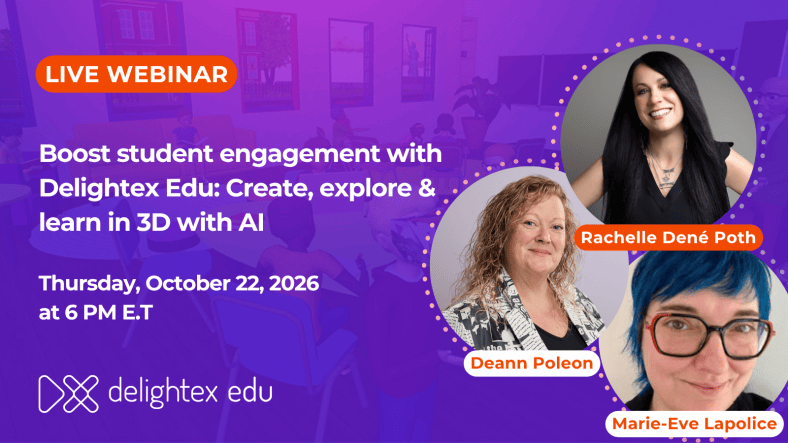
These were some of the questions we explored during our recent livestream. I was joined by two fantastic educators, Deann Poleon, a former high school English teacher, now a technology integrator and children’s book author, and Marie-Eve Lapolice, a pedagogical advisor and former high school art teacher from Quebec, Canada. We also heard from Iain Cook, an educator in New Zealand!
Having used Delightex Edu, formerly CoSpaces Edu, for nearly nine years in my Spanish and STEAM classes, I have seen firsthand how it can help students build confidence, creativity, and essential skills for future success.
Moving Students from Consumers to Creators
I have always emphasized the importance of moving students from consumers to creators and innovators. Delightex Edu provides an interactive environment where students can design 3D worlds, create games, build simulations, develop stories, and use coding to bring their ideas to life.
Deann described Delightex as a “sandbox for students to show how creative they can be.” She explained how students from fourth grade through high school have used it for game design and projects across the curriculum. Marie-Eve emphasized its accessibility, explaining that students can begin with simple drag-and-drop creation, modify existing projects, or incorporate coding as they gain confidence.
Flexibility in learning matters. Not every student has experience with coding, and not every teacher has used immersive technologies. Having multiple entry points allows students to build knowledge while exploring something new.
Learning Through Collaboration and Creativity
One of my favorite parts of the conversation was hearing about Deann, Iain, and Marie-Eve’s projects.
Marie-Eve shared an incredible art project in which students recreated works by Kandinsky using Delightex Edu and the MERGE Cube. Students explored dimensions, structure, space, and artistic expression while transforming two-dimensional artwork into immersive experiences. Initially, students worked independently. Later, Marie-Eve redesigned the project for teams of two and noticed a difference in what students created. “Working in teams really allows them to make things that are a lot more elaborate.” Students had to communicate, make decisions, share responsibilities, and collaborate throughout the creative process.
Another fascinating project involved students developing imaginative stories and displaying their creations using Merge cubes attached to headbands. It was a unique combination of storytelling, artistic design, and wearable technology.
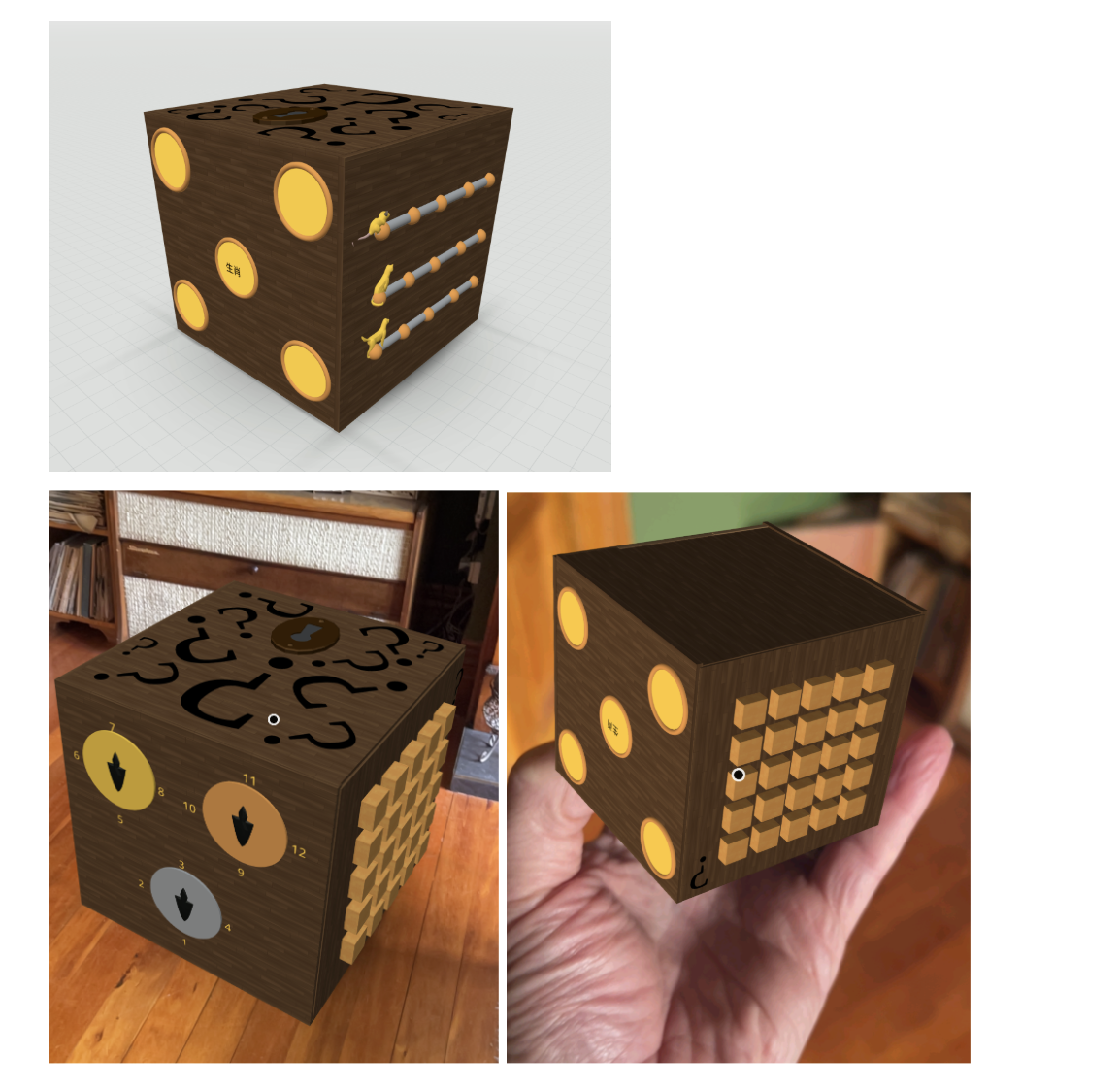
Iain, an educator from Dunedin, New Zealand, shared a demonstration of an innovative Puzzle Box Project that he developed with students. It began as an interactive puzzle cube that students could explore in augmented reality, with different puzzles and clues on each face. Students researched puzzle mechanics, designed challenges, and took ownership of different parts of the cube.
Iain explained, “The feedback from students was that we’d really love this to be multiplayer.” Because the platform did not yet offer its current Multiplayer feature, they developed a Duo Box experience with two connected cubes. Clues discovered in one cube could be needed to solve puzzles in the other, requiring students to communicate and work together. As Iain explained, “You have to work together in partnership to open up both cubes.”
This shows how student feedback can inspire innovation and how collaboration becomes an essential part of both the design process and the learning experience.
Making Content Come to Life
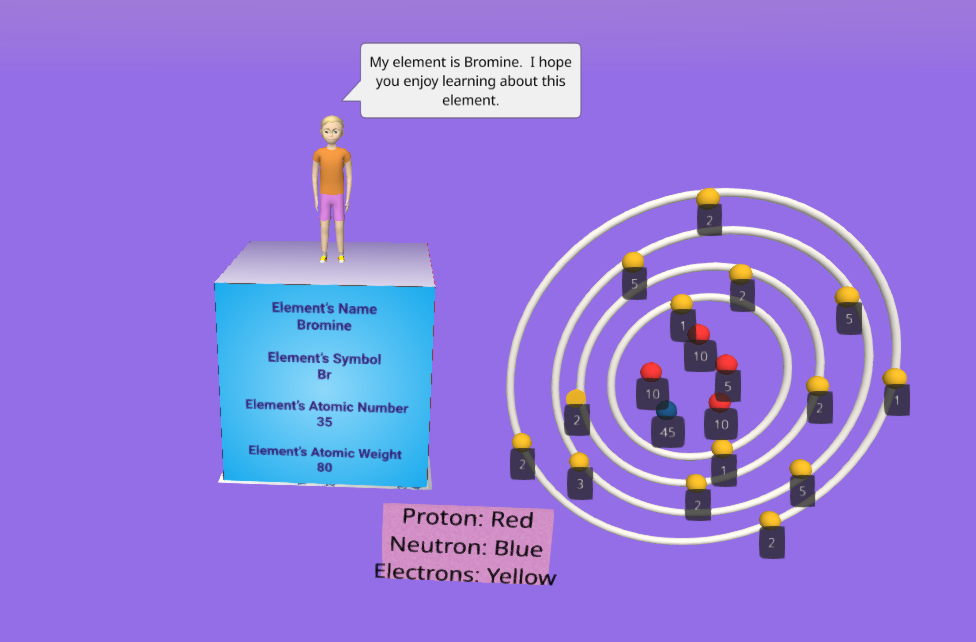
Deann shared a sixth-grade science project where students researched elements from the periodic table and created interactive atomic models using MERGE Cubes. They included information about protons, neutrons, electrons, and other characteristics, with some adding audio explanations
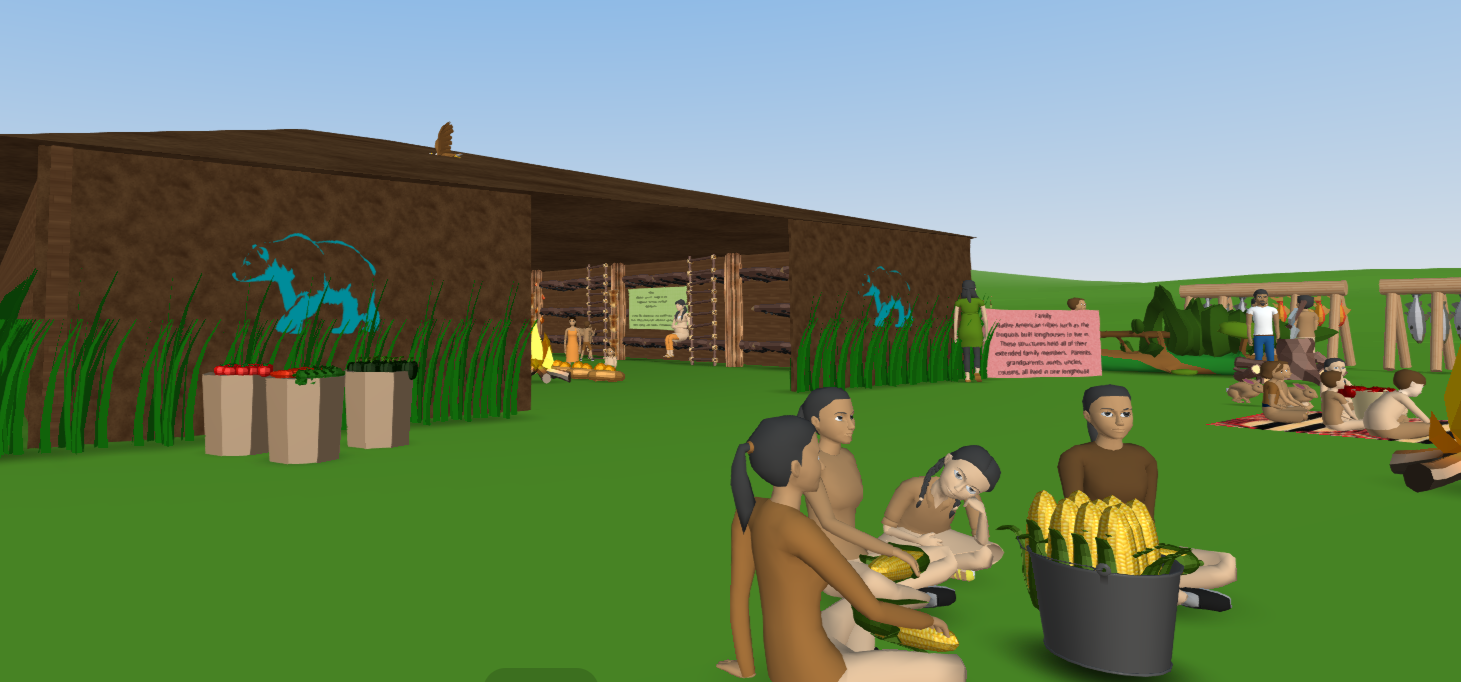
Another project involved students studying longhouses. Rather than creating traditional shoebox dioramas, they created immersive environments representing structures, food, crops, daily life, and cultural details. Students had to research the content and decide what belonged in their creations.
I shared experiences from my Spanish classes in which students used randomly assigned characters, songs, and other elements to develop stories narrated in the past tense. They created immersive scenes, collaborated, recorded audio, and brought their stories to life.
Students remember the content because they are actively involved in constructing and demonstrating their understanding.
New Possibilities with AI and Multiplayer
Delightex Edu continues to evolve with features that expand the possibilities for learning. AI-generated 360-degree environments through Skybox enable students to design immersive backgrounds using prompts. Marie-Eve shared her excitement about creating these environments directly within Delightex Edu rather than using a separate platform.
AI Buddies also introduce opportunities to design interactive characters that respond to learners, support storytelling, and guide exploration. Students can experiment with prompting, dialogue, and character behavior while developing AI literacy.
The Multiplayer activity adds opportunities for shared exploration and problem-solving. Students can enter a virtual environment together, interact, and complete challenges in real time.
These features offer opportunities to integrate creativity, communication, coding, critical thinking, and responsible AI use while keeping learning goals at the center.
Getting Started Without Feeling Overwhelmed
For educators new to immersive learning, one question often comes up: Where do I begin?
Deann recommended exploring the lesson plans available. She highlighted the Floor Is Lava and Seek and Find Rollercoaster lessons because they provide students (and teachers) with step-by-step guidance for learning the basics.
Marie-Eve offered equally practical advice: “I would say to start small. You don’t need to go into coding right away.” She reminded educators that they do not need to know every feature or have all the answers. Students can discover solutions, share what they learn, and become resources for one another. (Ready to get started? Use my promo code for more! DXRACHELLED)
Bringing New Ideas into the Classroom This Fall
As we move further into the school year, it is a great time to introduce something new, revisit classroom routines, and offer students opportunities to apply what they have learned. Delightex Edu gives students the opportunity to demonstrate their understanding through designing, building, exploring, and creating.
The goal is not technology for the sake of technology. It is to provide experiences that help students develop curiosity, confidence, creativity, collaboration, and the skills they need for the future.
Five Creative Projects to Try with Delightex Edu
Fall is a great time for exploring changes in nature, connecting learning to communities, reflecting on progress, and creating new challenges. These activities can be adapted based on student interests, available time, and curriculum goals.
Ready to get started? Use my promo code for more! DXRACHELLED
1. The Changing Seasons: An Interactive Nature Walk
Grades: K–3
Subjects: Science, Literacy, Art
Students create a virtual park, forest, or neighborhood that shows seasonal changes. They can include trees, animals, weather, and interactive information about how living things respond to changes in temperature and daylight.
Creative extension: Older students can add animations that transform the environment from summer into fall, or develop a guided tour for younger classmates.
2. Design a Sustainable Fall Festival
Grades: 3–8
Subjects: STEM, Mathematics, Environmental Science, Social Studies
Students design a virtual community festival that focuses on sustainability, accessibility, and responsible resource use. They must consider transportation, recycling, food waste, and energy use.
Creative extension: Use CoBlocks to build interactive challenges in which visitors make decisions about environmental impact.
3. A Virtual Museum of Untold Stories
Grades: 5–12
Subjects: History, Social Studies, Language Arts, Art
Students research lesser-known historical figures, community leaders, or events and create interactive museum exhibits. Each exhibit includes researched information, images, narration, and objects that represent the topic.
Creative extension: Organize a virtual museum tour where teams explain their work and answer classmates’ questions. Students could feature a person or event connected to their local community.
4. Explore the World: Autumn Across Cultures
Grades: 4–12
Subjects: World Languages, Geography, Cultural Studies
Students research how different regions experience autumn and explore seasonal foods, traditions, agricultural practices, and daily life, then create immersive environments representing authentic cultural information.
Creative extension: Add narration or interactive conversations in the target language. Students can compare seasonal experiences in the Northern and Southern Hemispheres and examine why autumn occurs at different times of the year.
5. Create a Future-Ready Classroom
Grades: 3–12, adaptable for higher education
Subjects: STEM, Digital Citizenship, Design Thinking, SEL
Students design their ideal learning environment for the future. They consider how technology, AI, flexible learning spaces, accessibility, collaboration, and wellness can support different learners.
Creative extension: Students present their environments and explain how their designs support meaningful learning rather than simply adding more technology. Classmates can explore the environments and provide feedback.
These projects are opportunities for students to practice academic skills while developing creativity, communication, collaboration, and problem-solving.
Teachers can begin with a simple scene and gradually introduce coding, interactive characters, AI features, or collaborative activities. Students can also revisit their creations throughout the school year, adding new information or improving their designs as they develop new skills.
The most important part is creating opportunities for students to take ownership of their learning, share ideas, experiment, and discover what they are capable of creating.
Ready to get started? Use my promo code for more! DXRACHELLED at Delightex Edu.
Watch the livestream here: Livestream.
About Rachelle
Dr. Rachelle Dené Poth is a Spanish and STEAM: What’s Next in Emerging Technology Teacher. Dr. Rachelle Dené Poth is an edtech consultant, presenter, attorney, author, and teacher of Spanish and STEAM: Emerging Technology. Rachelle has a Juris Doctor degree from Duquesne University School of Law and a Doctorate in Instructional Technology. Rachelle’s focus was on the need for professional development for educators, specific to Artificial Intelligence. Rachelle specializes in Artificial Intelligence, AI and the Law, AI and Healthcare, Cybersecurity, and STEM. She has more than 8 years of experience teaching and presenting on AI in her classroom, as well as working with educators worldwide.
Rachelle recently served as the Grant Coach for an initiative through ISTE+ASCD and Pinterest. Rachelle worked with a Task Force from 12 districts in the United States and assisted with policy revision, professional development, and the design of digital wellness resources for students, educators, and families.
Rachelle provides professional development related to AI policy and implementation to school districts, universities, and organizations. She also presents and provides keynotes on AI at state, national, and international events and in schools. Rachelle also provides AI training for other industries, including business, healthcare, and legal fields.
Rachelle is an ISTE-certified educator and recipient of the ISTE Making IT Happen Award and several Presidential Awards for volunteer service to education. Rachelle received the EdTech Trendsetter Award from EdTech Digest in 2024 and 2026.
She is the author of ten books, including “What the Tech? An Educator’s Guide to AI, AR/VR, the Metaverse and More! and “How to Teach AI: Weaving Strategies and Activities Into Any Content Area.” She has written curricula and courses on AI for all levels.
She is also a blogger for Defined Learning, EdTech K12, Edutopia, Getting Smart, and Tech & Learning. She is the host of the ThriveinEDU podcast, ISTE’s Learning Unleashed podcast, and The Lift by Amazon on BAM Radio Network. Contact Rachelle for your event! Check out her website: https://rachelledenepoth.com/