Promoting Family Engagement: 5 Ways to Foster Meaningful Connection

Originally published on Getting Smart


Involving families in the education of our students is crucial to their success. Beyond just involving families, schools need to strive for family engagement and the creation of partnerships between school, home, and community. These partnerships, or connections between “stakeholders”, are important for promoting student well-being and success. When there is a greater focus on fostering more meaningful and personal connections, the school, community, and families can work together to provide the support, structure and make decisions for the benefit of student achievement.

Importance of Connecting

To promote family engagement, we must be intentional in learning about the families in our schools. It is important to make an initial connection, invite families in to engage in conversations and start to develop an awareness of each family’s needs, preferences and prior experiences in terms of involvement with the educational community. We should also explore any perceived or real barriers to family engagement. Recognizing some of the biggest barriers to family engagement will help schools to develop the most effective strategies to help families feel more connected to and supported by the school.

A survey of over 18,000 parents indicated some of the biggest barriers to family engagement were: time, lack of information, availability of childcare, and inconsistent treatment of students. Using this data, schools can develop specific strategies aimed at reducing and eliminating these barriers. Understanding the diverse needs of the families and students in our school system is crucial, as we always want to create a welcoming and supportive environment, one which should also be reflective of the educational setting for our students. A strong and collaborative home to school partnership has been shown to positively impact student performance as well as empower parents.

Communication between school and home has traditionally involved sending information in letter form, an email or by making a phone call. While these methods are still useful, they are not the best choices in terms of timeliness, especially when it comes to time-sensitive matters. Being able to connect and share school news and update families on student progress, in a timely manner, is vital to classrooms and fostering this sense of “community”. The sense of “community” comes from focusing on the building of family relationships, which are critical for student success in the classroom.

In a survey done by SpeakUp in 2015 (cited in Learning Transformed), 55% of the half million K-12 parents surveyed stated that they wanted a weekly text message with updates. The same survey given five years prior yielded a result of only 5% of parents interested in this form of communication. With the digital age and many options for communicating, it is not that surprising to see such an increase. However, before starting to use a certain messaging tool, teachers should first consider what might be the best way to connect with parents and how to provide access to the classroom resources which will support student growth. Sharing an initial survey can help educators can determine how to best establish a classroom presence and open channels of communication.

Connecting with Families

There are many ways to connect with parents. With technology, tasks such as sending class updates, assignment reminders, creating a calendar, sharing photos and distributing information are much easier. Knowing that families have mobile devices, does not guarantee that WI-FI access is available, and this is something that can be determined through the use of a survey.

In a recent Trends in Community Engagement report, written in partnership with Project Tomorrow, 30,000 parents expressed expectations for frequency and forms of communication. Among the key findings of this report were that parents want timely and impactful communication. While parents want to be kept informed, they do not want to be overwhelmed with a flood of information. The CDC created strategies to help schools build frameworks to promote family engagement. The focus is to “Connect, Engage, Sustain” families’ in the educational community. Schools can refer to the many resources with tips for promoting engagement. To get started, here are five different ways to “connect, engage and sustain” family involvement.

1) Communication Tools: By using social media tools such as Twitter or Instagram, school leaders, and classrooms can transmit messages quickly and with a far reach. Tools such as Remind, or BloomzApp enable teachers and parents to communicate and also share information quickly. Both options offer translation capabilities which promote digital equity and accessibility. ParentSquare, is a multi-purpose platform with capabilities to facilitate communication, collaboration and increase family engagement in schools. ParentSquare is for use in grades PreK-12, geared toward streamlining parent notifications, increasing participation and family engagement in the school community and more. It can be used by students, teachers, staff members, administrators, and parents, and it creates a virtual space where so many vital communications and interactions can be completed. By using these tools, teachers and parents communicate instantly, privately, and as often as needed throughout the year.

2) Video Tools: Sharing news about student work, or creating a lesson for students to view outside of class, can be done with tools such as EducreationsFlipgrid, or Screencastify. Teachers can record videos of weekly announcements or special events, or even teach a lesson and share the links with parents, which will create a more supportive connection between home and school. Videos can also be a great way to have students share their learning, even creating a digital portfolio, or have families record video introductions to learn about one another.

3) Blogging/Class Webpage: Maintaining a classroom space in the form of a blog or a class website, can be done easily using tools like KidblogPadletEdmodo or other web-based learning platforms. When families know they can refer to one centralized location to obtain class updates, ask questions, or read about class events, it provides a more structured framework for engaging families in the daily activities of the school and fosters a greater connection between school and home. It also aids in resolving the barriers of time and lack of information, as families can refer to these spaces when convenient.

4) School and Community: There are a lot of possibilities for amplifying student learning by connecting with and sharing news of school events within the community itself. Social media can be one way of connecting, or simply by seeking out the local library and businesses to bring in real-world experiences for learning and to inform the community of the educational events going on at school. Invite the community into events such as Back to School nights, Open Houses or STEAM showcases, or hold a learning night for families. Any of these offer a good opportunity to meet and engage families in conversations and planning to impact student learning.

5) Family Activities: Finding ways to involve parents in the learning process can be a challenge. A good opportunity to co-learn is to take part in something called “Family Playlists”. A Family Playlist, devised by PowerMyLearning, basically has the student becoming the “teacher”. In their role as “teacher”, students share their knowledge with the family, who then provides feedback to the classroom teacher, as to how the student conveyed the information and their confidence in doing so. Trying this method is a good way to further involve families in the educational experience, leading to a greater understanding of the type of learning occurring in school as well as provide beneficial insight into a child’s progress. It also promotes ongoing and supportive collaboration between home and school.

There are many strategies that schools can use to keep families informed and involved. The key is to find a way to not only make an initial connection and build the “family to school” partnership but to engage families and continue to collaborate and grow together. These connections will lead to the creation of solid and supportive relationships between school and home, which will promote student achievement and enhance their sense of belonging.

This slideshow requires JavaScript.

This slideshow requires JavaScript.

Artificial Intelligence: What do we need to know?

Part one of a series I will be writing about Artificial Intelligence.

About a year ago I started to notice more news coming out about artificial intelligence and machine learning and their uses for education. I understood the concepts of AI and ML, I could provide pretty decent definitions but beyond that, I really had to invest some time in learning more and being able to identify what it looks like in the world and what it could look like in today’s classrooms. Years ago while working on my Spanish translation coursework, we looked at machine learning for translation and that goes back well over 20 years, so it’s not something new, although it may seem like it because it has been coming more into light recently.

What I think of when I hear “Artificial Intelligence”

When first hearing the words “Artificial Intelligence,” is there an image that pops into your mind? Is AI something that you find easy to define or give examples of? For some, the understanding or a reference point might be something seen in the movies. For me, being an 80s child, my first thought goes to Star Wars, and I picture R2D2 or C3PO. Beyond those two references, my mind wanders to the movie “I, Robot” which starred Will Smith, where the robots developed the capacity to think like humans, to feel and were able to take action on their own. Today, one of the most common thoughts goes to Alexa, Echo, Siri and the other virtual assistants that have continued to gain popularity. All good examples to think of in order to get a better idea of AI, but what is the true meaning of AI and where might we see it in action in daily life?

What is AI

It is a complex concept to understand at first because it is an amazing technological advancement. When I wanted to find out more, I started to look at some of the research done by Getting Smart started in December of 2015. The team at Getting Smart launched a research study referred to as #AskAboutAI and over a two year period, they identified over 100 applications of AI to life in areas such as education, healthcare, recreation, transportation, military uses and gaming to name a few. There were three objectives in the campaign: education, employment, and ethics. The research centered on finding how AI can be beneficial for different industries, some of the main uses, whether there are any risks associated with it, the benefits and of great personal interest, the possibilities for using AI in education.

According to their report following the research, the notion behind AI is that machines become capable of exhibiting human intelligence. “Machine learning” a concept started in 1956, refers to when algorithms are used to interpret data and take an action or complete a task. At its base, artificial intelligence is a computer code that displays some form of intelligence, learning, and problem solving in what has been referred to as a kind of “super intelligence.” It is basically the development of computers that are capable of completing tasks that normally require “human intelligence” however the AI learns on its own and continues to improve upon its past iterations. AI becomes smarter, its knowledge base grows, and it creates new possibilities for society. Machine learning is a subset of artificial intelligence, and it can be said that all Machine Learning is AI, but not all AI is Machine Learning.

Common uses of Machine Learning and AI: Did you know?

In my exploration to learn more about AI and what its potential is for the future of learning, I researched how we might already be using AI in our daily lives without even realizing it perhaps. Here are 5 common uses that I was kind of surprised at finding out work by AI.

  1. Communication: So much email, fortunately there are spam filters. Spam filters are powered by AI and help to streamline the amount of spam that appears in your inbox. We know that computers can generate email, and so as email senders, whether real or automated, become more careful with choosing words that were not previously flagged, the filters must learn to adapt and do so by learning based on words that the email user flags. Google takes it even further by continuously learning the types of email messages which are marked as “important”.
  2. Travel: Whether you have taken a ride using Uber or Lyft, you have experienced ML (Machine Learning), which is used to predict rider demand and to calculate ETA ( Estimated Time of Arrival). Even the airline industry uses AI, which fascinated me in finding out this fact. Autopilot qualifies as AI, and it has been estimated that actual “human steered” flight time is approximately only seven minutes of the actual flight length. That is amazing!
  3. Social networks: Ever notice how quickly faces are detected in images and names are suggested for tagging friends in photos on Facebook? The artificial intelligence can detect faces and suggest a name to tag the person. Facebook has added new features as part of its own AI Initiative, because the goal is to offer a more personalized and interactive experience for Facebook users. Other social media sites like Twitter, generate lists of accounts to follow, recommend chats to join based on an analysis of user input and data.
  4. Online Shopping: Have you started searching on Amazon, and it quickly suggests other items you “may be interested in,” as a result of prior searches and order history. There are systems are in place to help protect consumers against fraud, with alerts capable of being sent almost simultaneously in response to a transaction that does not seem to be “typical” purchase or is located in a non-home base location. All done through AI.
  5. Education: There are a wide range of tools available for educators and students whether in the form of Google Searches, where alternate search terms are instantly suggested, the use of citation, plagiarism checkers(a favorite) and even Siri is a popular tool for searches. Simply ask Siri a question, have a conversation.

What does AI mean for our classrooms?

Artificial Intelligence can transform classrooms, there are so many possibilities, and of course, we want it to be something with purpose that enhances the learning experience. I think that it is important to think about your classroom and consider: What are some of the tasks that are typically done? How is class time being spent? How could you save some time by using AI? What would you want for your classroom? Dream big!

There are some time-consuming tasks that take away valuable time for providing the best learning experiences for students. It takes time to locate appropriate supplemental activities to differentiate and to find more engaging and immersive learning experiences.

How could AI help?

  1. Communication: Students and teachers would communicate instantly with one another as well as to connect with other forms of AI around the world. Students could be paired with peers instantly, which would help each student to expand their own personal learning networks, with personalized and more authentic connections that will meet the students’ interests and needs at any given moment. Think of the benefits of being able to converse with AI or a virtual peer, which has been located based on an assessment of student needs and error analyses.
  2. Differentiation: With the use of AI, students and teachers could connect with the resources they need right when they need them. An entire internet of resources accessible and deliverable to each student within seconds. Through AI, students could have access to one to one tutors or a virtual peer to learn with.
  3. Personalization: Offer more personalized learning opportunities for students with AI that can analyze student responses, determine areas of need and interest, and access resources to help students better understand the content.
  4. Exploration: Augmented and virtual reality are being used even more in classrooms, and through AI, resources could be found instantly based on student responses, or for the entire classroom to experience. We would not be limited by the time and place of the classroom setting. AI could find ways to bring the content to life instantly.
  5. Assessments: AI could help teachers to assess students and streamline the grading process, with the added benefit of being able to quickly take the data, provide an analysis for teachers, so that time can be saved for more classroom interactions. It can help with student achievement, making sure that each student has the opportunity to learn and grow, benefitting from the faster responses through AI.

Considerations for the future.

There is always a concern when it comes to the use of technology. Especially with AI, we need to determine the true purpose, value and impact on student learning. We don’t want to use it just because it is the newest thing or the latest trend. When it comes to AI, the biggest concern has been whether AI would lead to the replacement of teachers? Would the use of AI in the classroom have negative impacts on student learning? As for replacing teachers, AI cannot help students to build SEL skills and learn from human interactions, all vital components of relationships in the classroom.

So in the end, what could AI do? Here are 10 roles for AI that can be used in education.

A few:

AI can quickly interpret a student’s needs and design an appropriate assessment.

It can show students mastery, repeat lessons as needed and quickly design a personalized learning plan for each student.

AI could provide teachers with a virtual teaching assistant, (something that was done in 2015 without students even knowing), which then frees time for the teacher to move around the room and facilitate learning.

But more than just teachers and students, it can be a way to support parents by involving them in the learning environment of students and providing them with the information they need to help their students be successful when they’re not in the classroom. The future likely holds a lot of possibilities for AI and teachers can take the opportunity to be informed of the possibilities and being open to discussions with students.

Stay tuned for part two of the AI series coming up next week! Check out the ISTE U course on Artificial Intelligence. And look at Montour School District in Pittsburgh, I will be sharing more about that school after I visit it to see the AI Space and Showcase event on January 22nd.

Image from Thinkstock

Going Global with Virtual Field Trips

Originally published on Getting Smart,

Augmented (AR) and Virtual Reality (VR) are becoming more commonly used in our classrooms, with many new tools being added that promote more authentic and immersive learning experiences for students. As educators, we should welcome these unique tools because they can help with designing more authentic and innovative learning spaces, and are a means to transform “how” students are learning. We can take students on virtual trips and really open a world of opportunities for them to explore.

Why use AR and VR? These tools enable educators to provide powerful opportunities for students to do more than learn through videos or photos. Students can closely explore objects or places, in ways that the traditional tools of textbooks and videos cannot provide. Students have more control in how they are learning and interacting with the content. Through these augmented and virtual reality tools, we can bring never before possible learning experiences, such as travel and the use of holograms, to our students. These tools make it possible for students to travel anywhere around the world or into outer space even and explore these places more closely. Students can explore what they want and learn in a more immersive way, which helps to engage students more.

4 Tools to Try for AR/VR Explorations

1. Nearpod enables students to experience Virtual Reality through the use of 3D shapes, or go on a Virtual Field Trip powered by 360 cities. Nearpod became beneficial in my Spanish courses, because its immersive capability promotes global knowledge, helps to expand student comprehension of different perspectives and enables students to become immersed in a variety of environments. It has an extensive library of VR lessons ready for free download as well as additional ones available in the pro account. Using tools like Nearpod can help provide opportunities to really engage students in learning, be active, explore and have multiple options for assessing student learning and receiving timely feedback. Some recent additions to the VR library include College Tours, which are a great way to have students take a look at different colleges they might be interested in, without having to travel the distance to do so. Using these options, students can immerse in the campus and look around more closely, although it is not a complete replacement for being able to physically visit, it gives students the chance to explore many colleges from wherever they are. There are currently 43 different colleges represented in the collection, which include universities such as Cambridge, Harvard, Oxford, Penn State, Tokyo and Vassar to name a few. A fun idea for these VR tours is to have students participate in a scavenger hunt, which will push them to really explore the sites and think through what they are seeing.

2. Google Expeditions is a free tool that teachers can use to take students on a field trip to virtually anywhere. It is an immersive app that can be downloaded using either Google Play or the App Store, that students view using their devices and a Google cardboard or other viewer. There are more than 800 virtual reality tours to choose from and 100 augmented reality tours. Some of the VR tours include famous locations, exploring career paths, and learning about global initiatives. With the recent addition of AR objects, students can now interact more with the objects by walking around and seeing it placed in their physical space. Teachers and students take on the roles of “Guide” and “Explorer” by being connected on the same network. Teachers can lead their explorers by following the script and guiding questions that are included within each tour, and can also opt to have the audio narration used with students as well.

With the augmented reality tours, teachers select the objects and tours to bring into the classroom, and students can then walk around and interact with the object as though it were in the classroom space. During the tours, pictures can point out specific locations or use some of the guiding questions to engage students more and conversation and promote curiosity and learning while they explore in this more immersive learning space.

3. Google Tour Builder is a great way for teachers and even students to be able to create their own tour for use in the classroom or connect with other classrooms globally. Through the creation of an interactive story or tour, students can better understand locations they are studying, explore a place of historical or cultural significance, or even narrate a trip that they have taken. It is easy to create and share a tour. Tours can include images and videos that you upload, as well as images selected from the Google Street View options. The tour can include descriptions and hyperlinks to extend the learning and add more resources for students. Originally Google Tour Builder was created for veterans to record the places where their military service took them and it has become a great tool to use to help people understand different locations and interact with multimedia formats. Students can even create a tour of their town to share with global penpals in order to broaden global connections and cultural awareness.

4. Skype can be a good way to connect classrooms globally and even involve students in problem-solving and critical thinking by using Mystery Skype. There are opportunities to set up a Mystery Skype as well as a Skype session with an expert, by connecting through Microsoft. Using this type of technology to bring in experts and to connect students with other classrooms can really add to the authenticity of the learning experience, and make it more meaningful for students. When students take part in a Mystery Skype, it promotes collaboration with their classmates, critical thinking as they try to uncover where the other classroom is located, problem-solving as they are working through the clues and the responses, and of course it is a fun activity to do that will likely promote social-emotional learning skills as well.

Activities to Engage Students Globally

Think about the tools you are currently using to amplify or facilitate student learning. What is making a difference in how, what and where students learn? Could one of these tools be used in place of something you are already using that only offers one-way interaction or a static image? The use of virtual field trips and augmented reality explorations can engage students more in learning and provide opportunities for them to move from consumers to creators.

Bringing Augmented, Virtual and Mixed Reality to all Classrooms

Bringing Augmented, Virtual and Mixed Reality to all Classrooms

Jaime Donally’s book “Learning Transported” is the resource to go to to learn how immersive technology can be used in education. For anyone looking to get started with bringing augmented, mixed or virtual reality and different learning experiences into the classroom but not sure of where to begin, Jaime provides a well laid out format which provides the reader with the all of the information and resources they need to feel comfortable in using AR and VR in the classroom.
For some readers, knowing the differences between augmented and virtual reality or knowing the different apps available for each of these may not be clear. However, the structure of the Learning Transported book enables the reader to progress from understanding how it is used, and even more importantly “why” it should be used education, to reminders of some things to consider before getting started and then how to have a successful implementation into the classroom.

IMG_20170627_083505096.jpg

Beyond just having students as consumers of the content, Jaime offers ways for students to become the creators and design their own stories through augmented and virtual reality experiences.
Jamie is constantly looking for more tools and new ways to bring immersive learning experiences to educators and students, and has done nothing but share her wealth of knowledge and fully invest herself in making sure that educators feel comfortable with using the technology and knowing that she is available to help them in the process.
Learning Transported is a book that can be enjoyed by anyone, as the resources and experiences that she shares within this book definitely have application to other settings besides education.

Before Jaime even dives into the content of the book, she engages the reader with her message of “why” for using AR and VR. She shares the reasons why educators need to understand the possibilities of using immersive technology and the benefits that will happen as a result. She explains how to use the book, and guides the reader on how to navigate each of the chapters, explaining the process involved when starting to implement some of these augmented virtual and mixed reality tools, and encourages the reader to join in with other educators through social media using the #ARVRinEDU chat.

Learning Transported is geared toward anyone looking to try immersive technologies in the classroom and Donally provides all of the resources and many examples, especially through the lesson plans written by Jaime and how they were facilitated in different classrooms.

Another key features of Learning Transported is in Jaime’s message about why educators should use AR, VR and MR in education. The largest benefit is for students being able to engage and explore in the content in a different and more authentic way. It also facilitates building skills of communication and collaboration as well as social-emotional learning, when students connect with their peers and learn more about places and life outside of their own community. Jaime also explains exactly how the use of these tools can meet the ISTE Standards for Students, and encourages the reader to think about how these tools can benefit the students in their own classrooms.

Each chapter provides a wealth of examples and images for reference, explanations of each tool shared and ways that it can be used, and ends with a “Learning Transported” challenge for the reader. Jaime provides clears definitions and more detailed explanations throughout each chapter, and continues to encourage educators to challenge themselves to implement some of these different tools into their classroom and to share their experiences using the #ARVRinedu hashtag.

Some of the best features of the book are the way that Jaime conveys the information, reassuring educators that it is okay to take some chances with trying these in the classroom and involve students in the process. Chapters 5 through 8 include so many different examples of augmented and virtual reality tools, including ideas for creating with the tools, brief descriptions of how the tool works and for using it, as well as including some sample lesson plans that educators can try within their own classrooms.

The last chapter focuses on preparing for the future of mixed reality and Donally reminds us to keep moving forward as these tools are constantly evolving, and having an impact on the learning environment and educational market. In the conclusion, Jaime ends by stating “Teachers will facilitate a class of explorers, developers and designers as they experience, build and present their own immersive technology resources.”
Donally reminds us that “authentic learning experiences and opportunities that have never been accessible in the classroom are now possible with virtual field trips, interactive stories, and tools that can allow students to explore the world, the solar system and beyond.”

The book concludes with an appendix listing all of the apps shared within the book as well as the websites to find the apps and a brief description of what the after does. The standards for students are also included

She encourages the reader to share whatever they create after completing some of the learning transported challenges

Learning Transported makes a topic that can be overwhelming to anyone just starting with augmented and virtual reality, become something that is digestible and helps the reader to build confidence in learning more throughout the book. Donally provides answers to the questions that educators all have to consider when starting to implement these tools, and gathered everything into one well laid out guide for learning.

3D Bear: Bringing Augmented Reality to Every Classroom

Sign up for a ONE MONTH Teacher Trial here:

There is so much discussion going on today about Augmented and Virtual Reality and how it can be used for education. I have signed up for a lot of alerts to keep me informed when new AR/VR tools come out or there is news about schools around the world and how they are using augmented and virtual reality to amplify student learning. Alerts arrive throughout the day and one thing is clear, these tools have tremendous potential to really engage students in a completely different kind of learning, giving them more control in the classroom.

Learning Curve

Because the concept of augmented and virtual reality seems so detailed and can be hard to grasp if you’ve not had experience with either of these, people tend to think that using these with students might be difficult or the learning curve might be too steep. Time is a huge factor when it comes to deciding what tools and methods to use in the classroom and I’m sure that there is not a single teacher who hasn’t occasionally said, if not on a daily basis, “I wish I had enough time to…” There’s always something they want to learn, something different to try that might have been on their to-do list for a really long time but they just have not been able to devote any time to it.

The great thing about tools like 3D Bear is that teachers don’t really have to spend a lot of time trying it out on their own or figuring out how to get started using it. This is what we want our students to do. We want to put tools that can engage them and more authentic and meaningful learning in their hands. Students learn more by doing and having opportunities to engage in hands-on activities, where they control the direction their learning takes. We cannot give students the answers or always show them how to do something, they have to experience some struggles. They will need to know how to problem solve, collaborate, communicate and to even create on their own as they are preparing for the future and life in general.

When thinking about adding some new technology into the classroom, we really need to focus on the why behind choosing a specific tool or method. What makes it different and what can it do differently for students, that can enhance the learning process and go beyond the traditional methods that are already being used in the classroom. What sets it apart from other options or methods you have been using? I think the answer is clear. We should select tools that help us move students to a more active role in the classroom rather than passively learning. By having students become the creators and immerse in a new learning environment, we will provide them with voice and choice in learning and lead them to explore through emerging trends in education.

Why 3D Bear

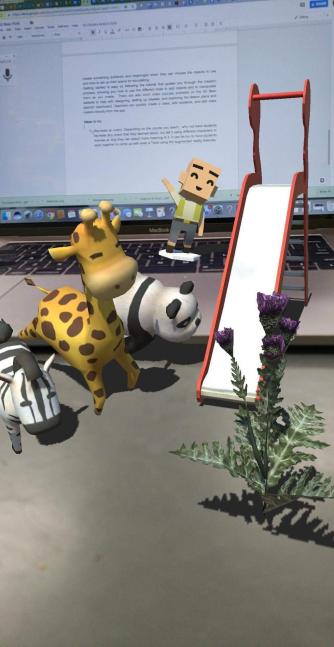
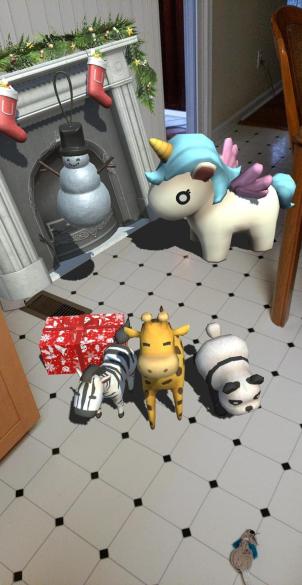
When I finally decided to get my new iPad this summer, I couldn’t wait to try out the different augmented reality apps. Actually, the whole reason that I bought the iPad was for this purpose. The first app that I tried was 3D Bear. I did not look for any tutorials, simply started clicking the options and found that it was very easy to use and a lot of fun. I was able to quickly figure out how to add items and manipulate them in the space I chose. Seeing the group of bears dancing around the middle of my table was fun. I could immediately see the potential for student learning regardless of the content area or grade level taught. Students can use it to create 3D objects in different spaces and have the opportunity to record a story to go along with it. The potential and power of storytelling in AR is awesome. What better way to have students represent their learning than to design their own story and deciding what to place in their environment and then creating a narration to go along with it.

Ideas for the Classroom and Getting Started

With so many new technologies entering the educational setting, it can be challenging to figure out which might be the best for your students. So we always want to focus on the “why” and determine what purpose will it serve that will amplify student learning. Being able to interact with and create a new learning environment through 3D Bear, will help students develop so many of the skills they need to be successful in the future. There are a lot of options for having students learn through 3D Bear. A nice feature is having access to ready-made lesson plans that can be used in any level which focus on content such as Social Studies, Math, Science, ELA and STEM, and STEAM-related topics. The lesson plans include different resources, worksheets, and links to other helpful reading materials. We can give students the opportunities to create, design and re-enact events in a more engaging way.

Features The best part of 3D Bear is the number of choices available for students and teachers to select from. There are a diverse group of objects that can be added in to create a story, making it easy to integrate this tool into any content area. Some of the object types are People, Garden, School, Animals, Holidays, Household, Emotions and even a category of funny items. There are a lot of possibilities for students to really create something authentic and meaningful when they can choose the objects to use and how to set up their scene for storytelling.

Once you log in, getting started is easy. Simply follow the tutorial that guides you through the creation process, showing you how to use the different tools to add objects and to manipulate them as you create. Or if you want to skip the tutorial, you can get started on your own. It is user-friendly and you can create something in a short period of time. There are also short video tutorials available on the 3D Bear website to help with designing, setting up classes, and exploring the lesson plans and teacher dashboard. Teachers can quickly create a class, add students, and edit class rosters directly from the app.

5 Ideas to try

  1. About Me: Getting to know our students is fundamental to our work in the classroom. Why not have students use 3D Bear to tell a story about themselves. With so many things to choose from, students can design something to reflect who they are, share their interests and even record a narration to explain. It will be fun learning about the students using AR to tell their story.
  2. Recreate an event: Depending on the content area you teach, why not have students recreate an event that they learned about, but tell it using different characters or themes so that they can attach more meaning to it and retain the content better. It can be fun to have students work together to come up with a twist using the augmented reality features. Learning about a famous historical period? Have students use the holiday theme or funny characters to explain key events or topics and then add narration to clarify if needed.
  3. Design a new space: Give students an opportunity to create a “dream house”, a new school, a new building for their town or even somewhere they would like to explore. With so many options available to choose from, students will be tasked with problem-solving, critical thinking, and collaborating to brainstorm ideas with their peers. It will promote creativity and give students the opportunity to dream big and use their imagination to come up with innovative ideas.
  4. Explain an idea or concept: Students can take a concept learned, maybe something in science class or in a math class and use the objects to create something like a biome or a diorama, or simply to visually represent something that is easier to understand by looking at it in 3D.
  5. Special events: Something fun might be to use 3D Bear to advertise an upcoming school event or a class activity instead of the traditional flyer or newsletter format. imagine what members of the school community would think if they were able to learn about a school event by exploring it through augmented reality. There are so many choices available that it just takes a little imagination to come up with a new way to use the tool.

As teachers, there are so many things that we are responsible for and have to keep up with, that it can be difficult to stay current and relevant with all of the emerging trends when it comes to technology. Fortunately, there are tools like 3D Bear that make it easier to get started with and that provide innovative ways for students to learn. It just takes a few minutes to get started and then give the students time to explore on their own and with peers. Sign up for the teacher trial at 3D Bear! Let me know how you use it in your classroom!

A better way to track growth and promote reflection

Assessments used to track student progress are certainly not new to teachers. However, it is important to consider that if you consistently use the same tool for assessment, these materials should be curated and referred to throughout the year. This ensures a conversation can happen between teachers, students, and guardians, reviewing  progress and growth.
Kidblog offers extended options for promoting student choice, giving students ownership in learning, and facilitating communication between home and school (family engagement in learning is critical for student success).  Over the years, I have tried to encourage students to keep prior assessments or writing assignments as artifacts of their work to share with families. It wasn’t long before these papers were misplaced and the opportunities for review, reflection and growth disappeared. Using Kidblog’s built-in digital portfolios empower students to self-regulate learning and develop their metacognitive skills. It also allows a conversation between student, teacher, and families happen.

Tracking growth in a more accessible way

There are many benefits of using safe student publishing that go beyond simply blogging and improving communication skills. Through Kidblog, students gain the tools necessary to prepare for their future with the skills they need to be successful.

  • Promotes digital literacy and citizenship: Blogging engages students in building their writing skills whether it be basic English grammar, practicing foreign language skills, or learning to write in a specific format such as a persuasive text or narrative. Students can share their posts with classmates and provide feedback to one another. Peer assessment builds student collaboration skills and promotes digital citizenship and the responsible use of digital tools.
  • Track their growth: Students build their online presence and create their own space unique to their needs. They develop confidence as they become more creative in their expression and learn to self-assess with each blog post they write. Because Kidblog offers a safe learning space, students can get started by writing posts that are private, visible by the teacher, and then continue to grow their audience, sharing their work with classmates, connections, and beyond. Using Kidblog across multiple courses provides students with an even greater opportunity to track their progress across the course of a semester, school year, or even year-over-year.


  • Build relationships and become confident learners: Receiving feedback throughout the learning journey is critical to student growth. However, some students may be hesitant in sharing their thoughts with their peers in the classroom. Through blogging, when students create their own online space, they can comfortably begin to develop their voice, express their thoughts in a personal space, and become more confident learners. The relationships that form by sharing their work at first with their teacher and then by publishing it to a larger community have a tremendous impact on student growth. Publishing work to a wider audience benefits the student through the additional feedback that can be provided. Students know their work is having an impact on readers.
  • Goal setting: When students consistently create through blogging, they can use their history (in digital portfolios) as a guide to push forward with goals. Each student can use Kidblog as a space to set personal learning goals. By publishing their goals in the class, they are held accountable and, in turn, will be motivated to hit those goals. Preparing students for their future requires that we provide opportunities for them to learn responsibility, to work within a schedule with different tasks and timelines.


  • Personal expression and growth mindset: Kidblog provides a space for students to explore their passions, be creative, and reflective. Students have the opportunity to share these passions with the world, and hopefully, make a connection with another student based off of these passions.


Consider adopting Kidblog as your tool for promoting student growth and formative assessment. Teacher premium memberships are a great way for an individual teacher to pilot Kidblog in all their classes, with benefits like automatic digital portfolio curation for your students, a class page, moderation tools to customize your audience levels per post, and so much more.

Making Global Connections: How and why it matters


by Rachelle Dene Poth

It is amazing today what we can accomplish through the use of technology. Past methods we relied on for communicating with friends, family, other schools, and abroad were limited to telephone calls, letters, meeting in person (if geographical location afforded this), for a few examples. When it came to learning, our opportunities for connecting students with others were limited to classrooms within the same school or a nearby school. These interactions had to be set up in advance either by making a phone call or even sending a letter in standard mail. (This goes way back to  my own elementary and high school experience, we did not have cell phones or the Internet and I am not sure about fax). Finding ways to create diverse learning experiences, took a good bit of time and collaboration for everyone. Schools needed to set up transportation, plan the schedule and other logistics, and of course the purpose had to be for a beneficial learning experience if it meant disrupting the school day.

We can provide so many more activities and learning experiences for students today, and they can be carried out with little to no real pre-planning, because of the diverse tools we have available through technology. Whether we use a form of social media or connect with a member of our PLN, and try using a tool like Voxer, or Slack, we can have a quick conversation instantly. Differences between time and place do not matter anymore, there is not even a need to move groups to different locations. We can simply talk, share images, livestream videos, use web conferencing, collaborate to add resources, (anything is possible) for us to quickly connect our classroom and our students, with another classroom and students somewhere in the world.

How we can open up these opportunities

There are many options for encouraging and supporting our students as they become globally connected. We should promote these connections so that students can develop a broader understanding of diverse world cultures, perspectives and have an appreciation of different experiences. With so many resources available, we have the ability to truly bring learning experiences to life, immerse students into different cultures and parts of the world, by simply connecting. It just takes one step.

Some examples of how easily this can be accomplished are by using some of the web-based tools available to teachers and students today. Through the use of video tools, many of which are available as free platforms, classrooms can connect with others throughout the world, regardless of differences in time and place. You can truly see what others experience in their day-to-day learning and living, and engage in conversations in real time.

Students can participate in activities like a mystery Skype or collaborate through a discussion, by using tools such as  Padlet or Flipgrid or use something like Appear.In or Zoom, for a live interaction or even Google Hangouts. These are just a few of the many options available to classrooms today. To promote conversation without video, we can use collaborative tools such as Padlet, Gecko or even a class Twitter account, (depending on grade level), as ways to have students connect through writing. In addition to learning about different cultures and establishing global connections, we can build other critical skills like communication and collaboration, digital citizenship and help to engage students more in the learning environment.  Imagine being able to have a conversation with people from 80 different countries at the same time. Regardless of geographical location or time zone, everyone can connect using one of these forms of technology and the many others that are out there.

Getting Started

Connecting globally requires that we as educators be connected. It always starts with us to set an example for our students. We have to build our own professional and globally connected network so that we can provide these learning opportunities to our students. It is worth the time, the risk, and the effort to seek out learning communities and build a community of support. We become stronger and better together, and when we collaborate to provide opportunities for our students to learn from other students, to gain new perspectives, to experience the multitude of ways of collaborating and communicating globally, we take their educational experience to a whole new level. Become a more globally connected classroom today.


Start by joining in on Global Maker Day!

No-tech, Low-Tech or All Tech: 5 new ideas to try


**Slightly updated from an earlier post, but some ideas to get that energy back up

Ending  the year with 5 random ideas: Going back to basics 

The end of the school year is a great time to try some new ideas. With summer approaching,  we have time to reflect on methods used this year and to seek out new ideas and tools, to come up with creative and innovative methods and ways to welcome to students back in the fall. Hopefully these new activities will help to keep students more engaged in learning.

Here are 5 ways to have students connect, collaborate and create. These are also helpful for building peer relationships and for reviewing content or assessing skills at the end of the year. These ideas can be no-tech or using something suggested by the students.

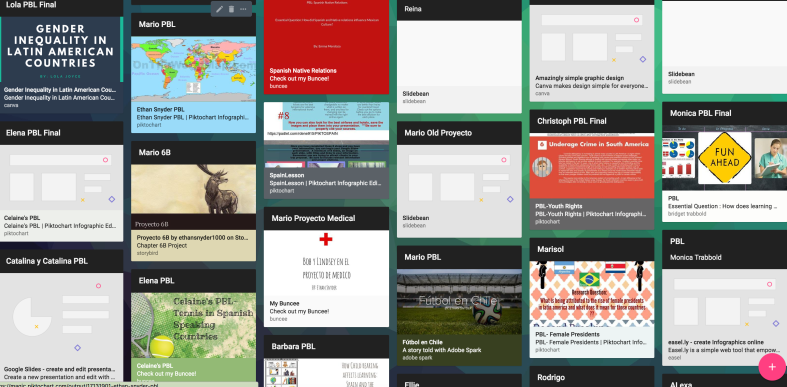
1) Random games or icebreaker style: There are tons of ways to create icebreakers, whether by using paper and pencil or even with digital tools. For example, with Buncee, Piktochart or Canva students can come up with four statements about themselves to share with classmates. These can be in the form of three truths and a lie, as a way to help students learn about their peers and for the teacher to learn about the students. It is beneficial for making connections with one another, finding things in common, but also to appreciate the different perspectives and backgrounds students bring into the classroom. It will be a great way to enhance communication and comfort in the classroom and also, if tech is used, to start teaching students alternative ways to present information.

Screen Shot 2017-12-07 at 8.37.18 PM.png

2) Categories:  Create a template with 4 or 5 different categories related to the content area and grade level being taught. After deciding on categories, select 5 or 6 letters of the alphabet, or use numbers, that students must use to come up with a word, topic or date, that ties into each category. Students can randomly be assigned to small groups and can then share what their group came up with. This activity will promote communication between peers and provide an opportunity for collaboration and some fun as well. It can also be a good way to have students review, be creative and brainstorm new ideas even. It will provide time for teachers to assess student needs and decide the next steps in the lesson, as we keep moving toward the summer break.


3) Word art: Students need different ways to practice the content and one way that helps some learners is through visual learning. Students can use vocabulary, verbs or any content material to generate word art. Students can create a word cloud using paper and marker or try using a digital tool like WordCloud, or WordItOut, or other similar word cloud generators available. After the word clouds are created, teachers can build on the learning potential by having students post their work in the classroom, having a gallery walk where other groups can discuss the terms, brainstorm new ideas, define or translate them (if a foreign language) and increase the authentic learning materials in the classroom.


4) Music: Music can really liven up the classroom and be useful for helping students remember the material. One idea is to have students create rhymes or a song using a vocabulary list, names of famous people, state or world capitals, monuments or anything related to the content area. Students can work in pairs or a small group and create a song which can be used as a mnemonic device, to help them retain the information in a more meaningful way. For presentation purposes, students can then have the choice of sharing live in class or perhaps trying a tool like Flipgrid or Recap to record and share with classmates. It can even be followed up by posting the video on a Padlet and encouraging students to comment in writing, or leave a reply on Flipgrid. These student creations will add to the authentic classroom resources and engage students more in learning.

Screen Shot 2017-10-28 at 9.04.12 PM.png

5) Creating games: Students can create a game as a way to help themselves and their peers practice the material. It can be a game made up using paper or any materials the students decide on or created using one of the digital tools available like Kahoot, Quizlet or Quizizz. Students will have a more authentic learning experience when they select the specific vocabulary they need to practice, which will will give more personalized learning opportunities.

In trying one or all of these activities, it presents an opportunity for the students to work together, to build their relationships, to collaborate and to engage in more authentic learning experiences. And it provides the teacher with an opportunity to step aside and become a facilitator, and to use the time as an opportunity to not only assess student learning but to interact more and provide feedback for students.


There are many ways to practice the content material and engage students more in learning, these are just a few of the ideas that I have tried in my classroom this school year, and they are a work in progress. Knowing that something works takes reflection and student input, and one thing I have noticed in the few short weeks we have been in school, is that students are asking more questions and thinking of new ways to extend their learning. I have more time to move around and work with every student and provide more individualized instruction and really understand each student’s progress.

They are asking, “Can we…?, What if…?, Is it okay to…?” and adding their creativity into our activities. They are also suggesting improvements, “Maybe we could…, It might be better if you…, and This has helped me to remember…can we keep doing these activities?”  And my answer to all of these has been “Yes, I think we should try it.” If it works, then great. And if not, we will try again!”


12 Tools to Try…before summer break!

Updated from the Original Post on Getting Smart, January 19, 2018

Looking for new ideas to try before the end of the school year? If you have not tried some of this, now is the time!

There are so many digital tools available today that offer opportunities for promoting student creativity, student voice, and expanding where and how students learn. I had my own list of the tools that I found made a big difference in my classroom, but decided to ask students for their input.

Here is a list of tools to try in 2018, (or to try before the end of the year, let’s keep learning!)

Each of these offer multiple ways for students to create, connect and engage in more authentic learning experiences.

Promoting Connected Learners

We were able to take our learning to a whole new level this year through Project Based Learning (PBL). Using these tools enabled us to connect with students from several Spanish speaking countries, which created tremendous possibilities for more authentic learning and broadening our cultural understanding.

1) Edmodo: Virtual learning space, where teachers can set up a digital classroom to connect students with the resources they need, in a safe learning environment. Edmodo can be used for assessments and integrates with Microsoft Office and Google, making it easy to share files with students. Students relied on Edmodo to connect with students in Argentina, Mexico and Spain for their PBL. One student said “these connections enabled me to sculpt my PBL, and learn in ways that books, videos and regular classroom lessons cannot provide.”

2) Flipgrid: Video response tool, which became one of the most talked about tools this past year after launching new features, making it even easier and more fun for students to share their ideas. Students can record up to a five minute response, add emojis to their photos and access the “grid” quickly through a grid code. It is a great tool for helping students to become more comfortable and confident in sharing their ideas and sparking curiosity with their peers.

3) Padlet: Padlet, a virtual wall, is a favorite in our classroom. Students can create a digital portfolio by uploading files and links to projects, curate resources for PBL, or have discussions with classrooms around the world. Other popular ways to use Padlet are to ask questions, post homework, or as a classroom website. Newer features include being able to “like”, “grade” or “upvote” a post and directly transfer posts to another Padlet wall.

4) Recap: Recap 2.0 is a free video response tool, which integrates with Edmodo, Canvas, Schoology, Google Classroom and Blackboard, making it easy to implement right away. It provides a comfortable way for teachers and students to ask questions by setting them up in a “Queue”. Students can submit questions and receive direct feedback, in a safe moderated environment.

Tools to Engage Students in Learning

5) Quizlet Live: Quizlet Live is a fun way to encourage student collaboration by playing a team game using a set of Quizlet study cards. Teachers select a set of study cards, launch a Live game by providing students with a join code, and students are divided into teams. To play, you need at least four players and a study set with at least 12 unique terms. Only one member of the team has the correct answer and answering incorrectly bounces the team score back to zero.

6) Quizizz: Quizizz has launched some new features, including integrating with Edmodo and Google Classroom, which makes sharing or assigning games and reviewing results much easier. When playing live, students can see the class accuracy reflected as it updates the leaderboard live with each response. There are thousands of games available in the library, making it easy to get started or create your own.

7) Kahoot!: Some big changes to the layout and options of the platform make it easier to navigate and review questions in class. Teachers can now assign “challenges” to students as a fun way to practice by sharing a code. The new “Nickname Generator” creates fun and unique usernames such as “Mystery Panda” or “Fantastic Bat” to students. It definitely saves time rather than waiting for students try to come up with their own “creative” names.

8) Kidblog: Blogging has many benefits for helping students to express themselves and begin to develop their online presence. Teachers can provide students with a variety of writing prompts to not only assess student learning, but promote creativity, communication, collaboration and digital citizenship skills. With Kidblog, teachers can even AppSmash (use two or more apps or tools together to complete a task) by embedding other tech tools into the platform, such as Buncee, Flipgrid or by uploading images and documents directly from Google Drive.

Creativity, Assessments, Interactive Lessons and More

9) Buncee: Buncee, a versatile presentation and assessment tool, is great for creating multimedia projects full of animations, graphics, audio, and videos. Choose from thousands of templates, backgrounds, animations and other graphics to create invitations, classroom signs, and unique “Buncees” for any purpose. Buncee enables every student to find exactly what they need to add into their project and to bring out their creativity.

10) Formative: An interactive tool for creating formative assessments, for use in class or as student-paced practice. Students enjoy using Formative because they receive feedback quickly, they are able to “show” their work and when done as practice, move at their own pace. Teachers can create Formatives with different question types, content and even the ability to upload and transform files. Try having students create their own Formatives as a way to have more personalized and authentic practice.

Immersive Learning, Coding and Problem Solving

11) Nearpod: Nearpod continues to be a game changer in our classroom. It provides so many options for presenting material as well as assessing students through diverse activities. The chance to be immersed in the virtual field trips and explore places around the world is of tremendous value for students. Educators can quickly create interactive lessons which include multiple question formats, the ability to upload content, BBC lessons, PhET simulations, and even add in GIFS! Nearpod integrates with Google Classroom and Canvas, and most recently with Remind, making it even easier to share lessons. Nearpod also added 27 “College Tours”, available in VR, a great way to have students experience different schools by immersing in the campus, without having to travel the distance.

12) CoSpacesEDU: CoSpacesEDU provides students with a way to not only create their own “spaces”, but to be able to walk in the spaces created by their peers. To explore in VR (Virtual Reality) and problem solve by figuring out how to code using Blockly, offers students a truly authentic way to learn, create and problem solve. The Gallery is full of examples to get you started with ideas for your classroom. Use CoSpaces to have students represent a scientific concept, a book report, or create a scene representing something studied in any content area. Talk about creativity, imagination, innovation and critical thinking, and more all in one tool.

In the End

These are just 12 of the many tools out there for education. The most important thing to remember is the “Why”? behind using these in the classroom. While these 12 tools made a difference in my classroom, they may not have the same impact in yours, but I do recommend giving them a try. Think about the tools you are currently using to amplify or facilitate student learning. What is making a difference in how, what and where students learn? Could one of these be used in place of another, as a way to engage students more in learning, or even better, provide opportunities for students to move from consumers to creators?

My advice is to simply choose one of these 12 tools and give it a try. See how it goes, ask your students for some feedback, and then plan your next steps.

Rubicon Summit: Classroom’s Journey To Student-Led, Interactive Lessons

A Classroom’s Journey To Student-Led, Interactive Lessons

Written for the RUBICON SUMMIT

About two years ago, I found myself struggling to find ways to keep my students engaged in the lesson. I tried to get them involved more in class activities by offering more choices and providing opportunities for them to be part of the decisions made about what we were doing in the classroom. Why did I do this? Partially because I saw – and could feel – a decrease in student motivation and engagement. It was approaching the end of the school year, and the focus had shifted more to “when does summer begin?”

So I tried to do things a bit differently, think creatively, and take some risks. I wanted to keep us all moving, to finish strong at the end of the school year and begin summer vacation with a sense of accomplishment, to celebrate all that we had learned throughout the year and also what we had gained from these new experiences.

Educational Technology and Digital Tools with Purpose
Educational Technology provides so many resources that enable students to learn anywhere and at any time, and at a pace that is comfortable for each student. We can instruct from inside the traditional classroom, ​”​the brick-and-mortar​” ​as it is called, or from anywhere around the world. Using digital tools provides more differentiation and personalized learning, and provides opportunities for the students to move from consumers to creators. When students have choices in how to show what they have learned, they are more likely to be engaged and excited for learning. They will feel valued​,​ and the lesson and learning will be more meaningful because it has been made perso​n​al to them.

Creating Interactive Lessons
What did I change? I started by having my students create some interactive lessons using educational technology tools like Formative, Nearpod, and EDPuzzle, or even games with Kahoot! and Quizizz. It proved to be a very beneficial learning experience for all of us. By doing this, we had extra resources available that could be shared with students who might need some extra practice. I thought it went so well that I decided to take it a step further and start a “teacher for a day” activity during which the students create a lesson based on a grammar topic or vocabulary.

I stepped back and had the students lead our classroom. It was a really good way to learn a lot more about the students, to better understand what their needs were in terms of the content material, and for the students to learn about each other. Giving students the control and the opportunity to become the creators and leaders in the class has tremendous benefits and it has been something that we have enjoyed.

Giving Students the Control
At first when students created interactive lessons, I would launch the lesson and control it on the SmartBoard, but find ways to involve the student who created it during the presentation. I eventually decided to move aside, and took a seat in the back of the room, having the student lead the lesson, give explanations, answer questions, call upon students for answers, and provide feedback. Having the opportunity to sit back and experience this was tremendous. The students enjoyed the activity, supported each other, collaborated, and provided some positive feedback to each of their classmates. I was very impressed with how well they taught, led, and learned during each of the “teacher for a day” lessons.

Empowering Students in Learning
The use of these digital tools means ​that ​the “time and place for learning” is no​ longer​ confined to the ​traditional time and setting of the physical ​classroom​. It opens up the learning environment ​to​ anywhere​, at any time and at a pace that is comfortable for the students as well. Learning and having timely, purposeful and authentic feedback is critical ​for growth to happen. When we shift our focus to creating opportunities, giving students the control, leaving the decision making to students to choose ​how t​o show what they have learned, or ​letting them​ design their own assessments, they are more empowered in their learning.

What are the Next Steps?
Have a conversation with your students and ask for their honest feedback. What did they like? What did they not like? Which lesson or format seemed to help the most? What did it feel like to be in control, decide how to deliver the lesson, and experience being the teacher? You can have this as a face to face conversation, students can respond on paper, or use one of the many digital tools available for communication. No matter which way you choose, look to your students for the valuable feedback to decide your next steps. Be sure to ask yourself these same questions and continue to reflect on steps taken and progress made!

For more strategies about integrating technology into instruction, read Overcome

EdTech’s Problems With Blended Learning!