Over the past few years, we have seen many changes in education. We live in an increasingly digital world that involves rapid technological advancements through emerging technologies such as artificial intelligence (AI). The technologies are not only impacting our lives as educators, but they are impacting the world of work our students will enter.
To best prepare our students, educators must constantly adapt and evolve to keep up with these changes. However, there are challenges when it comes to these technologies: a lack of professional learning opportunities, not enough time to participate, and uncertainty about the best options for learning. Bringing in new technology can also feel like adding to an already overflowing plate.
Beyond the basic technology skills that educators need for every day teaching, they also need to be knowledgeable about emerging technologies, particularly AI, and how to bring them into their classrooms. With these technologies impacting our work, especially with the capabilities of AI to generate content and concerns about the impact of this technology on our work, it is essential that educators receive training. Over the past five years, my work has focused on collaborating with teachers to get them started with emerging technology including, more recently, AI. Here are some things that work when designing AI-related professional learning.
AI professional development for educators
Professional development focused on implementing classroom technology goes beyond simply training educators to use it and apply it to their curriculum. It requires rich and personalized learning experiences that will engage educators and enable them to see the possibilities for amplifying learning through educational technology.
Dr. Rachelle Dené Poth is a Spanish and STEAM: What’s Next in Emerging Technology Teacher at Riverview High School in Oakmont, PA. Rachelle is also an attorney with a Juris Doctor degree from Duquesne University School of Law and a Master’s in Instructional Technology. Rachelle received her Doctorate in Instructional Technology, and her research focus was on AI and Professional Development. In addition to teaching, she is a full-time consultant and works with companies and organizations to provide PD, speaking, and consulting services. Contact Rachelle for your event!
Rachelle is an ISTE-certified educator and community leader who served as president of the ISTE Teacher Education Network. By EdTech Digest, she was named the EdTech Trendsetter of 2024, one of 30 K-12 IT Influencers to follow in 2021, and one of 150 Women Global EdTech Thought Leaders in 2022.
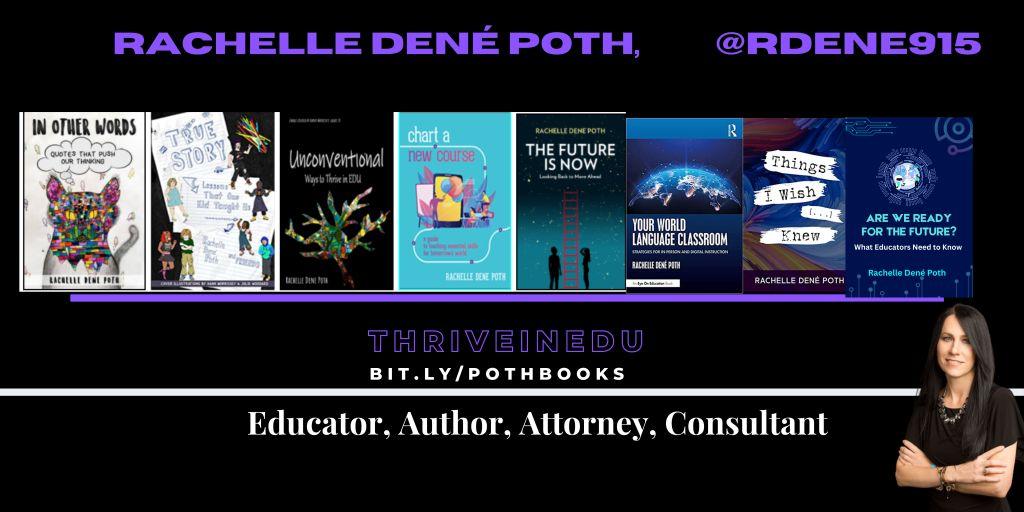
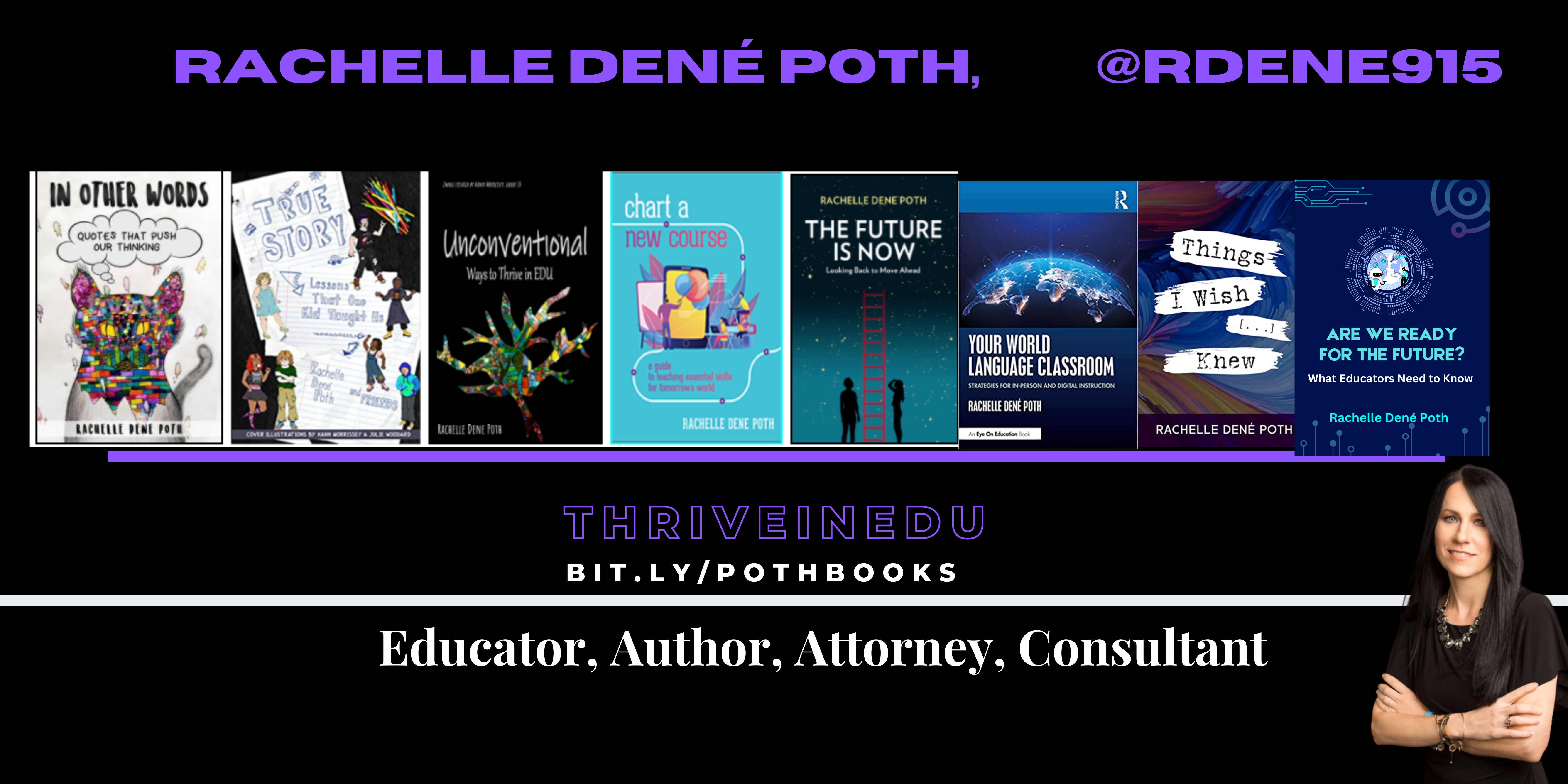
She is the author of nine books including ‘In Other Words: Quotes That Push Our Thinking,” “Unconventional Ways to Thrive in EDU,” “The Future is Now: Looking Back to Move Ahead,” “Chart A New Course: A Guide to Teaching Essential Skills for Tomorrow’s World, “True Story: Lessons That One Kid Taught Us,” “Things I Wish […] Knew” and her newest “How To Teach AI” is available from ISTE or on Amazon.
Contact Rachelle to schedule sessions about Artificial Intelligence, Coding, AR/VR, and more for your school or your event! Submit the Contact Form.
Follow Rachelle on Twitter(X) and Instagram at @Rdene915
**Interested in writing a guest blog for my site? Would love to share your ideas! Submit your post here. Looking for a new book to read? Find these available at bit.ly/Pothbooks
************ Also check out my THRIVEinEDU PodcastHere!
Join my show on THRIVEinEDU on Facebook. Join the group here.
As generative AI continues to evolve and reshape the way we work, the need for a workforce that can thrive in this new landscape is becoming increasingly apparent. How can we ensure that adult white-collar workers are equipped with the necessary digital, data, and AI literacy skills to meet the needs of businesses and communities? One promising solution lies in adult school CTE programs that focus on reskilling and upskilling adults for the AI-driven future. With an emphasis on lifelong learning and adaptability, these programs can serve as a catalyst for expanding adult education and bridging the skills gap.
The New Landscape of Adult Ed
As we navigate a world of AI, adult education has an opportunity to provide non-credit and credential programs that prioritize digital, data, and AI literacy. These programs can be in various forms, from short-term, intensive courses to flexible online, blended, and in-person learning options. What does this mean for adult learners? With an array of choices at their fingertips, they can now customize their learning experience to align with their needs, interests, and professional goals to meet the ever-evolving world, which will require consistent retooling and upskilling.
Let’s jump into one example of this that is happening now. The Los Angeles Valley College offers a “Data Science Bootcamp,” an intensive, hands-on program designed to equip adult learners with the skills needed to analyze, visualize, and interpret data in today’s data-driven world. Programs like this demonstrate the immense potential of adult education in preparing workers for the future.
Tailoring Programs to Local Communities
To maximize their impact, adult CTE programs must be tailored to the unique needs of local industries and communities. By understanding the specific demands of their region, adult education providers can design relevant and effective programs that truly resonate with learners.
Take, for instance, the partnership between the San Francisco Adult School and local tech companies. By collaborating with these businesses, the adult school has been able to create a curriculum that addresses the specific skills needed for employment in the thriving local tech industry. This close collaboration ensures that students gain the most relevant skills for their local job market while businesses benefit from a more skilled and prepared workforce.
Emphasizing Lifelong Learning in Adult Education
As the world of AI and technology continues to evolve at breakneck speed, becoming a lifelong learner is no longer a luxury – it’s a necessity. Adult CTE programs must prioritize fostering a growth mindset and a commitment to continuous learning among their students.
One way to achieve this is by creating learning environments that encourage curiosity, resilience, and adaptability. For example, an adult education program might incorporate real-world projects, mentorship, and peer collaboration into its curriculum, allowing students to learn from one another and apply their newly acquired skills in practical contexts.
Section 4: The Role of Adult Education in Bridging the Skills Gap
By reskilling and upskilling adults in digital, data, and AI literacy, adult CTE programs can play a critical role in bridging the skills gap in the workforce. The economic and social benefits of expanding adult education in this area are immense, but realizing this potential requires collaboration between adult education providers, businesses, and governments.
Take, for instance, the initiative launched by the state of California to invest in adult education programs aimed at equipping workers with the skills needed for in-demand jobs in the tech sector. This investment demonstrates the importance of collective efforts to support and invest in adult education as a key solution for the challenges ahead.
Conclusion: Navigating an AI-Driven Culture
As we navigate the AI-driven future, the importance of adult education cannot be overstated. Adult education providers have a unique opportunity to redefine and expand their role in this new landscape. By embracing this challenge, they can help to ensure that our workforce is prepared to thrive in the world of AI.
References
To brainstorm and develop various drafts of the blog, the following prompt was utilized on GPT-4 by Open AI. The AI Generative Response was edited and revised: I am an education innovator in adult education. I am writing a blog post on generative AI and how we will have to re-train the adult white collared workforce to meet the needs of our businesses and communities in the world of AI. The premise of the blog is that adult school CTE programs can offer a wide range of programs that integrate digital, data, and AI literacy to reskill adults in our communities to work in these new work environments. Additionally, we will need to have an emphasis on our programs to teach our students to be lifelong learners where they will have to reinvent themselves often to navigate the world we live in. Focus on how non-credit and credential programs we can offer locally can help solve this program for our local communities. Outline in-depth how this is a huge opportunity to expand adult education – keep this as the central theme.
About Rachelle:
Dr. Rachelle Dené Poth is a Spanish and STEAM: What’s Next in Emerging Technology Teacher at Riverview High School in Oakmont, PA. Rachelle is also an attorney with a Juris Doctor degree from Duquesne University School of Law and a Master’s in Instructional Technology. Rachelle received her Doctorate in Instructional Technology, and her research focus was on AI and Professional Development. In addition to teaching, she is a full-time consultant and works with companies and organizations to provide PD, speaking, and consulting services. Contact Rachelle for your event!
She is the author of nine books, and her newest, “How To Teach AI,” is available from ISTE or on Amazon.
Contact Rachelle to schedule sessions about Artificial Intelligence, Coding, AR/VR, and more for your school or your event! Submit the Contact Form.
Follow Rachelle on Twitter(X) and Instagram at @Rdene915
**Interested in writing a guest blog for my site? Would love to share your ideas! Submit your post here. Looking for a new book to read? Find these available at bit.ly/Pothbooks
************ Also check out my THRIVEinEDU PodcastHere!
Join my show on THRIVEinEDU on Facebook. Join the group here
With the school year ending, it does not mean that learning has to stop. Throughout the summer, students and educators have time to relax and recharge, but it can also be a good opportunity to take advantage of some learning experiences. I think it is a fantastic time to dive into STEM learning, especially with having more time to get outside and explore! There are a lot of opportunities that promote engaging, hands-on activities for students and educators. Find some maker projects, ways to connect in the community and engage in place-based learning, or even participate in STEM camps or events that local organizations or schools may offer.
With a reported 3.5 million jobs requiring STEM skills by 2025, it is important to find opportunities that will help students learn about the possibilities in these fields and develop the essential skills that are in demand.
Here are three ideas to consider for the summer that might also be a great way to start the next school year!
1. DIY STEM Projects
Getting involved in STEM learning in the summer does not require many materials at all. When students and educators engage in “do-it-yourself “(DIY) STEM projects, it helps to fuel creativity and excitement in learning. The possibilities for DIY STEM projects are limitless. There are books and resources available online to explore. Dr. Jacie Maslyk shares many ideas in her blogs and books for STEM-focused learning. The benefits are that it allows students to consider different materials and problem-solve or create a design. DIY activities are great for encouraging students to find a solution to a local or global challenge and see the impact they can make when they develop their STEM skills! Projects like this will not only foster a sense of accomplishment but will encourage critical thinking, problem-solving, and innovation. Students can shift from simply being consumers to becoming creators and innovators!
2. Place-Based Learning
With additional time in the summer or even throughout the year, connecting students with opportunities for real-world learning in their community is essential. By volunteering or participating in place-based learning, students can connect with community members working in STEM careers, for example. These collaborations enable students to apply their knowledge in practical, real-world settings. Whether it’s working in a community organization that is focused on nature preservation, assisting with projects in the community, or taking advantage of internships and mentorship programs, students can get a glimpse into the professional world and build self-awareness of their interests in learning and future careers. We want our students to develop their global awareness, learn about the challenges being faced in the world, and then come up with solutions. Connecting with the community and engaging in place-based learning provides more authentic and real-world learning for students, which will promote student engagement and be more meaningful.
3. Virtual Programs and Online Courses
There are many tools available online for students to explore at their own pace and to find a topic of interest. Diving into programs to learn about coding and robotics, for example, offers many great benefits for students. Students can learn about programming languages, create their own software, or build robots or chatbots. With the resources available, students will develop computational thinking and problem-solving skills while also having the opportunity to boost their creativity.
Online courses and virtual programs provide flexibility, which enables students to learn at their own pace and explore topics of interest. Many of the programs and tools available offer interactive simulations, video tutorials, sample activities, and more, which help to engage students more in learning. Some sites such as Code.org, MIT, AIClub, Scratch, and Tynker provide interactive coding tutorials and projects suitable for beginners. I recommend exploring Minecraft Education and Hacking STEM to give even more choices. For some robots, check out MatataStudio products such as TaleBot Pro or Vinci Bot or check out Marty the Robot from Robotical! Interested in augmented and virtual reality, dive into CoSpaces Edu!
Code with Google is focused on closing equity gaps in computer science opportunities and offers free resources for students. For older students and educators looking for courses and more activities, websites like Khan Academy and Udemy have courses covering various STEM topics, allowing students to learn at their own pace and explore their interests.
Summer learning opportunities for STEM can offer students a transformative learning experience that will spark their curiosity for learning and cultivate STEM-focused careers. These opportunities not only enhance academic skills but also equip students with essential 21st-century competencies, such as critical thinking, collaboration, and adaptability.
About the Author:
Rachelle Dené is a Spanish and STEAM: What’s Next in Emerging Technology Teacher at Riverview High School in Oakmont, PA. Rachelle is also an attorney with a Juris Doctor degree from Duquesne University School of Law and a Master’s in Instructional Technology. Rachelle is currently finishing her doctorate with a focus on AI and Professional Development. In addition to teaching, she is a full-time consultant and works with companies and organizations to provide PD, speaking, and consulting services. Contact Rachelle for your event!
Rachelle is an ISTE-certified educator and community leader and served as president of the ISTE Teacher Education Network. She was named one of 30 12 IT Influencers to follow in 2021 and one of 150 Women Global EdTech Thought Leaders in 2022.
Contact Rachelle to schedule sessions about Artificial Intelligence, Coding, AR/VR, and more for your school or your event! Submit the Contact Form.
Follow Rachelle on Twitter(X) and Instagram at @Rdene915
**Interested in writing a guest blog for my site? Would love to share your ideas! Submit your post here. Looking for a new book to read? Find these available at bit.ly/Pothbooks
************ Also check out my THRIVEinEDU PodcastHere!
Join my show on THRIVEinEDU on Facebook. Join the group here
In collaboration with Brisk Teaching, All opinions are my own
The life of an educator is always quite busy! There are so many demands on our days that finding extra time to try something different can be tough! However, when you find out about a great tool that not only helps you to save time and is easy to use but also provides many other benefits that will enhance instruction and impact students, then it’s definitely worth diving into some exploration!
Especially during this school year, which brought even more tools, educators are increasingly turning to technology to streamline workflows and enhance instructional quality. A few months ago, I started exploring something new that I found, and I love sharing it with educators. Brisk Teaching, an AI-powered Chrome extension, is designed specifically for educators! What makes it incredibly powerful is how seamless it is to use. Brisk is not an additional app or tool that you have to manage – it integrates directly into the tools teachers are already using (Google Docs, slides, articles, YouTube videos) to save you time right where you’re already working! Efficiency and productivity with Brisk!
The end of the school year is the perfect time to try out these great features and see how Brisk can save time, help with assessments, and more.
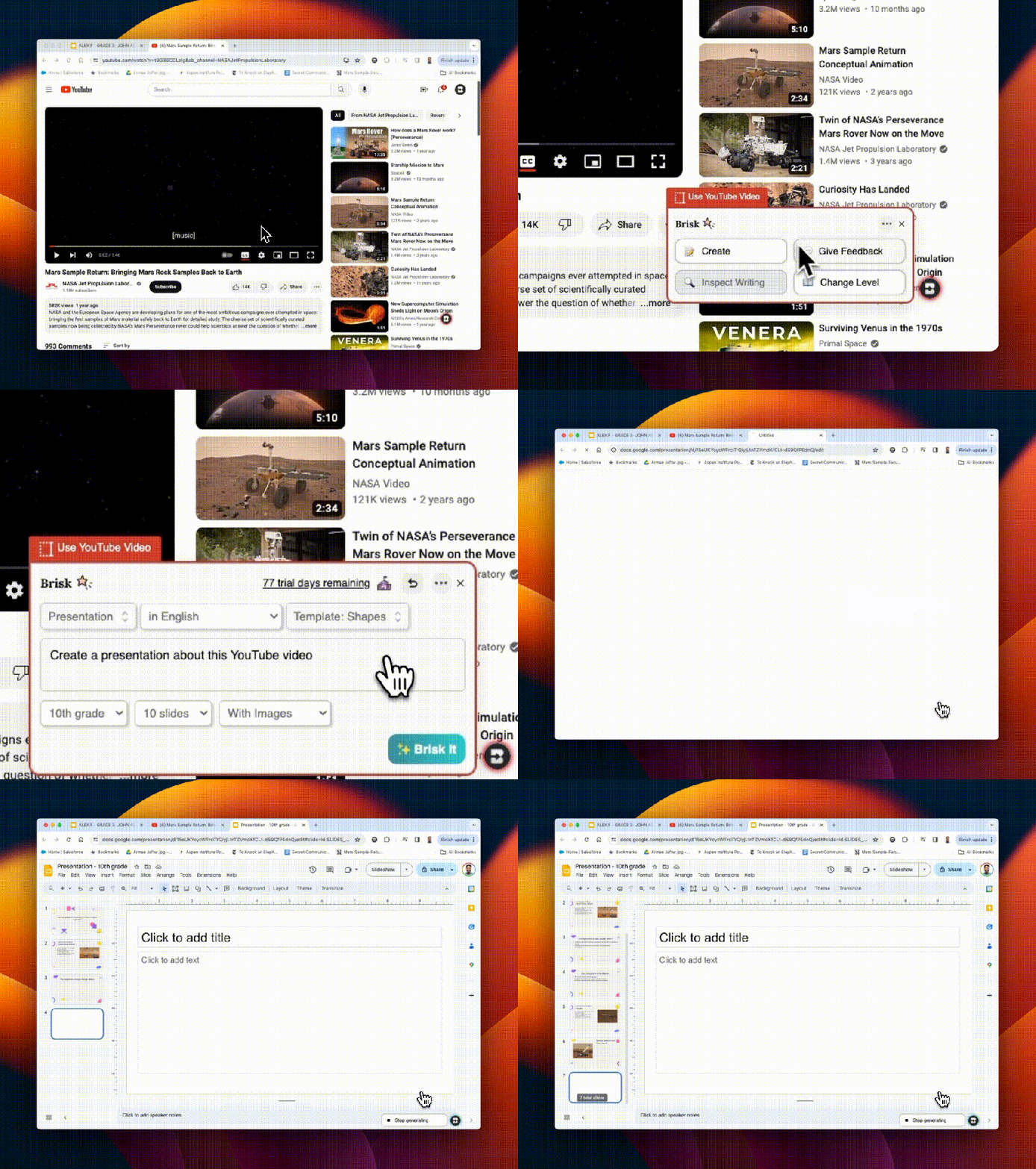
Brisk Teaching is amazing in how it transforms the way educators create their materials. With Brisk, you can quickly transform articles, YouTube videos, Google Docs, and other content into worksheets, quizzes, presentations, and more – right from the original sources. I really enjoy using awesome features like the AI Presentation Maker and AI Lesson Plan Generator, which enable teachers to design high-quality, engaging instructional content in minutes! For example, my favorite option, the AI Presentation Maker, enables educators to convert information obtained from articles, websites, or YouTube videos directly into a Google Slides presentation. The slides are created within minutes, and they automatically save directly in your Google Drive so you can easily change them as you normally would when using Google Slides. It just streamlines the whole process, all possible with a simple prompt, grade level, and design selection. It has been so much fun to demonstrate how quickly the slides are generated from a simple prompt of a few words.
Educators are amazed to see each slide being generated with content, images, and a great layout! Brisk not only simplifies the creation process but also ensures that the content is relevant and engaging for students.
The AI Lesson Plan Generator generates comprehensive plans in alignment with specific teaching objectives, grade levels, and more, which significantly reduces the time that teachers spend on lesson planning. Quickly generate a detailed rubric with the AI Rubric Generator or some Depth of Knowledge (DOK) questions. Brisk Teaching empowers educators to produce a variety of educational resources efficiently, which gives them more time to spend working with students!
Feedback
As we know, feedback is essential for learning. It needs to be authentic, meaningful, and timely. With Brisk Teaching, educators can provide this feedback even faster using the Targeted Feedback Generator. This feature enables educators to provide individualized comments to each student right within the student’s Google Docs.
Additionally, there are several feedback styles to choose from, including Glow & Grow praises and actionable Next Steps. The feedback will help students understand their strengths and identify areas for improvement. For educators, by automating the feedback process, Brisk helps educators keep providing feedback in a time-sensitive manner and promotes more consistent feedback for students. Choosing from the feedback styles can also help foster a supportive learning environment.
Inspect Writing
When you first explore the Inspect Writing feature of Brisk Teaching, seeing the replay of how a student has completed their assignment is really cool. The Inspect Writing feature provides educators with some insight into a student’s writing process, starting with any initial drafts to their final submission. With the replay, educators can develop a greater understanding of how a student approaches their work and can then use this to better target instructional approaches and provide more personalized feedback to better meet student needs and help them to grow.
Inspect writing is also a good way to engage a discussion about academic integrity. I see this as a way to focus on accountability also, especially when working with a group, and also as a way to focus on time management when conducting research or writing.
Differentiation
It is essential that all educators ensure that students have access to the learning materials that best match their reading levels and language needs. Promoting inclusivity is critical, and with Brisk Teaching tools like the Text Leveler and Translate Text Tool, educators can instantly adjust the complexity of texts or translate them into different languages for students. With these options, we can ensure that all classroom materials we use are accessible to students from varying linguistic and academic backgrounds and learning needs.
Why I recommend Brisk
Brisk Teaching is more than just a tool; it provides a comprehensive solution that has been designed by educators for educators. It aims to reduce burnout and enhance instructional effectiveness. It is easy to integrate in the classroom and its key features help to streamline our workflow and save time for us to work more with students and colleagues! As technology continues to evolve, tools like Brisk Teaching will continue to add new features in response to educator and student needs. Stay tuned for some other exciting features coming from Brisk. Brisk Boost for Students coming soon!
The surge in AI integration across various sectors, including education, is becoming more apparent. AI is now involved in tasks like assisting in curriculum design, offering feedback, supporting essay composition, and acting as learning companions, showcasing its multifaceted potential in enhancing classroom practices. The emergence of AI emphasizes the importance of equipping students with advanced cognitive skills, such as critical and analytical thinking. Rather than perceiving AI as a barrier to these higher-order thinking skills (HOTS), it is essential to explore how AI can be leveraged to augment and refine them.
How to Teach Higher-Order Thinking
Prioritizing the cultivation of HOTS is essential for fostering innovation and preparing students for success in this fast-paced world. While some may fear that the rise of AI could diminish the relevance of these skills, a study by the McKinsey Global Institute (2017) on AI and automation suggests otherwise. The study found that while AI and automation may replace certain routine tasks, they also create new opportunities for tasks requiring human-centric skills, including higher-order thinking. Therefore, far from declining, the importance of HOTS is underscored in the age of AI.
Higher-order thinking refers to cognitive processes operating at the top tiers of Bloom’s taxonomy, including analysis, evaluation, and creation. These advanced cognitive skills demand the application of critical thinking, where learners independently generate understanding, make connections, and assess information based on their learning experiences.
Bloom’s Taxonomy Questions for Higher Order Thinking Skills
Developing higher-level questioning requires teachers to possess a profound understanding of Bloom’s Taxonomy levels and the art of questioning.
While questioning serves as a fundamental tool utilized by educators on a daily basis, it is essential to recognize that the purpose of questions aimed at promoting HOTS extends beyond the mere recollection of facts or information. Rather, these inquiries are crafted to stimulate critical thinking and foster a deeper grasp of the content. By prompting students to delve deeper into the material, such questions encourage them to construct a more comprehensive understanding, thereby enabling them to apply their knowledge effectively in real-world contexts.
Open-ended questions aimed at higher-level thinking encourage learners to delve into topics more deeply, utilizing their knowledge and abilities. These types of questions cannot be answered with a simple “yes,” “no,” or brief response. Instead, they encourage individuals to critically analyze the information they’ve acquired and construct cohesive, relevant answers.
Understanding Bloom’s Taxonomy
Bloom’s Taxonomy is a structured hierarchy, developed by Benjamin Bloom back in the 1950s, that classifies thinking behaviors essential for learning. Let’s dive into how you can incorporate Bloom’s Taxonomy in your classroom teaching with strategic questions tailored to each level:
Remember: This is the foundational step. It’s all about remembering facts. The base of Bloom’s pyramid, the “Knowledge” level, is the stepping stone to all higher-order thinking skills. At this stage, students absorb raw facts and figures, laying the groundwork for more complex cognitive tasks
Sample of questions to ask students:
“When did the American Civil War start?
“What is the capital city of Canada?”
Understand: This stage challenges students to grasp the meaning of the information, like interpreting the primary theme of a poem. It’s not just about parroting back facts; it’s about making sense of them. Comprehension, a critical step in Bloom’s Taxonomy, involves not just absorbing information but truly understanding it. Students delve into the “why” and “how” behind concepts, ensuring they can explain and translate information in their own words.
Sample of questions to ask students:
“How would you summarize this chapter to a friend who hasn’t read it?”
“What does this graph indicate about the relationship between X and Y?”
Apply: Can students extend their knowledge to unfamiliar situations? For instance, can they go beyond simply memorizing the Pythagorean theorem and instead use it to address practical challenges like those found in architecture or engineering? The “Application” level in Bloom’s Taxonomy drives students from merely knowing information to applying it in novel scenarios. It’s not just about retaining or understanding; it’s about putting that knowledge into practice, a critical leap in cognitive development.
Sample of questions to ask students:
“How can you demonstrate the law of conservation of energy using a simple experiment?”
“How would you apply the concept of photosynthesis in setting up an efficient greenhouse?”
Analyze: This stage encourages students to dissect information and grasp its structural components. For example, in a science experiment, can they discern the variables, methodologies, and outcomes? The “Analysis” phase of Bloom’s Taxonomy guides students towards the dissection, differentiation, and organization of information. At this stage, learners move beyond simple application of knowledge, delving deeper to comprehend the complex components of a topic and their relationships.
Sample of questions to ask students:
“Based on the historical document, can you identify the underlying causes of the event?”
“Which parts of this experiment were crucial in determining the final outcome?”
Evaluate: In this phase, students assess values, make judgments, and substantiate decisions. They might be challenged with debating the ethics of a historical event or critiquing a piece of art. Occupying the pinnacle of Bloom’s Taxonomy hierarchy, the evaluation stage requires discerning scrutiny and the formulation of judgments based on predetermined criteria. It goes beyond mere identification of pros and cons to providing recommendations or making informed decisions.
Sample of questions to ask students:
“Which method discussed in class do you think is most effective for solving this problem, and why?”
“In comparing these two characters, who do you believe showed greater resilience, and what evidence supports your view?”
Create: In this phase, the emphasis lies on combining elements to construct a novel pattern or structure. Picture it as creating a fresh narrative by blending components from different fairy tales. Culminating Bloom’s hierarchy, the Creating level tasks students with assembling pieces into an original arrangement, devising innovative solutions, or fostering a unique perspective.
Sample of questions to ask students:
“Can you devise a new experiment that would expand on the findings from our previous lab?”
“Can you compose a poem that integrates five different literary devices we’ve discussed this semester?”
Incorporating Technology into Bloom’s Taxonomy Teaching
In an era dominated by technology and AI, educators and presenters are constantly searching for innovative methods to capture their audience’s attention and ensure that learning remains both stimulating and impactful. Enter ClassPoint AI, a groundbreaking tool that automates Bloom’s Taxonomy question generation based on teachers’ PowerPoint slide content.
Incorporating ClassPoint AI into teachers’ education or presentation strategy is not merely about utilizing technology—it’s about transforming the perspective and approach towards assessments and interactions. Here’s how:
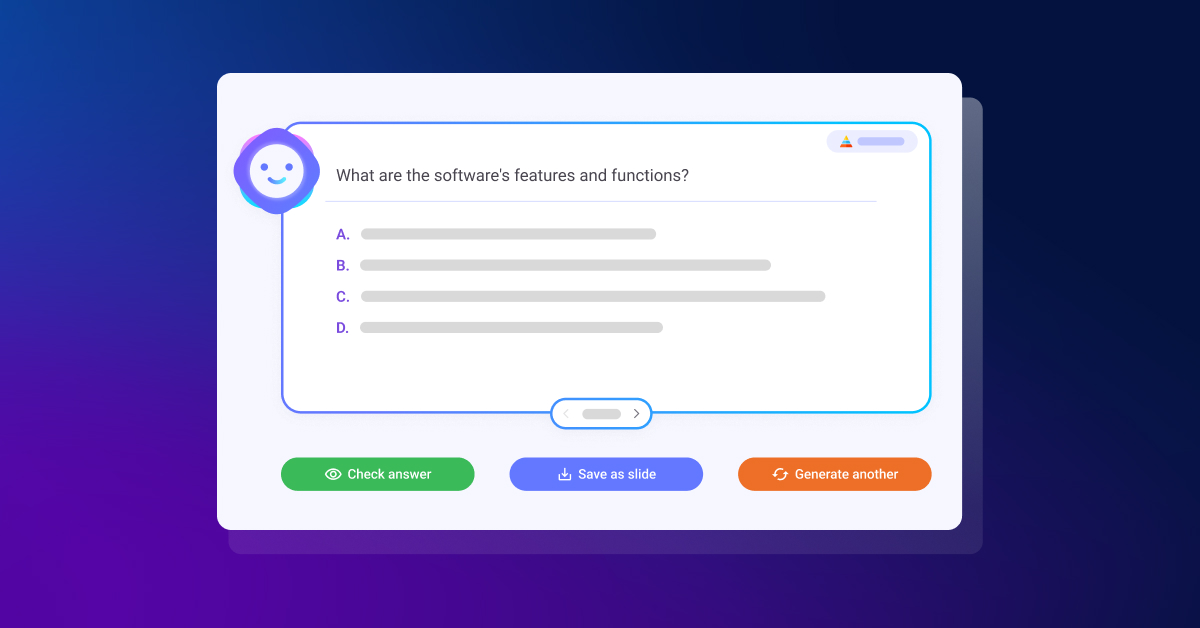
AI-Powered Efficiency: With ClassPoint AI’s AI-generated quiz questions, teachers can instantly transform any PowerPoint slide into an engaging quiz. This not only saves time but also ensures the quiz aligns with the content’s relevance. It is a great way to involve students in the use of AI for purposeful learning!
Versatile Assessment Features: Through its flexible quiz customization, ClassPoint AI breaks the monotony of conventional quizzes. Teachers can tailor quizzes to match specific learning objectives, enhancing engagement and effectiveness. Creating quizzes that meet students’ needs is easy!
Fostering Critical Thinking: Crafting questions based on Bloom’s Taxonomy cognitive complexity hierarchy ensures that students go beyond mere memorization. Instead, they engage in analysis, evaluation, and synthesis of information, resulting in a profound comprehension of the subject matter.
Closing Language Barriers: ClassPoint AI’s multi-language support guarantees inclusivity, ensuring that all learners, whether international students in a classroom or a diverse audience in a global seminar, are accommodated.
While ClassPoint AI is undoubtedly invaluable for educators, its utility transcends the boundaries of traditional classrooms:
Corporate Training Sessions: Utilizing ClassPoint AI, trainers can assess employee comprehension in real-time during workshops, enhancing interactivity and effectiveness.
Webinars and Online Workshops: Incorporating quizzes through ClassPoint AI ensures sustained audience engagement and immediate feedback for presenters.
Language Academies: With ClassPoint AI, language instructors can develop personalized quizzes in various languages, enriching language learning and comprehension.
Bonus: Interactive Classroom Activities You Can Run in Class for Each Bloom’s Taxonomy Level
Utilizing the Bloom’s Taxonomy framework in teaching doesn’t have to be a laborious task. With ClassPoint, each stage of Bloom’s Taxonomy instruction can be amplified through a variety of presentation, interactive quiz and gamification tools.
Here are a few methods for seamlessly incorporating your lessons within the Bloom’s Taxonomy framework:
Lower-Order Thinking Skills
Activities Involving Recalling of Information
Run “Multiple Choice” quizzes to test students’ ability to recall important information
Run “Fill In The Blanks” activities to test students’ understanding of a new topic being taught
Activities to Test Understanding
Run “Word Cloud” as a tool for brainstorming and ideas collection to encourage the solidification of understanding of a new concept being taught.
Run “Audio Record” to encourage students to submit their responses via audio format.
Problem-Solving Activities
Run “Slide Drawing” to encourage students to submit their responses by drawing or editing the teacher’s slide
Run “Short Answer” and solve problems by offering students’ point of view
Analysis
Use “Draggable Objects” to move objects freely during a live presentation where teachers and students can label and classify objects into their respective categories.
Use “Annotation Tools” to build mind maps and concept maps and help students understand the relationships between concepts.
Higher-Order Thinking Skills
Evaluative Activities
Use “Timer” to run debate or role-play activities with students to enhance their critical thinking.
Use “Quick Poll” to gather students’ responses and feedback on a topic being taught.
Creative Activities
Use “Draggable Objects” to create something new by putting together the puzzle pieces on the teachers’ slides.
Run “Video Upload” to encourage submission of projects in the form of videos or vlogs to encourage creativity and innovation.
Embrace The Synergy
In today’s educational landscape, the fusion of Bloom’s Taxonomy with AI heralds a new era of classroom innovation. By embracing this synergy, educators can empower students to develop critical thinking, problem-solving, analysis, evaluation, and creativity—essential competencies for success in the modern world. Tools like ClassPoint AI present an exciting avenue to revolutionize teaching HOTS, offering efficient quiz generation based on Bloom’s Taxonomy and fostering interactive learning experiences. As we navigate this transformative journey, let’s harness the power of AI to cultivate agile, forward-thinking learners.
Guest blogging opportunities
Contact Rachelle to schedule sessions about Artificial Intelligence, Coding, AR/VR, and more for your school or your event! Submit the Contact Form.
Follow Rachelle on Twitter(X) and Instagram at @Rdene915
**Interested in writing a guest blog for my site? Would love to share your ideas! Submit your post here. Contact me directly for a sponsored post.
Looking for a new book to read? Find these available at bit.ly/Pothbooks
************ Also check out my THRIVEinEDU PodcastHere!
Join my show on THRIVEinEDU on Facebook. Join the group here
You might have heard it before from your teachers: “Everyone learns in their own way.”
For years, teachers have been attempting to design lessons and activities to match students’ different “learning styles.” But what does this actually mean? What are these supposed “learning styles”?
For some people, they claim that they are “visual learners,” which means that they have a preference for visual-driven instruction. They are more likely to understand concepts if given visual aids such as maps, graphs, diagrams, charts, etc… (Grand Canyon University, 2020). Some people claim that they learn best through auditory modes, while others prefer to be hands-on.
You, too, might have allocated yourself to one of these categories of learning styles throughout your years in K-12 schooling or even college. Suppose that you are a “kinesthetic learner” and like to be hands-on. You are trying to learn systems of equations in a math class. Would you rather be “hands on” with that activity or see someone work out the problem on the board? The obvious choice would seem to be the latter. Does that mean you’re not a kinesthetic learner but rather a visual learner?
This is where learning styles as a concept starts to become muddy. The idea of learning styles has been something that is so pervasive that we never stop to think about if the idea is grounded in scientific research. So is learning styles a myth? The short answer is yes.
The myth is based on the idea that “learning will be ineffective, or at least less efficient than it could be, if learners receive instruction that does not take account of their learning style, or conversely, it is the claim that individualizing instruction to the learner’s style can allow people to achieve a better learning outcome” (Pashler et al., 2009, p. 108).
However, there is a multitude of evidence to suggest that this is actually not true, or at least not supported enough that the learning style hypothesis is valid. Pashler and colleagues noted:
At present, there is no adequate evidence base to justify incorporating learning-styles assessments into general educational practice. Thus, limited education resources would better be devoted to adopting other educational practices that have a strong evidence base, of which there are an increasing number. (p. 105)
This brings up an interesting point. Since there seems to be very little evidence on creating instruction based around learning styles, what harm are the teachers who are proponents of this concept potentially doing to their students’ learning? Well, when students are allocated to a certain learning style and the lesson is catered to their learning style, they could be missing out on different learning opportunities (University of Kansas, 2024). For instance, a “visual learner” who is always instructed using visual aids may be hindered in understanding active listening, or might miss out on hands-on learning with science experiments.
While it would seem that we are criticizing learning styles harshly, we do see that there were good intentions behind the idea. On one hand, there’s little scientific evidence to support learning styles; on the other hand, it is still important for educators to realize that each individual student has their own preference as to how they tackle their learning. The idea that learning style propagates is choice but does it in the wrong way.
What matters most is the context of the learning and topic at hand. You wouldn’t give a student a set of auditory directions about where Spain is when you can just show them a map, even if they claim to be an “auditory learner.” You’d be better off teaching this learner how to actually read a map to build upon their spatial knowledge and then give them the choice in how they want to present what they know. They want to create a presentation on Spain? That’s fine. They want to create a podcast, describing Spain? That’s also fine. Or, perhaps they want to create a poster board! To create an empowered learner is to give the learner the choice to show what they know in any way they want – this is different from tailoring lessons to each students’ learning style.
So to all educators and future teachers, it might not be helpful to give your students a choice in how they want to learn solely based on their “learning style,” but instead give them the choice in how they want to show their learning.
Author Bios:
Michael Cao is a Mathematics major at UMass Amherst under the teaching concentration. He is also pursuing an Education minor.
Evan Missakian is majoring in History and minoring in Education at the University of Massachusetts Amherst. He hopes to pursue a career as a History Teacher in secondary education after graduation.
Contact Rachelle to schedule sessions about Artificial Intelligence, Coding, AR/VR, and more for your school or your event! Submit the Contact Form.
Follow Rachelle on Twitter(X) and Instagram at @Rdene915
**Interested in writing a guest blog for my site? Would love to share your ideas! Submit your post here. Looking for a new book to read? Find these available at bit.ly/Pothbooks
************ Also check out my THRIVEinEDU PodcastHere!
In the world of education, particularly in the fields of science, technology, engineering, and mathematics (STEM), accessibility and engagement are paramount. However, traditional methods of instruction often fall short in providing accommodations for diverse learning needs and fostering active participation. Enter ethical AI-powered text-to-speech (TTS) technology, a tool revolutionizing the educational landscape by bridging accessibility gaps and enhancing learner engagement in STEM content.
Focus on accessibility
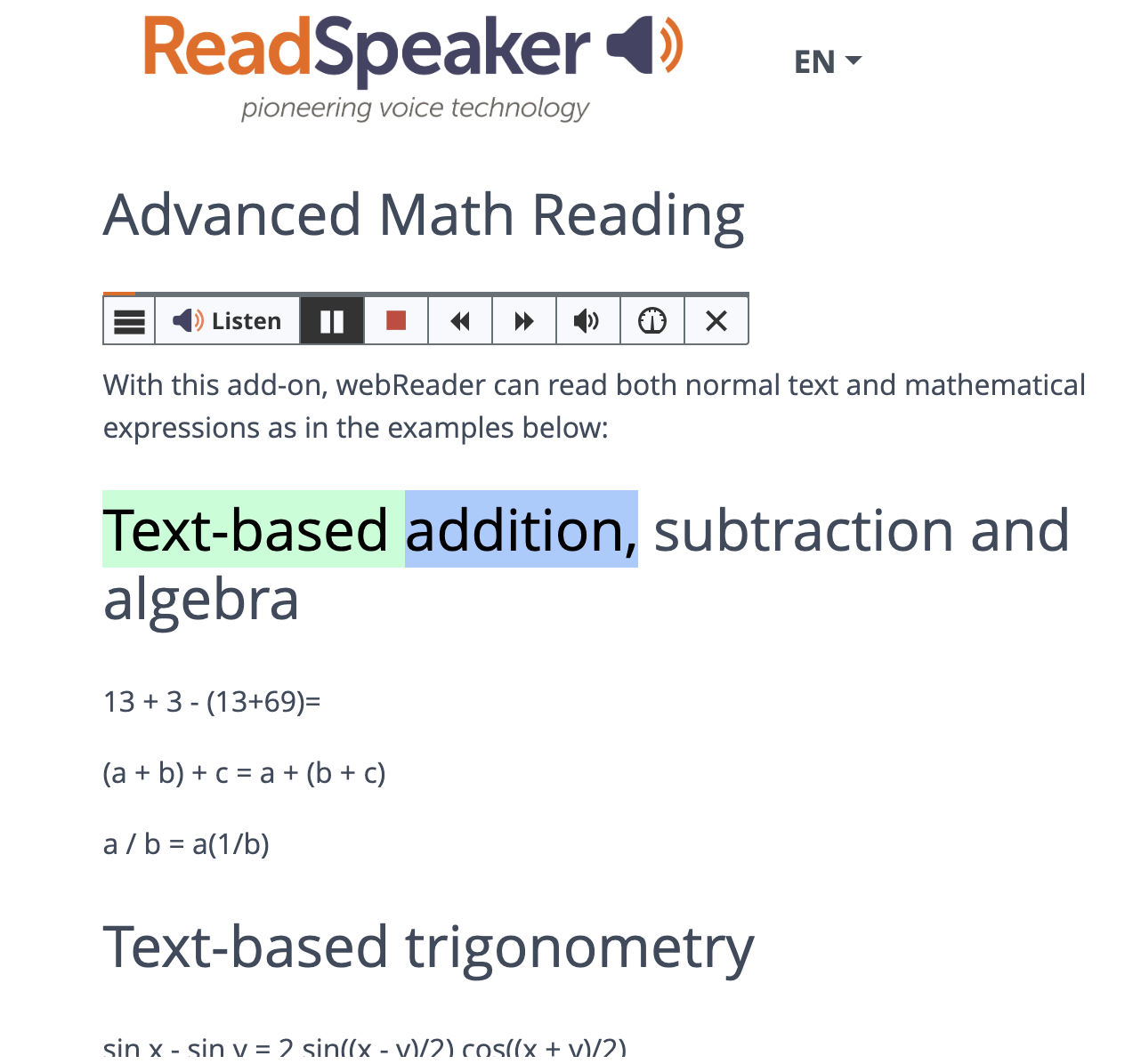
Accessibility in education means providing equal opportunities for all learners, regardless of their abilities or disabilities. Visual impairments, learning disabilities, dyslexia, neurodiversity, and language barriers can pose significant challenges for individuals seeking to access STEM materials. Traditional textbooks are often overfilled with complex diagrams, graphs, and equations. These can create formidable obstacles for these students. However, TTS technology offers a solution by converting written text into spoken words, making STEM content accessible through auditory means. Through the seamless integration of TTS technology into digital platforms and Learning Management Systems (LMS), learners can engage with scientific concepts with ease and independence.
The benefits of TTS
Moreover, TTS technology transcends accessibility barriers to benefit a broader spectrum of learners, including those without disabilities. By providing alternative modalities for accessing information, TTS provides diverse learning methods. Learners thrive by adding auditory environments, where they can process and retain information more effectively through listening rather than reading. TTS facilitates this auditory learning process by transforming written STEM content into engaging audio presentations, which helps with enhancing comprehension and retention.
Additionally, TTS technology acts as a catalyst for increasing engagement among STEM learners. Engagement is crucial for fostering a deeper understanding of complex scientific concepts and promoting lifelong learning. However, traditional instructional materials often fail to captivate students’ interest, leading to disengagement and disinterest in STEM subjects. AI-powered TTS addresses this issue by transforming static text into dynamic, interactive experiences. By incorporating natural language processing and speech synthesis algorithms, TTS systems deliver content with human-like intonation and expression, capturing learners’ attention and sustaining their engagement throughout the learning process.
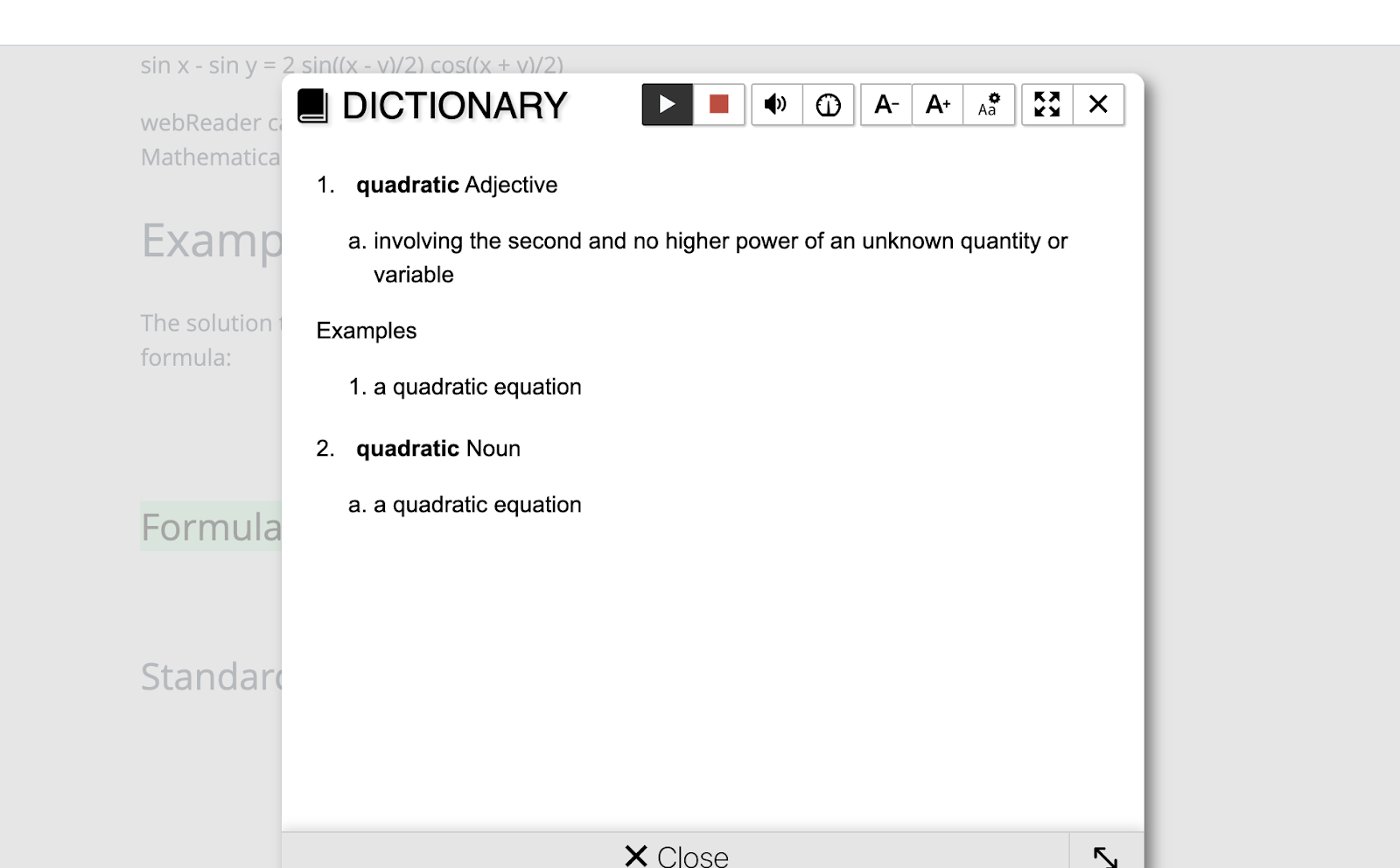
TTS technology also enables personalized learning experiences tailored to individual needs and preferences. Through customizable settings such as playback speed, voice selection, and highlighting options, learners can adapt the TTS output to suit their unique learning styles. For example, students can adjust the playback speed to accommodate their preferred pace of learning or select voices that resonate with them personally. These customization features empower learners to take control of their learning journey, promoting autonomy and self-directed learning.
TTS technology facilitates multimodal learning experiences by integrating audio with visual and interactive elements. For instance, TTS-enabled e-books can synchronize spoken text with highlighted visuals, enabling learners to follow along seamlessly. Additionally, interactive simulations and virtual labs accompanied by TTS narration offer hands-on learning opportunities, further enhancing engagement and understanding. By leveraging the power of AI and multimedia integration, TTS technology transforms static STEM content into dynamic, immersive learning experiences that appeal to learners of all ages and backgrounds.
In conclusion, AI-powered text-to-speech technology represents a paradigm shift in STEM education, offering unparalleled accessibility and engagement for learners worldwide. By breaking down barriers to access and fostering interactive learning experiences, TTS technology empowers individuals to explore the wonders of science, technology, engineering, and mathematics with newfound enthusiasm and confidence. As technology continues to evolve, so will the possibilities for leveraging AI to enhance STEM education and inspire the next generation of innovators and problem solvers.
Contact Rachelle to schedule sessions about Artificial Intelligence, Coding, AR/VR, and more for your school or your event! Submit the Contact Form.
Follow Rachelle on Twitter(X) and Instagram at @Rdene915
**Interested in writing a guest blog for my site? Would love to share your ideas! Submit your post here. Looking for a new book to read? Find these available at bit.ly/Pothbooks
************ Also check out my THRIVEinEDU PodcastHere!
Join my show on THRIVEinEDU on Facebook. Join the group here
In collaboration with Kyron Learning, All opinions are my own
As educators, we have access to a wide variety of digital tools to bring into our classrooms. We use these to enhance learning and provide new opportunities for students to build content knowledge, as well as help them to develop essential digital skills. With the right methods and tools, educators are able to achieve the goal of providing the most authentic, meaningful, and personalized learning experiences for all students. Leveraging these resources helps us to do this more efficiently and effectively and enables us to provide timely feedback and support to our students.
Now, with the power of generative AI, there are even more valuable resources available for educators to bring into their classrooms. We can use these tools to enhance the content being taught and also to support students so they learn how to interact with AI responsibly and safely.
Kyron Learning is a revolutionary interactive video learning platform that leverages conversational AI to transform the way educators can support their students. Kyron empowers teachers by saving them time, personalizing instruction, and providing valuable student data. With Kyron, students have access to a personal tutor who works with them as they build their skills in an engaging space. The power of AI helps teachers create interactive lessons that are student-paced and student-focused. As students work through a lesson, it truly feels like a one-on-one tutoring session with a real teacher. Students can ask and respond to questions, engage in further discussions, and receive immediate feedback, all made possible by Kyron’s AI assistant. The “conversational engine” listens to the student’s responses and selects the most appropriate pre-recorded video segment to play next. When you try a Kyron lesson for the first time, you will be amazed at how well it flows!
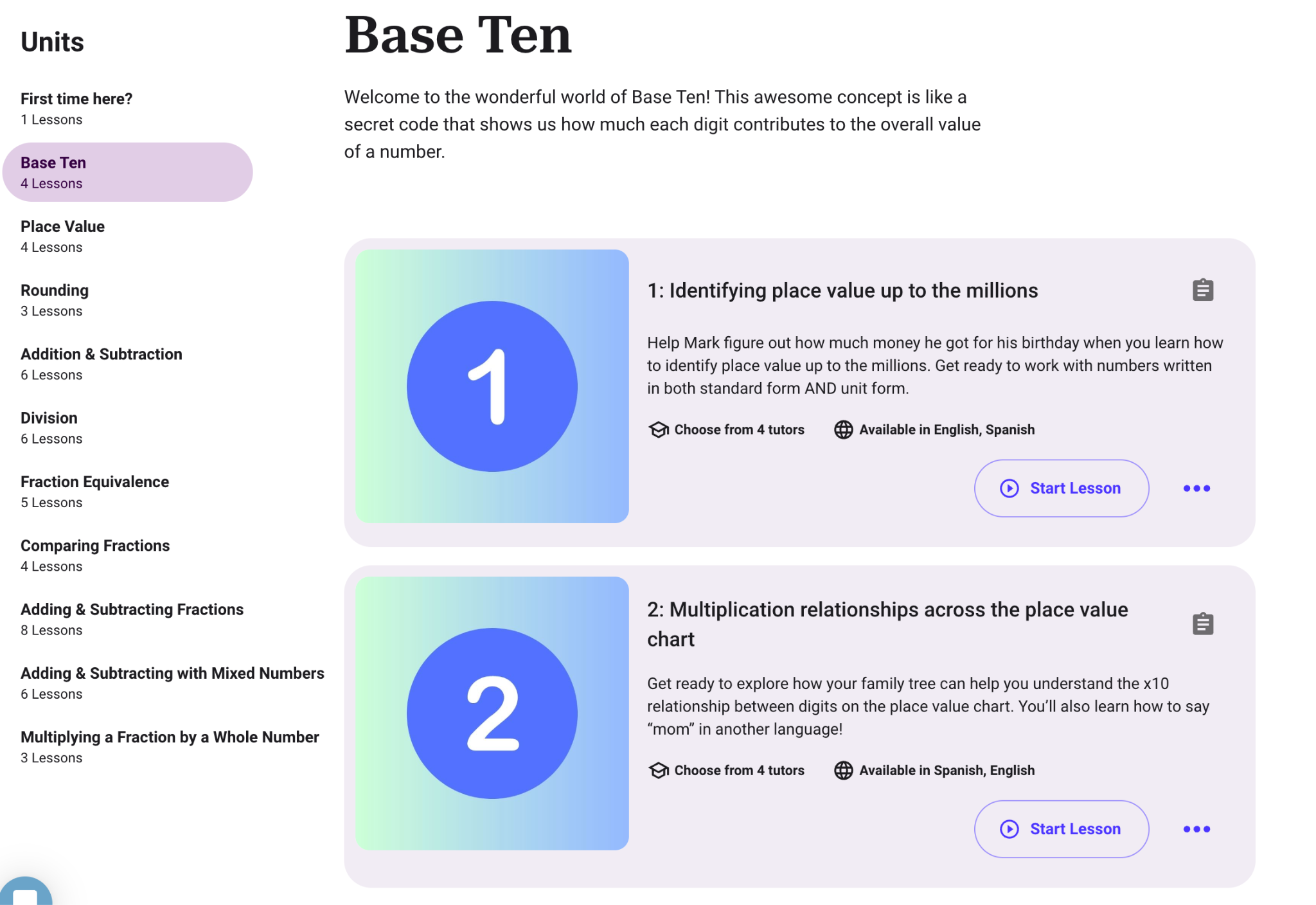
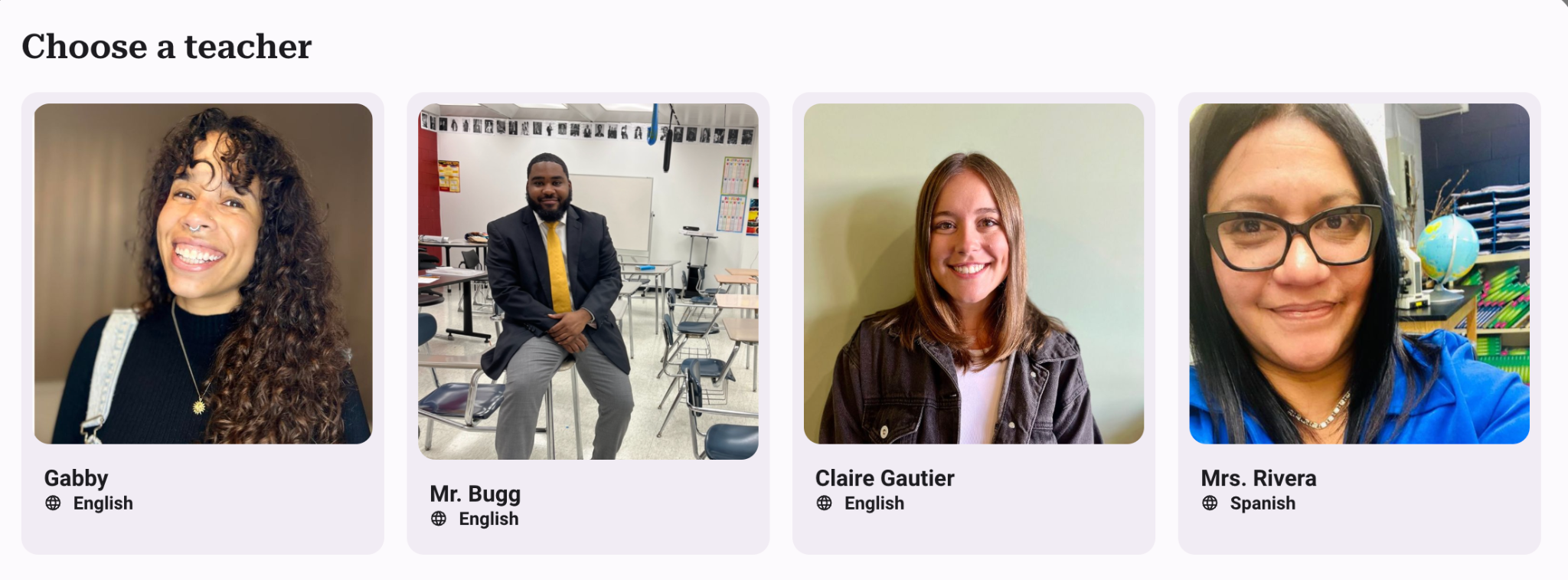
Using Kyron, teachers can provide additional opportunities for students that give them more individualized learning experiences. It is easy to get started by simply choosing from the many lessons already available for students. Are you teaching math? Explore the lessons available such as “Base Ten,” “Place Value,” or “Comparing Fractions.” You will see the objectives, the number of lessons, and the languages available. You can even choose your tutor! With Kyron, teachers also have access to resources such as blogs and other materials to get them started!
Kyron Studio
Newly available in March, teachers can now create their own lessons for students using Kyron Studio! In addition to what Kyron already provides, with Kyron Studio, teachers can become AI tutors! Educators are also able to share and collaborate on lessons, leveraging the collective expertise of the teaching community. In Kyron Studio, teachers can design multi-modal AI-facilitated tutoring sessions for their students and make them even more personalized.
The sessions can be customized based on each teacher’s curriculum and include videos and visuals. It is a learning experience that engages and helps every learner to understand a concept in an authentic way and at their own pace.
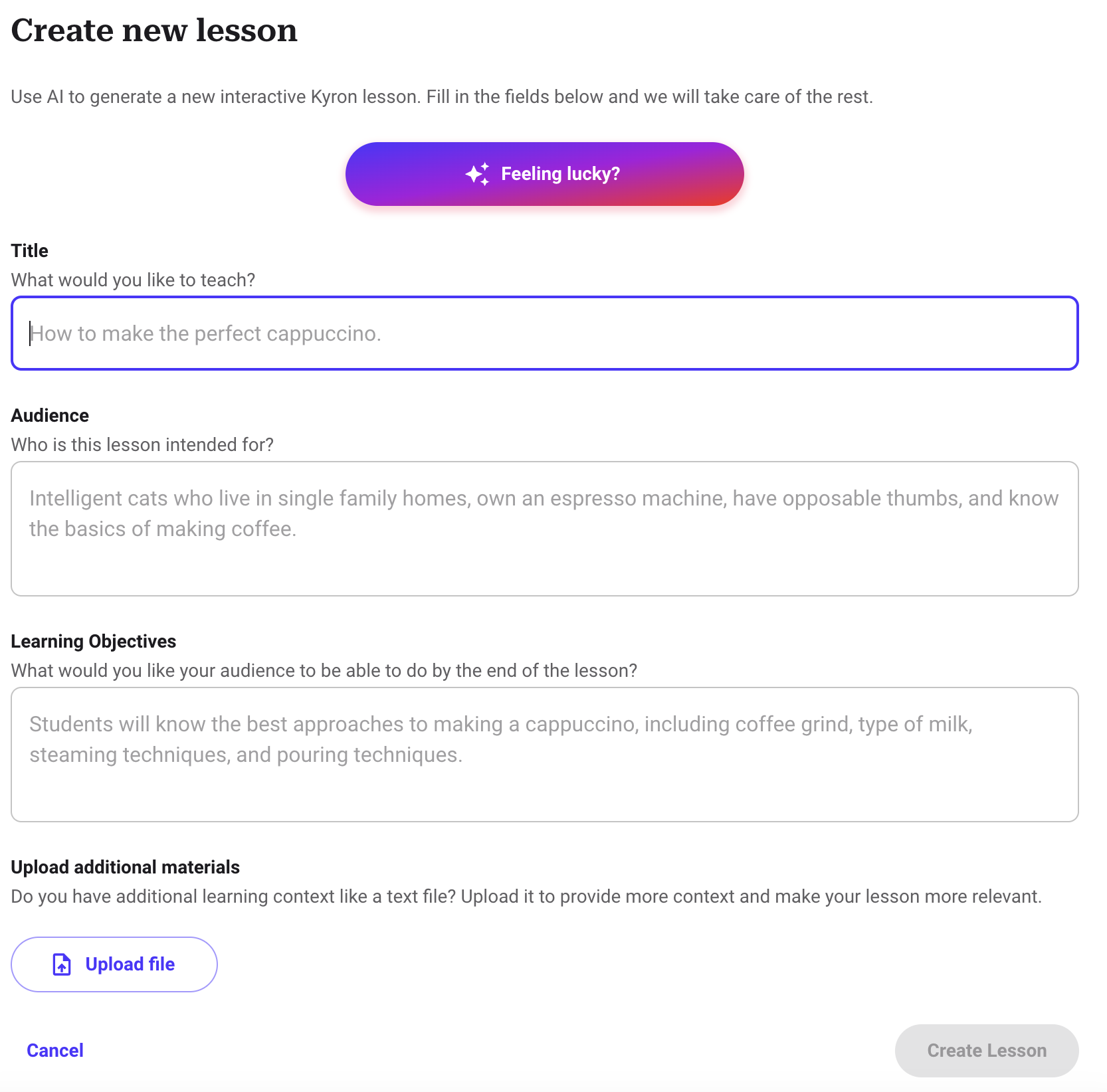
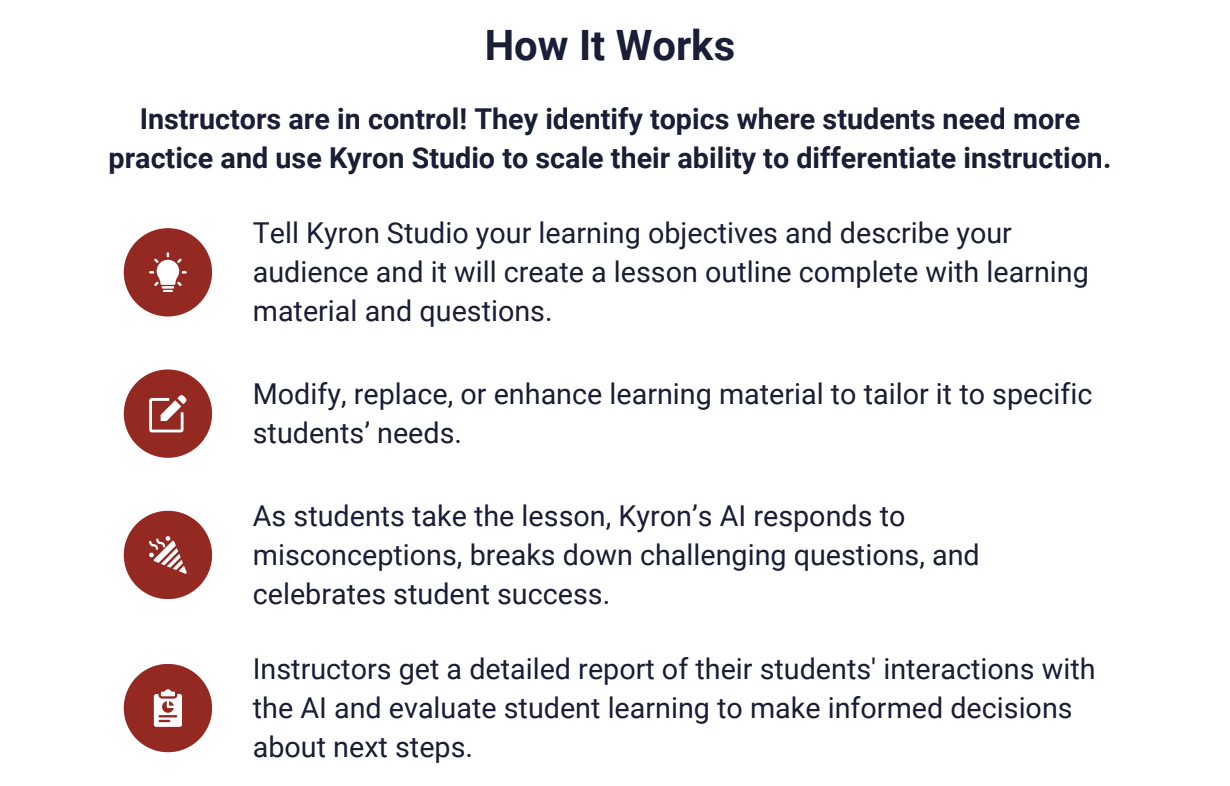
Getting started with Kyron Studio is easy! You simply enter your objectives and provide relevant information about your learners, and a lesson outline with materials and questions will be generated. Once the lesson is generated, teachers can make any changes to the AI-generated content.
Learning with Kyron is fun!
As students work through lessons, they experience those “aha” moments when they finally understand something, and you can see their excitement! It is an engaging learning experience for students and one that also teaches them about purposeful and safe uses of AI. It benefits teachers because they can see students’ progress and support them right when they need it! While we all know technology can’t replicate the relationships between a teacher and a student, Kyron aims to also provide a supportive digital environment where students feel seen and valued.
I worked through several lessons and really enjoyed the experience. It was very different from other interactive lessons and platforms that place students in the lead. To start, I spent time selecting a lesson to dive into and then was surprised that I was able to choose my tutor! I enjoyed testing how my tutor would respond to my answers and questions. I told my tutor that I was confused, entered incorrect answers, and asked for help and more clarification. Each time it responded to me in such a personalized way that helped me to understand. If I got an answer wrong, my tutor provided me with an explanation or another example. It was amazing to see how well it responded to my questions and adjusted similarly to how a teacher would with students in the classroom.
Some of the great features of Kyron are:
Multimodal Learning: Lessons can incorporate videos, images, and text, catering to diverse learning preferences and creating a more engaging experience.
Easy Lesson Creation: Kyron Studio offers an automated and user-friendly interface for educators to build custom AI-powered tutoring sessions.
Educator Choice: Educators control lesson content, can upload their own visuals, and curate the questions and answers, which makes it more authentic for students.
Assessment and Misconception Detection: Kyron identifies student misconceptions during lessons, providing valuable insights for educators to personalize and target instruction.
Focus on Safety and Ethics: Kyron prioritizes student safety by implementing controls and moderation layers to prevent inappropriate interactions.
Commitment to Transparency: User data is anonymized and used ethically to enhance the platform.
Supporting Educators and Students
In an increasingly digital world, especially with the rapid advancements in AI, what I value about Kyron is its approach when it comes to the use of AI and the creation of this platform. The key principles are:
Connect, Engage, Encourage: When students complete a lesson, they are supported and receive encouraging feedback during their learning journey.
Teach Through Dialogue: The lessons are interactive and fun for students to complete because they are involved in a conversation. Through prompts that promote critical thinking and problem-solving, students can build their skills in ways that meet their pace and specific needs.
Work in Concert with Teachers: Kyron provides high-quality, differentiated curriculum and gives teachers access to real-time student progress data. It helps teachers to target instruction and personalize instruction for every student.
There are so many great lessons available to start with, or just dive in and create your own lesson in very little time. I definitely recommend that you try some lessons to experience how unique Kyron is.
Ready to transform your classroom and empower your students? Visit Kyron Learning today at http://app.kyronlearning.com and see how Kyron can help you create a personalized and engaging learning experience for all students!
And if you want to learn more and connect with other educators, Kyron just launched a community for educators called the Visionaries! Educators can join at www.kyronlearning.com/visionaries. Explore the great resources such as tutorials and more!
About the Author:
Rachelle Dené is a Spanish and STEAM: What’s Next in Emerging Technology Teacher at Riverview High School in Oakmont, PA. Rachelle is also an attorney with a Juris Doctor degree from Duquesne University School of Law and a Master’s in Instructional Technology. Rachelle is currently finishing her doctorate with a focus on AI and Professional Development. In addition to teaching, she is a full-time consultant and works with companies and organizations to provide PD, speaking, and consulting services. Contact Rachelle for your event!
Rachelle is an ISTE-certified educator and community leader and served as president of the ISTE Teacher Education Network. She was named one of 30 12 IT Influencers to follow in 2021 and one of 150 Women Global EdTech Thought Leaders in 2022.
Contact Rachelle to schedule sessions about Artificial Intelligence, Coding, AR/VR, and more for your school or your event! Submit the Contact Form.
Follow Rachelle on Twitter(X) and Instagram at @Rdene915
**Interested in writing a guest blog for my site? Would love to share your ideas! Submit your post here. Looking for a new book to read? Find these available at bit.ly/Pothbooks
************ Also check out my THRIVEinEDU PodcastHere!
Join my show on THRIVEinEDU on Facebook. Join the group here
As GenAI tools increasingly shape the spaces where we teach and learn, it’s time to reimagine how we assess student writing. By embracing distributed assessment, we can harness the power of AI to foster growth, safeguard integrity, and center the student experience in a dynamic and exciting way. This shift aims to ensure students get the necessary support and guidance to thrive. Enter distributed assessment, a game-changing strategy that marries the strengths of AI with the irreplaceable insight of human teachers, nurturing student growth, fostering integrity, and sparking engagement in writing.
Unlocking the Potential of Distributed Assessment
Imagine breaking down the essay writing process into smaller, more manageable pieces. With each step, students receive specific feedback, guiding their journey. Picture the structure of a typical 5-paragraph essay. By harnessing AI tools in collaboration with educators, students are enveloped in a tailored support system, one that adjusts to their personal needs and aspirations through every phase of writing. From the initial AI starter that helps students generate a table of contents or starting sentence, to the multiple checkpoints where both AI and human teachers provide feedback and record grades, this distributed approach ensures that students receive timely and tailored support throughout the writing journey.
The Synergy of AI and Educators
What makes distributed assessment stand out is its inherent collaborative spirit. AI excels in offering immediate, precise feedback on the technicalities of writing, and identifying areas for enhancement such as clarity and coherence. Teachers, on the other hand, bring a human touch that AI cannot replicate. They provide in-depth, personalized advice, exploring the reasons behind writing decisions and fostering creativity and analytical thinking. This powerful combination ensures students receive well-rounded feedback throughout the writing journey.
Navigating Through Checkpoints
Gone are the days of assessing an essay only at its conclusion. Distributed assessment introduces a paradigm shift—feedback is integrated at pivotal moments throughout the writing journey. This approach allows students to refine their work continuously, ensuring a polished final piece. It empowers students, offering them the chance to improve with the guidance of both AI and their teachers at crucial intervals, like after drafting their first version or during peer reviews. This method not only bolsters learners but it ensures students receive well-rounded human and AI feedback throughout the writing journey.
Championing Academic Integrity
The rise of AI in writing education brings up valid concerns about academic honesty. Distributed assessment addresses these head-on. By engaging students in a process where drafts are reviewed, and feedback is given regularly, educators can closely follow each student’s writing evolution, identifying any discrepancies early. This ongoing dialogue between students, teachers, and AI tools creates a culture of transparency and accountability that is essential in an era where the lines between human and machine-generated writing are increasingly blurred.
Empowering Learners Every Step of the Way
Perhaps the most significant impact of distributed assessment lies in its ability to transform writing education into a student-centric experience. With ongoing support and feedback, students are better positioned to grasp new concepts, set achievable goals, and actively participate in their learning journey. This shift from focusing solely on grades to fostering growth and introspection encourages students to view writing as an evolving, continual process.
Looking Forward
As AI starts playing a bigger part in how we learn and teach, it’s clear that distributed assessment is becoming a game-changer. It’s all about using this tech to its fullest while keeping things personal and focused on the students. This means teachers can do more than just beef up writing skills; they can help students think more deeply and reflect on their learning, skills that are gold in today’s world. So, let’s dive in, eager to try new things, shift gears when needed, and put our hearts into guiding our students forward.
It is important to note that the U.S. Department of Education’s guidelines advocate for a human-centric, equitable, and transparent application of AI in classrooms where humans are in the loop. It is true that we should always remind ourselves as educators of the importance of keeping human relationships, reasoning skills, and ethics at the forefront of educational AI use. AI holds incredible potential to automate mundane tasks, enabling a deeper focus on fostering student relationships and growth. By moving forward with equity and collaboration at the core, we can collectively harness AI’s power to enrich education like never before.
About the Author
Micah Miner – District Administrator Instructional Technology & Social Studies at Maywood, Melrose Park, Broadview School District 89, American Consortium for Equity in Education Contributing Writer, Times 10 Publications Author
Contact Rachelle to schedule sessions about Artificial Intelligence, Coding, AR/VR, and more for your school or your event! Submit the Contact Form.
Follow Rachelle on Twitter(X) and Instagram at @Rdene915
**Interested in writing a guest blog for my site? Would love to share your ideas! Submit your post here. Looking for a new book to read? Find these available at bit.ly/Pothbooks
************ Also check out my THRIVEinEDU PodcastHere!
Join my show on THRIVEinEDU on Facebook. Join the group here
Digital Badges & Micro-credentials: Being an Edtech Librarian in 2024
By Amanda Hunt aka @thenextgenlibrarian
These two concepts, badging, and education, play crucial roles in modern classrooms and libraries, bridging the gap between learning, recognition, and advocacy. In today’s rapidly evolving digital landscape, educators are not just running to catch up to new technologies; they’re becoming the pioneers and advocates for their integration into the classroom, library, and beyond. As traditional teaching methods intersect with innovative digital tools, educators are seizing the opportunity to become leaders in educational technology (EdTech). One notable trend in this realm is the rise of educators earning digital badges and ambassadorships from EdTech apps, websites, and more.
Digital badges have emerged as a means to recognize and showcase an individual’s skills and accomplishments in various fields, including education. By showcasing these badges, educators are putting their resumes in their email signatures. They are showing how they are still learning, usually on their own time, how to best take these new apps and bring them into the school buildings. Badges serve as virtual credentials, providing evidence of a teacher’s expertise in utilizing specific EdTech tools or implementing innovative teaching practices. The process of earning digital badges typically involves completing training modules, sharing lessons created using the tools, participating in workshops, or demonstrating proficiency in using a particular technology within an educational context.
Ambassadorships, on the other hand, involve a deeper level of engagement between educators and EdTech companies. Educator/Teacher ambassadors are selected representatives who possess in-depth knowledge of a company’s products or services and are passionate about integrating them effectively into teaching and learning environments. These ambassadors serve as advocates, sharing their experiences, insights, examples, and best practices with fellow educators, thereby fostering a community of learning and collaboration. A lot of times, they will present these tools in webinars, online, and in-person conferences.
What is the draw for educators to get certified in badges and earn ambassadorships? Firstly, in a rapidly digitizing world, staying abreast of the latest technological advancements is crucial for educators to deliver high-quality instruction. Many schools require teachers to use some form of technology in their classrooms. By having the librarian earn micro-credentials and badges through professional development training, they’re able to teach the teachers how to use the tools so they can use them in the classroom with students. By earning digital badges, educators demonstrate their commitment to training, growth, and improvement, as well as their willingness to adapt to new teaching methodologies. These badges also serve as a tangible record of their ongoing learning journey, which can be invaluable for career advancement and professional recognition.
Secondly, ambassadorships offer educators a platform to amplify their voices and influence within the EdTech community. Sometimes there’s even swag involved! As ambassadors, educators have the opportunity to network with industry professionals, participate in exclusive events and conferences, and contribute to the development and improvement of educational technologies. Moreover, serving as an ambassador allows educators to shape the direction of EdTech tools by providing feedback based on their practical experiences in the classroom.
Additionally, both digital badges and ambassadorships contribute to building a culture of collaboration and innovation within the education world. By sharing their knowledge and expertise, educators inspire their peers to explore new technologies and teaching methodologies, ultimately enhancing the learning experience for students. Moreover, the recognition and validation offered by digital badges and ambassadorships motivate educators to continuously seek out opportunities for professional growth and development. Too often these edtech companies don’t think as a teacher, but as a business owner. Asking for teacher input is critical for making their products successful, adaptable and future ready.
The increasing prevalence of educators earning digital badges and ambassadorships reflects a growing recognition of their pivotal role in driving innovation and transformation in education. Teachers and librarians want to be recognized for the work they’re doing and oftentimes, that’s not happening on their campuses. By leveraging these opportunities, educators can not only enhance their own professional development but also contribute to the broader goal of creating more engaging, inclusive, and effective learning environments for students around the world. As we continue to navigate the ever-changing landscape of educational technology, educators will undoubtedly remain at the forefront, shaping the future of teaching and learning. In the dynamic landscape of education, digital badges, and ambassadorships empower both learners and educators. Whether it’s recognizing discrete competencies or championing innovative tools, these concepts shape the future of teaching and learning.
Remember, every badge earned and every ambassadorship created contributes to a deeper, more connected educational ecosystem.
Amanda Hunt, aka TheNextGenLibrarian, is a 6th-8th middle school librarian in New Braunfels ISD and is the Secondary Lead Librarian for NBISD. She’s been a librarian for twelve years at both elementary and secondary campuses. She was the chair for the Mavericks Graphic Novel Reading List Committee for TLA from 2021-2023. She was also the chair for TxASL Talks Editorial Board and presently is the TxASL Councilor through 2025. She also serves on the Conference Planning Committee for the TLA 2024 conference. Hunt is on the Bylaws Committee for TLA and the Operating Procedures Committee member for TxASL. She is on the AASL Committee for rewriting the new AASL Standards. Amanda has served on the Cybil Award YA Speculative Reading List Committee for 2023 and the Margaret Edwards 2025 Award Committee. She was a TLA TxASL Media and Visual Presence (MVP) Honoree for 2021 and 2023, and the TLA Branding Iron Award 2022 Winner for Digital Only Communications in a School Library. Amanda is a certified Apple Teacher and Apple Learning Coach, as well as a Google-certified Trainer and Coach. She has certifications in a variety of #edtech tools and is a voracious reader. Visit her linktree: http://bit.ly/biolinkthenextgenlibrarian and follow her across social media @thenextgenlibrarian
**Interested in writing a guest blog for my site? Would love to share your ideas! Submit your post here. Looking for a new book to read? Find these available at bit.ly/Pothbooks
************ Also check out my THRIVEinEDU PodcastHere!
Join my show on THRIVEinEDU on Facebook. Join the group here