It’s a busy time of year in our schools with assessments, sports, musicals, and other activities. I have often noticed a decrease in student engagement and often look for ways to create some excitement and get students more engaged and excited about learning. I think that this is the perfect time of year to try some new things and make time to ask students for feedback too. Also, once the school year ends, we have time to explore these new ideas and reflect on them.
Here are a few ideas that I have used in my own classroom. Some of these are great for getting your students up and moving and also for learning about emerging technologies like AR and VR! Active learning is great for students and for us, and it will help boost student engagement and lead to better content retention. Using a variety of strategies and trying different tools helps students develop the skills that they need to be successful now and in the future. Here are three to start with:
Augmented and Virtual Reality
Have you explored augmented or virtual reality in your classroom yet? If not, now is a great time! There are many options available, and the benefits are that students can be immersed in learning; they can hold and manipulate an object in augmented reality for example, and attach more meaning to it. Students can even create using a variety of the options available to bring their learning to life.
Besides having students create, they can explore through a virtual field trip to places they would not otherwise be able to visit, such as the bottom of the ocean or the surface of Mars. The use of VR for simulations for career exploration or science labs is a great way to engage students in more authentic and meaningful ways. Using AR or VR, students could create 3D models of objects, which they can then explore and manipulate. There are many tools available for students to create their own AR and VR experiences, which can be a great way to help them develop their creativity and problem-solving skills.
I started with the Virtual Reality trips available from Nearpod. Easy to get started with, and then you can add your own content and activities to the interactive lessons to engage students in a variety of learning experiences. CoSpaces EDU has been a great choice for my Spanish and STEAM classes. They have a library full of sample projects and lessons to download that make it easy to get started. Students also enjoy MergeVR, a holographic cube that enables them to hold and interact with different 3D objects in their hands. The Merge cube can be used with various apps, including Merge Explorer and Object Viewer, which allow students to create scenes and place objects in the real world.
Scavenger Hunts and Breakouts
There are a lot of benefits to creating a scavenger hunt. One of the most important skills that students can learn is teamwork. To successfully complete all of the tasks, students have to work together, share ideas, problem solve, be creative, and within a certain time limit. These valuable skills can be applied to many different areas of life.
The use of paper is fine, or you can explore different digital options such as Flip, Goose Chase, Padlet, or Wakelet. My friend Laura Steinbrink created a great scavenger hunt and used Wakelet to share it with students.
Digital breakouts are another great option for students and teachers, especially for professional development! Typically, a content-related theme is used for a hook. The purpose is to engage students in learning and help them connect with the content while boosting engagement. The theme also creates excitement for learning! Choosing tools such as Flip or Wakelet also makes great options for these.
Peer teaching
In my own classroom, to do some review at the start of the year, students are paired with a classmate and choose a topic that they feel confident teaching. Students come up with their own ways to teach or explain and then reverse roles. It is a great way for students to also build confidence and comfort in the classroom while building relationships. You can do this as an end-of-the-year review too!
I learned some fun new ideas that I could use in my practice. Students felt more valued because they took the lead and shared their knowledge to help others. They also appreciated the support that they received. Some students made games with Kahoot! or created a Nearpod or Edpuzzle lesson for classmates.
These are just a few ideas to explore that can help to boost student engagement and creativity. With the right methods and tools to facilitate them, we can spark curiosity for learning and all student needs and interests will be better met.
About the Author:
Rachelle Dené is a Spanish and STEAM: What’s Next in Emerging Technology Teacher at Riverview High School in Oakmont, PA. Rachelle is also an attorney with a Juris Doctor degree from Duquesne University School of Law and a Master’s in Instructional Technology. Rachelle is currently finishing her doctorate with a focus on AI and Professional Development. In addition to teaching, she is a full-time consultant and works with companies and organizations to provide PD, speaking, and consulting services. Contact Rachelle for your event!
Rachelle is an ISTE-certified educator and community leader and served as president of the ISTE Teacher Education Network. She was named one of 30 12 IT Influencers to follow in 2021 and one of 150 Women Global EdTech Thought Leaders in 2022.
Contact Rachelle to schedule sessions about Artificial Intelligence, Coding, AR/VR, and more for your school or your event! Submit the Contact Form.
Follow Rachelle on Twitter(X) and Instagram at @Rdene915
**Interested in writing a guest blog for my site? Would love to share your ideas! Submit your post here. Looking for a new book to read? Find these available at bit.ly/Pothbooks
************ Also check out my THRIVEinEDU PodcastHere!
Join my show on THRIVEinEDU on Facebook. Join the group here
Guest blog by Dr. Susan Kandianis, Supervisor of Educational Technology, Colonial Intermediate Unit 20
Twitter: @IU20EdTech
Leading the Way with Student-Led Professional Development
Need some assistance with integrating a new technology resource into your lesson design? Curious about the free resources to teach digital citizenship skills? Call in the Junior Technology Leaders to assist and lead your professional learning session!
What is a Junior Technology Leader?
A Junior Technology Leader is a student in Grades 4-7 within the Colonial Intermediate Unit 20 region. Colonial Intermediate Unit 20 (CIU 20) is one of 29 intermediate units throughout Pennsylvania. CIU20 provides services and programs to schools, educators, families and students within Northampton, Pike and Monroe counties, and one of these programs includes the Junior Technology Leaders!
The creation of the Junior Technology Leader program was a joint effort of the CIU 20 technology and professional learning departments. The program was born out of a passion for delivering quality teaching and learning experiences with technology as well as a strategy to help break down barriers to technology tools/resources and professional learning. Today’s learners are growing up with digital tools, so why not have them provide learning sessions for the classmates as well as for their teachers? The educational technology team planned the curriculum for the first year of the program, basing lessons on current resources available to member school districts within the CIU 20 catchment…..and we were ready to roll!
The program began in 2017 with a small group; five teams and 15 students. Initially, there was a registration fee for the program as we worked to get the program off the ground. A team consisted of the school district advisor and three students. With school district administrative support for the program, advisors attended each session at CIU 20 with their students, and provided support for students back at their home school to complete the lessons and/or facilitation of a professional learning session.
Valuable feedback was key during our first year. Feedback was provided by program advisors and students via surveys at the end of each season. The lessons for the program were tailored to meet the needs of our attending teams.
What Does Student-Led Professional Development Look Like?
Junior Technology Leaders return to their schools with the provided lessons and resources to provide professional learning experiences at their home school. The professional learning experiences may be delivered to their classmates, teachers, and administrators (depending on the school.)
Student-led professional development is not a new concept, but it seems to be one that is challenging to bring into the school schedule. As shared in Unconventional (Poth, 2019), “creating an opportunity for students to provide feedback to teachers about what strategies and tools help them learn best, and add their different ideas into the classroom, will help students to
feel more valued in the classroom and create a more meaningful experience” (p.97.) (Reading this section in Unconventional was actually the inspiration to write this blog. More on how students provide student-led professional development in my next blog. I only have 900 words!)
How Does the Program Help Break Down the Digital Design Divide? Student technology leaders can also make an impact on their schools by helping bridge the Digital Use Divide. As shared in the newly released 2024 National Educational Technology Plan, the Digital Design Divide, is an “inequitable implementation of instructional tasks supported by technology. On one side of this divide are students who are asked to actively use technology in their learning to analyze, build, produce, and create using digital tools, and on the other, students encountering instructional tasks where they are asked to use technology for passive assignment completion” (U.S. Department of Education, 2024, p.9.)
The work of the Junior Technology Leaders addresses the Digital Design Divide. Their work helps break down barriers by sharing lessons and resources they obtain through the face-to-face sessions and taking them back to their school to provide engaging learning experiences. In doing so, the schools within our catchment can work to ensure that “all students have transformative, active, creative, critically thoughtful experiences supported by technology” (U.S. Department of Education, 2024, p.10).
What’s Next for the Junior Technology Leaders Program?
We continue to grow our Junior Technology Program. With the support of grants, we have been able to purchase enough resources to support our lessons, and we now offer the program at no cost to our member districts. Our Junior Technology Leaders have presented at faculty meetings in their schools, at the annual Junior Technology Leader Showcase at CIU 20 Central Office, at the Pennsylvania Educational Technology Conference & Expo (PETE &C) and twice at the International Society of Technology Conference (ISTE).
We continue to grow the program, and who knows where you will see our Junior Technology Leaders presenting next!
Resources:
Poth, R. (2019). Unconventional. EduMatch. Alexandria, VA.
U.S. Department of Education, Office of Educational Technology, National Educational Technology Plan, Washington, DC, 2024. https://tech.ed.gov
Looking for PD for your school or keynotes for your conference? I provide in-person and virtual training on the following topics. If you want to learn more about and explore AI and ChatGPT, contact me to schedule! Rdene915@gmail.com or use the Book Me form on my website. bit.ly/thriveineduPD
**Interested in writing a guest blog or submitting a sponsored post for my site? Would love to share your ideas! Submit your post here. Looking for a new book to read? Find these available at bit.ly/Pothbooks
As we start to see more technology being used in our classrooms and students having access to endless resources with just a few clicks, it’s critical that students not only become proficient in using digital tools but also understand the responsibilities that come with it. Providing opportunities for students to develop skills in digital literacy and digital citizenship will help them to navigate the digital world safely and effectively. With resources available through Capstone, students have access to so many beneficial and engaging learning materials. In addition to the educational content, the learning materials provide students with an opportunity to practice and develop good habits when it comes to using digital tools. Using PebbleGo and PebbleGo Create are excellent ways to help students build essential digital citizenship and digital literacy skills.
Why does Digital Literacy matter?
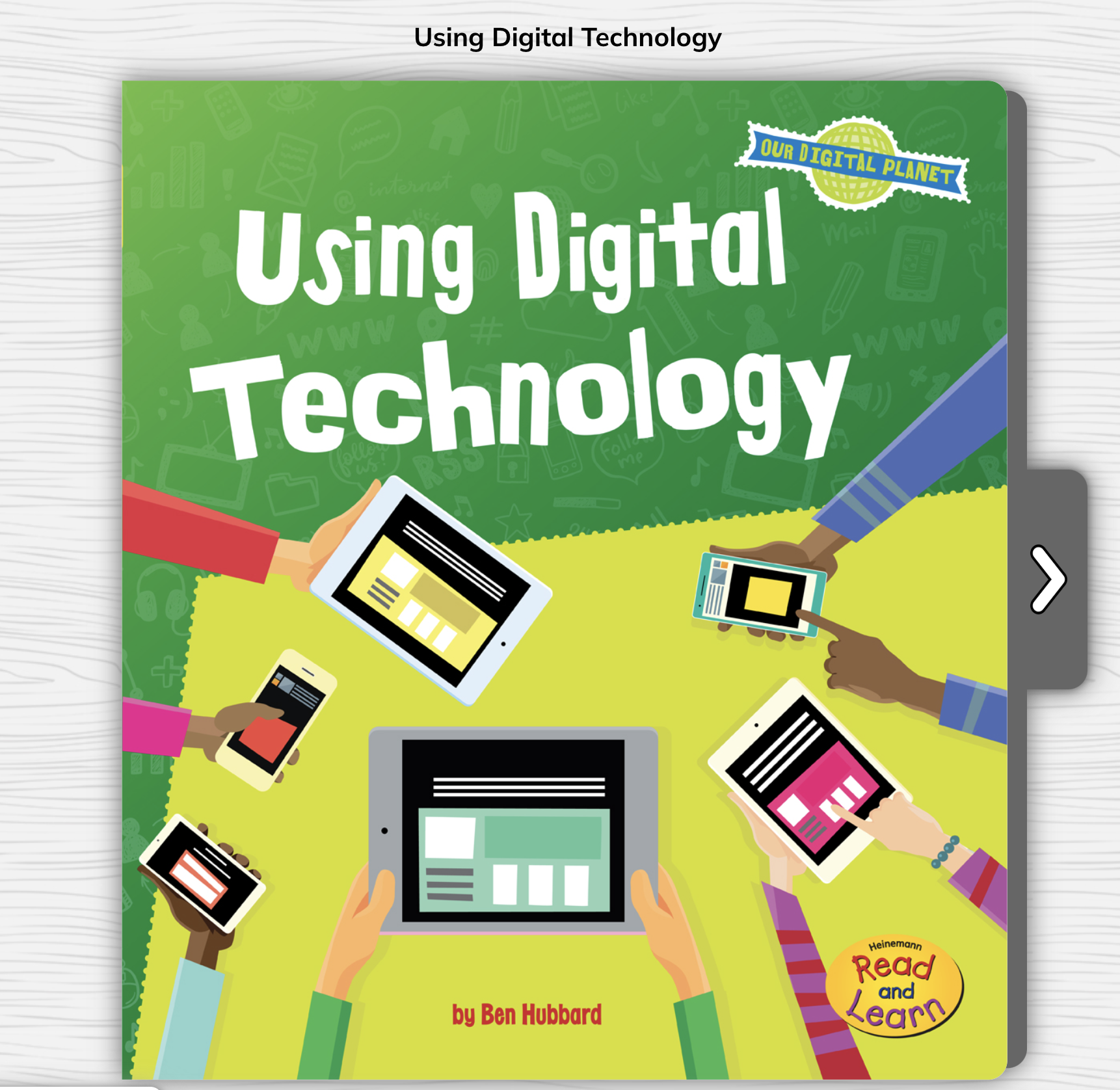
Digital literacy is a skill that is required now and for the world of work. When we start building these skills early, it equips students with the tools they need to succeed in their future careers, where technology is certain to play an integral role. Digital literacy also helps to promote critical thinking. For students, being able to think critically, evaluate and process the information they find online is important, especially when trying to avoid fake news and misinformation. Teaching students to discern credible sources, fact-check, and critically analyze digital content are vital skills for making informed decisions. Using PebbleGo resources, students learn about proper citations and reliable resources and they learn basics about how to use digital technology!
With ebooks available to take students through lessons on important topics related to the use of technology, teachers can guide students through activities to help them develop their skills and understand the power of the technology they have access to.
Digital literacy also teaches students about the importance of online safety, privacy, and the responsible use of technology. Students need to understand the potential risks and know how to protect themselves when using technology and interacting online. With resources available on PebbleGo focused on topics like cyberbullying, online privacy, and internet safety, students can explore on their own and understand the importance of these topics We want students to know how to stay safe online and there are great books available to read with students that can spark classroom discussions and a positive learning community.
It is important to engage students in conversations about real-world online situations, and support and guide them in making safe and ethical choices. There are articles and books available to help students learn about these topics and then create a presentation to teach classmates or make a poster to display in the classroom.
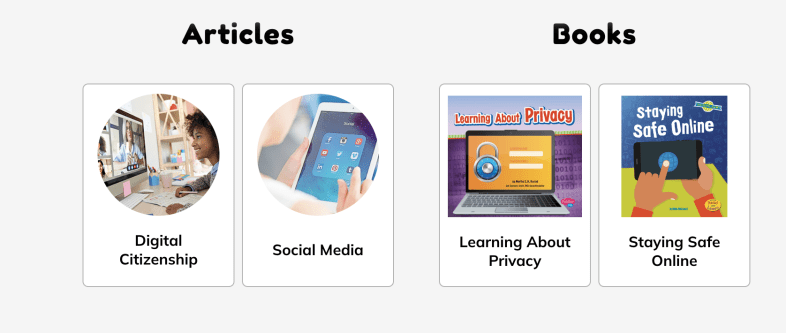
Students can explore articles on topics such as digital citizenship or read books to learn more about privacy and how to keep themselves safe. PebbleGo offers interactive materials that make learning fun for students!
Here are five creative ideas for using PebbleGo and PebbleGo Create to build digital citizenship and digital literacy skills:
Digital Citizenship Pledge: Once students learn about digital citizenship, they can then create digital citizenship pledges using PebbleGo Create. With all of the fantastic choices, students can create visually engaging infographics that share their commitment to responsible online behavior, respecting others, and being kind online. We can then display their PSAs in the classroom or on the school’s website to promote a positive digital environment.
Digital literacy and digital citizenship are essential components that will best equip students with the skills they need to navigate the digital world responsibly, ethically, and safely. Educators have valuable resources from PebbleGo that will help students by providing a structured and engaging platform for teaching these crucial skills. PebbleGo Create allows students to take what they have learned and illustrate their understanding and ideas through a variety of media features in authentic and meaningful ways.
About the Author
Rachelle Dené Poth is an edtech consultant, presenter, attorney, author, and teacher. Rachelle teaches Spanish and STEAM: What’s Next in Emerging Technology at Riverview High School in Oakmont, PA. Rachelle has a Juris Doctor degree from Duquesne University School of Law and a Master’s in Instructional Technology. She is a Consultant and Speaker, owner of ThriveinEDU LLC Consulting. She is an ISTE Certified Educator and currently serves as the past -president of the ISTE Teacher Education Network and on the Leadership team of the Mobile Learning Network. At ISTE19, she received the Making IT Happen Award and a Presidential Gold Award for volunteer service to education. She is also a Buncee Ambassador, Nearpod PioNear, and Microsoft Innovative Educator Expert.
Rachelle is the author of seven books, “In Other Words: Quotes That Push Our Thinking,” “Unconventional Ways to Thrive in EDU” (EduMatch), and “The Future is Now: Looking Back to Move Ahead,” Rachelle Dene’s latest book is with ISTE “Chart A New Course: A Guide to Teaching Essential Skills for Tomorrow’s World.” True Story: Lessons That One Kid Taught Us, Your World Language Classroom: Strategies for In-Person and Digital Instruction and Things I Wish […] Knew.
Rachelle is a blogger for Edutopia, Defined Learning, Getting Smart, and NEO LMS.
Rachelle provides professional development and keynotes on topics including artificial intelligence, augmented and virtual reality, emerging technologies, SEL, and STEM.
Part II: Getting students to think about their learning journey
Throughout the year, engaging students in ongoing reflection on what they are learning is essential. One of the five core competencies of social-emotional learning (SEL) is for students to develop self-awareness. It’s also vital for them to build self-management skills to work through challenges that can come with learning, reflect on their growth, and set new goals.
Whether students engage in discussions with classmates or use digital tools to share ideas in a comfortable virtual space, there are many options. We need to get our students to share what they are thinking and take time to reflect on their learning. We also need to model this reflective practice for them. This is essential for academic, personal, and future professional growth. To best prepare students for the future, ongoing reflection is vital.
With an opportunity to reflect, students are able to better understand their thought processes and interests. It helps them to identify areas where they can improve and recognize areas that they are strong in. Creating opportunities for students to share their learning with classmates and with us promotes collaboration, fostering a stronger sense of community in our classrooms. Together, we can create a supportive learning community.
Through the five competencies of SEL, we can help students focus on developing skills of social awareness and building relationships. Students will better understand their own thought processes and deepen their understanding of the content they are learning. However, getting students to share their thoughts and reflect on their learning can be challenging. Here are five ideas for encouraging students to reflect on their learning and share their thoughts.
1.Think-Pair-Share is an activity that doesn’t require much time at all to use and can be very effective. It encourages students to share their ideas, learning experiences, and thoughts with one another. The teacher can provide a short prompt or topic for discussion and then give students time to think individually before pairing up with a partner. Those one-on-one conversations can help students become more comfortable expressing themselves in class. After a certain period of time, each pair can share their thoughts with the class. This strategy will work well without digital tools; however, there are some options to explore.
2. Peer-pairing: To randomly place students in pairs, use a random name generator so students build relationships with their classmates. It is fun to have the names on the big wheel and place students into groups. I have used this also as a way to select the order of presentations. It helps to reduce a bit of the stress with wondering when you have to present and makes it a fun experience.
3. Class sharing: To help students build confidence, use a tool such as Padlet or Flip to have students post ideas on a collaborative board or create audio or video responses. Whatever way we have students “share,” it encourages them to engage in conversation and more active listening. Students learn about different perspectives on a given topic, which promotes the development of social awareness skills.
4. Snorkl is a new AI-powered tool that I found, and I really love the possibilities. Teachers assign an activity and it enables students to record their screen and speak about the work they have done. For example, how they solved a math problem, writing and reading in the language they are learning, describe an image, and so much more. It can be set to provide AI feedback with or without teacher approval. It was fun to try for the first time in my class. Look for more information in an upcoming post.
With the tools that offer audio or video options, it is a more authentic way to learn about the student. Teachers see and hear their students’ thought processes and can then offer more personalized and meaningful feedback to each student.
One extra is for teacher and student reflection. Learning about students’ thoughts about our methods, their comfort in the classroom, and more is important. Last year, I started exploring LessonLoop, which provides anonymous surveys that teachers can issue to students. It provides a rating with explanations based on student engagement, SEL, and comfort in the learning space and provides additional insights. Teachers can then take the information and use it to reflect on their practice and involve students by showing their input is valued through the use of these surveys. LessonLoop also has educators who will prepare some tips for teachers to try!
Whatever method or tools we choose to bring into our classrooms, the goal is still the same: Prepare students for the future with skills that enable them to be flexible and adapt to the changing look of education and work. Reflective practice is a key component of this future preparation!
Author
About the Author:
Rachelle Dené is a Spanish and STEAM: What’s Next in Emerging Technology Teacher at Riverview High School in Oakmont, PA. Rachelle is also an attorney with a Juris Doctor degree from Duquesne University School of Law and a Master’s in Instructional Technology. Rachelle is an ISTE-certified educator and community leader and served as president of the ISTE Teacher Education Network. She was named one of 30 12 IT Influencers to follow in 2021 and one of 150 Women Global EdTech Thought Leaders in 2022.
Contact Rachelle to schedule sessions about Artificial Intelligence, Coding, AR/VR, and more for your school or your event! Submit the Contact Form.
Follow Rachelle on Twitter(X) and Instagram at @Rdene915
**Interested in writing a guest blog for my site? Would love to share your ideas! Submit your post here. Looking for a new book to read? Find these available at bit.ly/Pothbooks
************ Also check out my THRIVEinEDU PodcastHere!
Join my show on THRIVEinEDU on Facebook. Join the group here
In April 2023, our family – comprising two dynamic teenagers, a mom in education, and a tech-savvy husband – embarked on a quest fueled by a simple yet profound question: ‘What great things can we accomplish with AI today?’ This question ignited our passion project, Kids Think Wide.
‘Kids Think Wide’: Born from AI
Our initial challenge was finding a name that echoed our vision and passion, particularly for art. We sought guidance from ChatGPT, which suggested names like ‘kidsthinkingdiversely.com’. However, seeking a more kid-friendly name, we settled on ‘Kids Think Wide’. This title perfectly aligns with our goal of expanding young minds through AI-driven educational tools. AI’s role extended beyond naming; it was instrumental in designing our logo, creating web content, and assisting in coding. Admittedly, AI solutions aren’t flawless – we’ve encountered coding limitations and often diverged from AI suggestions. In this creative process, we learned to embrace the journey and be patient, open to change, and always learning.
Crafting a Universe of AI-Generated Content
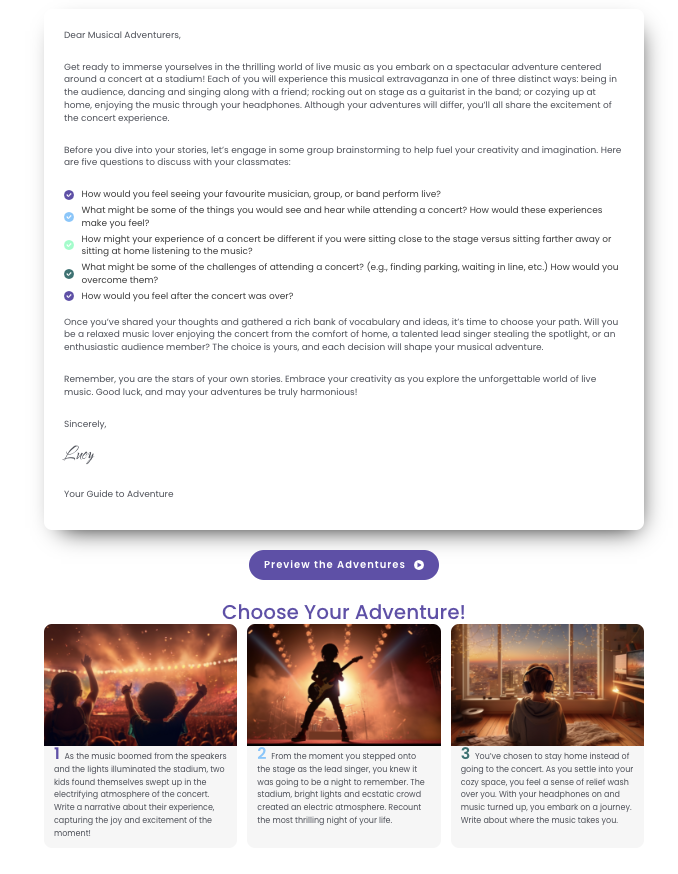
‘Kids Think Wide’ is dedicated to fostering a more equitable educational landscape. We are committed to representing everyone, promoting gender equality, and amplifying historically overlooked or unheard voices in engaging and fun ways! We’ve created over 10,000 AI-generated images and published approximately 400 on Kids Think Wide. A writing prompt and discussion questions accompany each image to help prepare and inspire students to write. Our unique offerings include ‘choose your own adventure’ stories. In these, students collaboratively brainstorm and build ideas for their narratives before selecting from 3 to 5 adventure paths to personalize them, such as:
Additionally, we’ve leveraged the popularity of short-form videos, similar to reels and TikTok, using animated images, or ‘Sparks’, to captivate and spark enthusiasm for creative writing among students.
Our journey with AI also revealed the biases and limitations inherent in image generators. We’ve found it’s easier to create images that involve subjects that are very common online – celebrities, movie scenes, and well-photographed places but getting an accurate representation of a wheelchair can be more challenging.
AI has allowed us to create scenes that challenge reality:
Journey through time, space, and into other worlds:
Create the fun, wild and whimsical:
The Evolution and Magic of AI-Generated Images
The last nine months have seen dramatic advancement in AI-generated images. The improvement in image quality, accuracy in prompt interpretation, and the ability to adjust specific image elements has been remarkable. Our journey through this dynamic domain has been an exhilarating blend of discovery and creativity. While perfecting an image is usually challenging and time-consuming, the results are frequently astonishing and rewarding. We start simple and slowly build on prompts. The arrangement of phrases and the specific words chosen play crucial roles. However, you can unlock unexpected and extraordinary outcomes through iteration, experimentation, and patience. It helps to know tokens (short phrases that often produce excellent results), e.g., playful mood, cinematic, low Angle shot, bokeh, or Chiaroscuro to name a few! On other occasions, it might require 30, 50, or even more re-rolls and remixes to create an image that genuinely captivates and is worth sharing.
While free tools provide a starting point, they often have limitations; investment in paid resources is usually necessary for more advanced or specific requirements.
As AI image generation rapidly evolves, we find ourselves exploring various tools. Midjourney stands out with its detailed control and often superior imagery, while Adobe Firefly is notable for its dedication to diversity and inclusivity. On the other hand, Dall-E brings a sense of whimsy to its creations. Each platform offers a unique experience. It’s not uncommon to initially admire an image, only to later discover anomalies like an extra limb or oddly placed fingers – the quirks of AI can lead to both amusing distortions and unexpected additions.
Engage with the AI Community
Our journey has shown us how important connecting with the AI community is. There are many skilled and helpful creators out there. We often turn to Twitter to engage with this community. It’s an excellent place for learning, sharing experiences, and finding support.
‘Kids Think Wide’ has evolved from a simple ‘what if’ conversation into a reality, thanks to AI’s extraordinary capabilities. This concept, unimaginable even nine months ago, has come to life through our family’s collective imagination and AI’s power. We’re excited to unveil more awe-inspiring images, thought-provoking writing prompts, and enhanced interactivity, all while staying at the forefront of AI developments. As ‘Kids Think Wide’ continues to grow, one thing is sure: the best is yet to come, with AI playing a pivotal role in our journey.
Thanks to Megs for the guest post
Rachelle Dené is a Spanish and STEAM: What’s Next in Emerging Technology Teacher at Riverview High School in Oakmont, PA. Rachelle is also an attorney with a Juris Doctor degree from Duquesne University School of Law and a Master’s in Instructional Technology. Rachelle is an ISTE-certified educator and community leader and served as president of the ISTE Teacher Education Network. She was named one of 30 12 IT Influencers to follow in 2021 and one of 150 Women Global EdTech Thought Leaders in 2022.
**Interested in writing a guest blog for my site? Would love to share your ideas! Submit your post here. Looking for a new book to read? Find these available at bit.ly/Pothbooks
************ Also check out my THRIVEinEDU PodcastHere!
This will be the first post where I will share some different tools or resources to explore!
Each year, I like to take time and think about the digital tools we use in our classroom, the benefits, and how I might find new ways to use them. When I look to use technology in my classroom, I always start with the “purpose”Why” behind it. What will it help me to do better as a teacher? How can it help students to learn in more personalized or authentic ways? And what skills will students build as a result that traditional non-technology methods might not afford?
There are tools that I continue to use each year because they have added new features or they have integrated with other tools that we are using in our classroom. Here are six tools to check out as we start 2024! And one that is highly recommended to dive into AI in your classroom!
CoSpaces EDU is a virtual reality platform that became a favorite for some of my 8th-grade students this year. Whether creating a space in 360, designing a game, an interactive story, or an experiment, students will enjoy creating in VR and developing coding skills too. Another benefit is the Merge Cube add-on, which enables students to hold the space they have created in their hands! Students can even collaborate by working in teams to create a space together. With MergeEDU, educators can use the cube as an interactive tool to further engage students in learning about the earth, dissecting a frog, exploring a volcano, and more.
Gimkit, a game-based learning tool, has continued to be a favorite with my students because of the potential for increased content retention through repetitive questions and because of the different ways it can be played in the classroom. It enables students to develop strategies and have fun while learning. There are multiple ways to look at the student data and provide authentic and timely feedback. And there are always new modes to play, which helps to boost student engagement and gives us some laughter, too! Check out Blastball!
ISTE’s AI and STEM Explorations Network has created four free hands-on AI projects for the classroom guides, which are available for download from ISTE and GM. For elementary, secondary, electives, computer science courses, and a new guide on ethics, these guides offer various topics relevant to all content areas. The guides are available in English, Spanish, and Arabic.
Nearpod is a multimedia, interactive presentation tool that enables teachers to create engaging lessons that can include virtual trips and 3D objects. It offers lessons on topics such as digital citizenship, social-emotional learning, career exploration, English learner lessons, and professional development resources for teachers. Educators can create lessons with many options, including quizzes, polls, drawings, matching pairs, audio, video, and content from PhET Simulations, Desmos, BBC, YouTube, and more. Nearpod lessons can be done live in class or student-paced, and there is also the option for use as sub plans.
Wakelet is a content curation tool and so much more. I use it to curate blogs, videos, and other resources I want to access quickly to be a powerful tool for student learning. With Wakelet, teachers can provide blended learning experiences, use it for station rotations, have students create a digital portfolio, share class projects, create a scavenger hunt, and many other possibilities. It even offers the ability to record a Flip short video within the Wakelet collection. Educators and students can collaborate in a Wakelet collection and so much more!
Think about some of the tasks that might be taking up a lot of your time, or consider some issues or challenges you might be having. A few years ago, I noticed a decrease in student engagement and looked for ways to open up more choices for students to share their learning. Any of these tools can be suitable for addressing those concerns.
My Advice? Start thinking about your own personal goals and start with one thing. Try it and see how it goes, ask students or colleagues for feedback, and then make adjustments as needed.
Looking for PD for your school or keynotes for your conference? I provide in-person and virtual training on the following topics. If you want to learn more about and explore AI and ChatGPT, contact me to schedule! Rdene915@gmail.com or use the Book Me form on my website. bit.ly/thriveineduPD
**Interested in writing a guest blog or submitting a sponsored post for my site? Would love to share your ideas! Submit your post here. Looking for a new book to read? Find these available at bit.ly/Pothbooks
*AI is one of my favorite areas to work in and I love sharing ideas!
As a classroom teacher with almost six years of experience integrating AI into my teaching practice and training other educators, I have enjoyed exploring the possibilities through AI and engaging in conversations with students and teachers. Every educator needs to learn about AI and how we can leverage this technology to benefit our students and enhance our work. To best provide for our students, we need to understand how this technology will impact them and us.
Especially as we see such as increase in technology in education, it is essential that we embrace and understand emerging technologies, especially AI and how it can impact not only our work but the benefits it can offer for student learning. In my work as a classroom teacher and consultant, I enjoy helping other educators get started with AI.
Why Educators Need to Understand the AI Tools Available
Our roles as educators have continued to change over the years. Not only do we teach the content, but we serve as mentors, facilitators of learning, and co-learners with our students, especially as we embrace these emerging technologies. It is important that we explore the benefits and how it can help us to “work smarter, not harder” so that we have more time to work with students, build relationships and support them in their learning journey.
AI, ChatGPT, and other forms of generative AI have become some of the most talked about topics in education this past year. But with all technology comes some hesitancy, especially with something as powerful as AI. Schools need to provide opportunities for students to learn about this changing technology because of its impact on their future. Not only can AI tools enhance creativity and productivity, they can also provide educators with valuable insights into student learning and assist with some of the time-consuming tasks that educators have.
How to leverage some tools with benefits
I like to think of three key areas where AI can make an impact for educators and for students.
1. Personalized Learning: Through AI, educators can provide tailored learning experiences based on AI-driven analytics that provide valuable insights into student performance and learning trends. It can adapt to each student’s strengths, weaknesses, and learning pace.
2.Efficiency and Productivity: Another benefit of AI is greater efficiency. Educators may spend more time on clerical tasks that takes time away from working directly with students. The right AI tools can help to automate or streamline tasks uch as grading assignments or providing feedback, giving teachers more time with their students.
3. Creating and supplementing the content: Through AI-powered platforms, teachers can curate various educational resources for their students and their own professional learning. With generative AI in particular, quickly being able to create lessons, activities, assessments, prompts for discussion, and presentations by providing a short prompt with keywords, educators can create engaging lessons for students in far less time.
But how do we know where to begin?
Tools to Explore
With so many different tools becoming available or integrating AI into them, it can be hard to keep up. My recommendation is to select one or two to start with. Explore how they work and the content that is created. Take time to evaluate the accuracy of the information and even involve students in discussions about the benefits for their learning.
Here are five AI-powered tools that will help teachers with personalized learning, efficiency, and saving time. I have created and experimented with so many tools, and my students’ responses have always been positive. Embracing these tools also sparks curiosity for learning. Creating and sharing these resources with our students leads to rich conversations about AI’s benefits and the proper use of this technology for creating and learning. See below for an additional article link and my contact form to bring me to your school or provide coaching.
Curipod: Enables teachers to create interactive lessons in minutes using AI. Teachers simply type in a topic, and a ready-to-run lesson is generated with text, images, and activities such as polls, open-ended responses, word clouds, and more. There are even activities to build in that focus on SEL check-ins. Use my code CURIRACHELLE
Eduaide.Ai: An AI-assisted lesson development tool that provides educators with more than 100 resource types to choose from. It offers the ability to translate the generated content into more than 15 languages instantly. Educators can generate a syllabus and discussion prompts, use the Teaching Assistant to help with creating IEP plans, write emails, or even create a list of accommodations for students in addition to many other options. I enjoy using Eduaide for a variety of tasks, especially creating lesson and project outlines and testing out the feedback bot! Try some and then tag @eduaideAI and @Rdene915 in a tweet and win a book!
Quizizz: With Quizizz, teachers can design quizzes that create a personalized learning path in response to each student’s responses and based on their needs. Teachers can also create lessons with Quizizz, which now has AI enhancements that can adjust question difficulty, check grammar, redesign questions to reflect real-world scenarios, create a quiz from a URL or PDF, and more features on the way.
Slidesgo: Provides access to free templates via Google Slides and now has the AI Presentation Maker. With this new functionality, presentations can be created within minutes. Start by choosing a topic, selecting a tone such as casual, creative, or professional, making changes, and downloading your presentation. A time saver, for sure! I really enjoyed testing it out and creating some amazing presentations! Want to learn more? Be sure to check out their recent survey, which has great insights into AI and tools for education! Dive into exploring more today!
Also, head to my additional post via Edutopia for more AI tools to try here: 7 Tools
Do you want to learn more about AI and how to bring it into your classroom? I have six years of experience working with students and teachers and would love to work with your school, at your conference or individual coaching:bit.ly/thriveineduPD
Looking for PD for your school or keynotes for your conference? I provide in-person and virtual training on the following topics. If you want to learn more about and explore AI and ChatGPT, contact me to schedule! Rdene915@gmail.com or use the Book Me form on my website.
**Interested in writing a guest blog or submitting a sponsored post for my site? Would love to share your ideas! Submit your post here. Looking for a new book to read? Find these available at bit.ly/Pothbooks
These apps and websites can help teachers boost their productivity, personalize learning, and create lesson content.
Over the past five years, I’ve explored ways to integrate AI into my teaching practice—even before ChatGPT and other generative AI became some of the most talked-about topics in education. Every educator needs to learn about AI and how we can leverage this technology to benefit our students and enhance our own work. To best provide for our students, we need to understand how this technology will impact them and us. What better way than to explore new tools via AI in our teaching practice?
Rachelle Dené is a Spanish and STEAM: What’s Next in Emerging Technology Teacher at Riverview High School in Oakmont, PA. Rachelle is also an attorney with a Juris Doctor degree from Duquesne University School of Law and a Master’s in Instructional Technology. Rachelle is an ISTE-certified educator and community leader and served as president of the ISTE Teacher Education Network. She was named one of 30 12 IT Influencers to follow in 2021 and one of 150 Women Global EdTech Thought Leaders in 2022.
**Interested in writing a guest blog for my site? Would love to share your ideas! Submit your post here. Looking for a new book to read? Find these available at bit.ly/Pothbooks
************ Also check out my THRIVEinEDU PodcastHere!
Join my show on THRIVEinEDU on Facebook. Join the group here
Time and the capacity to use data and understand it are at the essence of making data-driven decisions in classrooms and schools (Rhoads, 2019; Mandinach 2012, U.S Department of Education, 2010). In my research focusing on data literacy for educators, time has always been the number one issue for educators to use data to make decisions as well as learn and practice data literacy skills. Yet, with what we are going to talk about today, I believe that this can change by leaps and bounds.
Ultimately, as the world of education becomes increasingly data-driven, teachers and school leaders face the daunting task of learning how to effectively analyze and apply this data. The role of technology software in gathering, transforming, and visualizing data is no longer optional—it’s a necessity as our classrooms and schools are collecting immense amounts of data that can be utilized to support student learning. But how can we bridge the gap between the data we have and the insights we need in a quick and efficient manner? Enter Code Interpreter, a revolutionary tool that’s changing the way we approach data in education. Let’s discuss how it can be utilized to support data-driven decision-making as I believe it can solve many of the time and capacity issues facing teachers and school leaders in using data to make important decisions for students and school systems.
Note: For information related to my research into data literacy, please check out my study and its summary found here.
Data is Everywhere in Classrooms and Schools
Data for teachers and school leaders can be drawn from various avenues such as the school’s Student Information System, Learning Management System, and EdTech tools. Many of these tools provide opportunities within themselves to review the data they collect in the form of visualizations and dashboards. Yet, these tools do not provide in-depth analysis that can help teachers and school leaders make data and evidence-informed decisions to the best of their abilities. As a result, the data will need to be extracted, and cleaned, and further analysis will need to take place to see deeper insights as to what the data is telling us as well as how it may relate to other strands of data we’ve collected. For example, take test scores, student SEL surveys, and attendance data from a period of time. What we can now do is easily place those data points onto a single Excel file to be analyzed by Code Interpreter to see if any relationships may exist. With this said the goal of this blog is to demonstrate how this can be done by teachers and school leaders as they begin harnessing this tool to support them in their data-driven decision-making.
Step-by-Step Process of Using Code Interpreter
Now, we will discuss its major features in supporting educators in making data-driven decisions. First, we will discuss the process of how it can be used. Secondly, we will outline how it can conduct important data preparation and analysis steps for us in order for the results to be computed in a way that is understandable during analysis as well as to stakeholders. Third, we will go into further applications of Code Interpreter that can be utilized by teachers and school leaders. Let’s get started!
Important Facets Code Interpreter Can Do Essential to the Data-Driven Process
Before discussing how to use Code Interpreter in a step-by-step process, we want to cover some important facets it can do in the data-driven process: Clean Data, Statistical Analysis, Visualizations, and Articulate Data Findings to Stakeholders. All of these facets are critical when utilizing Code Interpreter and conducting any form of data analysis.
Cleans Data
One of the major hurdles in data analysis is data cleaning, a time-consuming but critical process to ensure accurate results. Code Interpreter can automate this process, identifying errors, inconsistencies, and outliers in raw data. With its robust data cleansing capabilities, Code Interpreter can streamline this often laborious task, leaving more time for interpretation and decision-making.
Note: This video illustrates how Code Interpreter cleans data. Cleaning data is super important in order to have valid results from a data set you are working with.
Conducts Detailed Statistical Analysis with a High Degree of Accuracy
Beyond cleaning data, Code Interpreter shines in its ability to conduct detailed statistical analysis. It can handle a wide variety of statistical techniques and tests, delivering a high degree of accuracy. Even complex data practices, often daunting for non-expert users, become more accessible and understandable with GPT-4’s intelligent interpretation and simplification of statistical outputs.
Visualizes the Data Based On the Statistical Outputs You Desire
Visualizing data is a key element in understanding and communicating complex information. GPT-4 Code Interpreter can assist in creating visually engaging and informative graphs, charts, and dashboards based on the statistical outputs you need. This automated visual representation of data can support data-driven decision-making by making the findings more tangible and accessible.
Note: Below is an example of a visualization of data produced by Code Interpreter
Articulates the Data to be Presented to Stakeholders
Another challenge that Code Interpreter addresses is the communication of data insights. Often, complex statistical analyses can be difficult to convey to stakeholders in a clear, understandable manner. Code Interpreter can summarize complex findings, generate reports, and even make predictions based on the data, making it easier for stakeholders to understand and apply these insights in decision-making.
Example in Action – Using Code Interpreter for Educational Data Analysis
Let’s focus on the example we provided at the beginning of this blog post. It focuses on reviewing test scores, student SEL surveys, and attendance data. We will now walk you through the steps of how to use Code Interpreter to dive into this data and analyze it. This will be a four-step process, which can take between five and ten minutes to complete.
Step 1: Gathering the Data
Your first task involves gathering your data from various sources – this could be test scores, student Social-Emotional Learning (SEL) surveys, and attendance data. Let’s say for this example that the test scores, the SEL survey, and attendance data are for the entire 2022-2023 school year. The assessment scores for an elementary school are from the most recent state-wide summative assessment given. Data can be collected from the student information system, the state’s assessment database, and the survey provided to students on a local Google Form. This may be the most time-consuming step of the process as sometimes data extraction features are hard to find and selecting data to extract may also take time as well.
Note: Below is a video example demonstrating how to export data from I-Ready Onto an Excel File.
Step 2: Organizing the Data in an Excel File
Once collected, arrange all these data points on a single Excel spreadsheet. You might have columns for the grade levels, test scores, survey responses, and attendance records. Make sure your data is clean, accurate, and organized coherently for the best results. What an educator can do is copy and paste the columns from each of the extracted data sources onto a single spreadsheet. Then, they can prompt after uploading the data to Code Interpreter to clean the data (more on that later).
Note: This video demonstrates how to combine data from multiple data sets in four ways using Excel.
Step 3: Importing Your Data into Code Interpreter
Now it’s time to engage with the Code Interpreter. To do this, you’ll need to import your Excel file into the platform. In most cases, this is as simple as clicking the “Upload” button and selecting your file.
Step 4: Prompting the Code Interpreter to Conduct Descriptive Statistics
Start with some basic analysis. For descriptive statistics, you might instruct the Code Interpreter to compute measures such as the mean, median, or standard deviation for your various data columns.
Note: Before moving into statistical prompts to ask Code Interpreter, be sure to prompt Code Interpreter to Clean the Data. For example, prompt Code Interpreter to clean the data and organize it for analysis, which it will then conduct for you.
To do this, you could input something like:
“Compute the mean, median, and standard deviation for the ‘Test Scores’ column.”
The Code Interpreter will then return the requested statistical measures.
What’s great is that it can provide easy-to-understand results. You can further review and question the results as well. Additionally, in this same instance, prompting it to visualize these results into graphs is another important feature, which can help in the data articulation piece for when it’s presented formally to other educators and stakeholders.
Step 5: Conducting Multivariate Analysis
For a more in-depth understanding, you can instruct the Code Interpreter to conduct multivariate statistical analyses. For example, you might want to find out if there’s a correlation between attendance and test scores.
To do this, you could input something like:
“Calculate the correlation between ‘Attendance’ and ‘Test Scores’ columns.”
The Code Interpreter will return the correlation coefficient, providing insight into the relationship between these variables.
Step 6: Interpreting the Results
Code Interpreter not only conducts the analysis but also provides a simplified interpretation of the results. This is a vital step to help you understand and apply the insights from the data to your decision-making process. As with descriptive statistics, you can further prompt it to dive deeper into the analysis or ask it to provide graphs to visualize the data.
Note: Below is a video demoing Code Interpreter a wide variety of ways that follow this protocol.
Further Applications
Code Interpreter isn’t limited to basic data analysis—it’s a versatile tool with a multitude of applications that can revolutionize the way we engage with data in education. Let’s explore some of the ways in which this advanced tool can assist teachers and school leaders beyond basic statistical analysis:
Facilitating Data Dialogues: The Code Interpreter can serve as a valuable assistant in data dialogues, aiding in both data cleaning and providing alternate perspectives in analysis. It can efficiently present various statistical outputs, offering multiple ways to interpret the data and stimulate insightful conversations among educators.
Developing Action Plans: With its ability to produce comprehensive reports and detailed analyses, the Code Interpreter can facilitate the development of data-driven action plans. By linking analyzed data to practical steps, it can help formulate action plans tailored to improve student outcomes.
Improving Instruction: The Interpreter’s analysis can uncover patterns and trends that are invaluable for informing instructional strategies. By linking data findings with recommendations for instruction, it allows educators to make data-informed decisions that directly impact classroom practices.
Enhancing Processes: Beyond the classroom, the Code Interpreter can also support the optimization of broader school processes. For instance, patterns in attendance data can inform changes in scheduling or student support services.
Predictive Analysis: The Code Interpreter’s predictive analysis capabilities can help forecast future trends, enabling proactive planning. For instance, it could predict future test scores based on current student performance and engagement metrics.
Personalized Learning: The Code Interpreter can help tailor educational experiences to individual student needs. By analyzing data at the student level, it can inform personalized learning plans to cater to each student’s unique strengths and areas for improvement.
Conclusion and Data Literacy Skills Needed to Be Effective Using Code Interpreter
We’ve embarked on a journey today, exploring the potential of the Code Interpreter in transforming educational practices through effective data analysis within classrooms and schools. By harnessing the power of this tool, we can redefine how we approach data, decision-making, and action in our educational spaces to improve our instruction and school systems for our students, faculty, and community.
However, as we navigate this digital landscape, it’s important to remember that tools like the Code Interpreter are most effective when coupled with our own data literacy skills. As teachers and school leaders, enhancing our understanding of data management and analysis will be instrumental in maximizing the benefits of these technological advancements.
This includes the ability to merge and transform data on spreadsheets, and the knowledge of single and multivariate statistical analysis. A strong foundation in these areas not only amplifies our ability to use tools like the Code Interpreter but also empowers us to question, interpret, and apply data insights in meaningful and impactful ways.
While this may seem like a daunting task, take heart in the knowledge that the digital age brings with it a wealth of resources to help build these skills. Online courses, webinars, workshops, and even integrated tutorials within tools like the Code Interpreter are at your fingertips, ready to help you embark on this exciting learning journey. For those who want to practice, Kaggle provides datasets from many different industries. It’s a great way to practice as the datasets come pre-packaged and are easy to work with as you get started with using Code Interpreter.
So, let’s take this as a hopeful invitation to embrace the future of data in education. The road ahead is full of opportunities for growth, innovation, and enhanced understanding, all aimed at one noble goal – the betterment of our educational environments. Together, equipped with our growing data literacy skills and the powerful Code Interpreter, let’s step forward into this exciting future.
**Interested in writing a guest blog for my site? Would love to share your ideas! Submit your post here. Looking for a new book to read? Find these available at bit.ly/Pothbooks
************ Also check out my THRIVEinEDU PodcastHere!
Join my show on THRIVEinEDU on Facebook. Join the group here
During the fall, educators may notice a decrease in student engagement and also, that students are not retaining the content as well. With a few ideas to explore that get students more involved, we can hopefully also spark interest and excitement for learning to help students value the process of learning itself.
I always say that the beginning of the school year and throughout the fall are great times to try something new. To best provide for all students, opportunities that empower them to set their pace for learning, to choose areas of interest or the “how” to show learning, and to collaborate with classmates, make a difference. They will invest more in learning and become more curious.
So what are some ways that educators can do this? By choosing versatile methods that are not specific to the content area whether through choice boards or class playlists, STEM-related learning opportunities, or diving into PBL, we can help students in many ways. With these options, we can build content knowledge while also developing SEL skills to prepare students for the future and boost engagement in learning.
Boosting Engagement and Curiosity
When we create learning experiences that will more meaningfully engage students with the content, while also aiming to move them from being simply consumers to creators, it increases their interest and amplifies student achievement.
When students have the opportunity to provide input into the lesson brainstorm ideas and plan with us will also boost engagement and build a learning community in our classrooms.
As educators, it is important to continue to reflect on our practice and make time to learn about student interests so that we can better provide for them. With a variety of ways for students to show what they have learned, we will foster student agency, boost engagement, and increase student motivation in learning. Here are some ideas to explore:
Choice boards are a great way to include a variety of options for students to explore and practice the content in a meaningful and authentic way. It also helps teachers to differentiate instruction by providing students with multiple ways to process information and build their knowledge. A choice board can be created on paper or digitally.
Creativity tools:Buncee is a great option for multimedia presentations and interactive lessons. Another benefit is it offers Immersive Reader which promotes language accessibility for students and there are so many options to choose from for creating a visually engaging presentation! Another choice is Book Creator is a multimedia creativity tool to create books that can include audio, video, text, and images, and more. It also has features such as captions, translation in 120+ languages, and improved screen readers. Students can also collaborate on a book with a partner or as part of a class. Genially is a versatile option that can be used to create presentations or even make a class website, choice boards, newsletters, escape rooms, storybooks, and more.
Game-based learning: Students enjoy playing a variety of games whether traditional games, ones they make up, or participating in the many digital options available. These are great for teachers to gather feedback and be able to provide additional support for students. Some of our favorites include Blooket, Gimkit, Kahoot!, Quizizz, and Quizlet Live!
Interactive lessons:Formative has been a great option in my classroom for many years. It has a variety of options for students to complete quick activities or assessments or do a self-paced lesson. It helps teachers to track student progress, better understand the questions that students might have, and use it as a way to reflect on their own teaching practice.
Fun activities:Skribbl.io is a fun drawing game that I used in my Spanish classes and added my own list of vocabulary words. Students then have a code to join the game and then try to guess the word as it is drawn. Gimkit has a similar feature. Another favorite is Bingo Baker where you can generate bingo cards and print unique cards or have students use their devices. Bingo is always a fun way to review vocabulary and content!
Student input: Learning from students about their interests and gathering feedback is important. I have used LessonLoop, which enables educators to share anonymous student engagement surveys to gather feedback from students. The students’ responses help educators guide their next steps and better plan for instruction by valuing the input of every student.
STEM activities and problem-solving: Engaging students in STEM activities doesn’t need to only happen in a STEM-specific course or grade level. My students used Hummingbird robots from Birdbrain Technologies to create design challenges. CoSpacesEDU is an augmented and virtual reality platform that can be used with any grade level or content area. There are some easy-to-try STEM challenges that help students to build many essential skills. I recommend trying the Cup Tower Challenge, and the Straw Challenge. I recently learned about ImaginGO which is an instructional software that spurs creative and imaginative thinking. It engages students to invest and incorporate their own innovative ideas to solve complex problems and gets students up and moving more!
As teachers wrap up the content material or look for ways to review, perhaps for final exams in some courses or simply to take a break and try something different, these ideas have worked well to boost engagement in my classroom. And because these tools are not specific to one area of focus or grade level, hopefully, they provide new ideas for the end of the year that will lead to more meaningful and engaging learning experiences for all students!
Another key part of these types of activities or leveraging these tools is that they also help students to develop social-emotional learning (SEL) skills and promote more active learning. Students will enjoy and become excited about the learning process.
Continue exploring ways to create unique, authentic, and meaningful opportunities for students. Start class with a fun hook, try a new method, do something completely unconventional from what you might normally do or just ask students for their ideas. By cultivating a learning environment where students feel valued, it will have a positive impact on student learning and foster the development of many essential skills.
Taking risks with new methods is a great model to set for students and will better equip students with the essential skills that they will need moving forward.
About the Author
Rachelle Dené Poth is a Spanish and STEAM Educator at Riverview High School in Oakmont, PA. She is also an Attorney, Edtech Consultant, Speaker, and the Author of eight books about education and edtech. Rachelle is available to provide PD on Artificial Intelligence, Augmented and Virtual Reality, Coding, SEL and STEM.
Contact Rachelle to schedule sessions for your school about Artificial Intelligence, Coding, AR/VR, and more!
**Interested in writing a guest blog for my site? Would love to share your ideas! Submit your post here. Looking for a new book to read? Find these available at bit.ly/Pothbooks
************ Also check out my THRIVEinEDU PodcastHere!
Join my show on THRIVEinEDU on Facebook. Join the group here