7 Tips to Get The Most Out of Blogging This Year

Originally Published on Kidblog,

Getting ready for the start of a new school year – new students, new curriculum, and new tools – means teachers have a lot of preparation ahead of them. Whether new to Kidblog or a veteran classroom blogger, these tips will help you get the most out of your class blog this year.1) There is no better way to start the year than by way of introductions. Blogging can be a great way to get your students comfortable with you as their new teacher, as well as, their new classmates. In my classroom, I also use this time to cover expectations in the classroom. This is all done in a “Welcome back to school” blog post. Choose a fun theme for the class, add some links and include helpful information. Share information about you, including some fun facts, and encourage students to then respond to your post. You can begin to develop those vital relationships for your classroom.

2) Get parents connected. Make the decision to use blogs as a way to keep parents informed about what is going on in the classroom. Set a goal to write a blog post with a weekly update and share what is going on in the classroom, give highlights of upcoming events and activities the students will be participating in. Also, use the blog as a way to share student work with parents, which will really connect the home and the classroom, and involve all members of the learning community.

3) Involve students in planning for blog posts. Encourage students to come up with their own ideas or to work with peers to brainstorm some writing prompts to use throughout the year. Gather their ideas and then draw from their prompts. Involving students in the decision making process in the classroom helps to provide more authentic and meaningful learning experiences. It promotes student voice and choice in the classroom and helps students feel more valued and empowered. By actively engaging them in classroom decisions, students will feel more connected to the content and their peers.

4) Create a bridge between content areas by doing some cross-curricular blog posts. Find time to talk with and encourage other teachers who may not be using blogs, to work with you to create some cross-curricular opportunities. The blog can be a way for students to complete some writing assignments or projects for communicating their ideas and showing their learning. Students create their own personal space to share ideas and really have an opportunity to practice their skills for multiple content areas in a comfortable manner.

5) Try adding some other tech tools to app smash with Kidblog or use Kidblog as the means to share student work! Implementing other tools will help students develop their technology skills and digital literacy. For example, have students create a Buncee and write about what they’ve created, or, they may share it with a peer to create a story. These apps can be easily embed into Kidblog for their classmates to comment.

6) Have a routine for sharing student blog posts and set aside time in class for the students to work together to share their blogs, offer feedback and learn to reflect on their work. Making time for students to work with peers will build those positive classroom relationships and help students to become more confident in their learning. Their confidence will increase through the writing process and also by communicating and collaborating in the classroom.

7) Be sure to have resources available for students so they understand how to use the blog, how to write a post and to properly cite any images or other information they add to their posts. A great way to do this is by screen-casting a tutorial available to students, as well as, creating a “guide post” that gives students pointers on how to publish a post, the required format, and other information related to your expectations. By providing all the information in a place which is accessible, the process will be much easier for students throughout the year to have the support they need when they need it.

EdmodoCon 2017

Honored and Amazed: EdmodoCon 2017


I have been a huge fan of Edmodo the last four years and it has really brought about tremendous, positive changes in my classroom, for my students and opened up a lot of new opportunities for me as well  Edmodocon, an online conference, takes place in August and is held at Edmodo headquarters in San Mateo, California. Each spring, Edmodo accepts proposals from educators to be selected as one of the featured speakers during this event. The last two years I had submitted a proposal to speak at EdmodoCon, not fully understanding the magnitude of it even though I had watched it each year, and definitely not expecting that I would be one of those selected to present.  I took a chance again this past year and submitted a proposal and definitely put some extra time into what I wanted to say and decided to just go for it. Honestly, I did not think that I would be selected.

​Finding out I was one of the educators selected to speak at ​EdmodoCon was really an emotional moment where I felt a little bit overwhelmed, very surprised, tremendously honored, and definitely scared. There was also ongoing disbelief that I had been chosen.

I had watched ​EdmodoCon the last two years and knew how it was set up​,​ where the people were speaking from​,​ and also that many thousands of people were watching from around the world while the event was ​streaming live. All of these images passed through my mind a​t​ a glimpse when I found out I was selected but the excitement ​was sometimes exchanged for nerves. I​ just could not believe that I was chosen and could not wait to attend.
I have been using Edmodo ​since 2015 and it truly has made a huge impact in my classroom. I found it almost accidentally, looking to find a way to open up more access for my students and to help solve some problems in communication, and availability. Over the years, the way​s​ that we have used Edmodo has changed and many new features have been added, making it even better than it already was. Having the opportunity to see the people working behind the scenes at Edmodo and to talk with ​each person was phenomenal.

How does one prepare for ​EdmodoCon?

Unlike any other presentation you have prepared for! While I have given many presentations in the form of Professional Development sessions, speaking at conferences and online learning ​events, preparing for something like this was a much greater feat. My session would be a ​2​​0 to ​30 minute presentation, speaking ​live from​ Edmodo. I needed to craft a message that would inform the participants or “Edmodians”, who were​ ​already familiar with Edmodo and knew so much about it. My goal was to convey my message of why and how it has made such an impact ​in​ my classroom.
Countless hours spent crafting the presentation​,​ re​-​working the images​,​ thinking through what I would say on August 1st, and lots of communication between myself and N​iccolina and ​Claire. The support I received was fantastic. The team was always readily available to give guidance and feedback, to do practice run​s​ ​or​ whatever was needed. They were there to support me and all of the speakers and definitely made the whole experience phenomenal, and always found ways to calm those nerves with reassurances and positive encouragement.


Prepping for EdmodoCon

I think I lucked out because I had the benefit of a little preparation when I was asked to speak about Edmodo during the Microsoft Hack the Classroom in San Antonio​ while at ISTE​ this summer. I prepared a​ ​5 minute “Ignite” talk on the integration of Microsoft Office with Edmodo and this experience definitely help​ed​ me to better prepare for EdmodoCon, but then again it was unlike any other experience I have had. It gave me some practice speaking in a studio setting with a live audience, microphone and cameras, but it didn’t quite prepare me for the full experience since it was only a five minute talk. But nevertheless, I am grateful for having had that opportunity to connect and to get a little bit of practice in before heading to the main event. Being able to step out of my comfort zone, and do something like this for the first time, was a challenge and I was very nervous about it, but having this experience definitely helped.

Heading to EdmodoCon

Going ​to San Francisco, arriving at Edmodo Headquarters, and meeting the other educators was tremendous. I was very excited about the day, getting to spend time at Edmodo, practicing a little and just being in the same space with educators from around the world, and having time to sit down with them and share how we use Edmodo was awesome. Being there and having the support and generosity of the whole Edmodo team, becoming connected with these other educators, really added so much more to what I already love about Edmodo. The whole team of Edmodo is people focus​ed,​ they work ​​for the students, they are a family and they are there to be a constant source of  support and encouragement to one another.

The way that we were all welcomed by the team was unlike anything I have ever experienced. We were greeted at check-in with welcome bags full of Edmodo gear, picked up by members of the team and driven to Edmodo headquarters where we had time to tour the office and also to ask questions of all of the team members working hard to make Edmodo what it is. We had catered meals, access to anything we could possibly want to make our time there more comfortable and most of all, we experienced a true sense of belonging and being part of the Edmodo family. Being able to meet for the first time people who have done nothing but work to make Edmodo a better platform for students and for education and who truly value the input from educators and the connections made, was an honor. Edmodo is how I made changes to my classroom that enabled me to open up more access to the resources the students need and also access to a world full of learning opportunities. Being selected to speak there and to share my experience with so many educators around the world was very humbling.

It is probably the most nervous I have ever been before a presentation and waiting for it to be my turn to speak was definitely a challenge for me to stay calm and focused.  But hearing Jennifer’s presentation before mine helped and once I entered into the room and put the headset on, my nerves pushed aside and I was ready to go. Of course I was still nervous but I felt like I could get through it, I was ready to share our story.  And I think the one thing that really helped to break the ice for me was when my slide deck would not load correctly and I just had to go on and start talking with fingers crossed that it would actually work. It’s really not much of a surprise that I would have some kind of a technical difficulty because I often joke that the technology cloud of darkness follows me at times. But the show must go on and if my slides did not work well then I was just going to have to talk my way through it as best as I could. Fortunately it only took a few minutes for everything to reload and so I was able to carry on through the presentation.

How did it go? I think for the most part I am pleased with how it went and I caught myself getting a little emotional at the start because it really hit me that I was speaking there and I have been so thankful for what Edmodo has provided for me to make things available for my students in my classroom. But standing there and having that chance to speak and share our experience with my own personal learning revelations about my teaching methods and why I needed to change was bittersweet.

Because I’m a reflective person and I did want to evaluate my speaking and be mindful of words or mannerisms that catch my attention, I watch the replay of the video. I first noticed the look on my face when told that my slides weren’t loading and then I should just start, it was a look of wait what? And as for my overall presentation, of course I did come up with a few things  that I would change. But that’s how we learn and grow and move forward. We have to reflect, we will make mistakes, we will face challenges and while it is important to acknowledge these, the most important thing is that we share our message and that we also share our learning and reflections in the process.


Edmodocon was amazing and it gave me a lot of new ideas for this school year and ways we can use Edmodo to knock down those classroom walls and to bring in opportunities for students to learn more about the world and to provide a safe space for them to connect with other students in the world. We can empower our connected learners.

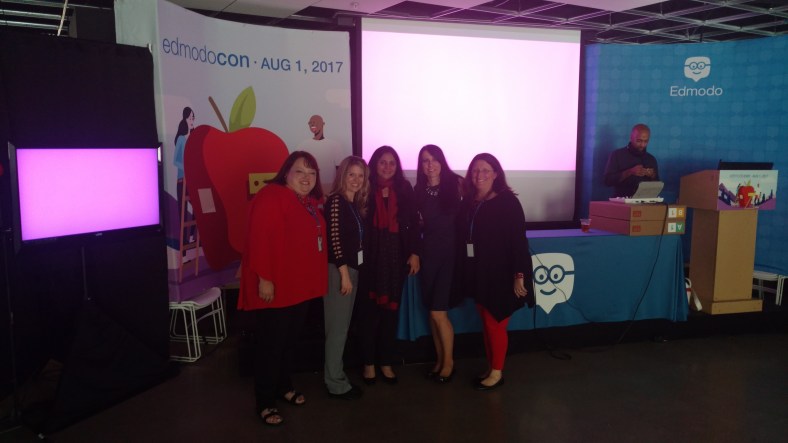
Celebrating together after EdmodoCon 2017

IMG_20170801_184215600.jpg


New features to our Favorite tools! Part I

Here is the first part of a series focused on some of the latest updates to four of the digital tools that we regularly use in our classroom. I admit that I may have been more excited than the students, when I came across these updates, but once we tried them in class, the students were just as excited for these new features.

First is Nearpod. Nearpod + VR College Tours and Remind! Nearpod has been a game changer in my classroom. Students have engaged more in learning when we do lessons in class and they are interested in creating their own lessons, and taking on more of a leadership role by running the lessons on their own. Nearpod continues to add new features, making it a versatile tool that provides an immense library of lessons to choose from and a wide selection of activities, content and other resources to include into each lesson. Over the past few months, Nearpod has made some updates and integrated new features into the already extensive platform. Some of the new features  launched include: having more than 50 video lessons available through the BBC, option to view in “Student Mode” on the Teacher Dashboard, PheT Sims interactive Math and Science Lessons, and  making lessons with these resources available for immediate implementation into class. It is easy to find lessons that pertain to different content areas and grade levels, and which include a variety of tools for assessment and for engaging students more in learning.

Nearpod provides a very user friendly interface, which makes it easier for teachers to start using Nearpod and to build comfort when designing their own lessons. It is also highly beneficial for keeping the students actively learning on days when teachers have to be away from the classroom, through the use of Nearpod for Subs.
Launching lessons can be done live, with a join code in class, or shared through
a link, social connections, or through Google Classroom. But there is a new
update that makes it even easier to share, and that is Nearpod’s integration of
Remind as a way to share lessons. By integrating with Remind, educators send
the link through Remind, enabling students to start the lesson whenever they can
and wherever they are.
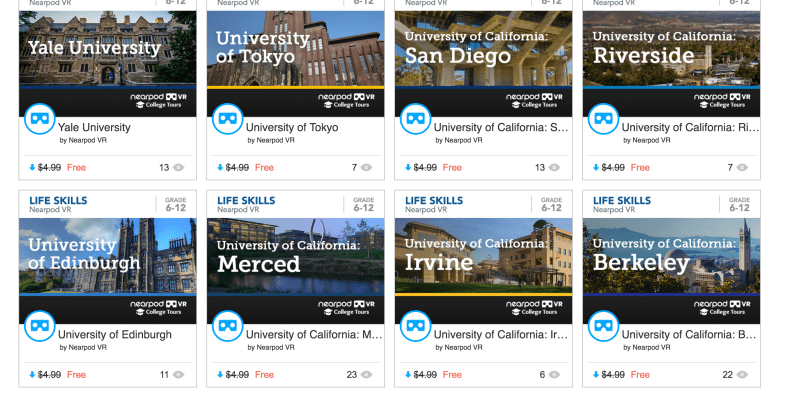
Another recent addition to the vast Nearpod library are the College Tours,
available in VR. What a great way to have students take a look at different
schools, without having to travel the distance, and to be able to immerse in the
campus and look around. There are currently 27 different colleges represented in
the collection, which include Universities such as Cambridge, Oxford, UNAM and
Taiwan and Tokyo, to name a few. A really great addition to the Nearpod collection and I recommend checking out the tours, and you can even use these as a way to create a scavenger hunt for students.

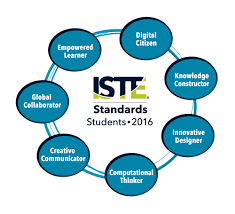
How Kidblog supports and meets the ISTE Standards for Students


  1. Empowered Learner
  2. Digital Citizen
  3. Knowledge Constructor
  4. Innovative Designer
  5. Computational Thinker
  6. Creative Communicator
  7. Global Collaborator


The Student Standards reflect the skills that we want the students of today to develop, so they can become more connected with their learning and prepare for their future in an increasingly digital world. The use of blogging is a good way to address the ISTE Standards for Students. The new standards, which were released in June 2016, focus more on what we want for students – The pursuit of lifelong learning and ways in which we can help to empower students in their learning. The emphasis is on providing opportunities which promote student voice and choice and help educators to implement technology in ways that will increase student growth and readiness for the future. The ISTE standards represent the skills and qualities that students need for su​​ccess in the 21st century.

Supporting the standards with technology
There are many educational tools (both digital and traditional) available to promote student voice in the classroom. Blogging is one tool that serves to support and meet the ISTE standards. Educators can refer to the standards as a guide for selecting tools to use with students that will amplify learning and promote student choice. The goal is to support students so they begin to take ownership in their learning. A move in the classroom from teacher-centered, to student-centered and optimally, student driven. Here is how Kidblog can help.

1. Empowered Learner: As empowered learners, students “leverage” technology to show their learning and demonstrate their mastery in a platform that is comfortable to them and in a personalized space. Students take more responsibility for and have choices in how to show their learning.

2. Digital Citizen: Blogging promotes digital citizenship as it helps students to develop their social presence. Through blogging, students become active in online communication, learn about proper use of internet and resources and interact in a safe learning environment. Posting online and sharing information helps students to develop the skills they will need in the future and to recognize their responsibility when it comes to digital resources. Blogging gives students the opportunity to practice appropriate and ethical online behaviors, which transfer into the classroom space as well.

3. Knowledge Constructor: Students gather information and resources to use in creating stories, conveying information in a way that is more authentic and meaningful for their learning. The use of blogs helps students to work on their writing skills and ties in nicely with gathering information to share in their digital space. Students can research and analyze the resources, to determine which is most relevant and applicable to their task.

4. Innovative Designer: Students can use the different tools and features in the Kidblog platform to express themselves in a more unique way, share ideas and create in an innovative way. Designing and creating more authentic ways to show their knowledge as well as creating new and more “imaginative” solutions to a question or problem presented.

5. Computational Thinker: Students can use blogs as a way to discuss and talk through a process of decision-making. Blogging is a great format for working through projects or solving complex problems, and to demonstrate the thought processes and analysis involved through their writing.

6. Creative Communicator: Students can use the different features of Kidblog to share their knowledge, convey information or tell a story in a more engaging and creative way, to be shared with peers and the teacher. Blogging opens up more opportunities for students to be more expressive than the traditional formats such as paper or other digital tools. Students can express themselves in a way which promotes creativity and with Kidblog, can incorporate other tools to present their information in a way that supports the learning goals and meets individual student needs and interests.

7. Global Collaborator: Students can use blogs as a way to learn about other cultures and connect with others by posting their blogs and sharing information with peers. Students narrate background experiences and connect with others in a safe learning environment that builds confidence and promotes student learning. Students share their blogs with peers and can also connect with other students from around the world. It facilitates the opportunity to local and global issues and perspectives, and to use the blog as a way to express their thoughts.

The focus of the ISTE Student Standards, helping students to become better with communication, collaboration, critical thinking, problem solving and to express themselves in more creative and innovative ways, falls in line with the features of Kidblog.

7 Tips to Get The Most Out of Blogging This Year

Getting ready for the start of a new school year – new students, new curriculum, and new tools – means teachers have a lot of preparation ahead of them. Whether new to Kidblog or a veteran classroom blogger, these tips will help you get the most out of your class blog this year.

1) There is no better way to start the year than by way of introductions. Blogging can be a great way to get your students comfortable with you as their new teacher, as well as, their new classmates. In my classroom, I also use this time to cover expectations in the classroom. This is all done in a “Welcome back to school” blog post. Choose a fun theme for the class, add some links and include helpful information. Share information about you, including some fun facts, and encourage students to then respond to your post. You can begin to develop those vital relationships for your classroom.

2) Get parents connected. Make the decision to use blogs as a way to keep parents informed about what is going on in the classroom. Set a goal to write a blog post with a weekly update and share what is going on in the classroom, give highlights of upcoming events and activities the students will be participating in. Also, use the blog as a way to share student work with parents, which will really connect the home and the classroom, and involve all members of the learning community.

3) Involve students in planning for blog posts. Encourage students to come up with their own ideas or to work with peers to brainstorm some writing prompts to use throughout the year. Gather their ideas and then draw from their prompts. Involving students in the decision making process in the classroom helps to provide more authentic and meaningful learning experiences. It promotes student voice and choice in the classroom and helps students feel more valued and empowered. By actively engaging them in classroom decisions, students will feel more connected to the content and their peers.

4) Create a bridge between content areas by doing some cross-curricular blog posts. Find time to talk with and encourage other teachers who may not be using blogs, to work with you to create some cross-curricular opportunities. The blog can be a way for students to complete some writing assignments or projects for communicating their ideas and showing their learning. Students create their own personal space to share ideas and really have an opportunity to practice their skills for multiple content areas in a comfortable manner.

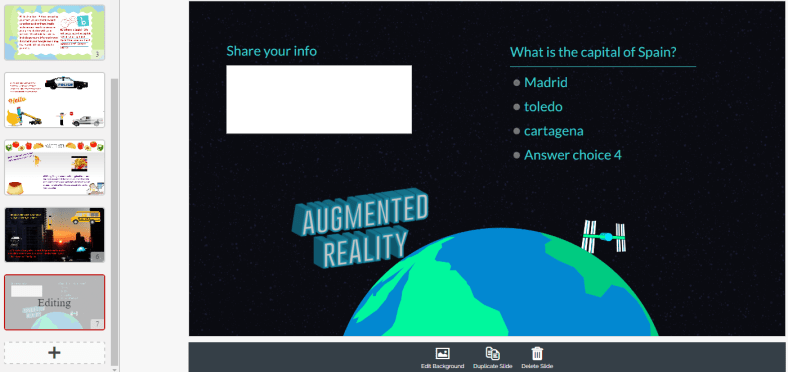
5) Try adding some other tech tools to app smash with Kidblog or use Kidblog as the means to share student work! Implementing other tools will help students develop their technology skills and digital literacy. For example, have students create a Buncee and write about what they’ve created, or, they may share it with a peer to create a story. These apps can be easily embed into Kidblog for their classmates to comment.

6) Have a routine for sharing student blog posts and set aside time in class for the students to work together to share their blogs, offer feedback and learn to reflect on their work. Making time for students to work with peers will build those positive classroom relationships and help students to become more confident in their learning. Their confidence will increase through the writing process and also by communicating and collaborating in the classroom.

7) Be sure to have resources available for students so they understand how to use the blog, how to write a post and to properly cite any images or other information they add to their posts. A great way to do this is by screen-casting a tutorial available to students, as well as, creating a “guide post” that gives students pointers on how to publish a post, the required format, and other information related to your expectations. By providing all the information in a place which is accessible, the process will be much easier for students throughout the year to have the support they need when they need it.

Kidblog

Why we need to reflect: Learning from our Mistakes

Reading the words of John Dewey: “We do not learn from experience…We learn from reflecting on experience.”, I give myself constant reminders to be reflective in my practice. Reflecting led me to really evaluate some things in my classroom.

A few weeks ago, I had a challenging week. Probably the most challenging week as far as behaviors, in several years. It came in the form of disrespectful behaviors, classroom disruptions whether it was students talking out loudly, exchanging words, or other similar interruptions.  I really tried to work through these, with the students, patiently and with every possibly method I could think of. I wanted to push forward and in another post, I explain what happened, but for now, these are the lessons that I have learned. And this is how I reflected and did what I needed to do, to restore balance in my classroom.

I am not one to yell in class, in fact, over the 21 years teaching in my current school, maybe there have been 7 or 8 times that I have really yelled. Whether that is good or bad, not going to decide, but I can say these were not the best reactions  in my years of teaching. However they have led me to take time to really reflect and remember a couple of things.

1) I am the adult and my role is to provide a supportive, engaging place for students to learn, to feel welcome and to thrive.

2) I don’t always know what’s going on in the lives of the students beyond my classroom and so their behaviors may be a result of something happening throughout the day or in their home or social life.

3) I cannot know everything but if I don’t take the time to get to know something about them, that is doing them a disservice.


So I did yell. It felt awful.  I myself further disrupted the learning environment, and for this, I also apologized. I shared this experience with some friends and was asked several times, “why” and “to whom?”


I apologized to my class and to each of the students to whom I yelled, because I did not handle it well. I myself further disrupted the learning and had an effect or impact on not just that student, but on everyone in the classroom. So it was a trying week because I had to really take a hard look at myself and my responses to some situations that I could have handled differently. I could have handled them better. I should have. But I am very open about the fact that I am a work in progress, that I make mistakes and I will own my mistakes and grow from them.

It took a few days for me to really shake off that negative energy and that is an awful feeling. But I did that myself, it was my choice to act, how to handle it and I definitely could have handled it better. I should have handled it better. A lesson learned, a new focus and a new reminder to think before acting and speaking.

Practice patience, use kind words and show empathy.


Teaching is hard sometimes. We can have lesson plans ready, very detailed objectives on the board, every material and activity ready for the students for the day, but one slight ripple ,one small interruption, can completely change the course of even the most perfect plans.

Rita Pierson said “Every kid needs a champion” and even in her math class, when one of her students had missed 18 out of 20 questions on a test, she wrote a plus two. Why? She said because that looks better than a -18 and it tells the student “you got two right and are on your way”.  It sends a positive message. We need to be the positive for the students. We may be the only positive they have each day. 

CHAMPIONSYLVIA

So avoid the negative, focus on relationships, reflection and constant growth. It starts with us and we make an impact, and we may never know how large of an impact we make,  from the smallest interaction.

So make every moment matter, because the students matter, and we need to be their champion. Even when they push back, push back harder with kindness.


Thanks to Sylvia Duckworth for this amazing image.


Building Skills with App Smashing: Buncee, Padlet and now new Buncee Boards!!

Buncee

There are a lot of great digital tools that promote student creativity and choice and give students an opportunity to learn about each other in the process. Two tools that have worked well together for this purpose are Buncee and Padlet. Using these together promotes student creativity, provides more authentic and meaningful ways for students to share backgrounds and introduce themselves to classmates. It builds digital citizenship and technology skills by teaching students how to interact in a virtual space. It promotes communication and collaboration through the sharing of projects and opens the ability to engage in conversation through the commenting feature on Padlet.


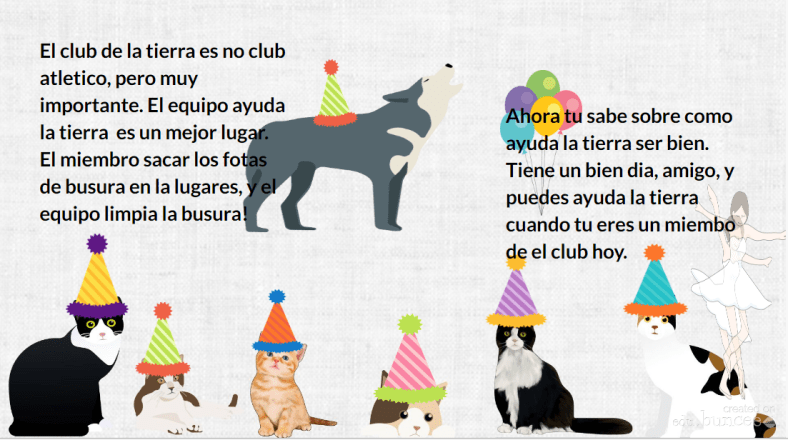
When students start the school year, learning about classroom procedures and becoming familiar with their peers are important activities. Teachers go about these procedures in different ways, some even choosing to dive right into the content material and to open up opportunities for these typical procedures on a daily basis. The past few years I have tried to get students to interact more at the start of the year, share who they are, their experiences, their interests and have them set some goals as well. I try to do so with variety of icebreakers or other activities like surveys or classroom games to get the conversations started. However, this year I plan to have students share their information by creating a visual representation. Students will be able to choose from the library of thousands of images, props, icons, animations and more in Buncee to tell their story. The requirement will be that they use very little in terms of text and rather choose the images, animations and even videos to tell their story. I also hope that it creates a way for students to share some learning goals they may have or things they wish their teacher knew.

BunceeJenna

Before the advancements in technology and the increase in types and number of tools available, sharing these creations required either printing or sending through email or storing on a flash drive. But with collaborative tools such as Padlet, it has been very simple to not only share the information quickly but to embed a Buncee project right onto the Padlet so it is fully visible to everyone instantly. By doing this, students have gained new knowledge of technology, developed peer relationships, teachers learn about the students, the students will learn about each other, and it will start the conversations going. By using imagery rather than so many words, students will be able to see some commonalities in the classroom which will help to drive the development of a classroom culture.

Besides the learning potential in this, I think it is a lot of fun and highly engaging for students to create and to see what their classmates have created. I would not be setting a good example if I myself did not create a Buncee and add it into the group. Students need to learn about their teachers as much as the teachers need to learn about the students. I’ve heard the quote and read the quote of Teddy Roosevelt many times “Children do not care how much you know until they know how much you care.”  This couldn’t be truer, so we need to learn about our students and show that we care about them and their success.

BunceeSpain

Combining Buncee and Padlet

Throughout this app smashing (when two tools are used in conjunction to create and present a product), students enhance their skills in many areas. In terms of the ISTE Student Standards, all seven are addressed in completing these activities. The main one addressed is 6, Creative Communicator. Students have a choice and their voice is represented in creating their Buncee. But in the process of creating, they become Global Collaborators because by posting it on Padlet, others can view their work and comment. They are Empowered Learners because they have choice and voice in their learning experiences. Computational Thinkers because they are deciding how to present the information in the Buncee, Innovative designers choosing from the thousands of features available in the library to put into their own creation. Digital Citizens because they are learning to respect others’ work and to publish and post responsibly. For some students, this will be the first time they are really interacting with digital tools and so it will be perhaps a big learning curve. However, everyone will be doing the same thing and there will be comfort in this which will help student confidence to increase. I promote student empowerment and it will be a good way to set up the classroom culture and to help students gain some new skills moving forward.

FETCpresentation

New Buncee Boards! Announced today!

Today is an exciting day for Buncee and the many users of Buncee. The newest feature, Buncee boards, provide a great way to gather resources in one place, open up communication and collaboration, and share ideas with others in and out of the classroom. There are a lot of great ideas for using #BunceeBoards in the classroom, so be sure to check out this post: 10 ways to use Buncee Boards to see some of the ways Buncee Boards can be used in the classroom. There are a lof of great ways to use these in the classroom, and even better, students can have fun sharing, commenting and posting reactions to the boards.

There are many possibilities for using Buncee in the classroom and the nice thing about it, the best thing about it, is that it promotes choice and authentic creations for students and teachers and anyone. It is a skill that students can learn and can share with their families which will open up more learning opportunities beyond the school setting and move it into the community and beyond.


3 Ways to Implement Blended Learning In The Classroom


3 Quick Ways to Implement Blended Learning In The Classroom

Best practices for blending or flipping your classroom continue to be topics of discussion in education today. Much of the discussion focuses on finding clear definitions of what these terms mean and the benefit to classrooms.

There are many resources and ways to educate yourself on this topic available including a diverse selection of books and blogs (such as the book Blended by Michael B. Horn and Heather Staker, and of course the Getting Smart blog) related to the topic, reaching out to colleagues or members of your PLN or attending conferences such as FETC, ISTE, state edtech conferences, edcamps and other professional development experiences.

All of these are great for finding examples, vignettes, templates, suggested tools and ideas. But even with all of these options, sometimes it is more valuable to take a risk and try something out on your own. The outcomes will not always be the same for each teacher, classroom or student, but it’s at least worth a try.

There are different models for implementing blended learning, and the method used will vary depending on your classroom. I recommend starting with one method–if you see positive effects, that you have more time to collaborate in class and your students are more engaged then continue. If not, then use this opportunity as a way to learn more about your students and their needs. As teachers, we need to constantly reflect on our methods and encourage self-assessment with our students, all part of learning and growing together. Getting started can take some risk and exploration, and definitely time.

Here are some different ways to use technology to “blend” or “flip” learning that in my experience have worked well. These tools can offer innovative or creative learning methods in your classroom, opening up the time and space for where and when the learning occurs.

1. Flipping and Blending with Videos

In the past when I heard “flipped classroom” I thought that meant simply assigning a video for students to watch. It can be, as it was originally considered the traditional way of flipping the classroom, but there has to be follow-up, accountability and more than just simply assigning a video. How will we know what the students gained from the experience?

The benefit of having students watch a video outside of class is that it reserves the class time for discussion and peer collaboration, and moves the teacher to more of a facilitator in the classroom. There are video tools such as EDpuzzle and PlayPosit, through which students interact with the video.

By responding to questions throughout, they are held accountable for the material and can show what they are learning. The teacher has instant feedback and can better understand how the students are learning and provide more personalized instruction. Either of these tools are great for the teacher to create lessons, but also provide the opportunity for students to create lessons that can be shared with other students.

In my experience, these tools have both provided a lot of authentic learning, problem-solving, critical thinking and collaboration. More importantly, they create an opportunity for students to move from learners to leaders, and from consumers to creators in the classroom. This is one of our main goals as teachers–to provide opportunities which empower students to take more control and drive their own learning. These leadership opportunities also help the students to feel valued because of the work that they are doing. There are sample lessons or “bulbs” available, so try one of from the library, and see how it works in your classroom.

2. Game Based Learning and “Practice” as Homework Alternatives

Perhaps you want students to simply play a game or have some practice beyond the school day. There are lots of options available, some of which enable students to create and share their games as well.

A few of these that you are probably familiar with are Kahoot, Quizizz and Quizlet. Creating a game with any of these three apps is simple. There are many public games and Quizlet flashcards available to choose from, and it is simple to create your own or for students to create something to share with the class. You can use these to differentiate homework and have students create something more personalized and beneficial for their own learning, and then share these new resources with other students and classes.

It’s another great opportunity to understand student needs because of the types of questions they design and the vocabulary they choose to include. Another bonus is that using something like Quizizz means students can complete it anywhere. Have you tried these  three? Give Gimkit a go. Created by a high school student, this is a game that students enjoy, especially because they can level up, use multipliers and really practice the content with the repetitive questions that help them to build their skills.

3. Discussion Beyond the School Day and Space

There are tools available for having students brainstorm, discuss topics or write reflections which can be accessed at any time and from any place.  For example, Padlet is a “virtual wall” where teachers can post discussion questions, ask students to brainstorm, post project links and more. It is a quick and easy way to connect students and expand where and when learning occurs. Take the posts and use them as discussion starters in the next class.

Synth is great for having students create or respond to a podcast. The idea is that students can do some of these activities outside of the classroom period, and teachers can create prompts which provide opportunities to engage students with their peers in a more comfortable way.

Even though all of these involve technology at some level, they are interactive tools to engage students, to expand and “flatten the walls” of the classroom and offer students an opportunity to do more than just sit and learn; to become more actively involved, giving them a voice and choice, through more authentic learning.

By giving the students a chance to do more than absorb information, but instead to create, design and think critically, we not only give them the knowledge to be successful, we encourage them to create their own path to success. And hopefully, in the process, they learn to better self-assess and reflect, both of which are critical skills they’ll need for success in school and in their careers.


10 EdTech Tools for Encouraging Classroom Collaboration

Thank you Getting Smart for the opportunity to be a Guest Author for this post.

10 EdTech Tools for Encouraging Classroom Collaboration

By Rachelle Dene Poth

Today’s technology offers so many options for educators and students that deciding on where to begin can be overwhelming. To get started, think about one new approach that could be the catalyst for positive change in your classroom. In looking at your learning environment, what could benefit your students the most?

How do you find tools to help meet your needs? Resources are everywhere: books, blogs, social media like Twitter chats, Voxer groups, your PLN, or even conferences, EdCamps and similar professional development opportunities. But even with all of these resources available, it still comes down to taking a risk and trying something new.

Here are some helpful and versatile technology tools to easily and quickly integrate into your classroom and help meet your needs.

Discussion Tools: Get Them Talking

Teachers need to hear from students, and we know that asking questions or calling on students to discuss a topic can often make them nervous. When students, or anyone, develop that feeling of “being on the spot”, it can become more difficult to encourage students to share what they are thinking, what they are feeling and what their true opinions are. This is where digital tools can provide security and opportunities for students to express themselves. Technology has a true purpose. Students still need to develop an ability and gain confidence to speak in class, but these tools can help by providing a comfortable way for students to develop their voice and express themselves.

Depending on the type of question or discussion format you want for your classroom, there are many tools available that can help.

  1. SurveyMonkey is a good way to ask a variety of questions, find out what students are thinking, use it for a quick formative assessment, and many other possibilities. I have used it to find out how students prepared for tests, what areas they need help with, and even for voting for club officers and planning trips. You have the results quickly and can provide feedback instantly, to plan your next steps in class. It can be a different way to find out about your students and their needs.
  2. TodaysMeet is a backchannel tool that can be used in or out of class, as a way for students to contribute to a discussion or ask questions. It can also be used to provide “office hours” online, for students to ask questions beyond the school day. There are many possible uses for this tool, and setting it up is easy.
  3. GoSoapBox is a response tool that can be used to ask a variety of questions without students having to create accounts. Students simply need an “event code” provided by the teacher to access the activities available. GoSoapBox can be used for polls, discussion questions, quizzes and more, and provides a fast way to assess students or to simply learn more about them and their thoughts.
  4. Recap is a video response tool, where students can respond to a prompt and all responses are compiled into a “daily reel” for teachers to view and provide feedback. Students can respond from anywhere and feel comfortable in sharing their thoughts using this tool.

These are just four of the many options—sometimes it just takes a bit of research. Asking the students for new ways to use the tools you have already been using in class can also be helpful.

Communication Through Collaboration

There are many options which promote student collaboration and enhance writing skills and student voice.

5) Blogging: Through blogging, teachers can provide support for students and help them to gain confidence in writing and speaking. We have used Kidblog to complete many writing tasks and creative writing assignments.

6) Wikispaces: A Wiki has worked really well in our classes for having students collaborate on a topic, create a discussion page, and set it up to inform on a topic, to list just a few examples. We created a wiki on Spanish art and also created our own travel agency.

7) Padlet: Padlet is a “virtual wall” which promotes collaboration, communication, creativity and more because of its versatility. Students can write a response to a discussion question, add resources for a collaborative class project, work in small groups, use it for brainstorming or connect with other students and classrooms throughout the world.

Using digital tools in this way is great because the discussions don’t have to end when class does. These tools give ways to get students talking, share their ideas, so that we can help them grow.

Creating presentations and telling a story

A few options for having students present information in a visual way with options for multimedia include the following:

8) Buncee is a web based tool that can be used for creating presentations, interactive lessons and more, with many options for including different characters, fonts, animations, video and more.

9) Piktochart is a tool for creating infographics, social media flyers, engaging presentations and more. Students have created menus, self-descriptions, movie and tv advertisements, recipe presentations and much more.

10) Visme is a “drag and drop” tool that is easy to use for creating infographics, reports, different presentations and more. It has a library full of images, charts and more, making it easy for users to create exactly what they need.

What are the benefits of these tools?

Each of these tools promote more personalized and meaningful learning for students. These tools can be used to enhance, amplify and facilitate deeper and more authentic learning . Using technology just for the sake of using it doesn’t make sense. But using it to help students find their voice, learn what they want to do, what they can do and what they need help with, does makes sense. Purpose.

For more, see:

Rachelle Dene Poth is a Foreign Language and STEAM Teacher at Riverview Junior Senior High in Oakmont, PA. Follow her on Twitter at @rdene915.

8 Things I Learned My First Year Of Teaching With Project-Based Learning

8 Things I Learned My First Year Of Teaching With Project-Based Learning

 3.5k

8 Things I Learned My First Year Of Teaching With Project-Based Learning

by Rachelle Dene Poth

My first year of teaching with project-based learning provided as much learning for me as it did my students.

Each year when I head back to my classroom in the fall, I have many ideas of new methods, new tools, and some changes that I want to make in my classes. These changes and ideas are the result of attending summer conferences, reading new books, and maybe the most helpful, student feedback that I review over the summer.

The biggest change I wanted to make this year was to have my students really engage in Project-Based Learning.

Interested in PBL support? Contact TeachThought Professional Development today! 

1. It’s not ‘doing projects.”

My students have completed many projects over the years, and I honestly thought they were doing “PBL”, but after the summer I finally realized that it was not authentic PBL. I was simply having students learn by completing projects. Coming to this realization allowed me to find resources to learn how to implement authentic PBL into my classroom.

If you are feeling the same as I did, don’t worry. There are the resources, tools, and shifts in thinking that can help you on your way.

See also: The Difference Between Projects And Project-Based Learning

2. Students–and parents–need to understand the process.

To get started, I sought out resources that I had learned about over the summer.

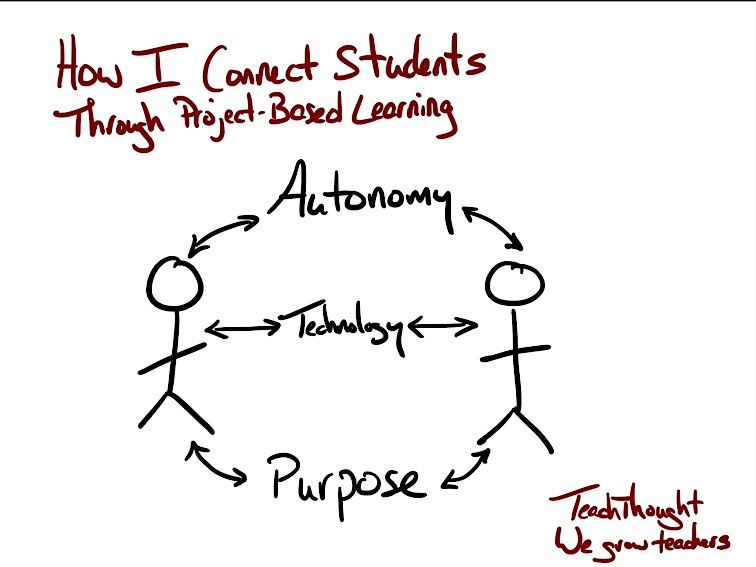
I learned that there are several different methods of doing PBL. The theme can be something created by the teacher, independently chosen by the students, or a combination of something in between. Because I had decided to implement PBL with my Spanish 3 and 4, I decided to follow an independent method, enabling students to pursue something of personal interest. The opportunity for students to have choices through more independent learning, leads to a more meaningful experience, a few of the great benefits of PBL.

The opportunity for students to have choices through more independent learning, leads to a more meaningful experience,  a few of the great benefits of PBL. This is difficult without students–and parents!–understanding how PBL works so they can buy-in, support, and believe in this ‘long-tail’ approach to learning.

3. The right technology can make all the difference.

I started by explaining the purpose of doing PBL, what I hoped would be the benefits of doing this in Spanish 3 and 4, and using the resources I found, shared the PBL elements with the students. I wanted to make sure they understood the process, as much as possible, from the start. I knew it would be a learning experience for all of us, requiring ongoing reflection and feedback.

In our classes, we use a few digital tools which help open up opportunities for communication and collaboration. We use Edmodo for our classroom website, messaging apps (Celly and Voxer), and have also used tools such as Kidblog for blogging and writing reflections, and Recap and Flipgrid for video responses.

4. Developing quality Essential Questions takes practice.

I did my best to explain how to create an Essential Question (what TeachThought Professional Development calls ‘Driving Questions’), referring to resources I had found, as well as some books and educators for advice. I had struggled with crafting my own “Essential questions” in the past during curriculum writing and I knew this was an area that I also needed to work on.

What I learned is that Essential Questions are not answered with a yes or no, and answers are not easily found through a Google search. Essential questions will help students to become more curious, to seek more information, and in the process, develop their skills for problem-solving and critical thinking.

Essential questions drive the learning.

Last summer, I had read the book Pure Genius, by Don Wettrick, and had the opportunity to meet him during the Summer Spark Conference in Milwaukee. I also read a few other PBL books including  Reinventing Project-Based Learning: Your Field Guide, by Suzie Boss and Jane Krauss, and Dive Into Inquiry by Trevor MacKenzie.

Once we started, the students had many questions, and I answered as best as I could. However, because this was a new experience for me as well, I sought additional help.  Don Wettrick spoke to my students through a Skype call and later in the fall, Ross Cooper spoke with my students about crafting their Essential questions. Another great resource I consulted over was  Hacking Project-Based Learning book by Ross Cooper and Erin Murphy.

See also: Using The QFT To Drive Inquiry In Project-Based Learning

5. Project-based learning is a team-effort.

We have gone through this twice so far this year, and are now focused on one final PBL theme. It has been a tremendous learning experience for my students and I have learned so much from them. We have covered many new topics related to culture, language, sports, family and traditions.

The students enjoy having the chance to be in the lead, to drive their own learning, and have become more reflective on their work and on this PBL process. I did make mistakes and continue to work on improving each time we do this. The availability of these PBL resources to guide teachers and students and other educators who offer support along the way has made all of the difference.

The most powerful part of this has been the feedback from my students. I asked for the positives, the negatives, what could be different, how could I help more, and they were honest and offered such great information.

6. Project-based learning empowers students.

What I have learned is that it really does benefit students and the teachers to offer these project-based learning experiences for students, to find out about their passions and interests. We learn more about them and from them through their PBL. Having students take over the classroom and present their information opened up so many new learning opportunities for everyone. This is truly a great way to see students empowered in their learning.

Overall, the students are pleased about the work they have done, the progress they have taken and are excited about this next phase. We reviewed the feedback, did a little bit more research, and had some planning conversations.

7. Project-based learning forces students to see learning differently.

We need to create opportunities for students to pursue their interests when they learn. In order to prepare them for the real world, we should provide learning opportunities which connect them with other people, perspectives, and experiences.

The most difficult part for my students at the start of this was thinking about how they were going to present their information, and I kept telling them to work through the research part, gather their information first. I reminded them often to focus on the “what and why” part, and that the final product form would become more apparent as they progressed.

8. Patience is key.

I am pleased with having started PBL this year and I encourage other educators to consider implementing PBL in their classrooms. Yes, there can implementation dip. And without communication with students and parents and even our own colleagues, progress can be slow.

PBL is, however, a different approach to learning. It acknowledges that the school year is a marathon, not a series of sprints. It allows students to design and create and publish and reflect on and revise ideas, and this all takes time. Patience, then, is a critical characteristic of any successful–and sane!–project-based learning teacher! Given time, you’ll eventually help the students see the impact it has had on their learning.