Boosting Classroom Discussions in the New Year with Kialo Edu!

In collaboration with Kialo Edu. All opinions are my own.

Over the past ten to fifteen years, we have seen an increase in the use of technology and how it can transform the way we teach and learn when used purposefully. I am always looking for new tools to explore and to further engage students in learning.

I look for options that help boost student confidence and comfort in our class discussions and provide ways for students to learn how to engage in respectful conversations where they may disagree.

With this in mind, Kialo Edu has emerged as a game-changer. As we prepare our students for their future, we want to promote critical thinking, collaboration, and respectful discourse between students in our classrooms. As an educator who has used Kialo Edu in my classroom, I recognize that this platform is more than just a tool — it is an innovative approach to engaging students in thoughtful discussions and impactful for fostering these essential skills for the future.

What Is Kialo Edu?

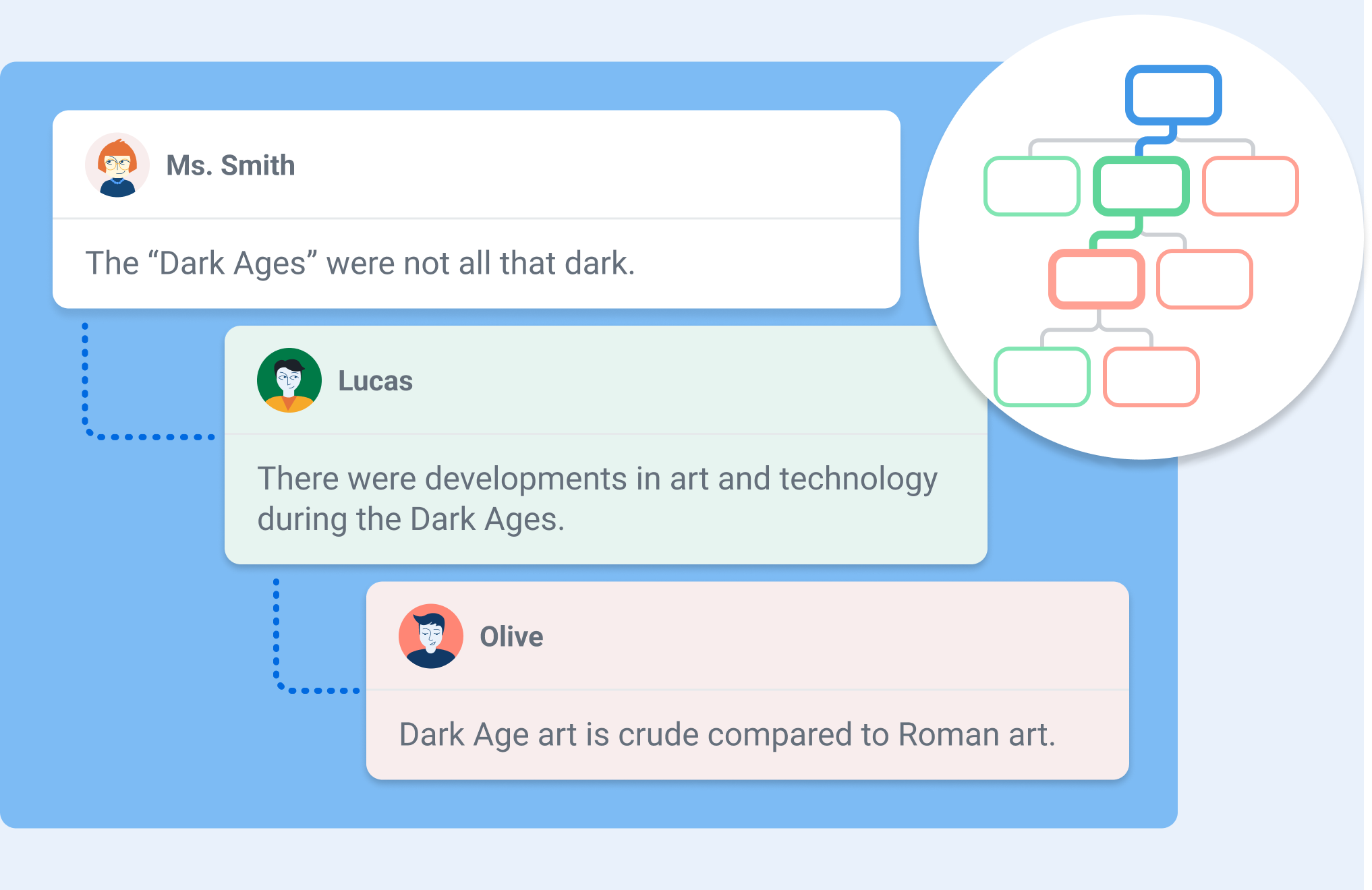
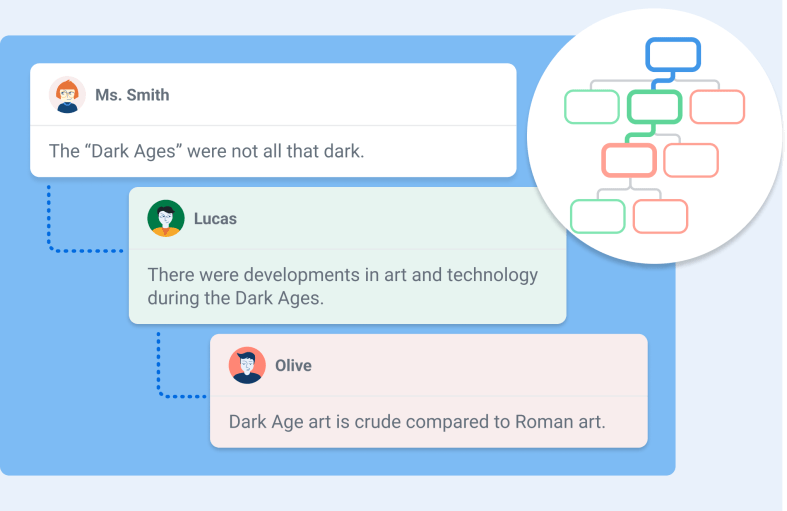
You may be wondering what Kialo Edu is. It is a robust web-based platform designed to facilitate structured, interactive discussions between students while also providing insight into how students are learning and processing the information. I spent a few hours on a weekend testing out its features and was really impressed. One of my favorite features is the “discussion tree,” which is a way to visually map arguments as interconnected branches. Students can look at this, see how their ideas develop, and better understand the logical structure of the conversation. It is very easy to navigate, and I love how it encourages students to consider all the different perspectives their classmates have raised.

To begin, you need a thesis — a central statement or question — that students then support or challenge with pro and con arguments. Each argument, whether a pro or a con, can then have its own set of pros and cons. In this way, discussions can branch into progressively more detailed sub-arguments, creating an organized structure that can make even the most complex discussions manageable and transparent.

Kialo Edu provides an intuitive and visual format for discussions, enriched with features like impact meters for rating arguments, referencing sources in claims, and linking arguments across branches of the discussion. Whether you’re exploring global or societal issues, debating scientific ethics, or dissecting a novel’s character motivations, Kialo Edu makes discussions engaging and meaningful. And it is free to use!

How Kialo Works in Practice

Getting started with Kialo Edu is easy: It begins with simply creating a discussion. After setting a thesis, teachers can add a brief text for instructions or context, set specific tasks for students to complete in the discussion, and even incorporate an image to set the tone. Once ready, students are invited to join and begin contributing arguments, rating their impact, and responding to others. As the discussion unfolds, educators can easily monitor new claims as well as students’ progress toward their tasks. For educators, the virtual classroom management capability of Kialo Edu enables teachers to track student progress at any time. Taking on the student role, I appreciate how Kialo shows my progress as I contribute new arguments, offer supporting arguments, or put forth alternative viewpoints to others’ claims.

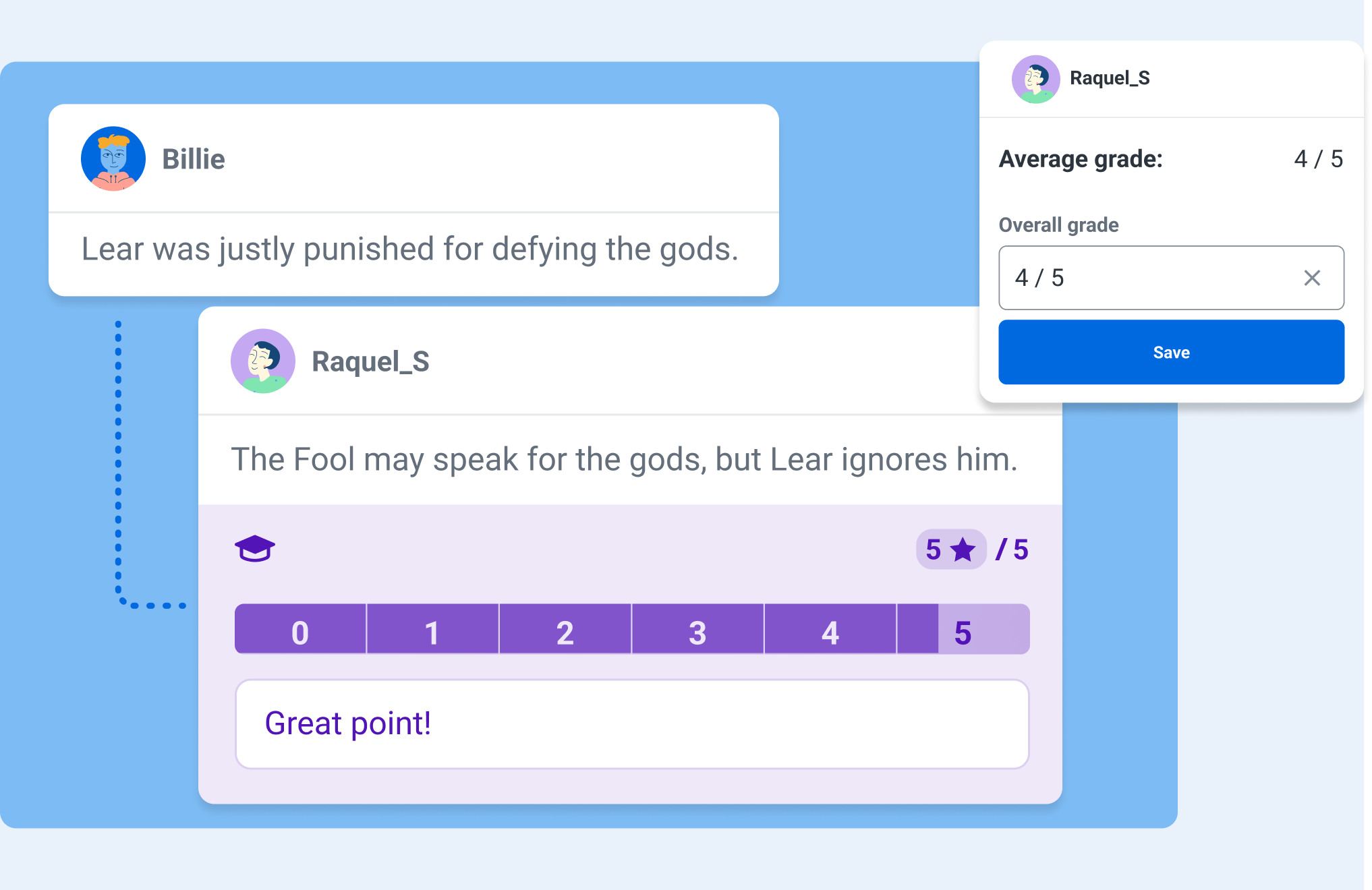
One feature that I really appreciate is the Grading and Feedback tool, which allows educators to filter out individual students’ contributions. This makes it easier to keep track of participation, evaluate the quality of arguments, and provide more targeted feedback to students. There are also comments that remain separate from the main discussion, which allows for side conversations about phrasing, content, or sources without cluttering the primary argument tree.

Bringing Discussions to Life in the Classroom

Fostering Critical Thinking

I’ve used Kialo Edu in my classroom to have students examine their own reasoning behind both academic and real-world topics. For example, when discussing the merits of sustainability practices, each group had to find credible sources and evidence to support their claims. The impact meters helped students recognize the most influential arguments, which then helped them refine their reasoning and presentation.

Building Civil Discourse

Kialo Edu’s perspective-switching feature is a powerful tool for fostering empathy and understanding. After students have voted on the strength of arguments in the discussion, they can then view the discussion tree through the lens of a participant who voted differently. In doing so, students can view and consider opposing arguments as more than just obstacles to their own. This feature is particularly impactful during a debate on a topic such as freedom of speech, where students can deepen their understanding of a complex issue by exploring multiple viewpoints.

Enhancing Collaboration

Sometimes, it makes sense to assign mixed-ability groups to explore different topics. Using Kialo’s Small Group Mode, teachers can hand-pick groups that will encourage diverse viewpoints. Each group then receives its own private copy of a discussion, allowing students to build arguments collaboratively without external distractions. This approach has been valuable when discussing topics where students must learn how to navigate nuanced perspectives.

Why Kialo Edu Works for Educators

Kialo Edu is such a robust platform, and here are a few reasons why I believe that Kialo Edu is a stand-out and a must-try for all educators:

  • Ease of Assessment

Using the Grading and Feedback feature, I can look at a specific student’s work all in one place, evaluate the depth of their arguments in context, and provide targeted feedback.

Kialo Edu aligns with key pedagogical goals, including critical thinking, respectful communication, and information literacy. Its flexibility allows me to adapt it for various subjects and levels, from analyzing historical events in relevant content areas to debating ethical dilemmas in literature.

One of the joys of using Kialo Edu is its versatility. There are many great ways to bring Kialo into every classroom, especially to boost creativity!

Here are a few ways I’ve integrated it into my classroom:

Literary Analysis

Students read “To Kill a Mockingbird” in English and Spanish. Regardless of which language, students can debate whether Atticus Finch’s defense strategy was the best course of action. The discussion tree helps them organize arguments about character motivations and societal norms of the time.

STEM Debates

In my 8th grade STEAM course, during a unit on robotics, students can debate the ethical implications of using AI in healthcare-related fields. Students used the comment section to share research links and refine their arguments, which helped them to present a well-rounded view of the topic.

Decision-Making Activities

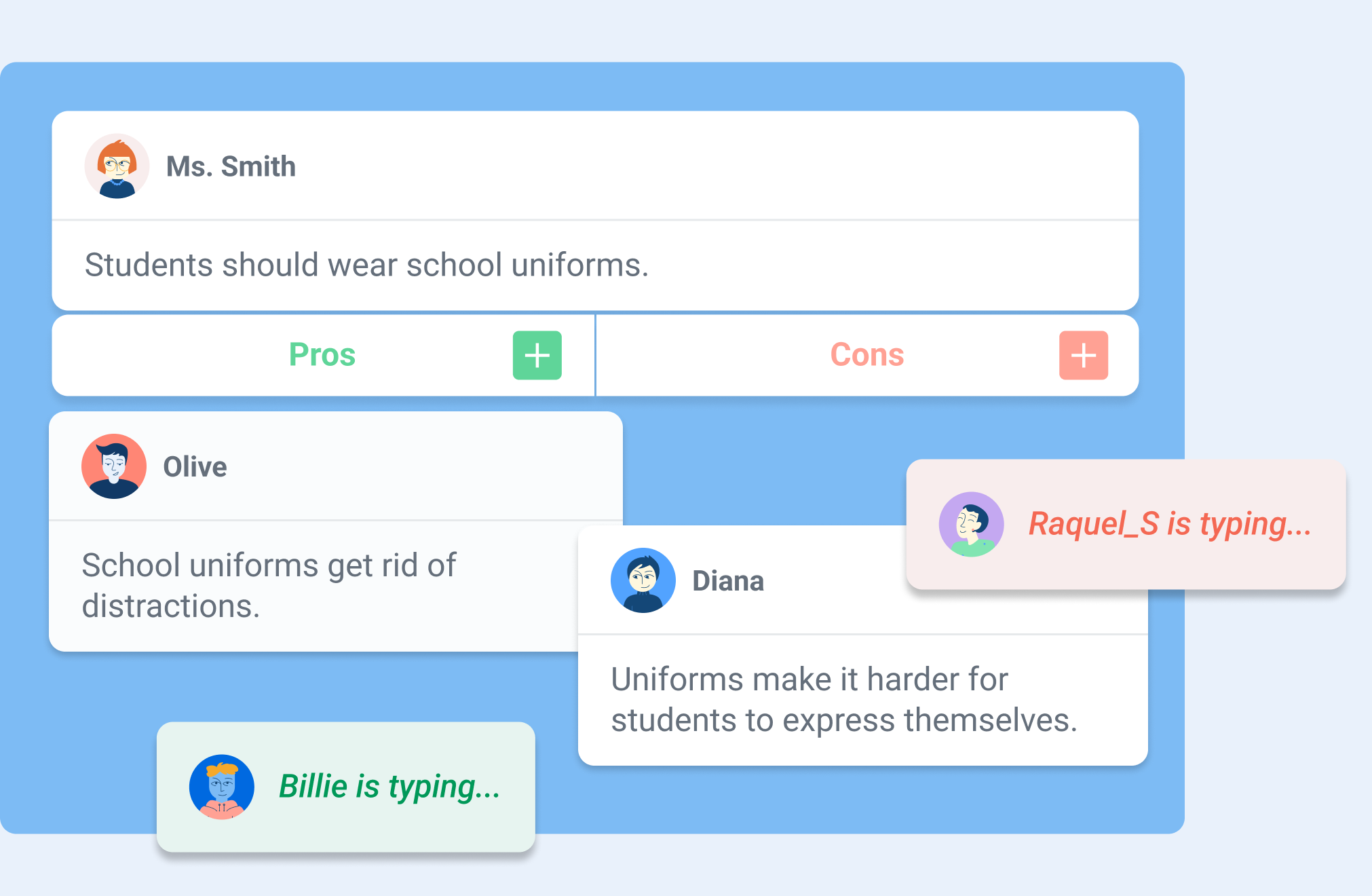
For a short discussion, students can use Kialo to choose a class field trip location or engage in a debate on a topic. By weighing the pros and cons of various options, they get to practice their decision-making skills in a fun and engaging way. These are essential skills that will prepare them for the future.

Essay Preparation

Kialo is also a fantastic tool for prewriting activities. Students can use it to map out their arguments for persuasive essays, ensuring their ideas are well-organized and supported by evidence.

As an educator, student safety is a high priority for me. Kialo Edu is focused on aligning to strict privacy standards like GDPR, COPPA, and FERPA, which provides more confidence and security when using it with my students.

Kialo Edu’s commitment to remaining free for educational use ensures accessibility for all schools, regardless of budget constraints.

Tips for getting started with Kialo Edu

If you are wondering how to get started, it is simple! Here are some tips to ensure a smooth and successful implementation:

  • Start small

Begin with a simple topic to familiarize students with the platform. Over time, introduce more complex discussions as students become comfortable.

Set guidelines for respectful discourse, evidence use, and participation. With clear expectations, it will help to set the tone for productive and meaningful discussions.

Encourage students to use the comment feature to refine arguments and share sources. This fosters a deeper understanding of how claims are supported or refuted.

Design rubrics that assess not just the content of arguments but also collaboration, critical thinking, and responsiveness.

The impact of Kialo Edu

Kialo Edu can completely transform the way students approach discussions. They will become more thoughtful, articulate, and respectful in expressing their ideas. Beyond academics, these essential skills will prepare them to navigate a world that demands critical thinking, adaptability, and flexibility.

Kialo Edu is more than just a teaching tool for educators — it’s a pathway to more engaging and meaningful classroom interactions. Whether debating global issues, analyzing literature, or deciding on a field trip, Kialo Edu brings structure, clarity, and engagement to every discussion.

In a world where thoughtful dialogue is more important than ever, Kialo Edu empowers students and teachers alike to explore, analyze, and connect in ways that truly make a difference. I love finding ways to boost classroom discussion, and Kialo Edu is a must-try for all educators.

As educators, we aim to prepare students for tests and life and be adaptable. Kialo Edu provides students with the tools to think critically, argue respectfully, and collaborate effectively — invaluable skills in any field. With its intuitive design, robust features, and commitment to privacy and accessibility, Kialo Edu is a powerful resource to help make the world more thoughtful, one discussion at a time.

About the Author

Dr. Rachelle Dené Poth is a Spanish and STEAM: What’s Next in Emerging Technology Teacher at Riverview High School in Oakmont, PA. Rachelle is also an attorney with a Juris Doctor degree from Duquesne University School of Law and a Master’s in Instructional Technology. Rachelle received her Doctorate in Instructional Technology, and her research focus was on AI and Professional Development. In addition to teaching, she is a full-time consultant and works with companies and organizations to provide PD, speaking, and consulting services. Contact Rachelle for your event!

Rachelle is an ISTE-certified educator and community leader who served as president of the ISTE Teacher Education Network. By EdTech Digest, she was named the EdTech Trendsetter of 2024, one of 30 K-12 IT Influencers to follow in 2021, and one of 150 Women Global EdTech Thought Leaders in 2022.

She is the author of nine books including ‘In Other Words: Quotes That Push Our Thinking,” “Unconventional Ways to Thrive in EDU,” “The Future is Now: Looking Back to Move Ahead,” “Chart A New Course: A Guide to Teaching Essential Skills for Tomorrow’s World, “True Story: Lessons That One Kid Taught Us,” “Things I Wish […] Knew” and her newest “How To Teach AI” is available from ISTE or on Amazon.

Contact Rachelle to schedule sessions about Artificial Intelligence, Coding, AR/VR, and more for your school or event! Submit the Contact Form.

Follow Rachelle on Twitter(X) and Instagram at @Rdene915

**Interested in writing a guest blog for my site? Would love to share your ideas! Submit your post here. Looking for a new book to read? Find these available at bit.ly/Pothbooks

************ Also check out my THRIVEinEDU Podcast Here!

Join my show on THRIVEinEDU on Facebook. Join the group here.
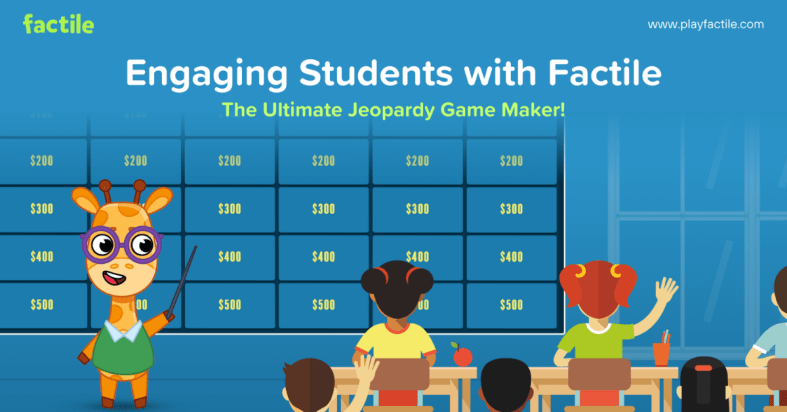
Engaging Students with Factile: The Ultimate Jeopardy Game Maker

In collaboration with Factile. All opinions are my own.

Over the years, I have noticed a decrease in student engagement in my classroom, especially in the fall and spring. Sometimes, disruptions in the learning environment occur because of school activities or testing. Finding ways to authentically and meaningfully engage students can sometimes be a challenge, especially at these and other times during the school year. For educators, finding a nice blend of traditional teaching methods with interactive technology can help foster an engaging and supportive learning environment for all students.

A few months ago, I learned about Factile, the ultimate online Jeopardy game maker! As a huge fan of Jeopardy, years ago, I designed activities for my students in the Jeopardy-style. However, it took way more time than it does now!

Factile helps teachers review different topics, assess students, and reinforce learning, and it is all done in far less time. It provides a fun, interactive way to review the material, improve content retention, and save teachers valuable time. One of the most common challenges that I hear from educators and also experience myself is finding the time to dive in! Factile makes it easy for educators to get started right away. I think it is a must-have tool for educators because it benefits student engagement and helps with retention of the content. And because of how quickly we can create, it boosts teacher efficiency.

The Power of Engagement Through Gamification

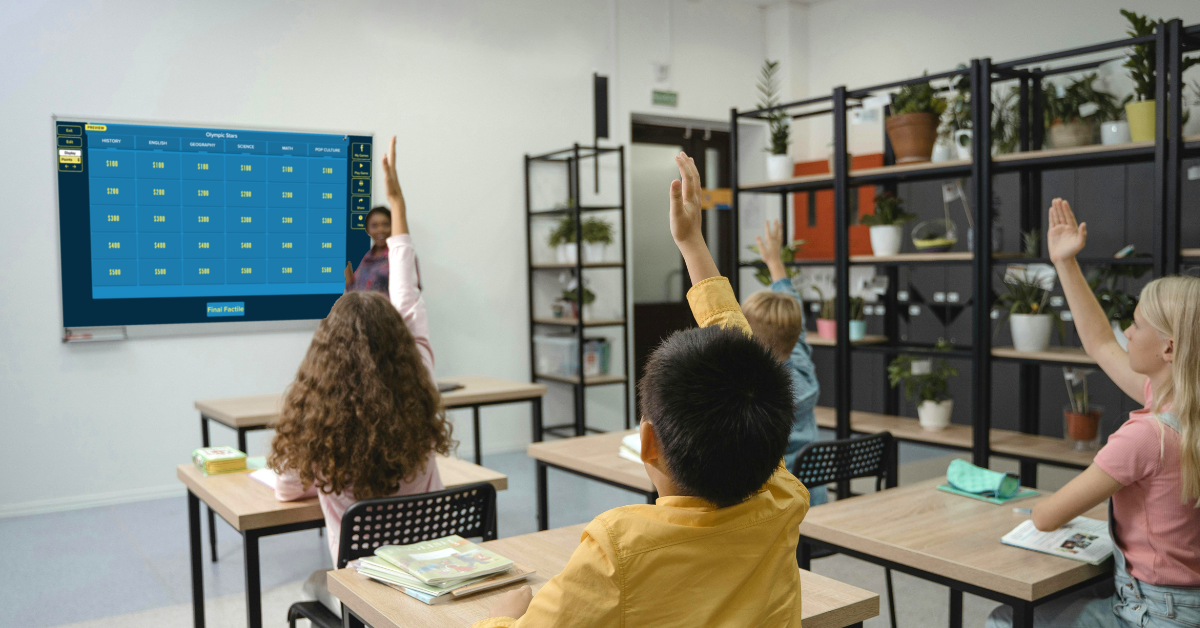
Gamification, the practice of applying game-like elements to non-game environments, has been shown to increase student motivation, participation, and content retention. Getting started with Factile was easy and fun! Educators can create and tailor the classic Jeopardy game for their classroom, making learning feel like a fun, competitive challenge between students!

I find Factile to be very useful for reviewing new material, reinforcing key concepts we are covering, or preparing students for upcoming assessments. It definitely adds excitement to the learning experience for students and teachers too! Students in my class always enjoy friendly competition as they race against the clock or buzz in to answer a question. It engages them in more active learning to reinforce their knowledge and deepen their understanding of the content.

It offers more than just Jeopardy-style games. Other options, including Multiple Choice, Memory, and Quiz Bowl game modes, offer more choices for educators in how they choose to design their review sessions. For example, a science teacher could use the Memory mode to help students memorize important terms and definitions, while a history teacher might use the Multiple Choice mode to quiz students on dates and events. As a language and technology teacher, I can use all of these modes in my classroom, and my students truly enjoy the activities and keep asking for more.

Benefits for Students: Engagement and Content Retention

The first time we played a game, students were immediately drawn in. The interactive nature of the platform boosts student engagement levels and leads to more active participation in the classroom. When students are excited about learning, they are more likely to stay involved, leading to better retention of the reviewed content.

Another benefit is that the variety of game modes meets different student interests and needs. For example:

  • Seeing questions displayed on the game board, with the option to include images, videos, and even math equations, is helpful for all students.
  • The game’s buzzer mode, with sound effects and music, enhances the game-playing experience and adds a little extra fun to learning.
  • Buzzing and answering make more active learning possible. This gives students a chance to be a bit competitive while reinforcing their learning through movement and interaction.

You can decide whether or not to use Buzzer Mode. I will leave that up to you! Buzzer Mode allows students to compete in real-time, either individually or in teams. This feature works on various devices, from computers and tablets to smartphones. As students buzz in to answer, they become more invested in the outcome, deepening their focus on the material being reviewed.

Benefits for Teachers

While the benefits for students are clear, teachers also experience significant advantages from using Factile in their classrooms. One of the biggest benefits is time-saving. Creating a Jeopardy-style review game used to be time-consuming, but Factile makes it easy. In just a few clicks, teachers can build engaging review sessions without the need for complicated design tools or extensive prep work.

Teachers can either build their games from scratch or choose from over 2 million pre-made games covering a variety of subjects, from math and science to history and language arts. This vast library of pre-made games helps teachers find relevant content quickly and use it immediately. Teachers also have the option to customize the pre-made games, adapting them to their specific classroom needs and content.

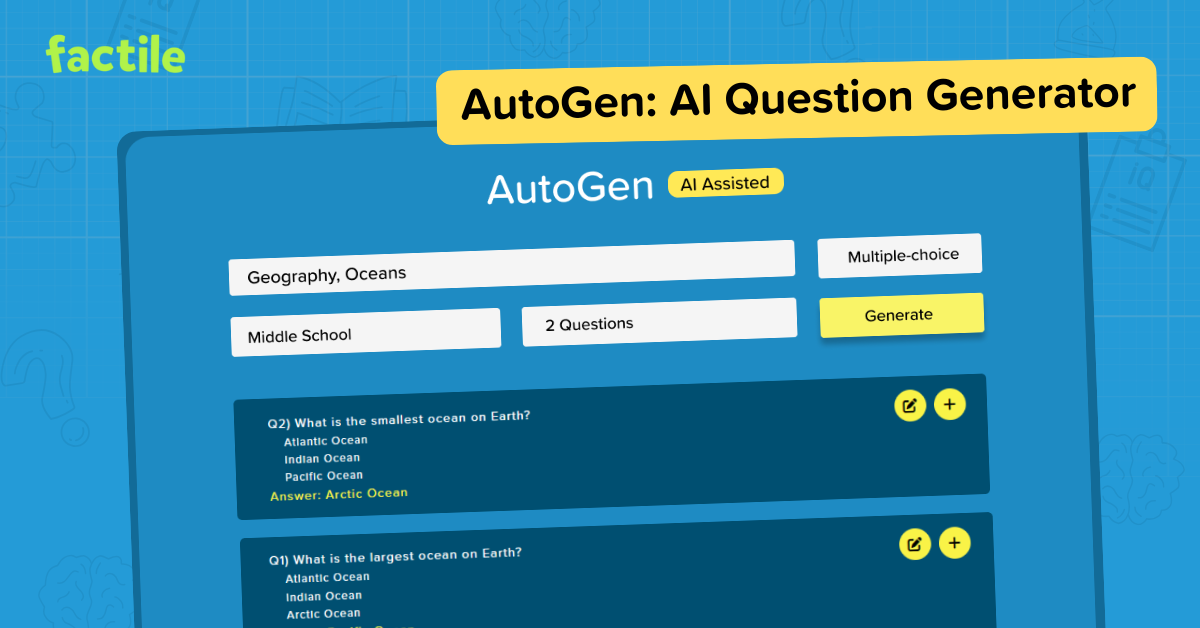
A favorite of mine is the Question Bank feature, which enables teachers to create a bank of questions from which they can generate multiple games on different topics. Using the question bank ensures that students are asked a wide range of questions, which will improve both their recall and their ability to apply the knowledge in different contexts. Another personal favorite is the addition of AutoGen, Factile’s AI-powered tool, which further enhances this process by helping teachers quickly generate questions and answers on any topic, saving valuable time.

Factile also integrates seamlessly with platforms like Google Classroom, making it easy for teachers to assign games and flashcards directly to their students. This feature streamlines the learning process by allowing teachers to monitor student progress and assess understanding outside of the traditional classroom setting.

Tracking Student Progress and Understanding

Factile also helps teachers to track student progress. With the Leaderboard and Analytics feature, teachers can monitor how individual students or teams perform throughout the game. Teachers have real-time feedback on how students understand the material, allowing them to identify areas where additional support or review might be needed.

For example, if a group of students consistently struggles with a particular category or question type, the teacher can use this information to adjust future lessons, ensuring that the entire class is mastering the required content. With Factile, teachers can print quizzes and answer keys directly from the game, which offers more opportunities for assessment and reinforcement of the content.

Factile’s self-paced modes are also valuable for both students and teachers. In Self-Paced Multiple-choice or Interactive Choice modes, students can work through the material independently, outside of class, allowing teachers to assess understanding without needing in-class game time. This asynchronous option gives students flexibility in how they review the material, and the analytics provided by Factile offer insights into individual student progress.

Sharing games and flashcards via email or text further enhances students’ opportunities to build their skills in and out of the classroom. Teachers can easily distribute review materials and ensure all students can access the necessary resources to succeed.

At a time when student engagement and interactive learning are more important than ever, Factile offers a solution that combines the best of both worlds. With its wide array of features and customizable game modes, Factile allows teachers to create engaging and effective review sessions while saving time and improving student outcomes.

Whether you’re looking to boost classroom engagement, improve content retention, or save time on lesson planning, Factile has you covered. It’s free to use, easy to implement, and a game-changer for teachers and students alike. And it is a lot of fun!

So, if you’re ready to try something new, sign up for Factile today and see the impact it can have on your classroom!

Start creating and playing your first Factile game here: https://www.playfactile.com

Dr. Rachelle Dené Poth is a Spanish and STEAM: What’s Next in Emerging Technology Teacher at Riverview High School in Oakmont, PA. Rachelle is also an attorney with a Juris Doctor degree from Duquesne University School of Law and a Master’s in Instructional Technology. Rachelle received her Doctorate in Instructional Technology, and her research focus was on AI and Professional Development. In addition to teaching, she is a full-time consultant and works with companies and organizations to provide PD, speaking, and consulting services. Contact Rachelle for your event!

Rachelle is an ISTE-certified educator and community leader who served as president of the ISTE Teacher Education Network. By EdTech Digest, she was named the EdTech Trendsetter of 2024, one of 30 K-12 IT Influencers to follow in 2021, and one of 150 Women Global EdTech Thought Leaders in 2022.

She is the author of nine books including ‘In Other Words: Quotes That Push Our Thinking,” “Unconventional Ways to Thrive in EDU,” “The Future is Now: Looking Back to Move Ahead,” “Chart A New Course: A Guide to Teaching Essential Skills for Tomorrow’s World, “True Story: Lessons That One Kid Taught Us,” “Things I Wish […] Knew” and her newest “How To Teach AI” is available from ISTE or on Amazon.

Contact Rachelle to schedule sessions about Artificial Intelligence, Coding, AR/VR, and more for your school or event! Submit the Contact Form.

Follow Rachelle on Twitter(X) and Instagram at @Rdene915

**Interested in writing a guest blog for my site? Would love to share your ideas! Submit your post here. Looking for a new book to read? Find these available at bit.ly/Pothbooks

************ Also check out my THRIVEinEDU Podcast Here!

Join my show on THRIVEinEDU on Facebook. Join the group here.

Empowering Educators with Almanack’s Teaching Tools

In collaboration with Almanack. All opinions are my own.

Education is moving fast. Educators have many responsibilities in their work, requiring flexibility and the ability to balance many things at once. Tasks such as lesson planning, creating assessments and grading, differentiating class materials, and finding ways to boost student engagement can be quite time-consuming. In addition to these tasks, educators want to find the best ways to provide all students with a meaningful, impactful learning experience.

All of these responsibilities demand many hours and can also lead to burnout. However, we are teaching during a time of rapidly evolving educational technology, particularly through AI-powered tools. With the increased use of artificial intelligence (AI) in the world and in education, especially over the past two years, it is important to find tools that leverage this power to enhance student learning and benefit educators.

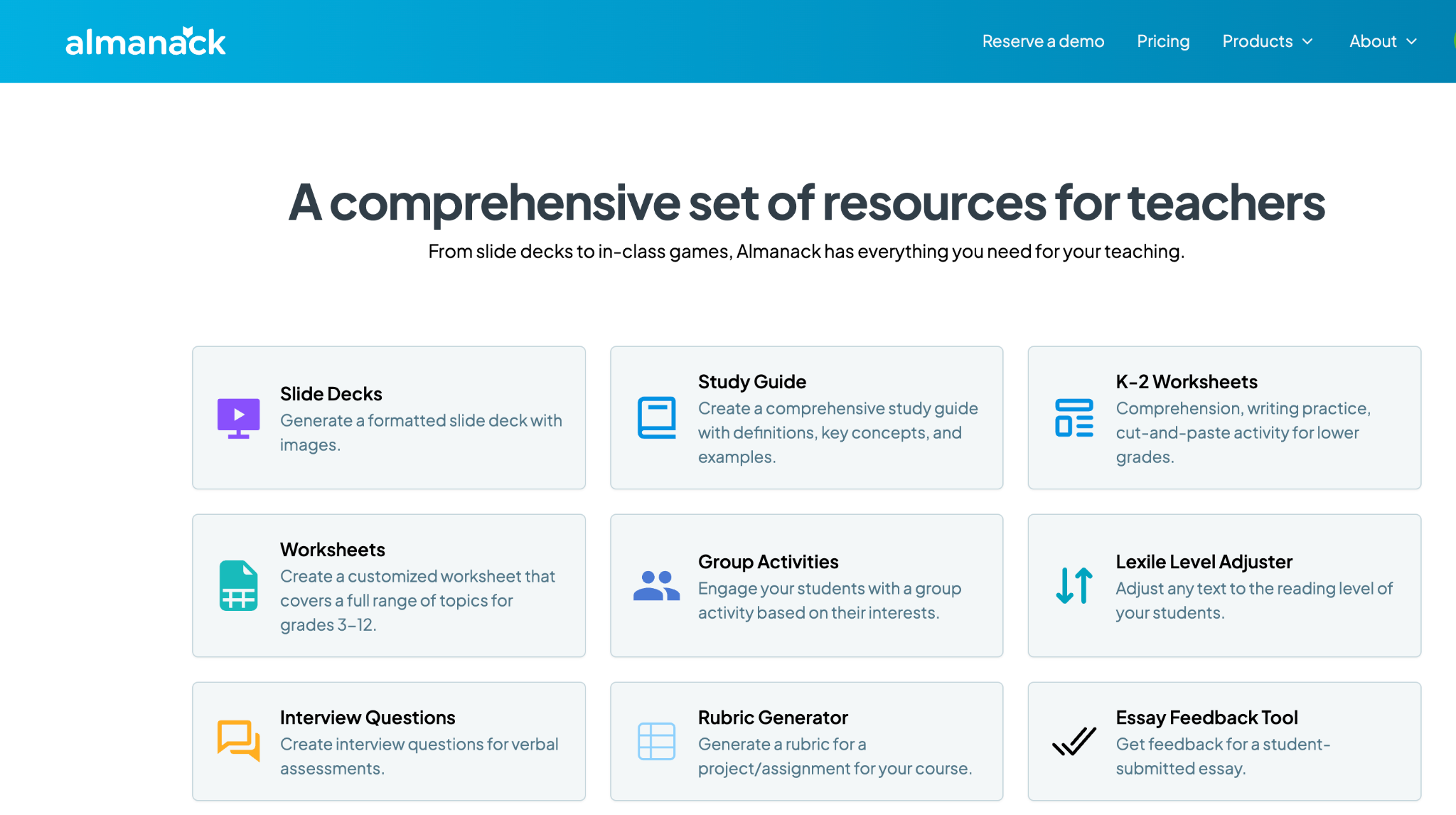
Almanack is a great option for educators searching through the tools available to find something that will help them streamline their workflow. Having one platform that offers a variety of commonly created resources and other materials makes sense. I often tell educators that they need a toolkit. I think that Almanack is an essential toolkit for educators. It offers many options for educators looking to create different resources for students and those who want to save time and become more efficient, which benefits students because educators have more time available for them.

Some of my favorite Almanack features

Almanack isn’t just an educational tool; it’s a robust and comprehensive platform that provides various resources to help educators design and implement effective learning experiences in the classroom. Here are a few examples of why I think Almanack stands out:

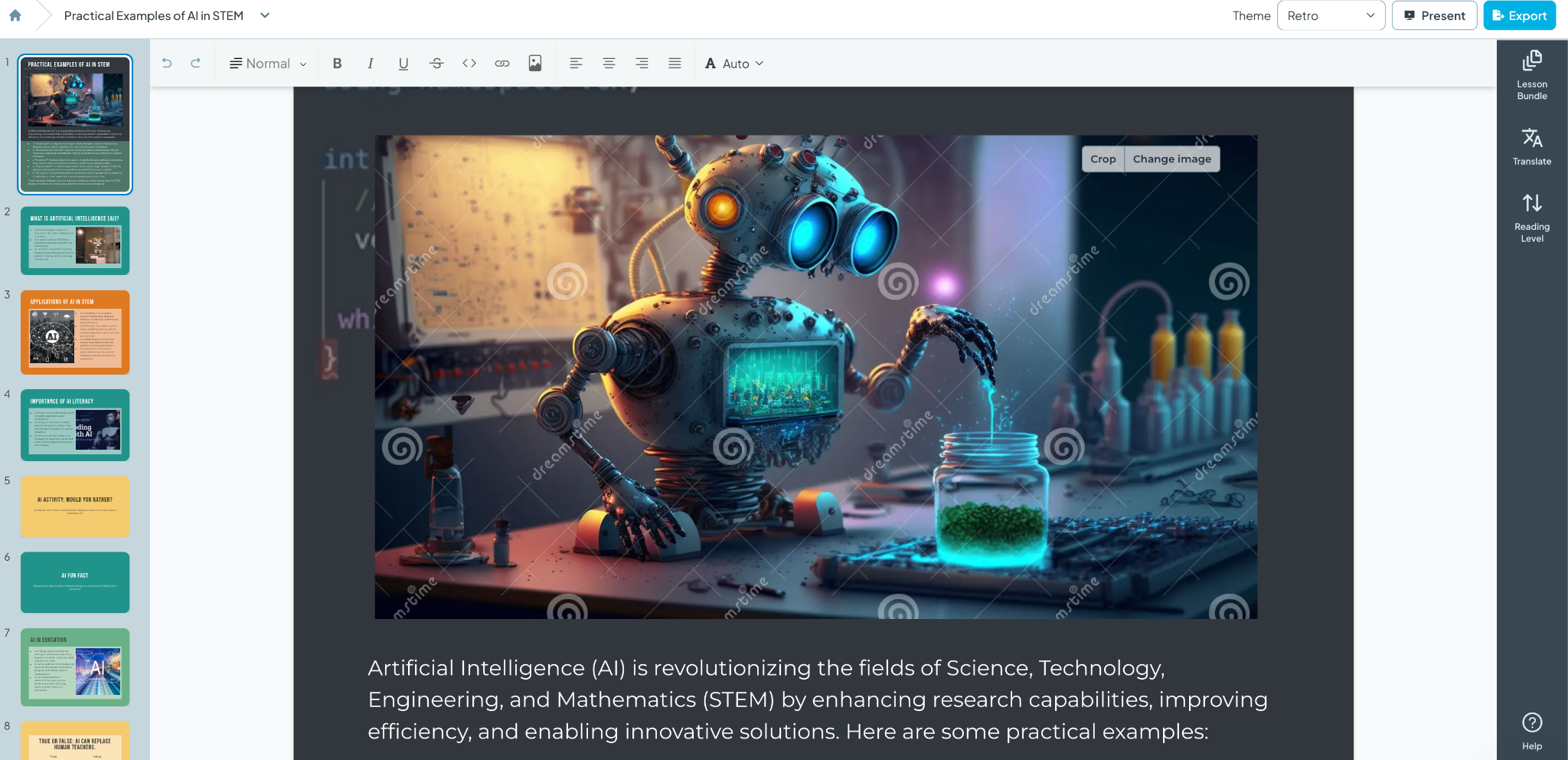
1. Slide Decks and Visual Aids: When I created my first slide deck using Almanack, I was amazed at how professional it looked. The layout, colors, images, and information it generated were all impressive. What would have taken me an hour or more took only a few minutes. Almanack enables educators to leverage AI to create visually appealing slide decks that are informative and more engaging for students. The decks can then be customized with your own images and specific content that aligns with the lesson. See below for an example created simply with a prompt! And it can be translated to different languages!

2. Customizable Worksheets: From K-2 literacy and numeracy activities to advanced topic sheets for grades 3-12, Almanack provides templates that can be customized to fit any subject area. I spend a lot of time creating worksheets for my students and want to provide different activities that best meet my students’ needs. Creating worksheets is easy with Almanack.

3. Interactive Classroom Games: Students love playing games, and when they can interact, the benefits are great. Building collaboration, communication, critical thinking, and problem-solving skills are essential for future success. Almanack offers a variety of options, including Battleship-style review games, Bingo, Forbidden Words, and Jeopardy. What once took a lot of time to create is now easier, and it adds fun to the learning experience, promotes retention, and encourages student participation.

4. Comprehensive Study Guides and Rubrics: Teachers can quickly create graphic organizers, detailed study guides, and rubrics to provide students with clear expectations and study aids to support their learning.

5. Multilingual Support: As a language educator, I always explore the languages available within the tools that I use. Almanack can translate text lesson plans and resources into multiple languages, ensuring no student is left behind due to language barriers. Select the Output language when creating your resource; the translation will be done for you.

Compliance and Security: A Core Priority

A common concern is data privacy and security. Almanack complies with COPPA and FERPA, which shows its commitment to safeguarding student information. It strictly regulates the collection and use of personal data to provide a secure environment for students and educators.

Standards Aligned

Almanack also has state standards pre-loaded on its platform. This helps teachers to save time when creating standards-based assessments. It also allows teachers to design and map their curriculum to ease the overhead of tracking compliance with school curriculum/state standards.

Innovations in Worksheet and Assessment Design

Recent updates to Almanack have introduced features like the ability to create differentiated worksheets. Teachers can design their learning materials to meet the specific needs of their students, ensuring that each student can engage with the content at a level that challenges them appropriately. You can also create answer keys directly within the worksheet editor, simplifying the assessment process and enabling teachers to provide timely and accurate feedback, which is essential for student growth.

Effective Teaching with Almanack’s Lesson Planning Tools

Educators may implement a variety of lesson planning methodologies, such as Understanding by Design (UbD) and the 5E instructional model, which are commonly used since they meet a range of teaching styles and are appropriate for all subject areas. Other great options include resources that help plan a project-based learning activity or a simulation, which help educators foster an engaging and informative classroom environment.

Ease of Use

When I first use a website or try a new digital tool, I focus on its ease of use and how user-friendly it is. Almanack is very user-friendly, making it easy for teachers to create lesson plans and classroom resources in minutes. They don’t need any prior experience in AI or knowledge of how to use complex software. It is a very intuitive platform, so educators don’t have to worry about losing time learning how to use it. They can dive right in.

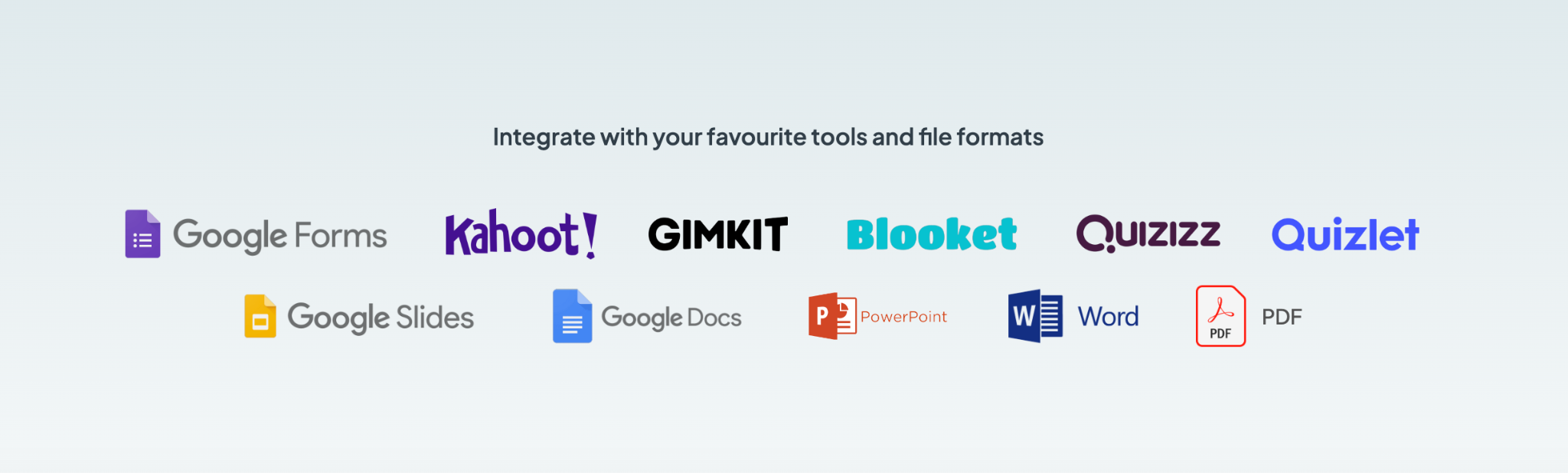
Almanack offers teachers a comprehensive set of tools. I always recommend exploring the different options and considering what would benefit you and your students right now. Something with gamification? Opportunities for students to collaborate? Or something to help you save time and design engaging lessons and presentations for your students. Explore Almanack’s tools and its integration with some other favorites! Whatever you need to create, getting started with Almanack will be easy!

About Rachelle

Dr. Rachelle Dené Poth is a Spanish and STEAM: What’s Next in Emerging Technology Teacher at Riverview High School in Oakmont, PA. Rachelle is also an attorney with a Juris Doctor degree from Duquesne University School of Law and a Master’s in Instructional Technology. Rachelle received her Doctorate in Instructional Technology, and her research focus was on AI and Professional Development. In addition to teaching, she is a full-time consultant and works with companies and organizations to provide PD, speaking, and consulting services. Contact Rachelle for your event!

Rachelle is an ISTE-certified educator and community leader who served as president of the ISTE Teacher Education Network. By EdTech Digest, she was named the EdTech Trendsetter of 2024, one of 30 K-12 IT Influencers to follow in 2021, and one of 150 Women Global EdTech Thought Leaders in 2022.

She is the author of nine books including ‘In Other Words: Quotes That Push Our Thinking,” “Unconventional Ways to Thrive in EDU,” “The Future is Now: Looking Back to Move Ahead,” “Chart A New Course: A Guide to Teaching Essential Skills for Tomorrow’s World, “True Story: Lessons That One Kid Taught Us,” “Things I Wish […] Knew” and her newest “How To Teach AI” is available from ISTE or on Amazon.

Contact Rachelle to schedule sessions about Artificial Intelligence, Coding, AR/VR, and more for your school or event! Submit the Contact Form.

Follow Rachelle on Twitter(X) and Instagram at @Rdene915

**Interested in writing a guest blog for my site? Would love to share your ideas! Submit your post here. Looking for a new book to read? Find these available at bit.ly/Pothbooks

************ Also check out my THRIVEinEDU Podcast Here!

Join my show on THRIVEinEDU on Facebook. Join the group here.

Digital Citizenship

Digital Citizenship Week is celebrated in October each year. The focus is on building digital citizenship skills, and there is a designated digcit week with events planned for schools to join in and learn more. These are concepts that teachers and schools should focus on throughout the year as well. With the increased use of digital tools in our classrooms and the amount of technology used in everyday life and work, we must consistently provide learning opportunities for students to develop “digcit” skills.

Being a responsible digital citizen means that all individuals are able to use technology ethically, responsibly, and effectively. It is important to develop an understanding of the impact that one’s digital actions can have on other individuals and on society as a whole. Students and teachers must be able to keep themselves safe, know how to protect their privacy, learn how to critically analyze information, and engage in respectful interactions online.

Teaching digital citizenship skills

Privacy and security: With increased data collection and online tracking of websites we use and how our information is shared, understanding how to safeguard our privacy is key. With more students using digital tools and at a younger age, it is essential to build in activities that will help students to better understand how to protect themselves and to respect the privacy of others as well. For instance, teaching students how to create unique passwords is key for securing personal information. With the increase in cybersecurity attacks over the past few years, updating passwords and even using two-factor authentication (TFA) will help to keep everyone safer.

Communication: With the variety of social media platforms available and how quickly we can post and respond, providing opportunities for students to practice responsible posting is an area that we need to focus on regularly. Even with young students, simulating a Twitter (X) chat or other online discussion can be done using Post-it notes, for example. Depending on grade level, another option is to use a tool like Padlet to help students learn how to properly post and interact with one another.

Continue reading the original post on Edutopia.

About the Author:

Dr. Rachelle Dené Poth is a Spanish and STEAM: What’s Next in Emerging Technology Teacher at Riverview High School in Oakmont, PA. Rachelle is also an attorney with a Juris Doctor degree from Duquesne University School of Law and a Master’s in Instructional Technology. Rachelle received her Doctorate in Instructional Technology, and her research focus was on AI and Professional Development. In addition to teaching, she is a full-time consultant and works with companies and organizations to provide PD, speaking, and consulting services. Contact Rachelle for your event!

Rachelle is an ISTE-certified educator and community leader who served as president of the ISTE Teacher Education Network. By EdTech Digest, she was named the EdTech Trendsetter of 2024, one of 30 K-12 IT Influencers to follow in 2021, and one of 150 Women Global EdTech Thought Leaders in 2022.

She is the author of nine books including ‘In Other Words: Quotes That Push Our Thinking,” “Unconventional Ways to Thrive in EDU,” “The Future is Now: Looking Back to Move Ahead,” “Chart A New Course: A Guide to Teaching Essential Skills for Tomorrow’s World, “True Story: Lessons That One Kid Taught Us,” “Things I Wish […] Knew” and her newest “How To Teach AI” is available from ISTE or on Amazon.

Contact Rachelle to schedule sessions about Artificial Intelligence, Coding, AR/VR, and more for your school or event! Submit the Contact Form.

Follow Rachelle on Twitter(X) and Instagram at @Rdene915

**Interested in writing a guest blog for my site? Would love to share your ideas! Submit your post here. Looking for a new book to read? Find these available at bit.ly/Pothbooks

************ Also check out my THRIVEinEDU Podcast Here!

Join my show on THRIVEinEDU on Facebook. Join the group here.

Sing a Song about Ms. Davey

Guest post by Rachel Wood, PhD Candidate studying AI and the future of work, education, and relationships: LinkedIn at www.linkedin.com/in/rachelwoodphd

Opinions expressed are those of the guest blogger.

Every night at bedtime, I sing songs with my son. We snuggle close as the lyrics “lullaby and goodnight, go to sleep…” dance off our lips. Lately, he has begun asking me to make up songs about various important objects in his life- blue blankey, mister fox, and big excavators. I sing songs on the spot that tie melodies to his little world of things. One night, out of his mouth comes “sing a song about Ms. Davey”. Delightfully surprised, I met this request with a smile in my heart because of how it exemplified the fondness he feels toward his school teacher. 

Educators are irreplaceable. They are far more than academic messengers; they serve as overseers of students’ psychological wellbeing. Learning has been and always will be a social experience. We learn from teachers, from peers, from successes, from mistakes, and from interactions with others. Sure, we learn our academic material, but more so, we learn social and relational skills. We begin to learn our place in the world as we rub shoulders with others. Relationships are the foundation for motivation and learning (McKay & Macomber, 2023). Educators offer numerous key psychological and relational nutrients, two of which are object constancy and friction. These unique human components are increasingly important to instill in students amidst a world of proliferating emerging technologies. 

Object Constancy 

Definition: object constancy begins when the “empathic parent holds a vision of the future child and in various ways mediates this vision to the child. The child, in identification with it, can then grow. By internalizing aspects of the parent, the child also internalizes the parent’s image of the child…a primary concern for a teacher is the aiding in the growth and development of another. The idea that teacher’s capacity to imagine future growth, anticipate something for the student, hold that in mind for them, and offer that vision is a reflective way of expanding possibilities and potentialities for them. Perhaps in this way, the successful, authentic, and autonomous student begins in the mind of the teacher” (Danze, 2022, pg. 149).

As overseers of students’ psychological and emotional development, educators contribute to the formation of students’ object constancy. Object constancy is a psychological concept describing how we acquire our internal voice. When we are young, parental figures, family members, and teachers speak into us and speak over us. The tone and content of these voices become embedded in our developing identities. Over time, and with enough repetition, these voices become our own internal voice. For better or for worse, what we hear in our early developmental stages sticks with us. Object constancy is when we internalize external voices, making them our own inner dialog. 

Educators contribute to students’ developing object constancy on a regular basis; recognizing achievements, applauding kindness, and course-correcting missteps. Teachers even have the privilege of helping rewire negative voices ringing in students’ ears. Neuroplasticity is the science that reveals how we can change our thoughts, feelings, and actions, unlearning that which is detrimental and instead, learning what is beneficial. A consistent, encouraging voice from a teacher can act as a counterpoint to disparaging voices that may be lingering in students’ minds. Just as educators help students internalize positive voices, they also create opportunities for students to learn from challenges.

Friction

Definition: friction is “shap[ing] learning as people with different backgrounds and skill sets engage with each other on real problems if these people are provided with the right context. Productive friction is particularly valuable at boundaries because it exposes people to different ways of seeing problems and the potential solutions” (Ward et al., 2011).

All human relationships contain some degree of friction. Friction is the concept of learning through challenges. Friction may be small or great, it may be above or below the surface, and it may be beneficial or consequential. Friction is a necessary element of relationships because it teaches us to consider others, compromise, and reduces our tendency toward self-absorption. Educators encourage, yes, but they also challenge. Both are equally important. Excellent educators can gauge the individual balance for each student between encouragement and challenge. This both affirms students as they are and calls them forward to who they can be. 

AI and Educators 

Definition: Artificial Intelligence, AI is broadly defined as giving a computer human-like capabilities, such as understanding, problem-solving, and reasoning (Enholm et al., 2022).

Object constancy and friction are two components of relationships that cannot be replaced by emerging technologies such as Artificial Intelligence (AI). Sure, on a superficial level you could prompt a Generative AI Large Language Model to mimic these relational elements, but they come naturally in human interactions. There are specific use cases for AI that can offer support in the form of augmentation for teachers who are overwhelmed with work yet longing to return to what led them to education in the beginning: the opportunity to positively influence students through relational connection. There is a place for AI in the classroom that does not threaten but enhances the role of the teacher. Drawing the conclusion that we must choose between teachers and AI is a false dichotomy. Augmenting work with AI can serve as a catalyst to redesign the vocational identity of educators. This ever-present help can afford teachers the opportunity to once again return to a primary role of relational facilitator and guide. Bringing AI into the classroom cannot and will not replace educators, but it may open the door for administrative burdens to lighten and therefore relational dynamics to increase. 

The vital role of educators extends beyond the confines of academic instruction, shaping students’ emotional and psychological landscapes through concepts like object constancy and friction. Just as the simple yet profound request to “sing a song about Ms. Davey” highlights the deep bond students form with their teachers, it underscores the immeasurable value of human connection in education. Successful integration of AI into the classroom is predicated upon the fact that technology complements, not replaces, the relational essence of teaching. Leveraging AI to assist with administrative tasks allows educators to return to their core mission: fostering meaningful relationships that guide and shape students’ development. So tonight, as we sing about Ms. Davey, and by extension countless other educators, may AI serve as a tool to enhance impact, and bolster ongoing service in the name of young minds. 

References

Danze, E. (2022). How the psychoanalytic use of object constancy and internalization can inform our understanding of the teacher/student relationship. ACSA 110th Annual Meeting. https://www.acsa- arch.org/proceedings/Annual%20Meeting%20Proceedings/ACSA.AM.110/ACSA.AM.1 10.20.pdf?v=2

Enholm, I. M., Papagiannidis, E., Mikalef, P., & Krogstie, J. (2022). Artificial intelligence and business value: A literature review. Information Systems Frontiers24(5), 1709-1734. https://doi.org/10.1007/s10796-021-10186-w

McKay, C., & Macomber, G. (2023). The Importance of Relationships in Education: Reflections of Current Educators. Journal of Education203(4), 751-758. 

https://doi.org/10.1177/00220574211057044

Ward, C. J., Nolen, S. B., and Horn, I. S. (2011). Productive friction: How conflict in student teaching creates opportunities for learning at the boundary. International Journal of Educational Research, 50(1), 14-20. https://doi.org/10.1016/j.ijer.2011.04.004

Interested in guest blogging or Rachelle’s consulting services?

Contact Rachelle to schedule sessions about Artificial Intelligence, Coding, AR/VR, and more for your school or event! Submit the Contact Form.

Follow Rachelle on Twitter(X) and Instagram at @Rdene915

**Interested in writing a guest blog for my site? Would love to share your ideas! Submit your post here. Looking for a new book to read? Find these available at bit.ly/Pothbooks

************ Also check out my THRIVEinEDU Podcast Here!

Join my show on THRIVEinEDU on Facebook. Join the group here.
Collaborate with Walter, Your AI Teaching Assistant

In collaboration with Noodle Factory, all opinions are my own.

As an educator constantly seeking innovative methods to enhance learning and teaching, my exploration recently led me to an exciting platform: Noodle Factory. When I find a new tool, especially when it comes to AI, I love sharing my experiences so that other educators can get started.

It has been fun exploring its various options and, in particular, its standout features, such as Walter+, the AI teaching assistant designed for grades K through 12. Walter+ is designed to help educators enhance and transform the learning experiences they provide for students. Noodle Factory makes it easy to get started by providing guidance, being available for questions, and even doing a demo! For any educator wondering where to begin with AI in their classroom, I definitely recommend exploring Noodle Factory and seeing the impact on student learning. Giving students a chance to learn about and interact with AI is important.

Why AI in Education Matters

The integration of AI in education is reshaping how educators deliver the content and impacting how students engage with the material. With purposeful use and the right pedagogical practices, AI tools can assist educators in various ways. It can help to personalize learning, automate grading, and create engaging, interactive content while complementing traditional teaching methods. Noodle Factory provides tools that are not just innovative but also intuitive and effective for use in the classroom. Especially as educators seek more efficient ways to deliver instruction and provide feedback to students, knowing how to leverage the power of AI is key. Noodle Factory offers innovative tools that enhance both learning and teaching processes.

First Experiences with Noodle Factory

When I first started with Noodle Factory, I was quite surprised by how easy it was to generate personalized learning resources for students. By uploading some of my teaching materials onto the platform, I saw how Walter+ tailored these resources into personalized learning experiences. I was impressed with its AI-driven dialogue system, which engages students in meaningful conversations and helps enhance their overall comprehension and retention of the content.

Using AI-powered tools such as Walter+ to create personalized learning experiences has been a game changer. I uploaded my teaching materials and waited briefly while Walter transformed them into interactive, engaging learning modules specific to my students’ needs. Noodle Factory’s ability to generate context-aware conversation flows and also, its ability to provide multilingual support enables educators to effectively reach students coming from different language backgrounds.

My favorite Noodle Factory Features

There are great features in Noodle Factory that will significantly impact teaching and students’ learning:

AI-driven Personalized Learning: Walter+ adapts to each student’s learning pace, helping to promote a more inclusive and effective learning environment.

We know that in order to accommodate students’ diverse learning needs, we have to understand where they are in the learning process and provide authentic, meaningful, and timely feedback. When this is possible in real-time, teachers can adjust, and each student can receive tailored educational experiences, which we know is crucial for learning. It provides students with instant, constructive feedback, which is key to fostering their academic growth.

Automated Grading and Feedback: We know that grading can take a great deal of time, especially when providing specific feedback for students. With Noodle Factory, educators can save time and provide students with immediate, actionable feedback, helping them understand their strengths and areas for improvement. This, of course, means that teachers can spend more time working directly with students, too!

Engaging and Interactive Content Creation Tools: With the various options available, I am able to boost student engagement. Noodle Factory’s tools enable me to transform traditional lessons into more interactive sessions that spark students’ interest and foster deeper learning. Student engagement, which can be a challenge, is now an area that we can boost because of the tools available to us.

Results: Positive Impact on Teaching and Learning!

By using Noodle Factory, educators will see a boost in student engagement and learning performance. Noodle Factory helps with our productivity through its features, such as automated grading and real-time insights into students’ progress. Being able to grab a quick glimpse into where students are in the learning journey is so helpful for targeting our instruction as needed. Gathering feedback from students is also important as it helps us to know what works for them and how to enhance their learning experiences. It also assists with providing a personalized approach through an interactive learning environment.

The real-time performance tracking and flexible assessment modules help teachers tailor their teaching strategies in real time to best meet individual student needs. Give Noodle Factory a try today and see the impact it makes in your classroom, for students, and for your work as an educator!

Interested in experiencing this transformative tool? Great news! I’m offering an exclusive code for my readers to try the premium plan (Educator Plus) on Noodle Factory. Discover how Walter+ can enhance your teaching and provide your students with an unmatched educational experience. And be sure to let me know how it goes for you!

P.S. Check out my podcast episode, where I chat with the Co-Founders of Noodle Factory Yvonne and Jim! Listen here!

About the Author:

Dr. Rachelle Dené Poth is a Spanish and STEAM: What’s Next in Emerging Technology Teacher at Riverview High School in Oakmont, PA. Rachelle is also an attorney with a Juris Doctor degree from Duquesne University School of Law and a Master’s in Instructional Technology. Rachelle received her Doctorate in Instructional Technology, and her research focus was on AI and Professional Development. In addition to teaching, she is a full-time consultant and works with companies and organizations to provide PD, speaking, and consulting services. Contact Rachelle for your event!

Rachelle is an ISTE-certified educator and community leader who served as president of the ISTE Teacher Education Network. By EdTech Digest, she was named the EdTech Trendsetter of 2024, one of 30 K-12 IT Influencers to follow in 2021, and one of 150 Women Global EdTech Thought Leaders in 2022.

She is the author of nine books including ‘In Other Words: Quotes That Push Our Thinking,” “Unconventional Ways to Thrive in EDU,” “The Future is Now: Looking Back to Move Ahead,” “Chart A New Course: A Guide to Teaching Essential Skills for Tomorrow’s World, “True Story: Lessons That One Kid Taught Us,” “Things I Wish […] Knew” and her newest “How To Teach AI” is available from ISTE or on Amazon.

Contact Rachelle to schedule sessions about Artificial Intelligence, Coding, AR/VR, and more for your school or your event! Submit the Contact Form.

Follow Rachelle on Twitter(X) and Instagram at @Rdene915

**Interested in writing a guest blog for my site? Would love to share your ideas! Submit your post here. Looking for a new book to read? Find these available at bit.ly/Pothbooks

************ Also check out my THRIVEinEDU Podcast Here!

Join my show on THRIVEinEDU on Facebook. Join the group here.

Start the New School Year with Nous AI from MatataStudio!

In collaboration with MatataStudio EDU, Opinions are my own

The Nous AI Set is one of MatataStudio’s standout products. I have used all of their other great products in my classroom and have been amazed by what you can do with the Nous Set!

I had a chance to stop by their booth while attending and presenting at ISTE 2024 in Denver. It was awesome to see all of their fabulous products for students of all ages! It was also great to speak with their amazing team and learn about the options and new resources that are coming from MatataStudio for students! Thank you, Vivian!

[At the booth during ISTE, so many awesome learning resources to explore!]

Nous AI is designed to provide students with an understanding of artificial intelligence (AI) and enable them to build their knowledge through the various activities they can choose from and complete independently! What makes Nous different is its modular design. Students can choose how to design it, which allows it to support a variety of AI technologies and functions. Students can learn about machine learning, neural networks, machine vision, speech recognition, and autonomous driving capabilities, and more. It also offers tools like MatataChat and a range of other AI applications that are available right on its touchscreen.

The robot comes with a metal structure, and it is also compatible with building block structures, so it is a versatile tool for boosting creativity and problem-solving in its assembly and through robotics projects. The expandable electronic module system allows students to customize and enhance their projects, fostering a sense of ownership and creativity and leading to more authentic learning. Whether it’s programming with graphical interfaces or diving into Python programming, the Nous AI Set provides students with a comprehensive platform to explore the world of AI and have fun while doing so.

Engaging in Design and Engineering Thinking

What I appreciate about the Nous AI Set is how it encourages students to engage in design and engineering thinking, which helps them develop a greater interest in the learning process. In my classroom, I’ve seen students become deeply involved in designing, building, and testing their projects. A hands-on approach to learning is essential for developing critical thinking and problem-solving skills, which are crucial for future careers in STEM fields and beneficial in so many areas.

The Nous AI Set allows students to iterate on their designs, test different solutions, and refine their projects as they go. This iterative process is key to helping students build essential skills such as resilience and problem-solving. When students learn to view challenges as opportunities for growth rather than as obstacles, it provides them with skills that will benefit them now and as they prepare for the future. By focusing on the learning process rather than just the final product, students develop a deeper understanding of the principles of engineering and design.

Why should you explore Nous AI?

The Nous AI Robot is a transformative tool for STEAM education and works well in any classroom. MatataStudio offers options for each grade band and provides educators with a comprehensive and engaging way to teach AI and coding to all students. Its modular design, dual programming capabilities, and extensive learning resources make it suitable for students of varying skill levels and interests.

There are many possibilities, and with the Nous AI Set, we can help better prepare students for the future. As an educator who has seen the great impact on student collaboration in building the robot and the ideas that students generated, I recommend the Nous AI Robot for any classroom looking to incorporate AI and robotics into their curriculum, especially as a fun, impactful way to start a new school year! And explore new ideas and challenges throughout the year.

Whether you have years of experience or are new to teaching AI and coding, the Nous AI Robot provides the tools and resources to create a dynamic and interactive learning environment. The focus on hands-on learning and building connections to real-world applications ensures that students not only learn but also experience the exciting world of AI and robotics. There are so many tutorials available to help educators and students get started!

Real-World Applications

The Nous AI Robot is not just a learning tool; it also provides students with insights into real-world AI applications. For example, students can dive in and learn about AI through its activities focused on image recognition, speech recognition, and autonomous driving. Students can see how AI technologies are used in everyday life. These opportunities help students see the relevance of what they are learning, and hopefully, it will inspire them to pursue careers in AI and technology. It is so easy to use with its programmable touchscreen, which sparks curiosity for learning!

Project-based learning (PBL) is a great way to engage students in authentic, meaningful, and real-world learning. It is an essential component of the Nous AI curriculum. Students engage in projects that require them to build and then apply their knowledge of AI, programming, and engineering. The projects help reinforce AI concepts through practical application, which makes learning more effective, memorable, and fun for all students!

The Right Resources for Educators

MatataStudio doesn’t just provide innovative tools—they also offer fantastic learning resources to support educators and students. Educators can access online tutorials and curriculum guides, and various professional development resources are available. MatataStudio ensures that educators have everything they need to effectively integrate the Nous AI Set into their classrooms. These resources are invaluable in helping educators guide their students through the various functionalities of the robot, ensuring a comprehensive understanding of AI and programming.

I had a chance to explore these guides, and everything educators need to get started is available!

The curriculum guides provided by MatataStudio align with CSTA (Computer Science Teachers Association) and ISTE (International Society for Technology in Education) standards, as well as the 5 Big Ideas in AI, ensuring that the content is relevant and aligned with best practices in education.

As a STEAM educator who greatly values bringing STEM to all classrooms and learning about AI, I appreciate the resources provided because they are incredibly helpful for educators who want to plan and deliver lessons that are engaging and educational for all students.

With these options, educators don’t have to worry about spending a lot of time looking for the right resources and lessons to dive in. MatataStudio provides everything you need to get students started and let them take the lead! Create and innovate in our classrooms!

About the Author:

Dr. Rachelle Dené Poth is a Spanish and STEAM: What’s Next in Emerging Technology Teacher at Riverview High School in Oakmont, PA. Rachelle is also an attorney with a Juris Doctor degree from Duquesne University School of Law and a Master’s in Instructional Technology. Rachelle received her Doctorate in Instructional Technology, and her research focus was on AI and Professional Development. In addition to teaching, she is a full-time consultant and works with companies and organizations to provide PD, speaking, and consulting services. Contact Rachelle for your event!

Rachelle is an ISTE-certified educator and community leader and served as president of the ISTE Teacher Education Network. She was named the EdTech Trendsetter of 2024 by EdTech Digest, one of 30 K-12 IT Influencers to follow in 2021, and one of 150 Women Global EdTech Thought Leaders in 2022.

She is the author of nine books including ‘In Other Words: Quotes That Push Our Thinking,” “Unconventional Ways to Thrive in EDU,” “The Future is Now: Looking Back to Move Ahead,” “Chart A New Course: A Guide to Teaching Essential Skills for Tomorrow’s World, “True Story: Lessons That One Kid Taught Us,” “Things I Wish […] Knew” and her newest “How To Teach AI” is available from ISTE or on Amazon.

Contact Rachelle to schedule sessions about Artificial Intelligence, Coding, AR/VR, and more for your school or your event! Submit the Contact Form.

Follow Rachelle on Twitter(X) and Instagram at @Rdene915

**Interested in writing a guest blog for my site? Would love to share your ideas! Submit your post here. Looking for a new book to read? Find these available at bit.ly/Pothbooks

Bringing STEM to All Classrooms

Updated from a prior post

With the school year ending, it does not mean that learning has to stop. Throughout the summer, students and educators have time to relax and recharge, but it can also be a good opportunity to take advantage of some learning experiences. I think it is a fantastic time to dive into STEM learning, especially with having more time to get outside and explore! There are a lot of opportunities that promote engaging, hands-on activities for students and educators. Find some maker projects, ways to connect in the community and engage in place-based learning, or even participate in STEM camps or events that local organizations or schools may offer.  

With a reported 3.5 million jobs requiring STEM skills by 2025, it is important to find opportunities that will help students learn about the possibilities in these fields and develop the essential skills that are in demand.

Here are three ideas to consider for the summer that might also be a great way to start the next school year!

1. DIY STEM Projects

Getting involved in STEM learning in the summer does not require many materials at all. When students and educators engage in “do-it-yourself “(DIY) STEM projects, it helps to fuel creativity and excitement in learning. The possibilities for DIY STEM projects are limitless. There are books and resources available online to explore. Dr. Jacie Maslyk shares many ideas in her blogs and books for STEM-focused learning. The benefits are that it allows students to consider different materials and problem-solve or create a design. DIY activities are great for encouraging students to find a solution to a local or global challenge and see the impact they can make when they develop their STEM skills! Projects like this will not only foster a sense of accomplishment but will encourage critical thinking, problem-solving, and innovation. Students can shift from simply being consumers to becoming creators and innovators!

2. Place-Based Learning

With additional time in the summer or even throughout the year, connecting students with opportunities for real-world learning in their community is essential. By volunteering or participating in place-based learning, students can connect with community members working in STEM careers, for example. These collaborations enable students to apply their knowledge in practical, real-world settings. Whether it’s working in a community organization that is focused on nature preservation, assisting with projects in the community, or taking advantage of internships and mentorship programs, students can get a glimpse into the professional world and build self-awareness of their interests in learning and future careers. We want our students to develop their global awareness, learn about the challenges being faced in the world, and then come up with solutions. Connecting with the community and engaging in place-based learning provides more authentic and real-world learning for students, which will promote student engagement and be more meaningful.

3. Virtual Programs and Online Courses

There are many tools available online for students to explore at their own pace and to find a topic of interest. Diving into programs to learn about coding and robotics, for example, offers many great benefits for students. Students can learn about programming languages, create their own software, or build robots or chatbots. With the resources available, students will develop computational thinking and problem-solving skills while also having the opportunity to boost their creativity.

Online courses and virtual programs provide flexibility, which enables students to learn at their own pace and explore topics of interest. Many of the programs and tools available offer interactive simulations, video tutorials, sample activities, and more, which help to engage students more in learning. Some sites such as Code.orgMITAIClubScratch, and Tynker provide interactive coding tutorials and projects suitable for beginners. I recommend exploring Minecraft Education and Hacking STEM to give even more choices. For some robots, check out MatataStudio products such as TaleBot Pro or Vinci Bot or check out Marty the Robot from Robotical! Interested in augmented and virtual reality, dive into CoSpaces Edu!

Code with Google is focused on closing equity gaps in computer science opportunities and offers free resources for students. For older students and educators looking for courses and more activities, websites like Khan Academy and Udemy have courses covering various STEM topics, allowing students to learn at their own pace and explore their interests.

Summer learning opportunities for STEM can offer students a transformative learning experience that will spark their curiosity for learning and cultivate STEM-focused careers. These opportunities not only enhance academic skills but also equip students with essential 21st-century competencies, such as critical thinking, collaboration, and adaptability.

About the Author:

Rachelle Dené is a Spanish and STEAM: What’s Next in Emerging Technology Teacher at Riverview High School in Oakmont, PA. Rachelle is also an attorney with a Juris Doctor degree from Duquesne University School of Law and a Master’s in Instructional Technology. Rachelle is currently finishing her doctorate with a focus on AI and Professional Development. In addition to teaching, she is a full-time consultant and works with companies and organizations to provide PD, speaking, and consulting services. Contact Rachelle for your event!

Rachelle is an ISTE-certified educator and community leader and served as president of the ISTE Teacher Education Network. She was named one of 30 12 IT Influencers to follow in 2021 and one of 150 Women Global EdTech Thought Leaders in 2022.

She is the author of eight books including ‘In Other Words: Quotes That Push Our Thinking,” “Unconventional Ways to Thrive in EDU,” “The Future is Now: Looking Back to Move Ahead,” “Chart A New Course: A Guide to Teaching Essential Skills for Tomorrow’s World, “True Story: Lessons That One Kid Taught Us,” and her newest book “Things I Wish […] Knew” is now available at bit.ly/thingsiwishedu.

Contact Rachelle to schedule sessions about Artificial Intelligence, Coding, AR/VR, and more for your school or your event! Submit the Contact Form.

Follow Rachelle on Twitter(X) and Instagram at @Rdene915

**Interested in writing a guest blog for my site? Would love to share your ideas! Submit your post here. Looking for a new book to read? Find these available at bit.ly/Pothbooks

************ Also check out my THRIVEinEDU Podcast Here!

Join my show on THRIVEinEDU on Facebook. Join the group here

End of the school year? Dive into Brisk Teaching Today!

In collaboration with Brisk Teaching, All opinions are my own

The life of an educator is always quite busy! There are so many demands on our days that finding extra time to try something different can be tough! However, when you find out about a great tool that not only helps you to save time and is easy to use but also provides many other benefits that will enhance instruction and impact students, then it’s definitely worth diving into some exploration!

Especially during this school year, which brought even more tools, educators are increasingly turning to technology to streamline workflows and enhance instructional quality. A few months ago, I started exploring something new that I found, and I love sharing it with educators. Brisk Teaching, an AI-powered Chrome extension, is designed specifically for educators! What makes it incredibly powerful is how seamless it is to use. Brisk is not an additional app or tool that you have to manage – it integrates directly into the tools teachers are already using (Google Docs, slides, articles, YouTube videos) to save you time right where you’re already working! Efficiency and productivity with Brisk!

The end of the school year is the perfect time to try out these great features and see how Brisk can save time, help with assessments, and more.

Here’s a look at some of Brisk Teaching’s key features, which are helping educators do more in less time! Brisk’s key features include Content Creation, Feedback, Inspect writing, and Differentiation.

Content Creation

Brisk Teaching is amazing in how it transforms the way educators create their materials. With Brisk, you can quickly transform articles, YouTube videos, Google Docs, and other content into worksheets, quizzes, presentations, and more – right from the original sources. I really enjoy using awesome features like the AI Presentation Maker and AI Lesson Plan Generator, which enable teachers to design high-quality, engaging instructional content in minutes! For example, my favorite option, the AI Presentation Maker, enables educators to convert information obtained from articles, websites, or YouTube videos directly into a Google Slides presentation. The slides are created within minutes, and they automatically save directly in your Google Drive so you can easily change them as you normally would when using Google Slides. It just streamlines the whole process, all possible with a simple prompt, grade level, and design selection. It has been so much fun to demonstrate how quickly the slides are generated from a simple prompt of a few words.

Educators are amazed to see each slide being generated with content, images, and a great layout! Brisk not only simplifies the creation process but also ensures that the content is relevant and engaging for students.

The AI Lesson Plan Generator generates comprehensive plans in alignment with specific teaching objectives, grade levels, and more, which significantly reduces the time that teachers spend on lesson planning. Quickly generate a detailed rubric with the AI Rubric Generator or some Depth of Knowledge (DOK) questions. Brisk Teaching empowers educators to produce a variety of educational resources efficiently, which gives them more time to spend working with students!

Feedback

As we know, feedback is essential for learning. It needs to be authentic, meaningful, and timely. With Brisk Teaching, educators can provide this feedback even faster using the Targeted Feedback Generator. This feature enables educators to provide individualized comments to each student right within the student’s Google Docs.

Additionally, there are several feedback styles to choose from, including Glow & Grow praises and actionable Next Steps. The feedback will help students understand their strengths and identify areas for improvement. For educators, by automating the feedback process, Brisk helps educators keep providing feedback in a time-sensitive manner and promotes more consistent feedback for students. Choosing from the feedback styles can also help foster a supportive learning environment.

Inspect Writing

When you first explore the Inspect Writing feature of Brisk Teaching, seeing the replay of how a student has completed their assignment is really cool. The Inspect Writing feature provides educators with some insight into a student’s writing process, starting with any initial drafts to their final submission. With the replay, educators can develop a greater understanding of how a student approaches their work and can then use this to better target instructional approaches and provide more personalized feedback to better meet student needs and help them to grow.

Inspect writing is also a good way to engage a discussion about academic integrity. I see this as a way to focus on accountability also, especially when working with a group, and also as a way to focus on time management when conducting research or writing.

Differentiation

It is essential that all educators ensure that students have access to the learning materials that best match their reading levels and language needs. Promoting inclusivity is critical, and with Brisk Teaching tools like the Text Leveler and Translate Text Tool, educators can instantly adjust the complexity of texts or translate them into different languages for students. With these options, we can ensure that all classroom materials we use are accessible to students from varying linguistic and academic backgrounds and learning needs.

Why I recommend Brisk

Brisk Teaching is more than just a tool; it provides a comprehensive solution that has been designed by educators for educators. It aims to reduce burnout and enhance instructional effectiveness. It is easy to integrate in the classroom and its key features help to streamline our workflow and save time for us to work more with students and colleagues! As technology continues to evolve, tools like Brisk Teaching will continue to add new features in response to educator and student needs. Stay tuned for some other exciting features coming from Brisk. Brisk Boost for Students coming soon!

Teachers use free! Sign up here: https://www.briskteaching.com/

Check out tips to get started on their PD page: https://www.briskteaching.com/brisk-professional-development-resources

Guest blogging opportunities

Contact Rachelle to schedule sessions about Artificial Intelligence, Coding, AR/VR, and more for your school or your event! Submit the Contact Form.

Follow Rachelle on Twitter(X) and Instagram at @Rdene915

**Interested in writing a guest blog for my site? Would love to share your ideas! Submit your post here. Contact me directly for a sponsored post.

Looking for a new book to read? Find these available at bit.ly/Pothbooks

************ Also check out my THRIVEinEDU Podcast Here!

Join my show on THRIVEinEDU on Facebook. Join the group here

Unlocking Educational Innovation: Integrating Bloom’s Taxonomy and AI in the Classroom

In collaboration with ClassPoint

The surge in AI integration across various sectors, including education, is becoming more apparent. AI is now involved in tasks like assisting in curriculum design, offering feedback, supporting essay composition, and acting as learning companions, showcasing its multifaceted potential in enhancing classroom practices. The emergence of AI emphasizes the importance of equipping students with advanced cognitive skills, such as critical and analytical thinking. Rather than perceiving AI as a barrier to these higher-order thinking skills (HOTS), it is essential to explore how AI can be leveraged to augment and refine them.

How to Teach Higher-Order Thinking

Prioritizing the cultivation of HOTS is essential for fostering innovation and preparing students for success in this fast-paced world. While some may fear that the rise of AI could diminish the relevance of these skills, a study by the McKinsey Global Institute (2017) on AI and automation suggests otherwise. The study found that while AI and automation may replace certain routine tasks, they also create new opportunities for tasks requiring human-centric skills, including higher-order thinking. Therefore, far from declining, the importance of HOTS is underscored in the age of AI.

Higher-order thinking refers to cognitive processes operating at the top tiers of Bloom’s taxonomy, including analysis, evaluation, and creation. These advanced cognitive skills demand the application of critical thinking, where learners independently generate understanding, make connections, and assess information based on their learning experiences.

Bloom’s Taxonomy Questions for Higher Order Thinking Skills

Developing higher-level questioning requires teachers to possess a profound understanding of Bloom’s Taxonomy levels and the art of questioning.

While questioning serves as a fundamental tool utilized by educators on a daily basis, it is essential to recognize that the purpose of questions aimed at promoting HOTS extends beyond the mere recollection of facts or information. Rather, these inquiries are crafted to stimulate critical thinking and foster a deeper grasp of the content. By prompting students to delve deeper into the material, such questions encourage them to construct a more comprehensive understanding, thereby enabling them to apply their knowledge effectively in real-world contexts.

Open-ended questions aimed at higher-level thinking encourage learners to delve into topics more deeply, utilizing their knowledge and abilities. These types of questions cannot be answered with a simple “yes,” “no,” or brief response. Instead, they encourage individuals to critically analyze the information they’ve acquired and construct cohesive, relevant answers.

Understanding Bloom’s Taxonomy

Bloom’s Taxonomy is a structured hierarchy, developed by Benjamin Bloom back in the 1950s, that classifies thinking behaviors essential for learning. Let’s dive into how you can incorporate Bloom’s Taxonomy in your classroom teaching with strategic questions tailored to each level:

  • Remember: This is the foundational step. It’s all about remembering facts. The base of Bloom’s pyramid, the “Knowledge” level, is the stepping stone to all higher-order thinking skills. At this stage, students absorb raw facts and figures, laying the groundwork for more complex cognitive tasks
    • Sample of questions to ask students:
      • “When did the American Civil War start?
      • “What is the capital city of Canada?”
  • Understand: This stage challenges students to grasp the meaning of the information, like interpreting the primary theme of a poem. It’s not just about parroting back facts; it’s about making sense of them. Comprehension, a critical step in Bloom’s Taxonomy, involves not just absorbing information but truly understanding it. Students delve into the “why” and “how” behind concepts, ensuring they can explain and translate information in their own words.
    • Sample of questions to ask students:
      • “How would you summarize this chapter to a friend who hasn’t read it?”
      • “What does this graph indicate about the relationship between X and Y?”
  • Apply: Can students extend their knowledge to unfamiliar situations? For instance, can they go beyond simply memorizing the Pythagorean theorem and instead use it to address practical challenges like those found in architecture or engineering? The “Application” level in Bloom’s Taxonomy drives students from merely knowing information to applying it in novel scenarios. It’s not just about retaining or understanding; it’s about putting that knowledge into practice, a critical leap in cognitive development.
    • Sample of questions to ask students:
      • “How can you demonstrate the law of conservation of energy using a simple experiment?”
      • “How would you apply the concept of photosynthesis in setting up an efficient greenhouse?”
  • Analyze: This stage encourages students to dissect information and grasp its structural components. For example, in a science experiment, can they discern the variables, methodologies, and outcomes? The “Analysis” phase of Bloom’s Taxonomy guides students towards the dissection, differentiation, and organization of information. At this stage, learners move beyond simple application of knowledge, delving deeper to comprehend the complex components of a topic and their relationships.
    • Sample of questions to ask students:
      • “Based on the historical document, can you identify the underlying causes of the event?”
      • “Which parts of this experiment were crucial in determining the final outcome?”
  • Evaluate: In this phase, students assess values, make judgments, and substantiate decisions. They might be challenged with debating the ethics of a historical event or critiquing a piece of art. Occupying the pinnacle of Bloom’s Taxonomy hierarchy, the evaluation stage requires discerning scrutiny and the formulation of judgments based on predetermined criteria. It goes beyond mere identification of pros and cons to providing recommendations or making informed decisions.
    • Sample of questions to ask students:
      • “Which method discussed in class do you think is most effective for solving this problem, and why?”
      • “In comparing these two characters, who do you believe showed greater resilience, and what evidence supports your view?”
  • Create: In this phase, the emphasis lies on combining elements to construct a novel pattern or structure. Picture it as creating a fresh narrative by blending components from different fairy tales. Culminating Bloom’s hierarchy, the Creating level tasks students with assembling pieces into an original arrangement, devising innovative solutions, or fostering a unique perspective.
    • Sample of questions to ask students:
      • “Can you devise a new experiment that would expand on the findings from our previous lab?”
      • “Can you compose a poem that integrates five different literary devices we’ve discussed this semester?”

Incorporating Technology into Bloom’s Taxonomy Teaching

In an era dominated by technology and AI, educators and presenters are constantly searching for innovative methods to capture their audience’s attention and ensure that learning remains both stimulating and impactful. Enter ClassPoint AI, a groundbreaking tool that automates Bloom’s Taxonomy question generation based on teachers’ PowerPoint slide content.

AI-Powered Bloom’s Taxonomy Quiz Question Generation

Incorporating ClassPoint AI into teachers’ education or presentation strategy is not merely about utilizing technology—it’s about transforming the perspective and approach towards assessments and interactions. Here’s how:

  • AI-Powered Efficiency: With ClassPoint AI’s AI-generated quiz questions, teachers can instantly transform any PowerPoint slide into an engaging quiz. This not only saves time but also ensures the quiz aligns with the content’s relevance. It is a great way to involve students in the use of AI for purposeful learning!
  • Versatile Assessment Features: Through its flexible quiz customization, ClassPoint AI breaks the monotony of conventional quizzes. Teachers can tailor quizzes to match specific learning objectives, enhancing engagement and effectiveness. Creating quizzes that meet students’ needs is easy!
  • Fostering Critical Thinking: Crafting questions based on Bloom’s Taxonomy cognitive complexity hierarchy ensures that students go beyond mere memorization. Instead, they engage in analysis, evaluation, and synthesis of information, resulting in a profound comprehension of the subject matter.
  • Closing Language Barriers: ClassPoint AI’s multi-language support guarantees inclusivity, ensuring that all learners, whether international students in a classroom or a diverse audience in a global seminar, are accommodated.

While ClassPoint AI is undoubtedly invaluable for educators, its utility transcends the boundaries of traditional classrooms:

  • Corporate Training Sessions: Utilizing ClassPoint AI, trainers can assess employee comprehension in real-time during workshops, enhancing interactivity and effectiveness.
  • Webinars and Online Workshops: Incorporating quizzes through ClassPoint AI ensures sustained audience engagement and immediate feedback for presenters.
  • Language Academies: With ClassPoint AI, language instructors can develop personalized quizzes in various languages, enriching language learning and comprehension.

Bonus: Interactive Classroom Activities You Can Run in Class for Each Bloom’s Taxonomy Level

Utilizing the Bloom’s Taxonomy framework in teaching doesn’t have to be a laborious task. With ClassPoint, each stage of Bloom’s Taxonomy instruction can be amplified through a variety of presentation, interactive quiz and gamification tools.

Here are a few methods for seamlessly incorporating your lessons within the Bloom’s Taxonomy framework:

Lower-Order Thinking Skills

Activities Involving Recalling of Information

  • Run “Multiple Choice” quizzes to test students’ ability to recall important information
  • Run “Fill In The Blanks” activities to test students’ understanding of a new topic being taught

Activities to Test Understanding

  • Run “Word Cloud” as a tool for brainstorming and ideas collection to encourage the solidification of understanding of a new concept being taught.
  • Run “Audio Record” to encourage students to submit their responses via audio format.

Problem-Solving Activities

  • Run “Slide Drawing” to encourage students to submit their responses by drawing or editing the teacher’s slide
  • Run “Short Answer” and solve problems by offering students’ point of view

Analysis

  • Use “Draggable Objects” to move objects freely during a live presentation where teachers and students can label and classify objects into their respective categories.
  • Use “Annotation Tools” to build mind maps and concept maps and help students understand the relationships between concepts.

Higher-Order Thinking Skills

Evaluative Activities

  • Use “Timer” to run debate or role-play activities with students to enhance their critical thinking.
  • Use “Quick Poll” to gather students’ responses and feedback on a topic being taught.

Creative Activities

  • Use “Draggable Objects” to create something new by putting together the puzzle pieces on the teachers’ slides.
  • Run “Video Upload” to encourage submission of projects in the form of videos or vlogs to encourage creativity and innovation.

Embrace The Synergy

In today’s educational landscape, the fusion of Bloom’s Taxonomy with AI heralds a new era of classroom innovation. By embracing this synergy, educators can empower students to develop critical thinking, problem-solving, analysis, evaluation, and creativity—essential competencies for success in the modern world. Tools like ClassPoint AI present an exciting avenue to revolutionize teaching HOTS, offering efficient quiz generation based on Bloom’s Taxonomy and fostering interactive learning experiences. As we navigate this transformative journey, let’s harness the power of AI to cultivate agile, forward-thinking learners.

Guest blogging opportunities

Contact Rachelle to schedule sessions about Artificial Intelligence, Coding, AR/VR, and more for your school or your event! Submit the Contact Form.

Follow Rachelle on Twitter(X) and Instagram at @Rdene915

**Interested in writing a guest blog for my site? Would love to share your ideas! Submit your post here. Contact me directly for a sponsored post.

Looking for a new book to read? Find these available at bit.ly/Pothbooks

************ Also check out my THRIVEinEDU Podcast Here!

Join my show on THRIVEinEDU on Facebook. Join the group here