Preparing students with essential skills

In preparing students for the essential skills they need for the future, we have different methods and digital tools that we can bring into our classroom space. But what skills do students really need? 

A great resource to explore is the skills outlook provided by the World Economic Forum. The top skills cited include emotional intelligence, collaboration, communication, creativity, critical thinking, and problem-solving.

What is important to note is that these skills align with the five core competencies of social-emotional learning (SEL) skills of self-awareness, social awareness, self-management, relationship building, and decision-making.  

Because of the changes that we experienced in the past year, I believe that it is important to have various options, whether teaching in-person, hybrid, or virtually. Choosing methods like Genius hour or project-based learning, activities such as scavenger hunts or learning stations, or selecting digital tools that promote more interaction with and between students will help foster the development of essential future-ready and SEL skills.

How to foster the development of future-ready skills

Educators might wonder how to build SEL activities into the classroom and whether it takes a lot of time. Depending on the methods or tools chosen, some of them do require more planning and preparation initially, but there are so many benefits that the time is definitely worth it.

Here are four methods to consider: 

Digital breakouts and Escape rooms

These have become more popular over the past few years. Even during virtual learning, they can be a great way to have students work together and build skills of collaboration, communication, problem-solving, and critical thinking. Using breakouts and escape rooms is also beneficial for the development of social-emotional learning skills as well. There are a lot of ready-to-use games available to get started with.


Read more: Fostering the development of SEL skills in your classroom


Genius hour

With Genius hour, students explore an interest or a passion. It is focused on inquiry-based and student-driven learning, and infuses more student choice and student agency. Students have a chance to “Share their genius” with classmates. Genius hour builds student curiosity, encourages collaboration, and will help students to become more confident as they explore on their own and share their knowledge.

Learning stations

When I changed my classroom a few years ago and changed the rows into stations, there were many benefits for students and my own practice. With stations, using a mix of hands-on materials and digital tools enables students to experience more personalized learning and promotes the development of SEL.

It enables educators to develop a better understanding of where each student is on the learning journey to better plan for their lessons. Using stations also creates a collaborative classroom community where students can engage in activities with their peers, which supports building self-awareness, social awareness, and peer relationships.

Project-based learning

With methods like project-based learning (PBL) or problem-based learning, students drive their own learning, leading them to become more independent and have choices that lead to more authentic and meaningful opportunities.

It helps them to develop self-management skills in particular when setting goals for their research and dealing with any that come with independent work like PBL. Giving students the chance to explore something of personal interest or curiosity, promotes independence in learning, builds student agency, and also helps us to learn about their passions and interests, which assist us in designing learning activities with them in mind. As educators, we must focus on connecting them with the world and preparing them for whatever they decide to do in the future.


Read more: 10 DOs and DON’Ts in Project-Based Learning


Using technology to build future-ready skills

Especially during the past school year, digital tools helped facilitate learning in many different settings. Choose one or two versatile tools that will promote student choice and empower them to move from content consumers to creators.

Here are three ideas using digital tools:

  1. Interactive lessons: With some of the platforms available, we can keep students engaged in learning by including a variety of activities that promote collaboration, discussion, and creativity in learning while they build skills in the content they are learning. Some of my favorites include using Formative, Google Jamboard, Nearpod, and Classkick, all of which are beneficial for connecting students in learning, whether in-person or remote, and which enable educators to have access to data or information about where students are in the learning process.
  2. Multimedia presentations: Students can develop vital technology and digital citizenship skills as they learn to create multimedia presentations to demonstrate learning. Our favorites include using tools that offer options for all students that meet their specific interests and comfort levels with technology. Check out Buncee, which has designed an SEL toolkit with ready-to-use template activities for grades K-6 and 7-12 in addition to having thousands of ideas for classroom use and more than 38,000 items in their media library. Using a tool like Wakelet enables students to include images, text, Flipgrid short videos, and other links to share with classmates and their teachers. It is simple to get started with, and it offers students the chance to create their own lesson or even a digital portfolio to show their learning journey. Book Creator is another option for having students collaborate on a book and include audio, video, text, images, and more and build SEL skills. Read more: 8 Digital tools for engaging classroom presentations
  3. Digital portfolios: Spaces offers a digital portfolio platform that assists teachers in better understanding students, their interests, and their needs in learning. Digital portfolios help students to develop SEL skills of self-awareness and self-management. Having students share their portfolios with classmates is also helpful for building relationships and social awareness. The benefits of portfolios are that students track their growth over time and can identify strengths and areas where they can set new goals.

There are many methods and tools to explore, but it’s important to focus on the why behind the choices we make for our students. The use of digital tools promotes collaboration, communication, creativity, and many more essential skills while also promoting the power of choice for students to share what they have learned.

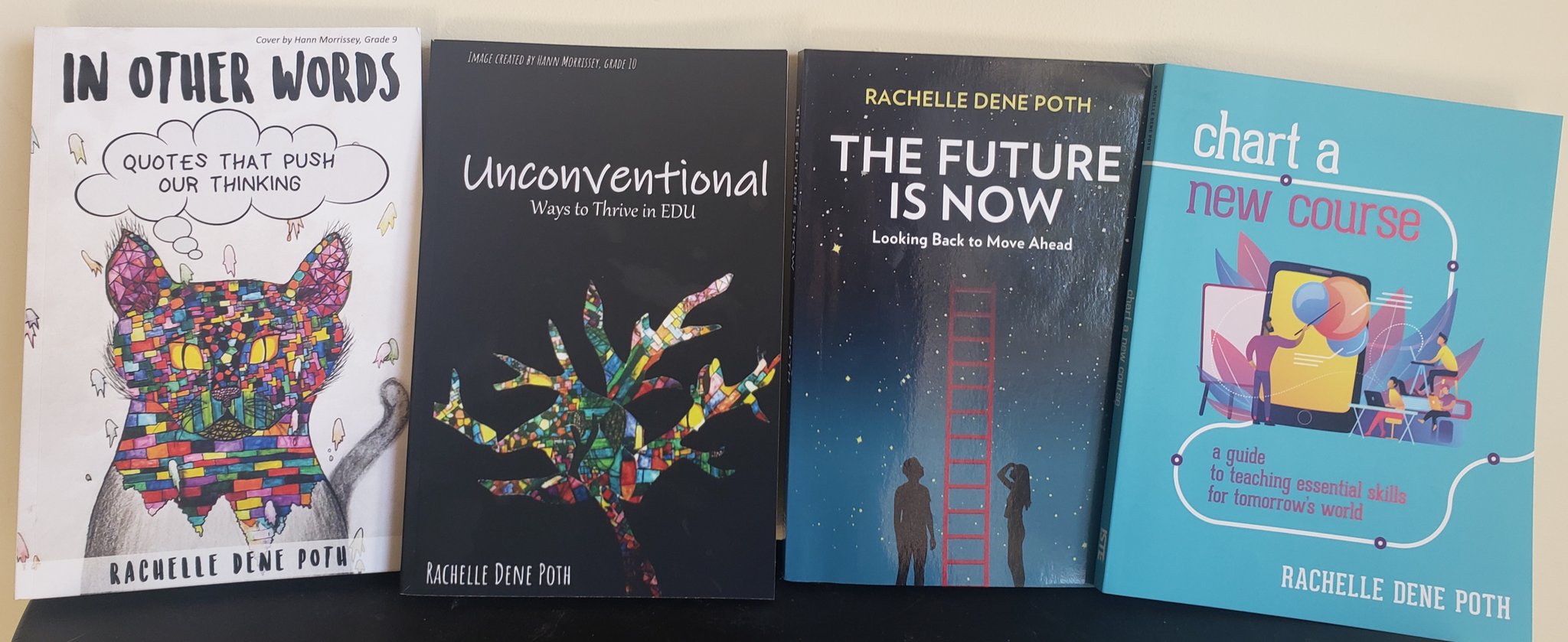
**Interested in writing a guest blog for my site? Would love to share your ideas! Submit your post here. Looking for a new book to read? Find these available at bit.ly/Pothbooks

************ Also check out my THRIVEinEDU Podcast Here!

Join my weekly show on Fridays at 6pm ET THRIVEinEDU on Facebook. Join the group here

Learning about the metaverse

When it comes to education, there are always new ideas, methods, and technologies. As we have seen, especially over the past two years, the number of tools available and the advances in technology are increasing tremendously. In our schools, we have to prepare our students so that they understand what these technologies are, how they are being used now, and what the impact might be on them in the future. 

For most people, topics like augmented and virtual reality and artificial intelligence may be new. Understanding the differences between AR and VR for example and how these technologies are being used in the world and in education is important, especially with the use of AR and VR in different areas of work. Now enter the term “metaverse” which may be a new concept to many, however, it has actually been around for almost three decades. Neal Stephenson, an American science fiction author introduced the concept of the metaverse in his novel, Snow Crash back in 1992.

For some people, the term metaverse may have been first heard when Mark Zuckerberg announced that he was changing the name of Facebook to Meta back in October of 2021. To help people understand what his ideas were for the metaverse, he released a short video about how the metaverse would work. I recommend sharing this video with students to spark a conversation first.

With these emerging technologies and also with things like blockchain, NFTs, and web3 for a few others, how can educators keep up so that we can prepare our students? With so many responsibilities in our daily work, how do we find time to learn more about the metaverse? What are the best resources and how can we provide opportunities for students to drive their own learning about these emerging technologies?

Understanding what the metaverse is

First, it is important to have a working definition of the metaverse. The metaverse is “a simulated digital environment that uses augmented reality (AR), virtual reality (VR), and blockchain, along with concepts from social media, to create spaces for rich user interaction mimicking the real world.” A few years ago, I read the book Ready Player One, which has been used to provide a glimpse into what the metaverse might look like. For getting started with learning about the metaverse, having a good based understanding of what the metaverse is would be the first step.

Years ago, people were using Second Life, which was a way for meeting with others in a virtual world. When I first used it in 2015, I was not sure what to think. For anyone who has not experienced it, you would create your own avatar, and communicate and interact with others in a virtual space. It was being used in place of traditional meeting tools like Google Hangouts or Zoom for example. Using this as a comparison,  the metaverse would be quite similar, except used for more than just meetings. It would be for all aspects of personal and professional life. Can you imagine spending 24 hours in the metaverse? Think about everything that you do in a typical day and what that might look like in the metaverse? What are the benefits and drawbacks? A good question to ask students and see what their responses are. Check out a video of a young woman who spent 24 hours in a VR headset and what the impact it was on her as a result. 

You can check out some of the videos available that provide a simulated metaverse experience. videos 

You may be familiar with Fortnite and Roblox, which are platforms that demonstrate the concept of the metaverse. Roblox is even providing lesson plans and activities that are aligned with the ISTE Standards. Engaging in the metaverse experience also does not require the use of headsets as the environments can be accessed through a computer and using a variety of web VR such as Engage VR for Mozilla Hubs for example. 

What else do we need to know?

More than just knowing what the metaverse is, we need to understand how it works, what devices and technology are needed, and what other concepts we need to be knowledgeable about. With life spent in the metaverse, everyday tasks like making purchases, working, going to school, socializing, and entertainment will look different. We will need to understand how to buy things and keep track of information, so we also need to understand blockchain, cryptocurrency, and NFTs.  Think about the age of the students that you teach or work with. Fast forward ten years, will students be going to school and working in the metaverse?  If so, then we have to do what we can to prepare them and ourselves.  What are the skills that students will need to interact in the metaverse?

But will the metaverse disappear?

There has been a lot of growth in the use of the metaverse since October 2021. In education, some colleges are not only thinking about holding classes in the metaverse, some have already done so.  Research is being done to explore what the benefits of learning in the metaverse might be. Stanford unveiled a metaverse learning experience for students in June of 2021. Using the platform Engage VR, more than 250 students wearing headsets participated in class in virtual reality. In total, students completed two courses and spent 3,500 hours together in the metaverse rather than the traditional classroom or virtual meeting space like Zoom or Teams.

In the spring, it was announced by Victory XR that ten “metaversities” would be launching in the fall. While there are concerns about the metaverse, there are also some anticipated benefits to these options. Considering the increasing and sometimes prohibitive cost of traditional universities, a metaversity might lead to more opportunities for students. 

Thinking about benefits, providing education via the metaverse could resolve common issues such as class sizes or lack of adequate learning materials due to tight budgets. Students would be able to immerse more in learning experiences and in some cases, may feel more connected to and included in learning. A survey found that 80% of respondents felt more included in the metaverse. With permission settings, teachers would have more control over student interactions in the metaverse. In higher education, there can be a digital twin, which is a professor who is in the physical classroom space but through an avatar, is able to engage with students in the virtual space too.  

With these emerging technologies, it is important that we all explore new ideas and ways to best prepare our students and ourselves for what these technologies will bring. 


A recent article in Forbes shared some of the potential benefits of the metaverse. In the metaverse, people can make purchases, hold meetings, own land, buy and sell real estate, and even buy clothing for their avatars. It would have its own virtual economy for these transactions, which brings up another issue, financial literacy, and understanding how the concept of money and finances would work in the metaverse. When it comes to the impact the metaverse might have on the economy, it is estimated that it could become an $800 billion market by 2024.

**Interested in writing a guest blog for my site? Would love to share your ideas! Submit your post here. Looking for a new book to read? Find these available at bit.ly/Pothbooks

************ Also check out my THRIVEinEDU Podcast Here!

Join my weekly show on Fridays at 6pm ET THRIVEinEDU on Facebook. Join the group here

Making Math Usable for Young Learners

Guest post by:

Sharon A. Edwards

Sai Gattupalli

University of Massachusetts Amherst

Everyone wants to improve math learning for elementary school-age children. Computation, calculation, and problem-solving skills are essential tools for young learners to have. Each builds the mathematical foundations, conceptual building blocks, for future understandings of math instruction in middle school, high school, college, and careers. But national test scores are lower than pre-pandemic as are interest and engagement of many young learners.

To develop tools to support math learning for students, teachers, and families, we and our University of Massachusetts Amherst colleague Robert Maloy, are developing a free open for use online system called Usable Math:

https://usablemath.org/

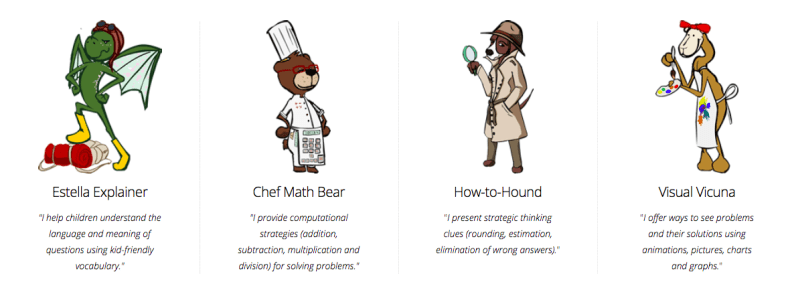
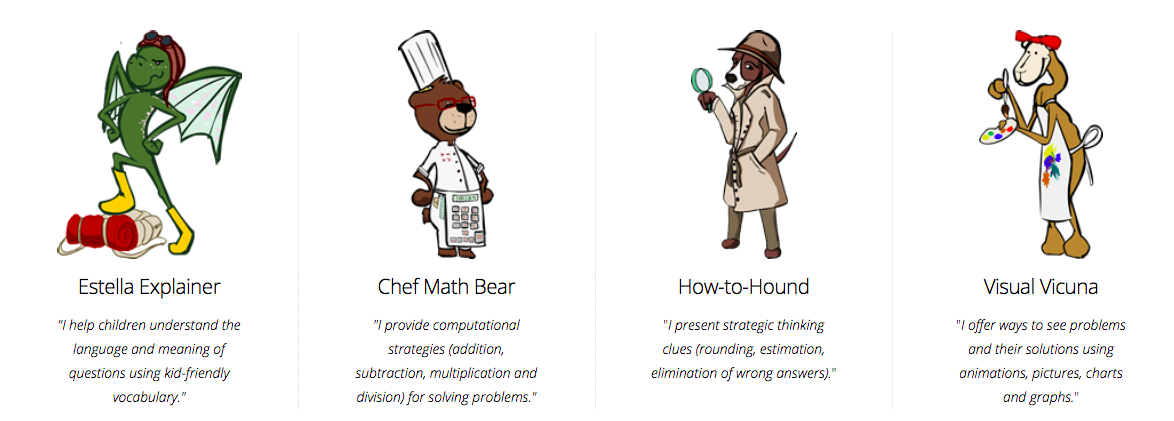
Usable Math provides a unique interactive problem-solving model of activities for youngsters learning mathematical reasoning and computation skills with word problems. Using computers, tablets, smartphones, students, and teachers can access standardized test questions from the Massachusetts MCAS tests and receive multiple learning strategies from four virtual coaches we call learning coaches. Estella Explainer, Chef Math Bear, How-to Hound, and Visual Vicuna are the characters offering words, images, pictures, charts, graphs, animations, and gifs to engage students’ thinking as they read, compute, and strategically solve word problems. The model supports estimating, comparing, understanding vocabulary, and identifying ways to be math solvers seeking right answers in different ways.

To date, we have published interactive modules about fractions, addition, rounding/estimation, geometry, money, data analysis, measurement, and more are on the way.

The name Usable Math encompasses our goals and purposes for the system design:

  • U Able meaning you (every young math learner) can be a math problem solver.
  • Us Able meaning together all of us (students, teachers, and family members in classrooms and homes) can be a team of math problem solvers.
  • Usable meaning anyone (young or older) is able to develop their math problem-solving skills with curiosity, practice, and clues for thinking from the online coaches. For this reason, the system is open and free and works on multiple digital devices, including desktops, laptops, tablets, and smartphones.

Usable Math is designed so users control the process of what learners see and how quickly they see each problem, the coaching clues, answer choices and the answer to the problem. A click-to-see approach lets children and adults use a mouse or a tap to reveal the inner workings of the math word problems one step at a time. Each click of the mouse or return key reveals additional strategies for youngsters to use in solving math problems strategically.

Click-to-see proceeds like this. With the first click, a problem appears on the screen, some with and others without their answer choices being shown depending on what the problem is asking learners to do. In this example, seeing the answers is necessary to problem-solving it.

Click a second time and the system displays Estella Explainer’s hint, a reading strategy intended to reframe the math question in more straightforward, kid-accessible language. The math problem continues to display at the top of the screen, while each hint appears in the bottom section of the screen. The idea is to engage children in actively conversing about the problem from the lens of Estella Explainer’s scaffolding hint.

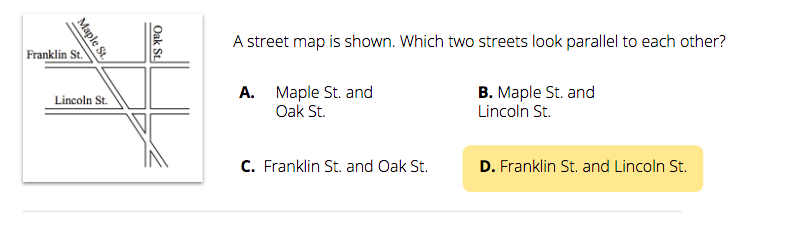
With another click, Chef Math Bear offers a computational strategy. With another click, a strategic thinking idea appears from How-to-Hound. And with another click, a hint in the form of a movie, chart, graph, or picture appears from Visual Vicuna. In each instance, students and adults have opportunities to analyze and discuss with one another what they think or know, or have learned from the coaches to help them answer the question. When all of the coaching hints are visible on the screen below the question, another click either shows the answer choices or if those are part of the question already, highlights the solution to the problem from among the answer choices. Then before continuing to the next word problem, a motivational statement (“You know parallel lines when you see them” or “You SOLVED the puzzle”) appears along with a surprising visual, a gif, or an image to elicit smiles or delight or laughter to emphasize the accomplishment and encourage viewing the next problem.

Enabling children and adults to choose how quickly or slowly they see information when analyzing problem-solving strategies from the coaches is a deliberate different practice from expectations in many classroom settings. In math, youngsters have mistakenly been taught that being “smart” with math means being the first or one of the first to answer questions correctly or to complete practice worksheets swiftly. By not taking the time needed to read and think through possible problem-solving strategies, students make mistakes, confuse key concepts, and begin to believe that math is a skill only some are competent to learn.

We want Usable Math to be different for several reasons. First, the design of the system makes it possible for children and adults to have productive collaborative problem-solving discussions before choosing an answer. They can “work” the problem, discussing what each puzzle teaches and how it might be solved using different ways. This focuses on the math concepts of the problem and the illustration instead of immediately identifying a procedure to use to find an answer.

Second, the presence of four coaches, with their own problem-solving points of view or perspectives offers choice for students. They can, and do, find a coach who becomes their math friend whose ideas help them to approach problem-solving with confidence. The use of animations and visuals allows the coaches to offer information along with surprising, engaging learning. Children keep coming back to see what the coaches have to say and do. Engagement produces learning.

Third, youngsters and adults discover how math is really about all maths. Look again at that term “maths.” Putting the “s” on math broadens its meaning and changes how it is to be taught and learned. While maths is a term used by educators throughout the world, it is not used or thought of often in classrooms in this country. Maths indicates that there is not one single subject called math, but many ways to think about mathematical topics and concepts. Maths urges children and adults to think like solvers of problems, not recallers of formulas. Maths stresses conceptual understanding with procedural knowledge.

It is our goal to have Usable Math promote maths learning for students, teachers, and families in all topics of maths. We welcome your thoughts and responses and your suggestions for how to revise this coaching system in the future.

Sharon A. Edwards is a Clinical Faculty in the College of Education at the University of Massachusetts Amherst. Retired from public school teaching, she taught primary grades for 32 years at the Mark’s Meadow Demonstration Laboratory School, a public school in Amherst, Massachusetts.

Sai Gattupalli is a Learning Sciences doctoral student in the College of Education at the University of Massachusetts Amherst. His research interests are broadly focused on learner culture, learning through game play, and game design.

**Interested in writing a guest blog for my site? Would love to share your ideas! Submit your post here. Looking for a new book to read? Find these available at bit.ly/Pothbooks
************ Also check out my THRIVEinEDU Podcast Here!

Join my weekly show on Fridays at 6pm ET THRIVEinEDU on Facebook. Join the group here

Reflective Teaching and Powerful Professional Learning with LessonLoop

Reflective Teaching and Powerful Professional Learning with LessonLoop

Educators are always looking for new ideas to boost student engagement in the classroom. To do so, they need to understand student interests and needs and also be intentional about reflecting on their teaching practice. While teachers want to understand the impact of their instructional methods and tools on students’ learning, they often don’t have time to solicit feedback from individual students, and students are afraid to provide honest feedback when they feel saying the wrong thing could impact their grade. Yet students need to be part of the conversation, because not only is student voice a powerful tool that can be used to engage students in their learning, but student feedback surveys are better predictors of academic growth than principal observation and teacher self-ratings (Hanover Research 2013). 

As Alex Isaacs, an 8th-grade math teacher notes, “LessonLoop allows me to quickly conduct a survey with great questions built-in where I can quickly push this out to my students to better inform my practice.” 

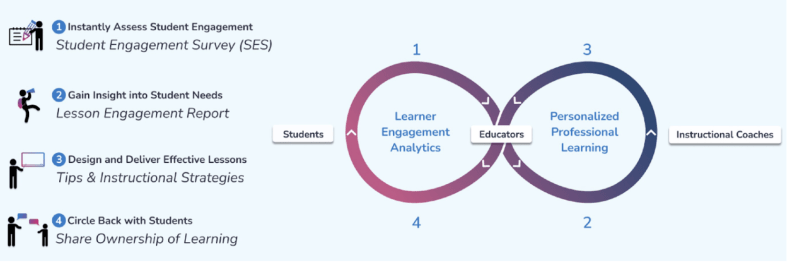
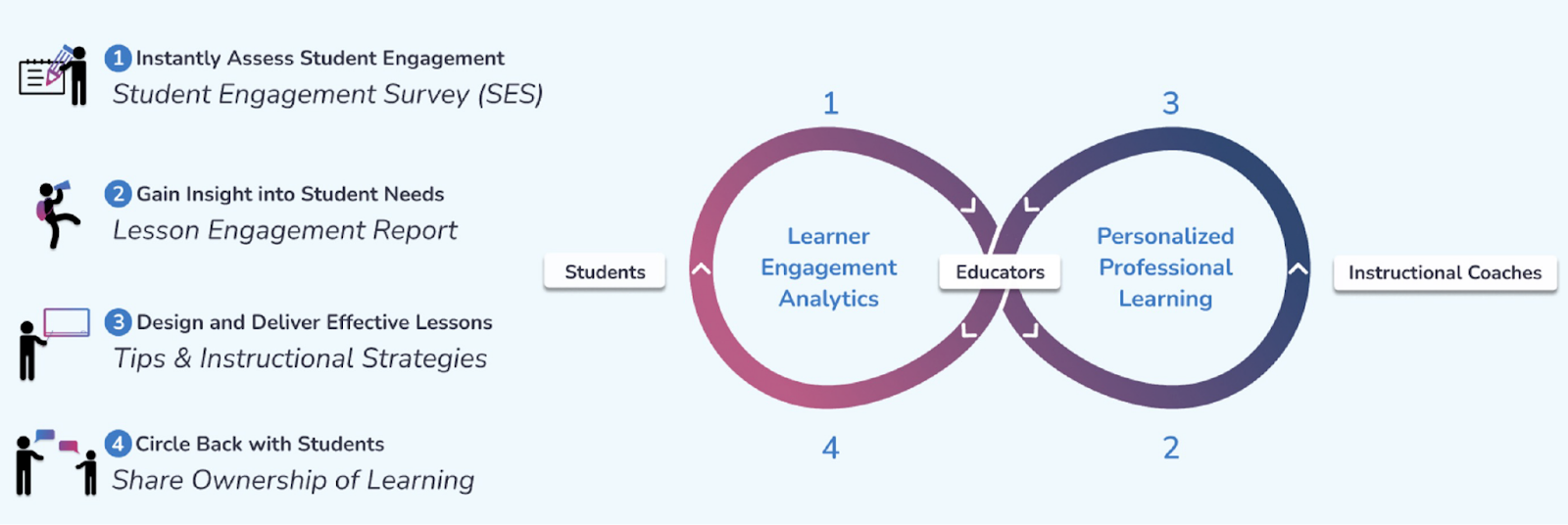
LessonLoop instantly shows you how engaged your students are with a class lesson so you can gain immediate insights and adjust your instruction in real-time to help them learn better. As shown below, LessonLoop works through the four simple steps of:

1. Anonymously survey students, 

2. Review instant actionable lesson engagement reports, 

3. Receive personalized instructional recommendations, 

4. Discuss results with students so learners feel seen and heard. 

How LessonLoop Works

How do the surveys guide teachers about their practice?

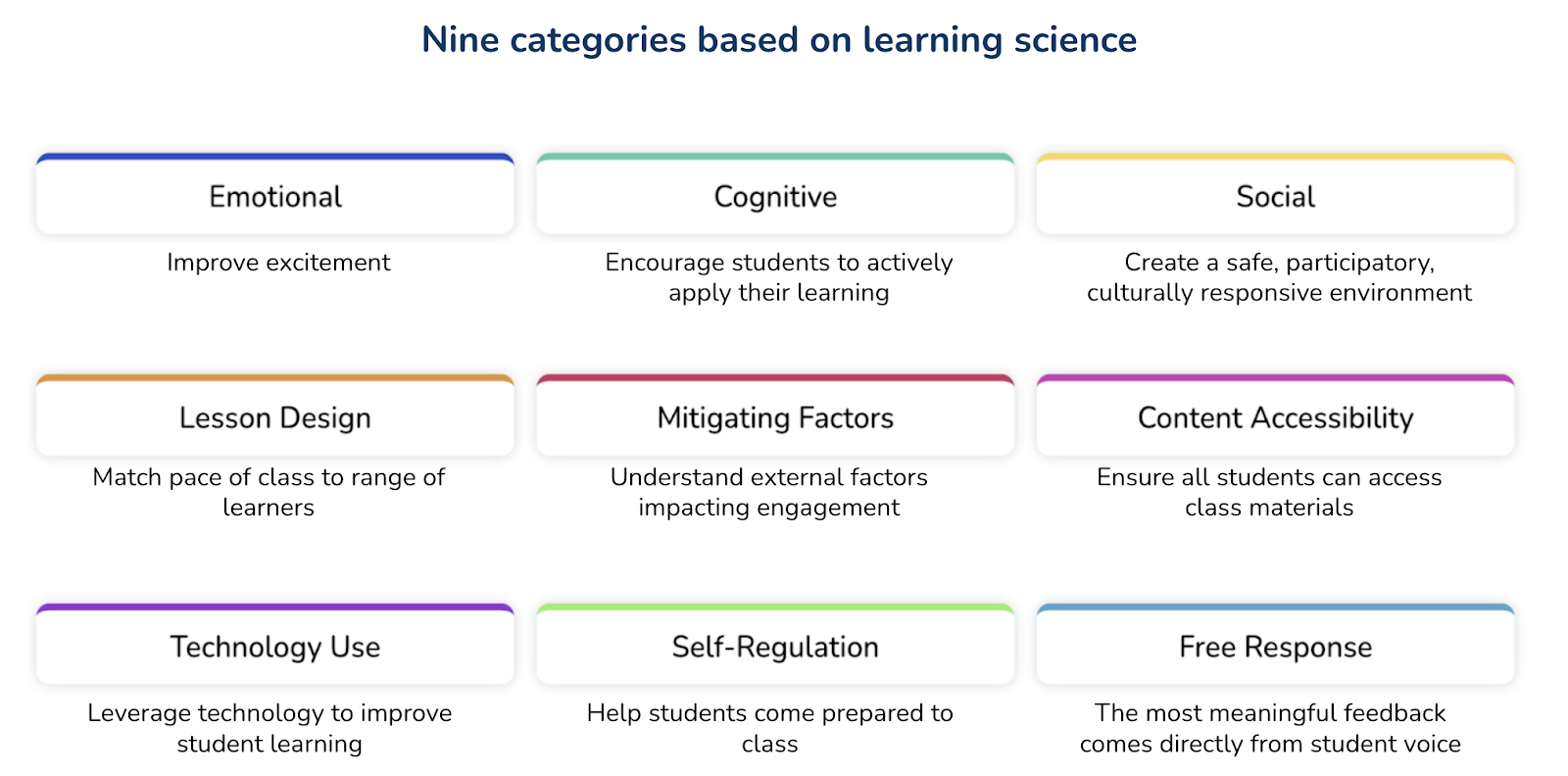
LessonLoop measures student engagement in nine actionable categories (see below) that provide you with insight on how to calibrate your instruction to support active learning at each student’s just-right instructional level. With these categories, teachers have better ways to focus on the specific needs and interests of their students. Especially for social-emotional learning (SEL) and determining student progress in class, the categories and questions provide tremendous insight for teachers with information not easily accessible in any other way. 

With the information the surveys provide, teachers have many ways to evaluate, analyze and then act upon authentic student feedback to improve their practice. Working with LessonLoop’s instructional coaches/Tip Masters, they can explore new methods and tools to help address some of the areas indicated in the survey.

Sample Lesson Engagement Report

What can we learn about student engagement from using LessonLoop?

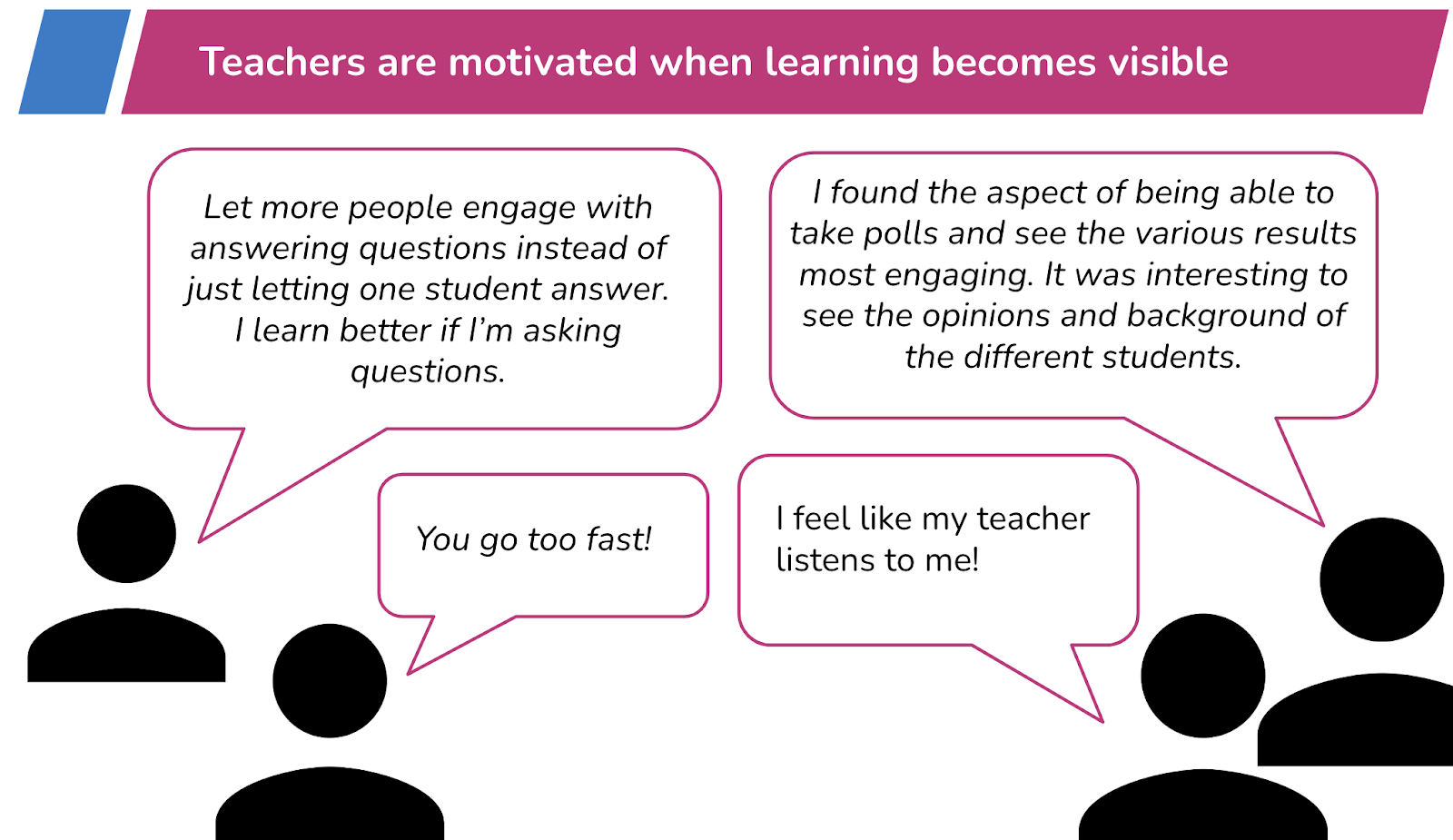
Through lesson embedded feedback, teachers better understand the impact of their instructional strategies and how students experience the learning environment. By reviewing the responses, especially the free responses, teachers receive feedback that promotes reflective practice. Using the survey results, Tip Masters work with each teacher to find strategies and tools that will increase active student learning.

Sample LessonLoop Student Free Responses

How does LessonLoop facilitate getting to know students? 

LessonLoop provides opportunities for every student to share their perspective on their immediate environment and how they are experiencing a lesson. Incorporating student voice allows students to experience a sense of respect and empowerment from their teacher. With LessonLoop, students can provide valuable feedback to their teacher and all feedback is provided through an anonymous survey, which promotes more honest feedback. Students feel comfortable responding to the survey, and because their opinions are heard, they feel more connected to and comfortable in their classroom community. When teachers circle back and discuss how to improve a lesson with students, students feel their voice is impactful and are empowered to take ownership of their learning. Students that feel seen and heard have greater motivation for and engagement in learning because they feel like an impactful member of the classroom community. 

How does the gamification aspect of LessonLoop lead to better and more authentic, honest feedback from students?  

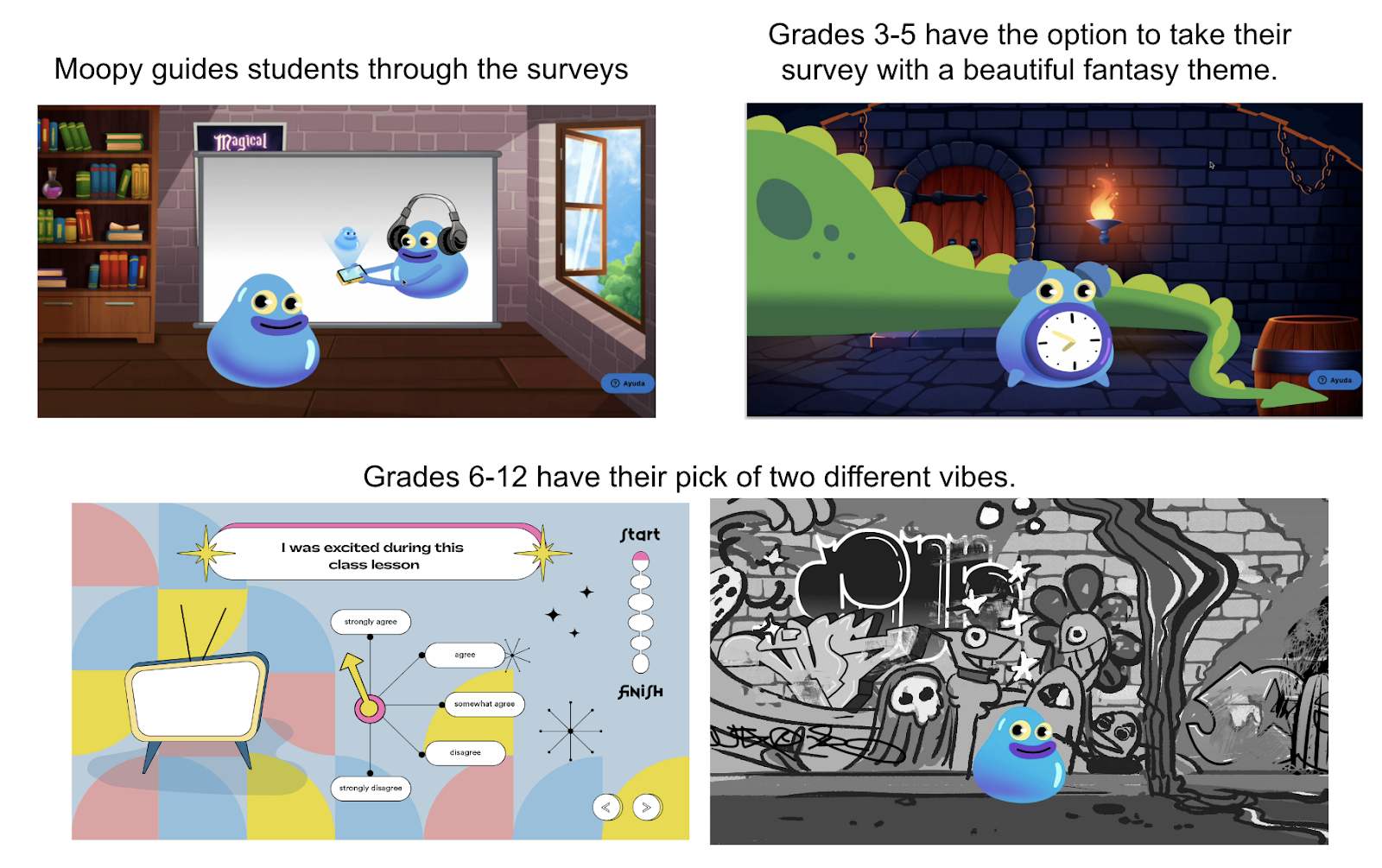
LessonLoop incorporates gamification elements through our fun, animated surveys (see pictures below). According to Dr. Shawn Clybor, “These gamification elements keep students more alert, more active in engagement, and therefore more likely to read the questions and think about their answers.”  LessonLoop is designed to be a robust platform that informs instruction and involves students in their learning experiences. It is also meant to “encourage joyfulness, to be fun, to be funny,” says Clybor.  Using it becomes its own experience, building bonds between teachers and students.

LessonLoop Gamified Surveys

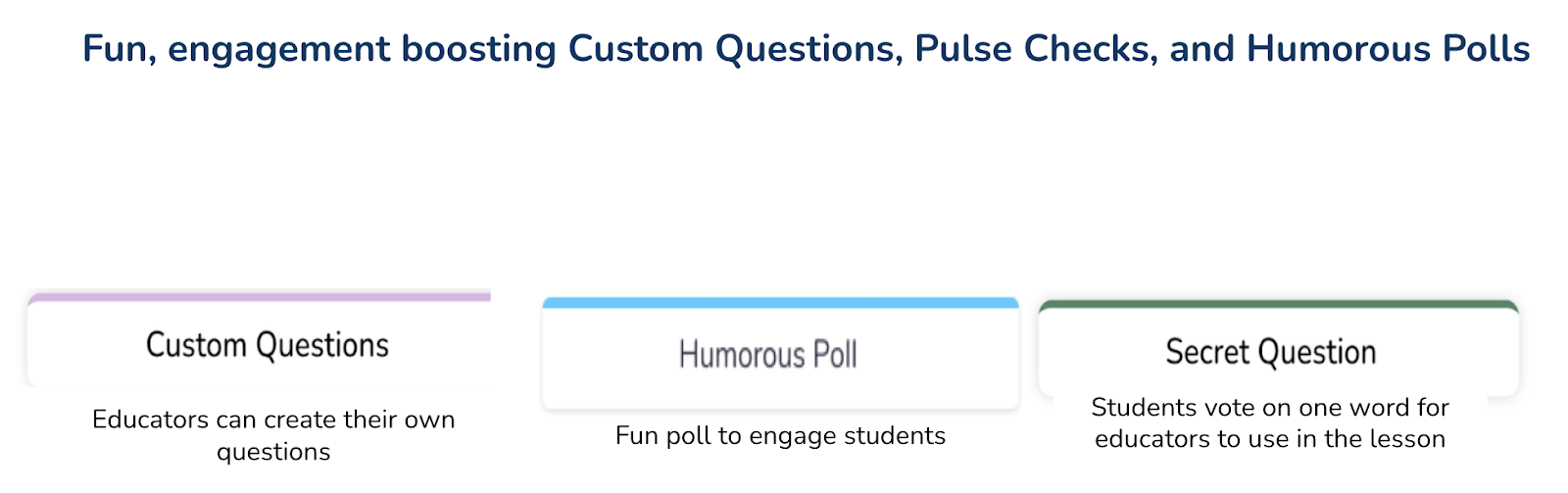
In addition to the gamified surveys, LessonLoop provides educators the ability to ask custom questions and generate two new games (humorous poll and secret word) with one click. These games focus on student engagement at the beginning of class, serve as a pick-me-up if attention is flagging mid-class, or are a fun way to end a student engagement survey.

What professional learning comes with LessonLoop?

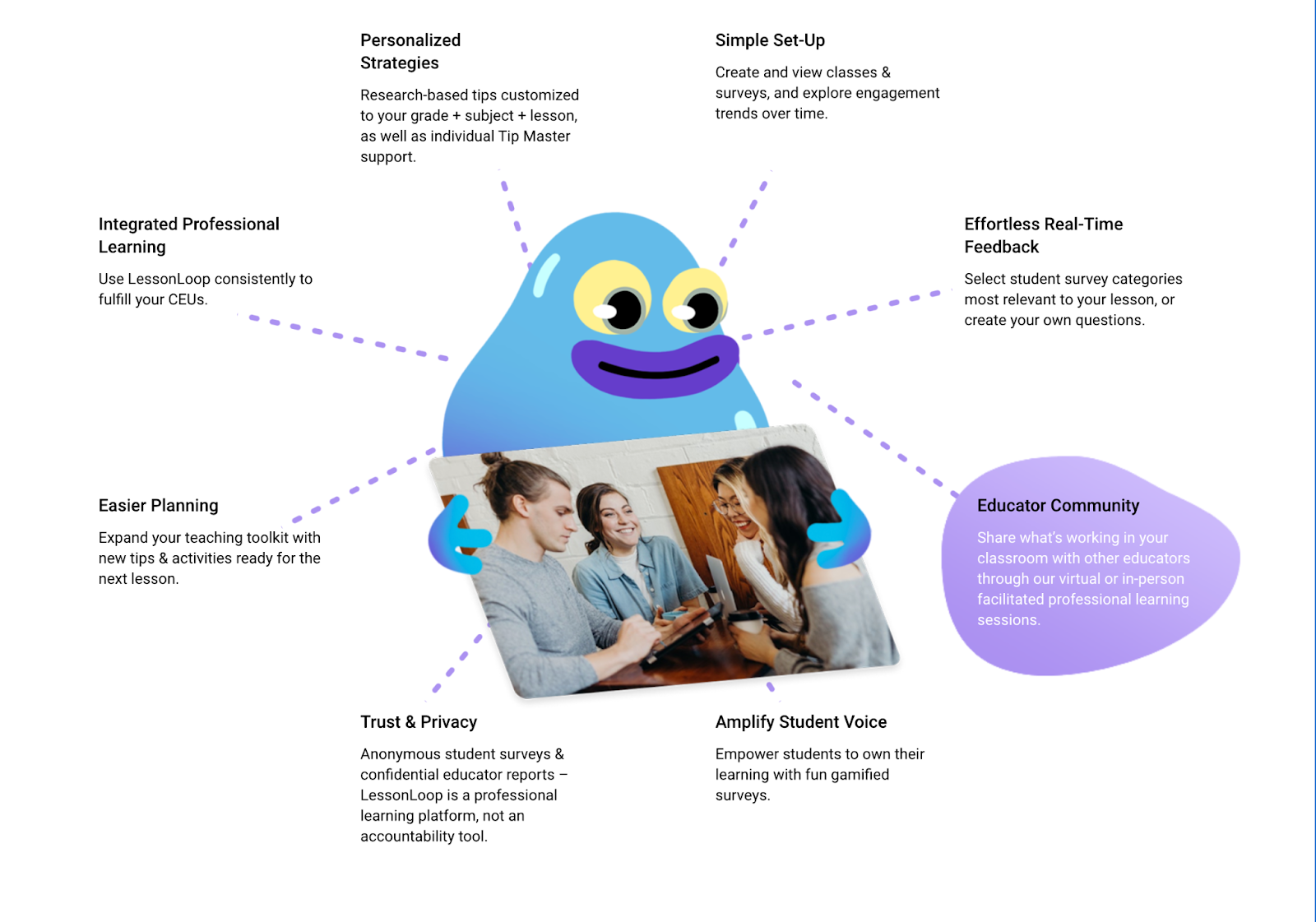
LessonLoop provides personalized data-driven professional learning for teachers.  While all teachers have access to a knowledge base of free tips, with a paid tips subscription, every teacher is assigned an experienced Tip Master to help with reviewing their surveys and finding strategies and tools to try. The real-time lesson-embedded feedback helps educators better connect their instruction to students and be more reflective in their practice. Professional Learning Communities (PLCs) also benefit as all teachers receive instructional recommendations from subject-area specialists and coaches! PLCs can be organized around student-centered data for engagement and professional learning. Within the PLCs, teachers can share ideas and provide support to one another which then enhances the learning experience for all students. In addition, educators accumulate continuing education units (CEUs) based on minutes of use of the platform aligned with Learning Forward and/or Charlotte Danielson standards.

What to expect with LessonLoop

So many benefits!

Student Engagement Surveys: 

  • Amplify student voice through anonymous surveys
  • Strong predictor of academic outcomes 
  • Provide missing actionable data on why students aren’t learning 
  • Provide daily feedback on the delivery of the curriculum with a clear focus on social-emotional learning (SEL),  critical thinking and collaboration, and culturally responsive instruction.

We are offering free trials of LessonLoop to educators who provide feedback on our new gamified student surveys. Click here for a free trial!  And if you missed our webinar, here is the link!

Follow Rachelle on Twitter @Rdene915 and on Instagram @Rdene915. Rachelle has a podcast, ThriveinEDU available at https://anchor.fm/rdene915

**Interested in writing a guest blog for my site? Would love to share your ideas! Submit your post here. Looking for a new book to read? Find these available at bit.ly/Pothbooks

************ Also check out my THRIVEinEDU Podcast Here!

Adult SEL and Why it Matters

In Collaboration with Peekapak

Social-emotional learning (SEL) is an area that we need to intentionally focus on in our classrooms. As we reflect on the challenges experienced this past year, we must closely focus on our own well-being and make sure we can provide the right support for our students. For many educators, SEL has become a new addition to planning for each day. We need to be intentional in facilitating opportunities for our students to build their SEL skills each day and to do so, we need access to the right resources and support.

In our classrooms, it is crucial that we model SEL skills for our students. For example, the importance of building and maintaining positive relationships, developing self-awareness and social awareness are essential for everyone. And as we have experienced this year, being able to manage stress, making decisions and focusing on self-care practices are vital for us as educators and in our daily lives. Educators need access to the right professional development to know how to bring SEL curriculum into every classroom. With Peekapak, schools have access to structured and easy to use curriculum for students and SEL workshop resources for educators.

Research shows that teacher well-being has a substantial effect on school climate. If educators are experiencing burnout and elevated levels of stress and do not have the right strategies to push through, it will negatively impact students. To prevent this, we need to establish routines, work with colleagues and with students, and build trust with each other.

Building Our SEL competencies

To learn more about SEL, there are many resources and professional learning opportunities available. Peekapak offers the SEL Summit which has been providing informative webinars each month full of valuable ideas and resources for getting started. These webinars have been a great opportunity to not only learn about how to build holistic and school-wide strategies, but also ways that educators can practice SEL skills and feel more confident to bring it to life in our classrooms. During these live sessions, it is also a great opportunity to ask questions and connect with other educators.

During the most recent June 15th “SEL Starts with Adults” SEL Summit, the panelists discussed the latest research and shared some best practices and tips for supporting educator SEL. You can access the recording here to learn how the panelists have been supporting SEL in their schools and what their plans are for the coming school year.

Here are a few of my favorite tips from the event, given the importance of starting the year with a focus on SEL. There was a “Turn off the Noise” suggestion from Dr. Salvatore, encouraging us to limit distractions and give yourself mind breaks when possible. Additionally, I found Dr. Grant’s “Caller #10” activity to be an intriguing way to not only show appreciation for staff, but to get the students excited for their teachers to call and possibly win a well-deserved prize. Some other strategies included icebreakers during meetings, creating activities during PD days, trying out “half smiles,” and providing opportunities for staff collaboration. This emphasis on self-care and mental health is essential for teacher wellbeing, and more schools need to provide such resources for educators that promote SEL, and in doing so, help design meaningful experiences for students.

You can access the June 15th recording here to learn in greater detail the different ways the panelists have been supporting SEL in their schools and what their plans are for the coming school year. I think that if we all recognize and work toward improving SEL for all of us it is going to benefit us as educators and we can nurture all students through the upcoming recovery in the years ahead.

Sign up for your free trial with Peekpak today!

____________________________________________________________________

____

_____

Blogging, Vlogging, and Podcasting with Microsoft Teams!

 by Laura Steinbrink, posted in education

TURN IT UP!

I have written two previous posts where I talk about how to use Google Classroom as the hub for student blogging and authentic feedback in a safe place. My original post, Blogging with Google Sites? Google Classroom to the Rescue! Let the Commenting Begin! focused on using Google Sites with Classroom to connect students and give them a platform for authentic feedback. More recently, I updated this idea in Google Classroom STILL to the Rescue: Blogging, Vlogging, and Podcasting! where I broadened the scope of how students can express themselves through the various tools now available. Continuing to broaden my own horizons, I explored Microsoft Teams as a hub for students to receive authentic feedback from peers and am very excited about the amazing potential that it has.

GIRL!

Let’s Get Started! First, create a Team just for this purpose. It needs to be separate from the Team you use for your regular classroom assignments and activities. Set it up with a title that is easy for students to distinguish from your normal class Team, and also reaffirms the purpose of this new Team. Create a channel for each student, and then invite or manually add your students. Adding a channel for each student is easy.

Click the three dots next to the title of your Team.

After clicking the three dots next to the title of your Team, a drop down list will appear. Click Add channel.

I’M WORKING HARD, YOU’RE WORKING TOO

Now fill out the channel name for the student you are adding. Create a channel for each student joining the Team. Each time you click Add channel, you also have the option to feature the channel in the channel list. Up to 10 channels can be featured. You can use this to highlight student blogs each week, bi-weekly, monthly, or however you wish to do it. While all channels are available to students, only 10 channels populate in the column for students to see as they work in Teams. They can access the other channels too, making this prime real estate for you to use to empower student voices.

By clicking the checkbox here, the channel you are creating will show up in the channels list when students open Teams.

WE DO IT EVERY DAY

Once you have created a channel for each student and have added students or had them join through a code or invitation link, students can now click on their own channels and add the link to their blog. I suggest having students create a blog on a site or with a tool that they are comfortable with first, and then they can feature posts where they write, vlog, or create a podcast. The site or tool chosen needs to be able to easily embed or feature a variety of post types, including audio and video. My students learn how to use Google Sites, Wakelet, Adobe Spark Page with this purpose in mind. Microsoft Sway would also be a good tool for this. Once I teach students how to use each tool, they can then decide which tool suits them best for their blog site.

FOR EVERY MINUTE I HAVE TO WORK

Create an assignment which will provide students with the blog post prompt. Include rubrics, either as a resource for the assignment or by using the built in feature within Teams. To assist with saving time when grading the blog posts, have students submit their posts by a simple copy and paste from their blogs into a Microsoft Form. You can attach the Form via a link to the resources for the post prompt. This will save you a lot of time. Having one place to view and grade instead of clicking through each blog to read, view, or listen to each post is so worth the little extra time it takes to create the Form. This doesn’t require a lot of extra work from you students either. It is simply a copy and paste of either the text or of the link to their video or audio product.

The form does not have to be fancy or take much of your time to create.

I NEED A MINUTE OF PLAY

Now let’s let the commenting begin! Teams allows students to reply directly to the post dropped by the student on their channel. You can also reply. Students should be taught how to give actionable feedback so that they can help their peers become better writers. This is a safe space to develop writing and analyzing skills. Teams makes it easy for students to respond in a variety of ways, including emojis, gifs, praise, attachments, and more. Digital citizenship skills can be practiced here in a safe environment, providing teachers with the opportunity to provide support and instruction as needed.

Example of what sending a praise could look like in response to the blog post.

DAY IN DAY OUT ALL WEEK LONG

Teams allows students to interact in ways that mimic social media, providing guided practice on how to respond appropriately to others. Students read posts, current or older posts, written by their peers, and then they respond by commenting or “replying” to those posts. A lot of magic can happen when we let students access the creativity of their peers and then provide feedback. Teaching students how to be assessment capable learners helps them develop into adults who can assess their own work, revise, and turn in better products.

THINGS GO BETTER WITH ROCK

If you haven’t tried Teams yet to allow students to provide feedback on the work of their peers or with students from another district, state, or country to help improve the quality of work, then I strongly encourage you to dive right in and try this. There is a lot of power packed into Microsoft Teams, and we should harness that power for our students. Always consider the needs of your students first, and if blogging, vlogging, and podcasting is something you want to try, then start setting up your Blogging Team and get started!

HEADINGS ARE PARTIAL LYRICS FROM THE SONG TURN UP THE RADIO BY AUTOGRAPH.

**Interested in writing a guest blog for my site? Would love to share your ideas! Submit your post here.

Looking for a new book to read? Many stories from educators, two student chapters, and a student-designed cover for In Other Words.

Find these available at bit.ly/Pothbooks  

18 Resources to Get Students Coding This Year

Each year during December, there’s a focus on coding and computational thinking. Computer Science Education Week is happening December 7th-13th this year and there are a lot of great ways to get involved. A few years ago I first learned about the Hour of Code, and immediately referred to the Code.org website to find activities for my eighth grade STEAM class. Just getting started, I didn’t know much about the resources available and thought this was the best way to provide some activities for my students to join in during the week. It was fun to sign up to participate in the events of the day and see from where around the world other classrooms were joining in from. But beyond that one day, and actually, that one hour, we didn’t really do much more in my class. I asked colleagues and members of my PLN about their activities for the Hour of Code and coding throughout the year, and many stated that they didn’t know how to implement more in their classrooms. It was then that I recognized the need to provide more ways for students to learn about coding and computational thinking, and that as educators, we must actively look for opportunities for our students. We need to push past an Hour of Code and do more in our classrooms.

Preparing Ourselves

For some educators, topics like coding and computational thinking can seem challenging to bring into the classroom and for them to know enough to feel confident in teaching students about these topics. I was one of those educators. My comfort level changed when I had to create a game using Hopscotch for a master’s course and I struggled a lot. It was uncomfortable to not be able to fully understand the coding process, but it pushed me to keep learning and to start using Hopscotch with my eighth graders. I learned a lot from my students and it was a great opportunity to put myself in their place as they learn something new. Realizing that it is okay to not know all of the answers is a valuable lesson.

Another hurdle was to learn more about computational thinking, a topic that I had avoided because of a fear of not understanding it enough and thinking it did not apply to my role as a Spanish teacher. It was an area that intimidated me because I believed it to be so complex.

However, I recently took a Computational Thinking (CT) course provided by ISTE U, which definitely stretched me professionally and provided a solid foundation full of resources for doing more with these topics in my classroom. We need to find ways to give our students and ourselves an opportunity to learn about topics like coding and computational thinking and how they apply in our daily lives and how it could possibly benefit us in the future.

Where to Begin

There are so many resources out there that sometimes knowing exactly where to start presents the challenge. It is easy to get started by referring to the Code.org site or checking out CS First from Google and resources for educators. There are some apps and websites to get started with coding and computational thinking. Some of these can be used specifically with elementary students in grade bands pre-reader through two, three through five, and six plus, and others that are specific to middle school or high school. Several of these options offer ways to search based on topic, level or type of activity. What I like the most is that they are fun ways for educators to get started with coding and CT, with the ability to decide how to apply them to our own work.

Start with Code.org or CS First from Google, and then explore these 18 resources to check out what specifically to use during the Hour of Code and Computer Science Week, or take the time and try each of these out over the course of a couple of weeks. Have your students explore and continue learning right along with your students.

18 Sites to Explore

Artist. Use this as a way to have students begin coding with blocks to complete tasks to build their coding skills.

Code.org. Explore this link to find a list of resources and different activities and to sign up to participate in the Hour of Code. There are more than 500 one hour tutorials that are available in more than 45 languages.

Code Combat is a game based computer program for older students who want to learn about Javascript or Python. In Code Combat, students type in their code and see their characters respond in real-time.

Code Monster is an easy way to get younger students to learn more about code. Two boxes on the screen show the code and what the code does, with explanations popping up to show students what happens with each command.

CoSpacesEDU Robot Rattle. Students learn to operate a robot and the activity includes a tutorial video. Using blocks and drag and drops, students can write the instructions for the robot and then if devices are available, the robot can be seen performing the tasks as written in the code in virtual reality (VR).

Hopscotch is for use with iPads and has specific activities available for the Hour of Code but offers many options for students to create their own games or to remix games that are available.

Turtle Art. Students use block coding like Scratch but through the use of one turtle and mathematics to do the programming.  Students can create their own work of art or remix someone else’s painting.

Science

Explore Mars with Scratch. Students in grades three through eight can create a Mars exploration game using Scratch. Through this lesson, students work through activities and build their math, computational thinking, and problem-solving skills. There is also the option for an extension activity for students in grades K-12 to do an independent project.

Multi-topics

Code-it studio is for use with grades two and up and offers students the chance to program art and designs.

CodeSpark. Students up to grade five can design and code a video game using the self-paced activity available through this site.

Code an Unusual Discovery. Using Scratch and CS First from Google, students can work through on their own and create a story using code.

Khan Academy Code. For grades six and up students can watch an interactive talk-through, work through challenges or decide to do their own project. Everything that students need for coding is available directly through the website. Students can also learn to code by making a website in HTML tags and CSS.

Kodable. Activities for students in grades two through five, offering Javascript for students in upper elementary grades. There are activities for social studies, science, ELA, math and more with levels from beginning to advanced. Students can even choose their own adventure.

Minecraft Hour of Code. A free Hour of Code lesson was developed by Microsoft’s AI for Earth team. In the lesson, students in grades two and up use code to prevent forest fires. There is also a free online course for educators to learn how to run an Hour of Code lesson in their school.

Robo-Restaurant Decorator. Students in grade two and up can program a robot to paint a restaurant and the algorithms must be done correctly

Star Wars. The first activity we tried was working through the activities provided using the Star Wars theme. Activities are available for students in grades two and up. Learn to code with Blocks and Javascript.

Tynker offers a lot of activities for students to participate and learn about coding, specially curated for the Hour of Code. Activities are grouped for students in the ranges of K-two, three-five and six plus. Options available include text coding, STEM activities, and the new UN+ which is focused on ecological issues such as life on land, responsible consumption and affordable and clean energy.

VidCode is an online platform that offers opportunities for teachers to explore computer science curriculum or individual lessons related to coding. For the Hour of Code, explore the Climate Science coding activity.

Another option is to have students learn about the Hour of Code, its origin and different terms related to coding and then use some of the game-based learning tools out there like Kahoot! To help students develop a better understanding of the basics of coding. Try one of these ideas out for some fun ways to get students involved with coding and use the game as a starting point for class discussion.

8 Virtual Reality Tools to Go Around the World

As a Spanish teacher, I am always interested in finding innovative ways to teach in my classroom and to create learning opportunities that do more than to engage students solely with the content material. Over the past few years, I have started to bring different tools for learning into my classroom, some of which pushed me outside of my comfort zone as a teacher. One area that has led to greater student engagement and has been well received by my students is the use of augmented and virtual reality.

For many teachers, the idea of using these types of tools in our classroom bring questions, such as how much time do I need to learn how to use them and what are the benefits? Fortunately, getting started with many of these tools is quite easy as there are resources available to use as tutorials. The tools offer ready-made lessons or examples to start with, and of course, our students learn so fast that we can quickly learn from them. I often say that we just need to know enough to make sure that we are aware of any issues with access, and of course, we have knowledge of the safety or security issues. We must also understand how we plan to use it, focusing on the why behind wanting to do so, but then we should leave it up to our students to take it beyond that point.

As for benefits, using tools for AR and VR helps educators create innovative learning spaces and transform “how” and “where” students are learning. With different AR/VR tools available, we give students the power to explore objects or places, control their learning and connect with the content in ways that textbooks and videos cannot provide. Students can now travel around the world, to another country, underwater or into outer space, using these tools and doing so right from their classroom.

8 Tools to Try

Here are eight different tools to explore that I think can be very beneficial for student learning and promote student engagement. Getting started with these will help educators implement some digital tools into the classroom without taking too much time to get started.

  1. Google Expeditions
    The app is free and can be downloaded from Google Play or the App Store. Google Expeditions offers more than 100 augmented reality and 800 virtual reality tours which students can use to explore careers, visit famous landmarks and locations. They can even use it to find out more about global initiatives. Through the roles of Guide and Explorer, teachers and students can engage with the content in a more immersive way that connects students more closely with the spaces they are viewing, which promotes curiosity. Another option is Tour Creator to create a tour specific to student interests or to have students create their own tour to share. Tours are easy to create and share and provide a more authentic way to connect students with places they are studying.
  2. Google Earth
    Google Earth enables teachers and students to explore places around the world and even zoom in for a closer look in 360 via Street View. For schools that have access to HTC Vive or Oculus Rift, Google Earth VR makes it possible to walk or even fly around the locations and explore more closely.
  3. Nearpod
    Nearpod offers a library full of lessons in VR and the ability to quickly create lessons that have 3D objects and VR field trips included. Tools like Nearpod help to engage students in a more active learning experience while also providing multiple ways for teachers to assess student learning. It is easier now to take students on trips around the world right from within the classroom at any time.
  4. 360 Cities
    360 Cities offers interactive panoramic photos and more than 2,400 videos to select from to use in the classroom.
  5. Unimersiv
    Through Unimersiv, educators can find VR experiences for students ranging from exploring space, human anatomy, or places like Stonehenge, Athens, the International Space Station and more. Unimersiv can be downloaded with lessons available for students. New lessons are added every few months.
  6. Sites in VR
    Sites in VR is an app available for download on Android and iOS devices. Locations can be searched based on type including nature, parks, museums, towers and more. Users can choose to explore through the device or with a headset.
  7. 360-Degree YouTube Videos
    YouTube offers 360-degree videos which can be a good way to hook students at the start of a lesson. There are so many choices available; one of the first ones that I watched was Lions 360. Videos that were filmed in 360 will provide a better experience.
  8. Curated X Kai
    Curated X Kai has featured VR field trips available for experiences such as hurricanes, looking at dinosaurs, the solar system, the human body and many others focused on locations or historical events or places. New field trips are added weekly.

Making the Choice

There are many benefits of using VR in the classroom. In my own experience, it provides students with space where they can take more ownership in learning and creates an opportunity for students to build global knowledge, and explore different ideas and perspectives. We can also use VR as a way to connect our students with classrooms and experts from around the world and build more than content and technology skills. We can also help students develop empathy as they learn about cultures and places different from their own.

There are a lot of options out there to choose from, it is about promoting student choice and helping students to do more than consume content, but to actively engage in learning and even become the creators.

**Interested in writing a guest blog for my site? Would love to share your ideas! Submit your post here.

Looking for a new book to read? Many stories from educators, two student chapters, and a student-designed cover for In Other Words.

Find these available at bit.ly/Pothbooks  

Buncee for engaging learning opportunities!

We are a few weeks into the new school year and for many educators, it has been an interesting start to the year. Whether in physical classroom spaces or in a hybrid or distance learning environment, our focus at the start of the year is on building relationships and engaging students in learning. The challenge this year for many is  creating the right spaces to build those relationships when we are not together in our physical classrooms.  Buncee provides so many possibilities for doing just this.

Introductions

I can create with Buncee and engage my students in opportunities to not only create and engage more in learning, but provide a way that they can feel connected to each other if we cannot be together in the same physical space.  A great place to start is exploring the Ideas Lab. There are great templates available to choose from that work well for the beginning of the year and a back to school theme, or for some ice breakers to build relationships that are so important. 

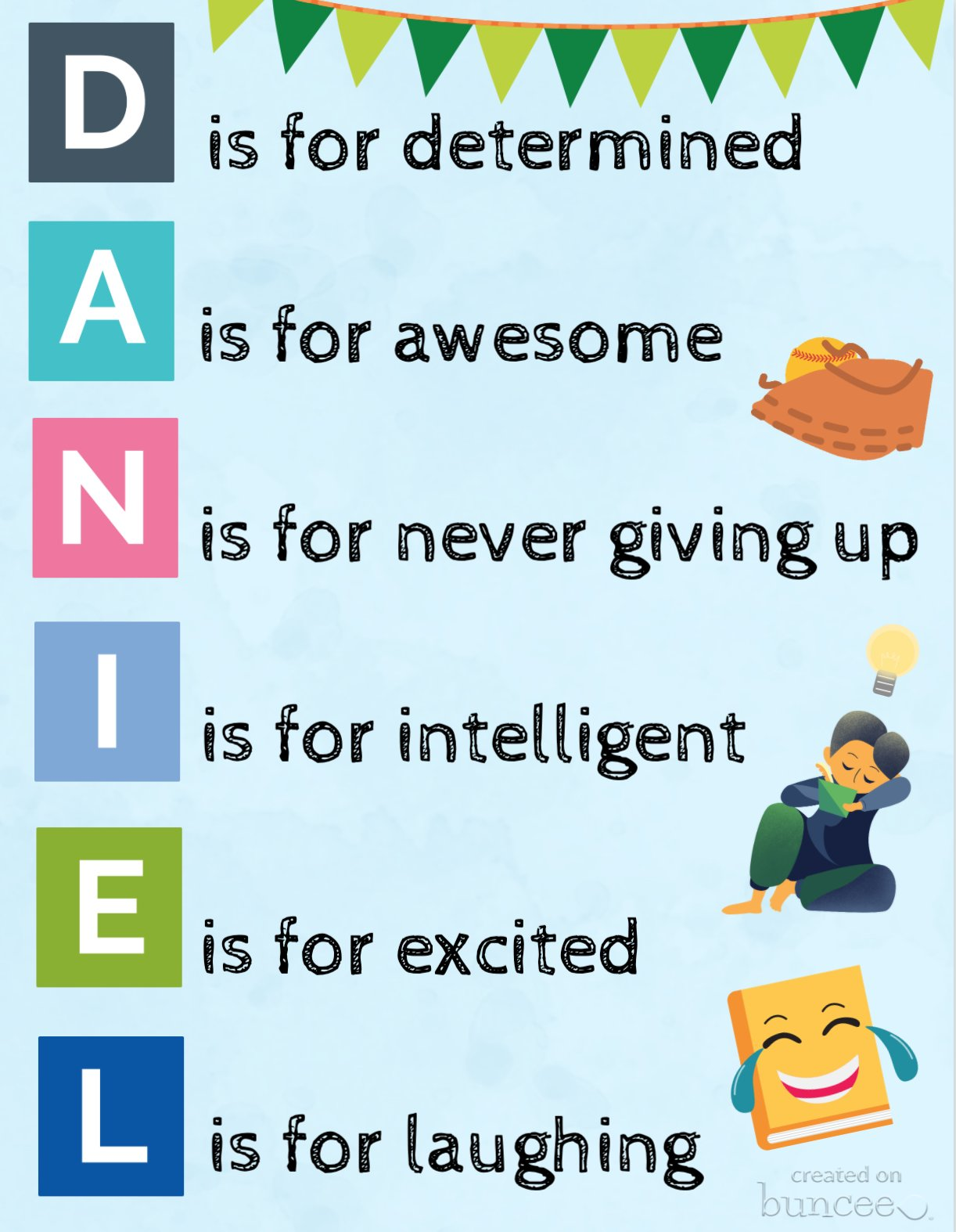
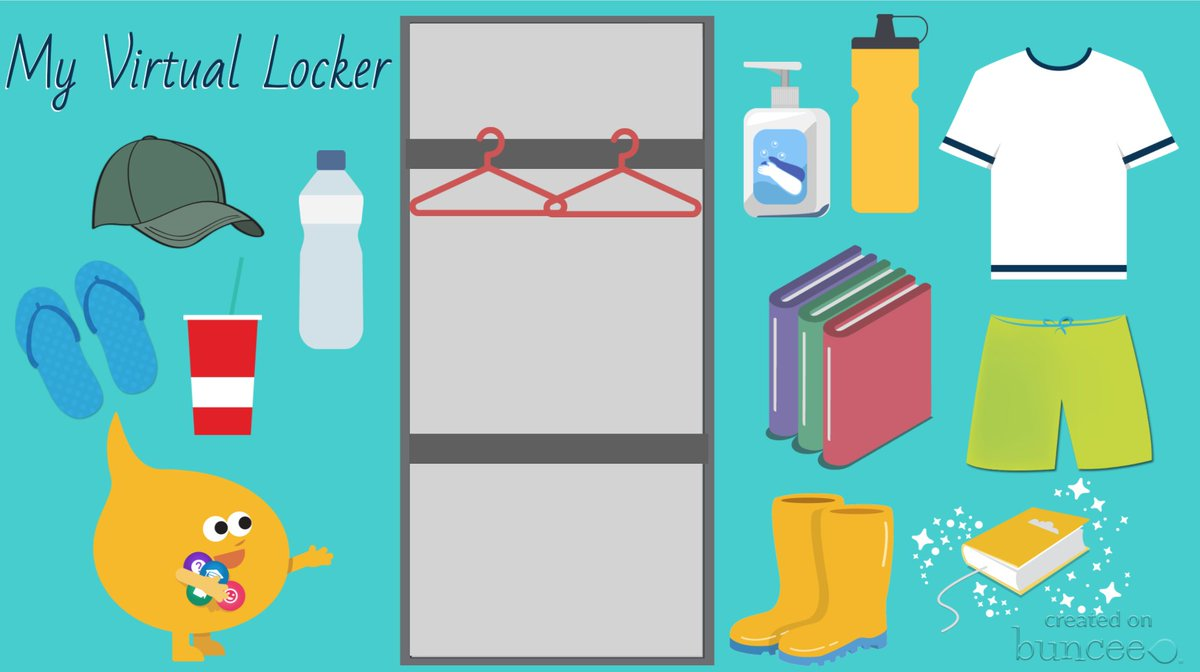
Check out some of these recent additions to Buncee templates for having students express themselves by creating an acrostic poem or a virtual locker.  These are great options to have students create a Buncee to introduce themselves to their teacher and to their classmates!

(this one was shared by Buncee)

(drag and drop items into your virtual locker)

Using Microsoft Teams or Google Classroom, it makes it really easy to share these with students. For global collaboration, create a Buncee board to post all of the amazing student creations. With project-based learning, my students have been able to connect with students in Argentina and Spain and share a little bit about their experiences as students and what life is like here in the United States.  With all the options available for creating within Buncee, it’s fun for students to be able to create something that represents who they are and even to have the option to include audio or video to really get to know each other.  Being able to collaborate like this is quite valuable regardless of where learning is happening but definitely beneficial as many schools are working with hybrid and distance learning. It helps students to feel more connected to their classmates and their teachers and also to be able to connect on a global scale which is important for all students. 

Teach a Lesson

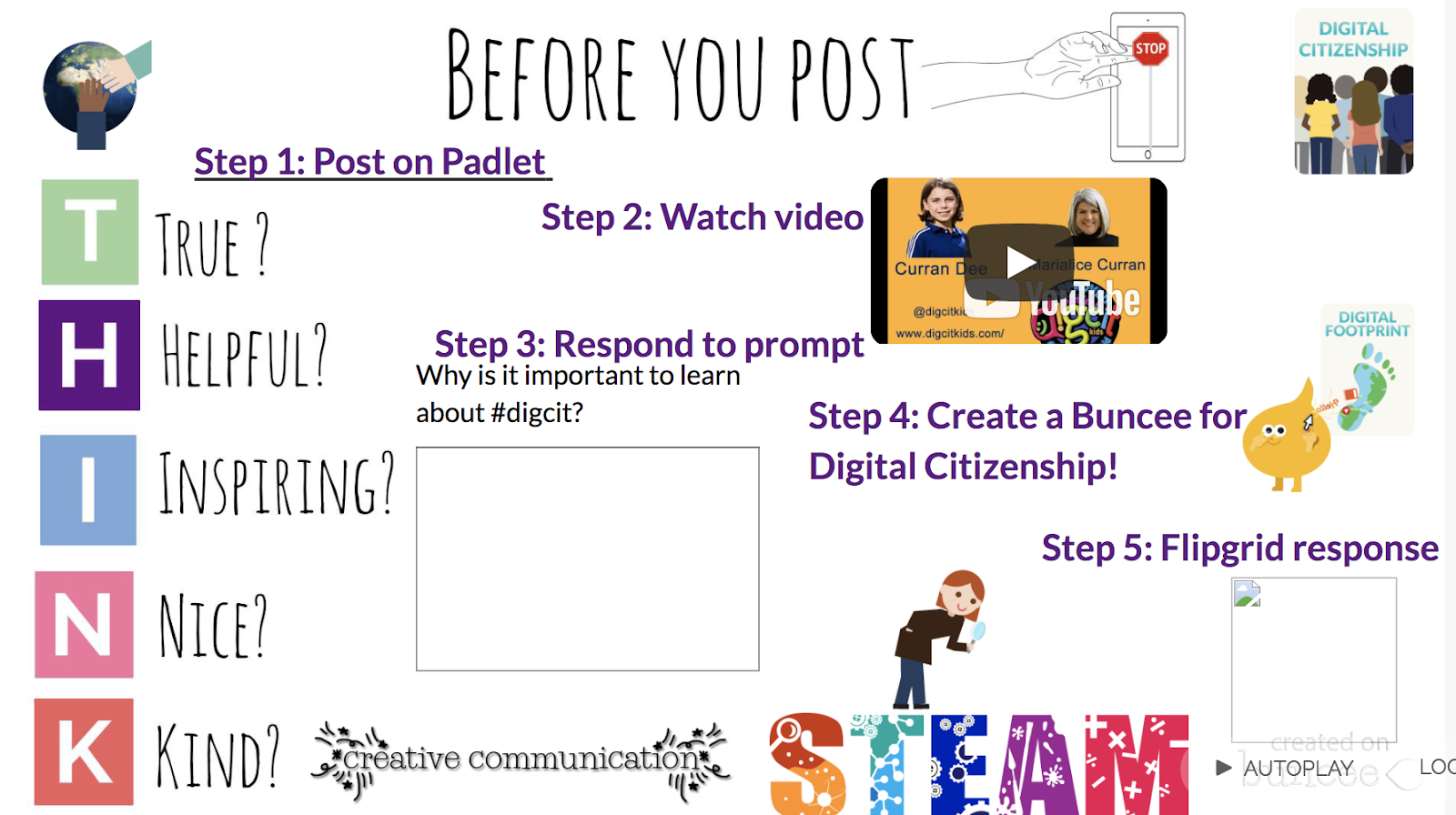
One of my favorite ways to use Buncee is to create lessons to share with my students. One of the first ones that I did was to teach about digital citizenship and it was easy to create something using all of the different options available within the media library and to give students an opportunity then create their own buncee to share what they had learned. 

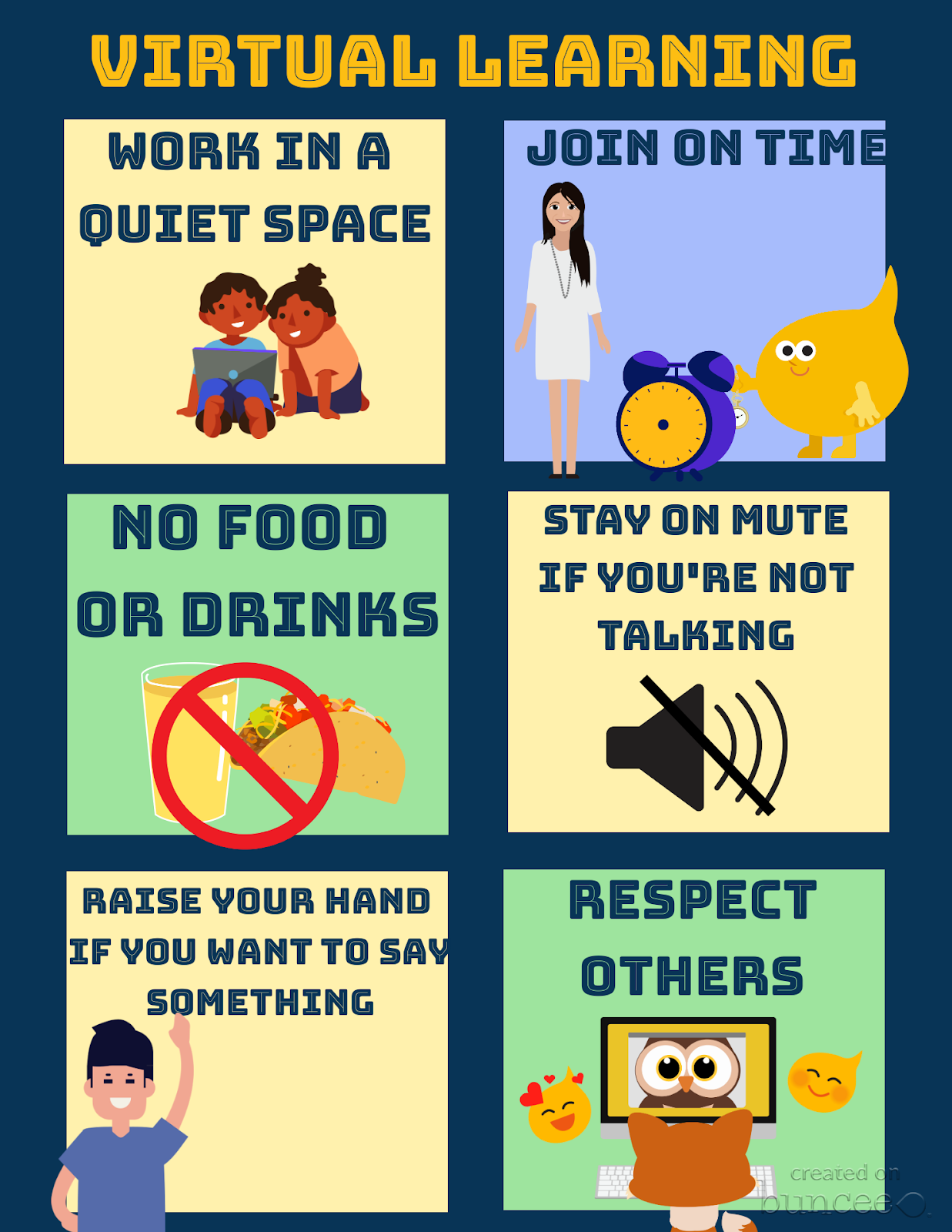
Set up class expectations for virtual learning

Explore the templates and create something like this fast and make it your own by selecting from the more than 35,000 choices available in the media library! 

Ready-made templates and new topics

Something else that I’ve always loved about using Buncee is that it integrates with other tools that we use in my classroom. With this new partnership with Flipgrid,  there are even more ways to use these tools together to provide more opportunities for students to build essential skills. You can find pre-made Buncee templates available in the discovery library focused on topics like social emotional learning, goal-setting and schedulers and organizers.  Check out all of the choices today!

One of the things I love the most about using Buncee is that there is always support available. Whether you connect with the Buncee team through the different social media platforms, or make connections with educators from around the world through Twitter or Facebook, there are so many ways to learn and grow as educators. And even more importantly,  to bring new opportunities to our students. If you need some quick resources on different topics, check out all of the many options available at their Buncee help desk.

Looking for more ideas?  See what the Buncee Ambassadors are up to! Explore the 66 ideas for using Buncee from Maria Jose Giavedoni.  Did you catch the Creative Beginnings event at the beginning of August? Three days of sessions and so many topics and ideas.  Catch the recordings here.

Coming up:

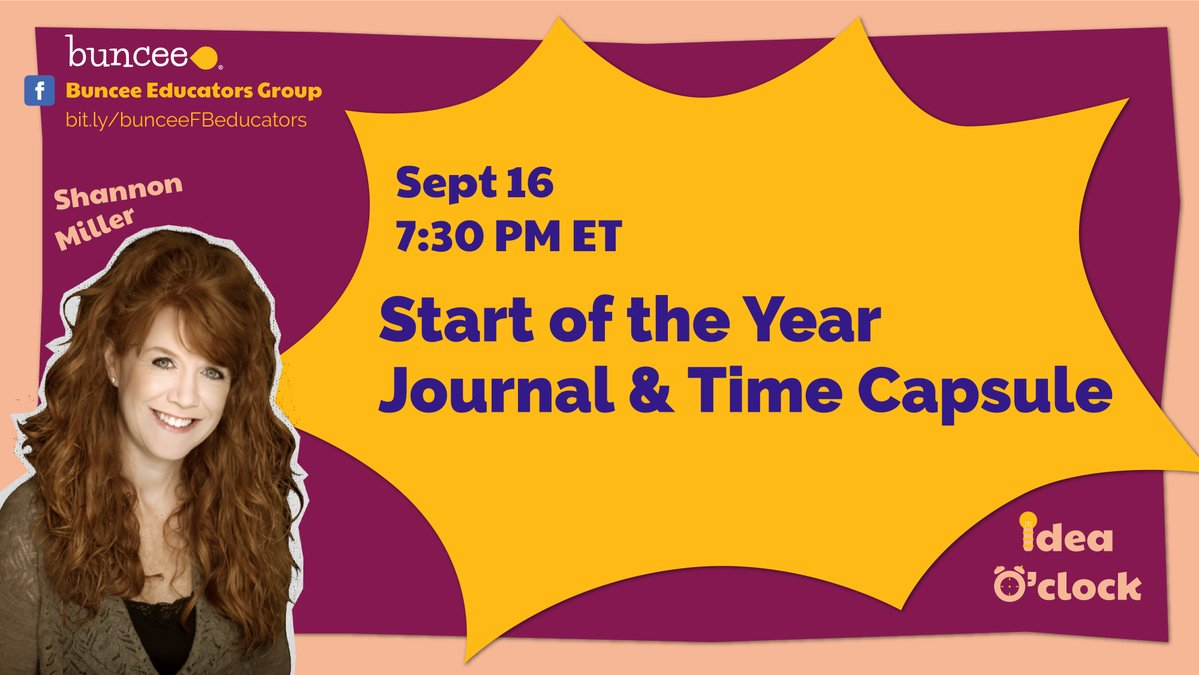
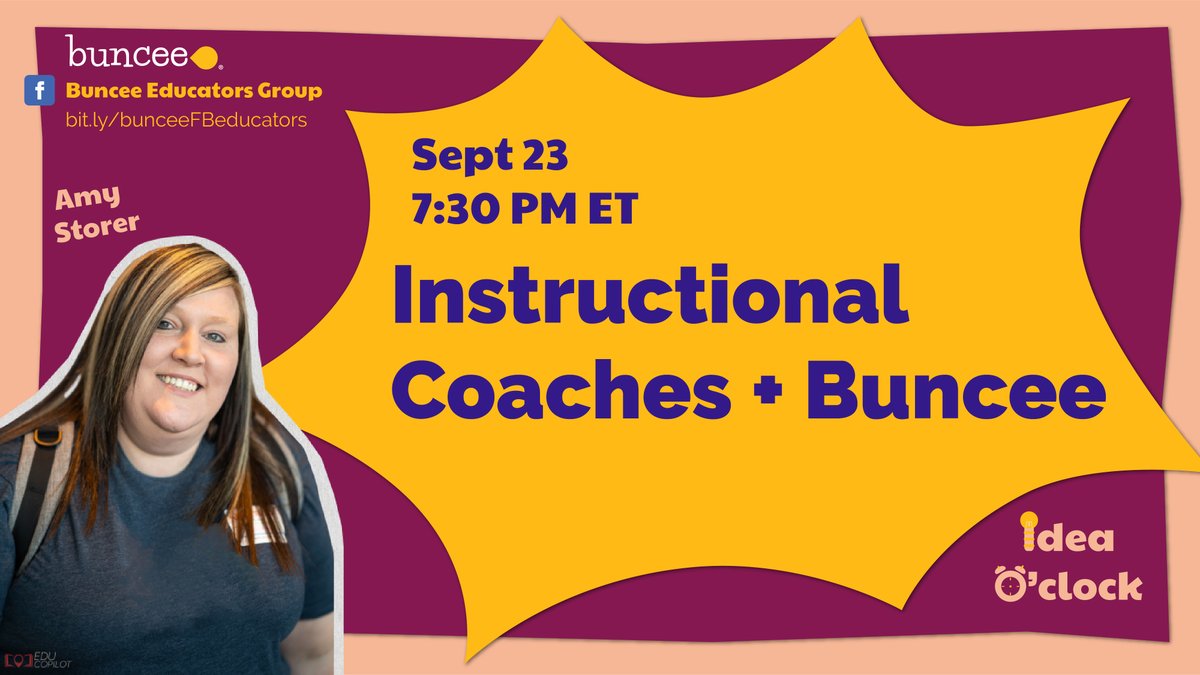
Don’t miss out on the new idea o’clock with Buncee starting September 16th happening live on Facebook at 7:30 p.m. Eastern.  First up was Shannon Miller and Amy Storer is on the 23rd! Be sure to tune in to learn new ideas from Buncee educators!

Image

Find more in the Back to School Resources Kit

Check out the videos available here.

**Interested in writing a guest blog for my site? Would love to share your ideas! Submit your post here.

Looking for a new book to read? Many stories from educators, two student chapters, and a student-designed cover for In Other Words.

Find these available at bit.ly/Pothbooks  

 Also check out my THRIVEinEDU Podcast Here!

Join my weekly show on Wednesdays at 4pm EST on Learningrevolution.com THRIVEinEDU  Join the group here

Game based learning

Guest post post by Brigid Duncan, Educator, Creator, & Blogger

Shaking up learning by bringing retro games to class lessons!

A picture containing holding

Description automatically generated

If you have been teaching for a couple years now, you would be asked by many students to play Kahoot! Or just mention the word Kahoot! and kids await eagerly to hear the elevator music playing in the background as they enter the game code to join your game. So, our students love to play games. Who doesn’t? There is an old Finnish saying that goes like this:

“Those things you learn with JOY

You will not forget easily!”

So why use game-based learning? Many reasons come to mind, however the most significant one is that students work harder when they are given a choice, autonomy, and they are in an audience being observed by their peers. In other words, they like a challenge and want to win. So, knowing this and building games into your instruction accomplishes that and so much more. Many of our students are Gen Z’s, and research has proven that this generation loves challenges, they love independence and relish having a voice in their learning outcomes. Theory behind game- based learning is that we are taking the motivational aspects of a game and applying it our lessons for assessment, while kids are having fun. 

As we move into the start of this ever-pivoting school year, our instruction has to keep up with modifications as our classroom changes, whether we are online,  face to face instruction or hybrid. The problem teachers face with this type of instruction, lies in with our assessments and the integrity of them. Are my students truly understanding the essential questions as outlined at the start of the lesson? Are they using Professor Google (my favorite word for searching google for answers) to my assessments? Should I even have assessments and just go strictly to project based assessments. Well I am here to say you can have online assessments using game-based learning. 

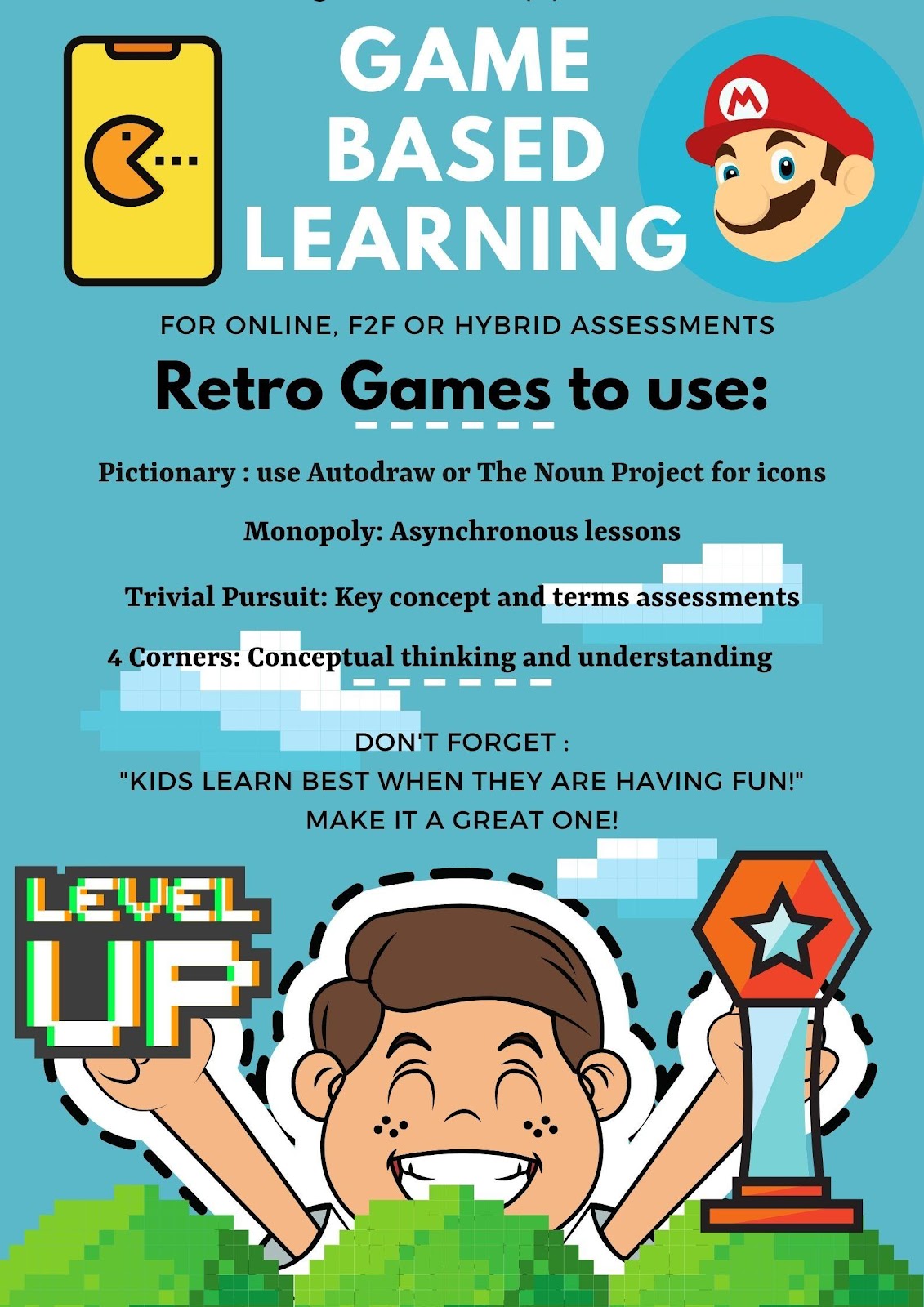
Who wouldn’t want to play an old-fashioned Trivial Pursuit board game? A favorite for many and can be used to assess for key terms or conceptual thinking on a unit lesson. Have them play in teams, assign points and give them badges that they can proudly display. Have a “Battle Royale” with review or test bank questions. Want to take it a step back in our time capsule, do you remember Four Corners a game still played in and out the classroom. Well you can simulate the same idea but on a board game and in, an online classroom. Let’s say you are teaching themes in a novel read that the class just wrapped up. You can ask students to identify themes on opposite side of the four corners. Example, revenge in one corner and opposite side “compassion” You can give them a blank card with 4 squares and play Pictionary, another retro board game. You can pose the same questions but this time you say to your students use icons to represent the themes and place in opposing squares. Sites like The Noun Project or AutoDraw are all free. And of course, I couldn’t write a blog post on game-based learning and not mention Monopoly. I have seen many teachers get creative by incorporating unit lessons using a Monopoly style board, guiding students through asynchronous lessons from START to FINISH. 

I hope this post on game based learning will encourage you to Level Up, on your lesson plans and incorporate games in your classroom learning assessments. Many teachers will be starting a new year with students you have never met in person. I have read many of your comments on social media asking how to build classroom community when we have never met and will continue online. Then this is one of the best solutions available now, to ease your concerns. By having games included in your lesson plans, you will begin building online classroom student relationships. Have fun this school year and remember that Old Finnish saying when developing and designing your lesson plans: “Kids remember best when they are having fun!” 

Brigid Duncan, Educator, Creator, & Blogger

Brigid Duncan is an AP Econ/Business instructor teaching high school in Hollywood, Florida. Originally from the Caribbean, she pursued a career in advertising and Marketing before transitioning to teaching. She is Mom to three wonderful and energetic teenagers and enjoys being creative, especially in graphic design. Favorite quote: “You see things; and you say, ‘Why?’ But I dream things that never were; and I say, ‘Why not’?” – George Bernard Shaw.

Follow her educational journey at @MsBDuncan

**Interested in writing a guest blog for my site? Would love to share your ideas! Submit your post here.

Looking for a new book to read? Many stories from educators, two student chapters, and a student-designed cover for In Other Words.

Find these available at bit.ly/Pothbooks  

************ Also check out my THRIVEinEDU Podcast Here!

Join my weekly show on Wednesdays at 4pm EST on Learningrevolution.com THRIVEinEDU  Join the group here

TeacherCast Educational Network | Developing Standards-Based Instructional Technology Integration

Technology Integration - Instructional Coaching - Productivity Secrets for Educators

Leadership Liner Notes: Sean Gaillard

Built on Connection. Tuned for Impact.

Stories by Thomas Oppong on Medium

Dr. Rachelle Dené Poth @Rdene915 Educator, Consultant & Keynote Speaker, Author, Attorney #THRIVEinEDU

Nova Vita Sağlıklı Yaşam Merkezi

Bedeninizi Dinleyin, Dengeyi Yeniden Öğrenin.

Hooked On Innovation

When Innovation slaps you in the face, we slap back.

Teach Better

Dr. Rachelle Dené Poth @Rdene915 Educator, Consultant & Keynote Speaker, Author, Attorney #THRIVEinEDU

BrianKulak.com

Dr. Rachelle Dené Poth @Rdene915 Educator, Consultant & Keynote Speaker, Author, Attorney #THRIVEinEDU

The Principal of Change

Stories of learning and leading

Mandy Froehlich

Dr. Rachelle Dené Poth @Rdene915 Educator, Consultant & Keynote Speaker, Author, Attorney #THRIVEinEDU

Katie Martin

Informed by research, refined by practice

#RocknTheBoat

Rocking today's classrooms, one teacher, student, and class at a time.

User Generated Education

Education as it should be - passion-based.

Learning as I go: Reflections & lessons learned

Dr. Rachelle Dené Poth @Rdene915 Educator, Consultant & Keynote Speaker, Author, Attorney #THRIVEinEDU

Serendipity in Education

Join me, Allyson Apsey, as I stumble upon the fortunes of learning, laughing, and celebrating alongside incredible people.