Learning Styles is a Myth

Learning Styles is a Myth!

Guest Post by Michael Cao & Evan Missakian

You might have heard it before from your teachers: “Everyone learns in their own way.”

For years, teachers have been attempting to design lessons and activities to match students’ different “learning styles.” But what does this actually mean? What are these supposed “learning styles”?

For some people, they claim that they are “visual learners,” which means that they have a preference for visual-driven instruction. They are more likely to understand concepts if given visual aids such as maps, graphs, diagrams, charts, etc… (Grand Canyon University, 2020). Some people claim that they learn best through auditory modes, while others prefer to be hands-on.

You, too, might have allocated yourself to one of these categories of learning styles throughout your years in K-12 schooling or even college. Suppose that you are a “kinesthetic learner” and like to be hands-on. You are trying to learn systems of equations in a math class. Would you rather be “hands on” with that activity or see someone work out the problem on the board? The obvious choice would seem to be the latter. Does that mean you’re not a kinesthetic learner but rather a visual learner?

This is where learning styles as a concept starts to become muddy. The idea of learning styles has been something that is so pervasive that we never stop to think about if the idea is grounded in scientific research. So is learning styles a myth? The short answer is yes.

The myth is based on the idea that “learning will be ineffective, or at least less efficient than it could be, if learners receive instruction that does not take account of their learning style, or conversely, it is the claim that individualizing instruction to the learner’s style can allow people to achieve a better learning outcome” (Pashler et al., 2009, p. 108).

However, there is a multitude of evidence to suggest that this is actually not true, or at least not supported enough that the learning style hypothesis is valid. Pashler and colleagues noted:

At present, there is no adequate evidence base to justify incorporating learning-styles assessments into general educational practice. Thus, limited education resources would better be devoted to adopting other educational practices that have a strong evidence base, of which there are an increasing number. (p. 105)

This brings up an interesting point. Since there seems to be very little evidence on creating instruction based around learning styles, what harm are the teachers who are proponents of this concept potentially doing to their students’ learning? Well, when students are allocated to a certain learning style and the lesson is catered to their learning style, they could be missing out on different learning opportunities (University of Kansas, 2024). For instance, a “visual learner” who is always instructed using visual aids may be hindered in understanding active listening, or might miss out on hands-on learning with science experiments.

While it would seem that we are criticizing learning styles harshly, we do see that there were good intentions behind the idea. On one hand, there’s little scientific evidence to support learning styles; on the other hand, it is still important for educators to realize that each individual student has their own preference as to how they tackle their learning. The idea that learning style propagates is choice but does it in the wrong way.

What matters most is the context of the learning and topic at hand. You wouldn’t give a student a set of auditory directions about where Spain is when you can just show them a map, even if they claim to be an “auditory learner.” You’d be better off teaching this learner how to actually read a map to build upon their spatial knowledge and then give them the choice in how they want to present what they know. They want to create a presentation on Spain? That’s fine. They want to create a podcast, describing Spain? That’s also fine. Or, perhaps they want to create a poster board! To create an empowered learner is to give the learner the choice to show what they know in any way they want – this is different from tailoring lessons to each students’ learning style.

So to all educators and future teachers, it might not be helpful to give your students a choice in how they want to learn solely based on their “learning style,” but instead give them the choice in how they want to show their learning.

Author Bios:

Michael Cao is a Mathematics major at UMass Amherst under the teaching concentration. He is also pursuing an Education minor.

Evan Missakian is majoring in History and minoring in Education at the University of Massachusetts Amherst. He hopes to pursue a career as a History Teacher in secondary education after graduation.

Contact Rachelle to schedule sessions about Artificial Intelligence, Coding, AR/VR, and more for your school or your event! Submit the Contact Form.

Follow Rachelle on Twitter(X) and Instagram at @Rdene915

**Interested in writing a guest blog for my site? Would love to share your ideas! Submit your post here. Looking for a new book to read? Find these available at bit.ly/Pothbooks


************ Also check out my THRIVEinEDU Podcast Here!

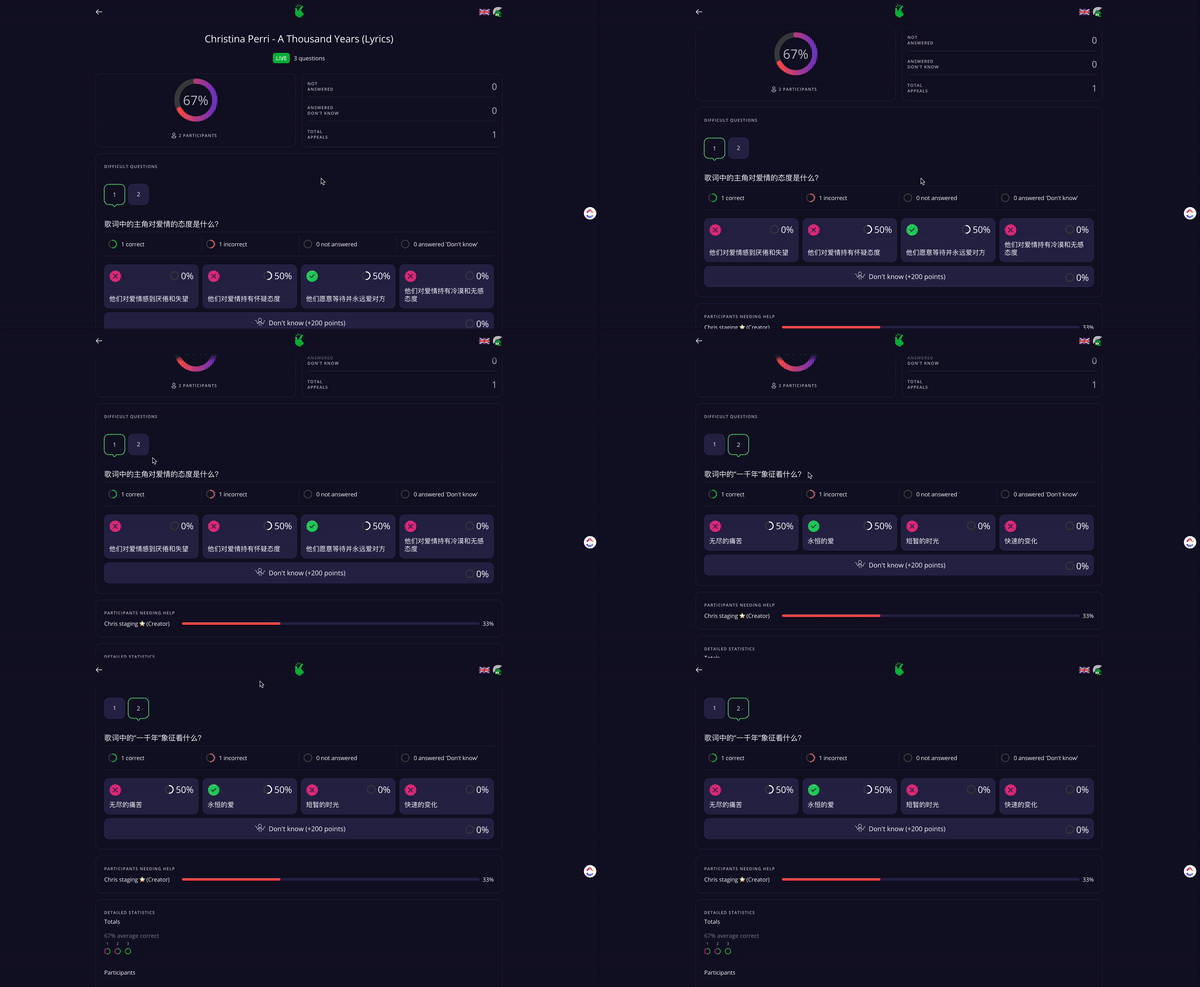
From Passive Video Consumption to Active, Personalized, Data-Driven Learning with AI

Sponsored post by Chris Petrie, via Kwizie.ai; opinions are those of the author

Language tutors are facing unprecedented challenges in keeping students engaged and motivated. The shift towards video-driven learning, accelerated by the COVID-19 pandemic, has only intensified these problems. With studies saying that GenZ students consume an average of 7.2 hours of video content daily and a staggering 500 hours of video uploaded to YouTube every minute, educators are competing with a barrage of digital content designed for instant gratification. This massive influx of content, coupled with the addictive design of platforms like TikTok and Instagram, has made it increasingly difficult to capture and retain students’ attention. One key to overcoming this challenge lies in aligning educational content with student interests, but the heavy burden of personalizing interactive and engaging resources can be overwhelming.

Enter the power of AI in language learning. Kwizie.ai is transforming the way language educators personalize learning content by automating the creation of quiz games from any video in 20 different languages. This tool turns passive video watching into an active learning experience, making language comprehension both aligned with student interests and highly personalized.

Laura Homs Vilà from Couch Polyglot shares her experience:

“I was blown away by how fast it was possible to create such quizzes. It’s definitely a game-changer for teachers and learners alike, helping to clarify whether the video content was truly understood.”

Practical Strategies for Engaging Language Learning

Imagine many possibilities: an English video the student knows well paired with a Spanish quiz, or a Spanish video reinforcing language skills with a quiz in Spanish. The combinations can be tailored to suit any learning objective.

For a creative approach, consider using the learner’s favorite music videos. A familiar Taylor Swift song, for instance, could be the basis for a quiz in a different language (click here for a Spanish quiz, for example), making learning both fun and engaging.

Another great strategy is to get students into study groups and have them engage in peer assessment; they can easily create quiz games for each other from their favorite videos as a powerful way to learn together.

How Kwizie works in 3 steps:

1. Select Content: Start by choosing video content that resonates with your students’ interests. For example, a short National Geographic documentary on sharks could captivate a student fascinated by marine life. Kwizie’s AI can then generate a quiz based on this content in 20 languages.

2. Share and Collaborate: Once the quiz is generated, you can edit what you like and set the quiz conditions. Then, sharing it with students is done in one click.

3. Leverage Analytics for Future Learning: Kwizie provides valuable analytics that offer insights into student engagement and listening comprehension. This data-driven approach allows educators to tailor their delivery strategies to meet the individual needs of their students. For more advanced learners, incorporating activities like recording their own presentation and speaking sessions can add an extra layer of challenge and engagement for audiences.

Impact

By leveraging Kwizie’s AI capabilities, educators can significantly increase the rate of language learning while radically decreasing the time spent creating personalized and engaging learning experiences. This not only motivates learners but also sets them on a path to success, which is the ultimate goal for any educator.

“I have to say this technology is outstanding! It’s one of the most impressive quiz-making tools

that we’ve come across. It does it instantly. It does it in seconds. It even makes it a little gamified.” – Russell Stannard from Teacher Training Videos

It is free to try – it takes less than a few minutes to get your first quiz up and running, and, with a special offer, to try Kwizie for just $1 in the first month. Visit Kwizie.ai and click “Try Now for Free” to embark on a journey that transforms passive video consumption into an active, data-driven learning adventure.

Chris Petrie, PhD, CEO & Co-Founder Kwizie.ai

Helsinki, Finland

Bio:

Chris Petrie is the CEO and Co-Founder of Kwizie.ai, bringing 20 years of experience in education, research, and product leadership. Previously, he has led more than 25 global research projects for well-known international clients, including Supercell, the OECD, the LEGO Foundation, and the World Bank.

Twitter/X: @Chrispetrie6

#languagelearning #Kwizie #polyglot #activelearning #videolearning #aiineducation #educationinnovation #edtech

Contact Rachelle to schedule sessions about Artificial Intelligence, Coding, AR/VR, and more for your school or your event! Submit the Contact Form.

Follow Rachelle on Twitter(X) and Instagram at @Rdene915

**Interested in writing a guest blog for my site? Would love to share your ideas! Submit your post here. Looking for a new book to read? Find these available at bit.ly/Pothbooks

************ Also check out my THRIVEinEDU Podcast Here!

Join my show on THRIVEinEDU on Facebook. Join the group here

Enhancing STEM Learning: The Role of Ethical AI-Powered Text-to-Speech Technology

In collaboration with ReadSpeaker

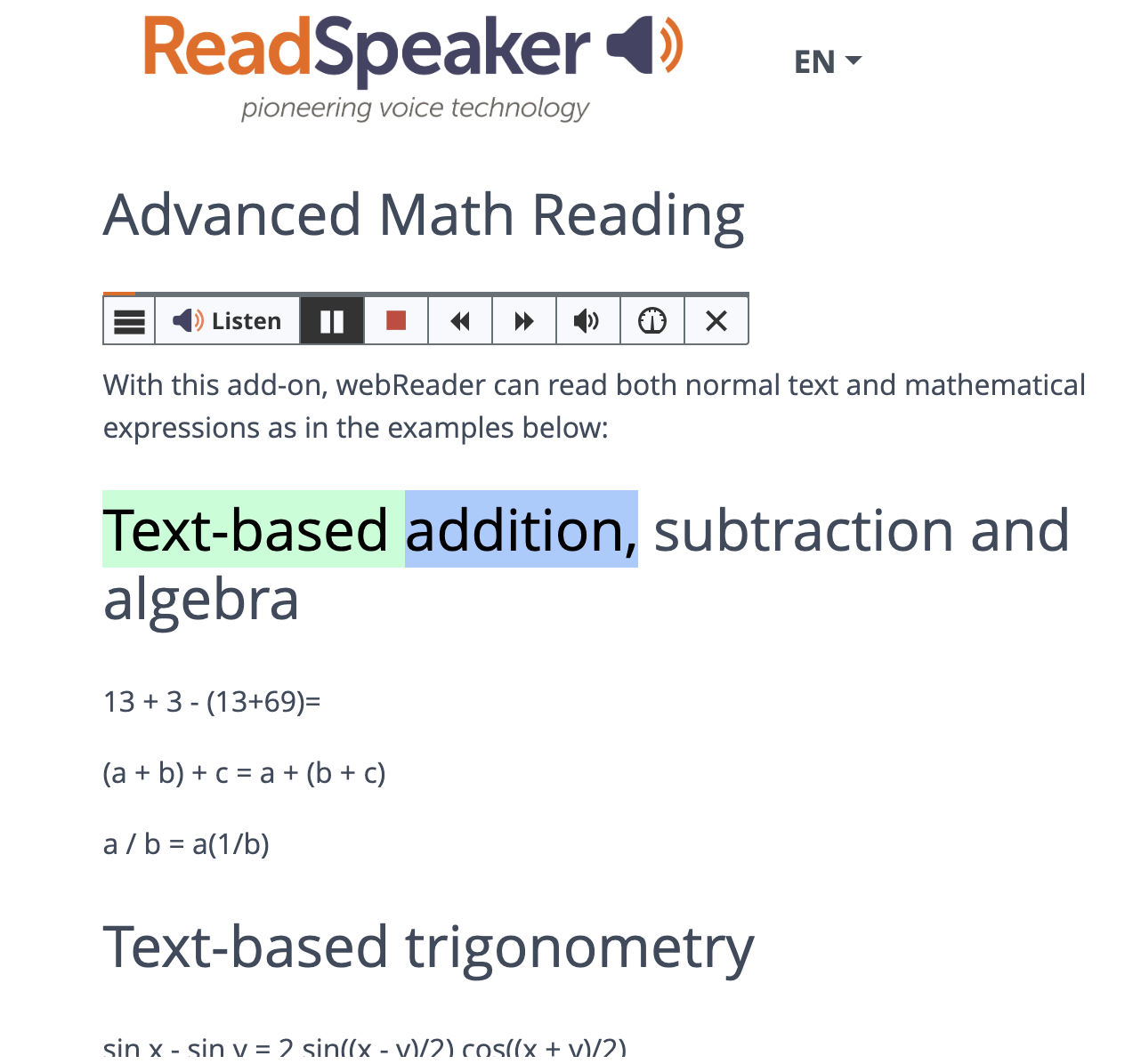
In the world of education, particularly in the fields of science, technology, engineering, and mathematics (STEM), accessibility and engagement are paramount. However, traditional methods of instruction often fall short in providing accommodations for diverse learning needs and fostering active participation. Enter ethical AI-powered text-to-speech (TTS) technology, a tool revolutionizing the educational landscape by bridging accessibility gaps and enhancing learner engagement in STEM content.

Focus on accessibility

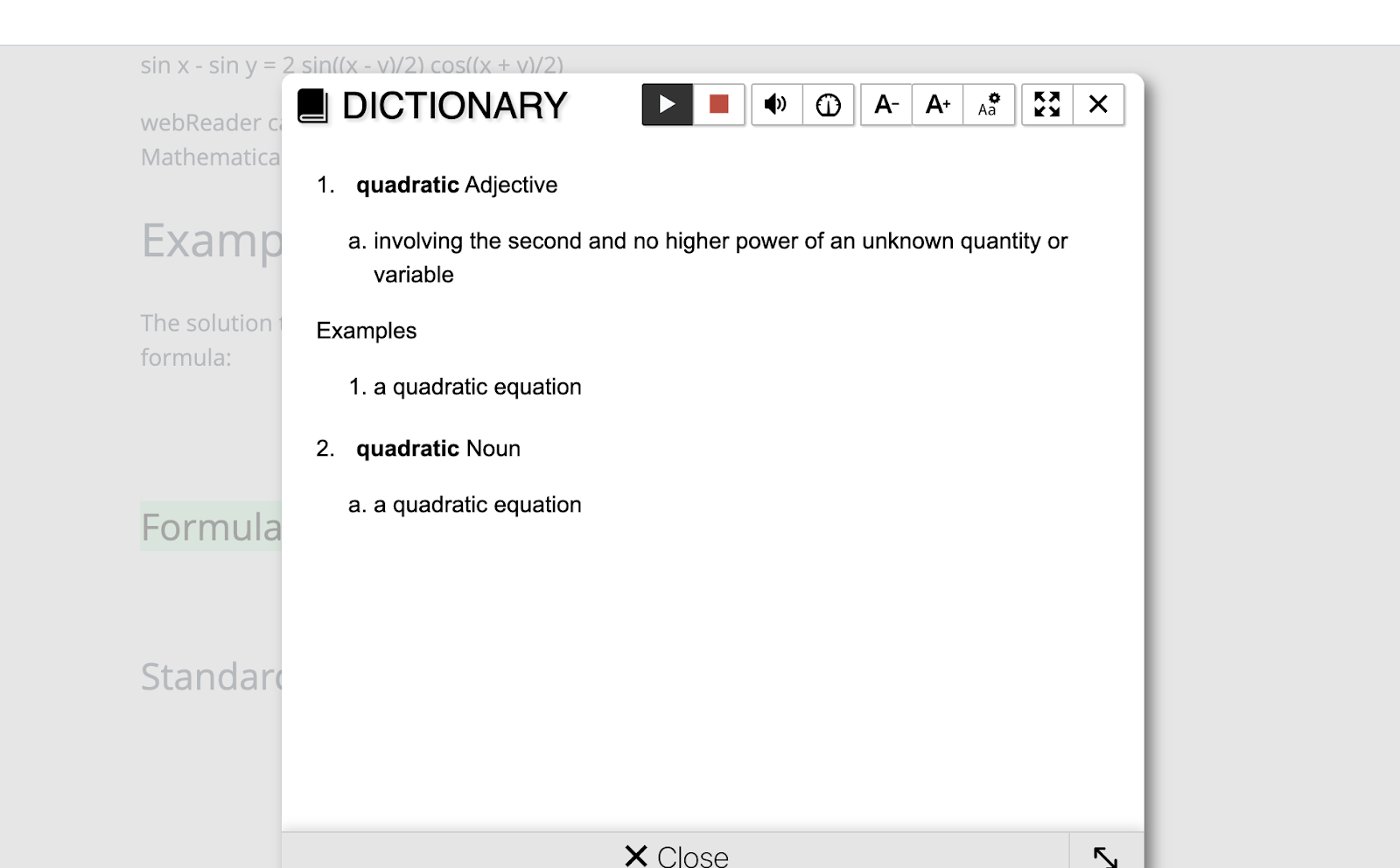
Accessibility in education means providing equal opportunities for all learners, regardless of their abilities or disabilities. Visual impairments, learning disabilities, dyslexia, neurodiversity, and language barriers can pose significant challenges for individuals seeking to access STEM materials. Traditional textbooks are often overfilled with complex diagrams, graphs, and equations. These can create formidable obstacles for these students. However, TTS technology offers a solution by converting written text into spoken words, making STEM content accessible through auditory means. Through the seamless integration of TTS technology into digital platforms and Learning Management Systems (LMS), learners can engage with scientific concepts with ease and independence.

The benefits of TTS

Moreover, TTS technology transcends accessibility barriers to benefit a broader spectrum of learners, including those without disabilities. By providing alternative modalities for accessing information, TTS provides diverse learning methods. Learners thrive by adding auditory environments, where they can process and retain information more effectively through listening rather than reading. TTS facilitates this auditory learning process by transforming written STEM content into engaging audio presentations, which helps with enhancing comprehension and retention.

Additionally, TTS technology acts as a catalyst for increasing engagement among STEM learners. Engagement is crucial for fostering a deeper understanding of complex scientific concepts and promoting lifelong learning. However, traditional instructional materials often fail to captivate students’ interest, leading to disengagement and disinterest in STEM subjects. AI-powered TTS addresses this issue by transforming static text into dynamic, interactive experiences. By incorporating natural language processing and speech synthesis algorithms, TTS systems deliver content with human-like intonation and expression, capturing learners’ attention and sustaining their engagement throughout the learning process.

TTS technology also enables personalized learning experiences tailored to individual needs and preferences. Through customizable settings such as playback speed, voice selection, and highlighting options, learners can adapt the TTS output to suit their unique learning styles. For example, students can adjust the playback speed to accommodate their preferred pace of learning or select voices that resonate with them personally. These customization features empower learners to take control of their learning journey, promoting autonomy and self-directed learning.

TTS technology facilitates multimodal learning experiences by integrating audio with visual and interactive elements. For instance, TTS-enabled e-books can synchronize spoken text with highlighted visuals, enabling learners to follow along seamlessly. Additionally, interactive simulations and virtual labs accompanied by TTS narration offer hands-on learning opportunities, further enhancing engagement and understanding. By leveraging the power of AI and multimedia integration, TTS technology transforms static STEM content into dynamic, immersive learning experiences that appeal to learners of all ages and backgrounds.

In conclusion, AI-powered text-to-speech technology represents a paradigm shift in STEM education, offering unparalleled accessibility and engagement for learners worldwide. By breaking down barriers to access and fostering interactive learning experiences, TTS technology empowers individuals to explore the wonders of science, technology, engineering, and mathematics with newfound enthusiasm and confidence. As technology continues to evolve, so will the possibilities for leveraging AI to enhance STEM education and inspire the next generation of innovators and problem solvers.

See ReadSpeaker.com for more information. Interested in seeing how TTS would look in your environment? Contact us at contact@readspeaker.com.


About Rachelle’s blog

Contact Rachelle to schedule sessions about Artificial Intelligence, Coding, AR/VR, and more for your school or your event! Submit the Contact Form.

Follow Rachelle on Twitter(X) and Instagram at @Rdene915

**Interested in writing a guest blog for my site? Would love to share your ideas! Submit your post here. Looking for a new book to read? Find these available at bit.ly/Pothbooks

************ Also check out my THRIVEinEDU Podcast Here!

Join my show on THRIVEinEDU on Facebook. Join the group here


Blogging to Counter False Knowledge

A Closer Look

Guest post by Miles DeMacedo, Kylie Gannon, and Pierre Ayer, Opinions expressed are those of the authors.

Schools across the United States have been grappling with how to improve student engagement, quality of work, and attitude toward learning. Administrators and teachers alike are blaming cell phones and their widespread use in schools for distracting students from what they should be focusing on – their learning. 

In a congressional press release, Senator Tom Cotton of Arkansas stated: “Widespread use of cellphones in schools are at best a distraction for young Americans; at worst, they expose schoolchildren to content that is harmful and addictive,” (as cited in Langreo, 2023, para. 6). Proponents contend that students are using cellphones in manners that hinder not just their own learning but also that of their peers (Ugur & Koc, 2015). As a result, schools across the U.S. and even other countries have implemented such bans. 

What are the results? A number of studies have found that there has been an increase in student test scores (Beland, 2021) and noticeable reductions of bullying incidence among teenagers (Beneito, Vincente-Chrivella, 2022).

That’s quite the claim! We’re inclined to believe it, too. It seems like common sense, and the claims are based on research. The writing is on the wall: Smartphones in schools are on their way out, as they should be! However, that might not be the whole story. The issue at hand requires a more nuanced look at schools, students, and their relationship with smartphones. Let’s dive deeper!

In the current climate, it is safe to say that smartphones and how they are utilized are criticized. Senator Tom Cotton will have you believe that they are nothing but insidious devices that demand the attention of your children. While there is some truth to this, Tom Cotton fails to consider the potential positives of smartphones and what they can bring to the table for students seeking to learn. While each new piece of technology produces a wave of skepticism, McKenna (2023) says that “banning a technology or behavior prematurely, based on its initial negative impacts, can prevent society from learning how to adapt to and effectively manage the technology” (para. 15).

One argument for allowing cellphones in schools is that they allow for students to practice control over their actions and responsible technology use, becoming more active learners in the classroom. Chris Davis, a teacher in Glendale Unified School District, noted that with clear expectations, “the classroom rewards outweigh the risks of a more open policy” (as cited in Walker, 2016, para. 3).  

A large portion of teachers are already having students utilize their cellphones for learning. One study surveyed 79 teachers to determine their perceptions of using cellphones for classroom instruction, and “findings indicated that the majority (69%) of teachers support the use of cellphones in the classroom and were presently using them for school-related work” (Thomas et al., 2013, para. 1). 

Even in schools with strict cellphone ban policies, students are still using cellphones in the classroom as requested by teachers. At South Eugene High School, the policy is that students keep their cellphones off and out of sight during class unless instructed otherwise. One teacher working under this policy, Bobbie Willis, says she asks students to use their cellphones as documentation tools used to record or take photos. “The convenience makes her wonder if the phones are more valuable than the school-issued laptop” (Snelling, 2024, para. 19).

But what about the test score improvements cited in the Beland and Murphy study in Swedish secondary schools? Well, a study was done to replicate those claims, with an increase in the survey response rate of schools to approximately 75% (a bigger sample size than the original study), it was found that there was “no impact of mobile phone bans on student performance and [we] can reject even small-sized gains” (Kessel et al., 2020, Abstract).

Another important note to consider is the student’s perspective. After all, these are the people that cellphone ban policies affect most. Overall, these policies can be discouraging to students because they take away their ability to make their own choices when it comes to the use of technology. Teaching responsibility must include some level of trust, otherwise the school atmosphere can become hostile. The relationship between the students and the school can significantly affect a student’s learning (Singer, 2023).

So, are cell phone bans in schools the answer to the lack of engagement from students? Well, like we said previously, this issue requires a more nuanced view. At the very least, there is a need for school policymakers to align cell phone rules and restrictions accordingly (Keengwe, 2012, para. 1). Then it becomes a matter of using a variety of approaches, looking at the research, and adapting accordingly. 

Author Bios

Miles DeMacedo is majoring in Community Education and Social Change at the University of Massachusetts Amherst. He has also applied to the 4+1 masters program for higher education at UMass Amherst.

Kylie Gannon is majoring in Physics with minors in Mathematics and Education at the University of Massachusetts Amherst. Outside of the classroom, she is an instructor at an educational maker-space, teaching children and teens about robotics and coding.  

Pierre Ayer is majoring in Community Education and Social Change at the University of Massachusetts Amherst.

References

  1. Beland. (2021, March 25). Banning mobile phones in schools can improve students’ academic performance. This is how we know. World Leading Higher Education Information and Services. https://world.edu/banning-mobile-phones-in-schools-can-improve-students-academic-performance-this-is-how-we-know/ 
  2. Beneito, P. and Vicente-Chirivella, Ó. (2022). Banning mobile phones in schools: Evidence from regional-level policies in Spain. Applied Economic Analysis, 30(90), 153-175. https://doi.org/10.1108/AEA-05-2021-0112   
  3. Keengwe, J., Schnellert, G. & Jonas, D. (2014). Mobile phones in education: Challenges and opportunities for learning. Education and Information Technologies, 19, 441–450. https://doi.org/10.1007/s10639-012-9235-7  
  4. Kessel, D., Hardardottir, H. L., & Tyrefors, B. (2020). The impact of banning mobile phones in Swedish secondary schools. Economics of Education Review, 77, 102009. https://doi.org/10.1016/j.econedurev.2020.102009  
  5. Langreo, L. (2023, November 21). Should more schools ban cellphones? It’s a question U.S. lawmakers want answered. Education Week. https://www.edweek.org/technology/should-more-schools-ban-cellphones-its-a-question-u-s-lawmakers-want-answered/2023/11  
  6. McKenna, J. (2023, November 13). Navigating the digital tide: Balancing technology and engagement in modern education. Medium. https://medium.com/@McKennaJ/navigating-the-digital-tide-balancing-technology-and-engagement-in-modern-education-c5c60b40c9cc 
  7. Thomas, K., O’Bannon, B., & Bolton, N., (2013). Cell Phones in the Classroom: Teachers’ Perspectives of Inclusion, Benefits, and Barriers. Computers in the Schools, 30(4), 295-308, https://www.tandfonline.com/doi/full/10.1080/07380569.2013.844637
  8. Singer, N. (2023, October 31). This Florida school district banned cellphones. Here’s what happened. The New York Times. https://www.nytimes.com/2023/10/31/technology/florida-school-cellphone-tiktok-ban.html 
  9. Snelling, J. (2024, January 8). Do smartphones belong in schools? A look at different approaches. ISTE. https://iste.org/blog/do-smartphones-belong-in-schools-a-look-at-different-approaches 
  10. Uğur, N. G., & Koç, T. (2015, December 30). Mobile phones as distracting tools in the classroom: College students perspective. The Journal of Operations Research, Statistics, Econometrics and Management Information Systems. https://dergipark.org.tr/en/pub/alphanumeric/article/287550 
  11. Walker, T. (n.d.). By opening the door to cell phones, are schools also feeding an addiction? NEA. https://www.nea.org/nea-today/all-news-articles/opening-door-cell-phones-are-schools-also-feeding-addiction 
  12. Zalaznick, M. (2024, January 17). Want students to be more engaged? Don’t ban cellphones!, District Administration. https://districtadministration.com/want-students-to-be-more-engaged-dont-ban-cellphones// 

Contact Rachelle to schedule sessions about Artificial Intelligence, Coding, AR/VR, and more for your school or your event! Submit the Contact Form.

Follow Rachelle on Twitter(X) and Instagram at @Rdene915

**Interested in writing a guest blog for my site? Would love to share your ideas! Submit your post here. Looking for a new book to read? Find these available at bit.ly/Pothbooks

************ Also check out my THRIVEinEDU Podcast Here!

Facing the Fog

Guest post by Dr. Amy Mathews-Perez, a Director of Special Programs in a public school in Central Texas who also serves on the Board of Directors for the Texas Council of Administrators of Special Education (TCASE). Connect with Amy on X (formerly Twitter) at @drgrowtoknow and on Facebook at DrAmy MP.

Have you ever driven through fog? Depending on how dense it is, it can be eerie or ethereal. Sometimes the fog seems to just appear and other times, you can see it in the distance as you approach. When you are driving through dense fog, you tend to slow down because it can be hard to see what is right in front of you. Likewise, it can be difficult to know or see when the fog will end. There are times that it dissipates slowly, and other times when you drive right out of it sooner than expected.

Now, replace the image of fog with the challenges you are facing. “Challenges” can also be described as roadblocks, obstacles, or enigmas. There are many ways that fog and a challenge are similar. Perhaps if we consider those similarities both in CONTENT and APPROACH, we can improve our perspective and progress regarding challenges.

A key characteristic that fog and challenges have in common is that they are temporary…as long as you are moving through them. To stay stuck – or allow yourself to get stuck – in a challenge is like parking your car on the side of the road in the fog and just waiting until the fog goes away. What a waste of time and gas…plus you’ll be late to your destination! Face the fog with intention, cautious movement toward your goal and awareness of your surroundings.

Just like fog, sometimes challenges come out of nowhere – they blind you without warning, or they seem like “no big deal” until you get up close & personal. One potential response in that situation is to rush through and hope you get out of it soon, but that is a huge risk because you may not be able to see that vehicle coming toward you/up behind you until they are within 10 feet of you and then you have to REACT instead of respond. Same with challenges: if we rush through them without learning from them, without going slow enough to see the challenge in a different way, it can result in a crash between our goals and actions; that momentum of rushing can set us back instead of moving us forward.

Face the fog, don’t race the fog.

Just like challenges, fog can seem ubiquitous & consuming; it may blur our goals. But let’s think about it like this: What is fog made of? The condensation of water vapor; tiny liquid water droplets that hang in the air. What are challenges made of? The condensation of choices & opportunities that hang in your mental space. Embrace the mystery of progress, take the time you need to navigate your path and clarity to your goals as you face the fog.

About Amy

Texas-born & raised, Amy is in her 32nd year of serving public education. Her roles have included General Ed. Teacher, SLP, Diagnostician, SPED Supervisor, Assistant Principal, Principal and Director of Special Education.

She is the CEO of Making Education Special for All (M.E.S.A), an LLC dedicated to training, facilitation, consultation, and speaking engagements that revolve around information, motivation, and insights on why and how to make education special for all stakeholders. Her passions are communication, joy, authenticity, and empowerment.

“Life is short but our influence is never-ending,” and Amy is committed to connecting with others through service and smiles.


About Rachelle

Contact Rachelle to schedule sessions about Artificial Intelligence, Coding, AR/VR, and more for your school or your event! Submit the Contact Form.

Follow Rachelle on Twitter(X) and Instagram at @Rdene915

**Interested in writing a guest blog for my site? Would love to share your ideas! Submit your post here. Looking for a new book to read? Find these available at bit.ly/Pothbooks
************ Also, check out my THRIVEinEDU Podcast Here!

Join my show on THRIVEinEDU on Facebook. Join the group here. Subscribe to my newsletter bit.ly/pothnews

Junior Technology Leaders….

Guest blog by Dr. Susan Kandianis, Supervisor of Educational Technology, Colonial Intermediate Unit 20

Twitter: @IU20EdTech

Leading the Way with Student-Led Professional Development

Need some assistance with integrating a new technology resource into your lesson design? Curious about the free resources to teach digital citizenship skills? Call in the Junior Technology Leaders to assist and lead your professional learning session!

What is a Junior Technology Leader?

A Junior Technology Leader is a student in Grades 4-7 within the Colonial Intermediate Unit 20 region. Colonial Intermediate Unit 20 (CIU 20) is one of 29 intermediate units throughout Pennsylvania. CIU20 provides services and programs to schools, educators, families and students within Northampton, Pike and Monroe counties, and one of these programs includes the Junior Technology Leaders!

The creation of the Junior Technology Leader program was a joint effort of the CIU 20 technology and professional learning departments. The program was born out of a passion for delivering quality teaching and learning experiences with technology as well as a strategy to help break down barriers to technology tools/resources and professional learning. Today’s learners are growing up with digital tools, so why not have them provide learning sessions for the classmates as well as for their teachers? The educational technology team planned the curriculum for the first year of the program, basing lessons on current resources available to member school districts within the CIU 20 catchment…..and we were ready to roll!

The program began in 2017 with a small group; five teams and 15 students. Initially, there was a registration fee for the program as we worked to get the program off the ground. A team consisted of the school district advisor and three students. With school district administrative support for the program, advisors attended each session at CIU 20 with their students, and provided support for students back at their home school to complete the lessons and/or facilitation of a professional learning session.

Valuable feedback was key during our first year. Feedback was provided by program advisors and students via surveys at the end of each season. The lessons for the program were tailored to meet the needs of our attending teams.

What Does Student-Led Professional Development Look Like?

Junior Technology Leaders return to their schools with the provided lessons and resources to provide professional learning experiences at their home school. The professional learning experiences may be delivered to their classmates, teachers, and administrators (depending on the school.)

Student-led professional development is not a new concept, but it seems to be one that is challenging to bring into the school schedule. As shared in Unconventional (Poth, 2019), “creating an opportunity for students to provide feedback to teachers about what strategies and tools help them learn best, and add their different ideas into the classroom, will help students to

feel more valued in the classroom and create a more meaningful experience” (p.97.) (Reading this section in Unconventional was actually the inspiration to write this blog. More on how students provide student-led professional development in my next blog. I only have 900 words!)

How Does the Program Help Break Down the Digital Design Divide?
Student technology leaders can also make an impact on their schools by helping bridge the Digital Use Divide. As shared in the newly released 2024 National Educational Technology Plan, the Digital Design Divide, is an “inequitable implementation of instructional tasks supported by technology. On one side of this divide are students who are asked to actively use technology in
their learning to analyze, build, produce, and create using digital tools, and on the other, students  encountering instructional tasks where they are asked  to use technology for passive assignment completion” (U.S. Department of Education, 2024, p.9.)

The work of the Junior Technology Leaders addresses the Digital Design Divide. Their work helps break down barriers by sharing lessons and resources they obtain through the face-to-face sessions and taking them back to their school to provide engaging learning experiences. In doing so, the schools within our catchment can work to ensure that “all students have transformative, active, creative, critically thoughtful experiences supported by technology” (U.S. Department of Education, 2024, p.10).

What’s Next for the Junior Technology Leaders Program?

We continue to grow our Junior Technology Program. With the support of grants, we have been able to purchase enough resources to support our lessons, and we now offer the program at no cost to our member districts. Our Junior Technology Leaders have presented at faculty meetings in their schools, at the annual Junior Technology Leader Showcase at CIU 20 Central Office, at the Pennsylvania Educational Technology Conference & Expo (PETE &C) and twice at the International Society of Technology Conference (ISTE).

We continue to grow the program, and who knows where you will see our Junior Technology Leaders presenting next!

Resources:

Poth, R. (2019). Unconventional. EduMatch. Alexandria, VA.

U.S. Department of Education, Office of Educational Technology, National Educational Technology Plan, Washington, DC, 2024. https://tech.ed.gov

Colonial Intermediate Unit 20. Educational Technology. http://www.ciu20.org

About Rachelle

Follow Rachelle on Twitter (X) @Rdene915 and on Instagram @Rdene915. Rachelle has a podcast, ThriveinEDU, available at https://anchor.fm/rdene915.

Looking for PD for your school or keynotes for your conference? I provide in-person and virtual training on the following topics. If you want to learn more about and explore AI and ChatGPT, contact me to schedule! Rdene915@gmail.com or use the Book Me form on my website. bit.ly/thriveineduPD

**Interested in writing a guest blog or submitting a sponsored post for my site? Would love to share your ideas! Submit your post here. Looking for a new book to read? Find these available at bit.ly/Pothbooks
Guest blog: Think Pair GROUP Share

 by laura steinbrink, posted in education

Getting students to talk about your content and share their thinking Is often a struggle, and having lots of strategies in your tool belt is a must. Overusing a strategy can diminish its effectiveness, so having a variety that you can use with planning or on the fly is a must. Many of you have probably heard of or have used the researched-based think pair share strategy, so my addition to that to create “Think Pair Group Share” will be easy to adopt, adapt, and apply to your teaching repertoire.

Key Takeaways:
* Collaborative learning is essential and has many benefits.
* Students need to discuss and share their learning.
* New addition to the Think Pair Share activity helps students in many ways and is easy to implement.

IF YOU EVER FIND YOURSELF STUCK IN THE MIDDLE OF THE SEA

There are several things I like about this activity. After reading Frank Smith’s book, Learning and Forgetting, I became more conscientious about adding collaboration to the activities I use. As Smith points out repeatedly, paraphrased in summary here by Goodreads, learning is a social process that can occur naturally, effortlessly, and continually through collaborative activities (Goodreads 2024). Students do love to talk with each other, generally speaking, and Smith also points out that “Anything that stimulates our imagination and promotes our enjoyment of an activity is a green light for learning” (Smith 89). While talking to each other is enjoyable, students aren’t as eager for academic discussion, so that is where activities like this, when done thoughtfully, can be so successful for student learning.

I’LL SAIL THE WORLD TO FIND YOU

Anytime I plan lesson activities, I consider ways to add collaboration. Knowing what I do about how we learn is the most natural way to help students move my content from their working memory to their long-term memory. Whatever question, problem, hypothesis, etc., that I want students to think about and discuss during the class period, they can greatly benefit from this activity. Often students aren’t excited about sharing their thinking with the class and teacher seconds after being presented with the question/problem.

IF YOU EVER FIND YOURSELF LOST IN THE DARK AND YOU CAN’T SEE

After the students have independent thinking/solving/writing time, they still might need some collaboration with a peer and/or peers before sharing their thinking with the teacher and class for various reasons. This allows them to refine their thinking, receive validation, or help them come closer to the right answer if all students are struggling. The beauty of this activity is that you also have the flexibility to structure it so that the share-out time is in the small group instead of the whole class if that suits your needs or the needs of a particular student or students.

I’LL BE THE LIGHT TO GUIDE YOU

Here’s how I run this activity (adjust as needed for your age level and students):

1️⃣ THINK: Give students a question, prompt, or problem that covers what you are working on that day or in that lesson. Allow a set amount of time for students to complete the task on their own. It is important to time it. Time is an effective and creative constraint to motivate students. While students process content at different rates, those students who are slower at processing will still have time during the pair and group time to refine their thinking on the content before sharing it with the whole class.

2️⃣ PAIR: Time this as well. Assign students to work in pairs or allow them to select a partner. Instruct them that they first need to decide who will be Partner A and Partner B. Tell the class that your partner (A or B, you pick) will share first, and then the other partner will share. TIP: It is important to monitor that both partners are actually sharing their thinking. After both students have shared, they can adjust their own responses based on their partner’s suggestions or responses. If we are honest with each other and ourselves, this is how much of the assigned homework gets done, or some version of “I got this for number 12. What did you get?” By incorporating this into the activity, it becomes a natural flow for students, but it does need monitoring, so make your rounds through the pairs to ensure the sharing is actually by both and is your content, not what event they are attending after school, what video game they’re currently playing, etc.

WE’LL FIND OUT WHAT WE’RE MADE OF

3️⃣ GROUP: Next, put students into triads or a group of four. It’s like a repeat of the process from step 2, but now you add in Partner C and or D. It is important to remember that students cannot be with their original partner. Changing up the partnerships into new and slightly larger groups adds an additional layer of benefits, too. All students will need to share individually. If you keep partners together, then one of them will end up not talking or sharing during the group round, and that leads to the opportunity for off-task behavior. This addition to the Think, Pair, Share activity also adds a buffer for students who aren’t sure that either their partner, themselves, or both understood the content or problem/prompt, so this is their chance to find out if they are on the right track or have gone off the rails in the wrong direction.

4️⃣ SHARE: At this stage, you can have each group volunteer to have one student share their responses. I use a blend of the following:

  • Randomly call on non-volunteers (I use an online spinning name wheel, popsicle sticks, or shuffled index cards with student names).
  • Allow individuals to share a classmate’s response that they liked better from their discussions, etc.
  • Call on individuals to share their partner’s or a classmate’s response.
  • Call on individuals randomly to share their own responses.

To save time or achieve better results, have students share directly with you (and the group, but not the whole class) as you circulate with the small groups, using the same options from #4.

5️⃣ ASSESS: I don’t generally enter grades for this because I use it as formative assessments to adjust my teaching or to see what misconceptions need to be corrected. However, if you need to enter a grade, have an exit ticket reflection prompt ready in your LMS or preferred platform.

WHEN WE ARE CALLED TO HELP OUR FRIENDS IN NEED

I have used this strategy with all levels of high schoolers, but since Think Pair Share works at all levels, this variation will too. We know the benefits of students having academic conversations, discussing the content, and working independently and collaboratively. Adding the Group activity to the Think Pair Share strategy also breaks up the normal routine, which makes it interesting. By layering the conversations from pairs to small groups to potentially the whole class, student anxiety levels are lowered as well. Adjust this strategy as needed and prepare for engaged learners who will grow better at sharing their learning.

WORKS CITED

“The Book of Learning and Forgetting.” Goodreads, Goodreads, http://www.goodreads.com/book/show/236318.The_Book_of_Learning_and_Forgetting?ac=1&from_search=true&qid=bvd2JnqHYl&rank=3. Accessed 9 Jan. 2024.

Smith, Frank. The Book of Learning and Forgetting. Teachers College Press, 1999.

RECOMMENDED INSTRUCTIONAL STRATEGIES:
HEADING TITLES ARE PARTIAL LYRICS FROM COUNT ON ME BY BRUNO MARS.

Be sure to follow Laura on twitter (X) @SteinbrinkLaura

About Rachelle

Follow Rachelle on Twitter @Rdene915 and on Instagram @Rdene915. Rachelle has a podcast, ThriveinEDU available at https://anchor.fm/rdene915.

Looking for PD for your school or keynotes for your conference? I provide in-person and virtual training on the following topics. If you want to learn more about and explore AI and ChatGPT, contact me to schedule! Rdene915@gmail.com or use the Book Me form on my website. bit.ly/thriveineduPD

**Interested in writing a guest blog or submitting a sponsored post for my site? Would love to share your ideas! Submit your post here. Looking for a new book to read? Find these available at bit.ly/Pothbooks

Dictation To The Rescue!

Guest post laura steinbrink, posted in education

So it has been a hot minute since my last post, but I have been working on several things, grading tons of AP Language and Composition and PreAP ELA 10 essays and trying my best to be present for my son’s senior year of fall baseball, basketball, spring baseball, and all things in between, while handling new responsibilities at school as well. However, for the December Microsoft Innovator Educator Expert (MIEE) Central Region Community Call, I was able to share some of my ideas for how the powerful Microsoft Word dictation tool can be used in the classroom. This post also includes using Google Docs.

THE MIST IS SLOWLY LIFTING

I created a dictation activity choice board, so for my blog, I’ll expand on each activity and then include the choice board in the last post. For my first dictation activity, I chose Dictation to the Rescue. For a basic tutorial on using the Microsoft Word dictation tool, check out my Dictation tools in MS Word video. There are plenty of tutorials out there for Word and Docs, but I did make this one for the MIEE call. Now on to the main event.

THE SOUND OF LIFE MISPLACED YOUR MIND

This activity is a great entrance or exit ticket or a great pause midway through a lesson to ensure students understand the presented content. If you have language learners or young learners, then this has some additional valuable outcomes. Practice these tools in a fun or non-penalty / non-grade-based way before using them with content.

YOU’RE SITTING, SPELLBOUND THRU OUT TIME

In Microsoft Word or Google Docs, have students:

  1. Type or copy and paste into a new document a problem they are struggling with from today’s (or a previous) lesson, something they still aren’t sure how to do, or something they got wrong in the activity.
  2. Dictate their explanation below the problem of what they were thinking as they worked through that part of the assignment (in Microsoft Word, select the primary language spoken; in Google Docs, under Tools, select “voice typing” and then the students dictate in their primary language and then translate the page using the translate tool in Docs). Students should include what questions they still have, and why they think they got it wrong. Getting students to explain their thinking is very revealing for understanding how to help them make connections.
  3. Make corrections to any translations used, but all native language responses should be changed to English and then proofread and corrected.
  4. Pair up and read each other’s areas of struggle. Carefully structure the pairs or allow students (depending on age) to choose who they feel comfortable sharing with for this part. It takes trust to share struggles with someone, so build this in slowly, and listen to student input on how to adapt it for your class. This part can potentially develop a healthy academic risk-taking classroom climate, or destroy what trusting class climate you already have, depending on how you approach and monitor this in progress.
  5. Offer suggestions to their partner or show their partner how to respond to the prompt.
  6. Turn in their dictations so that you can see where communication of content or understanding of concepts may need to be corrected or improved.

I HOPE THAT YOU REMEMBER WHAT YOU FIND

Keep in mind that you as the teacher need to bring the energy needed to help students see the value in academic risk-taking. Your excitement or passion for the activity and content will greatly impact the result, either positively or negatively, so use your power wisely and have fun. Enjoy the process. Model for students that learning is a journey and an experience that must be lived. It’s never a one-and-done.

HEADINGS ARE PARTIAL LYRICS FROM THE SONG, OF A LIFETIME BY JOURNEY.

About Rachelle

Follow Rachelle on Twitter (X) @Rdene915 and on Instagram @Rdene915. Rachelle has a podcast, ThriveinEDU available at https://anchor.fm/rdene915.

Looking for PD for your school or keynotes for your conference? I provide in-person and virtual training on the following topics. If you want to learn more about and explore AI and ChatGPT, contact me to schedule! Rdene915@gmail.com or use the Book Me form on my website. bit.ly/thriveineduPD

**Interested in writing a guest blog or submitting a sponsored post for my site? Would love to share your ideas! Submit your post here. Looking for a new book to read? Find these available at bit.ly/Pothbooks
Six Resources To Try in 2024

Image by Rawpixel.

This will be the first post where I will share some different tools or resources to explore!

Each year, I like to take time and think about the digital tools we use in our classroom, the benefits, and how I might find new ways to use them. When I look to use technology in my classroom, I always start with the “purpose”Why” behind it. What will it help me to do better as a teacher? How can it help students to learn in more personalized or authentic ways? And what skills will students build as a result that traditional non-technology methods might not afford?

There are tools that I continue to use each year because they have added new features or they have integrated with other tools that we are using in our classroom. Here are six tools to check out as we start 2024! And one that is highly recommended to dive into AI in your classroom!

  • CoSpaces EDU is a virtual reality platform that became a favorite for some of my 8th-grade students this year. Whether creating a space in 360, designing a game, an interactive story, or an experiment, students will enjoy creating in VR and developing coding skills too. Another benefit is the Merge Cube add-on, which enables students to hold the space they have created in their hands! Students can even collaborate by working in teams to create a space together. With MergeEDU, educators can use the cube as an interactive tool to further engage students in learning about the earth, dissecting a frog, exploring a volcano, and more.
  • Gimkit, a game-based learning tool, has continued to be a favorite with my students because of the potential for increased content retention through repetitive questions and because of the different ways it can be played in the classroom. It enables students to develop strategies and have fun while learning. There are multiple ways to look at the student data and provide authentic and timely feedback. And there are always new modes to play, which helps to boost student engagement and gives us some laughter, too! Check out Blastball!
  • ISTE’s AI and STEM Explorations Network has created four free hands-on AI projects for the classroom guides, which are available for download from ISTE and GM. For elementary, secondary, electives, computer science courses, and a new guide on ethics, these guides offer various topics relevant to all content areas. The guides are available in English, Spanish, and Arabic.
  • Nearpod is a multimedia, interactive presentation tool that enables teachers to create engaging lessons that can include virtual trips and 3D objects. It offers lessons on topics such as digital citizenship, social-emotional learning, career exploration, English learner lessons, and professional development resources for teachers. Educators can create lessons with many options, including quizzes, polls, drawings, matching pairs, audio, video, and content from PhET Simulations, Desmos, BBC, YouTube, and more. Nearpod lessons can be done live in class or student-paced, and there is also the option for use as sub plans.
  • Wakelet is a content curation tool and so much more. I use it to curate blogs, videos, and other resources I want to access quickly to be a powerful tool for student learning. With Wakelet, teachers can provide blended learning experiences, use it for station rotations, have students create a digital portfolio, share class projects, create a scavenger hunt, and many other possibilities. It even offers the ability to record a Flip short video within the Wakelet collection. Educators and students can collaborate in a Wakelet collection and so much more!

Think about some of the tasks that might be taking up a lot of your time, or consider some issues or challenges you might be having. A few years ago, I noticed a decrease in student engagement and looked for ways to open up more choices for students to share their learning. Any of these tools can be suitable for addressing those concerns.

My Advice? Start thinking about your own personal goals and start with one thing. Try it and see how it goes, ask students or colleagues for feedback, and then make adjustments as needed.

About Rachelle

Follow Rachelle on Twitter @Rdene915 and on Instagram @Rdene915. Rachelle has a podcast, ThriveinEDU available at https://anchor.fm/rdene915.

Looking for PD for your school or keynotes for your conference? I provide in-person and virtual training on the following topics. If you want to learn more about and explore AI and ChatGPT, contact me to schedule! Rdene915@gmail.com or use the Book Me form on my website. bit.ly/thriveineduPD

**Interested in writing a guest blog or submitting a sponsored post for my site? Would love to share your ideas! Submit your post here. Looking for a new book to read? Find these available at bit.ly/Pothbooks

7 AI Tools That Help Teachers Work More Efficiently

These apps and websites can help teachers boost their productivity, personalize learning, and create lesson content.

Over the past five years, I’ve explored ways to integrate AI into my teaching practice—even before ChatGPT and other generative AI became some of the most talked-about topics in education. Every educator needs to learn about AI and how we can leverage this technology to benefit our students and enhance our own work. To best provide for our students, we need to understand how this technology will impact them and us. What better way than to explore new tools via AI in our teaching practice?

Continue reading this post on Edutopia here.

About the Author:

Rachelle Dené is a Spanish and STEAM: What’s Next in Emerging Technology Teacher at Riverview High School in Oakmont, PA. Rachelle is also an attorney with a Juris Doctor degree from Duquesne University School of Law and a Master’s in Instructional Technology. Rachelle is an ISTE-certified educator and community leader and served as president of the ISTE Teacher Education Network. She was named one of 30 12 IT Influencers to follow in 2021 and one of 150 Women Global EdTech Thought Leaders in 2022.

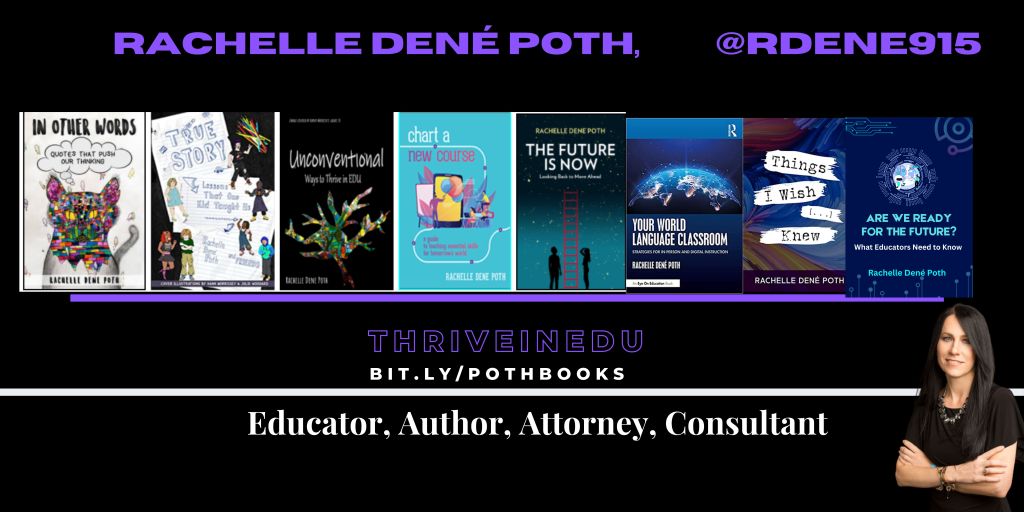
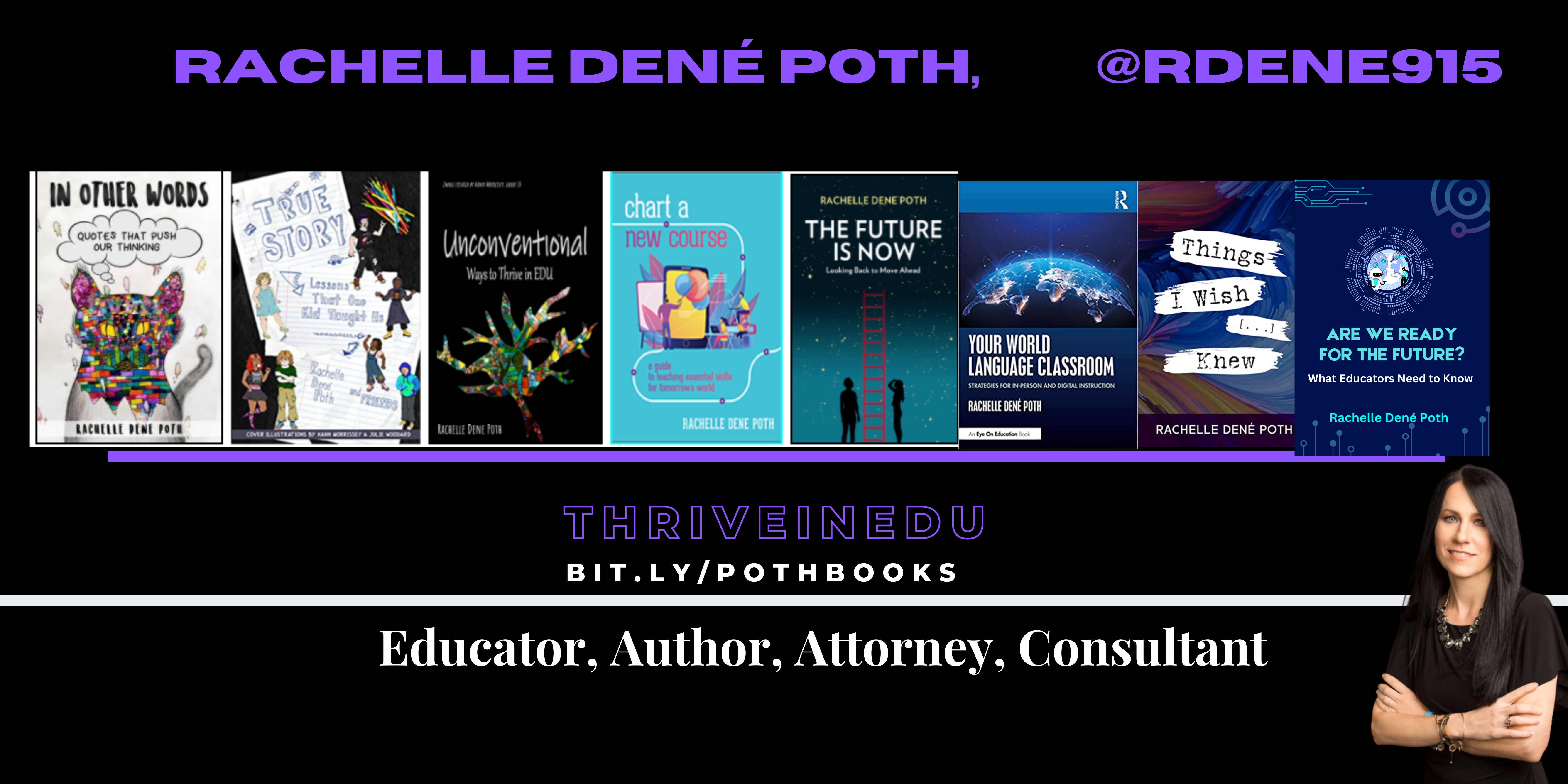
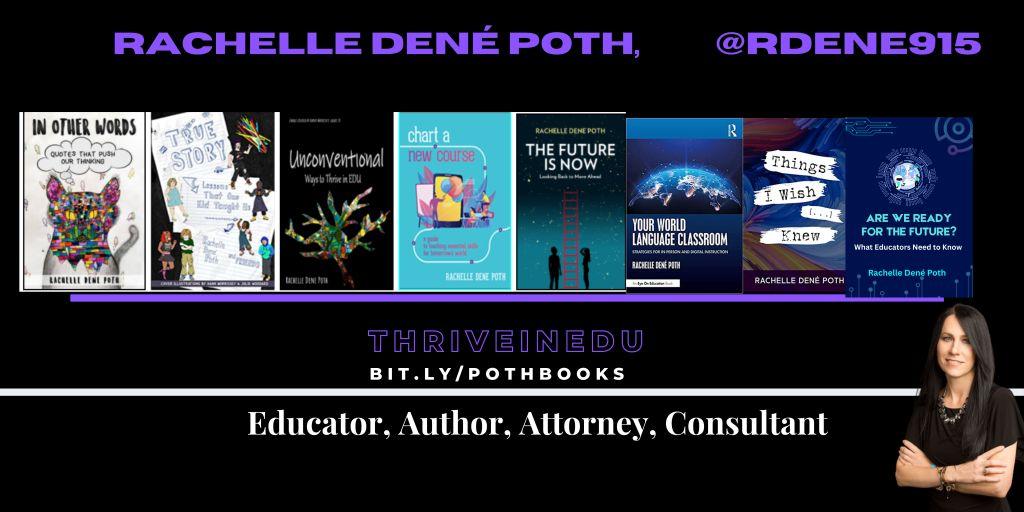
She is the author of eight books including ‘In Other Words: Quotes That Push Our Thinking,” “Unconventional Ways to Thrive in EDU,” “The Future is Now: Looking Back to Move Ahead,” “Chart A New Course: A Guide to Teaching Essential Skills for Tomorrow’s World, “True Story: Lessons That One Kid Taught Us,” and her newest book “Things I Wish […] Knew” is now available at bit.ly/thingsiwishedu.

Contact Rachelle to schedule sessions for your school about Artificial Intelligence, Coding, AR/VR, and more! Contact Form

Follow her on Twitter and Instagram at @Rdene915

**Interested in writing a guest blog for my site? Would love to share your ideas! Submit your post here. Looking for a new book to read? Find these available at bit.ly/Pothbooks
************ Also check out my THRIVEinEDU Podcast Here!

Join my show on THRIVEinEDU on Facebook. Join the group here

B