As a Spanish teacher, I am always interested in finding innovative ways to teach in my classroom and to create learning opportunities that do more than to engage students solely with the content material. Over the past few years, I have started to bring different tools for learning into my classroom, some of which pushed me outside of my comfort zone as a teacher. One area that has led to greater student engagement and has been well received by my students is the use of augmented and virtual reality.
For many teachers, the idea of using these types of tools in our classroom bring questions, such as how much time do I need to learn how to use them and what are the benefits? Fortunately, getting started with many of these tools is quite easy as there are resources available to use as tutorials. The tools offer ready-made lessons or examples to start with, and of course, our students learn so fast that we can quickly learn from them. I often say that we just need to know enough to make sure that we are aware of any issues with access, and of course, we have knowledge of the safety or security issues. We must also understand how we plan to use it, focusing on the why behind wanting to do so, but then we should leave it up to our students to take it beyond that point.
As for benefits, using tools for AR and VR helps educators create innovative learning spaces and transform “how” and “where” students are learning. With different AR/VR tools available, we give students the power to explore objects or places, control their learning and connect with the content in ways that textbooks and videos cannot provide. Students can now travel around the world, to another country, underwater or into outer space, using these tools and doing so right from their classroom.
8 Tools to Try
Here are eight different tools to explore that I think can be very beneficial for student learning and promote student engagement. Getting started with these will help educators implement some digital tools into the classroom without taking too much time to get started.
Google Expeditions
The app is free and can be downloaded from Google Play or the App Store. Google Expeditions offers more than 100 augmented reality and 800 virtual reality tours which students can use to explore careers, visit famous landmarks and locations. They can even use it to find out more about global initiatives. Through the roles of Guide and Explorer, teachers and students can engage with the content in a more immersive way that connects students more closely with the spaces they are viewing, which promotes curiosity. Another option is Tour Creator to create a tour specific to student interests or to have students create their own tour to share. Tours are easy to create and share and provide a more authentic way to connect students with places they are studying.
Google Earth
Google Earth enables teachers and students to explore places around the world and even zoom in for a closer look in 360 via Street View. For schools that have access to HTC Vive or Oculus Rift, Google Earth VR makes it possible to walk or even fly around the locations and explore more closely.
Nearpod
Nearpod offers a library full of lessons in VR and the ability to quickly create lessons that have 3D objects and VR field trips included. Tools like Nearpod help to engage students in a more active learning experience while also providing multiple ways for teachers to assess student learning. It is easier now to take students on trips around the world right from within the classroom at any time.
360 Cities
360 Cities offers interactive panoramic photos and more than 2,400 videos to select from to use in the classroom.
Unimersiv
Through Unimersiv, educators can find VR experiences for students ranging from exploring space, human anatomy, or places like Stonehenge, Athens, the International Space Station and more. Unimersiv can be downloaded with lessons available for students. New lessons are added every few months.
Sites in VR
Sites in VR is an app available for download on Android and iOS devices. Locations can be searched based on type including nature, parks, museums, towers and more. Users can choose to explore through the device or with a headset.
360-Degree YouTube Videos
YouTube offers 360-degree videos which can be a good way to hook students at the start of a lesson. There are so many choices available; one of the first ones that I watched was Lions 360. Videos that were filmed in 360 will provide a better experience.
Curated X Kai
Curated X Kai has featured VR field trips available for experiences such as hurricanes, looking at dinosaurs, the solar system, the human body and many others focused on locations or historical events or places. New field trips are added weekly.
Making the Choice
There are many benefits of using VR in the classroom. In my own experience, it provides students with space where they can take more ownership in learning and creates an opportunity for students to build global knowledge, and explore different ideas and perspectives. We can also use VR as a way to connect our students with classrooms and experts from around the world and build more than content and technology skills. We can also help students develop empathy as they learn about cultures and places different from their own.
There are a lot of options out there to choose from, it is about promoting student choice and helping students to do more than consume content, but to actively engage in learning and even become the creators.
**Interested in writing a guest blog for my site? Would love to share your ideas! Submit your post here.
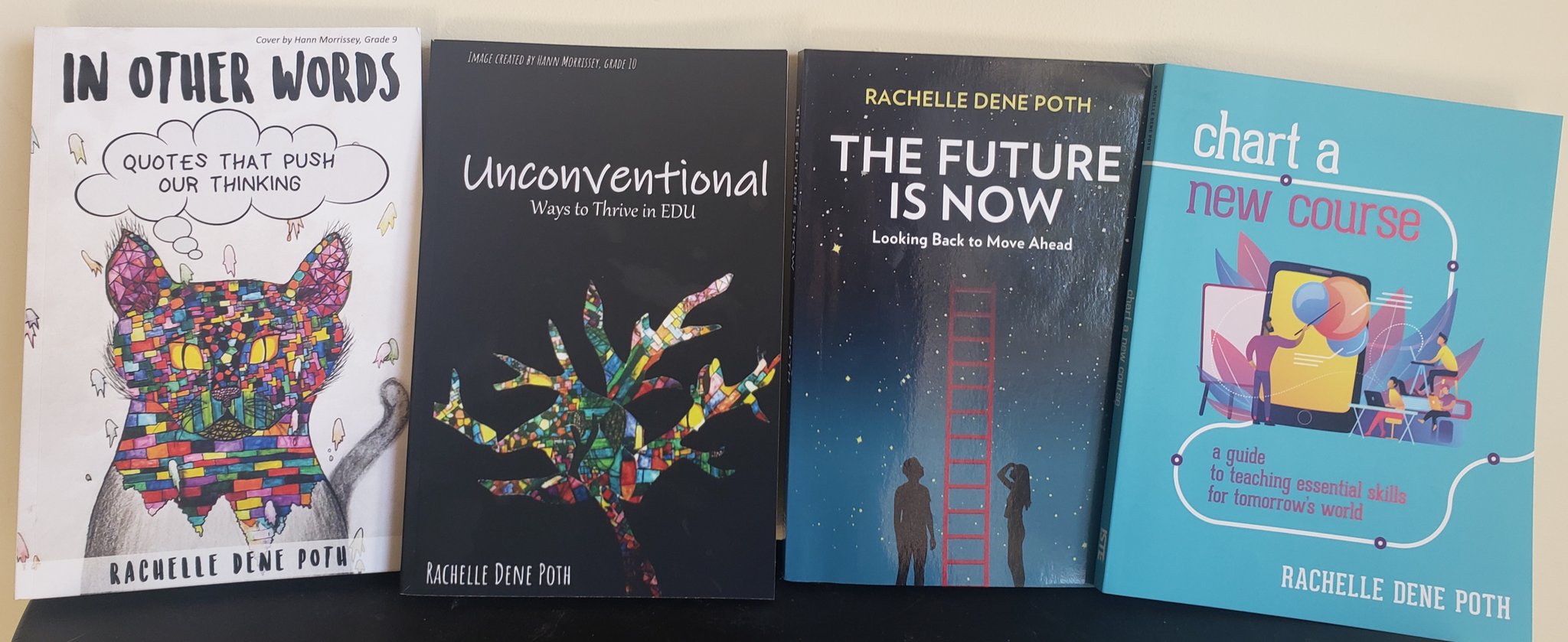
Looking for a new book to read? Many stories from educators, two student chapters, and a student-designed cover for In Other Words.
Across the country, millions of teachers are preparing for what will be the hardest year of teaching in modern history. Educators are dealing with stress, anxiety and fear from unrealistic public expectations and rapidly changing plans. While we work diligently to perfect our Zoom skills and transform curriculum into distance learning content, the nagging thought on almost every teacher’s mind is an entirely different one; a looming problem of epidemic proportions. Our country is entering one of the biggest mental health crises we have faced in decades.
Once we tackle the logistics of where our children will physically be as the school doors “open,” our gears will have to quickly shift to where they are at emotionally, and how to best support them.
Like many teachers, some of my favorite work hours are spent learning from my PLC on social media. These days, our conversations center on how to include more social emotional learning (SEL), including diversity and inclusivity curriculum. However, with so much going on in the intersection of education, politics and public health, teachers are finding themselves with a Herculean labor to perform. Teachers are busy either preparing their classrooms for in-person learning to comply with ever-changing guidelines (often without adequate funds); or transforming their entire curriculum into a virtual learning format…or both. This leaves little time for SEL efforts, which often fall to the back burner despite our best intentions.
Many teachers know the benefits of investing time on social and emotional learning. CASEL, the Collaborative for Academic, Social and Emotional Learning, has collected decades of research showing the impact of SEL education. Focusing on social emotional learning leads to better academic outcomes, such as better test performance and higher graduation rates, as well as reducing behavioral issues and improving mental health. So how do we create a safe, nurturing, relationship-based environment for students when we have so little time to invest in it? One answer is to use “SEL Hacks” from the MUSE Framework for Social Emotional Learning.
SEL Hacks are stand-alone curricular components that can be easily incorporated into the classroom with minimal effort. Start by choosing just a few of these to add on for the start of this school year. As each component becomes ingrained in your curriculum, visit the MUSE website to find new ideas and learning units. SEL Skill Set #1: Modeling Behaviors
Developmental psychologist Lev Vygotsky calls this concept ‘apprenticeship.’ The incredible learning that happens through apprenticeship starts very young, in the home, and continues with teacher scaffolding throughout the school years. We model emotional health for students by prioritizing our physiological and psychological well-being. We ALL must ‘Maslow’ before we can effectively ‘Bloom.’
Start by spending the first week of school sending this message loud and clear. Introduce your students to virtual tools they can use to learn and practice SEL skills, and dedicate at least 30 minutes per day to the explicit teaching and practice of social emotional learning. For example, here is a feelings board that was created using padlet. Tell students to identify which emotion(s) they are feeling each morning, and make sure you include your own name as well.
Having a feelings board shows students they are not alone in feeling such turbulent emotions. It also increases student awareness of their own resiliency as they notice their moods shift back to the positive, which can help increase optimism. Lastly, this gives you the opportunity to quietly note which students seem to be struggling more frequently. You could follow up one-on-one with these students by having private chats, phone calls home, or using apps like Seesaw that allow you to communicate with your students individually. Another great ‘first week of school’ activity is to discuss a set of classroom rules or community standards. The emphasis you place on this discussion will help you set up a safe learning environment for the school year.
Allow students plenty of opportunities to feel heard each day. Keep your lectures to a minimum and allow for group games, break out rooms, and one-on-ones. One way to accomplish this is to record your lessons for students to watch asynchronously, so that more of your synchronous learning time is spent connecting with one another and practicing their learning. Motivation theory says that allowing students to use their voice, and additionally allowing them to make choices in their learning, increases engagement.
One model example of student choice is Genius Hour, inspired by Google’s policy of allowing employees to spend 20% of their time on side passion projects. During Genius Hour, students are allowed to pursue their own educational learning objectives. SEL Skill Set #2: Understanding Emotions The Feelings Board, shown above, is one way to help students to label their emotions, which is one of the first steps in building self awareness skills. You can also add mindful moments into your students’ days. Mindful moments allow your students to check in with their emotions and their body throughout the day, an important step towards building emotional regulation skills.
Another useful time in the day for a quick check-in is just before class ends. Exit slips can be used as a simple tool for seeing how students are feeling about class, or just in general. Exit slips can also be a useful formative assessment tool for teachers, allowing insight into whether or not each student is understanding the concepts being taught.
The most important part of helping students understand themselves and their emotions is to give them plenty of opportunities to speak up and connect. “Be willing to have personal, empathetic, authentic conversation,” says fellow educator Traci Browder. SEL Skill Set #3: Social Skills
While it may seem as though socialization and the teaching of social skills has necessarily hit the pause button, there are still ways to teach these crucial life skills. If your district is doing distance learning, one practical way to start off the school year is to have a conversation about virtual classroom etiquette. Here is an infographic you are welcome to use:
Teach children to show respectfulness and kindness to their peers, even via video conference. This means using non-disruptive signals, being on time and prepared as they would be to a normal class session, and respecting each others’ privacy. If you are teaching in-person, these masks that allow students to see your facial expressions will help greatly with creating connection. Practice greetings by the door, if possible, though without the hugs and fist bumps. Make mornings fun and relationship building — for example, you could ask students to do a little dance move that you mimic as they come through the door.
If you are teaching virtually, smile and greet each student every morning by name. Ask attendance questions to get students sharing and connecting right from the start of class. Having morning meetings is just as important now, if not more important than ever. Visit Responsive Classrooms for inspiration for morning meetings.
Not all of your time on video calls needs to be academic learning. Spend some time allowing students to share, getting involved in random discussions, telling jokes, and discussing feelings — just like you would in a regular classroom environment. Create break out rooms and pair students with random “recess buddies” — you could allow them to play digital games together, or interview one another. Another idea for building relationships is to create virtual ‘dialogue journals.’ You could create a journal to write back and forth with each student, and also create journals for students to dialogue with their peers, taking turns in rotation. You can include a combination of SEL topics as well as academic check-ins in your journaling prompts.
You can build student communication and conflict resolution skills by teaching “I Statements.” I statements are scripted conversations that follow this format:
I feel…because…I need…
While this format often feels stuffy and unnatural at first, with practice you may find students attempting to use a more relaxed version on their own. For example, “I feel overwhelmed by the constant changes in expectations for teachers, and I need the administration to pick one course and stick with it for at least one solid month.” SEL Skill Set #4: Emotional Regulation
Emotional regulation has been a struggle for many people lately, not only for children. Mental and emotional health issues are rapidly rising, and often result in behavioral issues. One of the most important skills you can give your students is the ability to manage their responses to their emotions.
The MUSE website has a virtual curriculum called ‘Piloting Your Plane,’ geared at early elementary age students. This curriculum uses the analogy that our bodies are like planes and we are the pilots. Our responsibility is to fly our plane smoothly without crashing. In order to do so, children learn to check their control centers throughout the day, including their emotional thermometer and hunger/thirst gauges. The curriculum comes with plenty of ready-to-use activities that could be easily integrated into virtual or in-person classrooms, creating a wonderfully playful and highly effective common language.
Teaching ‘growth mindset’ can also help students with emotional regulation. The concept of growth mindset helps students to normalize mistakes, treating them as part of the learning process rather than as a sign that they are incapable of learning.
Having calm down kits and either in-person or virtual calm down centers is very helpful for students who need to take breaks in order to remain regulated. Storyline offers a wonderful online library of books read aloud by celebrities, with beautiful animated graphics to go with them. Set up your own virtual calm down center, and teach students how to use it when they are in need of a break.
While we will continue to see the effects of this pandemic on our children for years to come, incorporating the MUSE framework into your classroom will help you begin to rebuild your students’ emotional health.
For more tips on how to help your students (and yourself) during this chaotic time, please follow me. I am working fast to upload hundreds of units of SEL curriculum for all ages to my new site, EmotionalMUSE, and will send out updates as new units become available.
****************
**Interested in writing a guest blog for my site? Would love to share your ideas! Submit your post here.
Looking for a new book to read? Many stories from educators, two student chapters, and a student-designed cover for In Other Words.
We are a few weeks into the new school year and for many educators, it has been an interesting start to the year. Whether in physical classroom spaces or in a hybrid or distance learning environment, our focus at the start of the year is on building relationships and engaging students in learning. The challenge this year for many is creating the right spaces to build those relationships when we are not together in our physical classrooms. Buncee provides so many possibilities for doing just this.
Introductions
I can create with Buncee and engage my students in opportunities to not only create and engage more in learning, but provide a way that they can feel connected to each other if we cannot be together in the same physical space. A great place to start is exploring the Ideas Lab. There are great templates available to choose from that work well for the beginning of the year and a back to school theme, or for some ice breakers to build relationships that are so important.
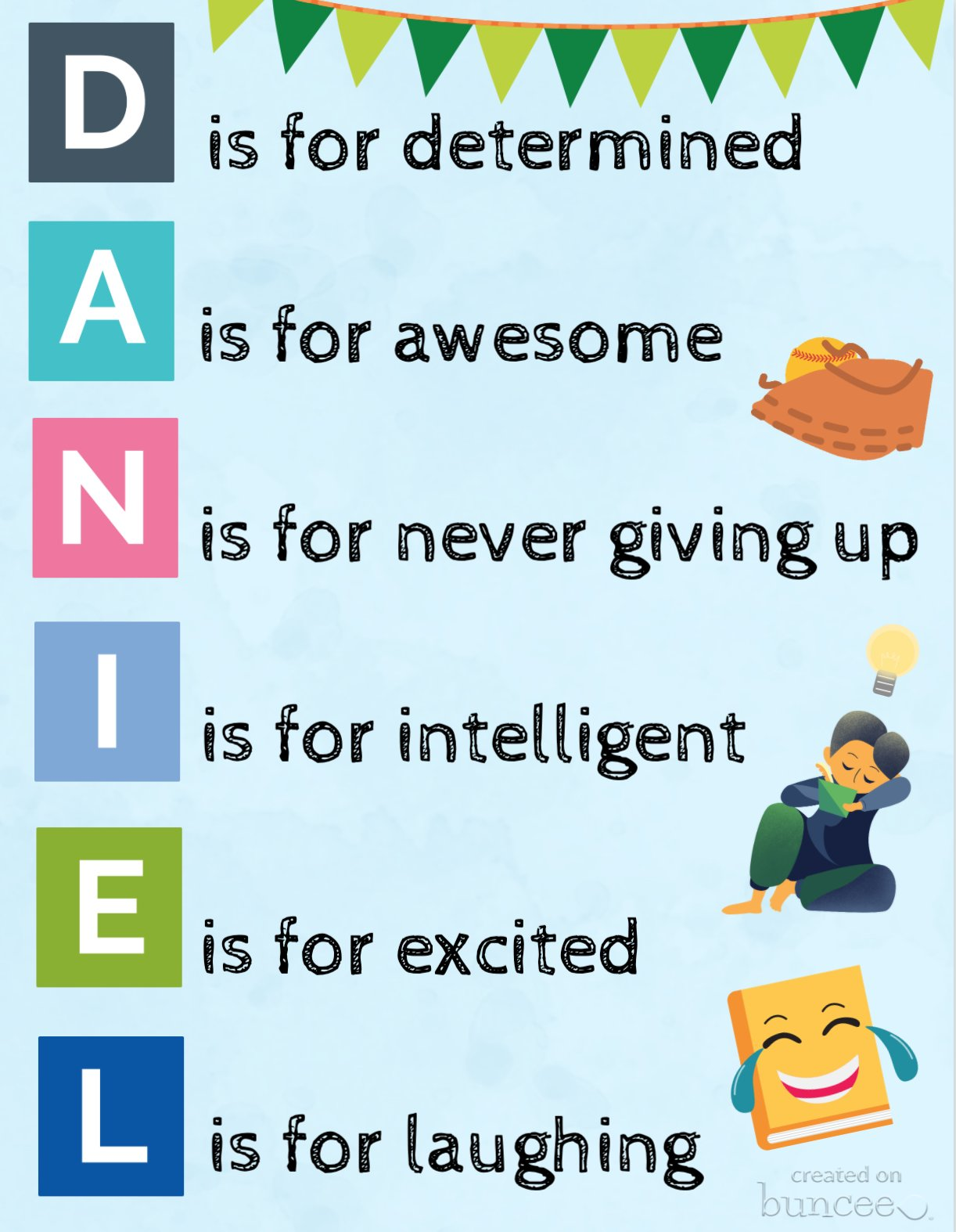
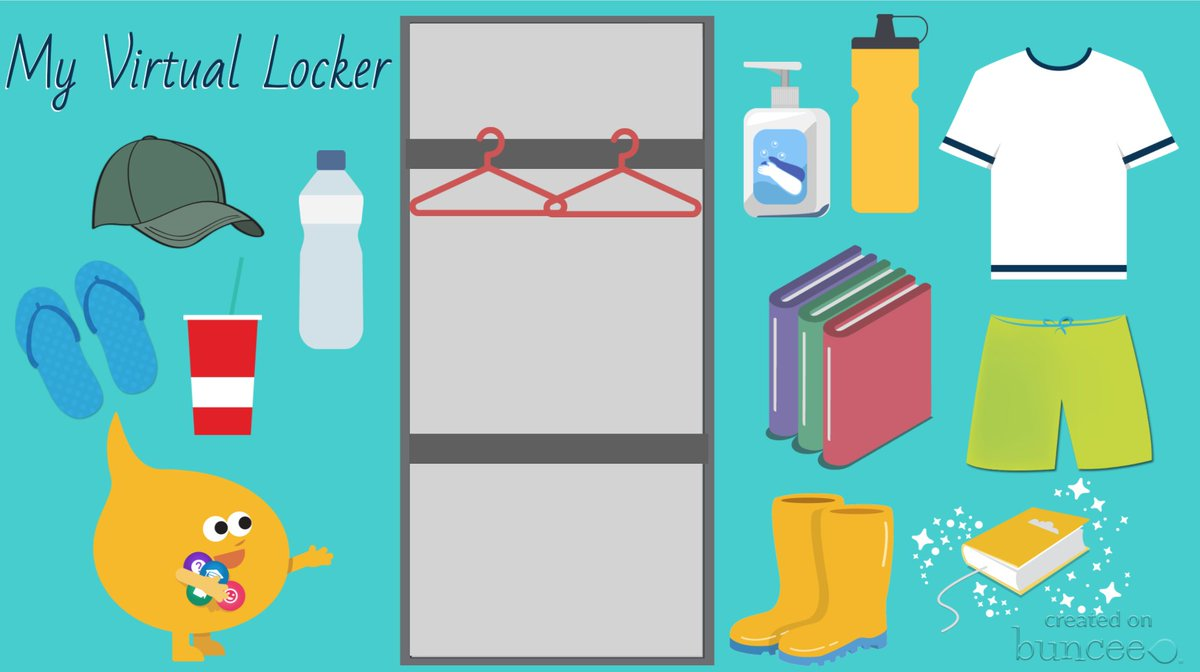
Check out some of these recent additions to Buncee templates for having students express themselves by creating an acrostic poem or a virtual locker. These are great options to have students create a Buncee to introduce themselves to their teacher and to their classmates!
(this one was shared by Buncee)
(drag and drop items into your virtual locker)
Using Microsoft Teams or Google Classroom, it makes it really easy to share these with students. For global collaboration, create a Buncee board to post all of the amazing student creations. With project-based learning, my students have been able to connect with students in Argentina and Spain and share a little bit about their experiences as students and what life is like here in the United States. With all the options available for creating within Buncee, it’s fun for students to be able to create something that represents who they are and even to have the option to include audio or video to really get to know each other. Being able to collaborate like this is quite valuable regardless of where learning is happening but definitely beneficial as many schools are working with hybrid and distance learning. It helps students to feel more connected to their classmates and their teachers and also to be able to connect on a global scale which is important for all students.
Teach a Lesson
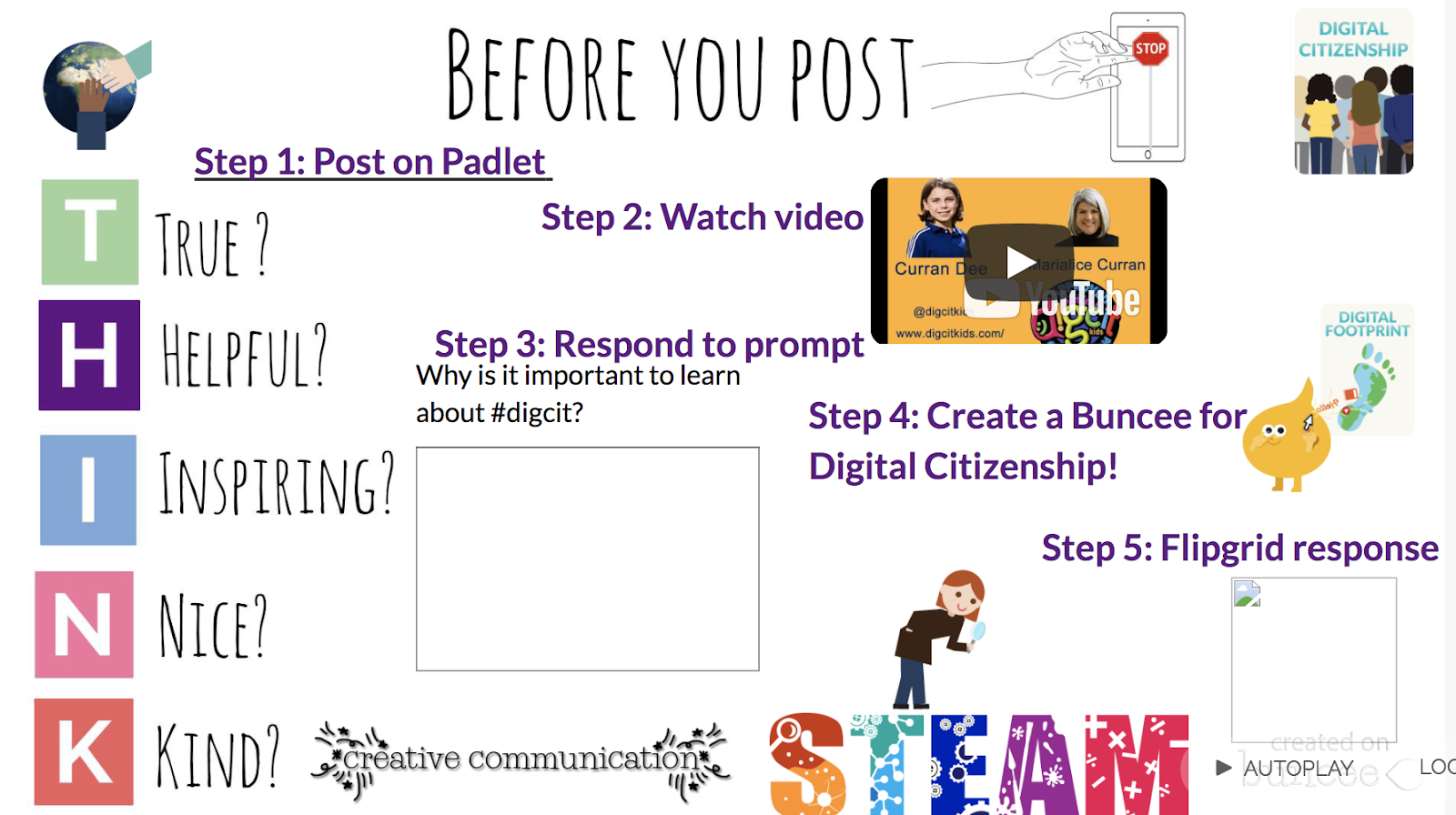
One of my favorite ways to use Buncee is to create lessons to share with my students. One of the first ones that I did was to teach about digital citizenship and it was easy to create something using all of the different options available within the media library and to give students an opportunity then create their own buncee to share what they had learned.
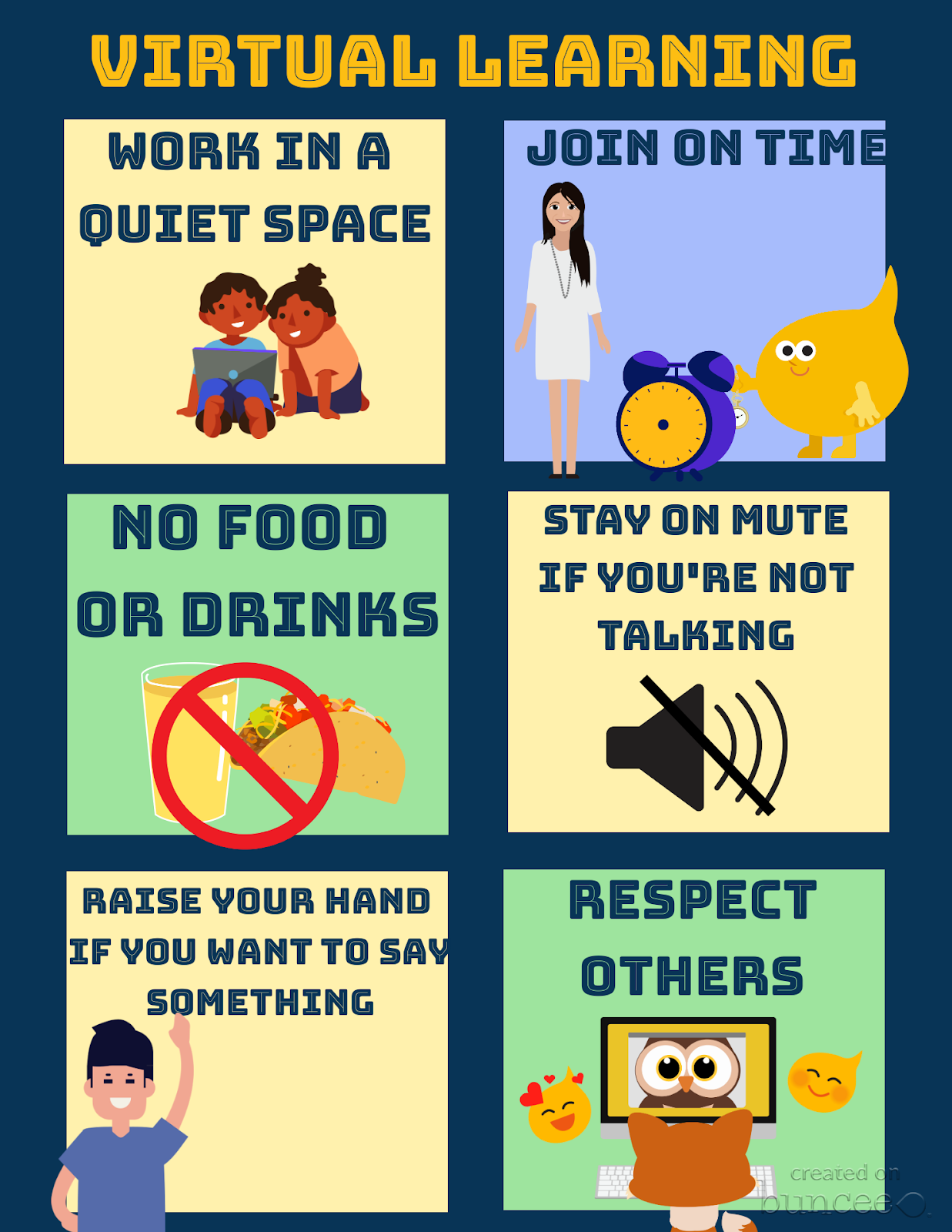
Set up class expectations for virtual learning
Explore the templates and create something like this fast and make it your own by selecting from the more than 35,000 choices available in the media library!
Ready-made templates and new topics
Something else that I’ve always loved about using Buncee is that it integrates with other tools that we use in my classroom. With this new partnership with Flipgrid, there are even more ways to use these tools together to provide more opportunities for students to build essential skills. You can find pre-made Buncee templates available in the discovery library focused on topics like social emotional learning, goal-setting and schedulers and organizers. Check out all of the choices today!
One of the things I love the most about using Buncee is that there is always support available. Whether you connect with the Buncee team through the different social media platforms, or make connections with educators from around the world through Twitter or Facebook, there are so many ways to learn and grow as educators. And even more importantly, to bring new opportunities to our students. If you need some quick resources on different topics, check out all of the many options available at their Buncee help desk.
Looking for more ideas? See what the Buncee Ambassadors are up to! Explore the 66 ideas for using Buncee from Maria Jose Giavedoni. Did you catch the Creative Beginnings event at the beginning of August? Three days of sessions and so many topics and ideas. Catch the recordings here.
Coming up:
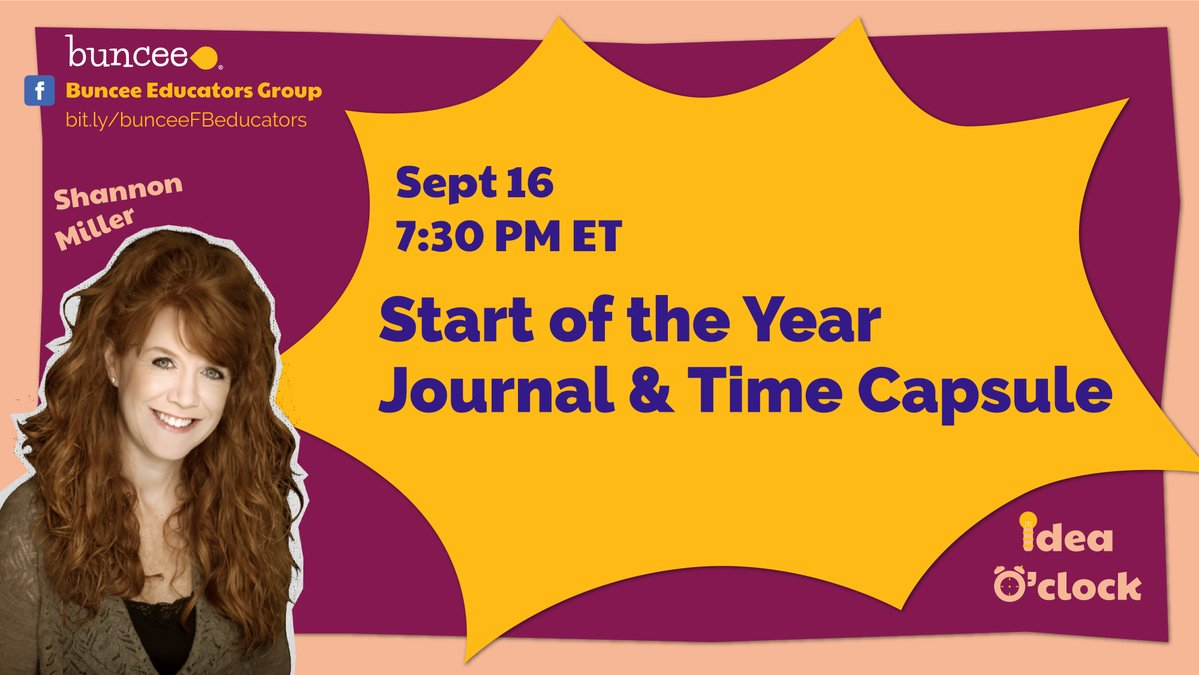
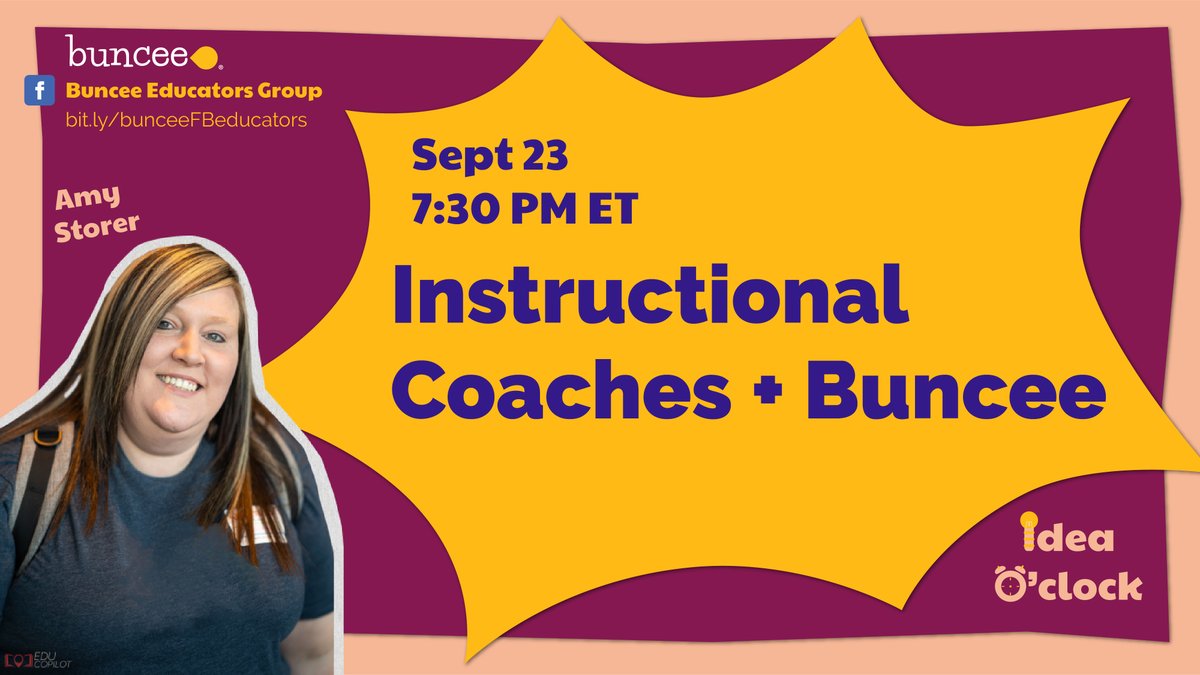
Don’t miss out on the new idea o’clock with Buncee starting September 16th happening live on Facebook at 7:30 p.m. Eastern. First up was Shannon Miller and Amy Storer is on the 23rd! Be sure to tune in to learn new ideas from Buncee educators!
Guest post by Monica Gupta Mehta @monicagmehta and Co-authored by Ariana Pokatilova, EmotionalMUSEVolunteer
“MOMMYSCHOOL,” by Deb Liu, released a cartoon entitled ‘Back To School Blues.’ The humorous graphic proclaimed fire and brimstone and doom for the 2020–2021 school year. When I saw this cartoon, I was struck by how much I related to every single one of the 10 bulleted items, based on our own family’s first week back to school.
This past week was essentially a series of timers set about 20 minutes apart to keep our three kids on track…three kids in three different schools with three entirely different schedules, despite being in the same district. Snack breaks and lunch breaks did not line up even once, which meant the adults in the house were “short order cooks” all day every day. As I frantically attempted to work with any amount of focus in my 15 minute windows of distraction-free time, I found myself looking up to “shhhh!!” the one child who was on break while the other two were on zoom calls. That’s right — even when they had breaks, there could be no loud boisterous play, out of respect for their siblings still in school. A collective sigh was heaved each day at approximately 3:30pm.
Reading Deb Liu’s ‘Back to School Blues,’ I find comfort in the knowledge that our family is not alone. If the plane is about to go down in flames, at least we are all in this together. But why is that comforting? I suppose it is the hope that comes from knowing that others are experiencing the same obstacles and challenges; somehow, somebody will come up with solutions to these challenges. As founder of the MUSE Framework for Social Emotional Learning, with a mission of developing the emotional intelligence of generations of students, I felt compelled to offer whatever advice I could to the parents who are attempting to thrive…or at least survive!…during this unprecedented school year.
1. “Orientation: Attended orientation with sixteen 8 year-olds, half didn’t know how to mute, one was upside down. Chaos ensued.”
I think we can all agree that it is not the most natural thing to have children set up on all day video conferences that rival the schedule of the busiest tech execs.
One way to help mitigate the unfamiliarity of this situation is to teach children the basics of video conferencing, beyond simply showing them how to join a video call. If your child’s teacher doesn’t already have something similar, share this graphic with them to help create a set of virtual community guidelines. It is also helpful to have a discussion with your children about what steps to take when their call is not working. Teach them to self advocate!
2. “Textbook Pickup: Freshmen book pickup cancelled due to the insufficient staff. Still TBD on the updated calendar. School starts Monday.”
It is eerie how similar our experiences were — our schools had to delay materials pickup multiple times, and many students did not have their textbook pick up until after the school year had started. The schools tried to recruit more parent volunteers, but without adequate childcare, most parents with younger kids are not free to leave their homes. My teen found a partial workaround for this problem — there are many sites out there that offer both free and rental versions of textbooks in digital, PDF format. To make this easier for younger children, print out the pages they actually need so they can take notes and annotate as they would in a print textbook.
3. “Class Assignments: Middle school class assignments were delayed until just before the first day of class due to technical issues.”
I guess this is one of those “it is what it is” things in life. Hopefully it’s true what they say — tough situations build strong people. One thing is for sure…we’ll come out of this pandemic with more grit and resilience than we could have learned through any purely educational methods.
4. “Lunch Roulette: Found all three kids have different lunch times. Will need to be a short order cook to feed them.”
Ugh. I feel your pain, Deb Liu! This was my life the first few days of school. However, I wised up (eventually) and remembered that we used to pack lunch in the morning before school, and my kids had lunch whenever it fell in their school schedule — without me trying to give them company, or serve them hot, fresh food. Save the nice meals for dinnertime and go back to pre-packed foods that are prepared ahead of time! If you find yourself wanting to make fresh lunches, prepare everyone’s lunch at the same time as you prepare the first child’s lunch. The other children are likely to be along within the hour, and most foods can sit out that long without spoiling.
For those feeling especially ambitious, one bonus idea I had is to set up a lunch ‘playdate’ schedule, with virtual calls set up for each child to socialize during their lunch break. For some of my kids, this works great…for others, they just want a break from video calls even more than they want to socialize with their friends at lunch.
5. “School Days: Kids are expected to be on zoom for 5 to 6 hours a day, but each day is staggered so the schedule is different per day of the week, per kid. Send help.”
Yes. This. This is exhausting. Not only does each child’s day look different from their siblings’ day; each child also has a different bell schedule for each day on their own school schedule. This is difficult to manage for all of us, and creates the additional difficulty of children who are on “break” having to be quiet and solitary while the other children are still in school. One way to deal with this is to plan your younger children’s breaks a little bit ahead of time, ideally with their input. Write down various break activities your child could do during downtimes. For my own children, I ask them to use the restroom and drink water at every break as needed, then to either get a snack or do anything on the list of brainstormed activities. These include stretching breaks, puzzles, journaling, coloring, quick chats with friends, shooting some baskets, taking a short walk (for older kids), having a mindful moment, reading a book, etc. I also let my kids play in this virtual “playroom” I created, which they find simultaneously both fun and relaxing. (FYI the virtual playroom only works on computers; it is not yet optimized for mobile use.)
I’d also recommend creating a master schedule of all of your children’s log in times as well as codes. If possible, give your children “view” access and teach them how to check the master schedule. Include all additional schedule items, such as exercise, meal plans, and extracurriculars. As things change (updated zoom links, changes in schedule) you can then simply update this master spreadsheet, and your kids will always find the most updated schedule/links as they check back throughout the day.
I find it useful to include my own general schedule in this spreadsheet — that way my kids know if I am in meetings or appointments, on a walk with our puppy, etc.
6. “Communication Management: After reading through two dozen back-to-school emails from five schools and filling out online forms for two days, I am sure I missed at least three things. Just not sure which three.”
This is not my strong suit; I have come to dread my emails with a passion (can you dread something with a passion?? I think the answer is you can during a worldwide pandemic.). However, one hack I have started using seems to be working pretty well. I’ve created a separate folder for emails coming from school, since there is so much communication home these days. Any school email that comes across my inbox I dump in the folder to read in the evening, and I keep the email there even after I’ve read it. Once I am sure I have processed it, noted vital info, and done all tasks from the email, then I remove it from the folder.
7. “School IT Support: Juggled logins to Schoology, Infinite Campus, UpToUs, Google Classroom, Quickschools, Clever, and Konstella to figure out all of the action items. Probably forgot all of the usernames and passwords already.”
I think the solution to this one is obvious…it’s just frustratingly time consuming. Somehow, somewhere all of that information needs stored where it can be readily retrieved. I threw out my usual hesitation to write down passwords and created a login information tab in my master spreadsheet (the one the kids use to see their schedule each day and all the zoom links). The benefit of this is that the kids can see their own login information, and they now come to me far less for this specific need. If I end up getting hacked because we wrote everything down, I suppose I’ll be eating my words. Fingers crossed it all works out.
“8. Calendaring: Realized one of us will be a full-time executive assistant to manage the calendar for three kids or else everything will fall apart.”
This is just factually true, and it is no fun. I do have hope this will get better as things become more routine; but it does feel like half my day goes to this. There are two strategies that have helped me counteract this. One is, yet again, my master schedule. Having a really organized place to collect all information, and to update it as it changes, is a game changer. Every bit of new info that comes in has a spot either in that spreadsheet or on my Google calendar. Knowing where to record the constantly changing information as it comes in is half the battle.
The other two thirds of the battle (yes, we are all metaphorically putting in way more than 100% effort!!) is to not procrastinate. This is a huge ask when everyone is overwhelmed and working way too many jobs at once (paid and unpaid)…but aim for an empty email inbox each day if possible. The more you let the emails build up, the more reluctant you will become to address them.
9. WiFi: Our WiFi is melting down already with too many concurrent video connections. Next week will be WiFi-Mageddon.”
Oof. I have lost count of the number of things we have tried to do to create enough bandwidth for the kids to all be in school synchronously, for me to get my work done, and for my husband to be on all day long conference calls. We have called our Internet service provider, and that has occasionally helped, as sometimes the issue is on their end. You can also try resetting your router — sometimes if we do that enough, the WiFi magically begins working again.
If this issue persists, internet connection is the area I would say is most worth spending a little extra money if you can afford it. Upgrading to a better router will generally help immensely. We have also purchased something called a MiFi — a personal internet hotspot that can be plugged anywhere, with its own monthly fee. This is amazing to have for our outdoor classroom, which we are doing four days a week (we are allowing some friends to come do school with our kids socially distanced in the backyard). That is, four days a week if the California wildfires are not devastating our air quality and trapping us indoors! (…while simultaneously making us so grateful to have an “indoors” to be trapped in, as our neighbors to the north, east, and south are all being evacuated).
One last suggestion for sparing your WiFi is to encourage yourself and your kids to take breaks from their devices when they are on school breaks. Encourage them to move their bodies and to engage their minds in different ways, such as reading, puzzles, chores and games.
10. “Assessment for School Year 2020: We are doomed.”
Well…here’s hoping my Dad is right. He is always telling us to be “wildly optimistic.” While every word of Liu’s cartoon depicts exactly how I felt last week, this week I am optimistic that the tips and strategies collected here can keep us aloft. It certainly won’t be a smooth flight, but with a confident pilot and the advice of our co-pilots, I believe we will get through this. Together.
Visit Monica’s site EmotionalMUSE.com for Social Emotional Learning curriculum you can use with your children. My first two units include a Piloting Your Plane emotional regulation curriculum for early elementary school children, and a Socializing During A Pandemic social skills unit for secondary school students. It is a rapidly growing site — follow me for updates when new units become available!
_________________*********************
**Interested in writing a guest blog for my site? Would love to share your ideas! Submit your post here.
Looking for a new book to read? Many stories from educators, two student chapters, and a student-designed cover for In Other Words.
Guest post by Stephanie Burroughs (@BurroughsEDk12)
For this school year to be successful, we have to take the 40,000 foot view and make sure we have the systems and structures in place to help all students, teachers, administrators, and community members work together to support student learning.
Whether your district is beginning the school year fully in-person, remotely, or in a hybrid learning model, there were clear concerns over approaches to emergency learning in the spring that we should be fixing no matter what school will look like for your district. Below are six ideas that K-12 districts should be planning for:
1. Train your students to LEARN online
It’s not just about technology training. We should be prioritizing executive functioning in the same way that we are prioritizing learning padlet and flipgrid. What we got wrong in emergency learning is creating a massive tech learning curve for our students. Over-stimulating students with log-ins to platforms instead of focusing on student-centered discourse, consistent workflows, and modes of communication would be a mistake moving forward.
Advice: Give students a learning coach, a teacher in the building that checks in with them each week to assist with managing their assignments and advise them on communication with their teachers.
2. Have Open House early and virtually
Supporting student on-boarding is only the first step in ensuring a smooth roll-out of learning expectations. We must remember that families are partners in learning and get them in the loop early. When emergency learning rolled out, parents were overwhelmed with taking on their child’s learning and it doesn’t have to be that way.
Parents need to know how this is all going to work. Answering these questions for parents at an early open house will help parents act as allies in learning:
How can I prepare my child for an online class?
How will teachers communicate expectations and how can I stay in the loop on my child’s learning?
When will I be able to check-in with teachers on my child’s progress?
What is a reasonable amount of time for asynchronous work?
What strategies can I support my child with in communicating with teachers and knowing when/how to get help?
Advice: Give parents a cheatsheet newsletter that clearly defines workflows and expectations for their child, including the technology students will need to be using and all the ways their child can get support.
3. Train your teachers to teach online
I earned a doctorate online at the University of Southern California and we used 3 tech tools: G-Suite, a Learner Management System, and Zoom. My classes were engaging, rich discussions with clear expectations for learning. There is no reason why we should be exhausting our teachers with learning every technology platform they can get their hands on. Instead, we should be focusing our professional learning time on modeling online pedagogy and creating workflows that maximize engagement while minimizing the technology learning curve.
Front-load student learning – Let asynchronous work act as a springboard for live class discussions
Begin class with a quick check for understanding – Keep it simple and let students warm-up to engaging in an online environment
Prepare templates for group work ahead of time – It will help students focus and help teachers keep track of the progress of small group work
Share your slides, make your expectations clear – It helps your students focus and aids them in processing important information
Make caring a part of your routine – Let checking in on how your students are feeling be a routine in your classroom
Advice: Give teachers permission to keep technology tools simple, support them with distance learning pedagogy first.
4. Embrace virtual parent conferences
It was always bizarre to me that a common practice for parent-teacher conferences was a 15 minute time slot in the middle of your workday. Virtual parent teacher conferences will enable more families to engage in conferences, but it will also allow districts to schedule time for conferences with more flexibility. But let’s not stop there, let’s look for opportunities to engage with families and make sure that there are consistent feedback loops to support a successful school year for our students:
Open up PTA meetings to have consistent opportunities for parents to ask questions
Have time slots for parent-teacher conferences throughout the year so that teachers have the time set aside to support families
Hold coffee hours with families to offer support with technology and support with navigating their child’s learning experience
Advice: Plan for opportunities to engage with families and communicate them consistently so that every parent feels connected to their child’s school.
5. Focus on consistent communication
School districts all around me have communicated throughout the summer months on their plans for the fall, opened up family forums to ensure that all voices were heard and that districts could account for feedback, and truly spent a significant amount of time on developing out plans for opening school buildings in compliance with state guidelines. It’s been great, students and parents need to know what to expect and when to expect it.
As we kick off the school year, that same steady communication must happen within the classroom and within school buildings. As a parent, I hope to see the following:
A clear schedule of how and when assignments will be communicated
Consistent meeting times for each of my kid’s classes, communicated at the start of the year and consistent throughout
Consistent time for extra help and support for students so that we can plan for it in our day
Consistent communication on grades and progress in each of my kid’s classes
Advice: Parents should be added as viewers to google classrooms to help with communication and grade books should be kept open.
6. Embrace professional learning communities
Teachers need time and they need us to honor that. Professional Learning Communities, or teachers meeting intentionally to co-plan curriculum, instruction, and assessment, must be a top priority for school districts developing their schedules for the upcoming year. PLC time is sacred and should be intentionally scheduled so that not a single one of our teachers feels isolated in their efforts to provide the best possible learning opportunities for their students.
That being said, collaboration on building materials and resources must be a priority in PLC time and we all need to embrace teamwork over autonomy. That last bit is hard, but our students deserve a consistent learning experience in the upcoming year and we can only accomplish that by being intentionally collaborative in our creation of student learning experiences.
Advice: Teachers should talk as a team about what they can commit to building together and where they need breathing room to add their own personal touches. Asynchronous materials may be the best place to start for building common ground.
**Interested in writing a guest blog for my site? Would love to share your ideas! Submit your post here.
Looking for a new book to read? Many stories from educators, two student chapters, and a student-designed cover for In Other Words.
Guest post post by Brigid Duncan, Educator, Creator, & Blogger
Shaking up learning by bringing retro games to class lessons!
If you have been teaching for a couple years now, you would be asked by many students to play Kahoot! Or just mention the word Kahoot! and kids await eagerly to hear the elevator music playing in the background as they enter the game code to join your game. So, our students love to play games. Who doesn’t? There is an old Finnish saying that goes like this:
“Those things you learn with JOY
You will not forget easily!”
So why use game-based learning? Many reasons come to mind, however the most significant one is that students work harder when they are given a choice, autonomy, and they are in an audience being observed by their peers. In other words, they like a challenge and want to win. So, knowing this and building games into your instruction accomplishes that and so much more. Many of our students are Gen Z’s, and research has proven that this generation loves challenges, they love independence and relish having a voice in their learning outcomes. Theory behind game- based learning is that we are taking the motivational aspects of a game and applying it our lessons for assessment, while kids are having fun.
As we move into the start of this ever-pivoting school year, our instruction has to keep up with modifications as our classroom changes, whether we are online, face to face instruction or hybrid. The problem teachers face with this type of instruction, lies in with our assessments and the integrity of them. Are my students truly understanding the essential questions as outlined at the start of the lesson? Are they using Professor Google (my favorite word for searching google for answers) to my assessments? Should I even have assessments and just go strictly to project based assessments. Well I am here to say you can have online assessments using game-based learning.
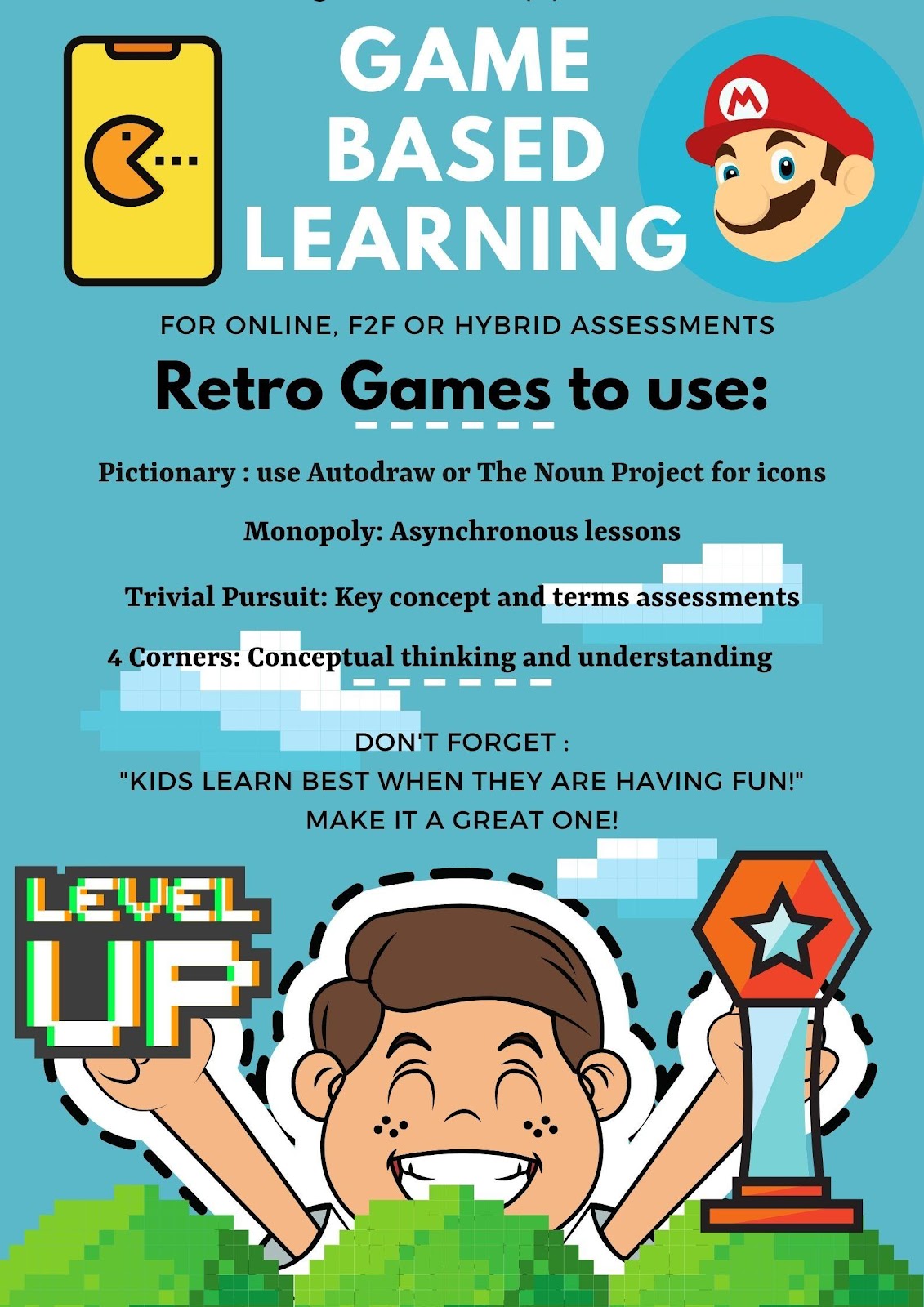
Who wouldn’t want to play an old-fashioned Trivial Pursuit board game? A favorite for many and can be used to assess for key terms or conceptual thinking on a unit lesson. Have them play in teams, assign points and give them badges that they can proudly display. Have a “Battle Royale” with review or test bank questions. Want to take it a step back in our time capsule, do you remember Four Corners a game still played in and out the classroom. Well you can simulate the same idea but on a board game and in, an online classroom. Let’s say you are teaching themes in a novel read that the class just wrapped up. You can ask students to identify themes on opposite side of the four corners. Example, revenge in one corner and opposite side “compassion” You can give them a blank card with 4 squares and play Pictionary, another retro board game. You can pose the same questions but this time you say to your students use icons to represent the themes and place in opposing squares. Sites like The Noun Project or AutoDraw are all free. And of course, I couldn’t write a blog post on game-based learning and not mention Monopoly. I have seen many teachers get creative by incorporating unit lessons using a Monopoly style board, guiding students through asynchronous lessons from START to FINISH.
I hope this post on game based learning will encourage you to Level Up, on your lesson plans and incorporate games in your classroom learning assessments. Many teachers will be starting a new year with students you have never met in person. I have read many of your comments on social media asking how to build classroom community when we have never met and will continue online. Then this is one of the best solutions available now, to ease your concerns. By having games included in your lesson plans, you will begin building online classroom student relationships. Have fun this school year and remember that Old Finnish saying when developing and designing your lesson plans: “Kids remember best when they are having fun!”
Brigid Duncan, Educator, Creator, & Blogger
Brigid Duncan is an AP Econ/Business instructor teaching high school in Hollywood, Florida. Originally from the Caribbean, she pursued a career in advertising and Marketing before transitioning to teaching. She is Mom to three wonderful and energetic teenagers and enjoys being creative, especially in graphic design. Favorite quote: “You see things; and you say, ‘Why?’ But I dream things that never were; and I say, ‘Why not’?” – George Bernard Shaw.
When COVID-19 struck in the spring, it forced an unprecedented portion of our country’s schools to suspend brick-and-mortar instruction. Teachers were thrown into distance teaching—referred to by many as “crisis teaching”— with little preparation. It was like trying to build a plane while flying it.
The crisis has exposed societal inequities impacting our students’ daily lives including food deficits, inadequate health care—including mental health care, issues with housing stability, and insufficient access to the internet.
This fall, to ensure that I’m meeting the needs of my marginalized students even as I shift to a new learning environment, I plan on creating a culturally responsive digital classroom, one that can provide a space where students feel welcomed and valued. Culturally responsive instruction centers on building the learning capacity of all students. According to Zaretta Hammond, author of Culturally Responsive Teaching and the Brain, “There is a focus on leveraging the affective and the cognitive scaffolding that students bring with them.”
Here are three ways in which I plan to implement culturally responsive teaching this year:
Building Relationships
The single greatest investment teachers can make is to build relationships with their students. Relationships boost motivation, create safe spaces for learning, build new pathways for learning, and improve student behavior. The question, of course, is how can I build relationships with students who I might never see in person?
First, I plan to master the soft start to class in order to ease students into our learning environment each day. Though often thought of as an elementary school strategy, my middle schoolers respond well to soft starts. It allows time for students to transition and to re-engage their mental muscles with a short game, puzzle, brainteaser, reading, or interesting “Would You Rather” question. Be cognizant that typical icebreakers like, “What I did this summer” may leave children with nothing positive to share and create a social hierarchy of who had the most impressive summer break. Instead, pose questions like, “Imagine your best day ever. What would happen?” or “If you could change one thing about the world, what would it be?” Taking even ten minutes to check-in with students at the beginning of class each day is vital because high-trust, low-stress environments can help marginalized students effectively process and retain learned information. Additionally, I plan to do the following to build relationships and increase connectedness virtually:
Learn my students’ names promptly and use them as much as possible. As a teacher who often mispronounces my students’ names, I’ll assign students to create a short video in which they pronounce their name so that I can reference it.
Ask for student feedback regularly through an ungraded video or Google Form known as “Friday Feedback”
Host informal office hours that will encourage one-on-one communication
Collect and share virtual notes of gratitude and appreciation
Be a Personal Trainer of Students’ Cognitive Development
As a teacher who is preparing for Round 2 of distance teaching this fall, much of the success or failure of this upcoming school year will depend on my students’ ability to work independently. In order to foster this independence, I will be providing students who are dependent learners with cognitive routines and tools that will help them organize their thinking and process content. Consistently using a regular set of prompts in all assignments helps students internalize cognitive routines so that they can use them when I’m not around. After all, isn’t the goal of education to help students become lifelong learners who can marshal their critical thinking skills long after they’ve left the classroom? Internalizing cognitive routines will help expand the learning capacity of students who have been historically marginalized and work to dismantle dominant narratives about students of color.
Make It a Game, Make It Social, Make It a Story
Each day students walk into our classrooms (or this year, log in to our classrooms) armed with their own learning tools, but too often teachers fail to use them to maximize student learning. Students’ culture can inform us whether they learn best on their own or by collaborating with others. In a distance learning context, students are often given packets and assigned independent projects, which serve independent learners, but are a detriment to communal learners. For example, diverse students who come from oral traditions, might benefit from activities that require social interaction, physical manipulation of content, or narrative. In other words: make it a game, make it social, or make it a story. Utilizing breakout features in Zoom and apps like Jamboard, Flipgrid, and Socrative can help engage communal learners. However, it’s important to remember that culturally responsive teaching isn’t simply a set of strategies. It’s consistently mirroring students’ cultural learning styles and tools.
My job is to be responsive to students’ individual and collective lived experiences, and in particular this year, their experiences with the COVID-19 pandemic. That will require me to integrate my students’ cultural learning tools into my pedagogy and be a warm demander of their cognitive development. But above all, this year will be about relationships. Creating a learning partnership that encourages my students to take ownership of their learning has always been important, but this year it will be paramount to address gaps in learning outcomes between diverse students and their white counterparts. Through robust reflection of my own pedagogy and the adoption of culturally responsive teaching practices, I plan to make learning exciting and joyful for my students so that they’ll be motivated to take ownership of their own learning. Students will be seen. They’ll be heard. They’ll be loved. And we’ll make it through this school year together.
This post was written by the Eduporium team, Andy Larmand and Laura Kennedy. Opinions/products mentioned are from Eduporium. This is not sponsored content.
As many teachers know, the upcoming school year is going to be challenging from an academic, mental, and emotional standpoint. Thankfully, there is a reliable form of pedagogy that can benefit both teachers and students as they return to school whether it’s in person, through remote learning, or as part of a hybrid model. For school leaders who see creating new relationships with students and making them feel comfortable after their worlds were flipped upside down in the spring as a top priority, social-emotional learning is going to be crucial.
While a teacher, I was introduced to social and emotional learning, which is more commonly known as SEL. This pedagogy is one that I found to be extremely important while educating diverse sets of students – even in the pre-pandemic days. In the classroom, students learn different intellectual skills, but much of that learning is affected by their social and emotional characteristics.
As leaders plan a safe return to school, many of them have already considered the mental states their students and teachers might be in and the fact that some of them may have been through trauma while in isolation. In order for them to return to the regular academic experiences they had before schools closed, their mental states will first need to be addressed.
SEL helps students focus on acquiring and effectively applying the knowledge, attitudes, and skills necessary to understand and manage emotions, set and achieve positive goals, feel and show empathy, establish and maintain positive relationships, and make responsible decisions. As unfortunate as it is, many students may need to start developing these characteristics from at or near the beginning when they return to school.
To that end, the five main categories of social and emotional learning are:
Self-Awareness
Self-Management
Social Awareness
Relationship Skills
Responsible Decision Making
Realist educators know it will be tough for students to simply slide back into their classroom routines. There is a unique complexity to every student and just being in the same classroom does not mean they’re all in the same place emotionally. It may even be one of the first times some of them have been outside their home. It’s impossible for teachers to generalize them since each student is going to come back to school having gone through something different.
To help my students grow and learn, I truly needed to understand them and I feel this is going to be huge once the year begins. Setting aside some time blocks in the first couple weeks can be instrumental in understanding each student’s state of mind and how both SEL and academic instruction should be presented to them. The actions we see on the surface are not always indicative of the whole story.
Was one student not participating in remote learning because he or she had no desire to do so, or was it because of an accessibility issue we didn’t know about? Was another saying they couldn’t do something because they didn’t feel like it or because they lacked a clear understanding without in-person guidance? Many students likely had different distance learning experiences and teachers can, upon returning to school, make SEL a focus to ensure nobody feels like they’re behind.
So, how can teachers leverage the potential of SEL in instruction and these five areas while getting back to teaching core subjects? Maker education is a technological and creative learning revolution that utilizes SEL and helps students strengthen skills like responsibility, decision making, teamwork, creative thinking, problem solving, and relationship building as they use their heads, hearts, and hands to learn.
CombiningMakerEd and SEL can prompt a shift in classroom atmosphere and enable students to reconnect with the learning they knew before schools closed since it emphasizes active learning rather than passive consumption. Students are free to be creative, collaborate, and learn from both mistakes and successes. They’re also able to discover how the emotions they’re feeling – good or bad – can be expressed creatively through MakerEd projects and experiences.
MakerEd experiences help students improve their cognition, engagement, and emotional connections to projects at the same time. In the eyes of the Eduporium team, there are three main components to social and emotional learning (the 3 H’s): Head, heart, and hands and, if educators can connect the actions of all of these body parts upon returning to school, they’ll be able to create more meaningful experiences for students.
In order to learn, students’ heads need to be engaged in the content and their brains need to be picking up on key concepts. They also benefit from having their hands involved, which is often done through the incorporation of maker tools. When their hands are working like their heads are, the relationship between the two body parts is established and engagement and creativity spike through doing and inventing.
When their hearts are involved too – when students truly care about what it is they’re building, making, or discovering and an authentic connection is built – they’ll be able to realize the importance in the values they’re learning and rebuild relationships with peers at the same time, ultimately completing the connection between their heads, hands, and hearts as they return to the classroom, creating hands-on experiences they’ve missed for the last few months.
To learn more about how the Eduporium team can help teachers incorporate SEL, MakerEd, and STEM in the classroom, visit theirwebsite.
**Interested in writing a guest blog for my site? Would love to share your ideas! Submit your post here.
Looking for a new book to read? Many stories from educators, two student chapters, and a student-designed cover for In Other Words.
Posted originally on DefinedSTEM: Ideas for some AR/VR for Blended Learning
Years ago when I started to use more technology in the classroom, I thought that by having students watch videos at home, rather than in class, I would be “flipping” the classroom. Fortunately, I learned quickly that I was not, and made some changes to implement blended learning instead. As part of my ongoing reflection, I continue to think about the many changes that I have made and the tools that have helped me to create a more authentic and engaging learning experience for my students. There are so many tools available, and we always want to first consider the “why” behind using them and also think about the purpose and how versatile the tools can be. Learning opportunities for students are everywhere and the best part of having so many choices is that it promotes student agency. Students can find something that meets their interests and needs, and that offer more meaningful ways to engage with the content. Choices will lead to purposeful learning experiences for students.
Sometimes it is fun and beneficial to try unconventional tools or methods, to immerse students more in learning and do things differently than what they have become accustomed to. Making a change to thttps://www.definedstem.com/blog/versatile-tools-for-blended-learning/he traditional style and structure of the classroom can feel uncomfortable at first, but giving students more control in designing their learning is worth it. The flexibility of these tools enables learning to happen anywhere and at any time, based on the student’s or school schedule, which help to foster a blended learning environment. Here are a few ideas to immerse students in learning.
Augmented/Virtual Reality
One of the biggest areas of growth in education has been the use of Augmented and Virtual Reality in the classroom. In my own classroom we have used a variety of tools and students have enjoyed the time exploring new tools and definitely different ways to learn. The idea of teaching by using tools for AR or VR can seem challenging, but it really can be quite simple to add it into the course and there are tons of resources available. I recommend exploring the resources shared by Jaime Donally on all things related to Augmented and Virtual Reality in education.
These tools can offer more powerful ways to immerse students in learning, to “travel” and “explore” places and things more closely. Students can create, problem solve, become more curious and experience something unique through the use of these tools, which enable learning to happen beyond the classroom walls and involve students in more collaborative experiences.
Tools to try:
3DBear: A newer platform that enables students to add objects into their space and then narrate a story in augmented reality. Teachers are able to create a class account and can choose from the lessons available for grades 1-6 and up, in content areas including ELA, Math, Social Studies, Science, and also STEAM-related topics. Each lesson includes links to reading materials, timelines, and also worksheets. Teachers can sign up for a free trial.
CoSpaces: A tool for creating “spaces” where students can tell a story, create a game to represent their learning in a more authentic and meaningful way. Students can work together on projects and design a more immersive story together. Working together helps students to develop their digital citizenship skills as well as promote social emotional learning skills. An engaging way to reinforce content by having students design spaces they can then “walk” through in virtual reality.
Metaverse: An augmented reality tool that teachers can use to create assessments with or have students design an interactive “experience” full of choices in characters, GIFS, 360 images, themed objects and more. There are “experiences” available and it is easy to get started by watching the tutorial videos from Metaverse. Students can create their own experiences and share them with classmates and teachers can create more engaging review activities for students.
Shapes 3D Geometry: An app that gives students and teachers a more interactive way to explore core concepts of geometry and that can help students discover 2D and 3D shapes in an augmented reality experience. Using a Merge cube, students can examine 3D shapes by holding the solids in their hands, manipulating them and being able to more closely understand the core concepts of geometry.
Learning beyond the classroom: Virtual Field Trips
It is important for students to experience learning and explore the world, beyond the limits of the classroom time and space. While we can’t easily take students to faraway places,there are different tools that make these “trips” possible. The right tools bring in a world of learning for our students, enabling them to closely look at a location rather than by simply watching videos or looking at pictures in a book. We can even connect students with other classrooms and experts around the world by using one of these options in our classes. Many of these tools are easy to get started with and some even have lessons available, which makes the lack of time factor, not an issue.
Tools to Try:
Google Expeditions: By using Google Expeditions, teachers can “guide” students in faraway lands or have them closely view an object in Augmented reality. All that is required is the App, and then students need to be on the same wifi as teachers in order to “explore” in the classroom. Teachers can choose from more than 100 objects in augmented reality and 800 virtual tours to travel around the world. Each tour includes a script with guiding questions and enrichment activities, all easily accessible by downloading them to a device.
Skype: Years ago, connecting with other classrooms took a lot of time to plan, working with different schedules and access to the right technology. Now through tools like Skype, students andteachers can connect with anyone in the world. By joining the Microsoft community, teachers can connect with other classrooms and create connections for students to communicate by using Skype or for more fun and pushing the critical thinking, collaboration and problem-solving skills, try using Mystery Skype.
Tools for anywhere learning
With blended learning, students have the online component as well as the traditional in-class instruction. One type of blended learning involves the use of stations. By using some of these tools, especially if access to devices is an issue, students can participate in station rotations and learn in multiple ways. The best part is that these tools are accessible when convenient for students as well.
Nearpod: A favorite because it is such a versatile tool that offers a lot of options for how to have students interact with the content, and even go on virtual reality tours and explore 3D shapes. Some of the activities you can include are polls, open-ended responses, matching pairs, for a few and also including content such as BBC videos, PhET simulations and more recently, a Desmos graphing calculator. A tool to enhance instruction whether in or out of the classroom, and one which students can use to create their own lessons to share.
Buncee: Students can create multimedia presentations that include a variety of items such as animations, emojis, 360 images, and web content including videos that can be embedded into the presentation. Teachers can create a lesson using Buncee by adding videos, audio, including hyperlinks and sharing one link with students, that leads to multiple other activities.
Quizizz: A game based learning tool that can be used for instruction, both in and out of class, or for students to create their own games as more authentic practice. Quizizz has thousands of games available in the library and recently added a student log-in that enables students to track their progress and gives them access to prior games played so they can always go back and review. Having this available to students makes it more personalized because students can get extra practice whenever they need it.
Kahoot!: Challenges with Kahoot have become quite popular. Teachers can “challenge” students to participate in a game as a way to practice the content or review for an assessment. Students can even challenge each other by sharing games and codes, which makes it good for peer collaboration and building the social emotional learning skills.
Synth: A podcasting tool that can be used to have students respond to questions, participate in a conversation by responding to a prompt or a “thread.” A thread is a string of responses in a conversation. Creating with Synth is easy and simply by recording a prompt that can also include a video, teachers can promote communication and student discussion beyond the school day. Teachers can then listen to all student responses as a podcast.
Finding new tools to explore is always fun, especially when we have students create with them and share their work with classmates. We learn more about their interests and needs and they have a more personalized experience.
These tools have made an impact on my students this year and I have seen a lot of benefits by offering students a variety of tools to choose from. Creating a more interactive classroom experience and expanding the where, when and how students learn, leads to more of a blended learning approach. It is important to show students that learning can happen anywhere and give them the tools to make that possible.
**Interested in writing a guest blog for my site? Would love to share your ideas! Submit your post here.
Looking for a new book to read? Many stories from educators, two student chapters, and a student-designed cover for In Other Words.
You need to check out the Wakelet Launch Party! Wow, talk about an awesome launch! Great work from the Wakelet team and a very exciting launch. Launch party!
For anyone that has been using Wakelet, you already know how many amazing possibilities there are for using Wakelet! For creating a space to connect with educators, students, families and more, Wakelet offers many choices for exchanging ideas and providing content and more. Earlier this summer, Wakelet announced the capability to collaborate in real-time, enabling educators and students to work together and provide feedback right away.
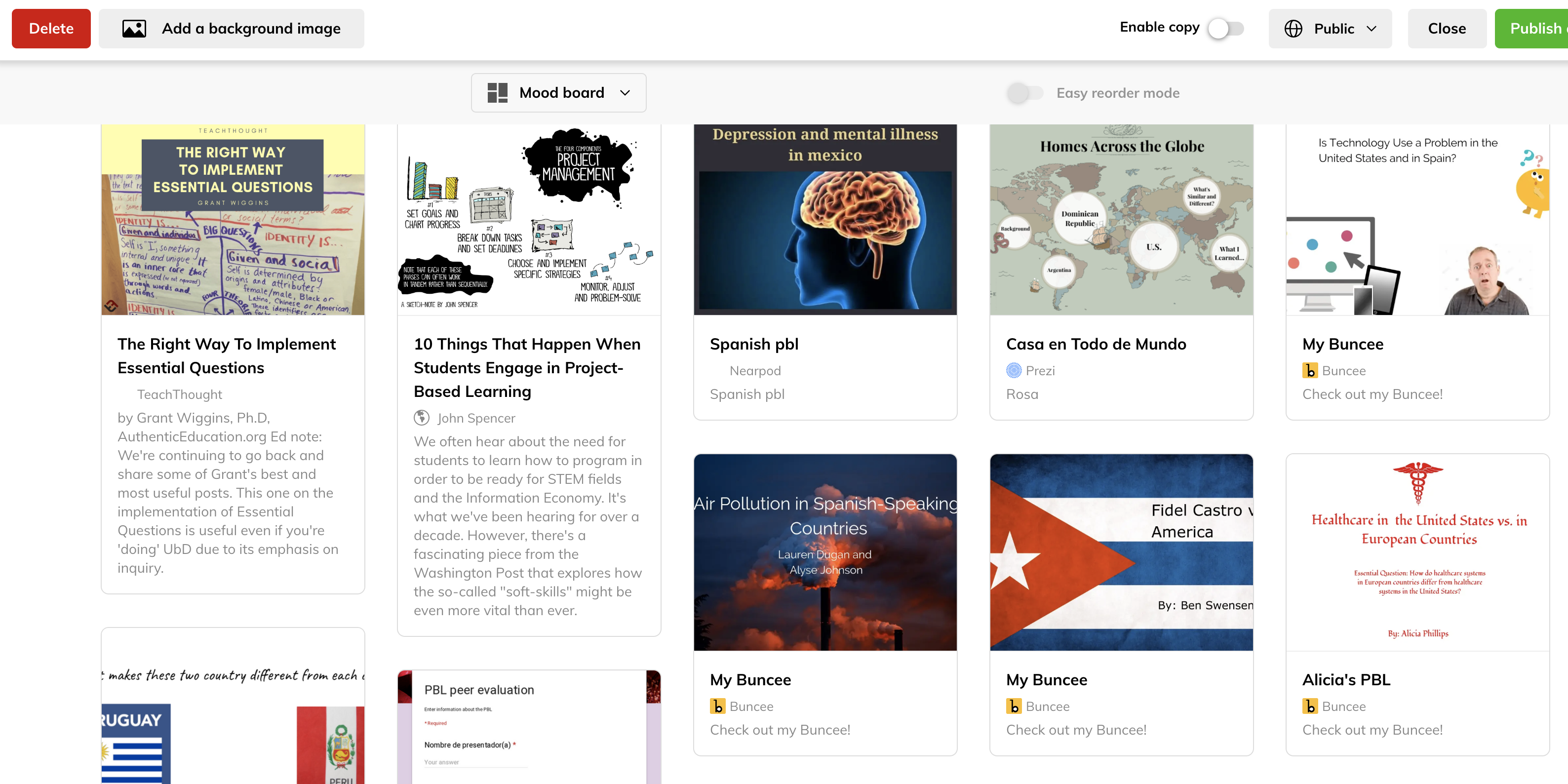
In my classroom, Wakelet has been a way for my students to share their project-based learning (PBL) products, to gather resources for our classes and to even use as a digital portfolio. For me, Wakelet has been a space to gather collections of resources for topics of interest, for curating ideas from book studies, for sharing archives of a Twitter Chat and much more. Now, the Wakelet team has added even more to help educators promote student engagement, by providing a collaborative space for students to work together and foster collaboration regardless of where learning is taking place. Check out the new Spaces!
What are Spaces?
Spaces is the newest feature from Wakelet that enables you to create a “space” for adding collections, organizing your current collections and inviting others to join and collaborate. Spaces can be a private or a public area. Spaces “adds a whole new level of organization and collaboration to your Wakelet experience.”
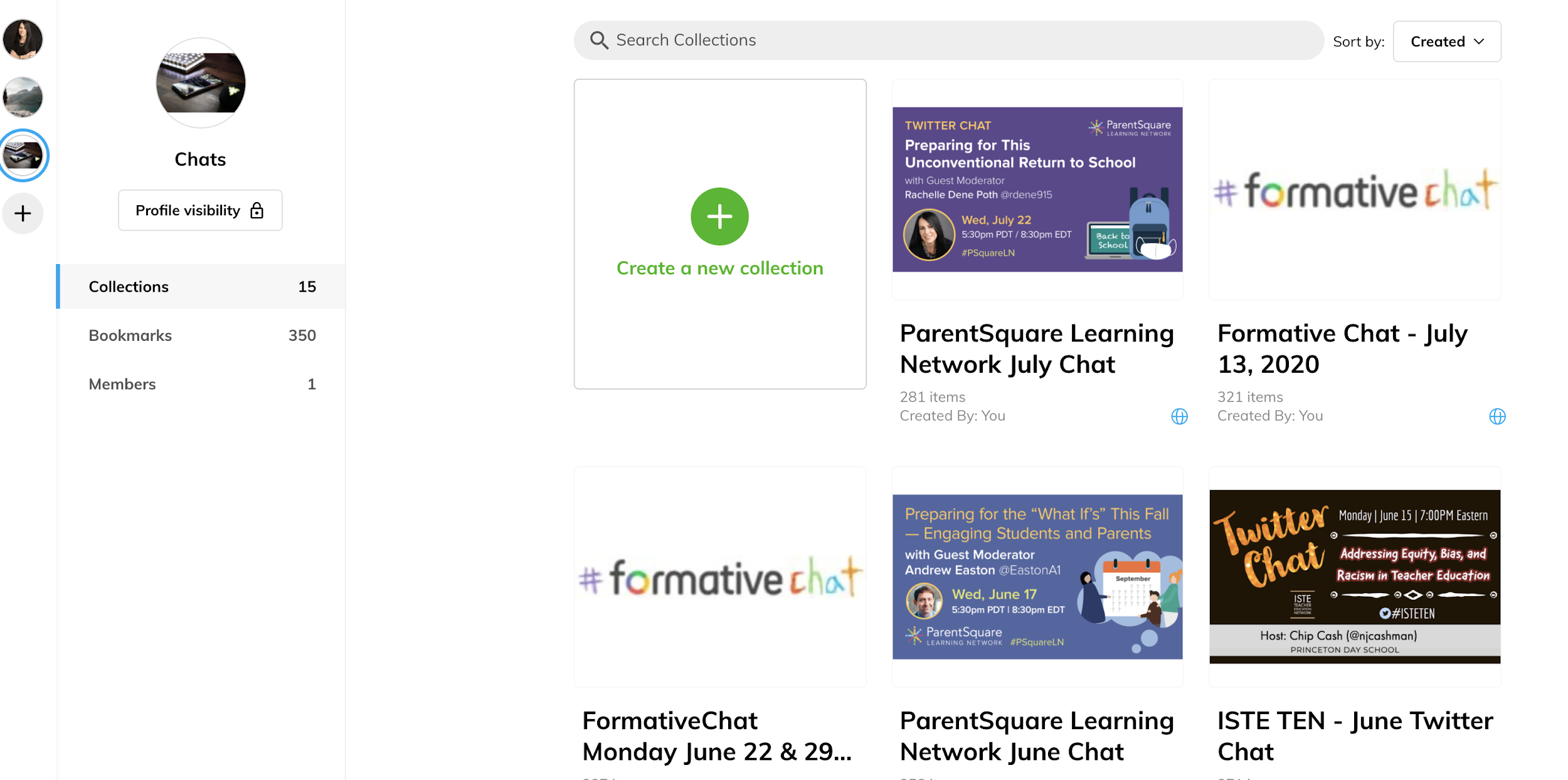
Simply click the plus button on the new bar in the left of your home area to create a new Space. It is easy to start creating collections on any topic. My first “space” was to place all of my Twitter Chat collections which makes it great for organization and to be able to share with others. Create a space and invite your students, other educators, and anyone else to contribute and add collections of their own.
What I love about this new feature is that I can now organize my current collections into Spaces which makes it so much easier to find what I am looking for. It enables me to create powerful learning environments for my students and for all of us to be able to collaborate like never before! I have needed this capability for a while because I have a lot of collections!
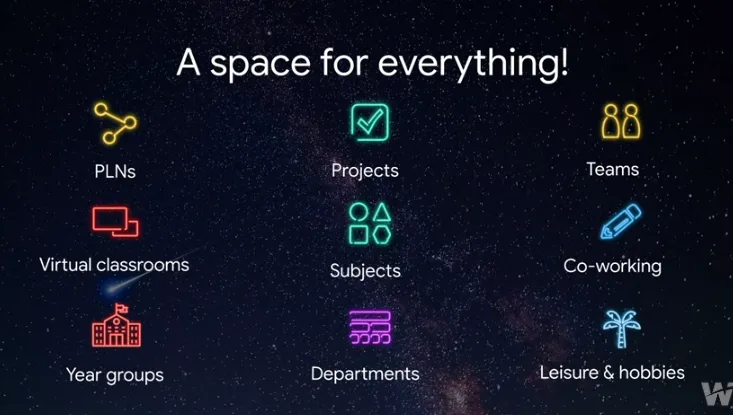
As an educator, you can create a Space for each class or subject you teach, a project, a PLN community, your own professional learning, or just to organize your collections however you want!
Getting Started with Spaces
Definitely easy to create a space!
Click the + button on the new bar in the left of your home area to create a new Space. Want to add an image and name for your space? Just click the + button, choose an image from the gallery or upload your own, add a name to your space and then click “create.” You now have a Space where you or your students can collaborate, share resources, build a library full of content, organize a research project, or for you to organize your collections.(this is amazing!)
Want to share Podcasts? Blogs? Books? You name it, Spaces is the place to do this!
There is no limit to the number of collections that you can create in your Spaces. Collections can also be moved between spaces. What? How awesome is that!
I always say, the 3 dots are your friend. Click on the dots while you hover over one of the collections and select “move” and then decide which Space you want to move that collection to. Talk about fast organization!
Ready for more awesomeness?
It’s not just a space for you, it can be a space to collaborate! Invite colleagues, PLN, global connections and students to share their own collections in that space! Simply click the “members” button and you can invite others to join by sharing a code, a link or through email. Once they receive the invite, they click the link and are now joined with you in that space. Now everyone can add their own items to the collections in that space, how cool is that? Or create new collections of their own!
Sharing and learning together!
Just like collections, spaces can be for your own work, or you can make them available to the public. Looking for ideas for global collaboration? Why not have your students work together on gathering resources, brainstorming ideas, or whatever they need! Decide on the visibility of the space, private or public, and remember that you can change your Space back to private at any time.
Ideas for Spaces
1. Curate resources for your classes
2. Create spaces for students to use as a digital portfolio.
3. Invite colleagues to share their resources on a common topic!
4. Project-based learning: Great way for students to share resources
5. Station rotations? It could work! Create a space and add collections for each of the activities. Try it and let me know how it goes!
There are so many more ways to use Spaces. What are your ideas?
Create your first Space now and share the ways that you plan to use this awesome new feature from Wakelet! I cannot wait to see what my students think!
**Interested in writing a guest blog for my site? Would love to share your ideas! Submit your post here.
Looking for a new book to read? Many stories from educators, two student chapters, and a student-designed cover for In Other Words.


















 Learning as I go: Reflections & lessons learned