Throughout this series, I’ve shared what I’ve learned from working alongside district leadership teams across the country as they navigate artificial intelligence, digital wellness, and purposeful technology use.
We’ve explored:
why curiosity is replacing fear
why educator readiness is the foundation
why leadership and systems matter
But there is another critical question schools must answer:
How do we know if it’s working? Because implementation is not the goal. Impact is.
The Problem With Measuring the Wrong Things
Screen time and effective use of technology are hot topics in conversations happening in schools across the country. In many districts, success with technology has typically been measured by:
number of devices available, so all students can participate in learning
tool adoption rates
platform usage
logins and activity
These metrics are easy to track. But they don’t tell the full story. I’ve said it many times in various ways, but a classroom full of students using devices does not automatically mean that impactful, meaningful learning is happening. Nor does it show true student engagement just by the use of devices.
More technology use does not automatically lead to deeper learning.
More screen time does not equal greater engagement or better outcomes
So we have to really think about what we are measuring. If we continue measuring what is easy, we risk missing what matters most. And we might miss providing the best learning experiences for students.
What Should We Be Measuring Instead?
Across the districts I work with, the leadership teams are beginning to shift their focus.
The districts making the most progress are beginning to ask different kinds of questions:
Are students thinking more deeply?
Are students asking better questions?
Are students able to evaluate information more critically?
Do students understand when and how to use AI responsibly?
Are students being guided in how to use technology and why they are using it?
Do educators feel confident in their instructional decisions?
Are they supported as technology changes?
These are harder to measure, but they are far more meaningful and provide greater insight that schools can act upon.
Indicators Schools Are Moving in the Right Direction
There are some clear indicators I have seen and read about that show schools are moving in the right direction.
1. Student Thinking Is Visible
Students are not simply submitting AI-generated responses. They are explaining their thinking, reflecting on their process, questioning outputs, and making revisions. They are being guided and understand how to use AI as support, not a replacement.
2. Educators Are Making Intentional Decisions
Teachers are not asking whether they can use a certain tool or platform. Instead, they are questioning when they should and what the impact will be. This shift shows greater confidence in the purposeful use of technology and in intentional lesson design. Quality over quantity.
Continue reading the rest and subscribe to my newsletter on LinkedIn.
I help schools and other organizations (law firms, healthcare professionals, business owners, psychologists) implement AI responsibly through policy guidance, professional learning, and classroom-ready strategies grounded in both instructional practice and legal insight.
My sessions focus on helping teams:
• understand what AI can and cannot do
• recognize responsible-use considerations
• build confidence using emerging tools
•align implementation with organizational priorities
If your school, district, or organization is beginning conversations or looking to dive in and learn more about AI policy, professional learning, or responsible implementation, I’d welcome the opportunity to support your next steps through leadership workshops, keynote sessions, or strategic planning partnerships.
Preparing people is what makes AI implementation successful.
Contact me to work with you or speak at your event.bit.ly/thriveineduPDSee testimonials about my work via my website.
In my last article, I shared what I’ve been learning from working with district leadership teams across the country as they navigate questions about artificial intelligence, digital wellness, and purposeful technology use. That work has provided me with insightful information and meaningful opportunities to learn from educators, students, and families.
Throughout these conversations, one message continues to stand out:
We cannot begin, and we cannot stay focused only on the tools and the tech.
We must move forward.
The Shift Schools Must Make Now
In Part II, I emphasized that educator readiness is the foundation of successful AI implementation. Schools that prioritize supporting educators are the ones seeing the most progress. And it starts with leadership and consistency. But readiness alone is not enough.
What I have learned from working with school Task Forces across the country is that they have had many conversations around AI, screen time, and tech use. They have explored the possibilities and understand the urgency with these topics, but they also have a similar question.
What do we do now? And this is where I believe that leadership matters most.
Moving From Conversations to Systems
Across the districts I continue to work with, I see a clear difference between schools that are talking about AI and schools that are leading with AI. I also see a difference between AI in education and AI Education. I recently met with a State Representative in Pennsylvania, and we had this conversation as well. The difference I’ve noticed and that we discussed is not just access to tools. It is about the presence of a system. Schools making meaningful progress are not relying on isolated efforts when they find time. Instead, they are building structures with a lens on consistency, clarity, and sustainability.
The system they are developing is focused on having:
clear expectations for the responsible use of all technology
consistent messaging across classrooms and grade levels
ongoing professional learning opportunities with follow-up support
shared language for students, staff, and families
opportunities for student voice and feedback
When these are part of the conversation, AI implementation becomes less about individual decisions, which leads to inconsistency, and becomes more about a goal for collaborative and collective progress.
Consistency Builds Confidence
One of the most common challenges I have been hearing from both educators and students is inconsistency. I’ve met with student groups, interviewed educators, spoken with parents, and heard similar comments from educators and parents across the country.
In one classroom, the use of technology, and specifically AI, is encouraged. In another, it is restricted. In one classroom or school, the expectations are clear and known to all. In another, they are undefined or inconsistent.
Continue reading on LinkedIn and subscribe to my newsletter there as well.
If your school, district, or organization is beginning conversations or looking to dive in and learn more about AI policy, professional learning, or responsible implementation, I’d welcome the opportunity to support your next steps through leadership workshops, keynote sessions, or strategic planning partnerships.
Preparing people is what makes AI implementation successful.
Contact me to work with you or speak at your event.bit.ly/thriveineduPDSee testimonials about my work via my website.
About Rachelle
Dr. Rachelle Dené Poth is a Spanish and STEAM: What’s Next in Emerging Technology Teacher. Rachelle is also an attorney with a Juris Doctor degree from Duquesne University School of Law and a Master’s in Instructional Technology. Rachelle received her Doctorate in Instructional Technology, with a research focus on AI and Professional Development. In addition to teaching, she is a full-time consultant and works with companies and organizations to provide PD, speaking, and consulting services. Contact Rachelle for your event!
Rachelle is an ISTE-certified educator and community leader who served as president of the ISTE Teacher Education Network. By EdTech Digest, she was named the EdTech Trendsetter of 2024, one of 30 K-12 IT Influencers to follow in 2021, and one of 150 Women Global EdTech Thought Leaders in 2022.
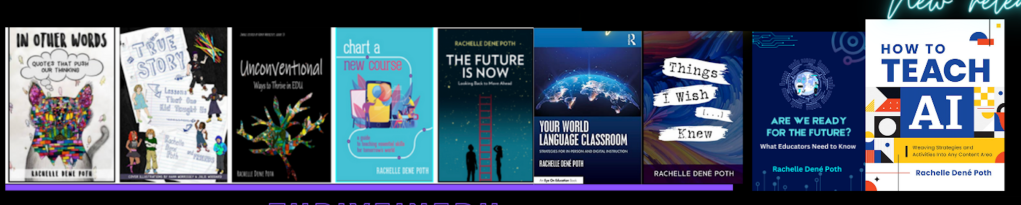
She is the author of ten books, including ‘What The Tech? An Educator’s Guide to AI, AR/VR, the Metaverse and More” and ‘How To Teach AI’. In addition, other books include, “In Other Words: Quotes That Push Our Thinking,” “Unconventional Ways to Thrive in EDU,” “The Future is Now: Looking Back to Move Ahead,” “Chart A New Course: A Guide to Teaching Essential Skills for Tomorrow’s World, “True Story: Lessons That One Kid Taught Us,” “Things I Wish […] Knew” and her newest “How To Teach AI” is available from ISTE or on Amazon.
Preparing Educators for an AI Future Means Preparing Leaders First
In my last article, I shared my thoughts about what I’ve been learning from working with district leadership teams across the country as they navigate questions about artificial intelligence, digital wellness, and purposeful technology use. My work has provided me with tremendous opportunities to learn from educators, students, and families.
Conversations about screen time, purposeful technology use, and digital balance are happening everywhere. What I’ve found most insightful is when students and educators have the chance to sit down and engage in open, honest conversations about these topics and learn from one another. I’ve noticed a common theme in most of these conversations. We have to focus on more than just the technology, especially when talking about AI use in schools. Frequently, the focus is first on specific tools. When talking about artificial intelligence happening in schools, the questions have been:
Which platform should we allow? What should students be permitted to use? What policies do we need?
These are important questions. But they are not the first questions schools should be asking.
The first question schools should be asking is:
How prepared are our educators to lead in an AI-shaped learning environment?
Successful implementation is not about technology adoption.
Introducing AI into classrooms is easy. Supporting educators to understand how to use it meaningfully is the real work. And with support comes confidence.
Educator readiness is the real implementation strategy
Across the districts I have worked with, I’ve noticed that the biggest predictor of successful AI integration is not the access to tools, but whether or not educators feel supported as they navigate the changes happening.
I believe that schools will see more progress and success when there are goals set. Educators must have time to explore. Expectations need to be communicated clearly and with a consistent message. Policies must be in place, and they should emphasize guidance rather than restriction. AI implementation and any technology integration succeed when educators understand not only how to use tools, but why they should use them, and what the impact is on student learning. This is what I am hearing from students around the country.
Across classrooms nationwide, students are using an increasing number of digital tools in their classes. However, I am hearing from them that they are not always consistently guided on how to use them safely, ethically, and responsibly. Students wanting clarity is a powerful insight. Students wanting more purposeful use of technology is an even more powerful insight. How can this happen?
By supporting educators, because it helps to then support students.
Leadership sets the tone
One of the most powerful influences on AI adoption, technology use, and the establishment of standards for communication and screen time in a school system is leadership modeling.
When administrators ask for feedback, communicate transparently, dive in to explore tools with teachers, and acknowledge uncertainty while providing direction, they create a safe environment for innovation. Leadership like this builds trust, and trust makes responsible implementation possible.
Preparing students means preparing adults first
Students will graduate and enter workplaces shaped by automation, intelligent systems, and evolving expectations around collaboration with technology. According to the World Economic Forum, technological literacy is #3 for 2030. #1 is AI and #2 is cybersecurity. Students are not the only ones preparing for that future. Educators need to be prepared so that our students are too.
Professional learning on AI is no longer an option. It is an essential part of instructional readiness. The schools making the most progress right now are engaging in conversations to build systems that help educators adapt confidently as change continues. And that may be the most important preparation strategy of all.
Supporting educators means strengthening entire school systems. This is one of the most important investments districts can make as they prepare students for an AI-shaped, AI-driven future.
Stay tuned for part 3 of this Leading Forward Series.
I help schools and other organizations (law firms, healthcare professionals, business owners) implement AI responsibly through policy guidance, professional learning, and classroom-ready strategies grounded in both instructional practice and legal insight.
My sessions focus on helping teams:
• understand what AI can and cannot do
• recognize responsible-use considerations
• build confidence using emerging tools
•align implementation with organizational priorities
If your school, district, or organization is beginning conversations or looking to dive in and learn more about AI policy, professional learning, or responsible implementation, I’d welcome the opportunity to support your next steps through leadership workshops, keynote sessions, or strategic planning partnerships.
Preparing people is what makes AI implementation successful.
About Rachelle
Dr. Rachelle Dené Poth is a Spanish and STEAM: What’s Next in Emerging Technology Teacher. Rachelle is also an attorney with a Juris Doctor degree from Duquesne University School of Law and a Master’s in Instructional Technology. Rachelle received her Doctorate in Instructional Technology, with a research focus on AI and Professional Development. In addition to teaching, she is a full-time consultant and works with companies and organizations to provide PD, speaking, and consulting services. Contact Rachelle for your event!
Rachelle is an ISTE-certified educator and community leader who served as president of the ISTE Teacher Education Network. By EdTech Digest, she was named the EdTech Trendsetter of 2024, one of 30 K-12 IT Influencers to follow in 2021, and one of 150 Women Global EdTech Thought Leaders in 2022.
She is the author of ten books, including ‘What The Tech? An Educator’s Guide to AI, AR/VR, the Metaverse and More” and ‘How To Teach AI’. In addition, other books include, “In Other Words: Quotes That Push Our Thinking,” “Unconventional Ways to Thrive in EDU,” “The Future is Now: Looking Back to Move Ahead,” “Chart A New Course: A Guide to Teaching Essential Skills for Tomorrow’s World, “True Story: Lessons That One Kid Taught Us,” “Things I Wish […] Knew” and her newest “How To Teach AI” is available from ISTE or on Amazon.
Contact Rachelle to schedule sessions about Artificial Intelligence, AI and the Law, Coding, AR/VR, and more for your school or event! Submit the Contact Form.
Follow Rachelle on Bluesky, Instagram, and X at @Rdene915
Subscribe to my ThriveinEDU newsletter to stay informed. (If you receive my newsletter, you may have read this, but just in case…here is part I)
Over the past eight months, I’ve had the opportunity to work with educators, school leaders, and district teams from twelve districts across the country as they navigate one of the biggest shifts education has experienced in decades: the arrival of artificial intelligence in everyday teaching and learning. This work is part of a national digital wellness and innovation initiative supporting districts as they develop responsible approaches to emerging technologies.
I work with a Task Force from each district to evaluate policies, create resources for families, and decide when and how to begin teaching students about AI, as well as how best to support educators. And some of these Task Forces include students and parents. We have had many conversations about digital wellness, digital citizenship, screentime, and, of course, AI.
The conversations about AI included shared concerns, questions, and challenges. However, what has stood out the most in these conversations with these schools is not fear. It’s curiosity.
In classrooms, teachers are asking thoughtful questions about how AI can support student thinking rather than replace it. Administrators are working to align emerging tools with existing priorities such as digital citizenship, academic integrity, and student wellness. District teams are exploring how policy can move beyond restriction toward responsible guidance. Some are even completely rewriting their policies to align with these changes and make sure that a common language is used.
Recently, my work has included:
• Supporting district digital wellness and AI implementation planning
• Leading professional learning sessions on responsible AI use
• Presenting on AI and the law for educators
• Visiting classrooms to observe how students are already interacting with AI tools
• Collaborating with leadership teams and developing next-step strategies for staff support
• Designing activities for administrators and educators to evaluate policies and effective AI use
One consistent theme continues to emerge:
Districts, educators, and students are ready to lead.
Educators are not waiting for perfect answers to the big AI questions. They are considering the best pedagogical practices for using AI that protect students while expanding opportunities.
The most successful districts I’m working with right now are focusing on three priorities:
Supporting educator confidence: They need clarity, examples, and time to explore.
Creating shared expectations for responsible use across classrooms and grade levels
Preparing students to think critically about AI-generated information.
Artificial intelligence isn’t just a technology conversation.
It’s a leadership conversation.
And I’m excited to continue working with and learning alongside school districts as they move forward with clarity, purpose, and a strong commitment to keeping human relationships at the center of innovation.
Providing the training
Artificial intelligence is changing expectations across nearly every profession. Schools are not the only organizations preparing for this shift.
In my work as an educator, attorney, and national presenter on responsible AI implementation, I support organizations as they explore how AI connects to decision-making, ethics, communication, and everyday professional practice.
I help schools and other organizations (law firms, healthcare professionals, business owners) implement AI responsibly through policy guidance, professional learning, and classroom-ready strategies grounded in both instructional practice and legal insight.
My sessions focus on helping teams:
• understand what AI can and cannot do
• recognize responsible-use considerations
• build confidence using emerging tools
•align implementation with organizational priorities
If your school, district, or organization is beginning conversations or looking to dive in and learn more about AI policy, professional learning, or responsible implementation, I’d welcome the opportunity to support your next steps through leadership workshops, keynote sessions, or strategic planning partnerships.
Preparing people is what makes AI implementation successful.
About Rachelle
Dr. Rachelle Dené Poth is a Spanish and STEAM: What’s Next in Emerging Technology Teacher. Rachelle is also an attorney with a Juris Doctor degree from Duquesne University School of Law and a Master’s in Instructional Technology. Rachelle received her Doctorate in Instructional Technology, with a research focus on AI and Professional Development. In addition to teaching, she is a full-time consultant and works with companies and organizations to provide PD, speaking, and consulting services. Contact Rachelle for your event!
Rachelle is an ISTE-certified educator and community leader who served as president of the ISTE Teacher Education Network. By EdTech Digest, she was named the EdTech Trendsetter of 2024, one of 30 K-12 IT Influencers to follow in 2021, and one of 150 Women Global EdTech Thought Leaders in 2022.
She is the author of ten books, including ‘What The Tech? An Educator’s Guide to AI, AR/VR, the Metaverse and More” and ‘How To Teach AI’. In addition, other books include, “In Other Words: Quotes That Push Our Thinking,” “Unconventional Ways to Thrive in EDU,” “The Future is Now: Looking Back to Move Ahead,” “Chart A New Course: A Guide to Teaching Essential Skills for Tomorrow’s World, “True Story: Lessons That One Kid Taught Us,” “Things I Wish […] Knew” and her newest “How To Teach AI” is available from ISTE or on Amazon.
Contact Rachelle to schedule sessions about Artificial Intelligence, AI and the Law, Coding, AR/VR, and more for your school or event! Submit the Contact Form.
Follow Rachelle on Bluesky, Instagram, and X at @Rdene915
Not long ago, artificial intelligence in education felt novel. It was something shiny, experimental, and, for many educators, possibly unsettling at times. When ChatGPT arrived in November 2022, the initial conversations and concerns were more focused on fear. I recall receiving emails, text messages, phone calls, and visits from educators who were concerned about cheating, plagiarism, lost skills, and what instantly felt like an overwhelming pace of change. It was something else to adjust to, not long after the overwhelming feeling that many felt in March of 2020.
But since that initial adjustment to the increased use of AI in our world at the end of 2022 and through 2023, I’ve seen a shift happening. At first, there was skepticism, uncertainty, and hesitation, and not just in the world of education. However, as we’ve continued to adjust to new tools and new ways of working, I’ve noticed a shift from considering AI as a “what if” to the acceptance that AI is here and its use is increasing. It’s embedded in tools educators already use, and if it hasn’t already, then it will potentially slowly but surely become part of the daily routine and workflow of teaching and learning.
I’ve spoken about this shift from novelty to normalcy and how it brings a new challenge: educator upskilling.
A few years ago, I started researching the training available to educators and other professionals in AI. At the end of 2023, 87% of the educators in the United States had not received any training. In my workshops, some attendees are having their first training experience, more than 3 years after ChatGPT made its debut. So I think that we need to focus on an important question, whether in education or not. The question is no longer whether educators need professional learning around AI. Most people agree that they do. The bigger issue is whether we are approaching AI professional development in ways that are deep, sustained, and human-centered, or whether we’re still experiencing the one-and-done sessions that barely scratch the surface. With AI and the pace of change in education and the world, we need to do better and be prepared.
Shifting to Ongoing Capacity Building
When I completed my doctorate nearly two years ago, my research focused heavily on professional learning in emerging technologies, with a strong emphasis on AI. Even then, the message was clear. A single PD session, or even a series of short, tool-based trainings, was not enough, especially if completed early in the year or during a limited time span.
Yet, that is what I am learning about how AI PD is structured today. Through surveys in my sessions and conversations with other educators, there is a common experience happening, which is:
A 30-minute overview.
A 15-minute “certified educator” badge.
A walkthrough of one tool done well.
While these experiences can be helpful, especially for getting started and when time is limited, in the long term, they don’t build AI literacy. They build familiarity, whether with AI concepts or an AI tool. But familiarity is not AI literacy. Not for us as educators, nor for the students we are preparing for a future surrounded by AI and a world of work that seeks employees skilled in AI.
Continue reading the original post on Getting Smart.
About Rachelle
Dr. Rachelle Dené Poth is a Spanish and STEAM: What’s Next in Emerging Technology Teacher. Rachelle is also an attorney with a Juris Doctor degree from Duquesne University School of Law and a Master’s in Instructional Technology. Rachelle received her Doctorate in Instructional Technology, with a research focus on AI and Professional Development. In addition to teaching, she is a full-time consultant and works with companies and organizations to provide PD, speaking, and consulting services. Contact Rachelle for your event!
Rachelle is an ISTE-certified educator and community leader who served as president of the ISTE Teacher Education Network. By EdTech Digest, she was named the EdTech Trendsetter of 2024, one of 30 K-12 IT Influencers to follow in 2021, and one of 150 Women Global EdTech Thought Leaders in 2022.
She is the author of ten books, including ‘What The Tech? An Educator’s Guide to AI, AR/VR, the Metaverse and More” and ‘How To Teach AI’. In addition, other books include, “In Other Words: Quotes That Push Our Thinking,” “Unconventional Ways to Thrive in EDU,” “The Future is Now: Looking Back to Move Ahead,” “Chart A New Course: A Guide to Teaching Essential Skills for Tomorrow’s World, “True Story: Lessons That One Kid Taught Us,” “Things I Wish […] Knew” and her newest “How To Teach AI” is available from ISTE or on Amazon.
Contact Rachelle to schedule sessions about Artificial Intelligence, AI and the Law, Coding, AR/VR, and more for your school or event! Submit the Contact Form.
Follow Rachelle on Bluesky, Instagram, and X at @Rdene915
**Interested in writing a guest blog for my site? Would love to share your ideas! Submit your post here. Looking for a new book to read? Find these available at bit.ly/Pothbooks
************ Also, check out my THRIVEinEDU PodcastHere!
Join my show on THRIVEinEDU on Facebook. Join the group here.
During our ThriveinEDU livestream conversation about Kira, we explored a question that immediately resonated with educators:
What if planning, grading, and differentiation actually took half the time and still kept teachers in control of learning?
The question isn’t just about efficiency. It’s about sustainability and about supporting teachers to make instruction more responsive, more personalized, and more aligned to what students actually need in the moment, real-time responses, authentic feedback, and support from their teachers.
Kira recently released several new features (as part of their Kira 2.0 launch) that move beyond treating AI as a “lesson generator” or “assessment creator,” and it now works as a thought partner in the instructional workflow. After attending the Live Launch in New York on March 3rd and moderating the livestream, here are some of the biggest takeaways from the conversations that make the newest updates especially impactful for classrooms now.
Lesson/Course Studio
Many AI tools help teachers create one lesson at a time, which is highly beneficial and time-saving. But imagine you’re tasked with creating a course you’ve never taught or don’t have enough resources for. The amount of time needed is a bit overwhelming.
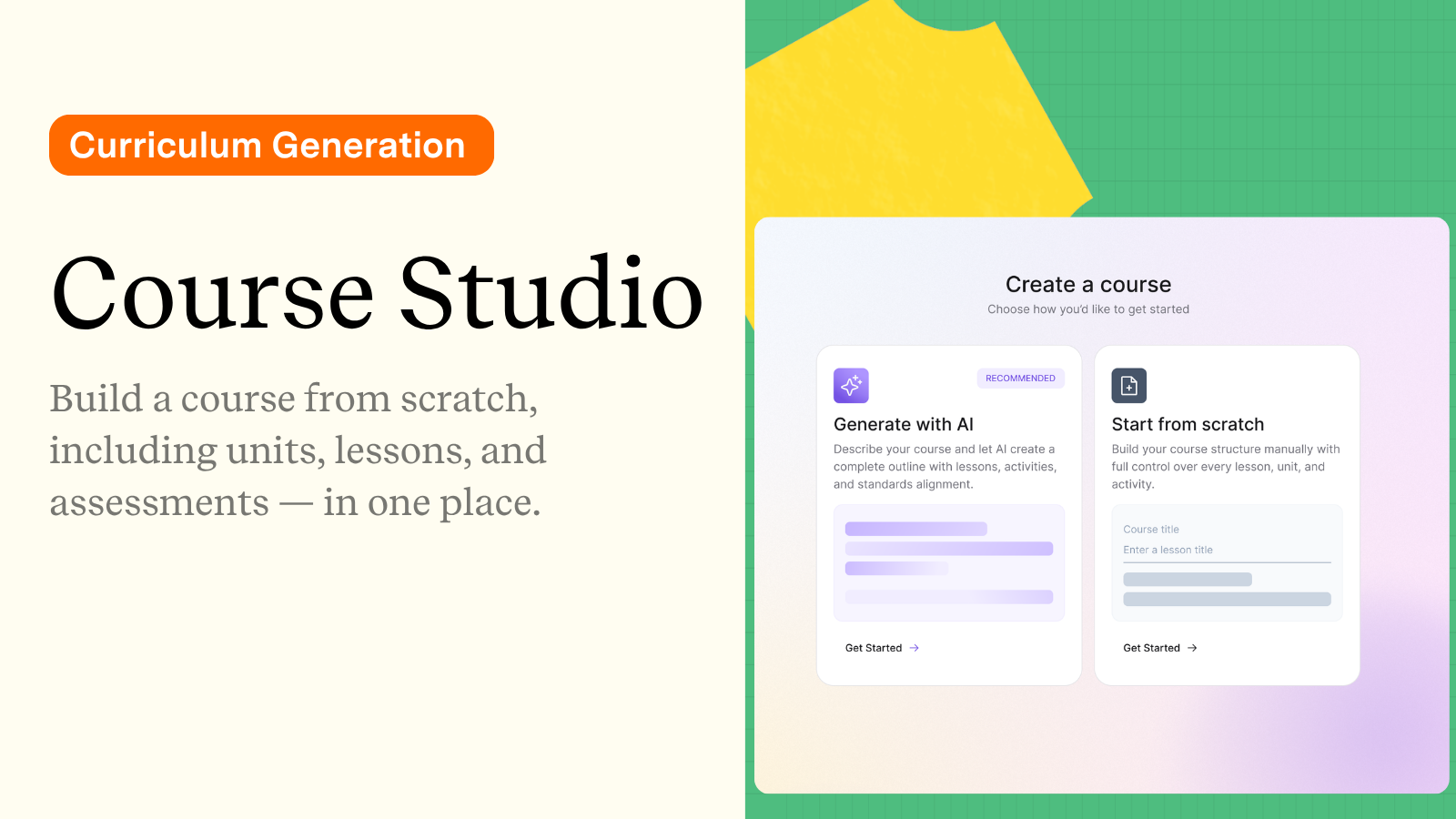
Kira’s Course and Lesson Studio helps educators generate both structured lessons and full, standards-aligned courses, including course outlines, unit sequences, lesson progressions, and assessments
Educators need to provide the topic, subject, grade level, and standards, and then, using this information or prompt, Kira builds the lesson with embedded formative checks already in place.
Formative assessment often happens after instruction, with Kira, teachers see student understanding during instruction.
As Rachel shared during the livestream:
“I don’t remember a time when I wasn’t taking work home or trying to get ahead of the game by planning out my week and then having to rewrite it midweek. It was so much work.”
Kira’s curriculum-building features help reduce that cycle in far less time. Rather than rewriting lessons to meet student needs, teachers start with a flexible structure they can adapt immediately, and, most importantly, stay in control. We are doing the editing, adjusting, and shaping of the lesson. This is an important distinction to make because it shows how crucial it is that teachers remain involved and review what has been generated.
Real-Time Insight Instead of End-of-Unit Surprises: Student Atlas
I have known about this for a few months and thought it was amazing. One of the most exciting updates in Kira 2.0 is Student Atlas, the platform’s student insight dashboard, now paired with Class Atlas, which brings those insights together at the class level.
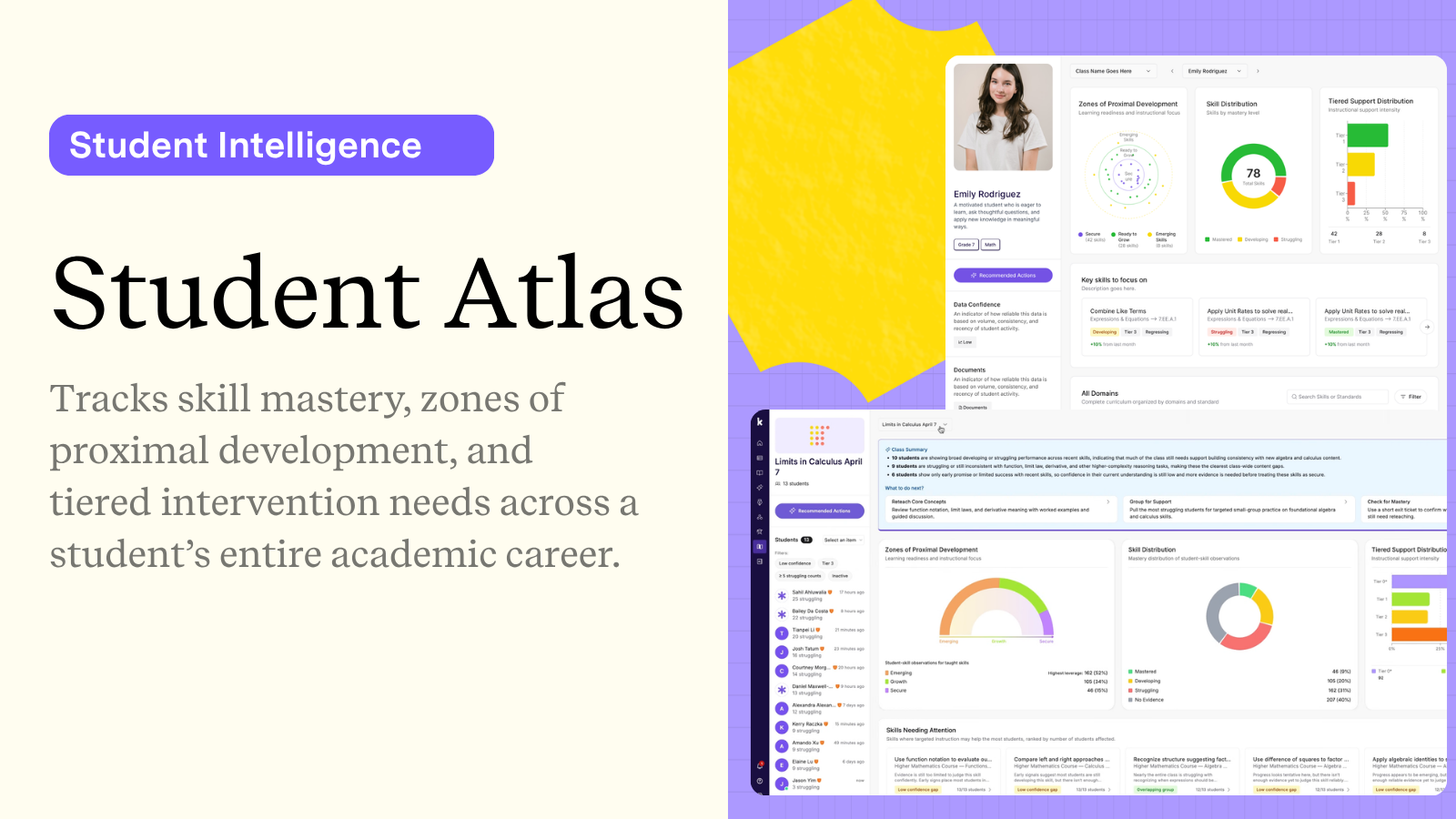
Student Atlas provides:
concept-level mastery tracking
data confidence indicators
individual student support indicators
zones of proximal development insights
intervention suggestions
Rather than relying on a single quiz or test score, teachers can see which concepts students understand and where they’re struggling in real time. It enables us to see what concepts need reinforcing now, rather than waiting until the assessment is over and graded.
Class Atlas builds on this by turning individual insights into a clear, actionable class-wide view. Instead of opening 20+ student profiles and piecing things together, teachers can instantly answer: Where should I focus my instruction? and Which students need help with this skill? Teachers can even ask Kira to explain how it generated its recommendations, which helps schools as they look for tools and want to trust AI technologies.
Student Atlas also includes a data confidence indicator, helping educators assess the reliability of recommendations before making instructional decisions. That transparency supports professional judgment instead of replacing it.
Standards Alignment
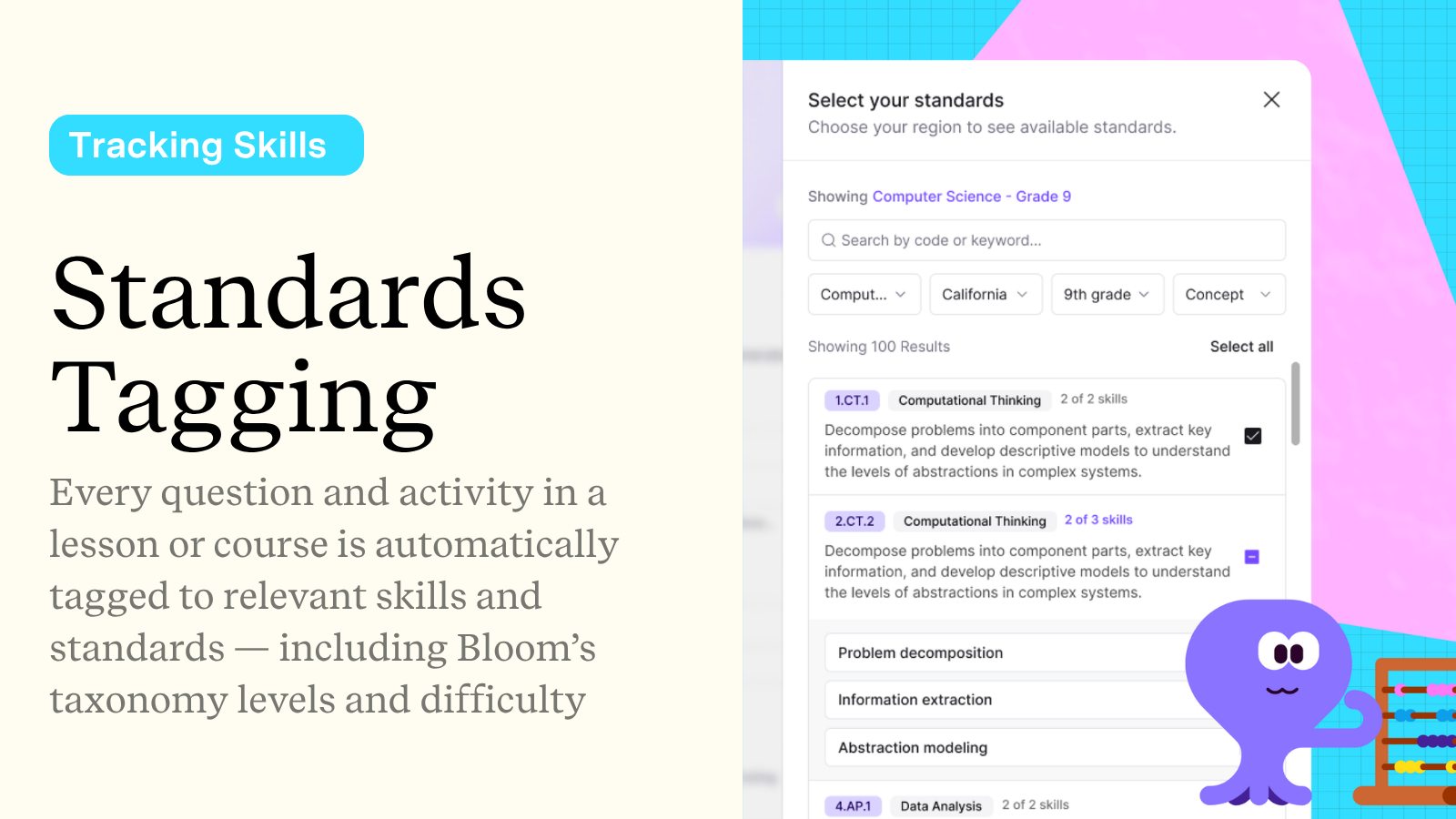
Standards alignment is often one of the most time-consuming parts of planning, especially when building units or courses. And for educators teaching multiple courses, it is very time-consuming. But with Kira 2.0, that time requirement decreases because Kira 2.0 automatically tags lessons, activities, assessments, and questions to state standards, underlying skill progressions, and Bloom’s taxonomy levels.
Teachers can track how students are progressing through skills over time.
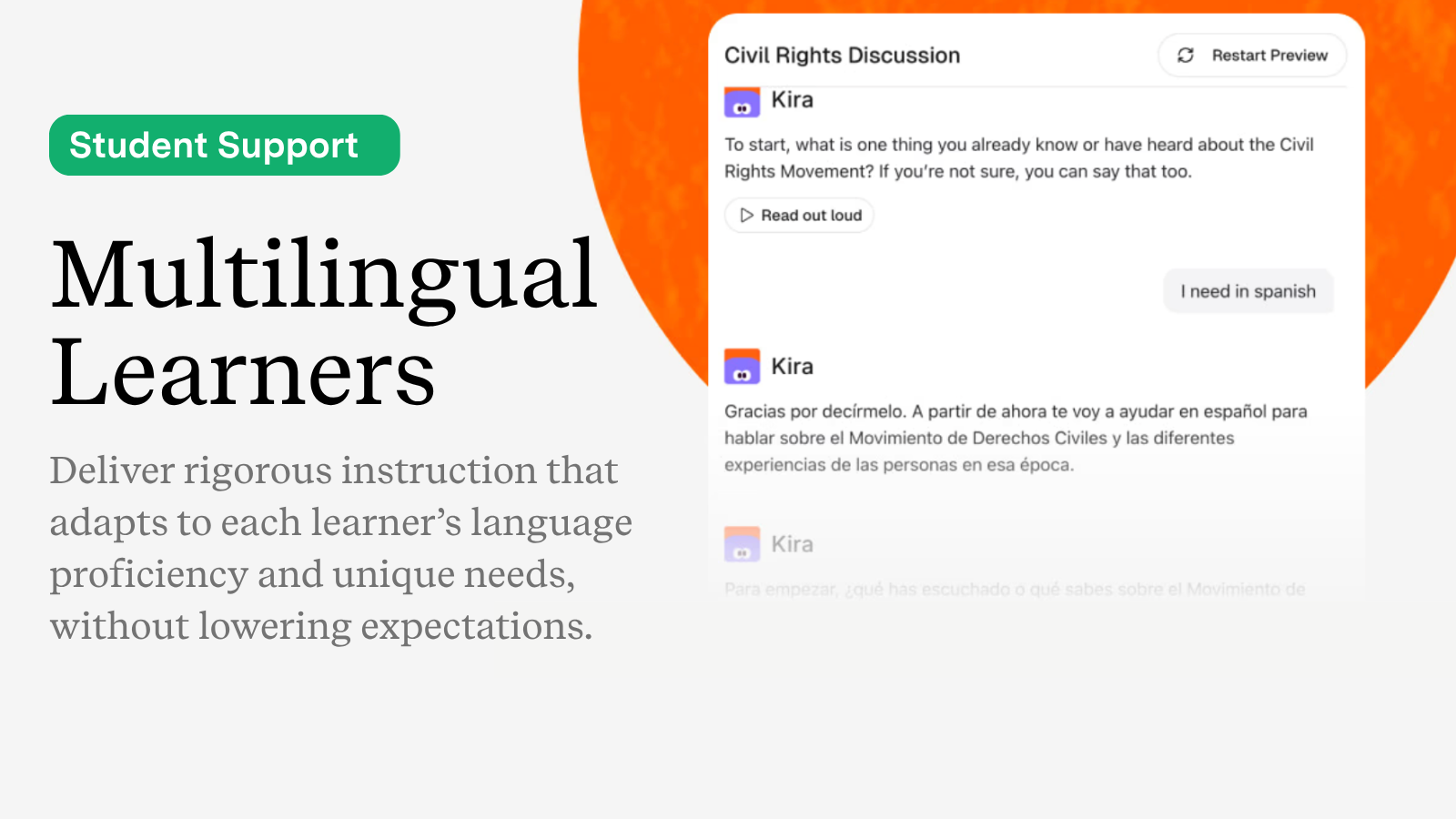
Supporting Multilingual Learners
Another standout feature we spoke about in the livestream is Kira’s built-in support for multilingual learners.
When gaps in understanding appear, Kira can generate:
scaffolded practice
targeted follow-up lessons
leveled reading supports
vocabulary scaffolds
translated instructional materials
Each of these supports is based on individual student performance, and not on a generic template that does not align with the student’s needs.
Differentiation is responsive rather than being reactive.
During the livestream, we talked about how, historically, differentiation required teachers to manually create multiple versions of lessons or assessments, which, of course, took a lot of time. With Kira, these supports are embedded directly inside the instructional workflow. Rachel said, “Especially talking about differentiation and the ease of it and being able to have the assistant nearby and go back and forth.”
Embedded support assists educators in providing what each student needs while giving them more time to work directly with each student.
Kira provides structure, but the teachers are the designers who provide the course’s vision.
Kira brings planning, assessment, differentiation, and student insight into one connected space. And when those pieces connect, teachers gain something incredibly valuable:
clarity flexibility time and better visibility into learning
About Rachelle
Dr. Rachelle Dené Poth is a Spanish and STEAM: What’s Next in Emerging Technology Teacher. Rachelle is also an attorney with a Juris Doctor degree from Duquesne University School of Law and a Master’s in Instructional Technology. Rachelle received her Doctorate in Instructional Technology, with a research focus on AI and Professional Development. In addition to teaching, she is a full-time consultant and works with companies and organizations to provide PD, speaking, and consulting services. Contact Rachelle for your event!
Rachelle is an ISTE-certified educator and community leader who served as president of the ISTE Teacher Education Network. By EdTech Digest, she was named the EdTech Trendsetter of 2024, one of 30 K-12 IT Influencers to follow in 2021, and one of 150 Women Global EdTech Thought Leaders in 2022.
She is the author of ten books, including ‘What The Tech? An Educator’s Guide to AI, AR/VR, the Metaverse and More” and ‘How To Teach AI’. In addition, other books include, “In Other Words: Quotes That Push Our Thinking,” “Unconventional Ways to Thrive in EDU,” “The Future is Now: Looking Back to Move Ahead,” “Chart A New Course: A Guide to Teaching Essential Skills for Tomorrow’s World, “True Story: Lessons That One Kid Taught Us,” “Things I Wish […] Knew” and her newest “How To Teach AI” is available from ISTE or on Amazon.
Contact Rachelle to schedule sessions about Artificial Intelligence, AI and the Law, Coding, AR/VR, and more for your school or event! Submit the Contact Form.
Follow Rachelle on Bluesky, Instagram, and X at @Rdene915
**Interested in writing a guest blog for my site? Would love to share your ideas! Submit your post here. Looking for a new book to read? Find these available at bit.ly/Pothbooks
************ Also, check out my THRIVEinEDU PodcastHere!
Join my show on THRIVEinEDU on Facebook. Join the group here.
Technology is evolving at a pace we have never experienced before. There have been so many changes in the world through artificial intelligence, automation, data science, and other emerging technologies. These are reshaping industries in real time. As an educator, I feel this shift daily, and I try to push myself to keep learning and looking for opportunities to do more for my students. The challenge is no longer simply preparing students for a job. It’s knowing how to prepare them for careers that may not even exist yet and also supporting them as they develop a variety of skills to be prepared.
When I think about how to prepare students for the uncertainty around the world of work, I look at insights from the World Economic Forum and its Future of Jobs research. While AI was listed as #3 for 2027 and is now listed as #1 for 2030, the other rankings reinforce what we already know: adaptability, analytical thinking, creativity, and resilience are becoming increasingly important in our world.
If we cannot predict the careers that will exist five or ten years from now, the best we can do is prepare students to be flexible thinkers, confident problem-solvers, and ethical technology users. And this is why I believe that career-connected learning is essential.
Redefining “Career Ready”
When I thought about “career ready,” I aligned it with strong academics plus essential skills of communication, collaboration, and the other “soft skills.” These are still relevant and necessary for success, however with the changes in technology, there are other areas that I believe must be addressed and become part of preparing students to be career-ready. remain foundational. Now, I include:
Digital and AI literacy
Ethical reasoning in technology use
Data awareness and cybersecurity knowledge
The ability to evaluate and question AI-generated information
Comfort navigating complex digital systems
Students need to understand how to use tools like generative AI. And that means using it to enhance and not replace their own learning. They can learn to brainstorm with AI, analyze outputs for bias or inaccuracy, and be able to recognize when human judgment must be at the forefront, providing consistent oversight. Research and interviews of employers have shown that employees will be expected to work alongside AI systems. That preparation has to begin in our classrooms from K through 12 and beyond.
Career-connected learning ensures students understand how what they are studying connects with real careers and real-world impact.
Why This Matters Now More Than Ever
According to projections highlighted by the World Economic Forum, millions of roles will be displaced due to automation, while millions of new ones will emerge. This is not the first time. More than 100 years ago, thousands of traffic light controllers in New York were displaced due to automation. They did not all lose their jobs, some shifted into others. And many of these new positions demand higher-order thinking, digital agility, and ethical decision-making.
I like to talk about some career options that minimally existed a few years ago:
AI prompt engineer
Ethical technologist
Data privacy consultant
These are some of the many growing fields of work and some which are increasing because of AI. I think about how we are preparing our students and believe that career-connected learning will help to show the connections between classroom content and workforce relevance. I also believe this is something that can be done in every classroom and in all content areas.
What Does Career-Connected Learning Look Like?
Career-connected learning is more than occasional career days. It is something that is embedded into daily instruction, not an extra element. It can include a variety of possibilities, such as:
Project-based learning connected to community or industry challenges. (Builds relevance for students).
Integration of AI, data science, and emerging technologies
Authentic problem-solving rooted in real scenarios
Partnerships with local businesses, universities, or nonprofits
Coding, AI, and cybersecurity challenges
Through opportunities like these, we can foster the development of student agency. When students understand how what they are learning connects to real opportunities, it sparks curiosity, increases students engagement and motivation. Learning is more purposeful, authentic, and meaningful.
Some ideas:
Artificial intelligence is an area that students need to understand. They need to know, how AI systems function, how to evaluate the outputs, how bias can be embedded, and what the ethical responsibilities are for using AI. In career-connected classrooms, AI might be used to discuss and explore how the legal field, healthcare and business industries, and schools are using AI tools. They can engage in role-playing that focuses on ethical decision-making. The goal is for students to leverage AI as a partner, rather than a replacement in learning.
STEM is a great option to focus on career-connected learning. In my own classroom experiences, I’ve seen what happens when students combine AI tools with engineering design, language learning, and problem-solving. When students train image classifiers and then collaborate, problem-solve, and evaluate where the model fails, they are not just learning about the technology, they are developing skills in critical analysis and bias detection.
Cybersecurity is another area that is seeing tremendous growth. Students need to understand how their data is collected, protected, and in some cases, misused. There are hundreds of thousands of cybersecurity roles unfilled in the United States alone, yet many students and perhaps even educators, have not heard of careers such as a threat analyst or a security operations engineer. Lessons on cybersecurity can be done in all classes. Here are some examples that I have shared:
English: Analyze phishing emails as persuasive writing
With all of the technology, especially with AI and automation, we have to keep focused on what makes us uniquely human. Technology will continue to evolve, even faster than it has been. But empathy, integrity, resilience, and collaboration will always matter and we need to make sure that students develop these skills.
With career-connected learning opportunities, we will prepare students for success in the future, even in careers that don’t exist. We will offer opportunities for them to discover their interests and purpose and be prepared to embrace the changes they will encounter and be successful.
About Rachelle
Dr. Rachelle Dené Poth is a Spanish and STEAM: What’s Next in Emerging Technology Teacher. Rachelle is also an attorney with a Juris Doctor degree from Duquesne University School of Law and a Master’s in Instructional Technology. Rachelle received her Doctorate in Instructional Technology, with a research focus on AI and Professional Development. In addition to teaching, she is a full-time consultant and works with companies and organizations to provide PD, speaking, and consulting services. Contact Rachelle for your event!
Rachelle is an ISTE-certified educator and community leader who served as president of the ISTE Teacher Education Network. By EdTech Digest, she was named the EdTech Trendsetter of 2024, one of 30 K-12 IT Influencers to follow in 2021, and one of 150 Women Global EdTech Thought Leaders in 2022.
She is the author of ten books, including ‘What The Tech? An Educator’s Guide to AI, AR/VR, the Metaverse and More” and ‘How To Teach AI’. In addition, other books include, “In Other Words: Quotes That Push Our Thinking,” “Unconventional Ways to Thrive in EDU,” “The Future is Now: Looking Back to Move Ahead,” “Chart A New Course: A Guide to Teaching Essential Skills for Tomorrow’s World, “True Story: Lessons That One Kid Taught Us,” “Things I Wish […] Knew” and her newest “How To Teach AI” is available from ISTE or on Amazon.
Contact Rachelle to schedule sessions about Artificial Intelligence, AI and the Law, Coding, AR/VR, and more for your school or event! Submit the Contact Form.
Follow Rachelle on Bluesky, Instagram, and X at @Rdene915
**Interested in writing a guest blog for my site? Would love to share your ideas! Submit your post here. Looking for a new book to read? Find these available at bit.ly/Pothbooks
************ Also, check out my THRIVEinEDU PodcastHere!
Join my show on THRIVEinEDU on Facebook. Join the group here.
In collaboration with Delightex Edu. All opinions are my own.
Over the past 9 years, using Delightex Edu (formerly CoSpaces Edu) with my students, I have seen it continually add features that spark curiosity, boost creativity, and offer more engaging ways for students to build their knowledge. I have often said that we need to move students from consumers to creators, to innovators, and with Delightex Edu, students don’t just consume content, they create immersive worlds. Students and educators can design 3D worlds, build interactive environments, and leverage all of the options for coding and creating a more authentic and personalized product.
Delightex Edu is a highly visual, user-friendly, intuitive system that helps students develop essential skills such as collaboration, creativity, logic, problem-solving, and more that will lead to future success. These are skills that have been in demand, and they are not changing, but what is changing is the “how” students can develop these and other essential future-ready skills.
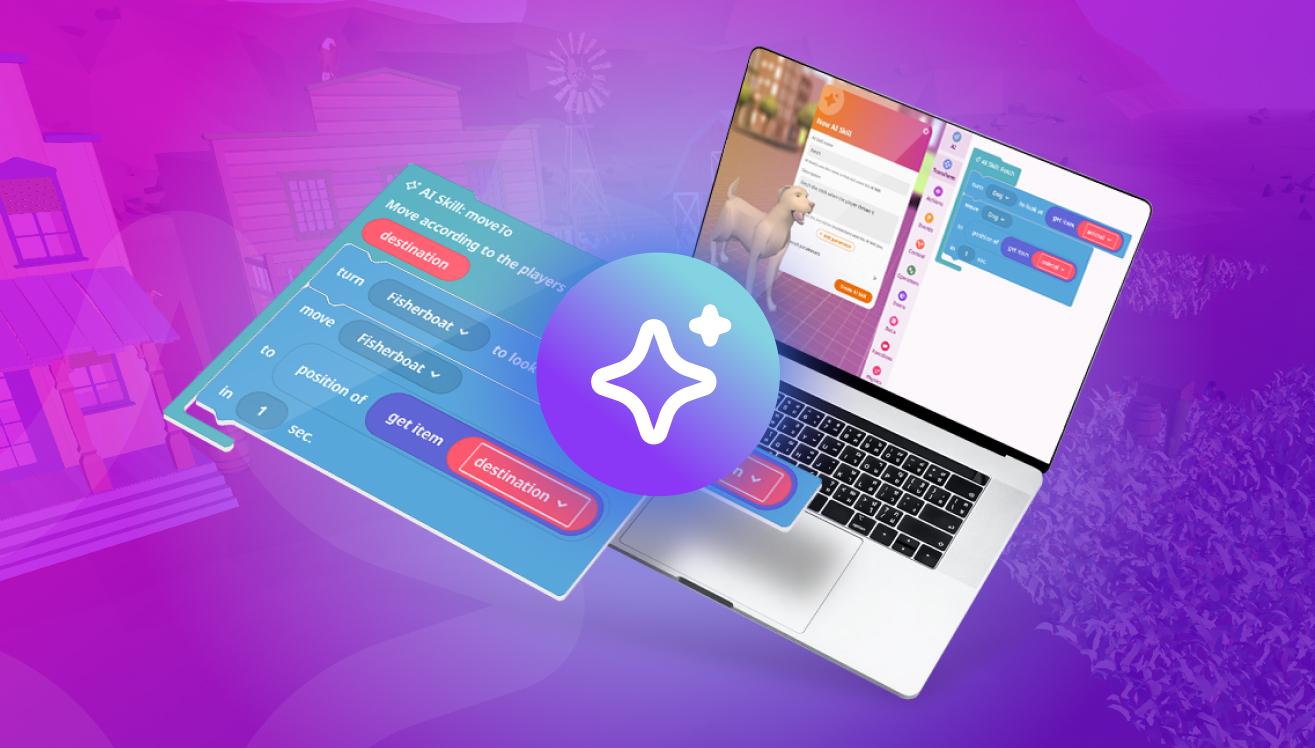
Most recently, Delightex has added AI features to its already robust platform. Artificial intelligence is not a futuristic concept. I have been speaking about augmented and virtual reality and AI for more than eight years, and these concepts are not going away. They have become part of everyday life, shaping how we work, communicate, and create.
As digital literacy evolves, students need opportunities not just to use AI, but also to understand it, question it, and use and create with it responsibly. Delightex Edu’s latest update takes what it already offers to a new level. AI enhances the creative experience, expanding what students can build while engaging them in hands-on, safe, and exciting learning opportunities.
The new AI features focus on three essential principles: smarter creation, deeper learning, and safe innovation.
AI to amplify creation and not replace student creativity
One of the most important things that I have shared with students and educators is that having the new AI features should not be thought of as a substitute for students’ own thinking and creativity. Instead, it should amplify learning while also teaching students about AI’s capabilities in a safe space, which is what matters as we help them build content skills and AI literacy.
Students are still in control and taking the lead as they create and apply their knowledge in new ways. They are still the designers, the coders, the curious learners, and the storytellers. AI is just another tool in the Delightex toolbox. They now have more opportunities to learn about prompting, how to generate images they want, and be able to develop true AI literacy alongside computational thinking skills.
AI Buddies: Bringing Worlds to Life
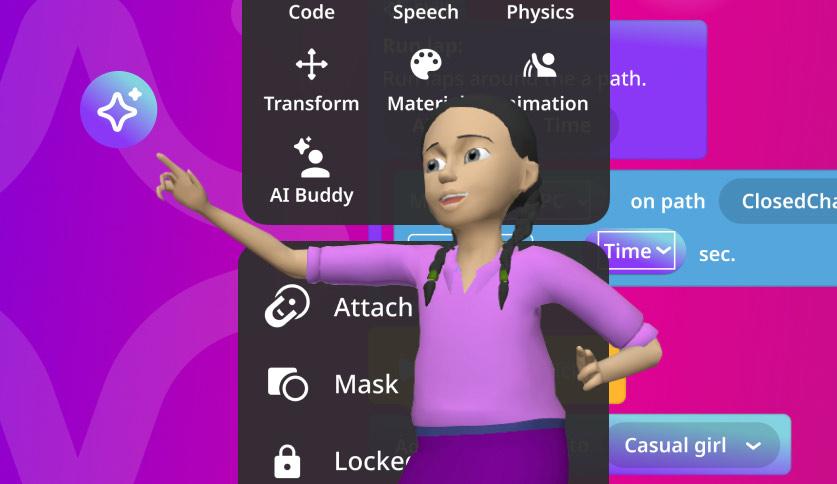
Whether for students or educators, Delightex Edu is so much fun to dive into and start creating with, especially with AI Buddies, which are AI-powered 3D characters that can talk, react, and express emotions through real-time animations. AI Buddies are defined by creating a short prompt and can act as guides, tutors, narrators, or characters in a story. AI Buddies make it so much fun for anyone creating with Delightex.
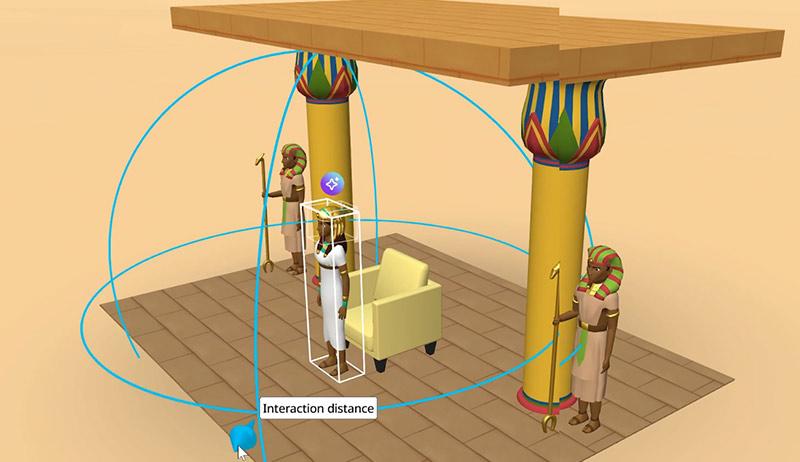
AI Buddies are a fun addition to any project. They respond via text and can also use expressive animations that make interactions feel more natural and believable. Students can set proximity triggers in their environment so that an AI Buddy responds automatically when someone enters a specific area of a scene. This was a game-changer because it shifted the static environment into a more responsive and immersive experience.
When I think about the possibilities and how AI buddies will amplify learning, they can help students create more engaging stories, interactive simulations, and even role-based learning. Imagine having a historical figure who can speak to students. Or a science class or a language class, with a virtual guide who can walk users through a location unique to the content. Characters in a story can respond differently depending on the choices the player makes.
These possibilities also bring some reminders. Safety, especially when it comes to AI, is critical. With Delightex Edu, teachers control student access by license, class, or each individual student. Guardrails, Content Guard, and AI History ensure that any interactions stay age-appropriate, transparent, and are reviewable by the teacher.
AI Skills: Coding and AI Literacy
When AI Buddies are added to each student’s Project, it brings their story and their world to life. With AI Skills, students can decide how the characters will act.
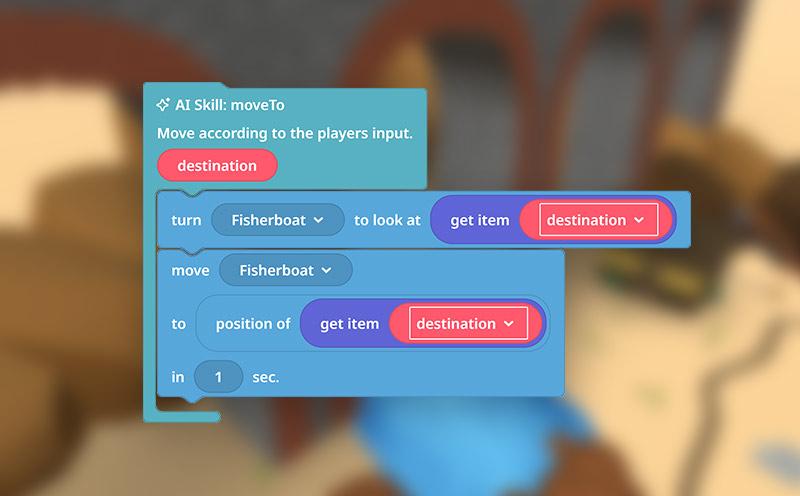
AI Skills enables students to design actions using visual coding and assign them to AI Buddies. Using Delightex’s CoBlocks system, AI Skills combine traditional visual logic with the use of simple prompts. Students still define conditions, test behaviors, and refine outcomes as they have been able to do, but now with AI Skills, the characters can respond in more natural ways to dialogue and intent.
When learning to code, students were programming only event-based responses, for example, “when this happens, do that.” However, now, students think about how these intelligent systems are able to interpret meaning. It can lead to great conversations in the classroom, and students or teachers can talk about questions such as:
How does a character decide what action makes sense?
What happens when prompts are unclear?
How do logic and language work together?
AI-Generated 360° Worlds Inside 3D Scenes
One of my favorite new AI features is that I can dream big and create fun prompts that generate beautiful images. Through Delightex Edu’s Skybox integration, you can generate AI-powered 360° images right inside 3D scenes. Before this feature was added, scenes were limited, but now any 3D scene can be transformed into a fully immersive 360° environment, truly expanding creative possibilities. Students can instantly generate any backdrop they can imagine for their stories, simulations, or virtual field trips. Once they create their new background, they can select from all of the options for characters, objects, and more. It boosts student engagement and promotes more experiential learning.
Why This Is Important for the Future of Learning
As I explored these recent updates, I realized they are moving us toward what digital literacy should look like in an AI-powered world.
Whether early learners, older students, or educators, everyone needs opportunities to create with AI and understand its capabilities. And, they need to be able to do so in safe environments where experimentation is encouraged, guardrails are in place, and active learning is available. Delightex Edu is a platform where AI enhances creativity, deepens understanding of new technologies, supports the acquisition of content knowledge, and prepares students for future work and learning.
Always at the forefront with great features that bring amazing learning possibilities to students, I’m looking forward to more features from Delightex. And I am excited for all students who will be able to apply their knowledge in exciting and innovative ways!
To learn more and have fun creating, visit delightex.com/edu. Explore the gallery, check out the resources, and then start your own project! Have fun learning!
About Rachelle
Dr. Rachelle Dené Poth is a Spanish and STEAM: What’s Next in Emerging Technology Teacher. Rachelle is also an attorney with a Juris Doctor degree from Duquesne University School of Law and a Master’s in Instructional Technology. Rachelle received her Doctorate in Instructional Technology, with a research focus on AI and Professional Development. In addition to teaching, she is a full-time consultant and works with companies and organizations to provide PD, speaking, and consulting services. Contact Rachelle for your event!
Rachelle is an ISTE-certified educator and community leader who served as president of the ISTE Teacher Education Network. By EdTech Digest, she was named the EdTech Trendsetter of 2024, one of 30 K-12 IT Influencers to follow in 2021, and one of 150 Women Global EdTech Thought Leaders in 2022.
She is the author of ten books, including ‘What The Tech? An Educator’s Guide to AI, AR/VR, the Metaverse and More” and ‘How To Teach AI’. In addition, other books include, “In Other Words: Quotes That Push Our Thinking,” “Unconventional Ways to Thrive in EDU,” “The Future is Now: Looking Back to Move Ahead,” “Chart A New Course: A Guide to Teaching Essential Skills for Tomorrow’s World, “True Story: Lessons That One Kid Taught Us,” “Things I Wish […] Knew” and her newest “How To Teach AI” is available from ISTE or on Amazon.
Contact Rachelle to schedule sessions about Artificial Intelligence, AI and the Law, Coding, AR/VR, and more for your school or event! Submit the Contact Form.
Follow Rachelle on Bluesky, Instagram, and X at @Rdene915
**Interested in writing a guest blog for my site? Would love to share your ideas! Submit your post here. Looking for a new book to read? Find these available at bit.ly/Pothbooks
************ Also, check out my THRIVEinEDU PodcastHere!
Join my show on THRIVEinEDU on Facebook. Join the group here.
As I reflect on 2025, it feels like a year of recalibration. I think about education, and while things were definitely moving faster, especially with AI and the changes it has brought, I feel like things are moving at a deeper level. After several years of rapid changes, disruptions, and adjustments, many educators, leaders, and systems seem to have shifted from being reactive to proactive, and, more importantly, to focusing more on reflective practices. Some questions I consider are:
What is actually working? What is overwhelming students and teachers? What does “future-ready” really mean, and is it the proper term?
In many ways, 2025 feels more like a time when education stopped trying to keep up with every new trend, took a breath, and began reclaiming its intention.
From Urgency to Intention
The past few years have required schools to operate in what I’ve heard in many conversations as a “crisis mode.” After some thought, I have seen and experienced a shift away from an overwhelming sense of urgency to accomplish everything and toward purposeful decision-making. A word that I have used a lot after reading a book by Kevin Roose called Futureproof is “discernment.” He wrote about the shift from media and digital literacy to digital discernment. I’ve seen this in my own practice as well. Educators have become more discerning about initiatives to invest in, tools to explore, and expectations to set. The question “Can we do this?” shifted to “Should we do this? And “Why?” Which then led to the “How” part.
This shift showed up in conversations around curriculum, assessment, technology use, and student well-being. Schools began reducing or being more selective rather than layering, which helped educators to adjust better to change. Leaders focused more on coherence instead of compliance. And in some conversations I had or articles I read, I noticed respectful pushback on practices that added complexity without improving learning.
I think this is why the recalibration mattered.
AI Moved From Novelty to Normal
Since artificial intelligence and all of the new tools arrived in classrooms, it was an interesting time for educators. Something novel, something cool yet scary at times I’ve been told by educators that I am training, and other times, something to be avoided at all costs. But, what I noticed this year has been a shift. A shift away from the worries about plagiarism and cheating, about the time needed to learn how to leverage AI in our work, to a focus on how to bring it into our classrooms intentionally, purposefully, responsibly. In 2025, AI in education has become more of the norm.
I have noticed a change in the reactions. Now I see more focus on:
Data privacy
Ethical use and attribution
Age-appropriate access
Skill-building over shortcut-taking. (Leaning on versus learning from)
Transparency instead of surveillance
AI has become less about “cheating” and more about helping students and others learn how to think, evaluate, and create responsibly in an AI-infused world. Educators that I have worked with in my own school, at conferences and during professional development sessions that I have provided, have been asking different questions. At first, questions focused on “How can I tell when a student has used ChatGPT?” “Why do I need to teach about AI in the elementary level, they are too young and it is too much technology?” and “How do I find the time to evaluate the tools?” and more. But now, the questions are more targeted. Some examples are “How does this tool support learning goals?” and “When does it enhance or push thinking and when does it replace it?” Questions are also asked about how to connect AI into different grade levels and content areas without it feeling like something extra. I think the key to these questions is keeping the focus on the human aspect of learning and teaching.
We need to become AI literate and help students to develop their AI literacy skills, which do not only require developing technical skills. It also involves essentially human skills such as judgment, empathy, discernment, and reflection. With so much technology, the impact on us as humans is real and brings out the importance of digital wellbeing in addition to digital citizenship.
Digital Wellness
I’ve been working on an initiative through ISTE+ASCD and Pinterest that focuses on digital wellbeing and digital citizenship, both aligned with innovation. Something that I’ve noticed in the conversations at the schools is that educators are realizing that digital citizenship alone is not enough. Conversations about constant connectivity and the cost of it have been taking place and leading to new policies and guidelines in schools.
As a result, digital wellness has emerged as a priority for all, rather than as a standalone curriculum In my work with educators, each group talked openly about:
Attention fatigue
Notification overload
Screen balance
Emotional regulation
Boundaries and agency
Cellphone bans were in place and while some saw the positives, others raised some interesting points. Rather than banning technology outright or ignoring its impact, should we instead focus on intentional use of it and guide students? Questions like “When does technology add value?” and “When should we step away?” became part of the discussions in and out of the classroom.
Focusing on the human connection
I noticed in some schools that I visited, more socialization, more connections being made between students in the classrooms. More time for colleagues to work together and with their students.
There was renewed emphasis on:
Relationships over rigid pacing
Depth over coverage
Dialogue over compliance
Reflection over reaction
Administrators that I spoke with have said they are listening more closely and trust teachers to use their professional judgment. Something else I noticed was an increase in the inclusion of student voice in conversations about learning, technology, and school culture. I have asked students for feedback for many years and value their input as it expands my understanding and helps me to better connect. In some of the schools that I have visited, common questions to students have been:
How do you learn best?
What feels supportive vs. stressful?
How does technology affect your focus and well-being?
What do you want your teachers, families, friends, to understand about your experience?
When students were invited into these conversations, the results were powerful. They wanted agency, not avoidance. They wanted guidance on balance, which could not be learned through complete bans. When students were treated as collaborators or partners in shaping their learning environments, it led to powerful learning and growing as a school community.
The Power of Reflection
I wrote about it, spoke about it, and engaged in reflection myself and with other educators. We often noted the increase in the need for reflection, especially in our field that is constantly changing.
Some areas that I considered:
What I kept doing out of habit
What I needed to let go of for sustainability
What truly mattered in my classroom
What I needed to do to make a difference
Was I involving my students in decisions
What kind of educator I wanted to be
Reflection shouldn’t be about perfection, at least not in my mind. I see it as a way to focus on continued growth, clarity, and purpose in my work.
Some things that I learned in 2025
I had many opportunities to learn and share my learning with others. I provided some keynotes and a lot of training and working with educators from around the world. When I tried to gather my thoughts about innovation, effective technology use, digital wellness, student voice and agency, and reflection, I came to some conclusions…at least as of today. But I will continue to reflect.
Innovation without intention leads to exhaustion.
Technology must serve learning, not dominate it.
Wellness is foundational to continued growth.
Students are capable of thoughtful insight when involved in the conversation.
Reflection is a powerful driver of meaningful change.
Education does not become easier with each passing year but I do find that the conversations become more transparent and honest.
As I close the year on blogs for 2025, I leave you with some questions to consider, that I have considered myself:
Looking Back
What was one moment in 2025 when teaching or learning felt especially meaningful for you? Why?
What was draining or unsustainable this year as opposed to other years?
What practice, tool, or expectation did you decide to let go of, and why?
Technology & Learning 4. Where did technology genuinely support learning this year? How? 5. Where did it lead to distraction, add extra pressure, or increase overload?
Well-being 6. When did you feel most balanced as an educator this year? What contributed to your balance? 7. What helped you to decide when something was “too much”?
You might even choose to engage in conversations with colleagues or a PLC for even more opportunities to learn and connect.
As we move forward into 2026, we must continue to design learning experiences that are human-centered, values-driven, and always reflective. If 2025 could offer advice, it might be to Slow down in order to choose well.
About Rachelle
Dr. Rachelle Dené Poth is a Spanish and STEAM: What’s Next in Emerging Technology Teacher. Rachelle is also an attorney with a Juris Doctor degree from Duquesne University School of Law and a Master’s in Instructional Technology. Rachelle received her Doctorate in Instructional Technology, with a research focus on AI and Professional Development. In addition to teaching, she is a full-time consultant and works with companies and organizations to provide PD, speaking, and consulting services. Contact Rachelle for your event!
Rachelle is an ISTE-certified educator and community leader who served as president of the ISTE Teacher Education Network. By EdTech Digest, she was named the EdTech Trendsetter of 2024, one of 30 K-12 IT Influencers to follow in 2021, and one of 150 Women Global EdTech Thought Leaders in 2022.
She is the author of ten books, including ‘What The Tech? An Educator’s Guide to AI, AR/VR, the Metaverse and More” and ‘How To Teach AI’. In addition, other books include, “In Other Words: Quotes That Push Our Thinking,” “Unconventional Ways to Thrive in EDU,” “The Future is Now: Looking Back to Move Ahead,” “Chart A New Course: A Guide to Teaching Essential Skills for Tomorrow’s World, “True Story: Lessons That One Kid Taught Us,” “Things I Wish […] Knew” and her newest “How To Teach AI” is available from ISTE or on Amazon.
Contact Rachelle to schedule sessions about Artificial Intelligence, AI and the Law, Coding, AR/VR, and more for your school or event! Submit the Contact Form.
Follow Rachelle on Bluesky, Instagram, and X at @Rdene915
**Interested in writing a guest blog for my site? Would love to share your ideas! Submit your post here. Looking for a new book to read? Find these available at bit.ly/Pothbooks
************ Also, check out my THRIVEinEDU PodcastHere!
Join my show on THRIVEinEDU on Facebook. Join the group here.
Welcome to “Students, Teachers, and, Chatbots: Learning Plans for Exploring Civic Issues with GenAI!” In this monthly series, you will find classroom-ready learning plans to use as you explore different civic engagement issues and topics with students. Each learning plan is connected to one of the ISTE (International Society for Technology in Education) Standards for Students.
Imagine you have to vote in a school, local organization, community, state, or national election about a much debated and highly controversial issue. Someone proposes that instead of engaging in lengthy and potentially bitter debates, the group just let AI decide for them. What would be your response?
The question is no longer hypothetical. There are groups and government organizations in other countries that are turning over decisions about policies to AI chatbots. There is even a term for AI decision-making called “Algocracy” or government by algorithm.
Will chatbots make better decisions than elected political leaders or citizen voters? Many people now believe so. Across people in 35+ countries and speaking seven different languages, those surveyed were 30 percent more likely to see chatbots acting in their best interest and making better policy decisions on their behalf (Tech and Social Cohesion, 2025).
Letting chatbots make public policy decisions is known as “Algocracy” or “government by algorithm” (Thompson, 2022). The appeal of this idea is not hard to understand. People in country after country express distrust of politicians and political systems while also believing in the objectivity and efficiency of computer programs. Since chatbots are already proving they can make medical decisions at rates that can exceed those of human doctors, why wouldn’t chatbots do a better job of deciding where to spend money and allocate scarce resources?
Critics of algocracy are quick to point out that chatbots are not neutral tools. They function based on the datasets on which they have been trained, and that information has been shown to have alarmingly large amounts of misinformation and deep cultural, gender, racial, ability, and language biases (learn more).
Moreover, chatbots are “black boxes,” meaning users do not know how the systems actually make decisions. While how chatbots make decisions is invisible, the actions of elected representatives are matters of public record. Online and in print, you can research how your senator, representative, town or city council member, mayor, or other elected officials voted on the issues and you can write to them to express your views, for or against, their actions.
So what role, if any, should AI play in making decisions in democratic settings? Two former Google executives have proposed “rather than replace democracy with A.I., we must instead use A.I. to reinvigorate democracy, making it more responsive, more deliberative and more worthy of public trust” (Schmidt & Sorota, 2025, para. 3). This activity explores ways that AI can promote democracy and democratic decision-making while strengthening people’s participation in government and society.
Learning Goal
Students will build their civic knowledge by exploring the real world issue of Algocracy.
ACTIVITY 1: Using GenAI to Make Decisions for a Day (or an Hour)
Pick one day, one class, or one hour, and let GenAI make all the decisions for the class about what to do.
Example Prompt: “Respond yes or no and explain your reasoning for the following question from my 7th-grade students: Should we read Hamlet today or play Roblox?”
At the end of the day, class, or hour, invite students to reflect on their initial response to the student engagement question (“If a decision needs to be made, would you rather vote on it or have an AI chatbot decide?”) and whether they would change their response based on their experience asking GenAI to make decisions for them.
Then, have students research the concept of algocracy and current examples of AI decision-making by elected officials.
Finally, invite students to write a letter to their local town or state government in favor of, or in opposition to, this concept.
ACTIVITY 2: Critical Analysis of AI Decision-Making in Government
Invite students to research and then discuss the following questions:
How could the biases embedded in data shape political decision-making from AI systems?
How might AI-generated hallucinations affect governmental decision-making?
Who might benefit from AI decision making in government or an algocracy?
Who might be harmed from AI decision-making in government or an algocracy?
How might AI decision-making shift power dynamics within government? Who gains new forms of authority, and who loses it?
If an AI system makes an unjust or harmful decision, who should be held accountable (e.g., AI system developer? government officials?)
Who is more trustworthy? A politician or an AI system? Why?
Then, based on their research and discussion,
Reflection Questions
What role do you think AI systems will play in governmental decision-making 30 years from now? What about 100 years from now?
How might AI-driven governance shape or reshape democracy?
Would you vote for an AI candidate over a human candidate? Why or why not?
Could heavy reliance on AI governance discourage civic engagement or participation? Why or why not?
AI Literacy Questions
If you were to build an AI system to make decisions for the government, what data would you use to train the system? How would you reduce hallucinations? What safeguards would you put in place? What other ethical considerations would guide your design?
If GenAI systems can process far more information than humans, does that make it a better decision-maker? Why or why not?
ISTE Knowledge Constructor Criteria Addressed
1.3.a Effective Research Strategies. Students use effective research strategies to find resources that support their learning needs, personal interests, and creative pursuits.
1.3.b Evaluate Information. Students evaluate the accuracy, validity, bias, origin, and relevance of digital content.
1.3.d Explore Real-World Issues. Students build knowledge by exploring real-world issues and gain experience in applying their learning in authentic settings.
Assesses Switzerland’s efforts to build an ethical large language model for the public good, trained on only publicly available content.
Author Bios
Torrey Trust, Ph.D. is a Professor of Learning Technology in the College of Education at the University of Massachusetts, Amherst. Her work centers on empowering educators and students to critically explore emerging technologies and make thoughtful, informed choices about their role in teaching and learning. Dr. Trust has received the University of Massachusetts Amherst Distinguished Teaching Award (2023), the College of Education Outstanding Teaching Award (2020), and the International Society for Technology in Education Making IT Happen Award (2018), which “honors outstanding educators and leaders who demonstrate extraordinary commitment, leadership, courage, and persistence in improving digital learning opportunities for students.” More recently, Dr. Trust has been a leading voice in exploring GenAI technologies in education and has been featured by several media outlets in articles and podcasts, including Educational Leadership, U.S. News & World Report, WIRED, Tech & Learning, The HILL, and EducationWeek. http://www.torreytrust.com
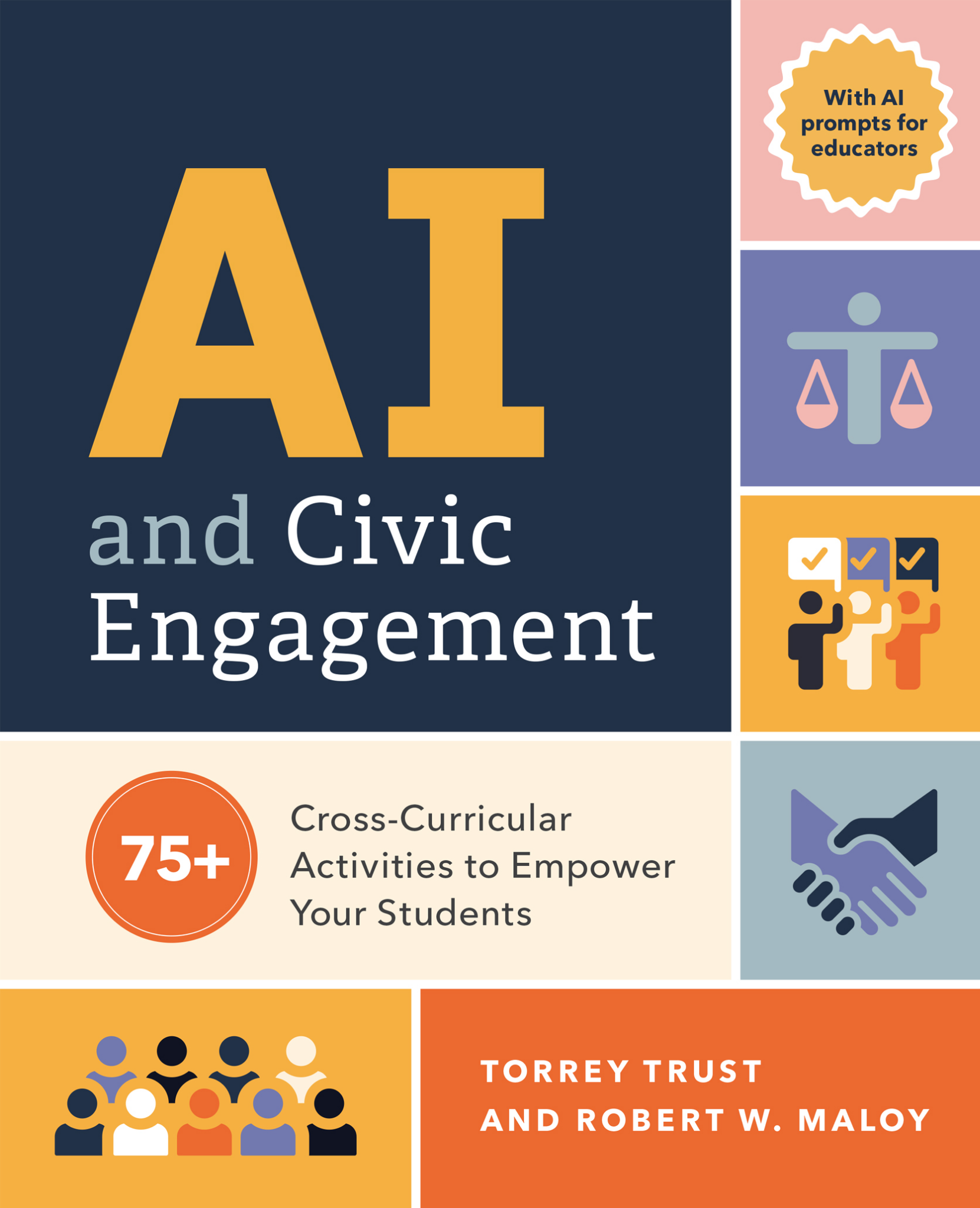
Robert W. Maloy is a senior lecturer in the College of Education at the University of Massachusetts Amherst where he coordinates the history teacher education program and co-directs the TEAMS Tutoring Project, a community engagement/service learning initiative through which university students provide academic tutoring to culturally and linguistically diverse students in public schools throughout the Connecticut River Valley region of western Massachusetts. His research focuses on technology and educational change, teacher education, democratic teaching, and student learning. He is co-author of AI and Civic Engagement: 75+ Cross-Curricular Activities to Empower Your Students, Transforming Learning with New Technologies (4th edition); Kids Have All the Write Stuff: Revised and Updated for a Digital Age; Wiki Works: Teaching Web Research and Digital Literacy in History and Humanities Classrooms; We, the Students and Teachers: Teaching Democratically in the History and Social Studies Classroom; Ways of Writing with Young Kids: Teaching Creativity and Conventions Unconventionally; Kids Have All the Write Stuff: Inspiring Your Child to Put Pencil to Paper; The Essential Career Guide to Becoming a Middle and High School Teacher; Schools for an Information Age; andPartnerships for Improving Schools.
About Rachelle
Dr. Rachelle Dené Poth is a Spanish and STEAM: What’s Next in Emerging Technology Teacher. Rachelle is also an attorney with a Juris Doctor degree from Duquesne University School of Law and a Master’s in Instructional Technology. Rachelle received her Doctorate in Instructional Technology, with a research focus on AI and Professional Development. In addition to teaching, she is a full-time consultant and works with companies and organizations to provide PD, speaking, and consulting services. Contact Rachelle for your event!
Rachelle is an ISTE-certified educator and community leader who served as president of the ISTE Teacher Education Network. By EdTech Digest, she was named the EdTech Trendsetter of 2024, one of 30 K-12 IT Influencers to follow in 2021, and one of 150 Women Global EdTech Thought Leaders in 2022.
She is the author of ten books, including ‘What The Tech? An Educator’s Guide to AI, AR/VR, the Metaverse and More” and ‘How To Teach AI’. In addition, other books include, “In Other Words: Quotes That Push Our Thinking,” “Unconventional Ways to Thrive in EDU,” “The Future is Now: Looking Back to Move Ahead,” “Chart A New Course: A Guide to Teaching Essential Skills for Tomorrow’s World, “True Story: Lessons That One Kid Taught Us,” “Things I Wish […] Knew” and her newest “How To Teach AI” is available from ISTE or on Amazon.
Contact Rachelle to schedule sessions about Artificial Intelligence, AI and the Law, Coding, Cybersecurity, STEM, AR/VR, and more for your school or speaking event! Submit the Contact Form.
Follow Rachelle on Bluesky, Instagram, Threads, and X at @Rdene915
**Interested in writing a guest blog for my site? Would love to share your ideas! Submit your post here. Looking for a new book to read? Find these available at bit.ly/Pothbooks
************ Also, check out my THRIVEinEDU PodcastHere!
Join my show on THRIVEinEDU on Facebook. Join the group here.