
It is essential in our schools that we focus on promoting responsible AI use in our classrooms and provide opportunities for students to become AI literate. With such increased use of artificial intelligence in the world and our classrooms, it has never been more important to involve students in learning how to use AI ethically, responsibly, and safely. As AI becomes even more common, students need to understand how AI works, its capabilities, and its limitations. They also need to explore how it is being used in the world.
With guided exploration and learning opportunities, we will promote responsible AI use; we can ensure that it is used to benefit students and help them develop “future-ready” skills. AI is a powerful tool, and therefore it requires responsible and informed users. There are special events that focus on developing AI literacy. In April, we recognized AI Literacy Day, designed as a day for learning about and exploring AI. Schools and classrooms hosted events, participated in learning, and had access to resources to support the development of AI literacy skills. AI Literacy Day is led by organizations such as EDSAFE AI, AIEDU Common Sense Media, AI for Education, and The Tech Interactive, and provides resources that are helpful for educators, especially when there is some concern about the use of AI.
In my classroom, we use various AI-powered tools, and I always seek student feedback. Here are some thoughts after using Snorkl and SchoolAI.
“The chatbot was very helpful. Immersing yourself with technology that helps you learn Spanish or any other language can help a lot. You have real-time conversations, and the chatbot expands the conversation so you can learn even more about the language. It also helps you become more comfortable speaking!” – Lily Hood, 11th-grade student.
The Day of AI, a free event, occurs in May and was held on May 13th. Throughout the day, elementary, middle, and high school students had access to activities and curriculum. In my classroom, whether in my Spanish classes or my STEAM course for 8th graders, we talk a lot about AI. For over six years, I have explored resources to help students understand how and when AI should be used. By modeling the responsible use of different tools and having students interact with AI in the classroom, we will best prepare them for the changes this technology will bring. We often have discussions about the benefits and concerns of any tools that we explore.
When I use something in my classroom, I consider how the tool can enhance the learning experience. I share my thoughts with students before we explore and then ask for their feedback about the experience after. I greatly value their opinions and make time to ask them about what they think and the impact. Here are some student reflections:
Feedback after using SchoolAi to practice Spanish conversation
Antonio Boyer, 11th grade student
“It was so helpful for practicing the language. It knew my level, adjusted the questions to meet my specific needs, and gave me additional practice to help build my skills. It gets you to where you need to be.”
Grace Johnson, 10th grade student, after using Snorkl
“I was amazed when I submitted my response using Snorkl and instantly received feedback with comments about my speaking. It provided questions and explanations to help me understand the grammar more.”
Here are a few tools that students enjoy using. It gives them more insight into the benefits of AI and how it can be used as an enhancer rather than a replacement for doing our own work
- Brisk Teaching: A free Chrome extension with four features: Create, Give Feedback, Inspect Writing, and Change Level. I have shown students how I can write something with Google and use the Give Feedback feature of Brisk to analyze my writing and receive feedback. I’ve also shown how I can quickly generate questions based on a video that we are watching in class or how I can quickly generate slides for my presentations.
- Eduaide.Ai: A platform for AI-assisted lesson planning that offers more than 100 resources to help teachers create instructional materials. Eduaide has a Content Generator, Teaching Assistant, Feedback Bot, Free-form Chat, and an Assessment Builder. I have explored Eduaide a lot to create fun activities, a project outline, gamification, and also some of the assessment builder options.
- Noodle Factory: For AI-driven personalized learning, automated grading and feedback, engaging and interactive lessons, Walter+ adapts to each student’s learning pace, helping to promote a more inclusive and effective learning environment. Noodle Factory offers Walter+, the AI teaching assistant designed for grades K through 12. Walter+ is designed to help educators enhance and transform the learning experiences they provide for students. I definitely recommend exploring Noodle Factory!
- School AI: In Spanish classes, I have used it to create a ”Sidekick,” an assistant that engages students in conversations. I prompt the chatbot to focus on specific vocabulary or grammar patterns with my students. In this case, they interact individually, and the chatbot Sidekick adapts to their needs and provides them with feedback and continued questions based on their responses. I share with students what I can see in the teacher dashboard, and it helps them understand the importance of being mindful of the interactions and the information that they share online, specifically when using any generative AI.
- Snorkl: An easy-to-use tool that gives students a space to talk through their thought processes while they are learning. Have students explain their learning, solve a problem, or complete any task that we give them. It records their screen and their audio, and we can set it to generate AI feedback for them and then provide feedback directly to them. Students were amazed at how quickly they received feedback and how helpful it was for their learning.
Whether at the end of a school year or exploring over the summer and diving in at the start of a new year, trying some of these tools in your classroom will provide a fun learning experience for your students and you! More importantly, it will help to promote AI literacy which is critical today!
About the Author:
Dr. Rachelle Dené Poth is a Spanish and STEAM: What’s Next in Emerging Technology Teacher at Riverview High School in Oakmont, PA. Rachelle is also an attorney with a Juris Doctor degree from Duquesne University School of Law and a Master’s in Instructional Technology. Rachelle received her Doctorate in Instructional Technology, and her research focus was on AI and Professional Development. In addition to teaching, she is a full-time consultant and works with companies and organizations to provide PD, speaking, and consulting services. Contact Rachelle for your event!
Rachelle is an ISTE-certified educator and community leader and served as president of the ISTE Teacher Education Network. She was named the EdTech Trendsetter of 2024 by EdTech Digest, one of 30 K-12 IT Influencers to follow in 2021 and one of 150 Women Global EdTech Thought Leaders in 2022.
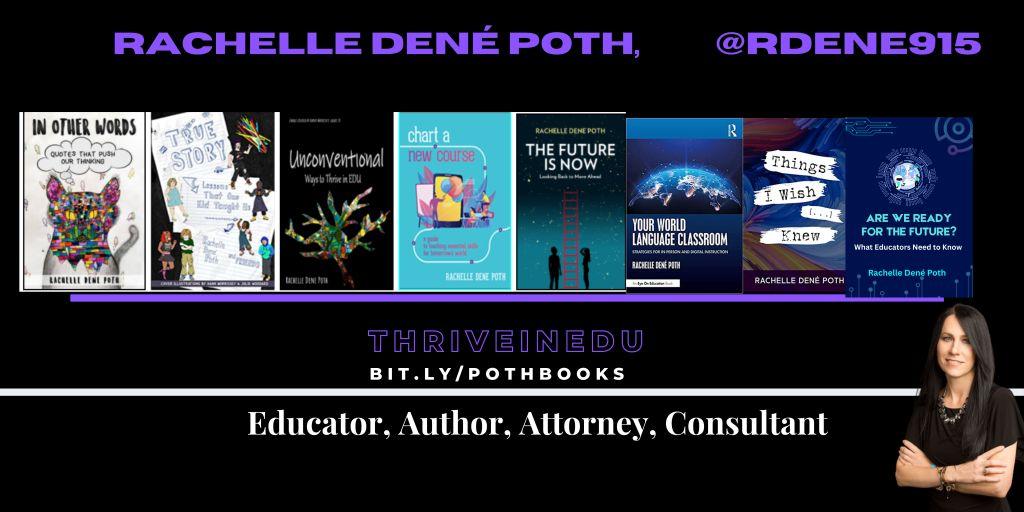
She is the author of nine books including ‘In Other Words: Quotes That Push Our Thinking,” “Unconventional Ways to Thrive in EDU,” “The Future is Now: Looking Back to Move Ahead,” “Chart A New Course: A Guide to Teaching Essential Skills for Tomorrow’s World, “True Story: Lessons That One Kid Taught Us,” “Things I Wish […] Knew” and her newest “How To Teach AI” is available from ISTE or on Amazon.
Contact Rachelle to schedule sessions about Artificial Intelligence, Coding, AR/VR, and more for your school or your event! Submit the Contact Form.
Follow Rachelle on Twitter(X) and Instagram at @Rdene915
**Interested in writing a guest blog for my site? Would love to share your ideas! Submit your post here. Looking for a new book to read? Find these available at bit.ly/Pothbooks
************ Also check out my THRIVEinEDU Podcast Here!
Join my show on THRIVEinEDU on Facebook. Join the group here
 Learning as I go: Reflections & lessons learned