
Guest post by Laura Steinbrink, @SteinbrinkLaura
Generally speaking, when educators think about artificial intelligence, or AI, it is usually in the frame of a tool students use to cheat, avoid thinking, or come up with an easy and quick answer. We all know that AI can do significant mental heavy lifting for us. The news has been saturated with the accomplishments of large language models like ChatGPT from the beginning, and they are only getting started. However, as we continue exploring their capabilities, edtech companies have successfully integrated them into their products with amazing results that benefit students and teachers alike. Rather than merely limit student thinking by replacing it, AI can also help students break through barriers and expand their creative thinking skills. Adobe for Education is at the forefront of companies that can harness creativity, AI, and their existing edtech platforms to maximize student learning.
Generative AI
Adobe Express also offers four generative AI features for teachers and students to use in their projects and creations. We are only limited in our ability to think of ways to use them because there is plenty of creative and critical thinking power here.
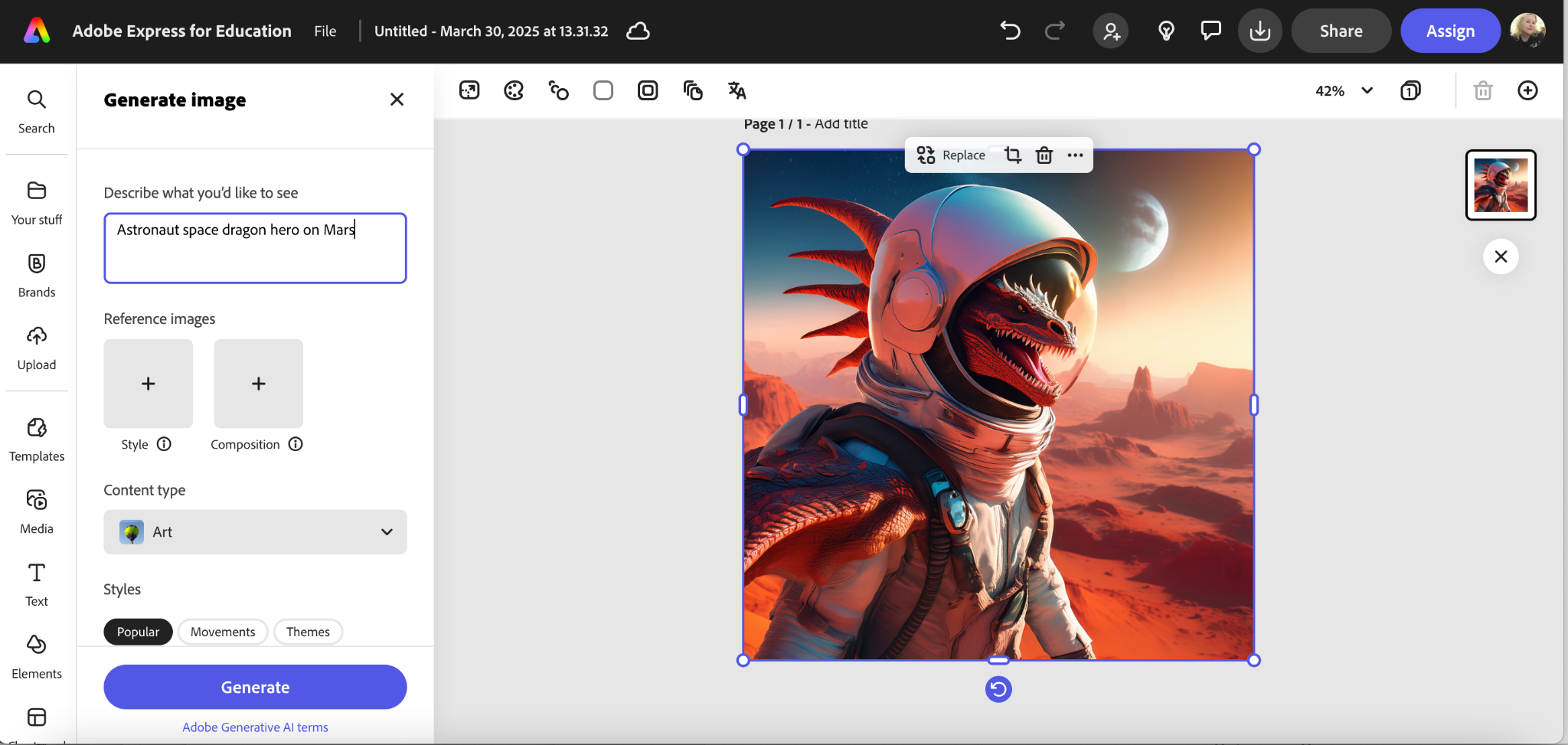
Generate Image
How you use this in the classroom is up to you and your subject matter. It is pretty easy to find ways to use it in ELA or art, for example, but there are applications to be found in other subjects, too. One really fun way to have students use it is for images that they need for presentations. No more searching the internet for an image that might be copyrighted or the incorrect image size, and therefore not visually appealing. The engagement factor of creating their own image cannot be overlooked either. If you are now thinking that you don’t have students create presentations, you might reconsider that. It is a college and career-ready skill that students will need beyond our K-12 classrooms, as is the actual presenting of information. I had a business owner comment recently that she wished more local students graduated high school with the skills to be able to jump right in and do on-the-job presentations. They need both technical skills and communication skills to be able to share information at work or at school. Adobe Express has the tools to help engage them in both.
Generate Text Effects
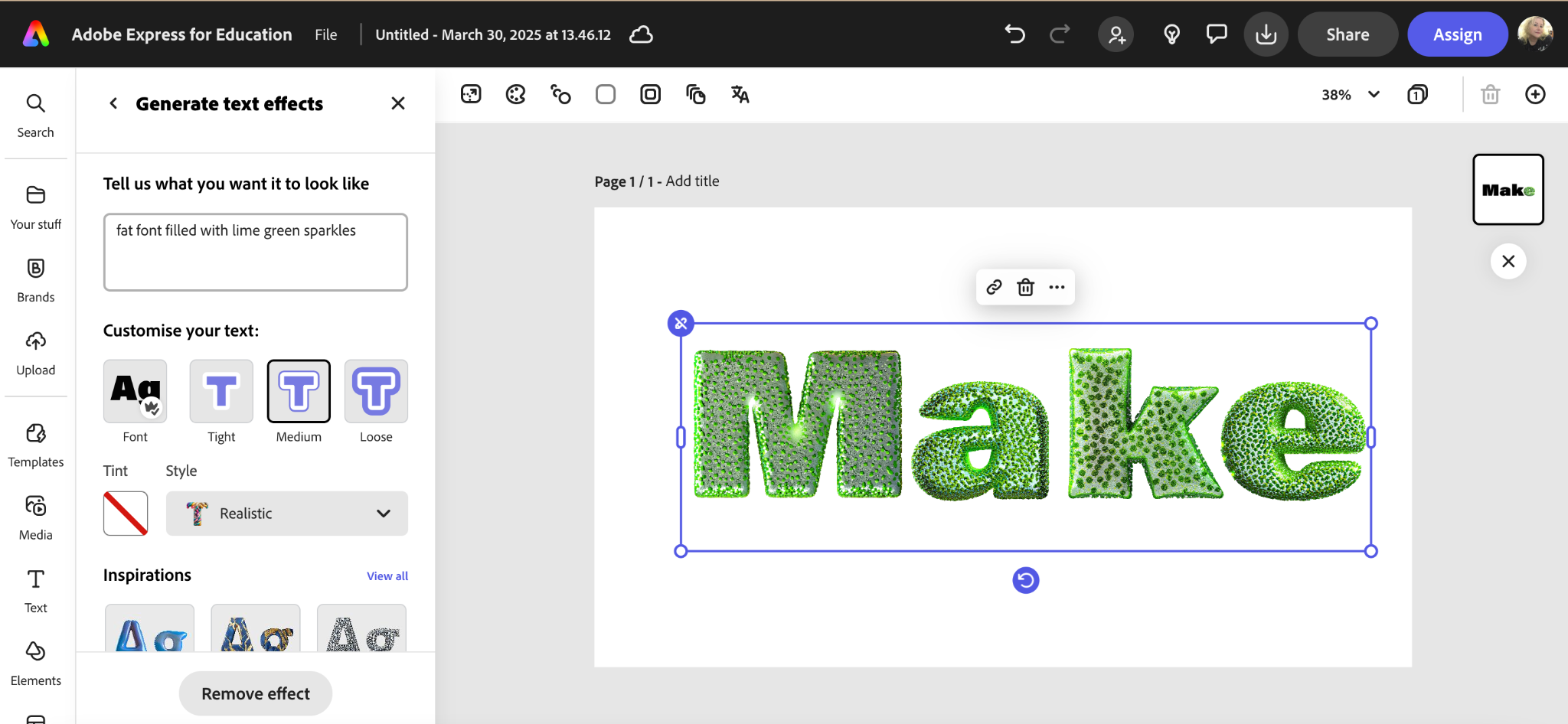
This feature is just as fun and also as creative as the text-to-image generator. Type in the description of the text you want or fill type you want, look at the examples generated, and choose the one that suits your project the best. This can be used on more than presentations, too, of course. Adobe Express has a lot of template projects that fun text effects can enhance, and again, the engagement factor is huge here, too. If you start a project with just having students create their names with the most creative or crazy test effects, that will help them learn the tools and have a blast while doing it. It can seem like overkill to worry about adding outlines, shadow effects, etc., but creating posts, flyers, newsletters, publications, and presentations that are well-designed and legible is a skill that is not generally taught but should be. With Adobe Express, a few minutes of fun can turn students into competent creators.
Generate Template
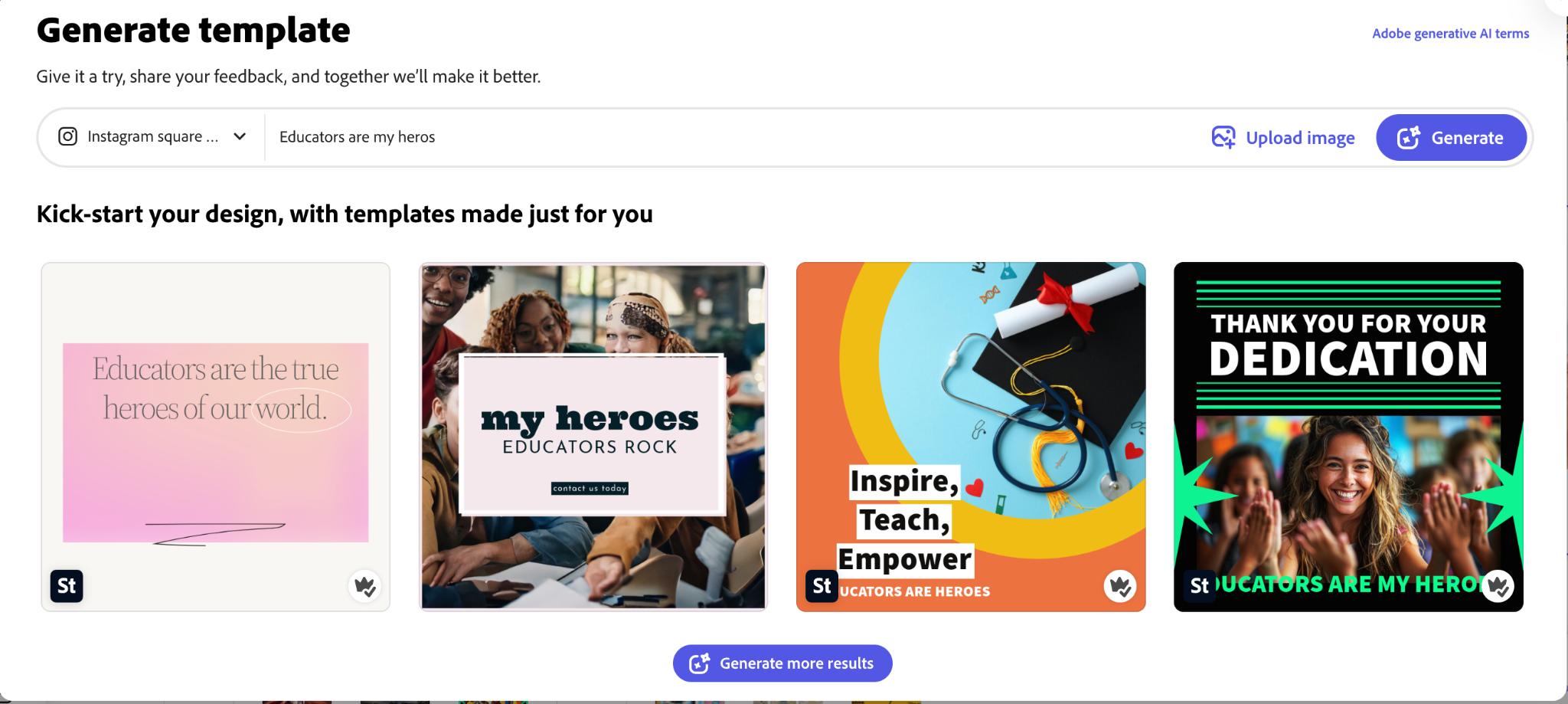
This might be the most innovative generative addition to Adobe Express yet. Sometimes a blank canvas is terrifying, just like a blank document or a blank paper. We don’t know where or how to start our paper, project, drawing, etc. Templates help with that, but if we can type in a brief description and then watch AI bring it to life, even if it does not materialize like we suddenly envisioned. However, just seeing the iterations come to life from just a few words can spark more creative ideas for any template or project.
Insert Object
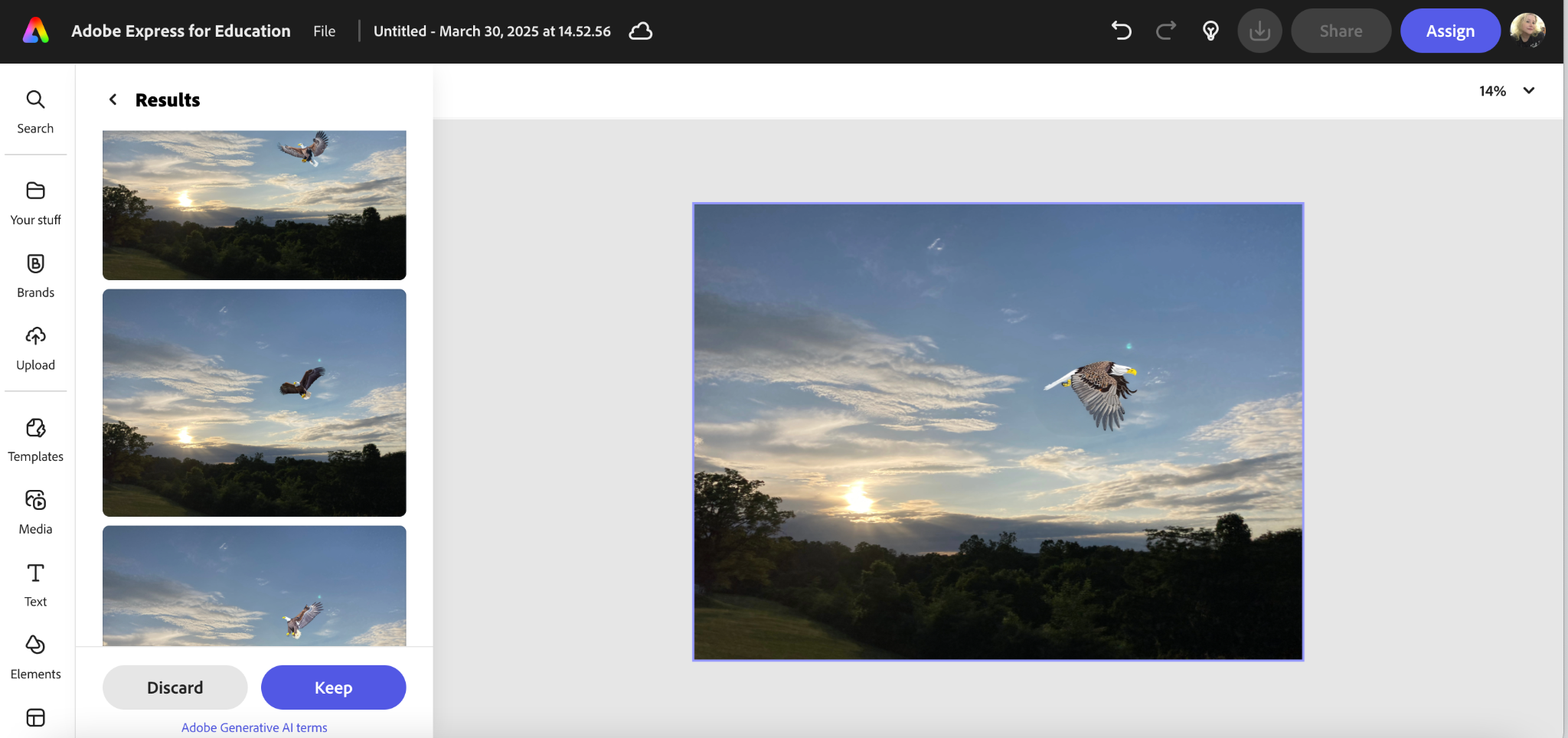
This one was fairly new to me. I saw that it had been added, but I had not tried it until recently. It is simple and also fun to use. Just upload a picture, type in a description of what you want to add to the picture, select your brush size, and color in on the original picture where you would like to add the object.
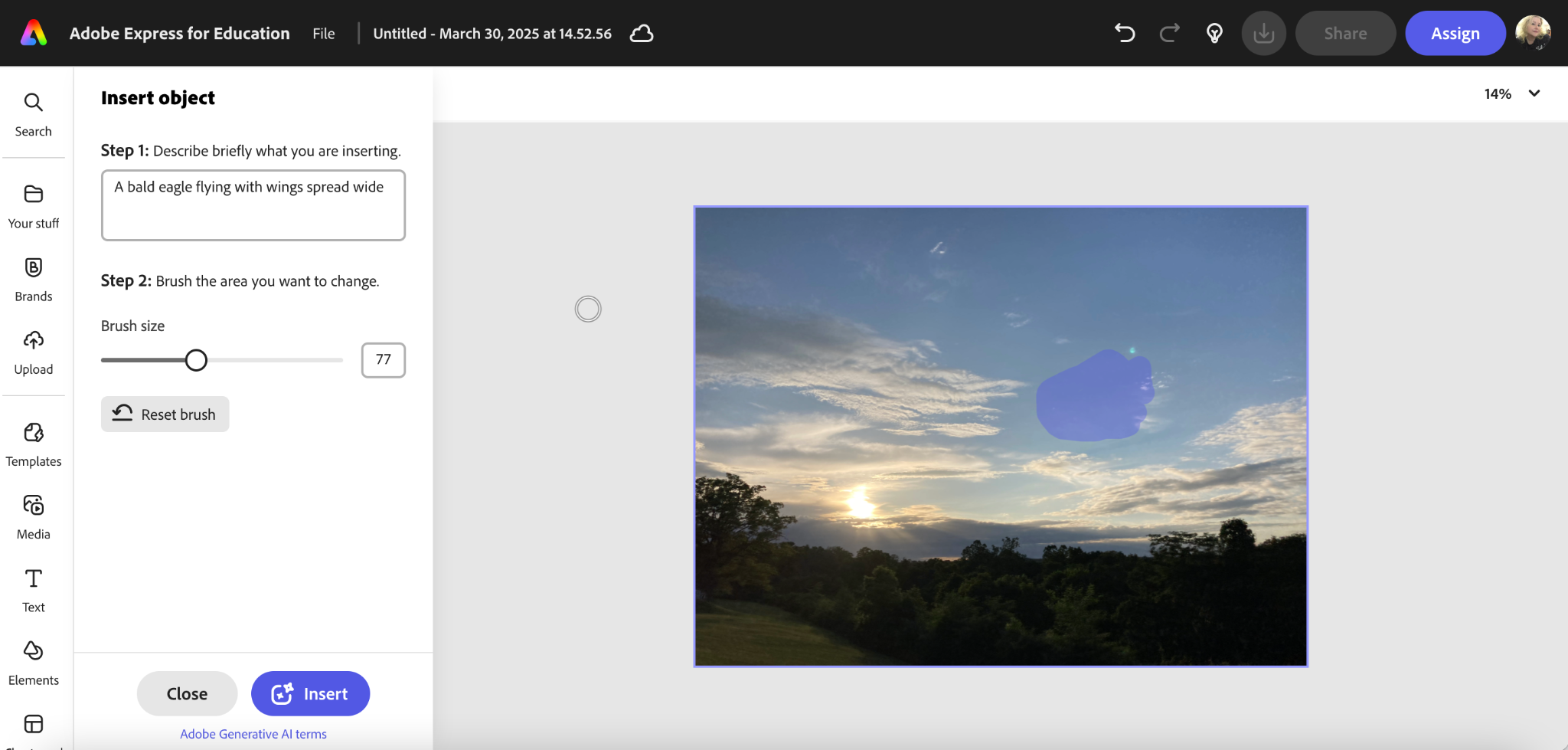
It is another fun way to create what you need for an image, but this time you start with an image you have but you add something to it. This could really be useful for a variety of situations, and part of the fun for us as educators is to use our own critical thinking to find ways to use these tools that maximize student learning and engagement.
Whether your year is winding down, just beginning, or facing the winter blues, Adobe Express has what you and your students need to inject some creativity and critical thinking, with some talented AI help to fuel the learning needs of your students. It also has the added benefit of engaging your creative juices too, with the flexible templates, powerful tools, and add-ons, which is just as important. Educators need to flex their creative muscle and break through barriers in order to lead students in innovation, and these tools can be the right fit for just such a task.
About Rachelle
Dr. Rachelle Dené Poth is a Spanish and STEAM: What’s Next in Emerging Technology Teacher at Riverview High School in Oakmont, PA. Rachelle is also an attorney with a Juris Doctor degree from Duquesne University School of Law and a Master’s in Instructional Technology. Rachelle received her Doctorate in Instructional Technology, and her research focus was on AI and Professional Development. In addition to teaching, she is a full-time consultant and works with companies and organizations to provide PD, speaking, and consulting services. Contact Rachelle for your event!
Rachelle is an ISTE-certified educator and community leader who served as president of the ISTE Teacher Education Network. By EdTech Digest, she was named the EdTech Trendsetter of 2024, one of 30 K-12 IT Influencers to follow in 2021, and one of 150 Women Global EdTech Thought Leaders in 2022.
She is the author of ten books, including ‘What The Tech? An Educator’s Guide to AI, AR/VR, the Metaverse and More” and ‘How To Teach AI’. In addition, other books include, “In Other Words: Quotes That Push Our Thinking,” “Unconventional Ways to Thrive in EDU,” “The Future is Now: Looking Back to Move Ahead,” “Chart A New Course: A Guide to Teaching Essential Skills for Tomorrow’s World, “True Story: Lessons That One Kid Taught Us,” “Things I Wish […] Knew” and her newest “How To Teach AI” is available from ISTE or on Amazon.
Contact Rachelle to schedule sessions about Artificial Intelligence, Coding, AR/VR, and more for your school or event! Submit the Contact Form.
Follow Rachelle on Bluesky, Instagram, and X at @Rdene915
**Interested in writing a guest blog for my site? Would love to share your ideas! Submit your post here. Looking for a new book to read? Find these available at bit.ly/Pothbooks

************ Also, check out my THRIVEinEDU Podcast Here!
Join my show on THRIVEinEDU on Facebook. Join the group here.
 Learning as I go: Reflections & lessons learned