Why we should all go to the staffroom

Guest post by Alice Codner, @MsCodner

Let’s all go to the staffroom! ( oh wait … )

It was a year ago that I remember a visitor from another school walking into our staffroom and stopping short. “What’s happening?” he asked me, bewildered at the merry scene that greeted him, “Is there an event on or something?”

A past foray into supply teaching confirmed my suspicion that in many schools, except the occasional teacher flitting through to grab a cuppa on the flypast, the staffroom generally lies empty and unappreciated. Yet staffrooms have the potential to be a centre of professional development, the focal point for community cohesion and an effective resource for staff well-being. In these days of social distancing and contact tracing, when visits to the staffroom feel more uncertain or even precarious, it is important to remember just what they contribute to school life, and an opportunity to reflect on the value of their place in the school.

Those who imagine that teachers have a whole hour lunch break have clearly never worked in a school. After morning lessons have been eked out and the last child has finally left, there’s marking, going over the plan, setting up resources and a myriad of other jobs that should have been done by yesterday. An hour is not a long time.

Oh. And there’s eating.

Time in the staffroom so easily gets classed as an extravagant luxury. After all, what isn’t done during the day will have to be done after school. Nevertheless, over the years, I can honestly write that I have learnt more in the staffroom than on any course I have ever been on.

I should say at this point that I know I am incredibly lucky. Staff at my school are overwhelmingly kind, friendly and fun, and I do not find the friendship groups and teams cliquey. Not everyone gets on all of the time – that would be impossible in such a large group – but in general, we enjoy each other’s company and understand that we all have a lot to learn. I know that I do.

The staffroom is the first port of call when something hasn’t worked out as planned. In particular, staff members can give and receive bespoke advice on improving lessons and on effectively supporting the needs of particular children in each other’s classes.

Common phrases used in our staffroom include:

  • “Have you tried …?”
  • “x worked well with him in year 2 – you could try that”
  • “What do you think we could do for our [e.g. Vikings] topic?”
  • “Tell her she can come and show me her next piece of writing.”
  • “He can definitely do better than that. Have you spoken to mum? She’s very helpful.”
  • “That’s really good for him! You must be doing something right.”
  • “She never used to do that. What do you think might be causing it?”

The advantage of this system is that staff members can get immediate help from those who know the particular families and children that they work with without going to the leadership team, freeing up their time and getting a broad range of input as groups pool their ideas. It also means that many questions get answered before they become problems. More than simply being a luxurious space to relax, the staffroom can be a vital place of casual exchange of expertise and information that benefit the children, the staff and the leaders.

Of course, not all staffroom chat is work-related. Common topics in our school include cooking, weekend plans and Love Island – and believe me, it gets loud! Though superficially this could be judged a ‘waste of time’, in reality, these positive, relaxed conversations perform a range of important functions. Most obviously, they balance out the intensity of day-to-day teaching life and act as an emotional reset button, making it more possible to start afresh after lunch. Even if it is only for 15 minutes, making the deliberate choice to have a break tells your body that despite the pressure and speed of school life, you are not out of control, and stress levels can be kept in check.

Moreover, these light-hearted conversations form the basis of trust, preparing working relationships to be able to carry the weight of deeper or more difficult conversations when they need to happen. It is always easier to ask a favour from someone you already trust and it is always more enjoyable to do a favour for someone you already like. Schools are places of incredible interdependence. Investing in building positive relationships with other staff makes this interdependence a joy and not a burden.

Working in a school that has a ‘staffroom culture’ has not only been beneficial to my mental wellbeing, it has also played a significant role in my professional development. At a time when we might not all be able to be physically present in the staffroom itself, we might remember that ultimately, ‘the staffroom’ means each other. In a school, we are each other’s greatest resource, be that in a classroom, in the playground or anywhere else. Let’s use that. Just because it’s fun, doesn’t mean it’s a luxury.

Screenshot_20201030-181338

Alice Codner is a class teacher and outdoor learning leader at an inner-city school in NW London. As such, she has led a team to start a school farm including growing vegetables and keeping a range of animals, winning the ‘School Farm Leader 2019’ award from the School Farms Network as well as the ‘Best Garden for Wildlife’ award from the London Children’s Flower Society. She is passionate about school as a hub for community and is convinced that education is the most effective way of addressing social inequality.

@MsCodner   https://partwaythere.co.uk

**Interested in writing a guest blog for my site? Would love to share your ideas! Submit your post here.

Looking for a new book to read? Many stories from educators, two student chapters, and a student-designed cover for In Other Words.

Find these available at bit.ly/Pothbooks  
 Also check out my THRIVEinEDU Podcast Here!

Join my weekly show on Wednesdays at 4pm EST on Learningrevolution.com THRIVEinEDU  Join the group here
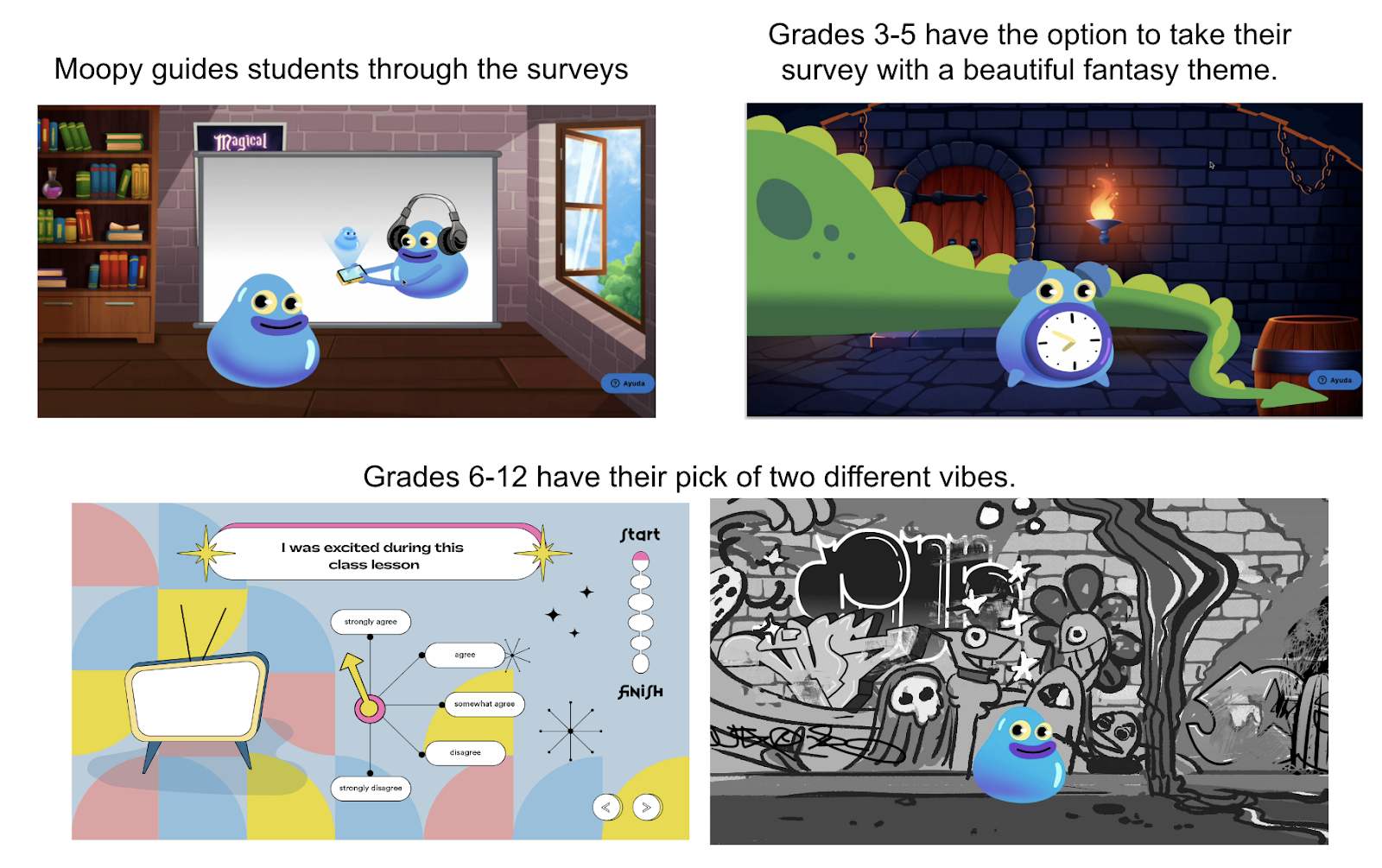
Explore New Ideas and Learning With Buncee

Explore New Ideas and Have Fun Creating With Buncee!

Now that the school year has started and for many, some are moving toward the end of the first grading period, you might be looking for some new ideas to try. Don’t worry, once he definitely has you covered when it comes to finding new ideas to use in your classroom. Whether you check out the many visually engaging tweets of Buncees created and shared by educators from around the world. Educators are posting how they are using Buncee in their classrooms with their students or in their roles as administrators and tech coaches. You should also explore the many templates available or ideas in the Ideas Lab, you can find exactly what you need.

Join the Buncee Educator Facebook community Check out some recent Idea o’clock live sessions that were held. The past couple of weeks had Shannon Miller, Amy Storer and Karina Q sharing ideas for journaling and time capsules, tips for instructional coaches and interactive Buncee journals and OneNote.

Sometimes we just need a few ideas to get started with and then before you know it, we come up with a bunch of ideas and what I find even more often, our students come up with many of their ideas as well. One that I start with in my Spanish and STEAM classes is creating an About Me. I love creating a new one each time with them! We are just getting started this week and I cannot wait to see what they create!

More Ideas to Try

With many schools looking to hold events for families virtually, why not try using some of the templates available within Buncee. It would be fun to have students create their own Buncee to share what they have learned and how they are enjoying their class. Students can add in a video of them talking about their experiences so far and add 3D objects, animations, stickers, emojis and more! All of the student Buncees can then be shared on a Buncee board to share with families. Imagine how fun it would be to see and get to know classmates and post comments even!

Perhaps create your presentation to share all of the information about your class and design your virtual classroom choosing from many the templates available. Why not also include your bitmoji and then record audio and video to go along with it. It’s very important for our students and their families to be able to see and hear us and our excitement for teaching and working with the students. What better way than to create a Buncee virtual classroom

Love these ideas shared from Buncee! Find the templates available in the Buncee library:

Meet the teacher flyers

Virtual classrooms

Daily remote learning journals

Time capsule activities

Digital citizenship lessons

Social media profiles

Record a video for genius hour

So many choices!

Get involved in the upcoming Global Write with Buncee and help to connect students with students from around the world. Daily prompts are provided for students to create and share stories. Learn more about this amazing collaborative project and get involved today!

Check out the many ideas that have been shared by Holly Clark. Look how many great ideas are listed in this graphic! Check out what teachers and students can do with Buncee and see which apps you are using that integrate with Buncee too! My students love using Buncee with Flipgrid and I love being able to share Buncees through Microsoft Teams and even schedule meetings! The possibilities are endless!

Explore the many new templates and have students create vision boards and more with Buncee! Virtual lockers, class schedules, organizers, newsletters, About me Buncees and so many other options to get started with here.

Learn about how other educators are using Buncee in their classrooms. Read about how Teresa Liu is using Buncee to engage special needs students in this blog post.

Updates and training!

If you’re looking for some help in getting started with Buncee, don’t miss out on the daily live training that is offered throughout the week. Each session is focused on helping educators get started with Buncee by showing some of the many possibilities and where to find all of the amazing graphics and the options that are available within Buncee. There really are endless possibilities when it comes to creating with Buncee and there is something in it for everyone.

I love taking courses through the Microsoft educator program, check out the Buncee course on Creative Expression & SEL with Buncee.

Buncee is always adding new features and expanding all that they provide for educators and for student learning. Recently they had a partnership with Flipgrid where now you can find many Buncee templates available to use in combination with Flipgrid, especially some for promoting SEL and also for organization. Stay tuned for some new updates coming with Buncee’s partnership with Microsoft.

Get involved!

Buncee is currently taking applications to become part of their Ambassador program. Applications are due on October 9th and if you’re looking for a supportive network to become a part of and to learn more about the power of creating with Buncee, I definitely recommend that you check out the ambassador program and see what is happening in the community. Especially at a time like now, where we are working through a lot of challenges in the world and an education, we need to have a supportive network to learn and grow with, especially one that is focused on promoting student voice and choice!

One of the ambassadors, Ilene Winokur has been telling the story of Bunceeman’s adventures! Bunceeman is visiting all of the Buncee ambassadors and this is a fantastic way to collaborate and learn about people and places from around the world! Check out his adventures here!

Global Events Coming up!

DigCit Summit happened on October 14th and Buncee was a sponsor of the event. See all of the digital citizenship templates and graphics available in the Buncee library! One of my first Buncees was a digcit lesson! Add in links, videos, audios, questions and more to create a lesson for students and then have them create their own digcit PSA! Join in the #Usetech4good Buncee challenge!

Global Maker Day is coming up on October 20th! Sign up to join in this day of amazing learning opportunities! Looking forward to seeing some Buncees created and shared throughout the day!

Zigazoo: Start Creating Today!

I have been recommending Zigazoo to many of my educator friends lately because of all of the wonderful opportunities available for having students engage in more authentic and meaningful learning opportunities by creating their own videos! I learned about Zigazoo about two months ago and have had fun checking out the videos being submitted by kids! 

When people ask me what Zigazoo is, I explain that it has been compared to popular social media tools such as Instagram and TikTok. Because of the similarity, this means that students feel more comfortable with the user experience and are more likely to enjoy the learning process on Zigazoo. It also is a good way to help students build their digital citizenship skills and become involved in more active learning and be creative!

What is Zigazoo?

Zigazoo is a free video sharing app that gives students the chance to create a short video in response to daily prompts and other activities. Teachers have been using it to provide students with a different way to share their learning and explore new ideas.  It is easy to get started with Zigazoo and find some prompts to assign to a class or to create your own.

Each video created can be up to a length of 30 seconds. There will be daily featured projects and the Zigazoo app gives kids a fun way to think about and try new things. It is a good way for parents to be more involved in learning with their kids. Creating their own videos also helps students to develop their understanding of privacy and social networks. Teachers can also record responses to student videos. 

Beyond the prompts that teachers can create, Zigazoo also gives families and teachers access to many prompts provided from a variety of educator channels that are now available. With these channels, we have the ability to share video-based responses to projects and interactive media from museums, zoos, educators, children’s musicians, and education organizations. In a recent article by TechCrunch, Zigazoo was referred to as the “future of remote learning.” There are so many possibilities for creating videos during remote and hybrid learning and exploring the new channels is a great way to start.

Through the addition of channels, there are many new possibilities for students to learn from global organizations! Check out the channels that have been added so far and stay tuned for new channels that will be added!

Some of the educator channels available

Zigazoo is an app that can be used to offer new and more engaging ways for students to share what they are learning in creative ways. Teachers and parents can find daily projects to explore or search through the hundreds of other projects available.  I also recommend checking out their Twitter feed and follow @GetZigazoo to see the videos and challenges being shared!

Explore the #dailyzigazoo to get started quickly. Here is one example, which was Kira Willey’s first project, “What is something kind you’ve done for someone?”

Many different topics to choose from!

In Zigazoo, there are challenges that offer kids a chance to explore and then create a video to talk about what they learned. It can also be a great option for project-based learning types of activities. What an opportunity to spark curiosity for learning and increase student engagement.

What do students think?

Here are some comments from educators about their experience trying out Zigazoo. 

“I love the energy behind it and the energy it brings out in my students!”

“My 2nd graders said it looked like Tik Tok (how 7-8 year olds know this, I do NOT know, lol).”

“The other video creation app that I have been using with my students in Spanish is Flipgrid. As I discussed the app with students this week, they hands down prefer to use Zigazoo for my assignments. They couldn’t adequately articulate why, but it basically comes down to the fact that Zigazoo feels more like TikTok or social media, which then makes it more fun.” (high school teacher)

A prompt for describing the weather

Zigazoo is free and educators can create their own classroom projects or choose from those available. Zigazoo is now offering a free premium account for educators, use the code ZPremium and sign up by October 31st. Parents can join in the global Zigazoo community. 

And join in Zigazoo’s Costume Contest! The contest is the first of several Halloween activities Zigazoo will host from now through October 31st. Other virtual activities will include haunted house tours, decorating jack-o-lanterns and telling Halloween jokes.

**Interested in writing a guest blog for my site? Would love to share your ideas! Submit your post here.

Looking for a new book to read? Many stories from educators, two student chapters, and a student-designed cover for In Other Words.

Find these available at bit.ly/Pothbooks  

3  books.png

What’s Your Green Sauce?

Guest post By Brent Coley, @brentcoley

Principal, Alta Murrieta Elementary School, Murrieta, CA

#EduInfluence

Most people have a favorite restaurant. Ask 20 people to identify their favorite and you may get 20 different answers. Some may name a fine steakhouse like Ruth’s Chris or Morton’s. Fans of sushi might select as their favorite a local establishment serving up this Japanese delicacy. Ask a small child to name his or her favorite and you may get McDonald’s or Little Caesar’s as the answer. To each his own.

What about me? What’s my favorite restaurant? If you hadn’t already read the title of this blog post, the answer may have surprised you. My favorite? El Pollo Loco.

That’s right. El Pollo Loco.

Seriously, Brent? El Pollo Loco? Out of all the restaurants you could choose, your favorite is a drive-thru fast food restaurant serving a variety of inexpensive chicken meals? That’s right. El Pollo Loco.

I love this restaurant. It’s affordable. It’s relatively healthy when compared to other fast food options that serve up only burgers and fries. And there’s a location only a mile down the road from my school. I’m not ashamed to say I order lunch here multiple times a week. I get the same thing every time. A $5 Pollo Bowl Combo with flour tortillas and a large tropical iced tea. Mmmm. My mouth is watering just thinking about it.

But it’s not the taste of the food that keeps me coming back, though I do enjoy the combination of chicken, beans, and rice. It’s not the value either, though being able to fill my stomach for under six bucks is a fact my budget definitely appreciates. And it’s not the comfortable ambience I used to enjoy before COVID-19 forced the closure of all restaurant dining rooms in my community. So what is it? What pulls me to this restaurant like the Millennium Falcon caught in the Death Star’s tractor beam? (You’re welcome, Star Wars fans.)

It’s the avocado salsa, what I affectionately call “green sauce.” I absolutely love it. Seriously, can’t get enough. It’s flavorful with just the right amount of kick. I could drink it like water (which I actually did one time to win a bet, but that’s another story). I love smothering each bite in this liquid slice of heaven.

If I hit the drive-thru and discover upon returning to the office they forgot to put my green sauce in the bag, my mood turns grumpy. The birds stop singing, and the day seems darker. The meal just isn’t the same. I go to El Pollo Loco for the avocado salsa. I go for the green sauce. If the restaurant stopped serving it, I can honestly say I wouldn’t eat there as frequently as I do. I’m not sure I would go at all. It’s that important to me.

​It’s salsa for crying out loud. A side dish. No, it’s not even a side dish. A condiment. It’s a condiment, something extra the restaurant gives away for free, but it’s what keeps me coming back over and over. And over.

So let’s tie this into education. Ladies and gentlemen, my question to you is this — “What’s your green sauce?”

What is that extra something that keeps your students wanting to come back to your classroom, to your school? What is it that, figuratively speaking, makes their mouths water when they think about getting to spend time with you?

While this question focuses on the “extra,” let me be clear. The main dishes we serve in our classrooms, lessons in reading, writing, math, or whatever subject you teach, are important. Very, very important. It’s imperative we provide our students with rigorous opportunities for learning, that we fill their “stomachs” with nutritious “food.” But my point is this — the main dish may not be what gets your students up in the morning. It may be that something extra you provide, that cherry on top. It may be the green sauce.

So I ask you once again, “What’s your green sauce?”

  • It may be your smiling face that greets students each day when they enter your classroom or the front gate of your school.
  • It may be the high five, fist bump, or hug at the door each morning (current physical distancing restrictions aside).
  • It may be the smelly stickers you put on your students’ exams when they do well. That’s right. A smelly sticker may be making a student’s day, may be what he or she is looking forward to. And this is not just limited to the elementary grades.
  • It may be the instrumental music you play in the background as students are working, or the upbeat music you have playing in the room as students enter each day.
  • It may be the corny dad jokes you tell every day. You know, the ones at which the students outwardly roll their eyes, but inwardly look forward to hearing.
  • It may be the class Instagram account you created to share the great things taking place in your classroom. Or maybe you’re on TikTok, creating funny videos, making you “cool” in your students’ eyes.

In the grand scheme of things, these are all actions or gestures that could be considered small. These may not have been the things upon which your professors focused when you were studying to be a teacher. But that doesn’t mean they can’t and don’t make a big difference in the lives of those we serve. Don’t underestimate the power of the little things, because more often than we may think, it’s that little something extra, that green sauce, that our students are thirsting for and what keeps them coming back for more.

​What’s your green sauce?


Want to hear more? I devoted an entire chapter of my book Stories of EduInfluence to the topic of how small actions can make a big impact. Click/tap here to listen to the Audible version of “Chapter 8: The Power of the Little Things.”

If you’d like to purchase a copy of the book, available in paperback, Kindle, and audio versions, head over to Amazon.

**Interested in writing a guest blog for my site? Would love to share your ideas! Submit your post here.

Looking for a new book to read? Many stories from educators, two student chapters, and a student-designed cover for In Other Words.

Find these available at bit.ly/Pothbooks  

************ Also check out my THRIVEinEDU Podcast Here!

Join my weekly show on Wednesdays at 4pm EST on Learningrevolution.com THRIVEinEDU  Join the group here
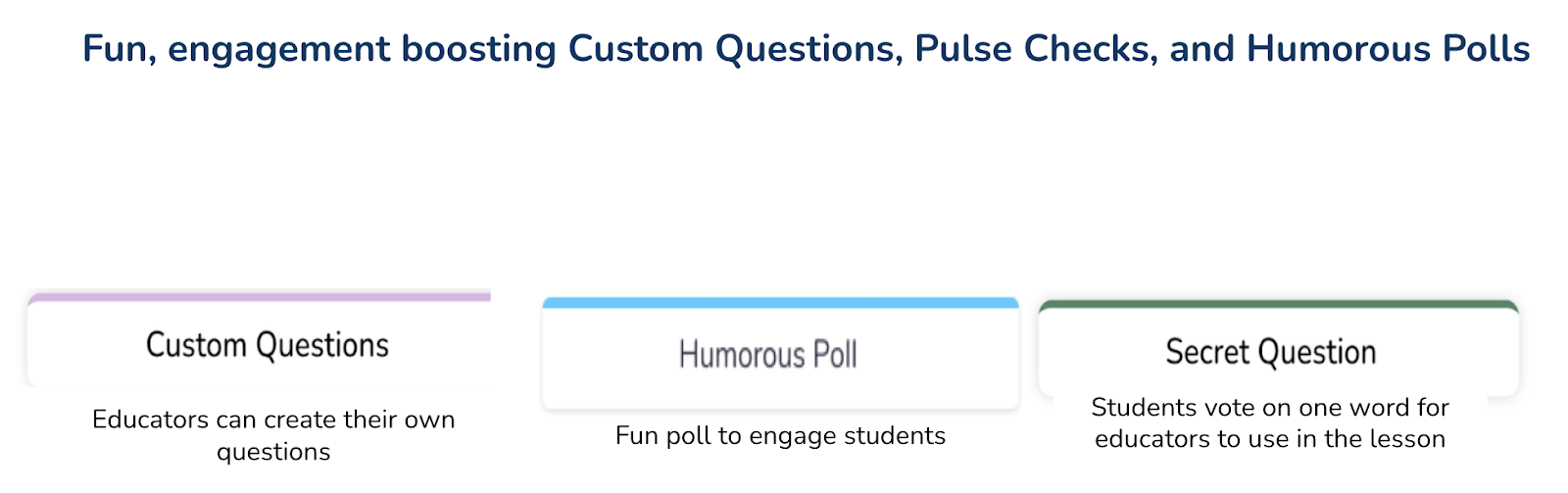
8 Virtual Reality Tools to Go Around the World

As a Spanish teacher, I am always interested in finding innovative ways to teach in my classroom and to create learning opportunities that do more than to engage students solely with the content material. Over the past few years, I have started to bring different tools for learning into my classroom, some of which pushed me outside of my comfort zone as a teacher. One area that has led to greater student engagement and has been well received by my students is the use of augmented and virtual reality.

For many teachers, the idea of using these types of tools in our classroom bring questions, such as how much time do I need to learn how to use them and what are the benefits? Fortunately, getting started with many of these tools is quite easy as there are resources available to use as tutorials. The tools offer ready-made lessons or examples to start with, and of course, our students learn so fast that we can quickly learn from them. I often say that we just need to know enough to make sure that we are aware of any issues with access, and of course, we have knowledge of the safety or security issues. We must also understand how we plan to use it, focusing on the why behind wanting to do so, but then we should leave it up to our students to take it beyond that point.

As for benefits, using tools for AR and VR helps educators create innovative learning spaces and transform “how” and “where” students are learning. With different AR/VR tools available, we give students the power to explore objects or places, control their learning and connect with the content in ways that textbooks and videos cannot provide. Students can now travel around the world, to another country, underwater or into outer space, using these tools and doing so right from their classroom.

8 Tools to Try

Here are eight different tools to explore that I think can be very beneficial for student learning and promote student engagement. Getting started with these will help educators implement some digital tools into the classroom without taking too much time to get started.

  1. Google Expeditions
    The app is free and can be downloaded from Google Play or the App Store. Google Expeditions offers more than 100 augmented reality and 800 virtual reality tours which students can use to explore careers, visit famous landmarks and locations. They can even use it to find out more about global initiatives. Through the roles of Guide and Explorer, teachers and students can engage with the content in a more immersive way that connects students more closely with the spaces they are viewing, which promotes curiosity. Another option is Tour Creator to create a tour specific to student interests or to have students create their own tour to share. Tours are easy to create and share and provide a more authentic way to connect students with places they are studying.
  2. Google Earth
    Google Earth enables teachers and students to explore places around the world and even zoom in for a closer look in 360 via Street View. For schools that have access to HTC Vive or Oculus Rift, Google Earth VR makes it possible to walk or even fly around the locations and explore more closely.
  3. Nearpod
    Nearpod offers a library full of lessons in VR and the ability to quickly create lessons that have 3D objects and VR field trips included. Tools like Nearpod help to engage students in a more active learning experience while also providing multiple ways for teachers to assess student learning. It is easier now to take students on trips around the world right from within the classroom at any time.
  4. 360 Cities
    360 Cities offers interactive panoramic photos and more than 2,400 videos to select from to use in the classroom.
  5. Unimersiv
    Through Unimersiv, educators can find VR experiences for students ranging from exploring space, human anatomy, or places like Stonehenge, Athens, the International Space Station and more. Unimersiv can be downloaded with lessons available for students. New lessons are added every few months.
  6. Sites in VR
    Sites in VR is an app available for download on Android and iOS devices. Locations can be searched based on type including nature, parks, museums, towers and more. Users can choose to explore through the device or with a headset.
  7. 360-Degree YouTube Videos
    YouTube offers 360-degree videos which can be a good way to hook students at the start of a lesson. There are so many choices available; one of the first ones that I watched was Lions 360. Videos that were filmed in 360 will provide a better experience.
  8. Curated X Kai
    Curated X Kai has featured VR field trips available for experiences such as hurricanes, looking at dinosaurs, the solar system, the human body and many others focused on locations or historical events or places. New field trips are added weekly.

Making the Choice

There are many benefits of using VR in the classroom. In my own experience, it provides students with space where they can take more ownership in learning and creates an opportunity for students to build global knowledge, and explore different ideas and perspectives. We can also use VR as a way to connect our students with classrooms and experts from around the world and build more than content and technology skills. We can also help students develop empathy as they learn about cultures and places different from their own.

There are a lot of options out there to choose from, it is about promoting student choice and helping students to do more than consume content, but to actively engage in learning and even become the creators.

**Interested in writing a guest blog for my site? Would love to share your ideas! Submit your post here.

Looking for a new book to read? Many stories from educators, two student chapters, and a student-designed cover for In Other Words.

Find these available at bit.ly/Pothbooks  

Buncee for engaging learning opportunities!

We are a few weeks into the new school year and for many educators, it has been an interesting start to the year. Whether in physical classroom spaces or in a hybrid or distance learning environment, our focus at the start of the year is on building relationships and engaging students in learning. The challenge this year for many is  creating the right spaces to build those relationships when we are not together in our physical classrooms.  Buncee provides so many possibilities for doing just this.

Introductions

I can create with Buncee and engage my students in opportunities to not only create and engage more in learning, but provide a way that they can feel connected to each other if we cannot be together in the same physical space.  A great place to start is exploring the Ideas Lab. There are great templates available to choose from that work well for the beginning of the year and a back to school theme, or for some ice breakers to build relationships that are so important. 

Check out some of these recent additions to Buncee templates for having students express themselves by creating an acrostic poem or a virtual locker.  These are great options to have students create a Buncee to introduce themselves to their teacher and to their classmates!

(this one was shared by Buncee)

(drag and drop items into your virtual locker)

Using Microsoft Teams or Google Classroom, it makes it really easy to share these with students. For global collaboration, create a Buncee board to post all of the amazing student creations. With project-based learning, my students have been able to connect with students in Argentina and Spain and share a little bit about their experiences as students and what life is like here in the United States.  With all the options available for creating within Buncee, it’s fun for students to be able to create something that represents who they are and even to have the option to include audio or video to really get to know each other.  Being able to collaborate like this is quite valuable regardless of where learning is happening but definitely beneficial as many schools are working with hybrid and distance learning. It helps students to feel more connected to their classmates and their teachers and also to be able to connect on a global scale which is important for all students. 

Teach a Lesson

One of my favorite ways to use Buncee is to create lessons to share with my students. One of the first ones that I did was to teach about digital citizenship and it was easy to create something using all of the different options available within the media library and to give students an opportunity then create their own buncee to share what they had learned. 

Set up class expectations for virtual learning

Explore the templates and create something like this fast and make it your own by selecting from the more than 35,000 choices available in the media library! 

Ready-made templates and new topics

Something else that I’ve always loved about using Buncee is that it integrates with other tools that we use in my classroom. With this new partnership with Flipgrid,  there are even more ways to use these tools together to provide more opportunities for students to build essential skills. You can find pre-made Buncee templates available in the discovery library focused on topics like social emotional learning, goal-setting and schedulers and organizers.  Check out all of the choices today!

One of the things I love the most about using Buncee is that there is always support available. Whether you connect with the Buncee team through the different social media platforms, or make connections with educators from around the world through Twitter or Facebook, there are so many ways to learn and grow as educators. And even more importantly,  to bring new opportunities to our students. If you need some quick resources on different topics, check out all of the many options available at their Buncee help desk.

Looking for more ideas?  See what the Buncee Ambassadors are up to! Explore the 66 ideas for using Buncee from Maria Jose Giavedoni.  Did you catch the Creative Beginnings event at the beginning of August? Three days of sessions and so many topics and ideas.  Catch the recordings here.

Coming up:

Don’t miss out on the new idea o’clock with Buncee starting September 16th happening live on Facebook at 7:30 p.m. Eastern.  First up was Shannon Miller and Amy Storer is on the 23rd! Be sure to tune in to learn new ideas from Buncee educators!

Image

Find more in the Back to School Resources Kit

Check out the videos available here.

**Interested in writing a guest blog for my site? Would love to share your ideas! Submit your post here.

Looking for a new book to read? Many stories from educators, two student chapters, and a student-designed cover for In Other Words.

Find these available at bit.ly/Pothbooks  

 Also check out my THRIVEinEDU Podcast Here!

Join my weekly show on Wednesdays at 4pm EST on Learningrevolution.com THRIVEinEDU  Join the group here
6 Must Haves for School Districts to be Successful in Remote and Hybrid Learning

Guest post by Stephanie Burroughs (@BurroughsEDk12)

For this school year to be successful, we have to take the 40,000 foot view and make sure we have the systems and structures in place to help all students, teachers, administrators, and community members work together to support student learning. 

Whether your district is beginning the school year fully in-person, remotely, or in a hybrid learning model, there were clear concerns over approaches to emergency learning in the spring that we should be fixing no matter what school will look like for your district. Below are six ideas that K-12 districts should be planning for: 

1. Train your students to LEARN online 

It’s not just about technology training. We should be prioritizing executive functioning in the same way that we are prioritizing learning padlet and flipgrid. What we got wrong in emergency learning is creating a massive tech learning curve for our students. Over-stimulating students with log-ins to platforms instead of focusing on student-centered discourse, consistent workflows, and modes of communication would be a mistake moving forward. 

Learning online requires more initiative and better time management. In a US News article for college students they discuss the need for improved communication and self-discipline in order for students to be successful in an online environment. K-12 schools are beginning to acknowledge their role in on-boarding students, with one district releasing plans that prioritize student training prior to shifting to fully remote.

Advice: Give students a learning coach, a teacher in the building that checks in with them each week to assist with managing their assignments and advise them on communication with their teachers.  

2. Have Open House early and virtually

​Supporting student on-boarding is only the first step in ensuring a smooth roll-out of learning expectations. We must remember that families are partners in learning and get them in the loop early. When emergency learning rolled out, parents were overwhelmed with taking on their child’s learning and it doesn’t have to be that way. 

Parents need to know how this is all going to work. Answering these questions for parents at an early open house will help parents act as allies in learning:

  • How can I prepare my child for an online class? 
  • How will teachers communicate expectations and how can I stay in the loop on my child’s learning?
  • When will I be able to check-in with teachers on my child’s progress?
  • What is a reasonable amount of time for asynchronous work?
  • What strategies can I support my child with in communicating with teachers and knowing when/how to get help?

Advice: Give parents a cheatsheet newsletter that clearly defines workflows and expectations for their child, including the technology students will need to be using and all the ways their child can get support. 

3. Train your teachers to teach online 

I earned a doctorate online at the University of Southern California and we used 3 tech tools: G-Suite, a Learner Management System, and Zoom. My classes were engaging, rich discussions with clear expectations for learning. There is no reason why we should be exhausting our teachers with learning every technology platform they can get their hands on. Instead, we should be focusing our professional learning time on modeling online pedagogy and creating workflows that maximize engagement while minimizing the technology learning curve. 

In my post on learning online, I highlight the need for student-friendly online learning and identify the following action items for teachers:

  • Front-load student learning – Let asynchronous work act as a springboard for live class discussions
  • Begin class with a quick check for understanding – Keep it simple and let students warm-up to engaging in an online environment
  • Prepare templates for group work ahead of time – It will help students focus and help teachers keep track of the progress of small group work
  • Share your slides, make your expectations clear – It helps your students focus and aids them in processing important information
  • Make caring a part of your routine – Let checking in on how your students are feeling be a routine in your classroom

​Advice: Give teachers permission to keep technology tools simple, support them with distance learning pedagogy first.  

​4. Embrace virtual parent conferences 

It was always bizarre to me that a common practice for parent-teacher conferences was a 15 minute time slot in the middle of your workday. Virtual parent teacher conferences will enable more families to engage in conferences, but it will also allow districts to schedule time for conferences with more flexibility. But let’s not stop there, let’s look for opportunities to engage with families and make sure that there are consistent feedback loops to support a successful school year for our students:

  • Open up PTA meetings to have consistent opportunities for parents to ask questions
  • Have time slots for parent-teacher conferences throughout the year so that teachers have the time set aside to support families
  • Hold coffee hours with families to offer support with technology and support with navigating their child’s learning experience

Advice: Plan for opportunities to engage with families and communicate them consistently so that every parent feels connected to their child’s school.

5. Focus on consistent communication

School districts all around me have communicated throughout the summer months on their plans for the fall, opened up family forums to ensure that all voices were heard and that districts could account for feedback, and truly spent a significant amount of time on developing out plans for opening school buildings in compliance with state guidelines. It’s been great, students and parents need to know what to expect and when to expect it.

As we kick off the school year, that same steady communication must happen within the classroom and within school buildings. As a parent, I hope to see the following:

  • A clear schedule of how and when assignments will be communicated
  • Consistent meeting times for each of my kid’s classes, communicated at the start of the year and consistent throughout
  • Consistent time for extra help and support for students so that we can plan for it in our day
  • Consistent communication on grades and progress in each of my kid’s classes

Advice: Parents should be added as viewers to google classrooms to help with communication and grade books should be kept open.

6. Embrace professional learning communities 

Teachers need time and they need us to honor that. Professional Learning Communities, or teachers meeting intentionally to co-plan curriculum, instruction, and assessment, must be a top priority for school districts developing their schedules for the upcoming year. PLC time is sacred and should be intentionally scheduled so that not a single one of our teachers feels isolated in their efforts to provide the best possible learning opportunities for their students. 

That being said, collaboration on building materials and resources must be a priority in PLC time and we all need to embrace teamwork over autonomy. That last bit is hard, but our students deserve a consistent learning experience in the upcoming year and we can only accomplish that by being intentionally collaborative in our creation of student learning experiences. 

Advice: Teachers should talk as a team about what they can commit to building together and where they need breathing room to add their own personal touches. Asynchronous materials may be the best place to start for building common ground.

**Interested in writing a guest blog for my site? Would love to share your ideas! Submit your post here.

Looking for a new book to read? Many stories from educators, two student chapters, and a student-designed cover for In Other Words.

Find these available at bit.ly/Pothbooks  

 Also check out my THRIVEinEDU Podcast Here!

Join my weekly show on Wednesdays at 4pm EST on Learningrevolution.com THRIVEinEDU  Join the group here
Game based learning

Guest post post by Brigid Duncan, Educator, Creator, & Blogger

Shaking up learning by bringing retro games to class lessons!

A picture containing holding

Description automatically generated

If you have been teaching for a couple years now, you would be asked by many students to play Kahoot! Or just mention the word Kahoot! and kids await eagerly to hear the elevator music playing in the background as they enter the game code to join your game. So, our students love to play games. Who doesn’t? There is an old Finnish saying that goes like this:

“Those things you learn with JOY

You will not forget easily!”

So why use game-based learning? Many reasons come to mind, however the most significant one is that students work harder when they are given a choice, autonomy, and they are in an audience being observed by their peers. In other words, they like a challenge and want to win. So, knowing this and building games into your instruction accomplishes that and so much more. Many of our students are Gen Z’s, and research has proven that this generation loves challenges, they love independence and relish having a voice in their learning outcomes. Theory behind game- based learning is that we are taking the motivational aspects of a game and applying it our lessons for assessment, while kids are having fun. 

As we move into the start of this ever-pivoting school year, our instruction has to keep up with modifications as our classroom changes, whether we are online,  face to face instruction or hybrid. The problem teachers face with this type of instruction, lies in with our assessments and the integrity of them. Are my students truly understanding the essential questions as outlined at the start of the lesson? Are they using Professor Google (my favorite word for searching google for answers) to my assessments? Should I even have assessments and just go strictly to project based assessments. Well I am here to say you can have online assessments using game-based learning. 

Who wouldn’t want to play an old-fashioned Trivial Pursuit board game? A favorite for many and can be used to assess for key terms or conceptual thinking on a unit lesson. Have them play in teams, assign points and give them badges that they can proudly display. Have a “Battle Royale” with review or test bank questions. Want to take it a step back in our time capsule, do you remember Four Corners a game still played in and out the classroom. Well you can simulate the same idea but on a board game and in, an online classroom. Let’s say you are teaching themes in a novel read that the class just wrapped up. You can ask students to identify themes on opposite side of the four corners. Example, revenge in one corner and opposite side “compassion” You can give them a blank card with 4 squares and play Pictionary, another retro board game. You can pose the same questions but this time you say to your students use icons to represent the themes and place in opposing squares. Sites like The Noun Project or AutoDraw are all free. And of course, I couldn’t write a blog post on game-based learning and not mention Monopoly. I have seen many teachers get creative by incorporating unit lessons using a Monopoly style board, guiding students through asynchronous lessons from START to FINISH. 

I hope this post on game based learning will encourage you to Level Up, on your lesson plans and incorporate games in your classroom learning assessments. Many teachers will be starting a new year with students you have never met in person. I have read many of your comments on social media asking how to build classroom community when we have never met and will continue online. Then this is one of the best solutions available now, to ease your concerns. By having games included in your lesson plans, you will begin building online classroom student relationships. Have fun this school year and remember that Old Finnish saying when developing and designing your lesson plans: “Kids remember best when they are having fun!” 

Brigid Duncan, Educator, Creator, & Blogger

Brigid Duncan is an AP Econ/Business instructor teaching high school in Hollywood, Florida. Originally from the Caribbean, she pursued a career in advertising and Marketing before transitioning to teaching. She is Mom to three wonderful and energetic teenagers and enjoys being creative, especially in graphic design. Favorite quote: “You see things; and you say, ‘Why?’ But I dream things that never were; and I say, ‘Why not’?” – George Bernard Shaw.

Follow her educational journey at @MsBDuncan

**Interested in writing a guest blog for my site? Would love to share your ideas! Submit your post here.

Looking for a new book to read? Many stories from educators, two student chapters, and a student-designed cover for In Other Words.

Find these available at bit.ly/Pothbooks  

************ Also check out my THRIVEinEDU Podcast Here!

Join my weekly show on Wednesdays at 4pm EST on Learningrevolution.com THRIVEinEDU  Join the group here

Game based learning versus Gamification.

Guest post by Brigid Duncan @MsBDuncan

There is a difference? So, what is it?

A close up of a dinosaur

Description automatically generated

As many teachers head back out to instruction with many fears and anxiety of the unknown to come this school year, I am happy to share that being on lockdown for many months, there was a silver lining in it for me.  And that was being able to attend many online professional training programs for free, in places I would have to travel too to get to those conferences. Extremely fortunate to connect with many amazing and talented curriculum and instructional educators. At one of these online PDs I met @Sarahdateechur from Microsoft and Cue #GETA sessions on Steps to gamify your instructional approach to classes. 

In this session, stark differences were drawn between the two instructional teaching tools. Whoa! Who knew that they were different? Gamifying as she stated has been around for many decades. We all remember the excitement when we got back a test and there was a “red star “on your paper. This meant you got 90% or higher. And if you got the “golden” star you aced the test with a perfect score of 100%. Today in education, this is not the best way to assess or motivate student learning outcomes, however this was a primitive way of introducing gamification into the class lesson. Badges for merit rings a bell? 

Gamification takes your class lesson and uses themes to create excitement, engagement and innate motivation to get the lesson assignments completed while having educational fun. Students can work in teams by choosing a token player, mascot or game piece for their team identification, and then complete lesson stations/group activities. Along the way they collect a stamp for each completed activity. And all if all stamps on score card are filled in, congratulations you have earned your first badge.  Challenges can be created to mimic standards from DOK levels of 1 to the highest level of rigor difficulty, an instructor wants to make the lesson. Differentiation is also evidenced by having groups from low level challenges to high level, still actively participating in the game and completing the lesson essential question or objective successfully. 

The super talented @MeehanEDU author of EDrenaline Rush has designed many thematic and challenging gamified lessons that you too as a teacher can see and feel the excitement invested to want to complete this game and get that prize. Gamification can be built on current or “pop” themes. The game of Thrones, Harry Potter and use the Houses as game token or player. Teachers have used creative writing interwoven by way of mini stories, as they developed these gamified lessons. Stories that when included add more excitement as students read instructions to get to that prize. 

Another great Gamification Master, as I like to refer to him is @MrMatera. A middle school social studies teacher who use his curriculum to create the gamification themes. Teachers can design themes based loosely on pop culture movies retro movies such as Indiana Jones, Star Wars, or more current ones such as Stranger Things or Game of Thrones. Most important element that makes gamification works, is having a challenge adding some element of danger/ depth defying or “must save the day” to complete a mission.  Thus, class teams work together to defeat the “bad guys” to earn that badge of honor.  Added bonus: classroom community and relationships are forged. 

So the question becomes where does a teacher begin. How much will this cost me? I highly recommend starting on a Tuesday night visiting Twitter. The instructional coaches and mentors mentioned in this post, who are all great people to follow. Most have Tuesday or Wednesday chats based on how to start gamification in class. What practices have worked. Some teachers even share lessons that you can re-mix with credit to that teacher, so that you can practice or build into your curriculum instruction. Unfamiliar with what are popular movies?  This is the best time to get to know your students. Have them share what are movies or tv shows are they watching now. Build from them and see how much more they connect and build a relationship with you, as you used movies that they shared with in class, in a lesson. Bonus points with students: if you know they struggle with a math concept like say fractions but used a movie theme they like…and designed fraction lesson based on that theme, chances are you have them engaged already to trying your lesson. A win-win for everyone. 

I hope this post has inspired you to rethink and want to try incorporating gamification into your lesson plans.  Start simple maybe with your syllabus or classroom expectations and then assess how it worked with your students.  Do come back to the second part of this post, which is centered more on game-based instruction, creating games the old school style. Retro!   Until then happy learning teacher friends!

**Interested in writing a guest blog for my site? Would love to share your ideas! Submit your post here.

Looking for a new book to read? Many stories from educators, two student chapters, and a student-designed cover for In Other Words.

Find these available at bit.ly/Pothbooks  

************ Also check out my THRIVEinEDU Podcast Here!

Join my weekly show on Wednesdays at 4pm EST on Learningrevolution.com THRIVEinEDU  Join the group here

Guest Post: Culturally Responsive Teaching

Guest post by Chris Orlando @Dr_ChrisOrlando

When COVID-19 struck in the spring, it forced an unprecedented portion of our country’s schools to suspend brick-and-mortar instruction. Teachers were thrown into distance teaching—referred to by many as “crisis teaching”— with little preparation. It was like trying to build a plane while flying it.

The crisis has exposed societal inequities impacting our students’ daily lives including food deficits, inadequate health care—including mental health care, issues with housing stability, and insufficient access to the internet.

This fall, to ensure that I’m meeting the needs of my marginalized students even as I shift to a new learning environment, I plan on creating a culturally responsive digital classroom, one that can provide a space where students feel welcomed and valued. Culturally responsive instruction centers on building the learning capacity of all students. According to Zaretta Hammond, author of Culturally Responsive Teaching and the Brain, “There is a focus on leveraging the affective and the cognitive scaffolding that students bring with them.”

Here are three ways in which I plan to implement culturally responsive teaching this year:

Building Relationships

The single greatest investment teachers can make is to build relationships with their students. Relationships boost motivation, create safe spaces for learning, build new pathways for learning, and improve student behavior. The question, of course, is how can I build relationships with students who I might never see in person?

First, I plan to master the soft start to class in order to ease students into our learning environment each day. Though often thought of as an elementary school strategy, my middle schoolers respond well to soft starts. It allows time for students to transition and to re-engage their mental muscles with a short game, puzzle, brainteaser, reading, or interesting “Would You Rather” question. Be cognizant that typical icebreakers like, “What I did this summer” may leave children with nothing positive to share and create a social hierarchy of who had the most impressive summer break. Instead, pose questions like, “Imagine your best day ever. What would happen?” or “If you could change one thing about the world, what would it be?” Taking even ten minutes to check-in with students at the beginning of class each day is vital because high-trust, low-stress environments can help marginalized students effectively process and retain learned information. Additionally, I plan to do the following to build relationships and increase connectedness virtually:

  • Learn my students’ names promptly and use them as much as possible. As a teacher who often mispronounces my students’ names, I’ll assign students to create a short video in which they pronounce their name so that I can reference it.
  • Ask for student feedback regularly through an ungraded video or Google Form known as “Friday Feedback”
  • Host informal office hours that will encourage one-on-one communication
  • Collect and share virtual notes of gratitude and appreciation

Be a Personal Trainer of Students’ Cognitive Development

As a teacher who is preparing for Round 2 of distance teaching this fall, much of the success or failure of this upcoming school year will depend on my students’ ability to work independently. In order to foster this independence, I will be providing students who are dependent learners with cognitive routines and tools that will help them organize their thinking and process content. Consistently using a regular set of prompts in all assignments helps students internalize cognitive routines so that they can use them when I’m not around. After all, isn’t the goal of education to help students become lifelong learners who can marshal their critical thinking skills long after they’ve left the classroom? Internalizing cognitive routines will help expand the learning capacity of students who have been historically marginalized and work to dismantle dominant narratives about students of color.

Make It a Game, Make It Social, Make It a Story

Each day students walk into our classrooms (or this year, log in to our classrooms) armed with their own learning tools, but too often teachers fail to use them to maximize student learning. Students’ culture can inform us whether they learn best on their own or by collaborating with others. In a distance learning context, students are often given packets and assigned independent projects, which serve independent learners, but are a detriment to communal learners. For example, diverse students who come from oral traditions, might benefit from activities that require social interaction, physical manipulation of content, or narrative. In other words: make it a game, make it social, or make it a story. Utilizing breakout features in Zoom and apps like Jamboard, Flipgrid, and Socrative can help engage communal learners. However, it’s important to remember that culturally responsive teaching isn’t simply a set of strategies. It’s consistently mirroring students’ cultural learning styles and tools.

My job is to be responsive to students’ individual and collective lived experiences, and in particular this year, their experiences with the COVID-19 pandemic. That will require me to integrate my students’ cultural learning tools into my pedagogy and be a warm demander of their cognitive development. But above all, this year will be about relationships. Creating a learning partnership that encourages my students to take ownership of their learning has always been important, but this year it will be paramount to address gaps in learning outcomes between diverse students and their white counterparts. Through robust reflection of my own pedagogy and the adoption of culturally responsive teaching practices, I plan to make learning exciting and joyful for my students so that they’ll be motivated to take ownership of their own learning. Students will be seen. They’ll be heard. They’ll be loved. And we’ll make it through this school year together.

Gonzalez, J. (2017, September 10). Culturally Responsive Teaching: 4 Misconceptions. Cult of Pedagogy. https://www.cultofpedagogy.com/culturally-responsive-misconceptions/

**Interested in writing a guest blog for my site? Would love to share your ideas! Submit your post here.

Looking for a new book to read? Many stories from educators, two student chapters, and a student-designed cover for In Other Words.

Find these available at bit.ly/Pothbooks  

TeacherCast Educational Network | Developing Standards-Based Instructional Technology Integration

Technology Integration - Instructional Coaching - Productivity Secrets for Educators

Leadership Liner Notes: Sean Gaillard

Built on Connection. Tuned for Impact.

Stories by Thomas Oppong on Medium

Dr. Rachelle Dené Poth @Rdene915 Educator, Consultant & Keynote Speaker, Author, Attorney #THRIVEinEDU

Hooked On Innovation

When Innovation slaps you in the face, we slap back.

Teach Better

Dr. Rachelle Dené Poth @Rdene915 Educator, Consultant & Keynote Speaker, Author, Attorney #THRIVEinEDU

BrianKulak.com

Dr. Rachelle Dené Poth @Rdene915 Educator, Consultant & Keynote Speaker, Author, Attorney #THRIVEinEDU

The Principal of Change

Stories of learning and leading

Mandy Froehlich

Dr. Rachelle Dené Poth @Rdene915 Educator, Consultant & Keynote Speaker, Author, Attorney #THRIVEinEDU

Katie Martin

Informed by research, refined by practice

#RocknTheBoat

Rocking today's classrooms, one teacher, student, and class at a time.

User Generated Education

Education as it should be - passion-based.

Learning as I go: Reflections & lessons learned

Dr. Rachelle Dené Poth @Rdene915 Educator, Consultant & Keynote Speaker, Author, Attorney #THRIVEinEDU

Serendipity in Education

Join me, Allyson Apsey, as I stumble upon the fortunes of learning, laughing, and celebrating alongside incredible people.