
Guest post by: Renee Dawson | Middle School Special Education Teacher | Atlanta, GA @dawsonedtech | #AIinEDU #whodunit #middleschoolteachers
What if your next standards-based lesson felt more like a crime scene investigation than a worksheet, and your students were actually excited to complete the activity for the lesson? With AI chatbots and generative image tools, you can transform traditional content and learning activities into immersive “whodunit” experiences that hook middle and high school students while reinforcing critical skills.
At its core, a classroom whodunit is a structured problem-solving activity. Students analyze clues, apply content knowledge, and eliminate possibilities to determine the culprit, location, and weapon. The twist? AI can now help you generate the entire experience, completely aligned to the current state standard you’re teaching, in minutes.
Start with your standard, not the story. Choose a specific learning objective, such as: identifying types of symbiotic relationships, solving integer operations, or analyzing textual evidence. Then prompt your favorite AI chatbot to build a mystery scenario that embeds those concepts into clues. For example, if your standard focuses on integer operations, each clue might require students to correctly solve a problem to eliminate a suspect. A correct answer could reveal: “The suspect was seen at a temperature of -5°C, but your solution shows the crime occurred at +3°C. This suspect is not the murderer.”
The power of this approach lies in how clues are structured. Each question should act as a gatekeeper, allowing students to eliminate one of three categories: suspect, location, or weapon.
AI chatbots are great for generating these layered clue systems. You can ask for 8–12 clues that vary in difficulty, include misconceptions, or scaffold learning. For differentiation, you might prompt the AI to create leveled versions of the same mystery.
For example, in a science classroom studying ecosystems, a clue might read: “The crime scene shows evidence of a parasitic relationship. Which suspect studies organisms where one benefits and the other is harmed?” Students must apply vocabulary knowledge to eliminate suspects who specialize in mutualism or commensalism. Each correct interpretation moves them closer to solving the case.
Once your narrative and clues are generated, generative AI tools can bring the mystery to life visually. You can create realistic or stylized images of:
- Suspects (for example, “a nervous-looking botanist in a greenhouse”)
- Locations (for example, “a dimly lit school laboratory with overturned beakers”)
- Weapons or objects (for example, “a cracked test tube labeled with a chemical formula”)
These visuals dramatically increase engagement, especially for visual learners and students who benefit from contextual cues. They also make your activity feel more like a game or digital escape room rather than a traditional assignment.
To streamline your workflow, you can pair tools strategically. Use a chatbot to generate the storyline, character descriptions, and clue questions. Then copy those descriptions into an image generator to create matching visuals. Finally, organize everything into a platform you already use to create a slide deck, digital form, or even a digital escape room, where students can interact with clues, track eliminations, and submit their final answers. I enjoy creating an introduction video that students either watch in their group or I play on my interactive board to help set the scene and get them excited for the activity. To get them moving and release some of their energy, consider hiding the clues around your classroom or throughout a hallway to add a scavenger hunt aspect to the activity.
Another advantage of AI-generated whodunits is how easily they support iteration. You can quickly revise a clue for clarity, swap out a standard, or regenerate an entire mystery with a different theme (school, space station, historical setting) while keeping the same academic focus. This flexibility is especially valuable for reteaching, enrichment, or standardized test preparation.
Of course, the teacher’s role remains essential. AI can generate content, but you ensure alignment, accuracy, and appropriateness for your students. Review each clue for misconceptions, adjust language for readability, and consider adding discussion or reflection components. For instance, after solving the mystery, students might explain how specific evidence helped them eliminate each suspect, reinforcing both content knowledge and reasoning skills. Another component I often add at the end of my science whodunits is to have the students complete a CER (Claim-Evidence-Reasoning) activity on the learning objective or standard using information from the clues in the activity.
When you use AI tools to your advantage, you can create whodunits that turn learning into an experience. Students aren’t just answering questions, they’re investigating, debating, and thinking critically. Plus, as they work to crack the case, they’re also mastering the standard you set out to teach.
AI-Powered Whodunit Teacher Quick Guide
Step 1: Start with Your Standard. Choose a specific learning target. One skill per mystery works best.
Step 2: Prompt the AI for a Mystery Scenario. Ask the chatbot to generate:
- A short backstory (crime + setting)
- 3–5 suspects, locations, and/or tools
- 8–10 clues tied directly to your standard
Step 3: Design Elimination-Based Questions Ensure each clue leads students to eliminate:
- One suspect, OR
- One location, OR
- One key object
Step 4: Generate Visuals (Optional but Powerful) Use an image generator to create:
- Suspects (character portraits)
- Locations (crime scenes)
- Key objects (weapons/tools)
Step 5: Build the Activity Organize in:
- Google Slides (interactive clues)
- Google Forms (self-checking)
- Escape room format (locks + codes)
Step 6: Add a Reflection Have students explain:
- How they eliminated options
- Which clues were most important
Sample AI Prompts:
Science: “Create a whodunit mystery for 7th-grade students where they must identify types of symbiotic relationships (mutualism, commensalism, parasitism) to solve the case. Include 4 suspects, each with a scientific specialty, and 8 clues. Each clue should require students to correctly identify a relationship type in order to eliminate one suspect, location, or object. Include clear answers and explanations.”
Social Studies: “Create a whodunit mystery for 8th-grade students set in a historical context where students must use geographic clues (landforms, climate, or region characteristics) to determine where an event took place. Include 4 locations and 8 clues. Each clue should require students to apply geographic reasoning to eliminate one incorrect location or suspect. Align to the following 8th-grade social studies standard listed below.”
Math: “Create a classroom whodunit mystery for 6th-grade students where solving integer problems helps students identify the culprit. Include 4 suspects and 8 clues. Each clue should involve integer operations (addition, subtraction, multiplication, or absolute value). A correct solution should allow students to eliminate one suspect, location, or weapon. Include an answer key and step-by-step solutions.”
Language Arts: “Create a whodunit mystery for 6th-grade students where students must analyze short passages and identify themes or use textual evidence to solve the case. Include 4 suspects and 8 clues. Each clue should include a short paragraph on a 3rd-4th grade reading level and a question requiring students to infer themes or cite evidence, allowing them to eliminate one suspect, location, or object. Include sample answers and reasoning.”
Sample Introduction Video to one of my whodunit activities for 6th grade math:
AI-generated images from some of my classroom whodunits:
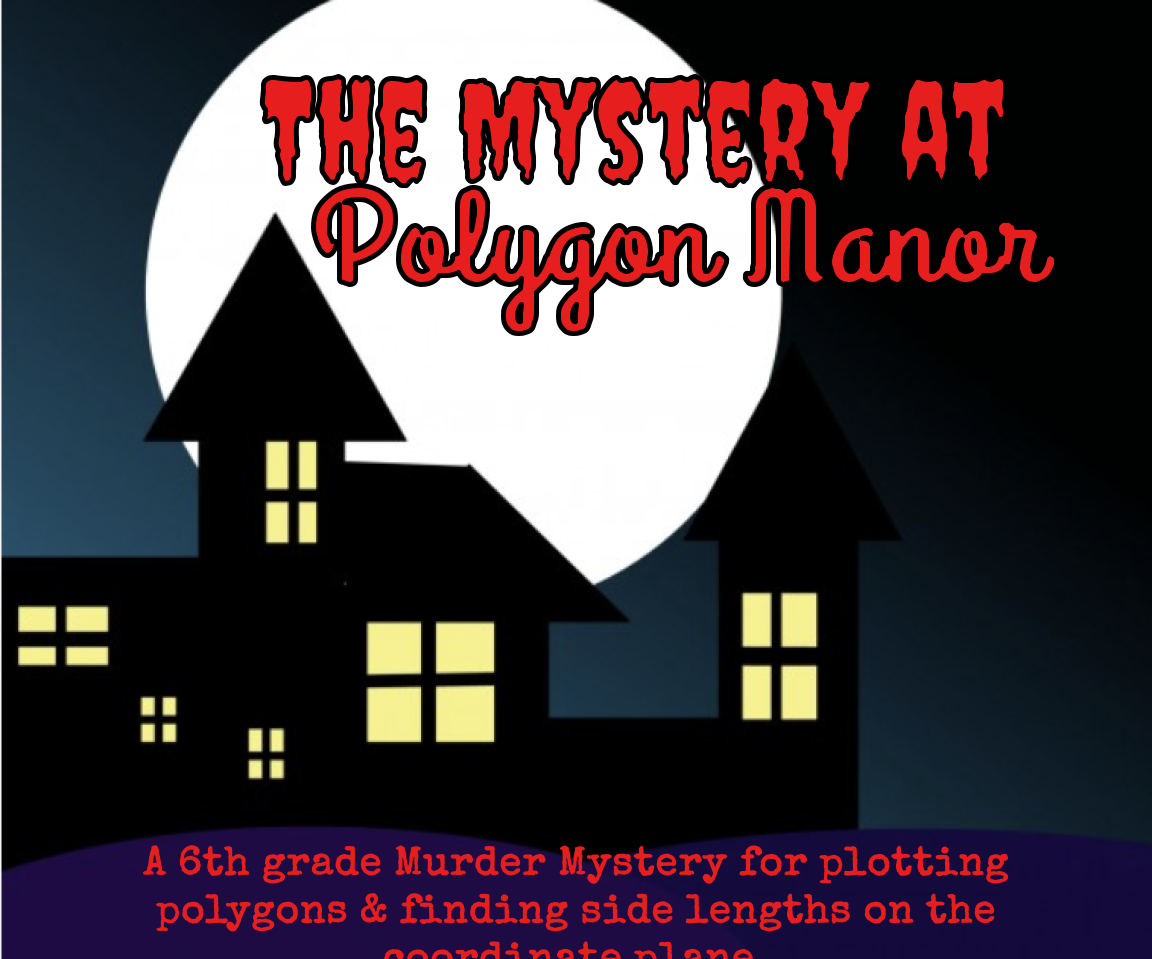
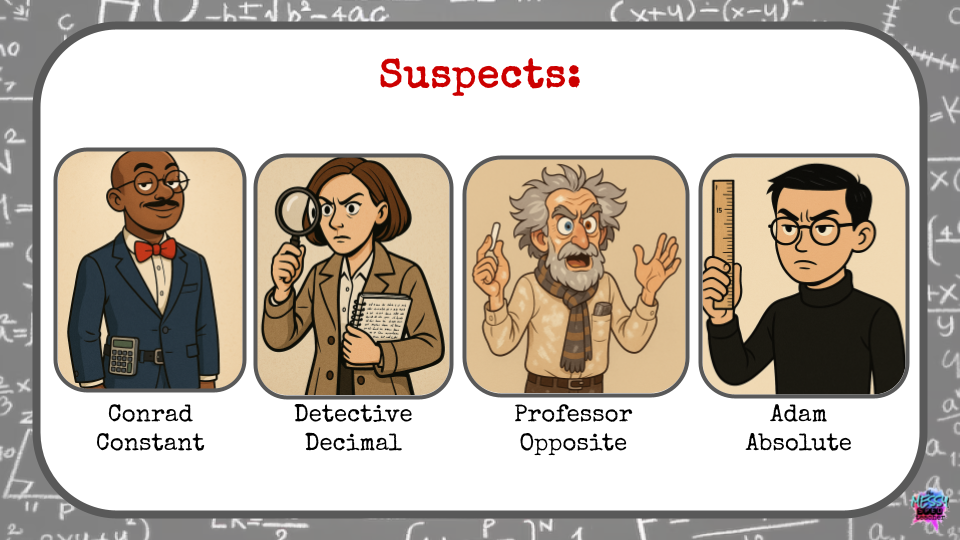
Images generated using Microsoft Image Generator
About Rachelle
Dr. Rachelle Dené Poth is a Spanish and STEAM: What’s Next in Emerging Technology Teacher. Dr. Rachelle Dené Poth is an edtech consultant, presenter, attorney, author, and teacher of Spanish and STEAM: Emerging Technology. Rachelle has a Juris Doctor degree from Duquesne University School of Law and a Doctorate in Instructional Technology. Rachelle’s focus was on the need for professional development for educators, specific to Artificial Intelligence. Rachelle specializes in Artificial Intelligence, AI and the Law, AI and Healthcare, Cybersecurity, and STEM. She has more than 8 years of experience teaching and presenting on AI in her classroom, as well as working with educators worldwide.
Rachelle is currently serving as the Grant Coach for an initiative through ISTE+ASCD and Pinterest. Rachelle works with a Task Force from 12 districts in the United States and assists with policy revision, professional development, and the design of digital wellness resources for students, educators, and families.
Rachelle provides professional development related to AI policy and implementation to school districts, universities, and organizations. She also presents and provides keynotes on AI at state, national, and international events and in schools. Rachelle also provides AI training for other industries, including business, healthcare, and legal fields.
Rachelle is an ISTE-certified educator and recipient of the ISTE Making IT Happen Award and several Presidential Awards for volunteer service to education. Rachelle received the EdTech Trendsetter Award from EdTech Digest in 2024 and 2026.
She is the author of ten books, including “What the Tech? An Educator’s Guide to AI, AR/VR, the Metaverse and More! and “How to Teach AI: Weaving Strategies and Activities Into Any Content Area.” She has written curricula and courses on AI for all levels.
She is also a blogger for Defined Learning, EdTech K12, Edutopia, Getting Smart, and Tech & Learning. She is the host of the ThriveinEDU podcast, ISTE’s Learning Unleashed podcast, and The Lift by Amazon on BAM Radio Network. Contact Rachelle for your event!


